Does SiriusXM Radio ID Work in a New Vehicle
Figuring out if your SiriusXM Radio ID works in a new car can sometimes be a puzzle for folks who are new to it. You might wonder if that special number from your old car will magically transfer over. It’s a common question, and it’s totally normal to feel a little unsure about it.
Don’t worry, this guide is here to make it super simple. We’ll walk through exactly what you need to know and do, step by step, so you can get back to enjoying your favorite stations without any headaches. We’ll cover everything so you know exactly how to get your SiriusXM up and running in your shiny new ride.
Transferring Your SiriusXM Radio ID To A New Car
This section explains how your SiriusXM Radio ID works when you get a new car. Many people wonder if the same ID they used before will be active in their new vehicle. We will explore why this question is important and what steps you can take to ensure a smooth transition for your satellite radio service.
The goal is to make this process clear and easy, so you can enjoy your music and shows right away.
What Is A SiriusXM Radio ID
Your SiriusXM Radio ID, sometimes called an ESN or Serial Number, is like a unique fingerprint for your satellite radio receiver. It’s a series of letters and numbers that identifies your specific radio. This ID is essential for activating your service and managing your subscription.
It’s what SiriusXM uses to link your account to your radio hardware.
When you buy a new car, or even a pre-owned one, it might come with a SiriusXM-ready radio. This means the radio itself is capable of receiving the satellite signal. However, having the hardware doesn’t automatically mean you have active service.
You need to connect your subscription to that specific radio using its unique Radio ID.
Think of it this way: your subscription is like a key. The Radio ID is the lock on your new car’s radio. You need to tell SiriusXM which lock your key should work with.
This ensures that only your account can access the service on that particular radio. It also helps prevent unauthorized use of your subscription.
Understanding this ID is the first step to enjoying satellite radio in your new car. It’s a key piece of information that makes the whole process of setting up your service straightforward. We’ll go into more detail about why it matters and how it’s used.
Why The Radio ID Matters For New Vehicles
The SiriusXM Radio ID is crucial for new vehicles because it’s how SiriusXM knows which car your subscription belongs to. When you switch to a new car, you aren’t just moving your account; you’re essentially telling SiriusXM to link your existing subscription to the radio in your new vehicle. The Radio ID is the only way they can do this accurately.
Without the correct Radio ID for your new car, SiriusXM wouldn’t be able to activate your service. They wouldn’t know which radio to send the satellite signal to. This could lead to a situation where your subscription is active, but your new radio shows an error message or no channels at all.
It’s especially important because most new cars come with the SiriusXM hardware already installed. The manufacturer often installs the radios, and they are ready for activation. You, as the new owner, then need to make sure your service is properly associated with that specific radio’s ID.
This prevents any mix-ups with previous owners or different vehicles.
This also means that even if your new car has a SiriusXM radio, you might not have active service immediately. It requires a deliberate step to connect your subscription. The Radio ID is the key to making that connection work seamlessly.
Let’s look at how this ID is typically found on a new vehicle.
Locating Your New Vehicle’s Radio ID
Finding your new vehicle’s SiriusXM Radio ID is usually quite simple, and there are a few common places to look. Most modern vehicles with SiriusXM-ready radios will display this information directly on the screen. This makes it very convenient for you to find when you need it.
The most common method is to tune your radio to Channel 0. This is a dedicated channel for diagnostic information. Once tuned to Channel 0, the Radio ID should appear on the display screen.
It’s often a string of 8 characters, a mix of letters and numbers. Sometimes it might be referred to as the ESN or Serial Number, but for SiriusXM, the Radio ID is what you’ll need.
If for some reason Channel 0 doesn’t work, or you can’t find it that way, another place to check is your vehicle’s infotainment system settings. Many car manufacturers include a SiriusXM or Satellite Radio section within the system’s menus. Within these settings, you can often find the Radio ID listed.
Look for options related to radio information or account details.
In some cases, if you’re buying a certified pre-owned vehicle, the Radio ID might also be noted on some of the paperwork you receive. However, the on-screen methods are the most reliable and direct. Knowing where to look ensures you have this vital number ready when you’re ready to activate or transfer your service.
Does SiriusXM Radio ID Work in a New Vehicle
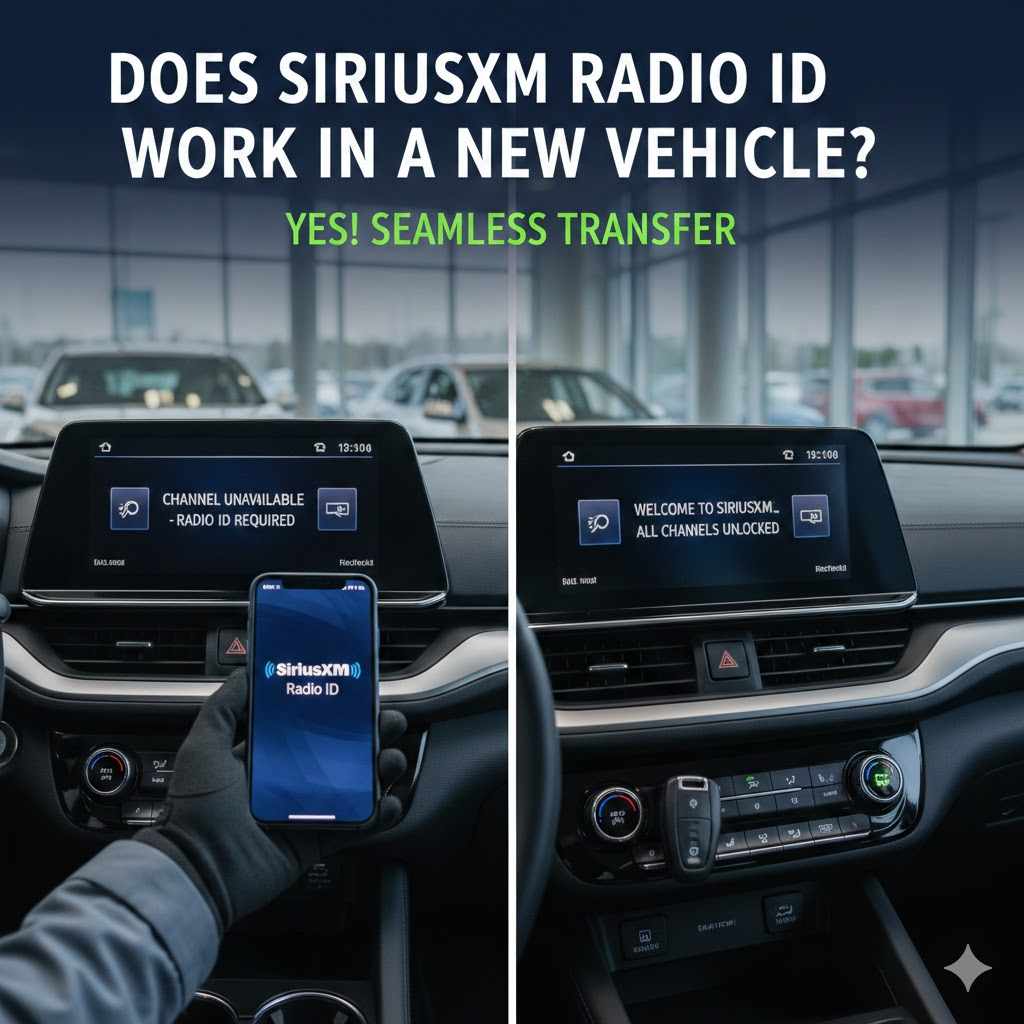
This question, “Does SiriusXM Radio ID work in a new vehicle?”, is at the heart of many new car owners’ concerns. The straightforward answer is yes, your SiriusXM Radio ID can absolutely work in a new vehicle, but it’s not automatic. It requires a specific process to ensure your subscription is properly linked to the new car’s radio.
We will explain the steps involved in making this transfer happen.
The key thing to understand is that the Radio ID itself is tied to the radio hardware, not to a specific person or subscription plan. So, when you get a new car, that car has its own unique Radio ID. You need to inform SiriusXM of this new ID so they can update your account.
This allows the service to function correctly in your new car.
Many people mistakenly think they can just use their old Radio ID in the new car. That’s not how it works. The old ID belongs to the radio that was in your previous vehicle.
You need to find the ID of the radio in your current new vehicle and then use that with SiriusXM to transfer your service. This is a vital distinction that prevents confusion and ensures a smooth activation.
We will guide you through the simple steps to update your account with the new Radio ID. This will involve contacting SiriusXM directly, usually through their website or a phone call. Following these steps will ensure your satellite radio experience continues uninterrupted in your new car.
Transferring Your Subscription
Transferring your SiriusXM subscription to a new vehicle is a straightforward process that ensures you don’t miss a beat of your favorite programming. When you move from one car to another, you’re essentially updating the hardware associated with your account. This means you’ll be using the Radio ID of your new car.
The primary method for transferring your subscription is by contacting SiriusXM customer service. You can typically do this through their official website or by giving them a call. On their website, you’ll usually find a section dedicated to managing your account or transferring service.
This often involves logging into your existing account and following a series of prompts.
When you contact them, you’ll need to provide your new vehicle’s Radio ID. As we discussed, you can find this by tuning to Channel 0 or by checking your infotainment system settings. Be sure to have this ID ready.
You may also need to provide your account information, such as your username or account number, to verify your identity.
During the transfer process, SiriusXM will update their records to link your active subscription to the new radio’s ID. They will then send a refresh signal to your new radio. This signal activates the service on your new vehicle.
The entire process is designed to be quick and efficient, usually taking only a few minutes once you’ve initiated it.
It’s worth noting that SiriusXM often offers incentives for transferring service, such as discounts or special offers. It’s a good idea to ask about any current promotions when you contact them. This can help you save money while ensuring your satellite radio is ready to go in your new car.
Example: Sarah’s Car Switch
Sarah recently bought a brand-new SUV. She loved her SiriusXM subscription in her old car and wanted to make sure she could keep listening. She found her new SUV’s Radio ID by tuning to Channel 0.
It was a series of letters and numbers.
Then, she went to the SiriusXM website and logged into her account. She found the option to “Transfer Subscription” and followed the instructions. She entered her new SUV’s Radio ID when prompted.
She also confirmed her billing information.
Within about five minutes of completing the online form, her new car’s radio began receiving the SiriusXM signal. All her favorite channels were back. She was happy to see how easy it was to transfer her service and continue enjoying her music and talk shows.
Activating Service For The First Time
If your new vehicle comes with a SiriusXM-ready radio but you’ve never had a subscription before, you’ll need to activate service for the first time. This process is very similar to transferring a subscription, but you’ll be setting up a new account or linking a new subscription to the radio.
Just like with a transfer, the first step is to locate your new vehicle’s Radio ID. Tune your radio to Channel 0. The Radio ID should appear on the screen.
If not, check your vehicle’s infotainment system settings for the radio information.
Once you have the Radio ID, you can visit the SiriusXM website or call their customer service number. They have dedicated options for new activations. You will need to choose a subscription plan that fits your needs.
SiriusXM offers various packages with different channels and features.
During the activation, you’ll create an account or provide the necessary details for them to set one up for you. You’ll then provide the Radio ID of your new car. After you complete the payment for your chosen plan, SiriusXM will send a refresh signal to your radio.
This refresh signal is what turns on the satellite radio service. Your radio will then begin receiving the broadcast. It’s a quick process, and you can usually start listening to your chosen channels right away.
Many new car dealers also offer assistance with this initial activation, so it’s worth asking them if you’re unsure.
Scenario: New Driver’s First SiriusXM Setup
Mark just got his first car, and it has a SiriusXM radio installed. He’s never had satellite radio before. He found the Radio ID on the car’s screen by going to Channel 0.
It was a 12-digit number.
He then went to the SiriusXM website and clicked on “Activate Service.” He selected a music-focused subscription plan. When it asked for the Radio ID, he typed in the number he found.
He entered his contact information and payment details. After he submitted everything, he got an email confirming his activation. He turned on his car radio, and immediately, he could hear his favorite music channels playing.
The whole process took about 15 minutes.
What If My Old Radio ID Is Needed
In most cases when you get a new vehicle, you will not use your old Radio ID. Instead, you will use the Radio ID of the new car. This is because the Radio ID is tied to the physical radio unit installed in the car.
You are essentially telling SiriusXM to associate your subscription with a new piece of hardware.
However, there are very rare circumstances where an old Radio ID might be mentioned or relevant. This usually happens if you are troubleshooting a service issue or if SiriusXM’s system is having trouble associating your account with the new radio. In such instances, a customer service representative might ask for your old Radio ID as a way to locate your account details quickly.
This is primarily for verification purposes. They need to confirm who you are and that you are indeed a current subscriber. Once they have identified your account using the old ID, they can then help you update it with the new Radio ID of your current vehicle.
So, while not used for activation, it can sometimes be a helpful piece of information for support.
It’s always best to have your new car’s Radio ID ready, as this is the primary information needed for any transfer or new activation. But if you encounter a problem, don’t be surprised if they ask for your old one. It’s just part of their process to ensure your account is correctly managed.
Troubleshooting Common Issues
Sometimes, even with the right Radio ID, you might run into a few bumps when trying to get your SiriusXM service working in a new vehicle. One common issue is that the refresh signal from SiriusXM might not reach your radio immediately. This can happen due to network congestion or other temporary technical glitches.
If your new radio isn’t activating after you’ve submitted your new Radio ID, the first thing to do is wait a bit. Sometimes it can take up to 30 minutes for the signal to fully process. If it still doesn’t work, try tuning to Channel 0 again and see if the ID is still displayed correctly.
Another frequent problem is entering the wrong Radio ID. Double-check the characters you entered against the ID displayed on your car’s screen. Even a single mistake can prevent activation.
Make sure you are using the Radio ID for your new vehicle, not your old one.
If you’re still having trouble, contacting SiriusXM customer support is the best next step. They have the tools to manually send a refresh signal to your radio. They can also check your account status and confirm that your subscription is active and correctly linked to the new Radio ID.
They are very experienced in resolving these kinds of issues quickly.
Occasionally, the issue might be with the vehicle’s radio hardware itself. This is rare, but if SiriusXM confirms the signal is being sent and your account is correct, and the radio still doesn’t work, it might be worth having your car’s radio system checked by a dealership service center.
Example Troubleshooting Scenario
David transferred his SiriusXM to his new truck. He entered the Radio ID correctly, but after an hour, he still had no service. He decided to call SiriusXM.
The customer service representative first asked him to verify the Radio ID he entered. David confirmed it. Then, the representative explained that sometimes the refresh signals can be delayed.
She offered to send a manual refresh signal immediately.
She sent the signal, and David was instructed to turn his car off and then back on. When he did, all his channels appeared. The issue was resolved quickly thanks to the support team’s intervention.
SiriusXM Radio ID And Subscription Management
Managing your SiriusXM subscription, especially when you get a new vehicle, involves understanding how your Radio ID plays a role. This section will cover how your subscription is linked to this ID and what options you have for managing your service over time. It’s all about keeping your favorite audio entertainment active and accessible.
Your Radio ID is the key that connects your SiriusXM account to a specific radio. This means that your subscription isn’t just for “you”; it’s for “you and that particular radio.” When you change cars, you change that radio, hence the need to update the ID on your account.
SiriusXM allows for easy management of your subscription, including updating your vehicle information, changing your subscription plan, or even pausing your service if needed. All these actions are typically done through your online account or by contacting customer service. The Radio ID is a central piece of information for any of these management tasks.
We will also look at how often you might need to update this information and what other services or features are linked to your subscription that might be affected by changing vehicles.
Linking Your Subscription To Your New Radio
Linking your subscription to your new radio is the core of making SiriusXM work in a new vehicle. This process ensures that the satellite signal intended for your account reaches your new car. It’s a vital step that many people might find confusing if they aren’t familiar with how satellite radio subscriptions function.
The Radio ID acts as the unique identifier for your car’s satellite radio receiver. When you purchase a new car, it comes with its own installed radio, and therefore, its own unique Radio ID. You need to inform SiriusXM about this new ID so they can update your existing subscription details in their system.
This update process is usually done online through your SiriusXM account portal or by speaking with a customer service representative. You will be asked to provide the Radio ID of your new vehicle. Along with this, you’ll need to confirm your account details to ensure security and proper identification.
Once SiriusXM updates your account with the new Radio ID, they will send a “refresh signal” to your radio. This signal is like a confirmation that your subscription is now active and authorized for that specific radio. This is why it’s important to have your radio turned on and tuned to Channel 0 (or any SiriusXM channel) during this process.
This linking process is straightforward and typically takes only a few minutes to complete once initiated. It ensures that your satellite radio service continues without interruption, allowing you to enjoy your favorite channels in your new car. It’s a crucial step for any subscriber moving to a new vehicle.
Subscription Plans And Options
SiriusXM offers a variety of subscription plans designed to cater to different listening preferences. When you get a new vehicle, you’ll have the opportunity to select or continue with a plan that best suits your needs. Understanding these options can help you make the most of your satellite radio service.
Most plans are categorized by the types of content they offer. You might find plans focused on music, which include a wide range of genres from popular hits to niche styles. Other plans might emphasize sports, news, and talk radio, providing access to live games, expert analysis, and diverse opinion shows.
There are also comprehensive plans that bundle music, sports, news, and entertainment, offering the most extensive selection of channels. The pricing for these plans typically varies based on the content included and the duration of the subscription. SiriusXM often offers introductory rates for new customers or for those activating a new radio.
When you’re transferring your service or activating it for the first time in a new car, you’ll be prompted to choose a plan. You can either continue with your previous plan if you had one, or select a new one. It’s always a good idea to review the current offerings on the SiriusXM website to see if there are any new plans or promotions available that might be a better fit.
Additionally, some plans may include features like online streaming access, allowing you to listen to SiriusXM on your computer or mobile devices. This adds another layer of convenience, ensuring you can enjoy your subscription beyond just your car.
Data Statistics On SiriusXM Usage
SiriusXM is a significant player in the audio entertainment market, with a large and dedicated subscriber base. Understanding usage statistics can provide insight into the platform’s popularity and its role in the automotive entertainment landscape.
According to SiriusXM’s own reports, they consistently have millions of paying subscribers across North America. As of recent filings, the company has reported subscriber numbers well into the tens of millions for their satellite radio service. This indicates a strong and ongoing demand for their unique offering.
The automotive sector is a key distribution channel for SiriusXM. A large percentage of new vehicles are sold with SiriusXM-ready radios, and many manufacturers offer introductory free trials. This exposure helps drive new subscriptions.
It’s estimated that a substantial portion of new car buyers opt to continue their subscriptions after the trial period ends.
Recent industry analyses show that while streaming services have grown, satellite radio like SiriusXM continues to hold its ground, especially for in-car listening. Its appeal often lies in its curated content, lack of commercials on music channels, and consistent signal quality, which is particularly valuable during travel.
These statistics highlight that for many drivers, SiriusXM remains a preferred choice for audio entertainment during their commutes and road trips. The convenience of a single subscription for diverse content in the car is a major factor in its sustained popularity. The ability to seamlessly transfer this service to a new vehicle, as discussed, is also a key part of customer retention.
| Metric | Approximate Number (Millions) |
|---|---|
| Total SiriusXM Subscribers | Over 33 |
| New Vehicles Sold With SiriusXM | A high percentage, millions annually |
| Monthly Active Users (Satellite + Streaming) | Tens of millions |
Understanding The Technology Behind Radio IDs
The technology behind how SiriusXM Radio IDs work is quite interesting. It involves a combination of hardware identification and satellite signal transmission. Understanding this can help demystify why the ID is so important and how the service operates.
We will break down the technical aspects in simple terms.
At its core, your SiriusXM radio is a receiver. It’s designed to pick up specific radio frequencies broadcast from satellites orbiting the Earth. These satellites transmit a vast amount of data, including audio streams for hundreds of channels, along with other service information.
The Radio ID is a unique serial number embedded in the radio’s hardware by the manufacturer. It’s not something that can be easily changed or tampered with. When you subscribe to SiriusXM, your account is linked to this specific ID.
This allows the service to authorize which radios can receive their content.
When you turn on your radio, it sends a request (in a sense) to the satellites. The system then checks if the Radio ID associated with that request is linked to an active subscription. If it is, the appropriate audio streams are sent to your radio.
If not, you’ll receive an error message or a preview channel.
This system ensures that only paying subscribers can access the full range of SiriusXM programming. It’s a robust way to manage a large subscription base and deliver a consistent service across vast geographical areas. The technology is built for reliability and accessibility, especially within vehicles.
How Satellite Radio Signals Work
Satellite radio operates differently from traditional terrestrial radio. Instead of relying on ground-based towers, it uses a network of satellites and ground repeaters to broadcast signals over a wide area. This allows for consistent reception, even in remote locations where traditional radio signals might be weak or nonexistent.
The process begins with SiriusXM sending audio content and data from their studios to a network of ground uplink facilities. From these facilities, the signals are beamed up to geostationary satellites. These satellites are positioned in orbit so they appear stationary from Earth, covering specific regions.
Once the signals reach the satellites, they are re-transmitted back down towards Earth. Your car’s SiriusXM receiver is designed to pick up these signals. Because the satellites are positioned high above, their signals can cover vast geographical areas, including mountains, deserts, and open highways, which can be challenging for terrestrial radio.
To ensure signal strength and coverage, especially in urban canyons or areas with tall buildings that might block the satellite signal, SiriusXM also uses a network of terrestrial repeaters. These are ground-based transmitters that boost the satellite signal in areas where reception might otherwise be an issue. This combination of satellite and terrestrial transmission creates a robust and reliable broadcasting system.
The Radio ID is crucial because it allows the satellite system to authenticate your receiver. When your radio is turned on, it communicates its ID to the system, which verifies if your subscription is active and authorized to receive the broadcasted content. This ensures that only legitimate subscribers can enjoy the full SiriusXM experience.
The Role Of ESN And Serial Numbers
The terms ESN (Electronic Serial Number) and Serial Number are often used interchangeably with SiriusXM Radio ID. Essentially, they all refer to the unique identifier for your satellite radio receiver hardware. Understanding their role is key to managing your subscription effectively.
An ESN or Serial Number is a unique code assigned to each individual radio receiver by the manufacturer. This code is embedded into the radio’s firmware during the manufacturing process. It serves as a permanent identifier for that specific piece of hardware, much like a vehicle identification number (VIN) identifies a car.
For SiriusXM, this unique identifier is critical for several reasons. Firstly, it’s how they link your subscription to the physical radio in your vehicle. When you activate or transfer service, you provide this number, allowing SiriusXM to register your subscription with your specific radio.
This ensures that only your radio can receive their authorized content.
Secondly, the ESN helps SiriusXM manage their service. By tracking which IDs are active, they can ensure proper billing, prevent unauthorized access, and troubleshoot any technical issues that might arise with a particular receiver. If you encounter a problem, customer service will often ask for your ESN (or Radio ID) to look up your account and diagnose the issue.
It is important to note that the ESN is tied to the radio unit itself. If you were to
Why Your Old Radio ID Won’t Work
Your old Radio ID will not work in a new vehicle because the Radio ID is intrinsically linked to the physical radio hardware installed in a car. It’s a unique serial number that identifies that specific radio unit. When you get a new vehicle, it comes equipped with a different radio, which has its own distinct Radio ID.
Think of it like this: your SiriusXM subscription is a membership. The Radio ID is like the specific keycard that grants you access to the club. If you get a new membership card (a new car with a new radio), you need to tell the club (SiriusXM) to update their records so your new keycard works.
Your old keycard will no longer be valid for the new membership location.
When you try to use your old Radio ID in a new car, SiriusXM’s system simply won’t recognize it as belonging to that car’s radio. The system is designed to authenticate the Radio ID of the receiver that is currently requesting service. If there’s a mismatch, the service will not activate.
This is why the process of transferring your subscription involves finding the Radio ID of your new vehicle and providing that to SiriusXM. They will then update your account to reflect this new, current Radio ID, allowing the service to function correctly. It’s a straightforward process that ensures your subscription is always associated with the radio you are currently using.
Frequently Asked Questions
Question: Can I use my SiriusXM subscription from my old car in my new car without doing anything?
Answer: No, you cannot automatically use your SiriusXM subscription in a new car without taking action. You need to contact SiriusXM and provide them with the Radio ID of your new vehicle to transfer your service.
Question: What happens if I forget to update my SiriusXM Radio ID when I get a new car?
Answer: If you forget to update your SiriusXM Radio ID, your new car’s radio will not be able to access your subscription. You will likely see error messages or only be able to receive preview channels.
Question: How long does it take to transfer my SiriusXM service to a new car?
Answer: Transferring your SiriusXM service usually takes only a few minutes once you initiate the process with SiriusXM. Activating the refresh signal to your radio typically takes up to 30 minutes, but is often much faster.
Question: Can I use my old Radio ID to manage my account online if I have a new car?
Answer: While your old Radio ID might be linked to your account in SiriusXM’s system for historical purposes, it will not enable service on your new car. You will need to use your new car’s Radio ID to manage active service and ensure it functions correctly.
Question: Is there a fee to transfer my SiriusXM subscription to a new vehicle?
Answer: Typically, there is no fee to transfer your SiriusXM subscription to a new vehicle. SiriusXM usually considers this a standard account update. However, it’s always a good idea to confirm this when you contact them, as promotions or specific plan changes could potentially involve costs.
Summary
Yes, your SiriusXM Radio ID works in a new vehicle, but only after you properly transfer your service. You must find the new car’s Radio ID and inform SiriusXM. This ensures your subscription is linked to the correct hardware.
The process is simple and quick, getting you back to your favorite channels.