How To Jailbreak Apple CarPlay: Essential Guide
Jailbreaking Apple CarPlay allows you to customize its interface and use unauthorized apps. While it offers more freedom, it can void your warranty and may introduce security risks. This guide provides a beginner-friendly overview of the process, potential benefits, and important precautions.
Feeling a bit limited by your Apple CarPlay? You’re not alone! Many drivers love the convenience of having their iPhone apps on their car’s big screen, but wish they had more options. Imagine adding your favorite navigation apps that aren’t officially supported, or perhaps customizing the look and feel to your liking. It sounds exciting, right? This guide is here to help you understand what “jailbreaking” CarPlay means in simple terms. We’ll walk through why people consider it and what you need to know before you even think about trying it. Get ready to explore your CarPlay’s potential!
What Exactly is Jailbreaking Apple CarPlay?
Think of your Apple CarPlay like a special playground built by Apple for your car. It comes with a set of approved toys (apps) and rules. “Jailbreaking” CarPlay is like finding a secret door to that playground that lets you bring in new toys Apple didn’t officially approve and change how the playground looks. Essentially, it’s a way to bypass Apple’s restrictions on what apps and features you can use through CarPlay.
The goal is usually to gain more control and unlock features that Apple hasn’t made available. This could mean using apps that aren’t on the official CarPlay list, changing icon layouts, or even adding entirely new functionalities. It’s about making your in-car tech experience more personalized and potentially more powerful.
Why Would Someone Want to Jailbreak CarPlay?
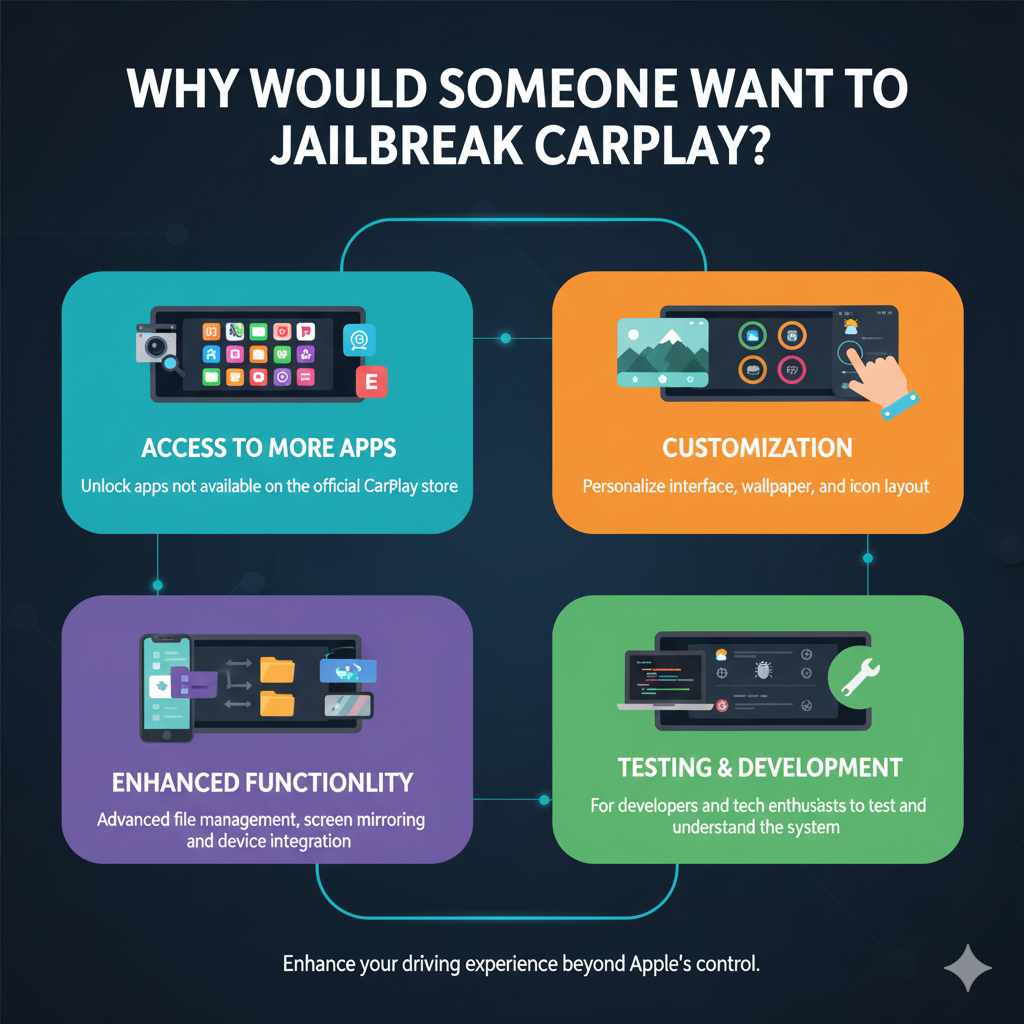
The reasons people consider jailbreaking CarPlay are usually about enhancing their driving experience. Apple’s CarPlay is great, but it’s also quite controlled. This leads to a few common desires:
- Access to More Apps: The official CarPlay store is curated. There are tons of useful apps, like certain dashcams, advanced file explorers, or even specific entertainment apps, that aren’t available through Apple’s CarPlay selection. Jailbreaking can open the door to these.
- Customization: Want to change the look of your CarPlay interface? Maybe you want a different wallpaper, a rearranged icon layout, or more information displayed on the screen. Jailbreaking can offer these visual tweaks.
- Enhanced Functionality: Sometimes, users want CarPlay to do more. This could involve better file management, more advanced screen mirroring capabilities, or integrating with other aftermarket devices in ways not originally intended.
- Testing and Development: For app developers or tech enthusiasts, jailbreaking can be a way to test new features or understand how CarPlay works under the hood.
Understanding the Risks and Downsides
While the idea of more freedom is appealing, it’s crucial to understand that jailbreaking isn’t without its risks. Think of it like modifying your car’s engine – you might get more power, but you could also cause problems. Here are the main concerns:
- Voiding Your Warranty: This is a big one. If your car manufacturer discovers your CarPlay system has been tampered with, they might refuse to cover any repairs related to the infotainment system under your vehicle’s warranty. This can be a costly consequence.
- Security Vulnerabilities: By bypassing Apple’s official channels, you might be opening up your system to security risks. Unauthorized software could potentially expose your personal data or make your system unstable. The Apple security guidelines emphasize the importance of using trusted sources for software.
- Instability and Bugs: Unofficial software might not be as stable or well-tested as official apps. This can lead to CarPlay crashing, freezing, or not working correctly. Imagine your navigation suddenly failing on a long trip – that’s not fun!
- Update Issues: Apple regularly releases updates for iOS and CarPlay. A jailbroken system might not be compatible with these updates, meaning you could miss out on new features or important security patches. Sometimes, attempting to update a jailbroken system can even “brick” it, making it completely unusable.
- Legality and Terms of Service: While jailbreaking itself isn’t typically illegal, it can violate the terms of service agreements you have with both Apple and your car manufacturer.
Is Jailbreaking CarPlay Possible for Everyone?
This is where things get a bit technical. Historically, jailbreaking Apple CarPlay has been a complex process, and its availability often depends on specific versions of iOS and the firmware running on your car’s head unit (the car’s infotainment system display). It’s not a simple “one-click” solution that works for every car and every iPhone.
Key factors influencing feasibility:
- iOS Version: Jailbreaks often target specific vulnerabilities in iOS. If you’re running the latest version of iOS, finding an active and stable jailbreak for CarPlay might be difficult or impossible.
- Car Manufacturer’s Software: Some car manufacturers have more locked-down systems than others. The way your car’s head unit software is designed can make it harder or easier for CarPlay modifications to be applied.
- Hardware Compatibility: Occasionally, specific hardware in certain car models might also play a role.
Because of these variables, there isn’t a universal “how-to” guide that applies to every iPhone and every car. The methods and tools evolve, and what worked a year ago might not work today. It often requires deep technical knowledge and a willingness to experiment.
Common Methods and Tools (What to Expect)
Before diving deep into specific steps, it’s important to know that the landscape of CarPlay jailbreaking is complex and constantly changing. Methods that were once popular might be outdated or no longer work. Most successful CarPlay “hacks” or modifications often involve modifying the iPhone’s operating system first, which then allows for custom CarPlay interactions.
Here’s a look at the types of approaches you might encounter:
| Method Type | Description | Complexity | Potential Outcomes |
|---|---|---|---|
| iPhone Jailbreak First | This involves first performing a traditional jailbreak on your iPhone (like using tools such as unc0ver, checkra1n, or Palera1n, depending on your iOS version and device). Once the iPhone is jailbroken, you can then install tweaks or patches that enable unsupported apps or features within CarPlay. | High | Enables unofficial apps, customization. May cause iPhone instability. |
| Car Unit Modification (Less Common) | In some rare cases, specific car infotainment units might have vulnerabilities that allow for direct modification of their firmware. This is far less common and usually requires specialized knowledge for specific car models. | Very High | Potentially more integrated changes but higher risk of bricking the car’s system. |
| Screen Mirroring Solutions | Some tools focus on enabling screen mirroring from your iPhone to CarPlay. While not a true “jailbreak” of CarPlay itself, it allows you to display almost any app from your phone. | Moderate | Displays apps but often with limitations in touch interaction or performance. |
It’s important to note that tools and guides for these methods are often found on specialized forums and communities dedicated to iOS jailbreaking and automotive tech. Searching for terms like “CarPlay tweaks,” “unofficial CarPlay apps,” or “CarPlay customization” on these platforms might yield results, but always exercise extreme caution.
A Note on Specific Tools and Software
You’ll often hear about specific software or tools in online discussions. For example, on the iPhone side, if you’re looking into jailbreaking your phone to enable these features, tools like checkra1n or Palera1n are commonly mentioned for certain older devices and iOS versions. These tools exploit hardware vulnerabilities and are generally considered more robust for specific devices. However, their compatibility with the very latest iPhones and iOS versions can be limited. Always check the official websites for these tools to understand their requirements and limitations.
For CarPlay-specific modifications after jailbreaking your iPhone, you might find mentions of tools or repositories (like Cydia tweaks shared on forums). These are highly dynamic. A tweak that works today might be obsolete tomorrow. Reputable sources for such information are often online communities and forums where users share their experiences and developments.
Step-by-Step: The General (Conceptual) Process
Since a universal, simple “how-to” is difficult due to the changing nature of software, let’s outline the general conceptual steps. This isn’t a literal click-by-click guide you can follow precisely, but it illustrates the typical path enthusiasts take.
Disclaimer: This process is for informational purposes only. Attempting these steps may void your warranties and could potentially damage your devices. Proceed at your own risk.
-
Assess Your Setup:
- Identify your iPhone model and iOS version: This is the most critical step. Not all iOS versions are jailbreakable.
- Identify your car model and year: Some cars’ infotainment systems are more resistant to modification than others.
-
Research Current Jailbreak Compatibility:
- Visit reputable iOS jailbreaking communities and forums (e.g., r/jailbreak on Reddit, specific jailbreak developer websites).
- Look for active jailbreaks that support your specific iOS version and iPhone model.
- You need a functional jailbreak on your iPhone before you can even consider CarPlay modifications.
-
Perform iPhone Jailbreak:
- Follow the specific instructions for the jailbreak tool you’ve identified. This usually involves:
- Downloading the tool onto a computer (Mac or Windows, depending on the tool).
- Putting your iPhone into DFU (Device Firmware Update) or Recovery Mode.
- Running the jailbreak tool and following prompts.
- Setting up the package manager (like Cydia or Sileo) on your jailbroken iPhone.
- This step alone can be complex and requires careful attention.
- Follow the specific instructions for the jailbreak tool you’ve identified. This usually involves:
-
Find and Install CarPlay Tweaks/Apps:
- Once your iPhone is jailbroken, you can often access unofficial app stores or repositories (e.g., through Cydia or Sileo).
- Search for CarPlay-specific tweaks or applications. Common desires include utilities that enable more apps or customize the UI.
- Install these tweaks following the instructions provided by their developers. This might involve adding new “sources” to your package manager.
-
Configure and Test:
- After installation, you might need to restart your iPhone or CarPlay.
- Connect your iPhone to your car’s CarPlay.
- Check if the new apps or customizations appear and function as expected.
- Troubleshoot any issues. This often involves removing conflicting tweaks or seeking help from the community.
It’s worth reiterating: steps 2 and 3 are the foundation. If you can’t jailbreak your iPhone, you won’t be able to proceed with CarPlay modifications using these methods. Always prioritize the stability and security of your primary device.
Alternative Approaches: When Jailbreaking Isn’t Ideal
If the risks and complexity of jailbreaking seem too much, don’t worry! There are often simpler, safer ways to get more functionality out of your car’s infotainment system or your driving experience.
-
Explore Official App Store for CarPlay: Apple is constantly adding new apps! Frequently check the official CarPlay section of the App Store on your iPhone. You might find exactly what you need there.
-
Aftermarket Head Units: For older cars that didn’t come with CarPlay, or if you want a truly customized system, consider upgrading to an aftermarket head unit. Many of these offer touchscreens, navigation, Bluetooth, and support for both Apple CarPlay and Android Auto, often with more flexibility than factory-installed systems. Brands like Pioneer, Kenwood, and Alpine offer excellent options. For installation guidance, resources like Crutchfield offer detailed guides and support.
-
Phone Mounts and Standalone GPS: Sometimes, the simplest solution is the best. A high-quality phone mount can keep your phone safely visible, while using your phone’s native apps (like Waze or Google Maps) directly. For navigation, a dedicated GPS device can be a reliable alternative that doesn’t rely on your car’s system at all.
-
CarPlay “Unlocking” Boxes (Use with Caution): You might find devices sold online claiming to “unlock” CarPlay features without jailbreaking. These often work by tricking the car’s head unit into thinking a compatible iPhone is connected, allowing for more apps or screen mirroring. However, these can be unreliable, may cause compatibility issues, and their long-term effects on your car’s electronics are unknown. Always research these products thoroughly and be aware of potential risks.
These alternatives can offer similar benefits, like more app choices or better navigation, without the inherent risks associated with modifying your car’s or phone’s core software.
Maintaining Your Modified CarPlay System
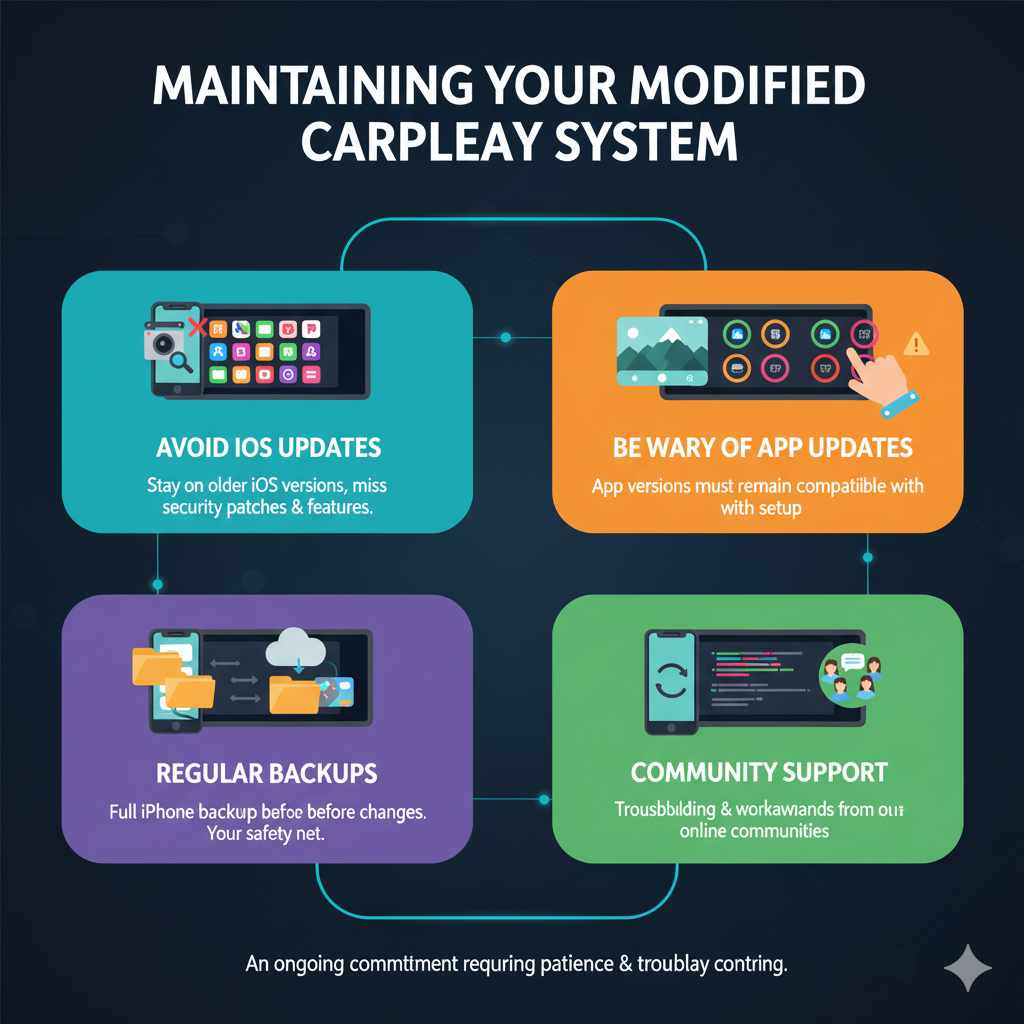
If you do decide to proceed with a jailbreak and custom CarPlay setup, maintaining it requires extra care. Here’s what you need to keep in mind:
- Avoid iOS Updates: As mentioned, Apple updates can break jailbreaks and custom modifications. You’ll likely need to stay on an older, vulnerable iOS version. This means missing out on new features, security patches, and potentially making your iPhone less secure in other ways.
- Be Wary of App Updates: Even apps installed on your jailbroken iPhone might need to be kept at specific versions to remain compatible with your CarPlay setup.
- Regular Backups: Always have a full backup of your iPhone (using iTunes/Finder or iCloud) before making significant changes or attempting updates. This is your safety net if something goes wrong.
- Community Support: Rely on the communities where you found the jailbreak and tweaks for support. They are often the best resource for troubleshooting and finding workarounds.
- Reverting Changes: Understand how to restore your iPhone to its factory settings if your CarPlay modifications cause persistent problems or if you decide to sell your car. This usually involves a full device restore.
Managing a jailbroken system is an ongoing commitment. It requires patience and a willingness to troubleshoot.
Frequently Asked Questions
What is the main benefit of jailbreaking Apple CarPlay?
The primary benefit is gaining access to more apps and customization options beyond what Apple officially allows for CarPlay, offering a more personalized and potentially feature-rich in-car experience.
Can jailbreaking CarPlay damage my car?
While it’s unlikely to cause direct physical damage to your car, jailbreaking can lead to software instability in your car’s infotainment system, potentially causing glitches or malfunctions. It can also void your car’s warranty related to the infotainment system.
Is there a simple, one-click method to jailbreak CarPlay?
No, there isn’t a universal, simple one-click solution. Jailbreaking CarPlay typically requires jailbreaking your iPhone first, which is a complex process that depends heavily on your specific iPhone model and iOS version. The availability of jailbreaks changes frequently.
What happens if Apple releases a new iOS update?
If you update your iPhone to a new iOS version, it will likely remove the existing jailbreak. You would then need to wait for a new jailbreak to be released for that specific iOS version, which can take weeks or months (or may never happen).
Are there legal issues with jailbreaking CarPlay?
Jailbreaking your iPhone may violate Apple’s terms of service. While not directly illegal in most places, it can have consequences like voiding warranties and potentially exposing your device to security risks.
What if I want to go back to a standard CarPlay experience?
You can typically revert to the standard CarPlay experience by restoring your iPhone to its factory settings via iTunes or Finder. This will remove the jailbreak and all associated modifications.
What are the risks of using unofficial CarPlay apps?
Unofficial apps might be unstable, contain bugs, or pose security risks, potentially compromising your personal data or the performance of your CarPlay system. They also may not receive updates, leading to compatibility issues over time.
Conclusion
Exploring the world of Apple CarPlay jailbreaking can be an intriguing journey for those seeking more customization and app freedom in their vehicles. We’ve covered what it entails, the potential rewards, and most importantly, the significant risks involved, such as voiding warranties and introducing security vulnerabilities. Remember, the current landscape of CarPlay modifications is complex and constantly changing, often requiring advanced technical skills and a willingness to stay on older software versions.