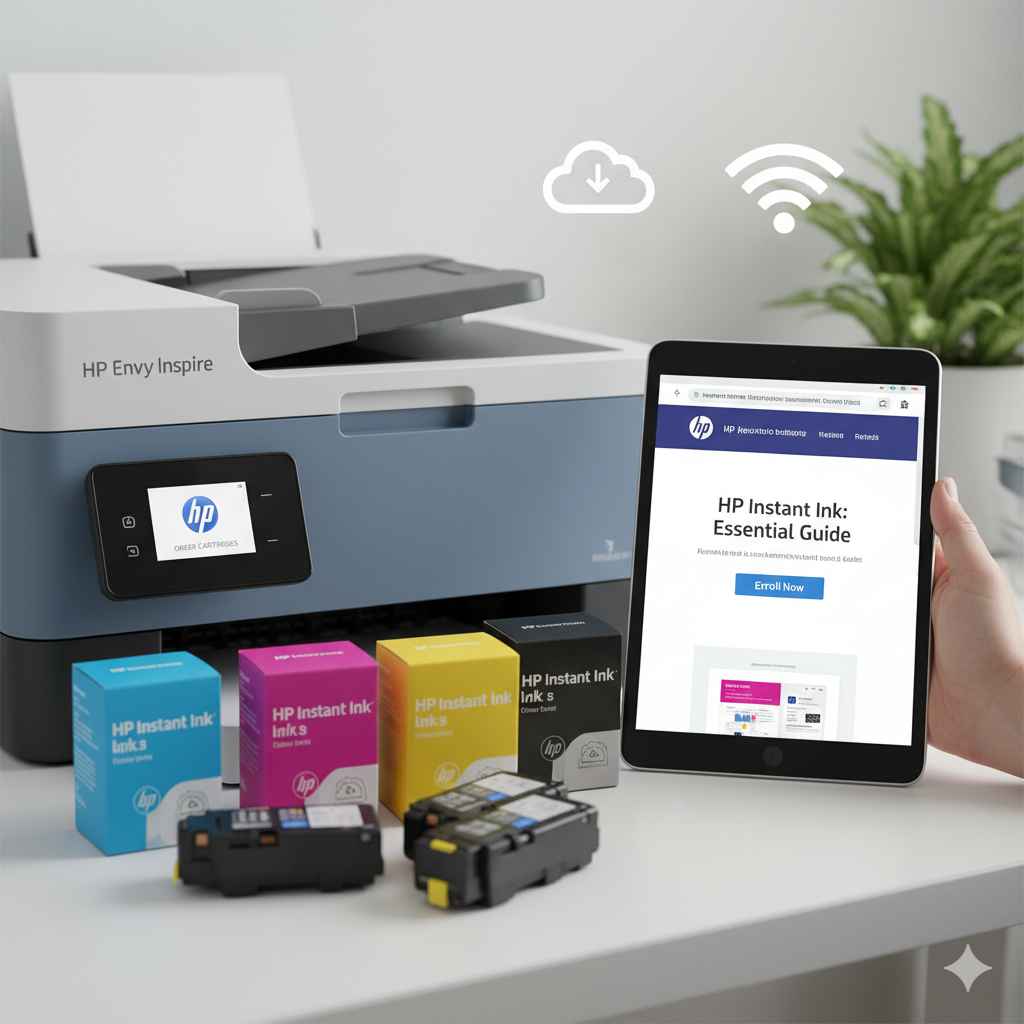
How to Order HP Instant Ink: Essential Guide
Don’t run out of ink again! Ordering HP Instant Ink is a simple, subscription-based service that saves you money and hassle by automatically shipping new ink cartridges when your printer needs them. This guide breaks down exactly how to sign up and start saving.
Running out of printer ink can be a real headache, especially when you need to print an important document right away. It’s frustrating to stop everything, find compatible cartridges, and make a trip to the store. But what if your ink could just… appear when you need it? That’s where HP Instant Ink comes in! This clever subscription service ensures you never run low on ink again. We’ll walk you through the easy steps to get started, so you can say goodbye to ink emergencies and hello to effortless printing. Let’s get your printer ready for automatic ink delivery!
Why Choose HP Instant Ink? Benefits for Your Wallet and Peace of Mind
Before we dive into the ordering process, let’s talk about why HP Instant Ink is a smart choice for so many people. Think of it like a subscription for your printer’s needs. Instead of buying ink cartridges sporadically, you pay a small monthly fee, and HP sends you new ones automatically. This can lead to significant savings, especially if you print a lot or tend to use color ink frequently.
Beyond savings, the biggest perk is convenience. No more last-minute dashes to the store or waiting for online orders. Your new ink arrives at your doorstep, often before you even realize you’re running low. This peace of mind is invaluable, allowing you to focus on what matters most, whether it’s school projects, work reports, or personal photos. Plus, HP often includes recycling options for your old cartridges, making it a more eco-friendly choice too.
Getting Started: What You Need Before You Order
Ordering HP Instant Ink is straightforward, but having a few things ready will make the process even smoother. Think of this as your pre-flight checklist. You don’t need to be a tech wizard; just a few key pieces of information will do.
- Your HP Printer Model: Knowing the exact model number of your HP printer is crucial. You can usually find this on the front or top of the printer itself.
- Your Printer’s Serial Number: This helps HP confirm your printer is eligible for the Instant Ink service. It’s often found near the model number.
- Your Email Address: You’ll use this to create your HP account and receive important notifications about your subscription.
- Your Mailing Address: This is where your new ink cartridges will be shipped.
- Your Payment Information: You’ll need a valid credit or debit card to set up your monthly payments.
- Your Estimated Monthly Print Volume (Pages): HP offers different plans based on how many pages you print. Estimating this will help you choose the right plan. Don’t stress too much; you can change plans later if your needs change.
Step-by-Step Guide: How to Order HP Instant Ink Cartridges
Ready to simplify your printing life? Follow these simple steps to sign up for HP Instant Ink. It only takes a few minutes!
-
Visit the HP Instant Ink Website
Open your web browser and go to the official HP Instant Ink website. You can usually find this by searching for “HP Instant Ink” or by going directly to HP’s Instant Ink page. This is the central hub for all things Instant Ink.
-
Check Your Printer’s Eligibility
Once on the website, you’ll typically see an option to “Check Eligibility” or “See Plans.” Enter your printer model number here. HP’s service works with a wide range of its printers, but it’s good to confirm yours is compatible. Most modern HP inkjet printers are eligible.
-
Choose Your Plan
HP Instant Ink offers several plans based on how many pages you print per month. They are designed to be flexible, so you can pick the one that best fits your needs. Here’s a look at typical plan structures:
Plan Name (Example) Pages Per Month Monthly Cost (Example) Rollover Pages Print 15 15 $0.99 Up to 50 pages Print 50 50 $4.99 Up to 100 pages Print 100 100 $7.99 Up to 150 pages Print 300 300 $12.99 Up to 300 pages Please note: Monthly costs and page counts are examples and can vary by region and promotions. Always check the official HP Instant Ink website for current pricing and plan details.
The beauty of these plans is that the cost is per page, not per cartridge. This means you can print photos, documents, or anything else without worrying about using up your color ink faster than black ink. Any unused pages often roll over to the next month, giving you even more printing power.
-
Create Your HP Account
If you don’t already have one, you’ll be prompted to create an HP Smart account. This account will manage your Instant Ink subscription, allowing you to track your usage, change plans, update payment information, and more. You’ll need to provide your name, email address, and create a password. It’s a good idea to use a strong, unique password for security.
-
Enter Your Shipping and Payment Information
Next, you’ll enter the mailing address where you want your ink cartridges delivered. Double-check this for accuracy to avoid any shipping delays. Then, you’ll securely enter your credit or debit card details for the monthly subscription payments. HP uses secure payment processing to protect your financial information.
-
Install Your HP Instant Ink Cartridges
Once you’ve completed the signup, HP will ship your first set of Instant Ink cartridges. This usually happens within a few days. When you receive them, simply install them in your printer as you would any regular ink cartridge. Your printer will connect to the HP Instant Ink service, and your subscription will be activated.
-
Download/Update HP Smart App (If Needed)
For the best experience and to easily manage your account, it’s highly recommended to download and use the HP Smart app. This free app is available for computers and mobile devices and provides a central dashboard to monitor page counts, ink levels, manage your subscription, and even print from anywhere. Your printer needs to be connected to the internet for the Instant Ink service to work and for HP to monitor your ink levels.
Understanding Your HP Instant Ink Plan: What to Expect
Once you’re signed up, it’s helpful to understand how your plan works in practice. HP Instant Ink is designed to be simple, but there are a few key aspects to keep in mind.
How Ink is Sent to You
Your HP printer, when connected to the internet, communicates with HP’s servers. It monitors your ink usage in real-time. When HP’s system detects that your ink levels are getting low, it automatically sends a new set of cartridges to your registered mailing address. You typically receive them a week or more before your current cartridges are expected to run out, ensuring uninterrupted printing.
What Happens if You Print More or Less?
Life happens, and your printing needs can change. HP Instant Ink is flexible:
- Printing More: If you find yourself printing more pages than your plan allows in a month, you can purchase “extra page packs.” These are affordable bundles of pages that are added to your account. For example, if you have the 50-page plan and print 70 pages, you might purchase an extra 20 pages or a small pack.
- Printing Less: If you print fewer pages than your plan covers, don’t worry! Most plans offer a rollover feature. This means your unused pages are added to your rollover balance, which you can use in future months. This makes the service very cost-effective if your print volume fluctuates.
- Changing Plans: If your printing habits change significantly, you can easily switch to a different HP Instant Ink plan through your online account. This can be done at any time, and the change usually takes effect at the start of the next billing cycle. You can upgrade or downgrade your plan as needed.
The Ink Cartridges Themselves
The cartridges you receive are specifically designed for the HP Instant Ink program. They are genuine HP ink cartridges, so you can rely on the quality of your prints. The service covers both black and color ink, often at a much lower cost per page than traditional cartridge purchases. The specific cartridges sent will depend on your printer model.
Managing Your HP Instant Ink Subscription
HP makes it easy to keep track of your subscription and make adjustments if needed. The HP Smart app and the Instant Ink web portal are your main tools for managing everything.
Key Management Features
- Monitor Page Usage: See exactly how many pages you’ve printed and how many you have left in your current cycle.
- Check Ink Levels: Get an idea of how much ink is left in your current cartridges.
- Update Payment Information: Easily change your credit or debit card details if needed.
- Change Your Plan: Upgrade or downgrade your monthly page plan.
- Update Shipping Address: Ensure your cartridges are sent to the correct location.
- Cancel Your Subscription: While not ideal, you can cancel your subscription if your needs change. Keep in mind that once you cancel, you’ll need to purchase and install regular HP ink cartridges to continue printing.
When and How to Recycle Old Cartridges
HP is committed to sustainability. Your Instant Ink subscription often comes with easy recycling options for your used cartridges. When you receive your new cartridges, you’ll often find a prepaid mailer that you can use to send back your old ones. Drop them in the mail, and HP will take care of the rest. This is a convenient way to be environmentally responsible without extra effort or cost.
Troubleshooting Common Issues
While HP Instant Ink is generally very reliable, you might occasionally encounter a minor issue. Here are a few common hiccups and how to resolve them:
-
Printer Not Connecting to Instant Ink Service
Ensure your printer is connected to your home Wi-Fi network and that your internet connection is active. Sometimes, restarting both your printer and your router can resolve connectivity issues.
-
Cartridges Not Arriving on Time
Check your estimated delivery date in your Instant Ink account. If it’s past that date and you haven’t received them, contact HP customer support. Minor shipping delays can sometimes occur.
-
Printer Error Message Regarding Ink
Make sure you are using the specific HP Instant Ink cartridges provided by HP. If you accidentally installed a non-Instant Ink cartridge, your printer won’t recognize it for the service. If the error persists with the correct cartridges, try restarting your printer or consult HP’s support resources.
-
Incorrect Page Count
If you believe your page count is inaccurate, check that your printer is connected to the internet and that no print jobs were left unfinished. Sometimes, printing large documents or graphics can affect how pages are counted. You can usually see a detailed print history in your online account.
For any persistent issues, HP’s customer support is readily available to help. They have dedicated teams who understand the Instant Ink service.
HP Instant Ink vs. Buying Ink Cartridges: Making the Smart Choice
The decision to switch to a subscription service like HP Instant Ink often comes down to comparing it with the traditional method of buying cartridges. Let’s break down the pros and cons to help you decide what’s best for your printing habits.
Pros of HP Instant Ink:
- Cost Savings: Especially for color printing and high-volume printing, the per-page cost is significantly lower.
- Convenience: Automatic delivery means you never run out of ink.
- No More Guessing: You don’t need to worry about which cartridge to buy or how much ink is left.
- Flexibility: Plans can be changed, and unused pages often roll over.
- Environmental Benefits: Easy recycling program for used cartridges.
- Print Anything: The plan is based on pages, not ink colors, so photos and documents are covered equally.
Cons of HP Instant Ink:
- Monthly Commitment: Requires a recurring monthly payment, even if you don’t print much in a given month (though minimum plans are very cheap).
- Requires Internet Connection: Your printer needs to be connected to the internet for the service to work.
- Not For Everyone: If you print very rarely, buying individual cartridges might be more economical.
- Specific Cartridges: You can only use the HP Instant Ink cartridges provided by HP.
Pros of Buying Traditional Cartridges:
- No Subscription: Pay only when you need ink, no monthly fees.
- Works Offline: No internet connection is required for the printer to function with standard cartridges.
- Flexibility for Very Low Use: If you print only a few pages a year, this might be cheaper.
- Wider Availability: Can often be purchased at many retail locations immediately.
Cons of Buying Traditional Cartridges:
- Higher Cost Per Page: Especially for color printing, the cost adds up quickly.
- Inconvenience: You have to monitor your ink levels and remember to buy replacements.
- Potential for Waste: Printer inks can sometimes dry out if not used regularly.
- Guessing Game: It can be hard to predict when you’ll need new cartridges.
For most moderate to heavy home or small office users, HP Instant Ink offers a compelling combination of savings and convenience that’s hard to beat. The monthly cost for even the lowest plans is very low, making it accessible for almost everyone.
Frequently Asked Questions (FAQs) about Ordering HP Instant Ink
Q1: Can I order HP Instant Ink if I don’t have an HP printer?
No, HP Instant Ink is a service specifically designed for compatible HP inkjet printers. You’ll need to have an eligible HP printer to sign up and use the service.
Q2: How long does it take to receive my first ink cartridges after signing up?
Typically, your first set of HP Instant Ink cartridges will arrive within 10 days of signing up. HP aims to send them out promptly to get you started.
Q3: What happens if I run out of ink before my new cartridges arrive?
HP designs the delivery system to send cartridges before you run out. However, if you do run out unexpectedly, and your subscription is active, you can purchase a standard HP ink cartridge from a local retailer to use temporarily. Once your Instant Ink cartridges arrive, you can switch back. The service is designed to prevent this, but temporary solutions exist.
Q4: Do I have to use the HP Instant Ink cartridges exclusively?
Yes, once you enroll in HP Instant Ink, your printer is configured to only accept and work with the special HP Instant Ink cartridges that are mailed to you. Using regular HP cartridges will disable the Instant Ink service.
Q5: Can I share my HP Instant Ink plan with someone else?
HP Instant Ink plans are tied to a specific printer and account. While you can manage your account and print from multiple devices connected to that printer, the subscription is for your usage. You cannot directly share your plan’s page count with another separate HP printer or account.
Q6: What if my printer isn’t listed as eligible on the HP website?
HP occasionally updates its list of eligible printers. If your model isn’t showing up, it might mean it’s not compatible with the Instant Ink program at this time. You can always check back on the HP Instant Ink website periodically or contact HP support for the most up-to-date information on printer compatibility.