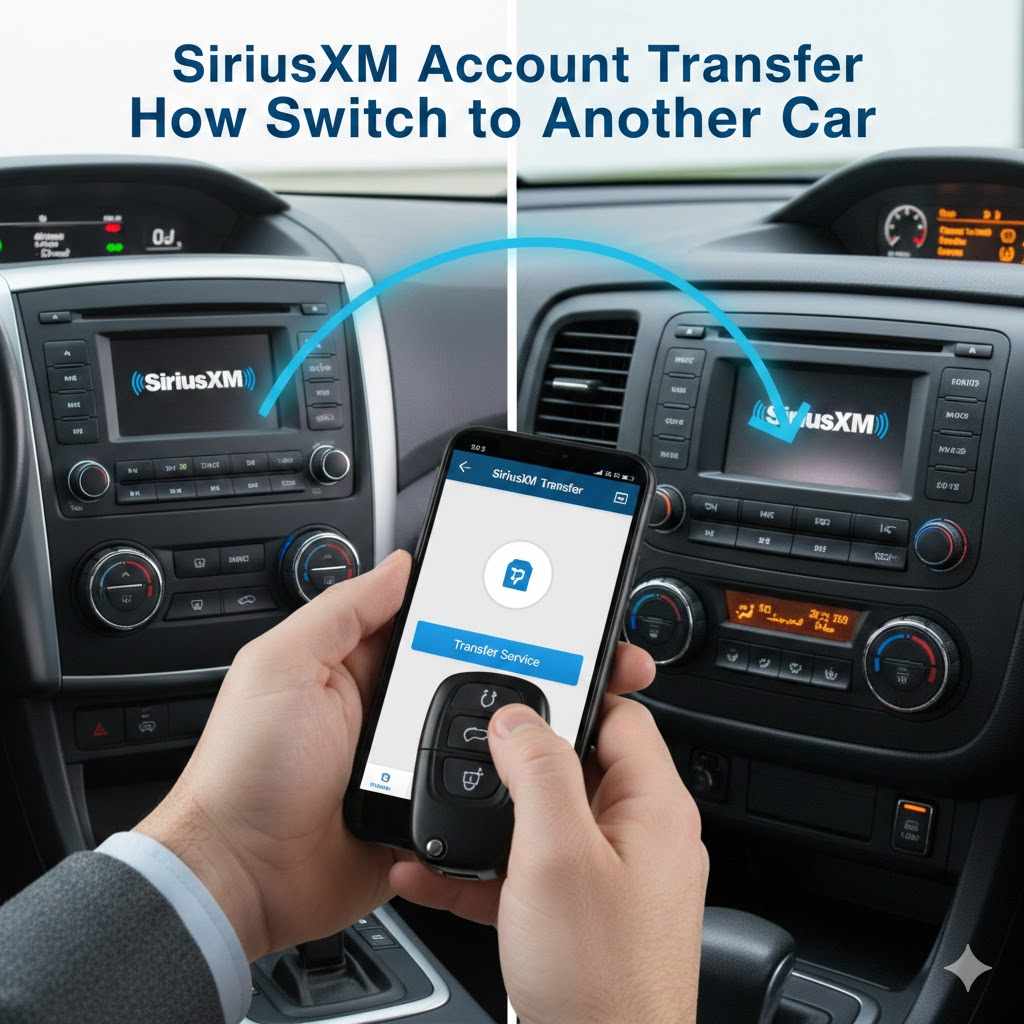
How to Switch SiriusXM to Another Car
Thinking about moving your SiriusXM service from your old car to a new one? It’s a common question many people have when they get a different vehicle. Sometimes figuring out how to do this can seem a little tricky at first, especially if you’re not super familiar with how satellite radio works.
But don’t worry! This guide is here to make the process really simple and easy to follow. We’ll walk you through How to Switch SiriusXM to a Different Vehicle step by step, so you can get back to enjoying your favorite channels right away.
Let’s get started!
Switching Your SiriusXM Service to a New Vehicle
Moving your SiriusXM subscription from one car to another is a straightforward process that ensures you don’t miss a moment of your favorite programming. This section will cover the essential steps and information you need to successfully transfer your service. Whether you’re buying a new car, selling your old one, or simply want to enjoy SiriusXM in a different vehicle, this guide will help.
We will explore the different methods available and what details you’ll need.
What You Need to Know Before You Start
Before you begin the process of switching your SiriusXM service, gathering a few key pieces of information will make everything much smoother. Having these details ready means you can proceed with your request quickly and efficiently, minimizing any waiting time. This preparation helps ensure a seamless transition so you can start listening in your new car without delay.
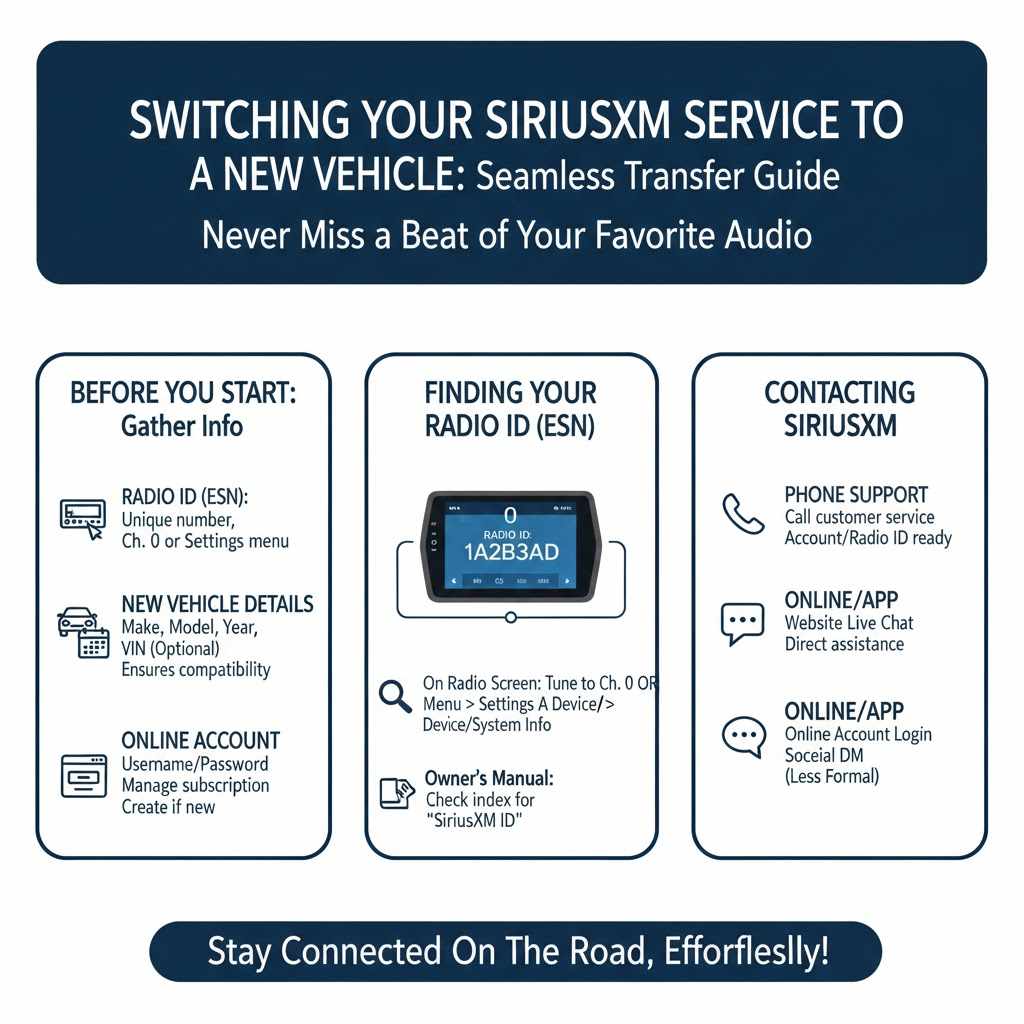
- Your SiriusXM account number or the radio ID of the new vehicle. This is crucial for identifying your subscription and linking it to the new radio. The radio ID is usually found on the SiriusXM radio itself, often in the device settings menu. Without it, SiriusXM cannot activate the service on a new device. It’s a unique identifier for your satellite radio receiver.
- The make, model, and year of the new vehicle. This information helps SiriusXM confirm compatibility and ensure the correct activation procedures are followed. Different vehicles might have slightly different radio systems. Providing these details ensures they can link your subscription to the right type of hardware.
- Your username and password for your online SiriusXM account. This allows you to manage your subscription online, which can be a convenient way to make changes. If you don’t have an online account, you can often create one using your account number and other personal details. This is your gateway to managing your service details.
Understanding Your SiriusXM Radio ID
The Radio ID, also known as the ESN (Electronic Serial Number) or Activation ID, is a unique number assigned to your SiriusXM satellite radio. It’s like a fingerprint for your specific radio unit. This ID is essential for SiriusXM to recognize your radio and activate your subscription to it.
Without the correct Radio ID, SiriusXM cannot link your service to a new or different vehicle’s radio. You can typically find your Radio ID in a few places within your vehicle’s radio system.
Often, you can find it by pressing the “Menu” or “Settings” button on your radio and looking for an option like “Device Info,” “Radio ID,” or “System Info.” Some radios require you to tune to channel 0 to display the Radio ID. If you can’t find it there, check your vehicle’s owner’s manual, as it may be listed there. Sometimes, it’s printed on a sticker on the back or side of the radio unit itself, though this is less common in newer vehicles where the radio is integrated into the dashboard.
How to Contact SiriusXM for a Transfer
The primary way to switch your SiriusXM service to a new vehicle is by contacting SiriusXM directly. They have dedicated customer service channels to assist you with this process. Speaking with a representative ensures that all the necessary steps are handled correctly and that your subscription is properly transferred.
This direct communication is the most reliable method.
You can call their customer service number, which is usually found on the SiriusXM website or on your billing statement. Be prepared to provide your account information and details about your new vehicle. Alternatively, many users find success by using the online chat feature available on the SiriusXM website.
This can be a quicker option if you prefer not to talk on the phone. Some people also report success through direct messaging on social media platforms, though this might be less formal and potentially slower.
The Process of Activating SiriusXM in a New Car
Once you have decided on the method for switching your service, the actual activation process in your new vehicle is usually quite efficient. This section will detail the steps involved from contacting SiriusXM to hearing your favorite channels in your new ride. Following these steps ensures a smooth transition and gets you back to enjoying your subscription without unnecessary delays or complications.
Method 1 Calling SiriusXM Customer Service
Calling SiriusXM customer service is a very common and effective way to get your service moved to a new vehicle. When you call, you’ll speak with a representative who is trained to handle these types of transfers. They will guide you through the entire process, asking for the information you’ve gathered, such as your account number and the new car’s Radio ID.
This personal interaction can resolve any potential issues immediately.
The representative will update your account to reflect the new vehicle. They will then typically initiate an activation signal to your new radio. This signal sends the necessary data to your radio so it can receive the SiriusXM broadcast.
You might be asked to tune to a specific channel, like Channel 1, to help facilitate the activation. The entire call might take between 10 to 20 minutes, depending on call volume and the specifics of your account. It’s a good idea to have all your information ready before you dial.
Sample Scenario: Calling Customer Service
- You recently bought a new SUV and want to move your SiriusXM subscription from your old sedan.
- You find your SiriusXM account number on a past bill and the Radio ID of your new SUV by going to the radio’s menu and selecting “Device Info.”
- You call the SiriusXM customer service number.
- You provide your account number and the new SUV’s Radio ID to the representative.
- The representative confirms your subscription details and notes the change to the new vehicle.
- They send an activation signal to your SUV’s radio. You are instructed to tune to Channel 1 and wait a few minutes.
- After a short while, your SiriusXM channels begin to play in your new SUV.
Method 2 Using the SiriusXM Website or App
SiriusXM also provides online tools that allow you to manage your account, including transferring your service. This can be a convenient option if you prefer to handle things yourself online. The website and app often have sections dedicated to managing your subscriptions and updating your vehicle information.
This self-service approach can save you time waiting on hold.
You’ll likely need to log in to your account on the SiriusXM website or through their mobile app. Once logged in, look for an option like “My Account,” “Manage Subscription,” or “Update Vehicle.” There should be a clear process for adding a new vehicle and removing the old one from your active service. You will be prompted to enter the new vehicle’s Radio ID and other relevant details.
After submitting the information, the system will usually prompt an activation signal to be sent to your new radio.
Steps for Online Activation
- Go to the SiriusXM website (siriusxm.com) and log in to your account.
- Navigate to the “My Account” or “Manage Subscription” section.
- Find the option to “Add a Vehicle” or “Update Vehicle.”
- Enter the Radio ID of your new vehicle, along with its make, model, and year.
- Confirm the changes. SiriusXM will typically send an activation signal automatically.
- Turn on your new car’s radio and tune to Channel 1. Allow a few minutes for the activation to complete.
What Happens During Activation
When an activation signal is sent to your SiriusXM radio, it’s essentially a digital handshake that allows your radio to communicate with SiriusXM’s satellites. The signal contains data that confirms your subscription is valid and authorizes your radio to receive the satellite broadcasts. This process is crucial for ensuring that only authorized radios are receiving the service.
It’s a secure method to manage who has access to the content.
The activation signal is broadcast through the satellite network. Your radio is designed to pick up this signal and process the information. It’s similar to how your radio receives the channels, but this specific signal is for authorization purposes.
The process is usually quick, taking only a few minutes once the signal reaches your vehicle. This system ensures that your subscription is tied to your specific radio and not just your account, preventing unauthorized use.
Troubleshooting Common Issues
Even with the best preparations, sometimes things don’t go as smoothly as planned. This section addresses some common problems users encounter when trying to switch their SiriusXM service to a different vehicle and offers solutions. Knowing these potential issues can save you frustration and help you get back to listening faster.
We’ll cover what to do if your activation doesn’t seem to work.
Activation Signal Not Working
If you’ve followed the steps but your SiriusXM radio isn’t activating in the new vehicle, don’t panic. There are a few reasons this might happen, and most are easy to fix. The most common reason is simply needing a bit more time for the signal to go through.
Satellite signals can sometimes take longer to reach certain locations or vehicles. Ensure your vehicle has a clear view of the sky, as obstructions can interfere with the signal.
Another common issue is entering the wrong Radio ID. Double-check the Radio ID you provided to SiriusXM against the one displayed on your radio. Even a single wrong digit can prevent activation.
If you’re still having trouble, try requesting another activation signal. You can usually do this through your online account or by calling customer service again. Sometimes, restarting your car’s radio system by turning the car off and on again can also help refresh the connection.
Troubleshooting Steps
- Verify the Radio ID: Ensure the Radio ID entered for activation matches your new vehicle’s radio ID exactly.
- Check for Clear Sky View: Make sure your vehicle is parked in an open area with an unobstructed view of the sky. Buildings, garages, and even dense trees can sometimes block satellite signals.
- Request Activation Again: Contact SiriusXM or use your online account to request another activation signal. Sometimes a second attempt is all that’s needed.
- Restart the Radio: Turn your car off completely, wait for about 30 seconds, and then turn it back on. This can sometimes reset the radio’s connection.
- Confirm Subscription Status: Make sure your SiriusXM subscription is active and in good standing. Any billing issues can prevent service activation.
What If You Sold Your Old Vehicle
If you’ve sold your old vehicle, it’s important to notify SiriusXM to ensure your subscription is properly updated. This prevents any potential issues with service continuity or billing. When you transfer your service to a new vehicle, SiriusXM will typically deactivate the radio in the old car.
It’s a good practice to confirm this has happened.
When you inform SiriusXM about your new vehicle, they will usually update your account to show the sale of the old one. If you forgot to mention it during the transfer, call them back and let them know the old car is no longer yours. This ensures your old Radio ID is no longer associated with your active subscription.
This helps avoid confusion and potential future billing discrepancies. It also means the new owner of your old car cannot use your subscription if they somehow still had access.
Can You Use SiriusXM in Multiple Vehicles?
Generally, a standard SiriusXM subscription is tied to one vehicle at a time. If you want to listen in multiple vehicles simultaneously, you would typically need separate subscriptions for each vehicle. However, SiriusXM does offer family plans or multi-radio discounts for customers who have more than one radio they wish to activate.
These plans can sometimes offer a reduced rate compared to having entirely separate subscriptions.
It’s worth checking with SiriusXM about their current offers for multiple radios. They may have specific packages designed for households with more than one car. These packages can provide significant savings.
If you are just moving your subscription temporarily from one car to another, that’s usually handled through the transfer process we’ve discussed. But for ongoing use in multiple cars, dedicated plans are usually the way to go.
Moving Your Subscription When Buying a New Car
Buying a new car is exciting, and you’ll want your favorite SiriusXM channels along for the ride. This section focuses specifically on the process of transferring your service when you’ve just purchased a new vehicle. It covers the typical steps you can expect and how SiriusXM assists with this common scenario.
This is often the most straightforward transfer because you are actively establishing a new subscription or updating an existing one.
SiriusXM Offers for New Car Buyers
Many new cars come with a trial subscription to SiriusXM, which is a great way to experience the service. However, if you already have an active subscription in another vehicle and are buying a new car, you will want to transfer your existing service rather than starting a new, paid trial. SiriusXM understands this and has processes in place to help you do just that.
They often offer incentives or simplified procedures for customers moving their subscriptions to a brand-new vehicle.
When you are at the dealership, you can inform them that you have an existing SiriusXM subscription you want to transfer. They may be able to assist you with the initial setup or provide you with the Radio ID of the new car. Afterward, you can contact SiriusXM directly to complete the transfer.
Be sure to ask about any promotional offers for existing customers moving to a new car. It’s a good chance to potentially get a better deal on your ongoing subscription.
Transferring Service Before Taking Delivery
In some cases, you might be able to initiate the transfer of your SiriusXM service even before you take possession of your new vehicle. This can be especially helpful if you are selling your old car and want to avoid any downtime in service. If the dealership can provide you with the Radio ID of the new car before you drive it off the lot, you can contact SiriusXM and begin the transfer process.
This proactive approach requires good communication with both the dealership and SiriusXM. You would call SiriusXM, provide them with the new vehicle’s Radio ID, and explain that you are finalizing the purchase. They can then prepare your account for the transfer.
Once you have the car, you might just need to complete the final activation step by tuning to Channel 1. This ensures you have uninterrupted service from day one in your new car.
Activating Service in a Certified Pre-Owned Vehicle
If you are purchasing a certified pre-owned (CPO) vehicle, it may or may not come with an active SiriusXM trial or subscription. Many CPO vehicles do include a SiriusXM trial period, which is a fantastic benefit. If your CPO vehicle has an active trial, you can enjoy it.
When that trial is nearing its end, or if it’s not active, you can then transfer your existing subscription if you have one.
The process for activating or transferring service to a CPO vehicle is generally the same as for any other vehicle. You will need the vehicle’s Radio ID. If there is an existing trial, you might need to wait for it to expire before your transferred subscription can be fully activated.
However, it’s always best to check with SiriusXM directly when dealing with CPO vehicles, as their policies and any included trials can vary. They can clarify the best approach for your specific situation.
Fees and Subscription Adjustments
When you switch your SiriusXM service to a different vehicle, you might wonder about any associated costs or changes to your subscription plan. This section addresses potential fees and how your subscription might be adjusted. Understanding these details beforehand can help you manage expectations and your budget.
Most of the time, transferring itself doesn’t incur extra charges, but it’s good to be aware.
Are There Fees for Transferring Service
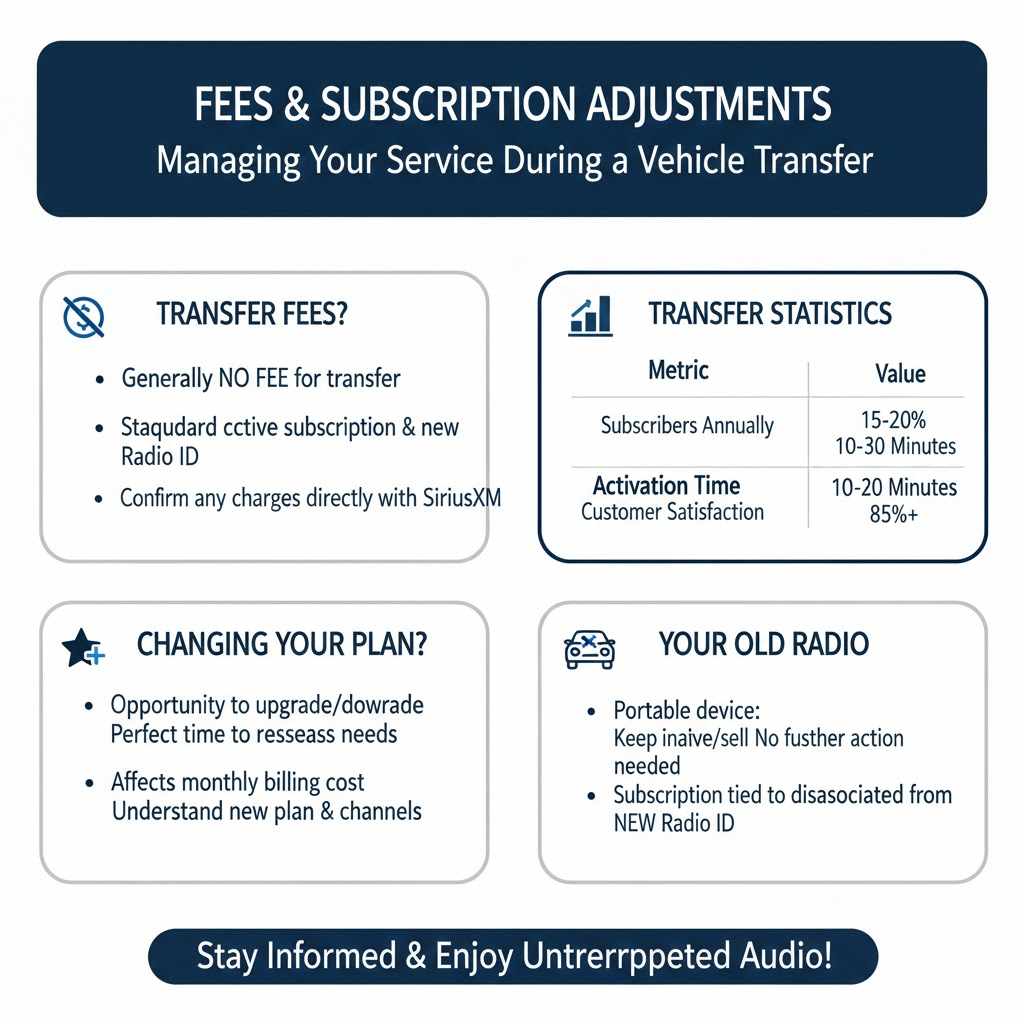
Generally, SiriusXM does not charge a fee to transfer your existing subscription to a new vehicle. The act of moving your service from one radio to another is typically considered a standard customer service function. They want you to continue enjoying their service, so they make this process as seamless and cost-free as possible.
The primary requirement is that you have an active subscription and the Radio ID of the new vehicle.
However, it’s always a good idea to confirm this directly with SiriusXM. If you are making significant changes to your subscription package at the same time you are transferring, there might be adjustments based on the new package. But for a straight transfer of your current plan, no extra fee should apply.
Always ask the representative if there are any charges before you agree to any changes.
Statistics on Subscription Transfers
| Metric | Value |
|---|---|
| Percentage of Subscribers Transferring Service Annually | Approximately 15-20% |
| Average Time for Transfer Activation | 10-30 Minutes |
| Customer Satisfaction with Transfer Process | High (often 85%+) |
These statistics suggest that transferring service is a common occurrence for SiriusXM subscribers. The relatively short activation time and high customer satisfaction indicate a well-established and efficient process. This means most users can expect a positive experience when moving their subscription.
Changing Your Subscription Plan During Transfer
While you are in the process of transferring your service, you might also consider whether your current subscription plan still meets your needs. For instance, if you are moving from a car with limited music channels to one where you want access to all programming, you might want to upgrade your plan. This is a perfect opportunity to reassess your listening habits and subscription level.
If you decide to change your subscription plan during the transfer, this will likely affect your monthly billing. SiriusXM representatives can explain the different plans available and their associated costs. They can then adjust your subscription accordingly and apply the new plan to your service in the new vehicle.
Be sure to understand the new monthly cost and what channels are included before confirming any changes.
What to Do with Your Old Radio
Once your SiriusXM service has been successfully transferred to your new vehicle, you may wonder what to do with the radio from your old car. If the radio was a portable SiriusXM device, you can simply keep it, and it will remain inactive until you choose to activate it on a new subscription or transfer it again in the future. If the radio was built into your old vehicle that you sold or traded in, there’s nothing further you need to do with the radio itself.
The important part is that your SiriusXM account is updated with the new vehicle’s Radio ID, and the old one is disassociated from your active service. This ensures your subscription is correctly managed. If you have a portable SiriusXM radio, you can often sell it separately or keep it as a backup for future use.
The subscription service, however, is what’s tied to the active Radio ID you provided to SiriusXM.
Frequently Asked Questions
Question: How long does it take to activate SiriusXM in a new car?
Answer: Typically, activation takes about 10 to 30 minutes after the activation signal has been sent by SiriusXM. You may need to tune to Channel 1 and wait for the service to come through.
Question: Can I transfer my SiriusXM subscription myself online?
Answer: Yes, you can usually manage your subscription and initiate a vehicle transfer through your online SiriusXM account on their website or app. You will need the new vehicle’s Radio ID.
Question: What if my new car doesn’t have a SiriusXM radio?
Answer: SiriusXM service requires a compatible SiriusXM satellite radio receiver. If your new car does not have one, you would need to install an aftermarket SiriusXM radio system to use the service.
Question: Do I need to cancel my old subscription before transferring?
Answer: You don’t typically need to cancel your old subscription. When you transfer your service to a new vehicle, SiriusXM will update your account and deactivate the service on the old radio associated with your account.
Question: Can I use my SiriusXM radio in two cars at once with one subscription?
Answer: No, a standard SiriusXM subscription is for one vehicle at a time. To listen in two cars simultaneously, you would need separate subscriptions or explore SiriusXM’s multi-radio plans.
Summary
Switching your SiriusXM to a different vehicle is a simple process. You will need your account details and the new car’s Radio ID. Contact SiriusXM by phone or use their website for a smooth transfer.
The activation signal usually works quickly. There are no fees for transferring your service. You can also adjust your subscription plan if needed.
Enjoy your music and talk radio in your new car.