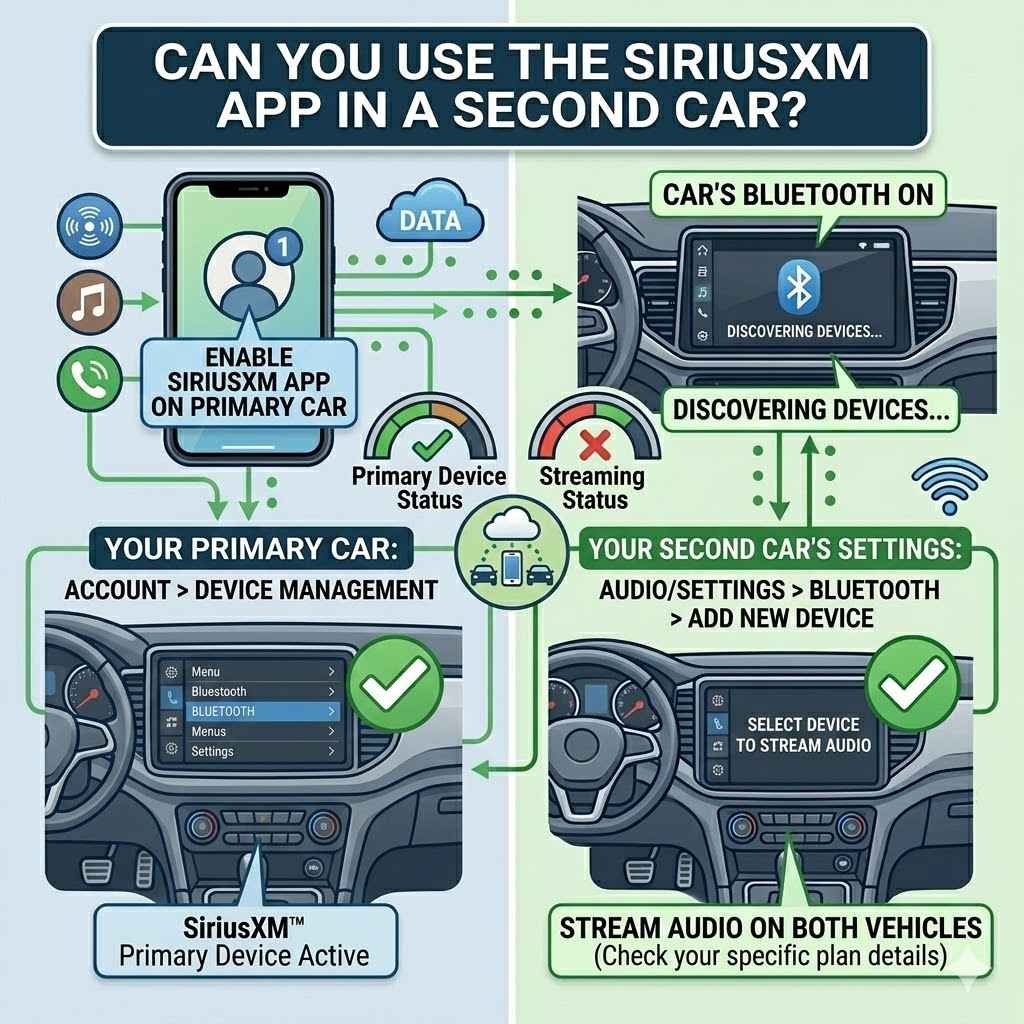
Can You Use the SiriusXM App in a Second Car?
Many people wonder about using their favorite radio service in more than one vehicle. It’s a common question for families or those with multiple cars. You might be asking, Can You Use the SiriusXM App in a Second Car? This can seem a bit tricky if you’re new to it.
Don’t worry! We’ll walk through it simply. We will show you exactly how to set it up so you can enjoy SiriusXM everywhere you go.
Using the SiriusXM App in More Than One Vehicle
This section will cover the basics of using your SiriusXM app across different vehicles. We will explain how your subscription connects to your account and how to access it on various devices. It’s about making sure you get your music and shows no matter where you are driving.
Your SiriusXM Account and Multiple Cars
Your SiriusXM subscription is tied to your account, not a specific device or car. This means you can access your subscription on multiple devices as long as they are linked to the same account. This is a key feature that makes it possible to use the app in a second car.
-
Account Linking
When you sign up for SiriusXM, you create an account. This account holds all your subscription details, including which plans you have and your payment information. It acts as your central hub for all SiriusXM services.
Linking multiple vehicles or devices to this one account is straightforward.
-
Streaming vs. Satellite Radio
It’s important to know the difference between satellite radio and streaming. Satellite radio is received through a satellite dish in your car. The SiriusXM app, however, uses the internet to stream audio.
This distinction is vital because the app’s functionality is based on internet connectivity, not satellite signals.
-
Device Management
Your SiriusXM account allows you to manage the devices associated with it. You can usually see a list of devices where you’ve logged in. This helps you keep track and ensures you’re using your subscription on authorized devices.
For a second car, you’ll typically be using a smartphone or tablet with the app.
Setting Up the App in Your Second Vehicle
Getting the SiriusXM app up and running in a second car involves a few simple steps. You’ll need your login details handy. Once you’ve downloaded the app, logging in is all it takes to access your channels.
This makes it easy to switch between vehicles without missing a beat.
-
Download the SiriusXM App
First, you need to get the SiriusXM app. It’s available for free on most smartphone app stores, like the Apple App Store for iPhones and iPads, and the Google Play Store for Android devices. Just search for “SiriusXM” and tap install.
Make sure your phone has enough storage space.
-
Log In with Your Account Details
Once the app is downloaded, open it. You will see options to sign in or create a new account. Choose to sign in and enter the username and password you created when you first subscribed to SiriusXM.
These are the same credentials you use for your online account management.
-
Connect to Your Car’s System (Optional)
To enjoy the audio, you’ll need a way to play it in your second car. The easiest way is to use Bluetooth to connect your smartphone to your car’s audio system. Many modern cars have Bluetooth built-in.
If your car doesn’t have Bluetooth, you can use an auxiliary cable or a Bluetooth adapter that plugs into the aux port.
Restrictions and Limitations
While you can use the app in a second car, there are a few things to be aware of. SiriusXM has rules about how many devices can stream simultaneously. Understanding these limits helps prevent any disruptions to your listening experience.
It’s usually one stream at a time per account.
-
Simultaneous Streams
SiriusXM generally allows only one active stream per account at any given time. This means if you are listening on your phone in the second car, someone else in your primary car might not be able to stream through the app simultaneously. However, you can often have satellite radio in one car and stream on the app in another, as these are different services.
-
Data Usage
Streaming audio uses your mobile data. If you plan to stream frequently in your second car, especially on long trips, be mindful of your data plan. Consider using Wi-Fi when available or checking your data usage regularly.
Some plans offer unlimited streaming options.
-
Account Sharing Policies
SiriusXM’s terms of service outline rules about sharing your account. While using the app on your own devices, like in a second car, is permitted, sharing your login details with others outside your household might violate these terms. It’s best to stick to personal use within your immediate family.
Can You Use the SiriusXM App in a Second Car With Different Subscription Plans?
This section explores how your subscription plan affects using the SiriusXM app in a second car. We’ll look at whether different types of plans have different rules for streaming and multiple devices. This ensures you have the right plan for your needs.
Subscription Tiers and Streaming Access
Most SiriusXM subscription plans that include streaming access will allow you to use the app on multiple devices. The key is whether your plan explicitly includes “streaming” or “all-access” features. Plans that are purely satellite radio might not come with app access.
-
Streaming-Included Plans
If your SiriusXM plan includes internet streaming, you can use the app. This is common with “All Access” or “Streaming” packages. These plans are designed to give you access to SiriusXM content wherever you have an internet connection, whether it’s on your phone, computer, or smart speaker.
-
Satellite-Only Plans
Some older or more basic SiriusXM plans might only cover satellite reception in a vehicle. If your plan is exclusively for satellite radio in one car, it may not include streaming access through the app. You would likely need to upgrade your plan to get app functionality for a second car.
-
Checking Your Plan Details
The best way to know for sure is to check the details of your specific SiriusXM subscription. You can usually find this information by logging into your account on the SiriusXM website or by contacting their customer service. They can confirm whether your current plan supports app streaming.
Adding More Devices or Cars to Your Subscription
Sometimes, you might want to have a dedicated SiriusXM experience in a second car, not just streaming from your phone. SiriusXM offers options for this, though it usually involves an additional cost. This ensures a seamless experience for all your vehicles.
-
Adding a Second Radio Subscription
If you want SiriusXM satellite radio in a second car, you typically need a separate radio subscription for that vehicle. SiriusXM often offers discounts for adding a second or third radio to an existing account. This means you pay a reduced rate for the second receiver.
-
Multi-Device Streaming Benefits
While the app usually allows only one stream at a time, some higher-tier plans or promotional offers might include options for more simultaneous streams or family plans. These are less common but worth inquiring about if your household has many users who want to stream at once.
-
Bundle Deals
SiriusXM sometimes offers bundle deals that allow you to have service in multiple cars for a combined price. These deals can be more cost-effective than paying for separate subscriptions. Keep an eye out for promotions on their website or when you call to set up service.
Troubleshooting Common Issues
Even with simple setups, occasional glitches can happen. If you’re having trouble using the SiriusXM app in your second car, there are a few common fixes. These steps often resolve most playback or login problems quickly.
-
App Updates
Ensure you have the latest version of the SiriusXM app installed on your smartphone. Developers frequently release updates to fix bugs and improve performance. An outdated app can sometimes cause connection issues or prevent you from logging in correctly.
-
Internet Connection
A stable internet connection is crucial for streaming. If your Wi-Fi is weak or your mobile data signal is poor in your second car, the app might struggle to play audio. Try moving to an area with better reception or connecting to a Wi-Fi hotspot.
-
Logging Out and Back In
Sometimes, simply logging out of your SiriusXM account within the app and then logging back in can refresh your connection and resolve login or playback errors. This is a quick fix that often works for temporary account-related glitches.
SiriusXM Streaming vs. In-Car Satellite Experience
It is important to distinguish between using the SiriusXM app for streaming and having SiriusXM radio installed in a car. Each method offers a different way to access content. Understanding these differences helps you choose the best option for your second car.
How App Streaming Differs from Satellite
The SiriusXM app streams audio over the internet, while satellite radio is received through a special antenna. This means app streaming requires a good data connection and a smartphone or tablet. Satellite radio requires a SiriusXM receiver installed in the car and a clear view of the sky.
-
Content Availability
The SiriusXM app often provides access to a wider range of content than a standard satellite radio subscription. This can include exclusive podcasts, on-demand shows, and even channels not available through satellite. The app can also offer content that is not broadcast live, allowing you to listen whenever you choose.
-
Device Compatibility
You can use the SiriusXM app on a variety of internet-connected devices, including smartphones, tablets, computers, and smart TVs. In-car satellite radio is limited to the SiriusXM-equipped vehicle itself. This flexibility makes the app ideal for listening on the go, even outside of your car.
-
Audio Quality
The audio quality of the app can vary depending on your internet connection and the bit rate SiriusXM uses for streaming. While generally good, it may not always match the consistent, high-fidelity audio provided by satellite radio, especially in areas with poor connectivity. Satellite radio’s signal is generally more stable.
Simultaneous Use Cases
It is possible to have SiriusXM active in two places at once, but it depends on how you are listening. This is where understanding the difference between app streaming and satellite radio is crucial.
-
Satellite in Car A, App in Car B
This is a common and perfectly acceptable setup. Your primary car has a satellite radio receiver, and you use your smartphone with the SiriusXM app in your second car. Since these are two different methods of accessing the service, they can operate simultaneously without issue.
-
App Streaming in Two Locations Simultaneously
As mentioned earlier, SiriusXM generally permits only one active stream from the app per account. Therefore, you typically cannot stream the app on your phone in the second car while also streaming it on a tablet or computer at home at the exact same time. This restriction is in place to manage server load and prevent misuse.
-
Using Multiple Radios on the Same Account
If you have multiple SiriusXM radios registered to your account, you can indeed have satellite radio active in more than one vehicle simultaneously. However, you can only stream from the app on one device at a time, even if you have multiple satellite radios.
Data and Connectivity for App Streaming
Reliable internet access is the backbone of using the SiriusXM app. Without it, your streaming experience will be interrupted. Understanding your data needs and connectivity options is vital for using the app in your second car.
-
Mobile Data Plans
Streaming audio can consume a significant amount of mobile data. A typical hour of SiriusXM streaming can use between 60 MB and 150 MB of data, depending on the audio quality settings. If you stream for several hours a day, this can add up quickly.
It’s wise to check your mobile carrier’s data allowances and consider a plan with generous data or unlimited streaming if you listen often.
-
Wi-Fi Hotspots and Tethering
If your mobile data is limited or you’re concerned about usage, you can use Wi-Fi hotspots. Many smartphones can create a Wi-Fi hotspot using their cellular data connection, allowing other devices, like a tablet, to connect. Some public places, like libraries or cafes, also offer free Wi-Fi.
However, relying on public Wi-Fi in a moving vehicle can be inconsistent.
-
Offline Listening Features
While the SiriusXM app is primarily for live streaming, some content may be available for download or on-demand. This means you could potentially download your favorite shows or podcasts beforehand when you have a stable Wi-Fi connection. This allows you to listen without using mobile data while in your second car.
Frequently Asked Questions
Question: Can I listen to SiriusXM in two cars at the same time with one subscription?
Answer: Yes, you can listen to SiriusXM in two cars at the same time if one car has a satellite radio and the other is using the SiriusXM app on a smartphone or tablet with an internet connection. However, you generally cannot stream the app simultaneously on two different devices.
Question: Do I need a separate subscription for the SiriusXM app in my second car?
Answer: No, if your current SiriusXM subscription includes streaming access, you do not need a separate subscription for the app. You use the same account login details on your smartphone.
Question: What if my current plan doesn’t include streaming?
Answer: If your plan is for satellite radio only, you will likely need to upgrade your subscription to an “All Access” or “Streaming” package to use the SiriusXM app in your second car.
Question: How many devices can I stream SiriusXM on at once?
Answer: Typically, SiriusXM allows only one simultaneous stream from the app per account. You can, however, have satellite radio active in multiple vehicles at the same time.
Question: Will using the SiriusXM app in my second car use a lot of data?
Answer: Yes, streaming audio uses mobile data. The amount depends on your listening habits and the app’s audio quality settings. It’s a good idea to monitor your data usage.
Summary
You can indeed use the SiriusXM app in a second car, provided your subscription includes streaming access. Simply download the app, log in with your account, and connect to your car’s audio system. Remember, while you can stream from the app, only one stream is usually allowed per account at a time.
Enjoy your music everywhere!