How to Extend Remote Start Time on a Chevy: Real Limits Explained
To extend the remote start time on a Chevy, you can consult the vehicle’s owner manual for specific instructions. However, in general, you can typically extend the remote start time by repeating the remote start process within the first ten minutes of the initial remote start.
Related: resetting Chevy Bluetooth pairing.
Understanding The Remote Start Feature
Remote start is a convenient feature that allows you to start your Chevy vehicle remotely, without physically being inside the car. This feature is especially useful during cold winters or hot summers when you want to warm up or cool down your vehicle before getting in.
What Is Remote Start?
Remote start is a technology that enables you to start your Chevy vehicle’s engine from a distance using a remote control. With just a click of a button, you can activate the engine and start the vehicle, allowing it to warm up or cool down depending on your preferences. This feature provides a more comfortable driving experience by ensuring your car is at a desirable temperature when you enter it.
How Does Remote Start Work On Chevy Vehicles?
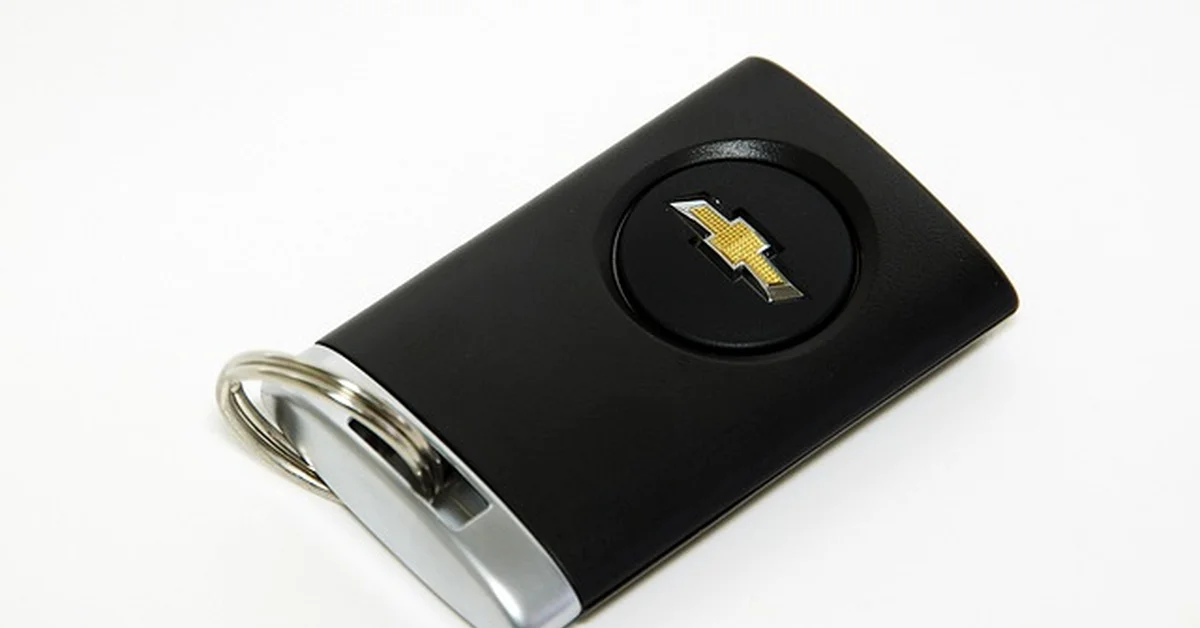
The remote start system on Chevy vehicles operates through a combination of hardware and software. The remote starter module is integrated into the vehicle’s electrical system and communicates with the key fob or smartphone app using radio frequency signals or cellular data. When you engage the remote start function, the key fob or app sends a signal to the vehicle’s engine control module (ECM), which in turn starts the engine.
It’s important to note that Chevy vehicles have certain safety measures in place to prevent unauthorized use of the remote start feature. For instance, the doors remain locked, and the engine will shut off if any of the doors are opened before the key is inserted into the ignition. Additionally, most Chevy vehicles require you to press the lock button on the key fob twice before pressing and holding the remote start button to activate the feature.
Remote start can be turned on for a specified duration, usually around 10-20 minutes, depending on the vehicle model. This time period allows the engine to warm up or cool down without running indefinitely. Once the set time has elapsed, the engine will automatically shut off, preserving fuel while still providing you with the desired level of comfort during your drive.
MPC Remote Start Kit for Chevy Silverado/GMC Sierra – $149.99


Tips For Maximizing Remote Start Time
When it comes to extending the remote start time of your Chevy vehicle, there are a few key factors to consider. By properly preparing and setting up your remote start system, understanding the operating conditions, and keeping your vehicle’s battery in mind, you can ensure that you maximize the time you have to warm up your car before you hit the road.
Preparation And Setup
In order to make the most of your remote start time, it’s important to properly prepare and set up your Chevy vehicle. Here are a few tips to keep in mind:
- Ensure that your vehicle’s key fob is within the recommended range for remote start functionality.
- Double-check that your vehicle’s doors are securely locked before activating the remote start feature.
- Consider programming your remote start system to automatically activate at a specific time each day, allowing your car to warm up before you even step outside.
Operating Conditions
The operating conditions surrounding your remote start can have an impact on the length of time you have to warm up your vehicle. Here are a few factors to take into consideration:
- Take note of the outside temperature. Colder temperatures may require a longer remote start time to adequately warm up the vehicle.
- Consider the duration of your remote start. To maximize warm-up time, it’s important to avoid frequent remote start activations.
- Account for any potential obstructions that may affect the range of your remote start system, such as buildings or other vehicles.
Battery Considerations
Your vehicle’s battery plays a crucial role in the functionality of the remote start system. Here are a few battery considerations to keep in mind to ensure optimal performance:
- Regularly check the battery life of your key fob and replace it if necessary.
- Maintain your vehicle’s battery health by keeping it charged and avoiding prolonged periods of inactivity.
- Consider investing in a battery charger or maintainer to ensure that your vehicle’s battery is always in good condition, especially during colder months when batteries can be more prone to draining.
By following these tips for maximizing your remote start time, you can enjoy the convenience of a warm and comfortable vehicle no matter the weather conditions. Remember to always consult your vehicle’s manual for specific instructions and guidelines regarding remote start functionality.
How Many Times Can You Actually Re-Extend It?
Most factory GM remote start systems give you a base runtime of around 10 to 15 minutes per activation, and pressing the remote start button again before that window expires typically restarts the timer for another full cycle — but this isn’t unlimited. Many systems cap how many times you can re-trigger remote start in a row, and once the vehicle is unlocked or the ignition is engaged manually, the remote start session ends regardless of how much time was left. If you consistently need longer engine warm-up time than your factory system allows, an aftermarket remote start upgrade with a longer configurable runtime is worth looking into rather than relying on repeatedly re-triggering the factory system.
Conclusion
To extend the remote start time on your Chevy, follow these simple steps. Adjusting the remote start duration can provide you with added convenience and flexibility. By understanding the settings and options available in your vehicle’s remote start system, you can cater the start time to your specific needs.
With this knowledge, you can optimize your Chevy’s remote start feature to enhance your overall driving experience. Take control of your remote start and enjoy the benefits it brings to your routine.
Products related to this article
Sponsored / affiliate links. As an Amazon Associate I earn from qualifying purchases. I may earn additional commission from eligible campaigns.