Why Do Lights Flicker: Essential Fixes
Car lights flickering can signal problems with the alternator, battery, or loose connections. Addressing these common causes promptly ensures your safety and prevents further damage, and often, simple fixes are within your reach.
Ever noticed your car lights dimming, then brightening, or just plain flickering? It’s a common sight, and it can be a little unnerving. Whether it’s your headlights, dashboard lights, or interior dome light, flickering can be a sign that something isn’t quite right. But don’t worry! Most of the time, these flickering lights are caused by issues that are not only understandable but also fixable. This guide will help you figure out why your car’s lights are flickering and walk you through the essential fixes, so you can drive with confidence again.
We’ll break down the most common culprits and give you clear, easy steps to troubleshoot the problem. By the end of this, you’ll have a much better idea of what’s going on under the hood and how to get those lights shining steady again.
Understanding Why Your Car Lights Flicker
Flickering lights in your car aren’t just an annoyance; they can be your vehicle’s way of telling you it needs attention. This issue often points to a problem with the electrical system, which is the heart of your car’s functions. Think of your car’s electrical system like a complex network of arteries and veins. If any part of this network gets clogged, weakened, or disconnected, it can affect how everything else operates, including your lights.
The most common reasons for flickering lights are usually related to power supply and connectivity. The flow of electricity from your battery and alternator needs to be consistent for everything to work properly. When this flow is interrupted or fluctuates, you’ll see those tell-tale flickers. Let’s dive into the most frequent causes and how to tackle them.
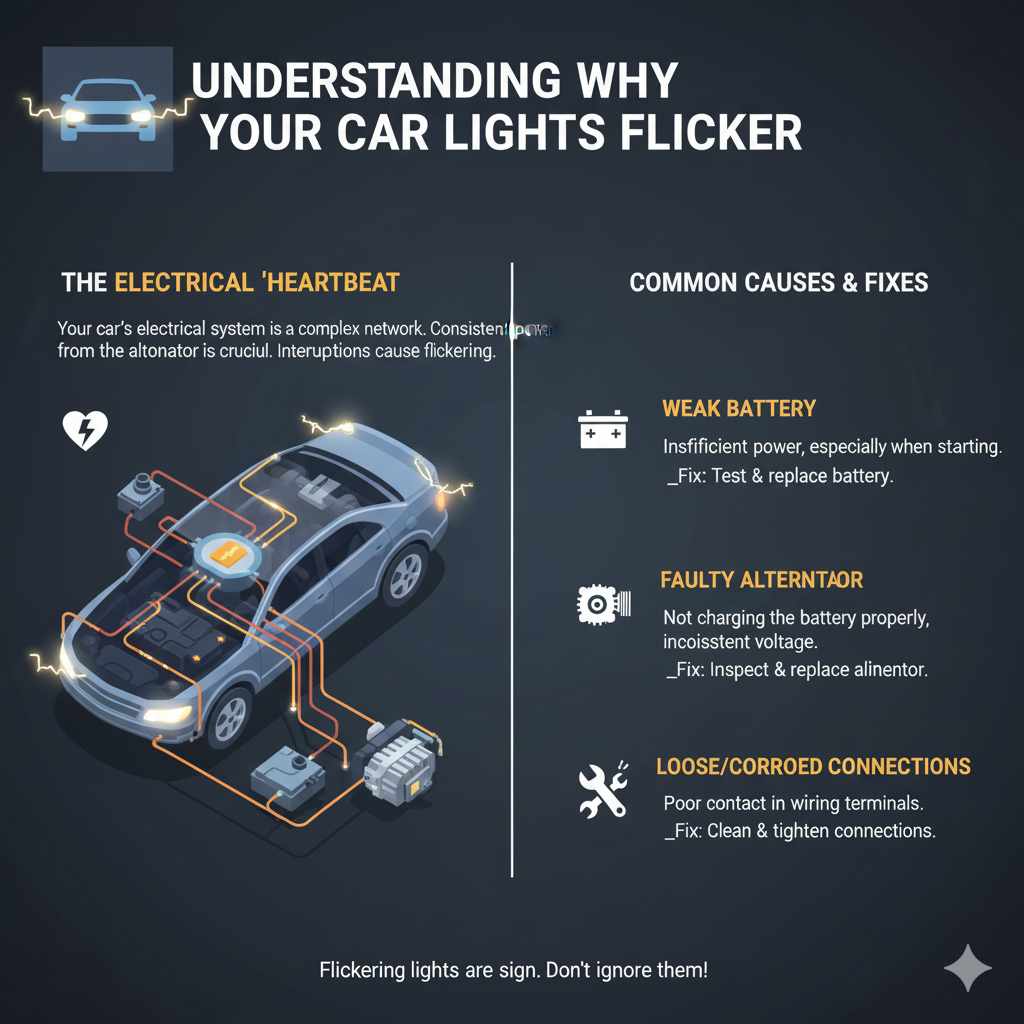
Common Causes of Flickering Car Lights and How to Fix Them
When your car lights flicker, it’s usually due to one of a few key components acting up. Understanding these components will give you a great starting point for troubleshooting.
1. The Alternator on Its Last Legs
The alternator is like your car’s personal power plant. It generates electricity to run the car’s systems and also recharges the battery as you drive. If the alternator is starting to fail, it might not be able to produce a steady stream of power. This fluctuating power output is a prime suspect for flickering lights.
Signs of a Failing Alternator:
- Flickering headlights (especially when you rev the engine or turn on accessories like the radio or A/C).
- Dimming dashboard lights.
- A warning light on your dashboard, often shaped like a battery.
- A strange whining noise coming from the front of the car.
- The battery light stays on even after starting the car.
The Fix:
Diagnosing an alternator can be done with a multimeter. You can check the voltage output while the engine is running. A healthy alternator typically outputs between 13.5 and 14.5 volts. If it’s significantly lower or higher, it might be time for a replacement. Many auto parts stores can test your alternator for free. If it needs replacing, this is usually a job a local mechanic can handle, or a DIYer with some mechanical experience. It’s crucial to get this sorted quickly, as a failing alternator can leave you stranded.
For more information on how alternators work and common issues, you can check out resources like this guide on electric vehicle systems from the U.S. Department of Energy, which touches on power generation principles relevant to all vehicles.
2. A Battering Battery
Your car’s battery is essential for starting the engine and providing a stable power source, especially when the alternator isn’t generating enough on its own (like at idle). If your battery is old, has a low charge, or has corroded terminals, it can lead to inconsistent power delivery, causing lights to flicker.
Signs of a Weak Battery:
- Slow engine cranking when you start the car.
- Flickering lights when you turn on multiple electrical accessories.
- The battery warning light is on.
- Lights are dim even when the engine is off.
The Fix:
First, check your battery terminals. Corrosion (a bluish-white powdery substance) can impede the flow of electricity. You can clean these terminals with a wire brush and a mixture of baking soda and water. Make sure to disconnect the battery cables before cleaning – negative first, then positive. Reconnect them in reverse order: positive first, then negative. If cleaning doesn’t help, the battery might need a professional test. Most auto parts stores offer free battery testing. If the battery is old (typically 3-5 years) or fails the test, it’s time for a replacement. Replacing a car battery is usually a straightforward DIY task.
3. Loose or Corroded Electrical Connections and Grounds
Electricity needs a clean, solid path to flow. Any weak or dirty connection in your car’s wiring system can cause resistance, leading to voltage drops and flickering lights. This includes connections to the battery, alternator, light sockets, and especially ground wires.
Signs of Bad Connections:
- Intermittent flickering of lights.
- Lights that only work sometimes or flicker when you hit a bump.
- Dim lights despite a healthy battery and alternator.
The Fix:
This can be the trickiest to diagnose for beginners. Start by visually inspecting all accessible electrical connections related to your lights. Check the battery terminals for tightness and corrosion. Then, follow the wires from your headlights or other flickering lights to their grounding points. A ground wire connects the electrical component back to the car’s metal chassis, completing the circuit. If this connection is loose, corroded, or broken, your lights won’t get a proper ground. You might need to gently wiggle wires to see if it affects the flicker. For a more thorough check, you might need to remove light fixtures to inspect their sockets and wiring. Cleaning corroded connections with a wire brush and ensuring all wires are securely fastened is key. If you’re uncomfortable with this, it’s a good time to consult a mechanic.
A common grounding point is often a bolt securing a wire to the car’s metal body. Ensuring these are clean and tight is critical for a good electrical circuit.
4. Faulty Light Bulbs
Sometimes, the simplest explanation is the correct one. A headlights that flickers constantly, especially if it’s a new flicker, might just be a bulb that’s nearing the end of its life or isn’t seated correctly in its socket.
Signs of a Faulty Bulb:
- Only one light is flickering.
- The flickering started suddenly.
- The bulb appears discolored or damaged.
The Fix:
Check the specific bulb that is flickering. If it’s easy to access, try gently wiggling it in its socket to ensure it’s seated properly. If that doesn’t help, the bulb might be faulty. Replacing a headlight bulb is often a manageable DIY task, though some cars can be tricky. Consult your car’s owner’s manual for specific instructions. If you’re unsure or the bulb is hard to reach, a mechanic can swap it out quickly.
5. Issues with the Voltage Regulator
The voltage regulator is a component, often built into the alternator, that controls the voltage output. Its job is to ensure that the alternator charges the battery and powers the car at the correct voltage, preventing overcharging or undercharging. If the voltage regulator fails, it can cause the voltage to fluctuate erratically, leading to flickering lights.
Signs of a Bad Voltage Regulator:
- Alternating between very bright and very dim lights.
- Battery warning light is on.
- Overcharging the battery (which can damage it).
The Fix:
Since the voltage regulator is usually part of the alternator, a faulty regulator often means the entire alternator needs to be replaced. A mechanic can test the voltage output to confirm if the regulator is the issue. If this is the problem, replacing the alternator is the standard solution.
6. Loose Accessory Components
Sometimes, accessories you’ve added to your car can cause electrical issues. Aftermarket stereos, extra lights, or even poorly installed trailer wiring can sometimes draw too much power or have loose connections that affect the main electrical system, including your car’s lights.
Signs of Accessory Issues:
- Lights flicker only when a specific accessory is turned on.
- Flickering started shortly after installing a new accessory.
The Fix:
If you have any aftermarket accessories, try turning them off one by one to see if the flickering stops. If it does, the problem likely lies with that accessory or its wiring. You may need to have the accessory’s wiring checked, secured, or even remove it if it’s causing persistent problems.
Troubleshooting Steps: A Practical Guide
Let’s put this all together. Here’s a step-by-step approach to help you diagnose and fix flickering car lights. Always prioritize safety when working on your car’s electrical system.
What You Might Need:
- Owner’s manual
- Basic tool set (wrenches, screwdrivers)
- Wire brush
- Baking soda and water mixture
- Multimeter (for voltage testing)
- Safety glasses and gloves
Step-by-Step Troubleshooting:
- Observe When the Flickering Happens: Is it constant? Does it occur when you start the car, accelerate, brake, or turn on accessories like the A/C or radio? Knowing when it happens can point you to the cause. For example, flickering only at idle might suggest an alternator issue, while flickering when turning is more complex.
- Check the Battery Terminals: Open your hood and locate the battery. Are the cables securely attached? Is there any white or bluish powdery corrosion? If so, disconnect the battery (negative terminal first, then positive), clean the terminals and cable clamps with a wire brush and baking soda paste, rinse (carefully, without getting water into battery vents), dry, and reconnect (positive first, then negative).
- Inspect Headlight and Bulb Connections: For the flickering lights themselves, check if the bulbs are seated correctly. If you’re comfortable, you can gently remove the bulb and reinsert it to ensure a good connection. Also, look for any obvious damage to the wiring leading to the bulb socket.
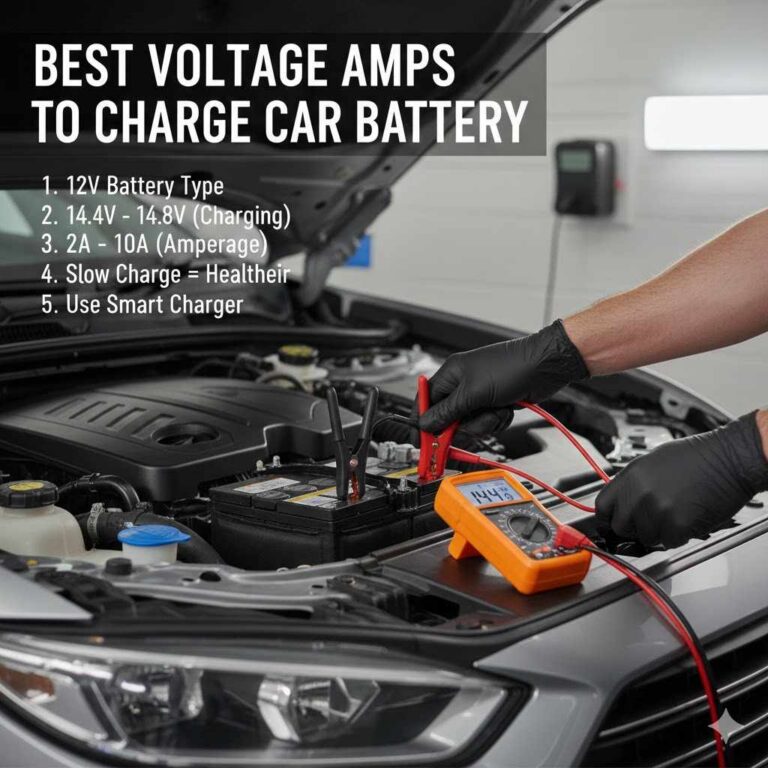
- Test the Battery Voltage (Engine Off): With the engine off, use a multimeter to check the battery’s voltage. A fully charged battery should read around 12.6 volts. If it’s significantly lower, the battery may be weak or not holding a charge.
- Test the Alternator Voltage (Engine On): Start the engine. With the multimeter connected to the battery terminals, check the voltage. It should be between 13.5 and 14.5 volts. If it’s lower, your alternator might be failing to charge the battery properly. If it’s much higher, the voltage regulator could be faulty. You can also test this while turning on accessories (like headlights, A/C, and radio) to see if the voltage drops significantly.
- Check Ground Connections: Locate the main ground wires coming from your battery and other major electrical components. These usually connect to the car’s metal frame. Ensure these connections are clean, tight, and free of corrosion. A loose or corroded ground can wreak havoc on the electrical system.
- Consult Your Owner’s Manual: Your manual is a wealth of information specific to your car model. It can guide you on how to access components like bulbs and explain dashboard warning lights.
Here’s a quick look at potential symptoms and their most likely causes:
| Symptom | Likely Cause | Essential Fix |
|---|---|---|
| Headlights flicker or dim when engine is at idle | Weak alternator or loose connection to alternator | Test alternator voltage; tighten or replace connections; consider alternator replacement if voltage is low. |
| Dashboard lights flicker or dim | Failing alternator, weak battery, or bad ground connection | Test alternator and battery; check all ground points; clean and tighten connections. |
| Lights flicker when turning on accessories (radio, A/C) | Alternator struggling to keep up with demand; battery not holding charge well | Test alternator and battery capacity; ensure battery is fully charged. |
| Only one light flickers | Problem with that specific bulb or socket connection | Check bulb seating; inspect socket for damage; replace bulb if necessary. |
| Entire car’s electrical system seems erratic, lights flicker wildly | Major electrical fault, possible short circuit or complete alternator failure | Immediate professional diagnosis recommended; check battery, alternator, and main wiring harness. |
When to Call a Professional
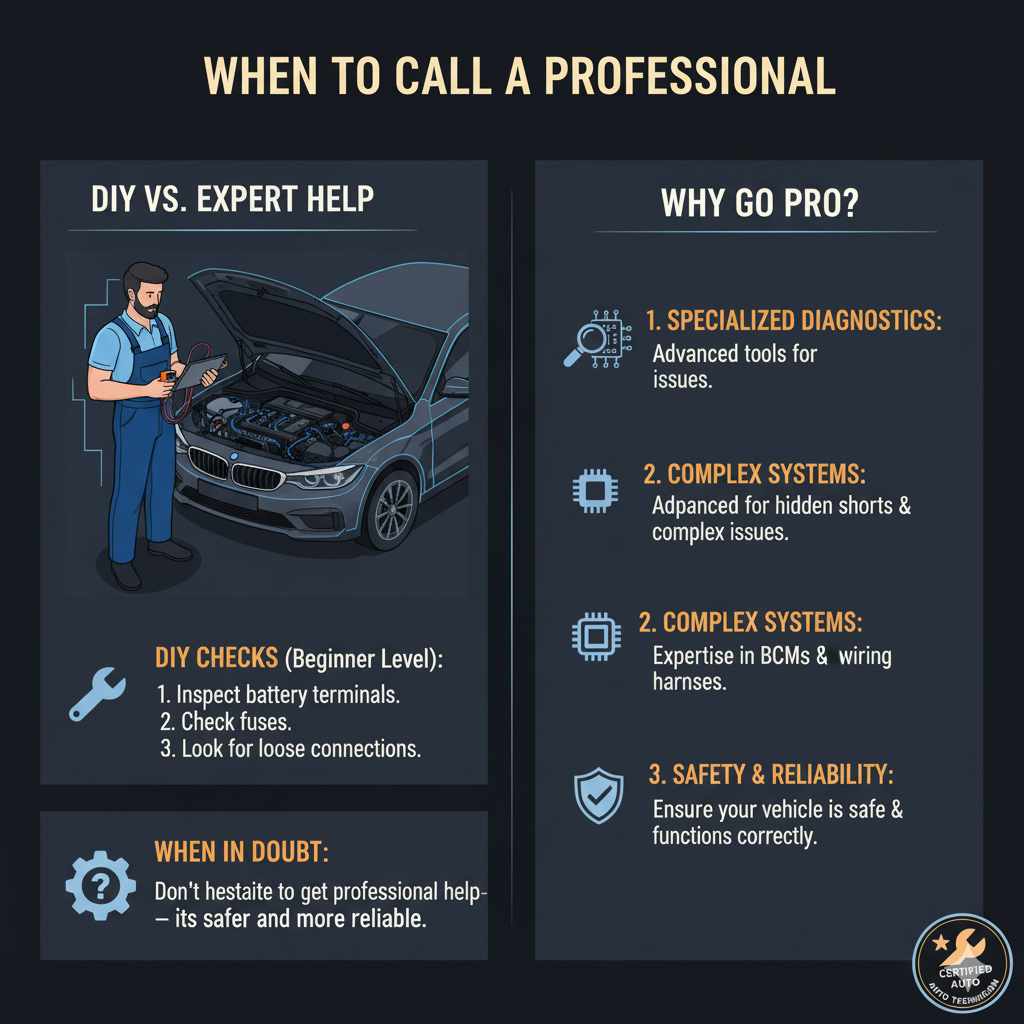
While many of these fixes are straightforward for a beginner, there are times when calling in a professional mechanic is the wisest choice. If you’re not comfortable working with electrical systems, don’t have the right tools (like a reliable multimeter), or if the problem seems complex and persists after your initial checks, it’s best to seek expert help.
Mechanics have specialized diagnostic tools and the experience to quickly pinpoint and fix issues that might be beyond a DIYer’s scope. This is especially true for problems involving the car’s internal computer systems or complex wiring harnesses. Don’t hesitate to get professional help if you feel in over your head – it’s a smart way to ensure your car is safe and reliable.
A certified auto technician can perform thorough electrical diagnostics, including checking for hidden shorts, voltage drops in specific circuits, and verifying the health of your car’s entire charging system. For instance, a vehicle’s Body Control Module (BCM) can sometimes be the source of electrical gremlins, and these require expert troubleshooting.
FAQ: Your Questions Answered
Q1: Can flickering lights damage my car?
A: Yes, flickering lights can indicate an underlying electrical problem that, if left unaddressed, could potentially lead to other issues. For example, a failing alternator can overcharge or undercharge your battery, damaging it over time. It can also cause other electronic components to malfunction.
Q2: How often should I check my battery terminals?
A: It’s a good practice to check your battery terminals for visual signs of corrosion or loose connections at least twice a year, perhaps during oil changes or tire rotations. If you live in an area with extreme temperatures or road salt, you might want to check them more frequently.
Q3: Is it safe to drive with flickering headlights?
A: Driving with flickering headlights is not ideal and can be unsafe, especially at night. It reduces your visibility and the visibility of other drivers to you. It’s best to address this issue as soon as possible to ensure your safety and the safety of others on the road.
Q4: My lights only flicker when I hit bumps. What could that be?
A: This often points to a loose connection somewhere in the electrical system. It could be a loose bulb in its socket, a loose wire connection to the light fixture, or even a loose ground wire. Gently checking accessible connections might help, but a thorough inspection might be needed.
Q5: Can a blown fuse cause lights to flicker?
A: Typically, a blown fuse will cause a light to stop working entirely, rather than flicker. However, a fuse that is not seated properly in its socket, or a fuse with corrosion on its contacts, could potentially cause intermittent electrical problems that might manifest as flickering before the fuse blows completely or the connection is lost.
Q6: What’s the difference between a flickering light and dim lights?
A: Flickering means the lights are rapidly changing in brightness, going on and off or up and down. Dim lights mean they are consistently not as bright as they should be. Both can stem from similar electrical issues (alternator, battery, connections), but dimming is usually a steady issue while flickering is intermittent or fluctuating.
Conclusion: Keeping Your Lights Shining Bright
Seeing your car’s lights flicker can be a bit alarming, but as we’ve explored, it’s often a sign that your vehicle’s electrical system needs a friendly check-up. From a hardworking alternator that’s seen better days to a battery that needs a clean connection, the causes are usually quite understandable. By following the basic troubleshooting steps, you can often identify the culprit and even perform simple fixes yourself.