How to Disable Ford GPS Tracking (Ford App and SYNC Steps)
Ford has no single switch labeled GPS tracking. According to Ford’s support pages, what you can change from the driver’s seat is the Vehicle Connectivity setting plus separate sharing options for vehicle data, vehicle location and driving data. The menu you see depends on whether the vehicle has SYNC 3, SYNC 4, SYNC 4A or Ford Digital Experience, and older systems have no such setting at all. This guide gives the path for each system, what stops working when you switch a setting off, and what Ford says about resets before a sale.
Every setting name and effect below comes from Ford pages read on 2026-10-14: the Ford support page on Connectivity and Privacy settings, the Ford support page on disconnecting remote vehicle access and the Ford US Privacy Notice, Connected Vehicle Privacy section. Ford may change menus by model year and market, so check the screen in your own vehicle and its owner’s manual.
What You Can Turn Off in a Ford: Quick Answer
Best Phone Navigation Mount Pick
|
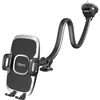
1Zero Solid Car Truck Phone Mount Holder with 14-Inch Gooseneck Long Arm A gooseneck phone mount for drivers who plan to run maps from a phone instead of the built-in navigation. Listed at $16.99 on 2026-10-14.
As an Amazon Associate we earn from qualifying purchases. Spec-based pick from the listing, not a hands-on test. |
Ford documents three levels: stop location sharing, turn off Vehicle Connectivity as a whole, or reset the modem so the vehicle is disconnected from every Ford app account. Each costs something.
| Your goal | What to switch | Where Ford says to find it |
|---|---|---|
| Stop sharing vehicle location with Ford | Share Vehicle Location (SYNC 3, 4, 4A) or Share Location with Ford (Ford Digital Experience) | SYNC 3: Settings > FordPass Connect > Connectivity Settings. SYNC 4 and 4A: Settings or Home icon > Connectivity > Connected Vehicle Features. Digital Experience: Vehicle icon > Settings > Location Services |
| Stop sharing vehicle data | Share Vehicle Data slider to Off, then Continue on the prompt (SYNC 4 and 4A) | Settings > Connectivity > Connected Vehicle Features. Digital Experience: Settings > Privacy > Data sharing with Ford |
| Stop sharing driving data | Share Driving Data | Same screens as vehicle data |
| Turn off connected features as a group | Vehicle Connectivity slider | SYNC 3: Connectivity Settings. SYNC 4 and 4A: Connected Vehicle Features. Digital Experience: Settings > Network and Internet |
| Cut every Ford app account loose | Connectivity Reset or master/factory reset, or Remove Vehicle in the Ford app garage | Settings > General > Reset on SYNC 3, 4 and 4A. Digital Experience: Apps icon > Settings > System > Reset Options |
Ford’s connectivity page describes Vehicle Connectivity as the setting that keeps SYNC or Ford Digital Experience updated and enables data sharing and location services with Ford, and it adds that Ford recommends keeping it on for the best update experience.
What Ford Means by Tracking: Four Separate Pieces
Ford’s privacy notice describes several parts that can each carry location: a built-in modem (formerly FordPass Connect or SYNC Connect) that periodically sends messages to Ford through a cellular network provider, GPS capability in equipped vehicles, the Ford app once a vehicle is associated with an account, and the SYNC or Ford Digital Experience screen that holds the toggles. The notice says that unless the modem is deactivated or vehicle connectivity is disabled, the modem communicates with the cellular network provider.
How to Turn Off FordPass Connect Through SYNC Settings
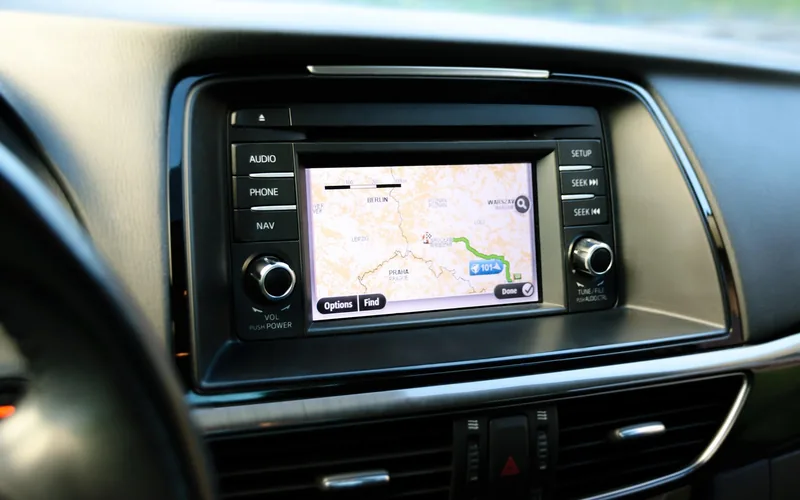
Ford’s page says that if your SYNC generation is not listed on its connectivity page, the vehicle has no Vehicle Connectivity settings. It names SYNC with MyFord Touch, SYNC with MyFord, SYNC with Voice Activated Navigation, SYNC Gen 1.1 and SYNC Gen 1 as not supported, and it says SYNC 3 systems without a touchscreen do not have Vehicle Connectivity. To identify your generation, Ford points to its SYNC and Navigation Updates page (enter your VIN) and to a SYNC Visual Reference Guide.
SYNC 3
- Choose Settings on the SYNC screen.
- Select FordPass Connect.
- Choose Connectivity Settings.
- Toggle the Vehicle Connectivity slider, or the individual options: Privacy Settings, Share Vehicle Data, Share Vehicle Location and Share Driving Data.
SYNC 4 and SYNC 4A
- Choose the Settings or Home icon on the SYNC screen.
- Select Connectivity.
- Choose Connected Vehicle Features.
- Toggle the Vehicle Connectivity slider or the same four options listed for SYNC 3.
For vehicle data alone, Ford’s data-sharing page gives the same route on SYNC 4 and SYNC 4A: toggle Share Vehicle Data to Off and press Continue on the confirmation prompt. Ford’s wording is that certain Ford vehicles share vehicle data with Ford electronically by default, and that this setting is how you opt out.
Ford Digital Experience
- Choose the Vehicle icon, then Settings.
- Scroll down to Network and Internet. Ford says a blue toggle on the right means Vehicle Connectivity is on, and a white or gray toggle on the left means off.
- For location, return to Settings and scroll to Location Services, then use the Share Location with Ford toggle.
- For data, choose Privacy, then Data sharing with Ford, and use the Share Vehicle Data and Share Driving Data sliders. Left is off.
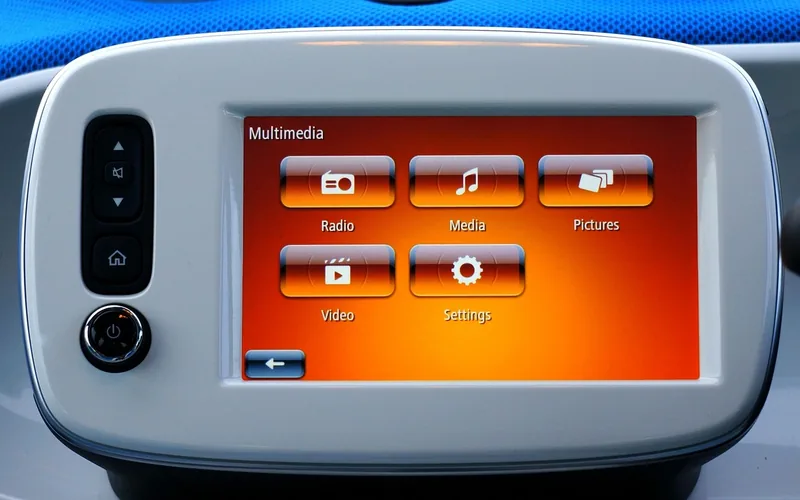
On Digital Experience screens, Ford says the Use location slider in the Location menu only controls data sharing with Google, not Ford.
Make these changes while parked, in an open, well-ventilated and safe area, as Ford’s instructions say.
Which Fords Have a Modem at All
Ford’s modem page says a vehicle can be checked two ways: look at the window sticker for FordPass Connect or SYNC Connect, or open Settings, then Vehicle, on the SYNC screen, where a FordPass Connect tile appears if the modem is activated. Ford calls the modem an optional feature that gives a full range of features in the Ford app, including remote start, Vehicle Health Alerts and recall notifications.
| Model year | What Ford says about modem eligibility |
|---|---|
| 2020 and newer | A vehicle modem is available on all 2020 and later model year vehicles |
| 2019 | Listed models: EcoSport, Edge, Escape, Expedition, Explorer, F-150, Fusion, Mustang, Ranger, Super Duty, Transit Connect |
| 2018 | Listed models: EcoSport, Escape, Expedition, Explorer, F-150, Fusion, Fusion Hybrid, Mustang. Some may show the modem as SYNC Connect |
| 2017 | Listed models: Escape, Fusion and Fusion Hybrid (not Fusion Energi), F-150, GT |
| 2016 and earlier | A vehicle modem is not available for these model years |
If your Ford is a 2016 or earlier model, Ford’s own table says it never had a factory modem, so there is no Vehicle Connectivity switch to find. Eligibility is not activation: the modem works with the Ford app only after it is activated.
Related reading on this site: can FordPass find my car covers the locator feature, and how often FordPass updates the vehicle location covers refresh timing.
What You Lose When You Switch It Off
| Setting changed | What Ford says happens | Source |
|---|---|---|
| Vehicle location sharing off | The Ford app no longer allows Vehicle Locator | Ford disconnect remote vehicle access page |
| Vehicle Connectivity off | The app no longer allows Vehicle Locator, Lock/Unlock or Remote Start | Ford disconnect remote vehicle access page |
| Any of: master reset, connectivity off, location sharing off | Every Ford app account connected to the vehicle receives a notification that the change occurred | Ford disconnect remote vehicle access page |
| Vehicle Connectivity off | Connected services (weather, news, traffic, navigation, points of interest), Bluetooth Prioritization and Wi-Fi network management are listed as Vehicle Connectivity features | Ford connectivity settings page |
| Cloud data for Connected Navigation off (SYNC 4 and 4A) | Can impact certain functionality; cellular data may also be affected if you use a third-party navigation provider | Ford Connected Navigation cloud data page |
| Emergency calling and SOS | Not stated on the Ford pages read for this guide. Check your owner manual before changing any setting | Unverified |
Ford’s Stolen Vehicle Services page adds a limit for one specific truck. On that page, which describes the 2024 F-150 (except F-150 Lightning), Ford says Factory Reset and Customer Connectivity Settings are disabled while Stolen Vehicle Services is active, and that Theft Protection Alerts include attempts to perform a Factory Reset from the in-vehicle screen. Ford’s page does not say the same for other models.
What Switching It Off Does Not Do
Several common assumptions are contradicted by the Ford pages.
| Common belief | What Ford says | Source |
|---|---|---|
| Deleting the Ford app stops data sharing | Deleting the app from your device will not disable data sharing. The vehicle must be reset or removed from every account garage | Ford privacy notice, Connected Vehicle section |
| Turning off the Use location slider stops location sharing with Ford | That slider controls sharing with Google only, not Ford | Ford connectivity settings page |
| Turning off location sharing means Ford can never see location | Ford says in limited situations it may collect Vehicle Location regardless of location settings, including to protect its rights or property (for example repossession after a delinquency), to comply with law or valid legal process, or in exigent circumstances | Ford privacy notice |
| A 2016 or earlier Ford has a factory modem to switch off | Ford says a vehicle modem is not available for those model years | Ford modem page |
| Removing one account from the garage is enough | Ford says removing the vehicle from the garage must be done for all associated accounts to remove remote access | Ford privacy notice |
This guide does not cover pulling fuses, removing the modem or blocking signals. Ford’s pages describe none of those routes, and they could interfere with features you may want, so stick to the in-vehicle settings Ford documents. If you are worried about a device that is not Ford’s own, see our guide on whether your car has a GPS tracker.
Selling, Buying or Renting: Reset Instead of Switching Off
For a change of hands, Ford’s privacy notice recommends a master/factory reset rather than toggles. It lists four moments: before selling or transferring ownership, after buying or leasing a pre-owned vehicle, before and after renting from a rental company, and any time you want to disconnect a modem-equipped vehicle from all Ford accounts, whether the account is yours or someone else’s.
The notice says a reset returns the modem to factory settings, removes imported personal information such as contact lists, names of paired devices and connected Wi-Fi networks, and disconnects the vehicle from Ford accounts. For vehicles with a Connectivity Device, it adds that you must also remove the VIN from your account to stop account-related data sharing. Ford’s reset page gives the modem-reset paths:
| System | Modem reset path on Ford’s page |
|---|---|
| Ford Digital Experience | Apps icon > Settings > System > Reset Options > Connectivity Reset > Erase network data |
| SYNC 4A | Settings or Home icon > General > scroll to Reset > FordPass Connect Reset > Reset All > Continue |
| SYNC 4 | Settings > General > scroll to Reset > FordPass Connect Reset > Reset All > Continue |
| SYNC 3 | Settings > General > scroll to Reset > Okay > Continue |
The costs are real. Ford says a modem reset removes all Ford app accounts linked to the vehicle, and that a full factory reset also deletes navigation favorites and SiriusXM presets and makes SYNC 4A and SYNC 4 subscriptions unavailable for up to 10 days. On SYNC 4 and 4A with an active Connected Navigation subscription, the connectivity settings must be turned back on afterward. In the Ford app you can also open the Garage, choose the vehicle and tap Remove Vehicle, but Ford warns that you lose connectivity access and must reactivate the modem to restore it.
If You Think Someone Else Can See Your Ford
Your safety comes before any setting. Ford’s disconnect page says domestic violence victims can, if they choose, submit a request to Ford to disconnect remote vehicle access using a form on that page. The same page lists a customer line, (800) 392-3673, for questions or for cases where a setting is locked. Remember that a reset or setting change alerts every connected account.
Frequently Asked Questions About Disabling Ford GPS Tracking
How can I disable Ford GPS tracking?
Turn off the Share Vehicle Location option, or the Vehicle Connectivity slider, in your Ford’s SYNC or Ford Digital Experience settings. The menu path depends on the system, and the table and steps above give each one from Ford’s support page.
Does turning off Vehicle Connectivity stop all tracking?
Not in every case. Ford’s privacy notice says that in limited situations it may collect Vehicle Location regardless of location settings, for example for repossession, legal process or exigent circumstances.
Will I lose remote start if I turn off location sharing?
Ford says turning off vehicle location sharing means the app no longer allows Vehicle Locator. Turning off Vehicle Connectivity means the app no longer allows Vehicle Locator, Lock/Unlock or Remote Start.
Does deleting the Ford app stop my Ford from sharing data?
No. Ford’s privacy notice says deleting the app from your device will not disable data sharing. You need to reset the vehicle or remove the VIN from every account garage.
Bottom Line
For most owners the practical choice is narrow. Switch off Share Vehicle Location if you only want to stop location sharing, switch off Vehicle Connectivity if you accept losing the remote features, and use a reset when ownership changes. This page is flagged for human review because it describes a named company’s connected-vehicle systems and privacy terms, which can change.
Products related to this article
Sponsored / affiliate links. As an Amazon Associate I earn from qualifying purchases. I may earn additional commission from eligible campaigns.
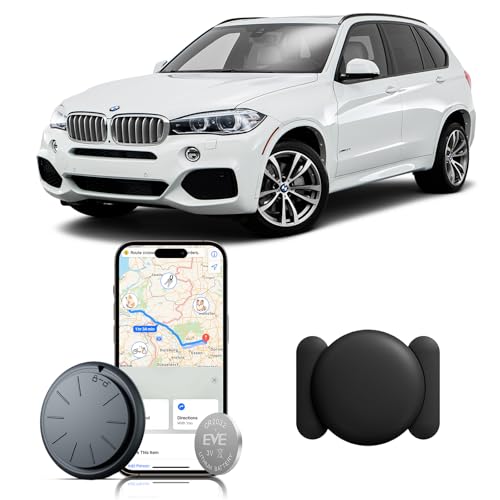 ZFSJTAG Car GPS Tracking Device for Vehicles, 1PCS Real Time GPS Tracker for Car, Work with Find My (iOS Only),Hidden Mini GPS Tracker,No Monthly Fee (Black Tracker, Black Magnetic Case)
 ZFSJTAG Car GPS Tracking Device for Vehicles, 1PCS Real Time GPS Tracker for Car Work with Find My (iOS Only), No Monthly Fee GPS Tracker (White Tracker, White Magnetic Case)