Does My BMW Have a Tracking Device? What BMW Collects
Yes, in a sense: BMW offers connected services such as BMW Assist and ConnectedDrive, and BMW’s own privacy documents say they can record your car’s location, direction of travel and, in the newest policy, position, movement and speed data. That is a different thing from a hidden tracker that someone else added. This guide covers what BMW says it collects, how to see what your car has, how to limit your data, how to remove another person’s remote access, and what to do if you think you are being tracked.
If you are worried that a partner, ex-partner or other person is tracking you, read the safety section near the end first. The National Network to End Domestic Violence (NNEDV) warns that an abusive person may notice if you change account settings or car features, may escalate, and that some changes can erase evidence. The National Domestic Violence Hotline, listed by NNEDV as free, confidential and open 24/7, is 1-800-799-7233. If you are in immediate danger, call your local emergency number.
BMW ConnectedDrive vs. BMW Assist: What’s the Difference?
Best Flashlight for Visual Checks
 |
WUBEN C3 Rechargeable Flashlight, 1200 Lumens
|
As an Amazon Associate we earn from qualifying purchases. Spec-based pick from the listing, not a hands-on test.
BMW ConnectedDrive is the umbrella name BMW USA uses for its connected services. Its ConnectedDrive page lists the My BMW App, Remote Services (lock, unlock and locate), Remote 3D View, TeleService, BMW Assist eCall and Roadside Assistance, and adds that feature availability may differ by model. BMW Assist is the older name for the emergency, concierge and response-center side. BMW Group says it introduced the BMW Assist package in 1998 under the heading “BMW Telematics”, with Concierge Services, traffic information and Intelligent Emergency Call, and that the first built-in SIM card in a BMW followed in 2004.
So there is no single “tracker” part, but a set of services that touch location in different ways:
| BMW service | What BMW says it does | Location involved |
|---|---|---|
| BMW Assist eCall | Pressing the button sends your location and information to a live response specialist | When the button is pressed |
| Remote Services (My BMW App) | Lock, unlock and locate the car from your phone | Map location for anyone with access to the account |
| Stolen vehicle recovery | Available if the car is equipped and you report it stolen | After identity verification and a police report |
The services that show a car on a map, mainly Remote Services, work through an account, and whoever is a user on that account can use them. That matters for the safety section below.
How to Check If Your BMW Has ConnectedDrive or BMW Assist
BMW says feature availability differs by model, so a model name alone does not settle it. These four checks do, for your exact car.
- Open the My BMW App. BMW’s app page says you can see where your BMW is located on the map. If your car shows a map location after you sign in with your BMW ID, location services are active on it.
- Review your services in the ConnectedDrive Store. BMW’s steps are to log in, select your BMW and review its current ConnectedDrive services.
- Call BMW ConnectedDrive Customer Care with your VIN. BMW lists 1-888-333-6118 and [email protected]. Ask which services your car has and whether they are active.
- Check the equipment list in your owner’s manual or on the window sticker for BMW Assist, ConnectedDrive, Intelligent Emergency Call or eCall.
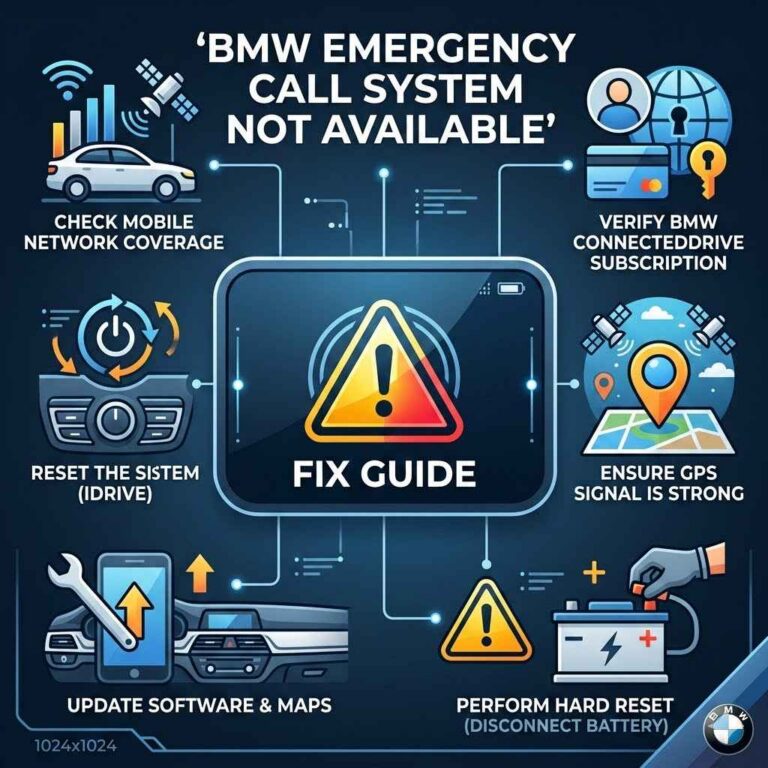
Related reading: the BMW emergency call not available message and how connected cars work.
When Does BMW Actually Track Your Location?
Two BMW documents answer this, written years apart. Read side by side, they show that “only during emergencies” is too narrow, and that “always watching” is not what either one says.
| BMW Assist Privacy Policy (effective Oct 17, 2016) | BMW NA Privacy Policy (updated Jan 22, 2026) | |
|---|---|---|
| Location-related data named | Vehicle description, location and direction of travel | Position and movement data including time, position or speed; destination data; 3-D images around the vehicle |
| When BMW says it records or tracks | When you or other occupants request services; when an airbag deploys or a severe rear impact occurs; for stolen vehicle recovery after you report the car stolen; when required by law | When you use the services, including remote commands and viewing vehicle status |
| Other data named | Diagnostic trouble codes, tire pressure, fuel and odometer readings, collision details, call records | VIN, user profile, notifications, analytics about your use |
| Retention | Not stated | Geolocation: generally 1 year, subject to retention schedules |
| Sharing | Response Center, roadside, emergency and concierge providers, BMW centers, BMW Group; legal requests | Authorized BMW centers with your permission, service providers, legal requests |
The 2016 policy adds that BMW may release location data to follow the law or cooperate with law enforcement, and that data sent over the cellular network cannot be guaranteed private. The 2026 policy says BMW does not sell personal information but may use it for behavioral advertising.

Neither document claims BMW streams your position at all times, and neither promises data is never stored.
Is BMW Assist Free, or Does It Require a Subscription?
BMW sells ConnectedDrive services through its ConnectedDrive Store: you log in, select your BMW, review the services on the car, and add others at checkout. BMW Group’s 2018 anniversary release described Real Time Traffic Information, Concierge Services and Remote Services as services with a price. Whether a trial or paid period is active on your car depends on its model and purchase date, so confirm it with ConnectedDrive Customer Care using your VIN.
Can BMW find a stolen car if you stopped paying? The policy text does not address subscription status, so ask BMW before relying on it.
How to Manage or Turn Off BMW’s Location Data Sharing
BMW’s published controls are account and app controls. They do not include a customer-facing switch for the built-in hardware, so this guide gives no steps for disconnecting it. In its privacy policy updated January 22, 2026, BMW lists:
- Vehicle data rights: the CarData section within your My BMW Garage Vehicle Dashboard.
- Delete app data: delete single items such as a destination, or use “clear all application data” in the app’s privacy menu. BMW says this keeps your BMW ID, vehicle data and other non-application data.
- Unlink the vehicle: log in to the My BMW website.
- Access, correction and deletion requests: (855) 811-2309, Monday to Thursday 9am-9pm ET and Friday 9am-6pm ET, or [email protected]. BMW verifies identity first and may keep data it is legally required to retain. Check BMW’s current policy for changes.
- Advertising choices: the “Manage Cookies” and “Do Not Sell or Share” links on BMW’s websites.
Rights vary by state, and this is general information, not legal advice.
Removing Someone Else’s Remote Access to Your BMW
Remote Services run through ConnectedDrive accounts, and BMW has a published removal process. Per BMW’s Disconnect Remote Vehicle Access FAQ, a Primary Subscriber can remove Secondary Subscribers, or themselves, in the My BMW App, in My BMW Garage or in the vehicle. A Secondary Subscriber who wants to end the access of a Primary Subscriber or another user follows a request process that differs by state:
| Where you live | What BMW asks you to send (to [email protected]) |
|---|---|
| New York | VIN; proof of legal possession such as a title in your name; a written domestic violence attestation on BMW’s form |
| Louisiana | VIN; a certified protective order, restraining order or other official document showing domestic abuse, sexual assault or stalking; proof of ownership interest or a judgment giving exclusive use |
| All others, including California | VIN; a title in your name, or a dissolution decree, temporary court order or domestic violence restraining order awarding you possession or exclusive use |
BMW says it will end Remote Services access within 2 business days of a complete request, or ask for more proof, and it will email a confirmation; BMW cautions you to think about who else can see your email. Afterward you can set up a new ConnectedDrive account as Primary Subscriber with an email address you have not used before. Questions go to ConnectedDrive Customer Care at 888-333-6118. BMW’s page is the authority on current requirements.
NNEDV adds that a past owner may never have unsynced their app account from the car, even after you became sole owner, and anyone added as an authorized driver may keep access. If someone may know your car account password, NNEDV says to change it only if you feel safe, from a device that cannot be monitored. See its Connected Cars guide for more.
Could Someone Else Have Installed a Hidden Tracker on Your BMW?
That is a separate question from BMW’s factory services. NNEDV lists other ways a car, connected or not, can be tracked:
- A navigation system built in or added later, such as OnStar or Garmin.
- An unauthorized on-board diagnostics (OBD) device, which could be misused to track activity.
- GPS trackers, feature phones and Bluetooth trackers (AirTags, Tiles, SmartTags, pet trackers) hidden in or on a car.
- Records rather than devices: toll statements, vehicle service bills, credit card statements and publicly placed cameras.
NNEDV notes that if the other person never had access to the car or its account, they are less likely to be using the car’s own connectivity, and a hidden tracker or phone becomes more likely. For how to search a car, see our guide to whether your car has a GPS tracker and our overview Is there a tracking device on my car?. On theft, see whether BMWs are easy to steal and how to prevent keyless car theft; for the plug-in hybrid, see why a BMW 330e is fitted with a tracker.

If you suspect something, think before you act. NNEDV says there is no single right response, and that removing a device or changing settings can alert the other person and erase evidence. It suggests getting help from an advocate, who can also speak to the car company for you. A “safer” vehicle the other person has never had access to, or public transportation, can help for trips you want to keep private. The National Domestic Violence Hotline, as NNEDV lists it, is 1-800-799-7233.
Frequently Asked Questions
Does a BMW have a built-in tracking device?
Many BMWs carry connected services, and BMW’s pages describe features that can show or report a car’s location, such as BMW Assist eCall, Remote Services and stolen vehicle recovery. Availability differs by model. This is separate from a hidden device someone else added.
What’s the difference between BMW ConnectedDrive and BMW Assist?
BMW USA presents ConnectedDrive as the umbrella for its connected services, with BMW Assist eCall and Roadside Assistance among them. BMW Assist is the older name for the emergency, concierge and response-center services, introduced in 1998 per BMW Group.
How can I check if my BMW has a tracking device?
Sign in to the My BMW App and see whether the car shows a map location, review services in the ConnectedDrive Store, call ConnectedDrive Customer Care with your VIN, or check the equipment list in your owner’s manual.
Is BMW Assist free, or does tracking require a paid subscription?
BMW sells ConnectedDrive services through its ConnectedDrive Store. Whether a trial or paid period is active depends on your model and purchase date, so confirm with ConnectedDrive Customer Care using your VIN.
Can I turn off or opt out of BMW’s location tracking?
BMW publishes account and app controls: CarData in My BMW Garage, “clear all application data” in the app, unlinking the vehicle on the My BMW website, and advertising opt-outs. The BMW pages reviewed here describe no customer step to switch off the built-in hardware.
Can I track my BMW if it gets stolen?
BMW’s Assist privacy policy says it may track location for stolen vehicle recovery if the car is equipped and you report it stolen, after identity verification and a stolen vehicle report filed with local authorities. Report the theft to the police first.
Does my BMW have a hidden tracker installed by someone else?
It is possible. NNEDV lists GPS trackers, OBD devices and Bluetooth trackers among the ways a car can be tracked. If you feel unsafe, talk to an advocate or the National Domestic Violence Hotline (1-800-799-7233) before removing anything or changing settings.
Conclusion
A BMW can carry connected services that record location, and BMW’s 2026 policy describes position and movement data collected when services are used. You can see what is active through the My BMW App and the ConnectedDrive Store, manage your data with BMW’s published controls, and remove another user’s remote access through BMW’s documented process. If the worry is a person rather than the factory system, put safety and an advocate’s advice ahead of any change to the car.
This guide does not cover steps to disconnect built-in hardware, model-by-model equipment lists, or BMW services outside North America. It is general information, not legal advice.
Products related to this article
Sponsored / affiliate links. As an Amazon Associate I earn from qualifying purchases. I may earn additional commission from eligible campaigns.