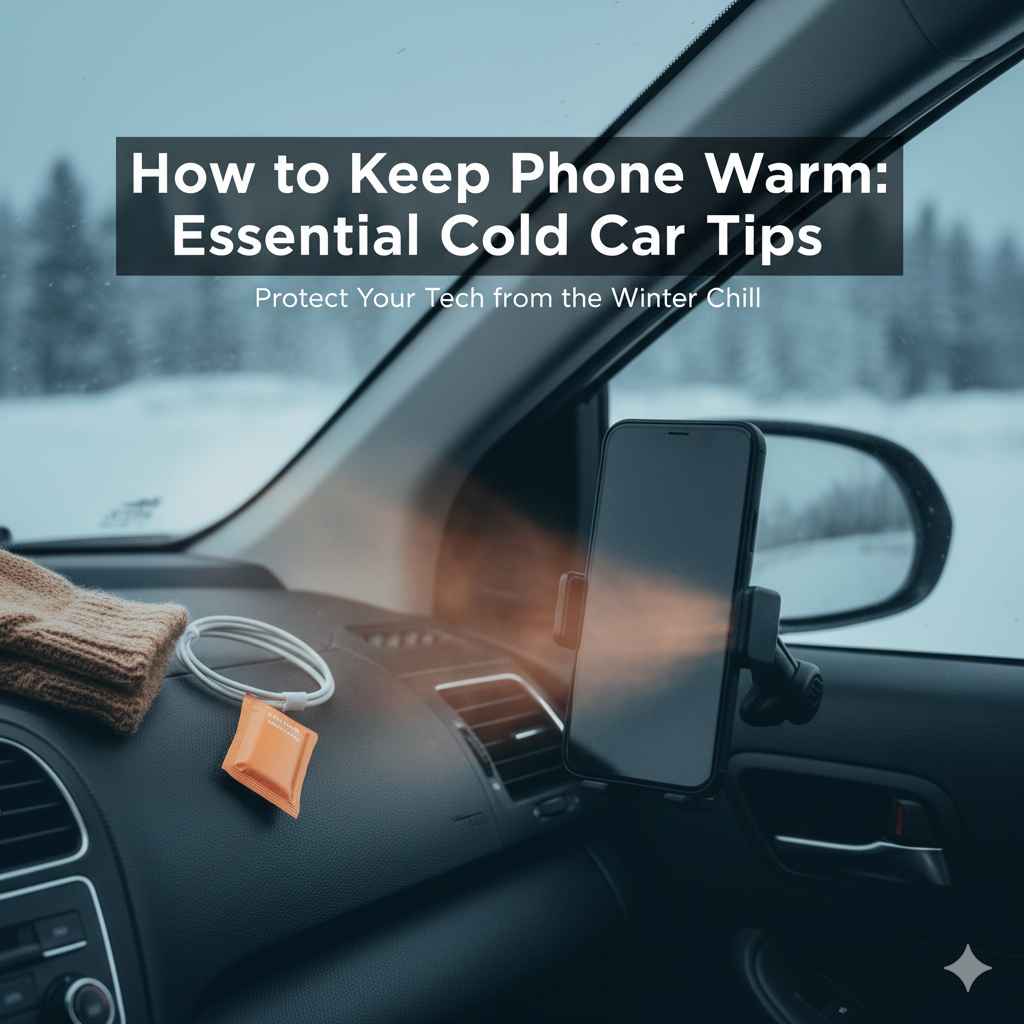
How to Keep Phone Warm: Essential Cold Car Tips
Keep your phone warm in a cold car by using an insulated case, storing it in a pocket or bag, avoiding direct cold exposure, and minimizing screen use. These simple steps protect your battery and ensure your phone works when you need it most.
Brrr! Feeling that winter chill in your car? It’s not just us humans who dislike the cold; our smartphones feel it too! Ever pulled your phone out after a quick trip to the store, only to find it sluggish, unresponsive, or even shut down completely? It’s a common frustration, especially when you need to make an important call, check directions, or just scroll through your favorite app. Cold temperatures can be tough on phone batteries, draining them much faster and sometimes causing temporary malfunctions. But don’t worry! Keeping your phone happy and functional in your chilly car is easier than you think. We’ll walk through some simple, practical tips to help you protect your device from the frosty grip of winter.
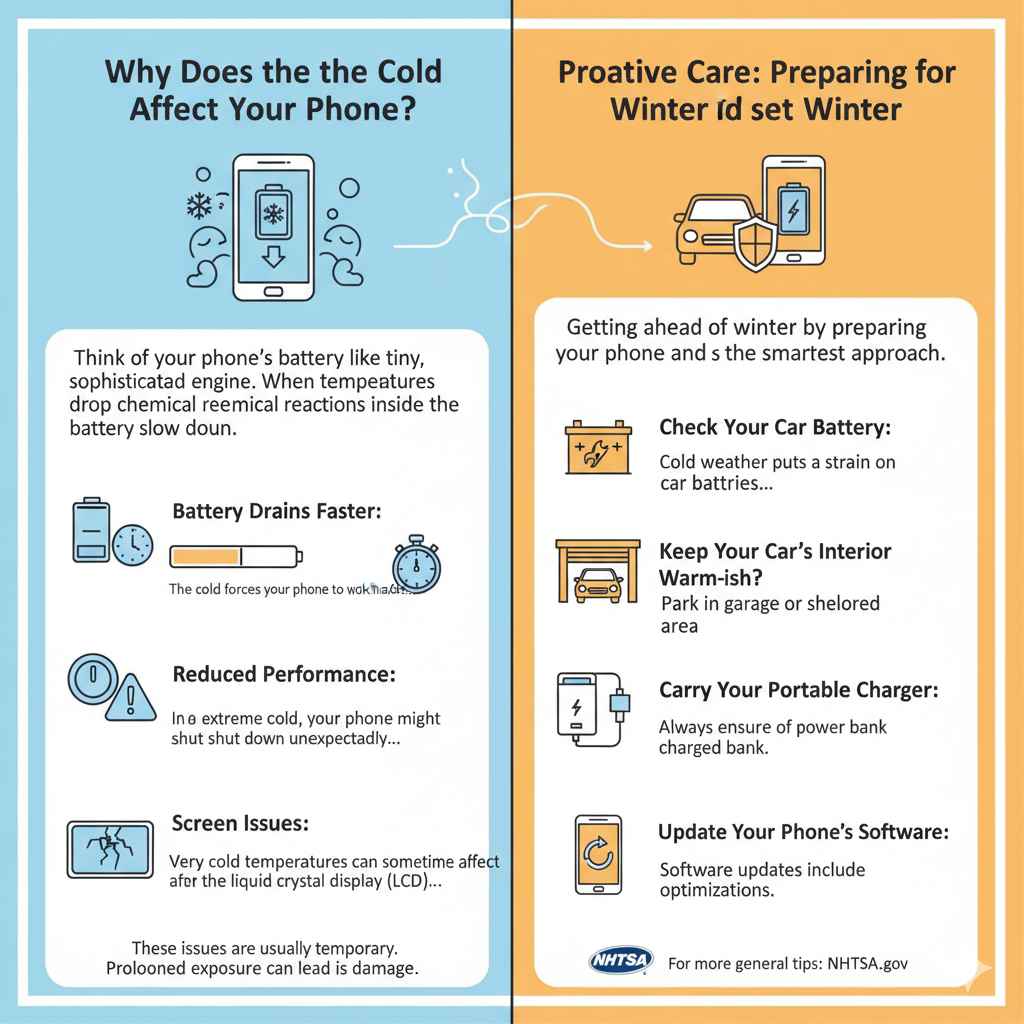
Why Does the Cold Affect Your Phone?
Think of your phone’s battery like a tiny, sophisticated engine. When temperatures drop significantly, the chemical reactions inside the battery slow down. This makes it harder for the battery to deliver power efficiently. As a result, you might notice a few things happening:
- Battery Drains Faster: The cold forces your phone to work harder to maintain its operating temperature, using up battery power more quickly.
- Reduced Performance: You might experience lag, slower app loading, or a generally sluggish feel as the phone struggles to operate at peak performance in the cold.
- Sudden Shutdowns: In extreme cold, your phone might shut down unexpectedly, even if the battery indicator shows plenty of charge. This is a protective measure to prevent permanent damage.
- Screen Issues: While less common, very cold temperatures can sometimes affect the liquid crystal display (LCD) in your screen, making it appear slower or less responsive.
These issues are usually temporary. Once your phone warms up to a normal operating temperature, it typically returns to its usual self. However, prolonged exposure to extreme cold can potentially lead to more serious, long-term battery degradation or damage.
Simple Steps to Keep Your Phone Warm in a Cold Car
Protecting your phone from the cold doesn’t require anything fancy. By taking a few simple precautions, you can ensure your device stays charged and ready to go, no matter how low the mercury drops.
1. The Power of Insulation: Use a Case!
Just like you wear a jacket in winter, your phone can benefit from an insulating layer. A thicker, insulated phone case can offer a surprising amount of protection against cold air. While not a miracle worker, it can help the phone retain a little more warmth than if it were completely bare.
What to Look For in an Insulating Case:
- Thicker Materials: Cases made of silicone, rubber, or even fabric tend to offer better insulation than thin, hard plastic ones.
- All-Around Coverage: A case that covers most of the phone’s body, including the edges, will trap more residual heat.
- Avoid Metal Cases: While they offer great protection, metal cases can get extremely cold, actually drawing heat away from your phone faster.
2. Strategic Storage: Where to Keep Your Phone
The location where you store your phone inside the car makes a big difference. Think about places that are naturally warmer or shielded from the harshest cold.
Inside Pockets or Bags:
This is by far the easiest and most effective method. When you’re not actively using your phone, keep it in your coat pocket, pants pocket, or inside your purse or backpack. Your body heat will help keep it at a much more stable and warmer temperature. This also prevents it from sitting directly on a freezing surface.
Avoid the Dashboard or Door Pockets:
These areas are notorious for being the coldest spots in a car. They are often exposed to direct drafts and are the first to freeze over. Never leave your phone in a cup holder on the dashboard or in a door pocket intended for storage while parked in the cold.
Keep it Away from Vents (If Not in Use):
While you might think blasting hot air onto your phone sounds like a good idea, it’s generally not recommended. Rapid temperature changes can be harmful. More importantly, if your car’s heater is on and you’re not using your phone, keeping it near a vent could lead to it overheating if the car gets too warm—another issue your phone’s battery won’t appreciate. The goal is a stable, moderate temperature, not extreme fluctuations.
3. Minimize Screen Time in the Cold
Using your phone, especially with the screen active, generates a small amount of heat. However, when the ambient temperature is very low, this generated heat is quickly lost to the surroundings. Prolonged use in extreme cold will drain the battery faster and can even cause the phone to shut down.
Tips for Reducing Cold-Weather Phone Use:
- Plan Ahead: Before heading out into the cold, do any necessary GPS checking or calls.
- Quick Checks Only: If you must use your phone, try to do so quickly. Check messages, make calls, or get directions in short bursts.
- Set it and Forget It: If you’re using navigation, set your route before you leave and use audio prompts as much as possible.
- Use Voice Commands: If your phone supports it, use voice assistants to perform tasks without needing to unlock the screen or interact directly with the cold surface.
4. The “In-Car Charger” Dilemma: Use Wisely!
It might seem like a good idea to plug your phone in using your car charger to keep it warm and charged. However, charging a very cold battery can be problematic. Modern smartphones have built-in safeguards, but it’s still best to play it safe.
Cold Charging Cautions:
- Initial Warming: If your phone has shut down from the cold, don’t plug it in immediately. Let it warm up gradually inside your pocket or bag for a bit before attempting to charge it.
- Slow and Steady: If you must charge in the car, try to do so after the car has warmed up for a bit, or ensure the phone is not in direct contact with a freezing surface.
- Avoid Overheating Risk: While charging, the battery naturally generates some heat. In an already cold car, this might be fine, but it’s still a consideration.
For more insights on battery health and care, the U.S. Department of Energy offers helpful resources on conserving energy and caring for your devices in various conditions. You can explore their advice on energy efficiency and battery maintenance at Energy.gov.
5. The Glove Factor: Touchscreen vs. Cold Fingers
Cold fingers struggle to operate touchscreens, and wearing gloves can help keep your hands warm. However, not all gloves work with touchscreens.
Touchscreen-Compatible Gloves:
Many gloves designed for smartphones have special conductive threads in the fingertips that allow you to operate your touchscreen. Investing in a pair can be a lifesaver when you need to use your phone in the cold without exposing your bare fingers.
Consider a Stylus:
If you have a stylus for your phone, it can be a great tool for operating the screen with gloves on or when your fingers are too cold to be precise. It also keeps your finger from directly touching the frigid screen.
6. Battery Packs: Your Portable Warmth Station
A portable power bank can be a lifesaver, not just for charging but also for providing a little warmth. Keep your power bank in your pocket or bag, and it will stay warmer than if it were left in the car. You can then use it to charge your phone.
Using a Power Bank Effectively:
- Keep the Power Bank Warm: Just like your phone, a power bank’s performance suffers in the cold. Keep it with you, close to your body.
- Charge When Possible: When you have access to a warmer environment (like inside a building or the car after it’s heated up), charge both your phone and your power bank.
- Consider Insulated Pouches: Some power banks come with or can be fitted into small, insulated pouches that can help them retain a bit more warmth.
7. Understanding Your Phone’s Normal Operating Range
Most smartphones are designed to operate within a specific temperature range. While manufacturers don’t always advertise these exact numbers, a general guideline is often provided for optimal performance and longevity.
General Temperature Guidelines:
- Ideal Operating Temperature: Typically between 0°C and 35°C (32°F and 95°F). Your phone works best in this range.
- Lower Operating Limits: Most phones can function, albeit with reduced performance, down to about -20°C (-4°F). However, battery life will be significantly impacted.
- Storage Temperature: If storing your phone for longer periods in a cold environment, it’s best to store it within a temperature range of -20°C to 45°C (-4°F to 113°F).
It’s always a good idea to consult your specific phone manufacturer’s guidelines. For instance, Apple provides detailed information on environmental requirements for their devices. You can find this information on their official support pages, usually under “Environmental requirements” for your specific iPhone or iPad model.
What NOT to Do When Your Phone is Cold
Just as important as knowing what TO do, is knowing what NOT to do. Some seemingly helpful actions can actually harm your phone.
Don’t Blast Heat Directly Onto Your Phone
The temptation to thaw out a frozen phone quickly is strong, but rapid temperature changes can cause condensation to form inside your device. This liquid intrusion can lead to corrosion and severe damage. Think of it like taking a hot shower in a very cold bathroom – the windows fog up from the moisture. The same can happen inside your phone.
Don’t Leave Your Phone in a Parked Car for Extended Periods in Extreme Cold
If you absolutely must leave your phone in the car, try to store it in the warmest part of the vehicle (like under a seat, if you can keep it insulated) and avoid leaving it there for hours on end in sub-zero temperatures. It’s always better to take it with you if possible.
Don’t Assume Your Phone is Broken if it Shuts Down Suddenly
A sudden shutdown in the cold is often a sign that your phone is protecting itself. Once it warms up, try turning it back on. If it still doesn’t work after warming up, then it might be time to investigate further, but the cold itself is rarely the permanent cause of a shutdown.
Troubleshooting Common Cold Weather Phone Issues
Even with the best precautions, you might encounter a few hiccups. Here’s how to handle them:
Phone Won’t Turn On
Solution: The battery is likely too cold to power the device. Keep the phone in a warm place (like your inside coat pocket) for 15-30 minutes. Try turning it on again. If it still fails, let it warm up longer.
Battery Draining Super Fast
Solution: This is normal in the cold. To conserve battery, reduce screen brightness, close unnecessary apps, and minimize usage. Keep the phone in an insulated pocket when not in use.
Touchscreen is Unresponsive
Solution: Allow the phone to warm up. If you’re wearing gloves, try using touchscreen-compatible gloves or a stylus.
Phone Shutdown During Use
Solution: It detected a critically low battery temperature. Warm it up gradually in an insulated pocket. Once it reaches a safe temperature, it should turn back on.
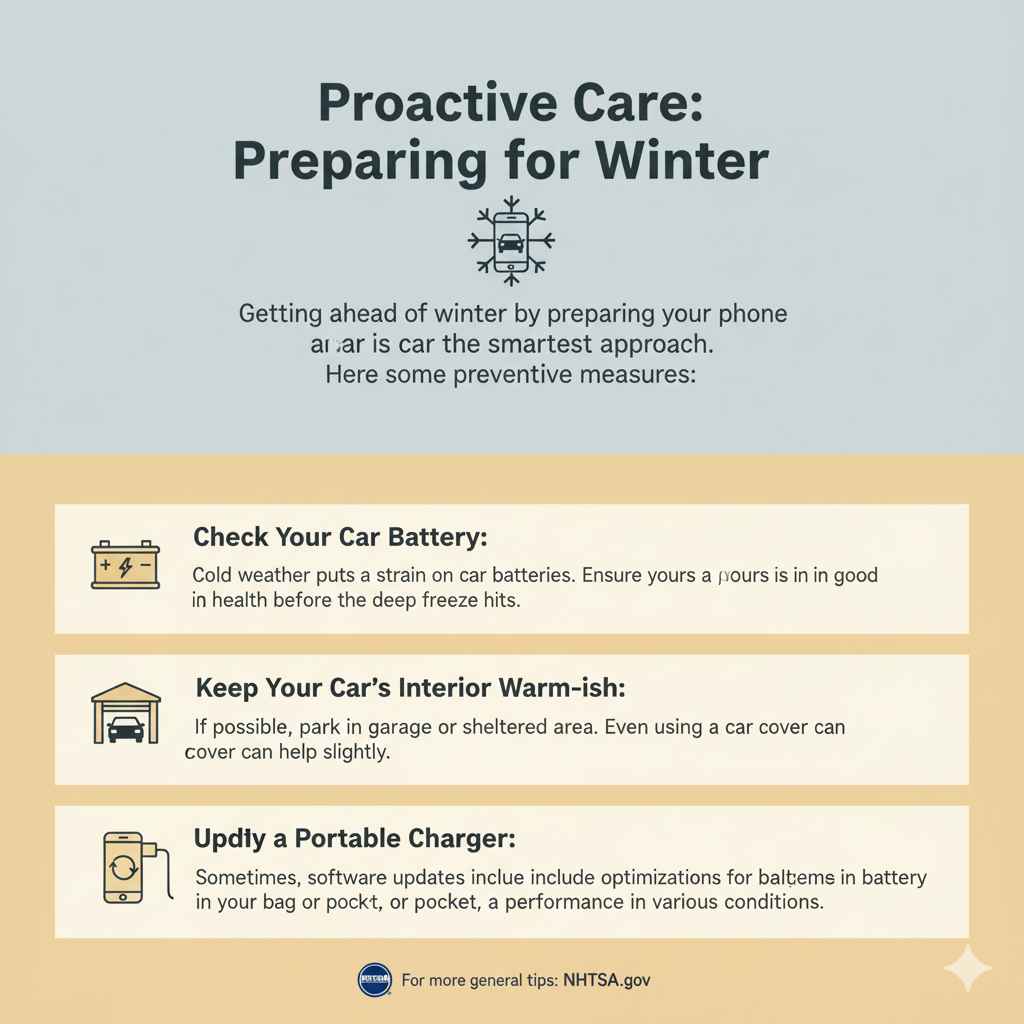
Proactive Care: Preparing for Winter
Getting ahead of winter by preparing your phone and car is the smartest approach. Here are some preventative measures:
- Check Your Car Battery: Cold weather puts a strain on car batteries. Ensure yours is in good health before the deep freeze hits.
- Keep Your Car’s Interior Warm-ish: If possible, park in a garage or sheltered area. Even using a car cover can help slightly.
- Carry a Portable Charger: Always ensure your power bank is charged and in your bag or pocket, ready to go.
- Update Your Phone’s Software: Sometimes, software updates include optimizations for battery management and performance in various conditions.
For more general tips on preparing your vehicle for winter, the National Highway Traffic Safety Administration (NHTSA) offers excellent advice. You can find their winter driving safety tips at NHTSA.gov.
FAQ: Your Cold Weather Phone Questions Answered
Q1: Will my phone permanently break if it gets too cold?
A1: Usually, no. Most modern smartphones are designed with protective measures and are built to withstand cooler temperatures. The issues you experience, like battery drain or shutdowns, are typically temporary and resolve once the phone warms up. However, prolonged extreme cold exposure can, over time, degrade battery health.
Q2: Is it okay to charge my phone in a cold car?
A2: It’s best to avoid charging a very cold phone. If your phone has shut down due to cold, let it warm up in your pocket or bag for about 15-30 minutes before attempting to charge it. Once it’s at a more moderate temperature, charging in the car is generally fine, especially if the car interior is somewhat warm.
Q3: How long does it take for a cold phone to warm up?
A3: It varies depending on how cold it is and how insulated the phone is. Typically, allowing it to sit in an inside coat pocket for 15-30 minutes is sufficient. If it was extremely cold, it might take an hour or more to reach optimal operating temperature.
Q4: Can I put my phone in the car’s glove compartment to keep it warm?
A4: The glove compartment can sometimes be warmer than other parts of the car, but it’s not a foolproof warming solution, as it can still get very cold. Keeping your phone in your inside pocket, close to your body heat, is significantly more effective.
Q5: Should I turn my phone off in extreme cold?
A5: If you know you’ll be in very cold conditions for an extended period and don’t need your phone, turning it off can help conserve battery. However, if you need to use it for navigation or emergencies, keeping it on but minimizing usage and keeping it insulated is a better strategy.
Q6: What’s the best way to protect my phone from cold if I’m hiking or spending time outdoors?
A6: The best method is to keep it insulated and close to your body heat. Use an insulated phone case, and always keep it in an inside pocket of your jacket. Use gloves with touchscreen capabilities so you don’t have to expose your fingers or phone to the cold for long.
Conclusion: Winter Worry-Free for Your Phone
Navigating the winter months with your smartphone doesn’t have to be a chilly challenge. By implementing these straightforward tips – from using insulated cases and strategic storage to mindful usage and understanding your phone’s limits – you can significantly reduce the impact of cold weather on your device. You’ve learned why the cold affects your phone, how simple insulation and smart placement make a difference, and what to avoid to prevent damage. Remember, your phone is a crucial tool, and a little proactive care goes a long way in ensuring it’s ready when you need it, whether for a quick text, an emergency call, or navigating your way home. So, embrace the winter season knowing your phone is protected, staying reliable, and performing at its best, thanks to your smart, simple adjustments.