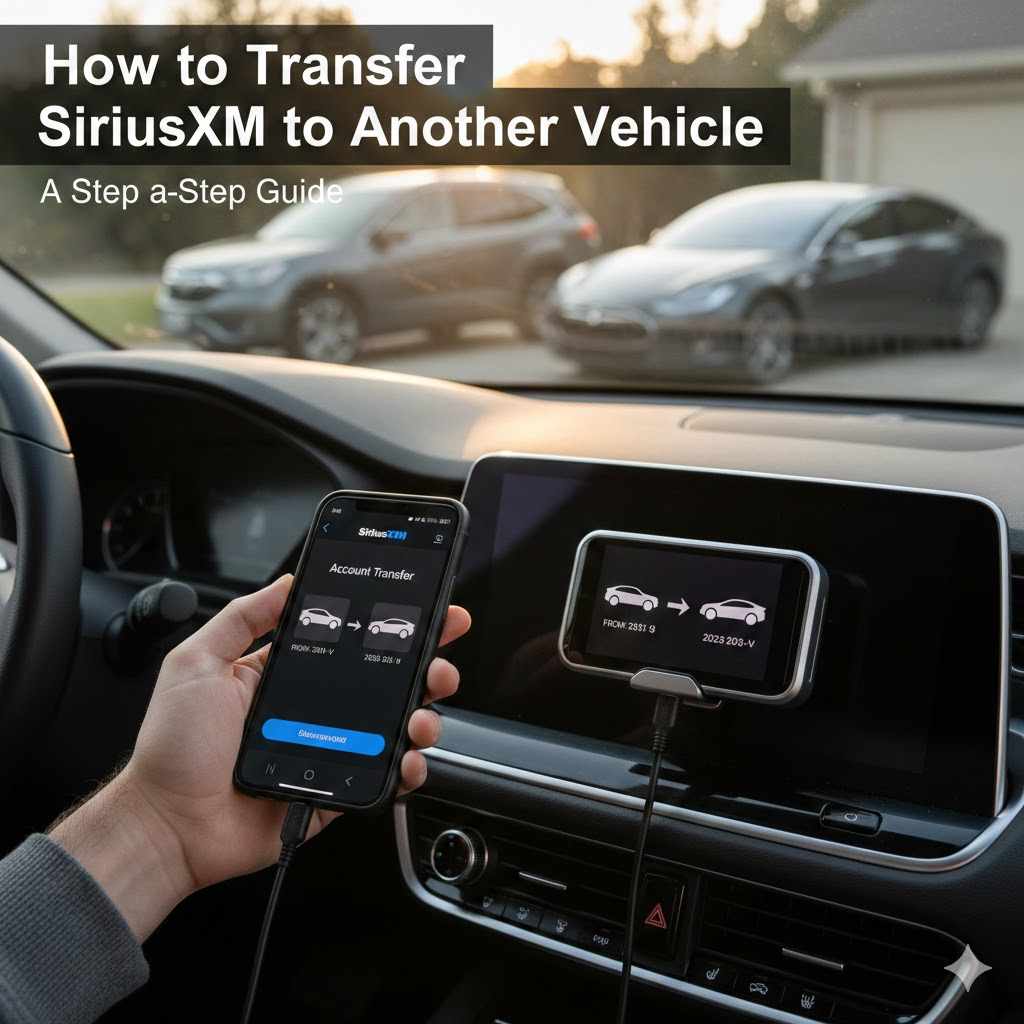
How to Transfer SiriusXM to Another Vehicle
Sometimes you get a new car or need to move your satellite radio service to a different vehicle. People often wonder about How to Transfer SiriusXM to Another Vehicle because it can seem a bit tricky. You might worry about losing your favorite channels or having a complicated setup.
Don’t worry, this guide will make it super easy. We’ll walk you through every step so you can get back to enjoying your music and shows right away.
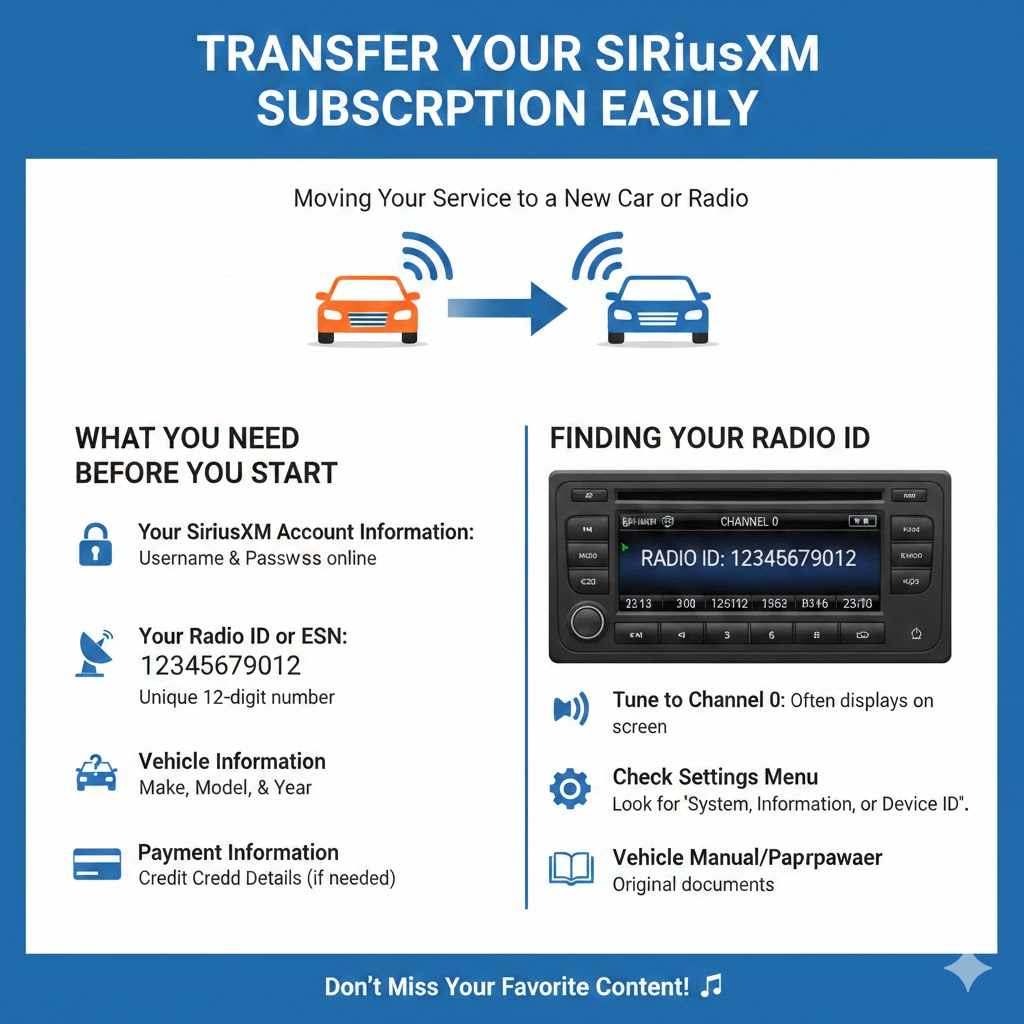
Transfer Your SiriusXM Subscription Easily
Moving your SiriusXM service to a new car or a different radio is a common need for many subscribers. Whether you’ve bought a pre-owned vehicle that already has a SiriusXM radio installed or you’re upgrading your current car’s system, knowing how to switch your subscription is important. This process ensures you don’t miss out on your favorite content.
We’ll cover everything you need to know, making the transition smooth and hassle-free. This section sets the stage for understanding the core steps involved.
What You Need Before You Start
Before you even think about calling SiriusXM or logging into your account, gathering a few key pieces of information will make the whole process much quicker. Having these items ready means you won’t have to stop and search for them mid-process. This saves time and reduces potential frustration.
- Your SiriusXM Account Information: You’ll need your username and password to access your account online. This is the central hub for managing your subscription. If you’ve forgotten your login details, there are usually options to reset them on the SiriusXM website. Make sure you can access your account before you begin the transfer process.
- Your Radio ID or ESN: Every SiriusXM radio has a unique identifier. This is usually a 12-digit number found on the radio itself or in the system settings. You might also hear it called an ESN (Electronic Serial Number). Knowing this number is vital because it tells SiriusXM exactly which radio you are transferring your service to.
- Vehicle Information: You’ll likely need to provide details about the vehicle the radio is currently in and the vehicle it will be moving to. This can include the make, model, and year of the car. SiriusXM uses this information for their records and to ensure your subscription is linked correctly.
- Payment Information: If there are any prorated charges or if you’re adding a new service plan, you might need your credit card details handy. Ensure your payment information is up to date in your account.
Finding Your Radio ID
The Radio ID is like a fingerprint for your satellite radio. SiriusXM uses it to identify your specific radio and link your active subscription to it. Without this number, they can’t properly activate your service on the new device.
It’s a crucial piece of information for the transfer.
To find your Radio ID, there are a few common methods. First, tune your radio to channel 0. This channel often displays the Radio ID on the screen.
If that doesn’t work, you can usually find it in your radio’s settings menu. Look for options like “System,” “Radio Information,” or “Device ID.” Some car manufacturers also have this information accessible through their vehicle’s infotainment system. If all else fails, you can check the original paperwork that came with your SiriusXM radio or your vehicle’s manual.
Steps to Transfer SiriusXM to Another Vehicle
Now that you have all your information ready, let’s walk through the actual steps of transferring your service. This part is designed to be straightforward. We’ll break it down into manageable actions.
Online Transfer Process
The easiest and often fastest way to transfer your SiriusXM subscription is through their website. This method gives you control and allows you to complete the process at your convenience.
- Log in to your SiriusXM account on the official website.
- Navigate to the “My Account” or “Manage Subscription” section.
- Look for an option related to “Transfer Service,” “Add a Radio,” or “Move Subscription.”
- Follow the on-screen prompts. You’ll typically be asked to enter the Radio ID of the new radio you want to use.
- Confirm the details of your current subscription and the vehicle you are moving it to.
- You may be presented with any prorated charges or options for new plans.
- Submit the request. You should receive a confirmation email.
The online system is designed to be intuitive. It guides you through each step, asking for the necessary details like your new Radio ID. Sometimes, if you are transferring to a radio that previously had SiriusXM service, the system might recognize it.
Other times, it’s treated as a brand-new activation for your existing subscription.
Phone Transfer Process
If you prefer speaking with someone or encounter any issues online, calling SiriusXM customer service is a reliable alternative. A representative can guide you through the process and answer any specific questions you might have.
- Find the customer service number for SiriusXM. This is usually available on their website or in your subscription documentation.
- Be prepared to provide your account number, Radio ID of the new radio, and vehicle information.
- Explain that you need to transfer your existing subscription to a new radio.
- The representative will guide you through the necessary steps and confirm the transfer.
- They will also inform you of any applicable charges or changes to your billing.
Customer service representatives are trained to handle these transfers efficiently. They can often activate the service on your new radio immediately after you provide the correct information. This phone method ensures a personal touch and can resolve any unusual account issues that might arise.
Activating Your Service
Once the transfer is initiated, there’s usually a short activation period. This is when SiriusXM sends a signal to your radio to unlock the channels you’re subscribed to.
- Allow Time for Activation: After completing the transfer online or over the phone, give your radio some time to receive the activation signal. This can take anywhere from a few minutes to a couple of hours.
- Tune to Channel 1: Some sources suggest tuning your radio to channel 1 (The Music Choice channel) or channel 0. This can sometimes prompt the radio to check for an activation signal.
- Restart Your Radio: Turning your radio off and then back on can also help refresh the connection and receive the activation signal.
- Check Your Subscription Status: You can often check your subscription status by logging back into your online account or by calling customer service.
The activation signal is a crucial part of the process. It’s like a key that turns on your subscription for the new radio. If you don’t see your channels after a few hours, don’t hesitate to contact SiriusXM support again.
They can check the status of the activation signal and resend it if necessary.
Understanding Potential Costs and Fees
When you transfer your SiriusXM service, there might be some financial considerations. It’s good to be aware of these to avoid surprises.
Prorated Charges
SiriusXM billing cycles are typically monthly. If you are transferring your service in the middle of a billing period, you might encounter prorated charges. This means you’ll pay for the portion of the service you’ve used in the old billing cycle and the portion you will use in the new one.
- What is Proration: Proration is a common billing practice. It ensures that you only pay for the service you actually receive. If your subscription renewal date is the 15th of the month and you transfer your service on the 1st, you’ll be charged for the first 15 days of your old cycle and then for the upcoming cycle.
- How it Affects Your Bill: Your next bill might look slightly different because of these prorated charges. It combines parts of two billing periods. Understanding this helps you interpret your statement correctly.
- No Extra Charge for Transfer: Generally, SiriusXM does not charge a separate fee simply for transferring your subscription. The costs you might see are related to the ongoing service itself.
New Subscription Plans
If you’re moving your service to a different type of radio or vehicle, or if your old plan is no longer available, you might be offered a new subscription plan. Sometimes, moving to a new vehicle might prompt you to consider different package options.
- Plan Options: SiriusXM offers various plans that include different channels and features. When you transfer, you might be encouraged to explore these. Consider what channels are most important to you.
- Promotional Offers: Keep an eye out for any special offers or discounts that SiriusXM might extend to existing customers who are transferring their service. It’s always worth asking if there are any current promotions.
- Subscription Terms: Make sure you understand the terms of any new plan, including the duration of the subscription, the number of channels included, and the renewal price.
Transferring from a Used Vehicle
If you bought a used car with SiriusXM already installed, you’ll need to transfer your own subscription to that radio. You cannot simply use the previous owner’s subscription.
- Previous Owner’s Subscription: The subscription belongs to the person who signed up for it. When you buy a used car, that subscription typically stays with the previous owner. You’ll need to set up your own account or transfer your existing one.
- Radio ID is Key: As mentioned before, you’ll need the Radio ID of the SiriusXM radio in the used vehicle. This allows SiriusXM to link your account to that specific hardware.
- New Customer Offers: Sometimes, if you’re setting up a new account for the first time in a used car, SiriusXM offers special deals for new subscribers. It’s worth checking their website or asking customer service about these.
Troubleshooting Common Issues
Even with the best instructions, sometimes things don’t go perfectly. Here are solutions to common problems you might face when transferring your SiriusXM service.
Radio Not Activating
This is probably the most frequent issue. You’ve done everything right, but your favorite channels aren’t showing up.
- Double-Check Radio ID: The most common mistake is entering the wrong Radio ID. Make sure you’ve entered all 12 digits correctly. Even one wrong number will prevent activation.
- Ensure Clear Sky View: SiriusXM signals come from satellites. If your vehicle is in an enclosed space like a garage or under a large overhang, the signal might be blocked. Move the car to an open area.
- Contact Customer Service: If you’ve tried everything and activation still hasn’t happened after 24 hours, call SiriusXM. There might be a glitch on their end, or the activation signal may need to be resent. They can look up your account and radio ID to diagnose the problem.
- Software Updates: In rare cases, older SiriusXM radios might require a software update to receive new activation signals. Your dealer or SiriusXM support can advise if this is necessary.
Account Not Found
You’re trying to log in to your account to manage your subscription, but the system says it can’t find you.
- Verify Login Details: Are you using the correct email address or username and password? It’s easy to make a typo. Try resetting your password if you’re unsure.
- Correct Website: Make sure you are on the official SiriusXM website (siriusxm.com).
- Account Deactivated: If your subscription has lapsed for a long period, your account might have been deactivated. You may need to call customer service to reactivate it.
- New Account Needed: If you’ve been inactive for a very long time, you might need to set up a new account, especially if you’re moving to a new radio with a different Radio ID.
Billing Questions After Transfer
Your bill looks different after the transfer, and you’re not sure why.
- Review Prorated Charges: As discussed earlier, prorated charges appear when you transfer mid-billing cycle. Look for line items that reflect partial month charges.
- New Plan Details: If you switched to a new subscription plan, carefully review the included channels, features, and the monthly cost. Compare it to your previous plan.
- Check for Promotions: If you were promised a promotion, ensure it’s reflected on your bill. If not, contact customer service to clarify.
- Annual vs. Monthly: Sometimes, switching plans might change whether you’re billed monthly or annually. Understand the billing frequency.
Maximizing Your SiriusXM Experience
Once your service is successfully transferred, you’ll want to make sure you’re getting the most out of your subscription.
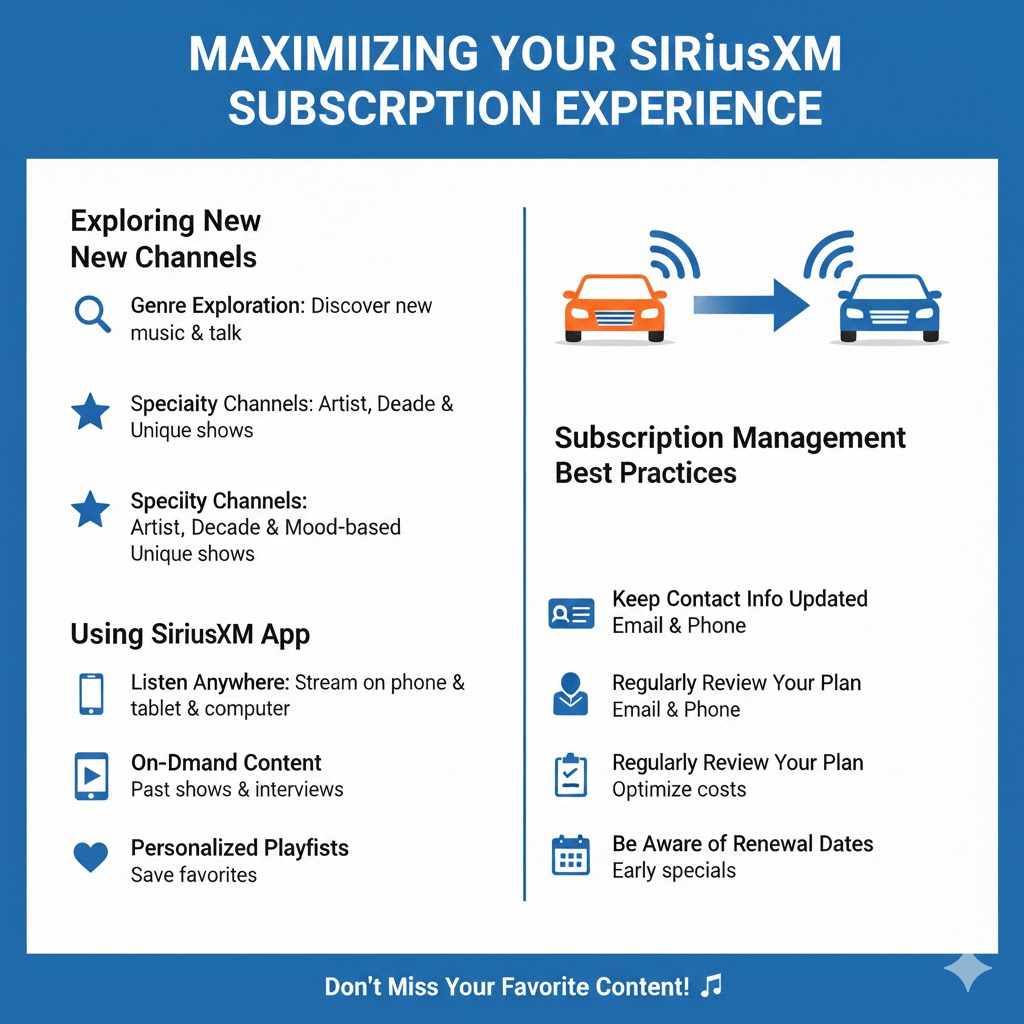
Exploring New Channels
SiriusXM has hundreds of channels covering every imaginable genre and interest. Don’t stick to just your old favorites.
- Genre Exploration: Browse through the channel guide by genre. You might discover new music artists or talk shows you never knew existed.
- Specialty Channels: SiriusXM offers unique channels dedicated to specific artists, decades, or even specific moods. These can be a fun way to listen.
- Howard Stern and Exclusive Content: If you’re a fan of Howard Stern, make sure you have a plan that includes his shows. Many channels are exclusive to SiriusXM, offering content you can’t find anywhere else.
Using the SiriusXM App
Your subscription often includes access to the SiriusXM app, allowing you to listen on your smartphone, tablet, or computer.
- Listen Anywhere: The app lets you stream your favorite channels even when you’re away from your car. This is great for road trips or listening at home.
- On-Demand Content: Many shows and performances are available on-demand through the app. This means you can listen to past episodes or interviews whenever you want.
- Personalized Playlists: Some app features might allow you to create playlists or save favorite songs and shows for easy access later.
Subscription Management Best Practices
Keeping your subscription in good standing is important.
- Keep Contact Info Updated: Ensure SiriusXM always has your current email address and phone number. This is how they’ll send important account updates and offers.
- Regularly Review Your Plan: Once a year, check your subscription plan. Are you still using all the channels you’re paying for? You might be able to switch to a more cost-effective plan.
- Be Aware of Renewal Dates: Note when your subscription renews. SiriusXM often sends renewal notices, but it’s good to be aware so you can take advantage of any early renewal specials.
Frequently Asked Questions
Question: How long does it take to transfer SiriusXM to another vehicle?
Answer: Usually, the transfer is quick. Online transfers can activate within minutes to a few hours. Phone transfers might be immediate if the representative can push the signal right away.
Question: Can I transfer my SiriusXM to a different type of radio, like a portable one?
Answer: Yes, you can transfer your subscription to various SiriusXM-ready devices, including portable radios, home receivers, and even through the SiriusXM app, depending on your subscription plan.
Question: What happens if the previous owner of a used car still has SiriusXM active?
Answer: You cannot use their subscription. You must set up your own account or transfer your existing subscription to the radio using its unique Radio ID.
Question: Do I need to cancel my old subscription before transferring?
Answer: No, you do not need to cancel. The transfer process effectively moves your active subscription to the new radio. You are managing one continuous service.
Question: Can I transfer SiriusXM to another person?
Answer: No, a SiriusXM subscription is tied to your account and your radio. You can transfer it to a new radio for your use, but you cannot transfer the ownership of the subscription itself to another individual.
Summary
Transferring your SiriusXM to another vehicle is a straightforward process. By gathering your Radio ID and account details, you can easily switch your service online or by phone. Be aware of potential prorated charges and new plan options.
Troubleshooting common issues like activation problems is manageable. Enjoy your SiriusXM programming in your new ride.