Integrating Technology Into the Automotive Lifestyle Guide
Prioritize three in-car technologies first: smartphone integration, tire-pressure monitoring, and route-based charging or maintenance alerts; add subscriptions only when they save time every week. Skip that, and you get more taps, more alerts, and more recurring costs. This guide shows which tech cuts daily friction and which features to skip.
What automotive tech is worth your attention?
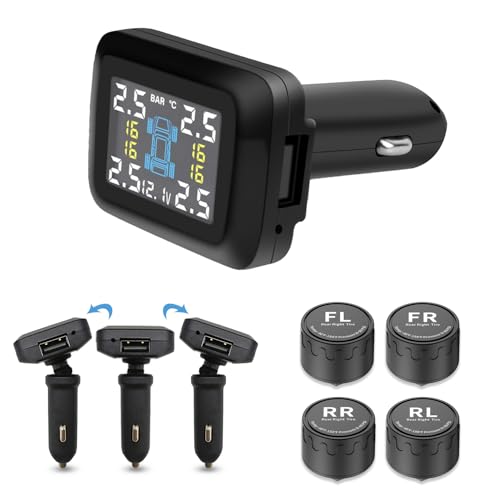


Start with features that remove repeated steps from daily driving: phone integration, basic driver-assist, and maintenance or charging alerts. Features that need constant setup, app sign-ins, or subscription renewals should earn their place by saving time, reducing mistakes, or improving safety in a way you can notice every week.
What belongs in the factory package versus an add-on
Factory systems usually make the most sense for anything tied to the vehicle’s core functions. That includes wireless Apple CarPlay, Android Auto, ADAS, and built-in charging or maintenance alerts. Add-ons make more sense for recording, diagnostics, or storage, where a mount, dash cam, or OBD-II scanner can do the job for less.
For 2026, wireless Apple CarPlay and Android Auto are identified as defining software-defined vehicles, and AI-based personalization is part of the modern driving experience. Predictive maintenance alerts are also named as a defining 2026 feature. Those items matter because they change daily workflow, not because they sound advanced.
How do wireless Apple CarPlay and Android Auto fit into daily driving?
Wireless Apple CarPlay and Android Auto are the easiest way to get phone navigation, calls, and media onto the car’s infotainment screen without cable clutter. They help most when the vehicle and phone connect quickly, the interface is stable, and voice controls reduce touches. Compatibility checks still matter, especially in older infotainment systems.
Phone pairing, infotainment compatibility, and common setup failures
Wireless Apple CarPlay works with iPhone, while Android Auto supports Android phones and may offer a wireless connectivity option on compatible systems. The key requirement is that both the phone and the head unit need to support the same wireless standard.
Common failures include stale infotainment software, multiple paired phones fighting for priority, and charging cables that do not support data when wired fallback is needed. If pairing loops endlessly, remove old profiles from both the phone and the vehicle, then set one driver profile as the default before adding others.
When wireless is better than USB, and when it is not
Wireless wins for short commutes and repeated stop-start driving because it removes plug-in friction. USB still has value when you want the most stable connection, faster phone charging, or fewer dropouts in older vehicles. If wireless audio lags or reconnects slowly, wired mode is often the less annoying choice.
Which driver-assist and safety systems earn their keep?
ADAS earns its keep when it cuts workload on ordinary roads without taking over the drive. Adaptive cruise control and lane-keeping assist can steady traffic-flow driving and reduce fatigue, but they are assistance systems, not self-driving tech. The best versions feel quiet and predictable, not intrusive.
What ADAS can do today, and what it cannot do
Today’s ADAS can often maintain speed, help hold lane position, warn about blind spots, and, in limited cases, support braking or steering. It cannot replace attention, make bad weather harmless, or solve poor lane markings and cut-in traffic. Treat every feature as a helper that still needs an alert driver.
The line between ADAS and autonomous vehicles matters. ADAS is a set of driver-assist functions, while autonomous vehicles are designed to handle more of the driving task themselves. For most owners, the real question is whether the assist features are calm enough to use every day without becoming another distraction.
Are predictive alerts and IoT features worth the extra notifications?
Predictive maintenance alerts and IoT in cars can save time when they flag problems early, send real-time diagnostics, or remind you before routine service slips. They become noisy when every battery blip or app prompt demands attention. Use them for planning, not as a stream of constant alerts.
Real-time diagnostics, remote monitoring, and maintenance reminders
IoT features in cars usually connect sensors, the vehicle’s software, and a companion app so the car can send status updates or maintenance reminders. That can help with tire pressure, battery status, fluid warnings, and service scheduling. The benefit is strongest when the alert tells you what changed and what to do next.
Predictive maintenance alerts are meant to detect issues before failure, which helps with planning around service visits and parts ordering. That matters more on software-heavy vehicles, where a warning might arrive before the fault becomes obvious. The tradeoff is notification fatigue if the app pushes every minor status change.
How to avoid alert fatigue and privacy issues
Disable nonessential push alerts, marketing notifications, and any app permission that requests more data than the feature needs. Keep safety and maintenance alerts on, but trim social features, location sharing, and driver-scoring extras unless they clearly help your routine. Subscription-based services should be judged by weekly use, not by novelty.
Say your vehicle sends six app alerts before lunch, including washer fluid, trip summary, and a promotion for premium remote features. That is too much. Keep the service reminders and turn off the rest, or the useful warnings get lost in the noise.
How do BEVs change the ownership tech stack?
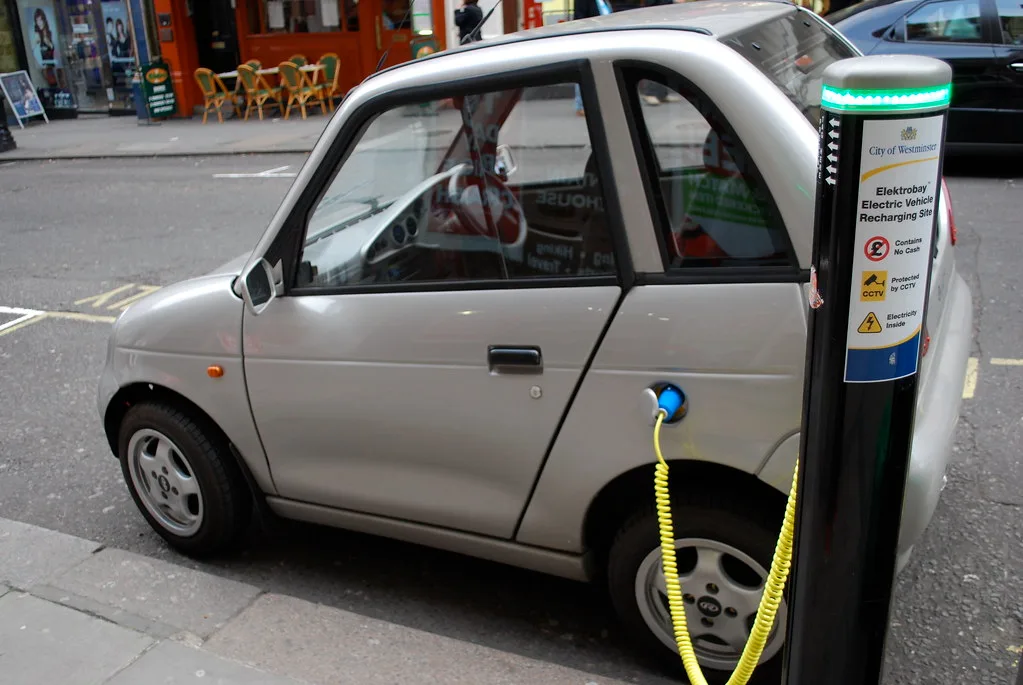
Battery electric vehicles change daily ownership because charging, route planning, and software updates become part of the routine. BEVs are expected to make up 25% of new registrations this year, so the right app, charger access, and profile setup matter as much as the cabin interface.
Charging apps, route planning, and home charging workflow
With a BEV, the ownership workflow starts before you leave home. You need charging access, a way to check station availability, and route planning that accounts for charging stops. The best setup combines home charging, a reliable app, and a simple habit for checking battery state before a longer trip.
Why software updates and vehicle profiles matter more in BEVs
BEVs tend to depend more heavily on software for charging logic, driver profiles, energy display, and trip planning. Driver-specific settings can remember preferred climate behavior, regen level, and charging preferences. That is useful, but only if the vehicle stores profiles correctly and the app stays signed in without frequent resets.
What belongs in your daily-use tech stack checklist?

A useful daily-use tech stack should match the way the vehicle is actually used. For a commuter, that means phone integration and hands-free calls. For a family road trip, it means rear-seat comfort, safety, and recording. For an EV owner, it means charging tools. For a used-car owner, it means diagnostics and compatibility checks.
Daily-use tech stack by driver profile
| Driver profile | Phone integration | Diagnostics | Safety | Accessories |
|---|---|---|---|---|
| Commuter | Yes | No | Yes | Mount, charging cable, wireless pad |
| Family road-trip | Yes | No | Yes | Dash cam, rear-seat power, sunshades |
| EV owner | Yes | Yes | Yes | Home charger, charging app access, cable organizer |
| Used-car owner | Yes | Yes | Maybe | OBD-II scanner, dash cam, phone mount |
Commuter profile: phone integration, navigation, and hands-free calling
For commuting, wireless Apple CarPlay or Android Auto is usually the best first upgrade if the factory system supports it. Pair it once, set the phone as the default device, and keep voice navigation active. Disable app notifications that mirror to the screen during driving unless they are urgent or work-related.
Family road-trip profile: rear-seat needs, dash cam, and driver-assist settings
For family travel, a front-and-rear dash cam is one of the most practical add-ons because it documents incidents and captures parking damage. Keep ADAS alerts on, but reduce chimes that repeat too often. Rear-seat charging matters more than extra screen features if passengers need devices powered for long drives.
EV owner profile: charging tools, app access, and trip planning
EV owners should prioritize charging access, app login stability, and route planning that reflects the current battery state. Keep the manufacturer app, public charging app, and payment method ready before a long trip. A forgotten password at a charging station can waste far more time than a basic accessory ever would.
Used-car owner profile: OBD-II scanner, dash cam, and compatibility checks
Used-car owners benefit from an affordable OBD-II scanner because it reads engine codes and supports basic diagnostics. A dash cam adds incident documentation. Before buying any infotainment accessory, check whether the car’s USB ports support data, whether the screen accepts phone projection, and whether software updates are still available.
What affordable accessories help with connected-car features?
An affordable accessory should solve one repeat problem, not create another app to manage. A mount keeps the phone visible without handling it. A charger keeps navigation and music running. An OBD-II scanner, such as the ANCEL AD310 at $23.99, helps with basic code reading. A dash cam records what happened, which is valuable when a claim or dispute starts.
What should you turn on, leave alone, or disable?
- Turn on: phone projection, tire-pressure alerts, core safety warnings, charging or maintenance reminders.
- Leave alone: decorative themes, live widgets, social sharing, and novelty AI suggestions that do not reduce taps.
- Disable: autoplay video, repeated notification banners, and any voice assistant prompt that interrupts navigation.
- Set driver profiles: save seat, mirror, and audio settings so the car stops asking the same questions every start.
- Review permissions: keep location and contact access only where the function requires it.
Picture a sedan that powers up with music, a calendar pop-up, and a lane alert at the same time. That is how useful tech turns into clutter. The fix is not fewer features; it is better defaults, cleaner permissions, and a shorter list of notifications that matter while driving.
How do I integrate technology into my car without making it distracting?
Start with the few functions that reduce touch count: phone projection, voice navigation, and safety alerts. Then strip out anything that competes for attention, like autoplay media, repeated pop-ups, and unnecessary app permissions. Good integration makes the cabin calmer, not busier.
What is wireless Apple CarPlay and Android Auto?
Wireless Apple CarPlay and Android Auto mirror key phone functions to the infotainment screen without a USB cable. They handle navigation, calls, and media through the car’s interface, but only if the phone and head unit are compatible. If wireless pairing is unstable, wired use is often the better option.
Are predictive maintenance alerts worth using?
Yes, if they help you act before a small issue becomes a roadside delay. Predictive alerts and IoT diagnostics are most useful when they point to a specific service need and reduce guesswork. If they flood your phone with low-priority messages, turn down the notification level.
What tech upgrades matter most for daily driving?
For most drivers, the strongest upgrades are phone integration, basic ADAS, and a clean maintenance workflow. A dash cam and OBD-II scanner are good add-ons for ownership protection and diagnostics. Beyond that, each feature should earn its place by saving taps, time, or repair uncertainty.
How does V2X communication improve safety?
Vehicle-to-Everything communication lets a vehicle exchange information with surrounding vehicles and infrastructure. In theory, that can improve collision avoidance and traffic flow. In practice, deployment varies by market and platform, so it should be treated as a developing safety layer rather than a universal feature.
What’s the difference between ADAS and autonomous vehicles?
ADAS helps the driver with tasks such as adaptive cruise control and lane-keeping assist. Autonomous vehicles are designed to take on more of the driving task themselves. For now, most owners are dealing with assist systems, not full autonomy, and that means attention still matters.
Products related to this article
Sponsored / affiliate links. As an Amazon Associate I earn from qualifying purchases. I may earn additional commission from eligible campaigns.