The Essential Secret to Starting a Car With a Dead Fob
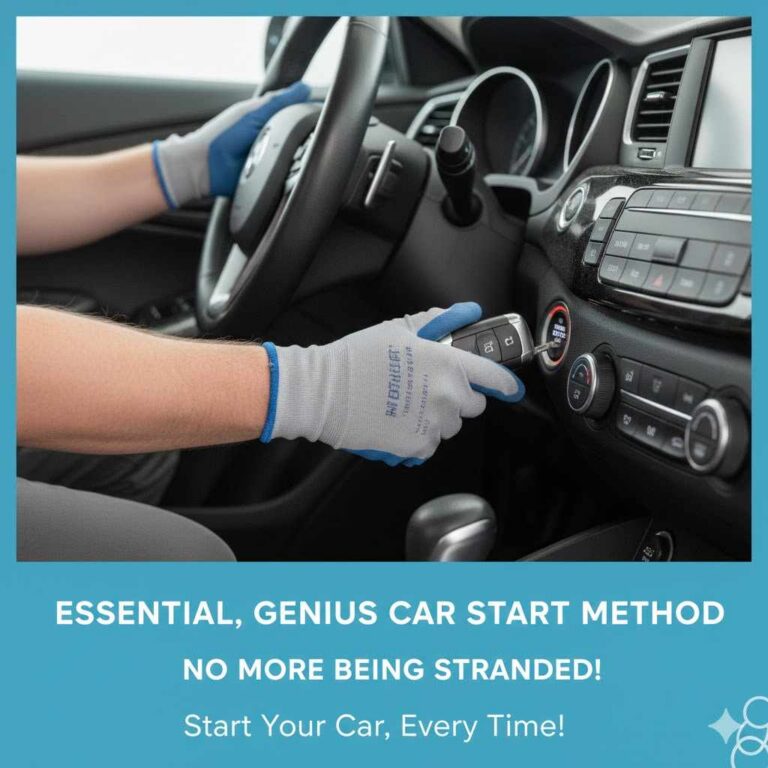
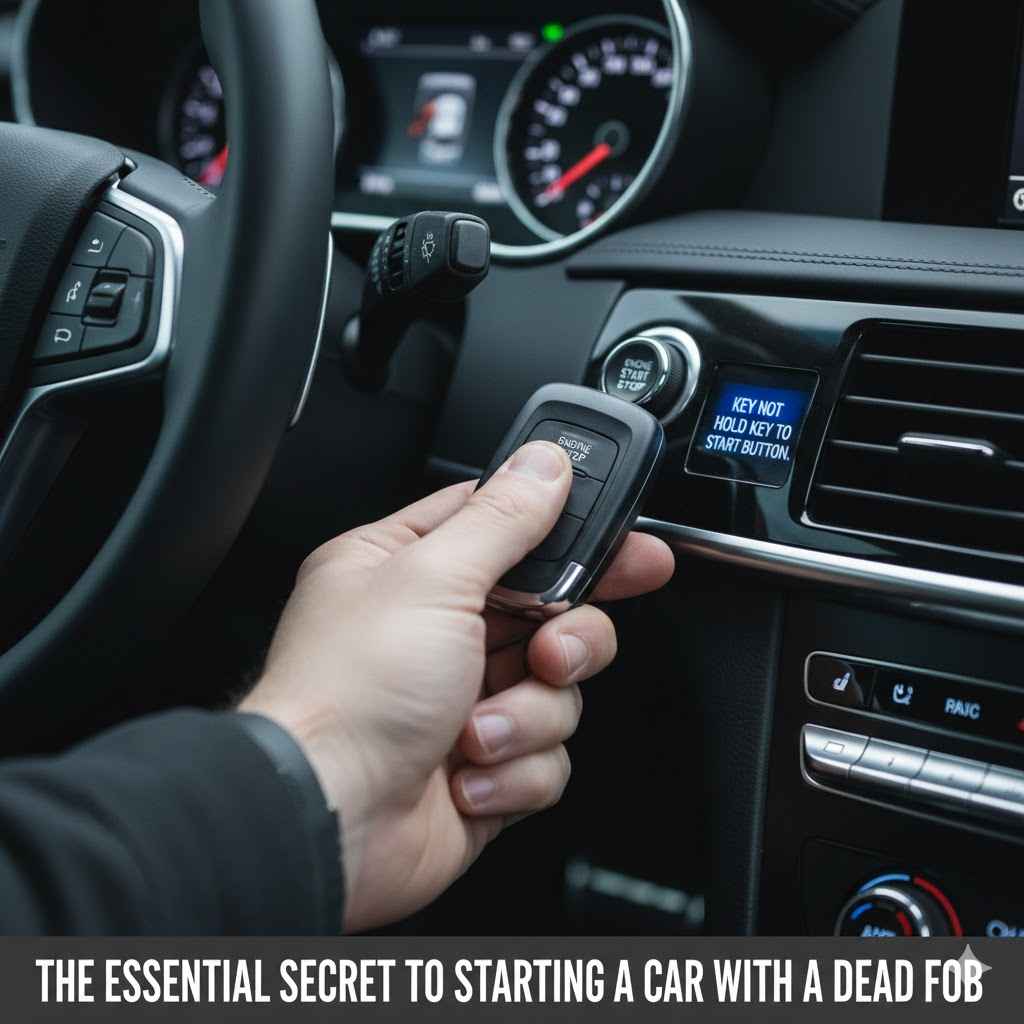
To start a car with a dead key fob, use the fob itself to press the push-to-start button. Your car has a backup system that wirelessly reads a chip inside the fob, even with a dead battery. For cars with a key slot, insert the fob into the designated slot. This allows the car to start.
Picture this: you’re running late, you rush to your car, and… nothing. The doors won’t unlock. The engine won’t start. Your key fob is completely dead. It’s a frustrating moment that can make you feel stranded. But don’t worry! I’m Md Meraj, and I’m here to tell you there’s a simple, built-in secret that car manufacturers don’t always talk about. You can get your car started and be on your way in minutes. Let’s walk through the easy steps together.
The Essential Secret to Starting a Car With a Dead Fob
It’s one of the most common modern car frustrations. Your high-tech key fob, the device that unlocks your doors and starts your engine with the push of a button, suddenly stops working. Your first thought might be to call a tow truck or a locksmith, but you don’t need to. Almost every car with a keyless entry system has a backup plan for this exact situation. This guide will show you exactly what to do, step-by-step, so you can handle this problem with confidence.
Why Does This Happen? The Two Sides of Your Key Fob
Before we dive into the solution, it helps to understand why this works. You might be wondering, “do keys with fobs used for unlocking doors require a battery to start the car?” The answer is both yes and no. It’s a bit of a trick question!
Your key fob has two main jobs, and each uses a different technology:
- Active Functions (Needs Battery Power): These are the long-range features like locking and unlocking the doors from a distance, opening the trunk, or using the panic alarm. These actions require the fob to send out a radio signal, which uses the small battery inside. When the battery dies, these functions stop working.
- Passive Functions (No Battery Power Needed): This is the secret to starting your car. Inside your fob is a tiny, passive chip called an RFID (Radio-Frequency Identification) or NFC (Near-Field Communication) transponder. This chip doesn’t have its own power source. Instead, it gets energized for a moment when it’s brought very close to a reader inside your car (usually in the start button or steering column). The car sends out a low-power signal, the chip responds with a unique code, and the car verifies it’s the correct key.
So, when your fob battery dies, you lose the convenience of remote unlocking, but the essential part needed to start the car—the passive chip—is still ready to go. You just need to know how to get it close enough to the car’s reader.
Step 1: Getting Inside Your Car Manually
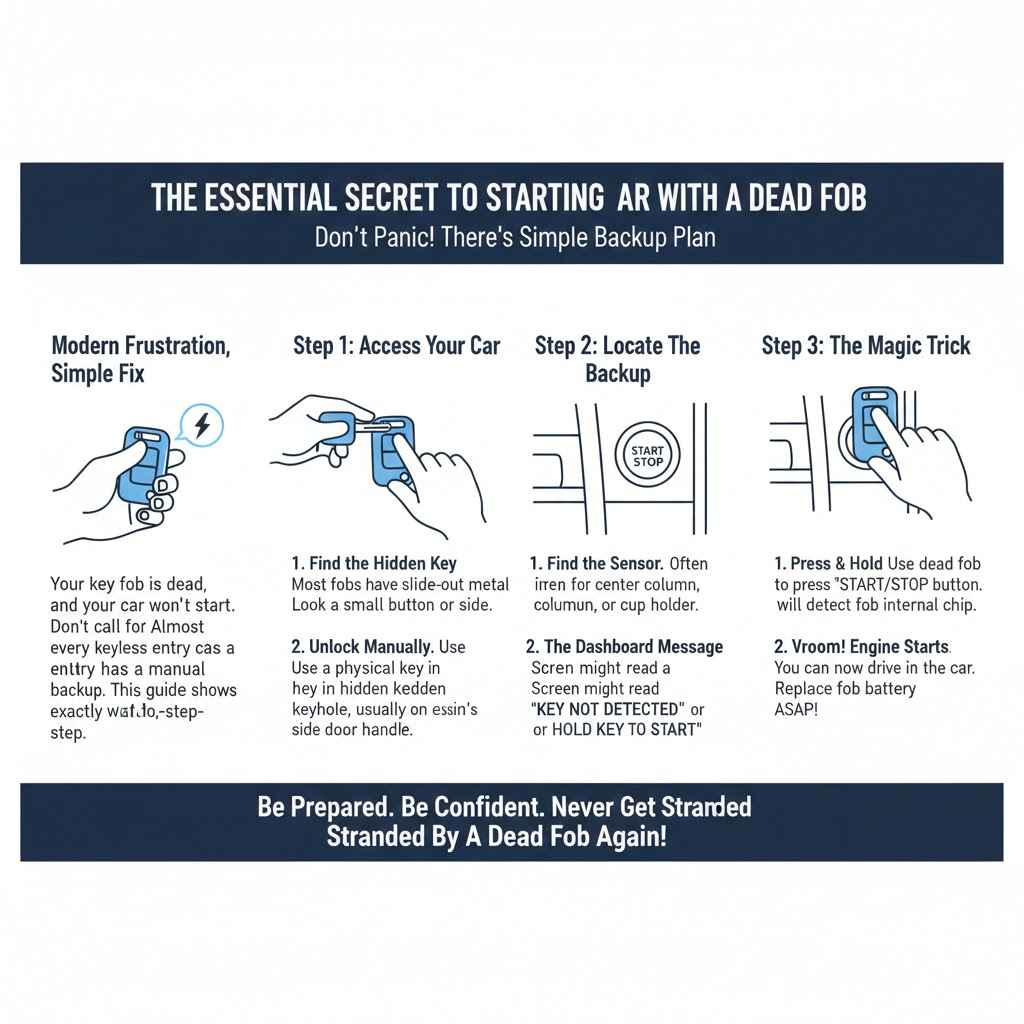
First things first, you need to get into your locked car. Since the remote unlock button won’t work, you’ll have to use the old-fashioned method: a physical key. Almost every key fob has a hidden mechanical key tucked away inside it for emergencies.
Finding Your Hidden Mechanical Key
Look closely at your key fob. You’ll find a small button or latch on the side or back. Press or slide this latch, and the physical key blade will pop out or can be pulled free. It’s a simple mechanism, but one that many drivers never even realize is there.
- Locate the Release Latch: Search for a small button, often marked with a tiny key icon or simply a grooved switch.
- Press or Slide the Latch: While holding the latch, gently pull on the metal key ring part of the fob.
- Remove the Key: The emergency key blade should slide out smoothly. Now you have what you need to open the door.
Locating the Secret Keyhole
Now that you have the key, you need to find the lock. On older cars, this is easy—it’s right on the door handle. However, to maintain a sleek, modern look, many car manufacturers hide the keyhole on the driver’s side door.
Look at the door handle. You’ll often see a small plastic cap next to the handle itself. This cap can be removed to reveal the keyhole. There is usually a small slot or opening on the underside of this cap. You can use the tip of your mechanical key to gently pry it off. Be careful not to scratch your paint!
- Insert the key tip into the slot on the bottom of the handle cover.
- Gently twist or pry upward. The cover should pop off.
- You will now see the traditional metal keyhole. Insert your key and turn it to unlock the door.
A Quick Warning: When you unlock your car this way, the alarm might go off. The car doesn’t recognize the manual unlock as an “authorized” entry. Don’t panic! The alarm will turn off as soon as you successfully start the engine in the next step.
Step 2: Starting the Engine (The Real Secret!)
You’re inside the car, but the journey isn’t over. Pressing the “Start/Stop” button with your finger will likely result in a “Key Not Detected” message on your dashboard. This is because the car’s internal antenna can’t pick up the fob’s weak signal from your pocket or the cup holder. You need to bring the passive chip right up to the car’s reader. Here are the three most common ways to do it.
Method 1: The Push-to-Start Fob Trick (Most Common)
This is the most widely used method for modern cars with a push-button ignition. The car’s antenna is located directly behind the “Start/Stop” button.
- Get Seated: Sit in the driver’s seat and close the door.
- Press the Brake: As you normally would, press and hold the brake pedal firmly. (Or the clutch pedal, if you drive a manual transmission).
- Use the Fob to Push the Button: Instead of using your finger, take the entire key fob (the plastic part) and physically press the “Start/Stop” button with it. Hold it against the button for a second or two.
- Start the Engine: The antenna in the button will energize the chip in your fob, read the security code, and allow the engine to start. You’ll hear that familiar roar of your engine coming to life.
The part of the fob you use to press the button usually matters. Often, it’s the top or the side with the brand logo, as that’s where the chip is typically located. If it doesn’t work the first time, try a different part of the fob.
Method 2: The Designated Key Fob Slot
Some cars don’t use the start button as the reader. Instead, they have a special slot or pocket designed to hold the key fob if the battery dies. This slot contains the antenna that reads the passive chip.
The challenge is that this slot can be in several different places depending on your car’s make and model. Here are the most common locations to check:
- Inside the center console compartment.
- In the glove box.
- At the base of the center stack, in a small cubby.
- On the steering column, near where a traditional key would go.
Once you find the slot, simply insert the key fob and then press the “Start/Stop” button with your finger as you normally would. The car will detect the key and start.
| Car Brand | Common Key Fob Slot Locations |
|---|---|
| Ford/Lincoln | Inside the center console compartment or in a pocket at the bottom of the center stack. |
| Chevrolet/GM | Often found inside the center console storage bin or in a dedicated pocket in the cup holder area. |
| Toyota/Lexus | Many models use the “fob-to-button” method, but some older models may have a slot in the glove box. |
| Honda/Acura | Typically uses the “fob-to-button” method. Slots are less common. |
| Nissan/Infiniti | Look for a slot to the left of the steering wheel, near the driver’s door. |
| Hyundai/Kia | Commonly found inside the center console armrest. |
| BMW/Mini | Often has an icon on the steering column indicating where to hold the fob. |
| Volkswagen/Audi | Many models have a designated area on the steering column or near the center console marked with a key symbol. |
Note: Always check your owner’s manual for the exact location in your vehicle. You can often find a digital copy on the manufacturer’s website or on a resource like the NHTSA website which provides recall and owner’s manual information.
Method 3: For Twist-Style Ignitions
A few cars have a keyless system but still use a plastic knob on the steering column that you twist to start, like a traditional key. If you have this system, the process is slightly different.
- Remove the Cap: The twistable knob is often a plastic cap covering a traditional ignition cylinder. Gently pull it straight off.
- Use the Fob Head: The head of your key fob (the plastic part where the emergency key was stored) is often shaped to fit into this ignition.
- Insert and Twist: Insert the head of the fob into the ignition slot and twist it just like a regular key to start the car.
You’re In! Now What? A Simple Guide to Replacing Your Fob Battery
Getting your car started is a huge relief, but your work isn’t done. The first thing you should do is replace the battery in your key fob so you don’t have to go through this again. It’s a cheap and easy fix you can do yourself in under five minutes.
Most fobs use a common, flat, coin-style battery, like a CR2032 or CR2025. You can find these at any supermarket, drug store, or electronics store for just a few dollars.
Step-by-Step Battery Replacement
- Open the Fob Case: Use the hidden mechanical key or a small flathead screwdriver to gently pry the two halves of the fob’s plastic case apart. There is usually a small notch or seam designed for this purpose.
- Note the Battery’s Orientation: Pay close attention to which side of the old battery is facing up (usually the “+” side with the text). This is very important.
- Remove the Old Battery: Use your fingernail or a small, non-metal tool to pop the old battery out.
- Insert the New Battery: Place the new battery in the exact same orientation as the old one. Putting it in upside down will not work.
- Snap the Case Shut: Align the two halves of the plastic case and press them firmly together until you hear a click.
- Test It: Stand near your car and press the lock or unlock button. The small LED light on your fob should flash, and your car should respond. You’re back in business!
| Common Battery Type | Typical Uses | Notes |
|---|---|---|
| CR2032 | The most common fob battery. Used by Honda, Ford, Toyota, and many others. | 3-volt lithium coin cell. |
| CR2025 | Slightly thinner than the CR2032. Used by Nissan, BMW, and others. | 3-volt lithium coin cell. Using a CR2032 in its place may not fit. |
| CR2016 | Often used in pairs in older, thicker fobs to create 6 volts. | 3-volt lithium coin cell. Check if your fob requires one or two. |
| CR1620 / CR1632 | Smaller diameter batteries for more compact fobs. | 3-volt lithium coin cells. Less common but still widely available. |
Troubleshooting: When the Secret Trick Doesn’t Work
In rare cases, you might try these methods and the car still won’t start. If that happens, the problem is likely not with your fob battery. Here are a few other possibilities:
- Your Car Battery is Dead: This is the most common culprit. If you don’t hear any clicking sounds and the dashboard lights are very dim or don’t turn on at all, you likely need a jump start. The dead fob was just a coincidence.
- The Fob is Damaged: If the fob has been dropped multiple times or exposed to water, the internal RFID chip itself might be damaged. In this case, you may need a replacement fob from the dealership.
- Signal Interference: Strong radio signals can sometimes interfere with the car’s ability to read the fob. This is rare, but if you’re parked near a large radio tower, it could be a factor. Try pushing the car a few feet forward or back.
- A Faulty Car System: The issue could be with the car’s starter, alternator, or the security system immobilizer. If you’ve ruled out the fob and car batteries, it’s time to consult a professional mechanic.
Be Prepared: How to Avoid This Problem in the Future
The best way to deal with a dead key fob is to prevent it from happening in the first place. A little bit of preparation can save you a lot of stress.
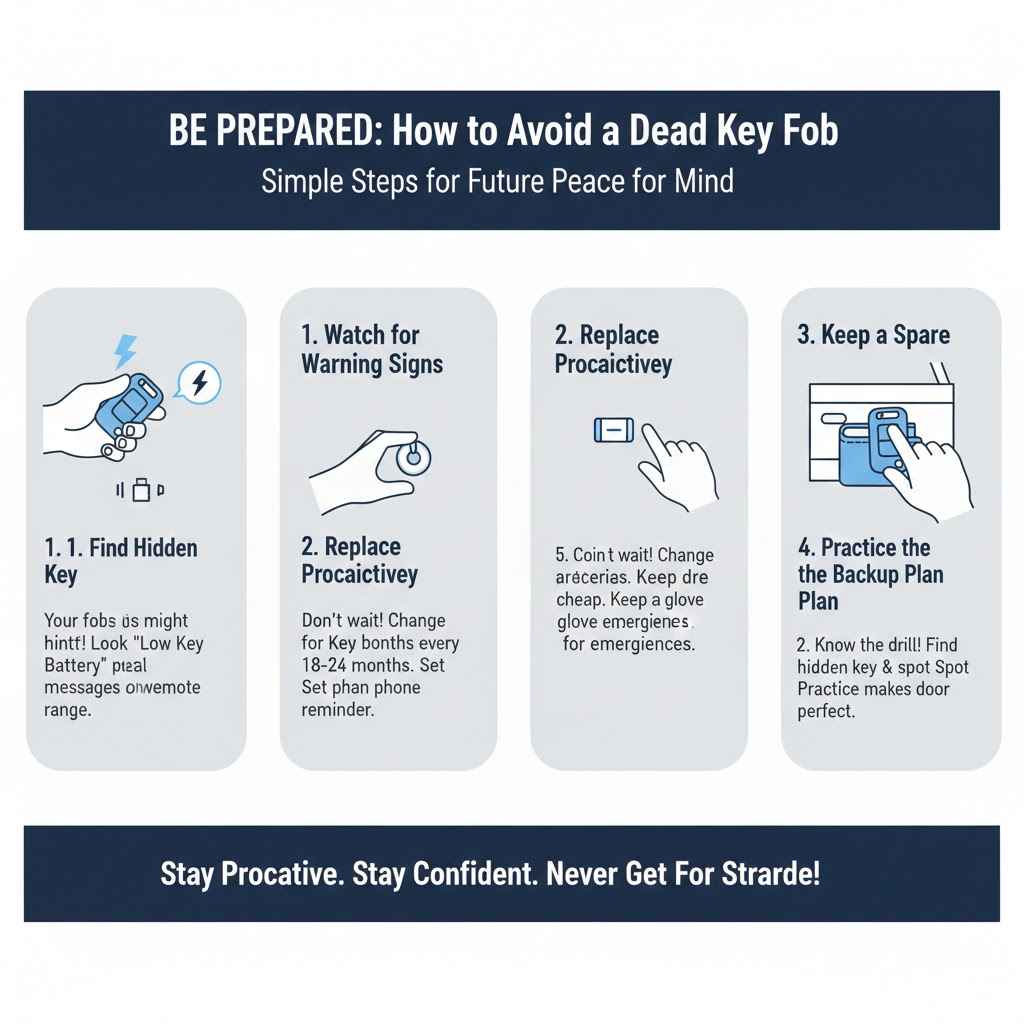
- Watch for Warning Signs: Your car will often give you hints that the fob battery is low. You might see a “Low Key Battery” message on your dashboard, or you may notice that you have to get closer and closer to your car for the remote to work.
- Replace the Battery Proactively: Don’t wait for it to die completely. Make it a habit to replace your fob battery every 18-24 months. Set a reminder on your phone.
- Keep a Spare: Coin batteries are cheap. Buy a spare and keep it in your glove box or wallet. That way, you’re always prepared.
- Practice the Backup Plan: The next time you have a free moment, practice the steps in this guide. Find your hidden key, locate the keyhole, and identify your car’s backup start location. Knowing exactly what to do ahead of time makes the real situation far less stressful.
Frequently Asked Questions (FAQ)
Do keys with fobs need a battery to start the car?
No, not directly. The battery powers the remote lock/unlock functions. To start the car, a passive RFID chip inside the fob is used, which does not require battery power. You just need to get the fob very close to the car’s internal reader, usually located in the start button or a dedicated slot.
How much does it cost to replace a key fob battery?
If you do it yourself, it’s very cheap! The coin battery itself typically costs between $2 and $5. If you take it to a dealership or a battery store, they might charge $10 to $20 for the battery and the service.
Can I use any battery for my key fob?
No, you must use the exact replacement model. The most common types are CR2032 and CR2025. Open your fob case to see the number printed on your old battery and buy the same one. Using the wrong size can damage the fob or simply not work.
What happens if I put the key fob battery in upside down?
If you install the battery upside down, with the positive and negative terminals reversed, the fob will not work. It won’t damage the fob, but it won’t be able to send a signal. Simply open the case again and flip the battery to the correct orientation (usually “+” side up).
Will I need to reprogram my fob after changing the battery?
In most cases, no. Over 95% of modern cars do not require reprogramming after a simple battery change. The fob’s unique code is stored in its permanent memory. However, if you leave the battery out for a very long time, some older models might lose their sync, but this is extremely rare.
How do I know if it’s the fob battery or the car battery that’s dead?
If the fob battery is dead, your remote buttons won’t work, but when you get in the car, your dashboard lights, dome lights, and radio should still turn on. If the car battery is dead, absolutely nothing will happen—no lights, no sounds, complete silence.
Can a dead fob cause my car alarm to go off?
Yes. When you manually unlock the door with the hidden metal key, the car’s security system may not recognize it as an authorized entry and can trigger the alarm. Don’t worry—the alarm will shut off as soon as you successfully start the engine using one of the backup methods.
You’ve Got This! A Final Word of Confidence
A dead key fob can feel like a major car crisis, but as you now know, it’s really just a small hiccup with a very simple solution. Car manufacturers have built-in these backup systems for this exact reason. By knowing where your hidden key is and how to use your fob to start the car directly, you’ve just gained a valuable piece of automotive knowledge.
So the next time this happens to you or a friend, you can stay calm, handle it like a pro, and be the hero of the day. You don’t need to be a mechanic to be in control of your car. Sometimes, all you need is the right secret. Happy driving!