What Does HDD Mean in a Car? Storage, Radio, and Maps
“HDD” in a car usually means hard disk drive, a built-in storage source for audio, maps, or system data on the factory infotainment unit. Misreading it can send you to the wrong menu or make you erase stored music and navigation data by mistake. This guide explains what HDD means on a car radio, how to tell whether it is a source, a menu label, or an internal component, and what to check on your specific vehicle.
What does HDD mean in a car?
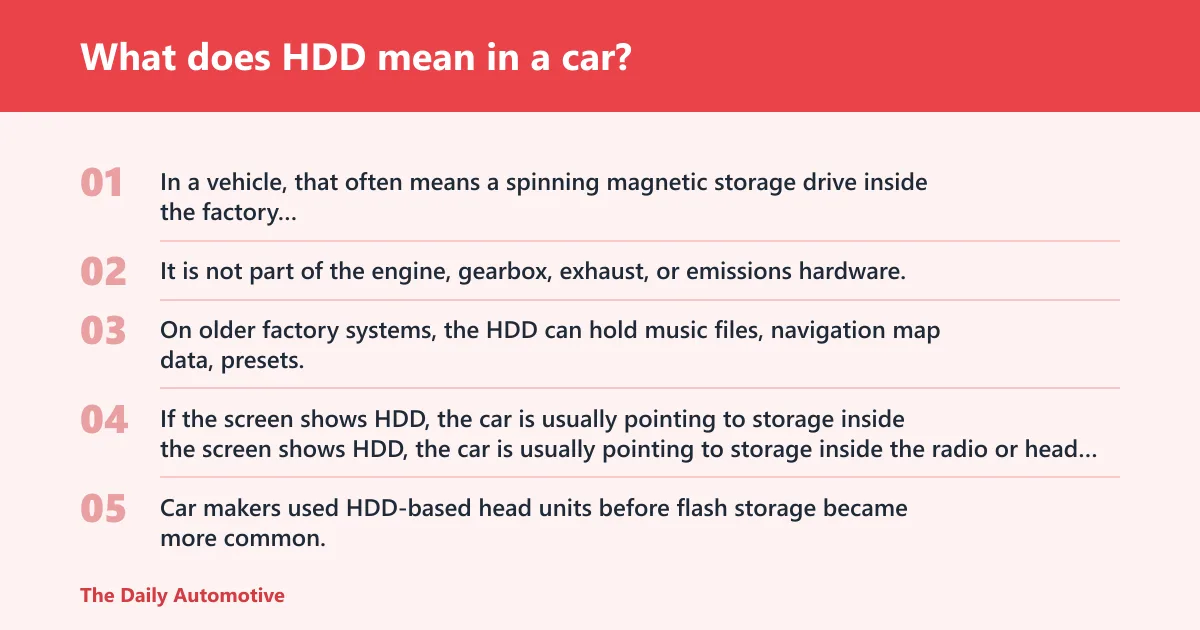


HDD stands for hard disk drive. In a vehicle, that often means a spinning magnetic storage drive inside the factory infotainment system. It is not part of the engine, gearbox, exhaust, or emissions hardware.
On older factory systems, the HDD can hold music files, navigation map data, presets, and other system data. If the screen shows HDD, the car is usually pointing to storage inside the radio or head unit, not to a separate dashboard feature.
Why HDD appears on a car display
Car makers used HDD-based head units before flash storage became more common. The label can appear because the infotainment system uses the drive as a source, a library, or a storage location. On some vehicles it sits in the audio source list. On others it appears in a setup menu or media browser.
That is why the same three letters can confuse drivers. A screen that says HDD may look like a fault if you expected only AM/FM, but on many factory units it simply names the storage method inside the head unit.
Is HDD the same as a hard drive in a car stereo?
Yes. In a factory head unit, HDD is the car-radio version of a hard drive. It is the storage device that keeps data available after the vehicle is turned off. The difference is where it lives: inside the infotainment system, not as a separate consumer computer drive you can swap freely.
Older systems often used that drive for ripped CDs, imported tracks, voice prompts, and map files. Some also stored radio presets and user settings. Newer units may use solid-state memory or SSD-style storage instead, which has no spinning parts.
What HDD stores in older infotainment systems
Older factory systems may use HDD storage for a few main jobs. First, they keep music libraries created from CD ripping or imported files. Second, they hold local navigation map data. Third, they save system data such as preferences, phonebook entries, and some presets, depending on the manufacturer.
Capacity varies by unit. A small HDD in an infotainment system is not meant to work like a laptop upgrade part. It is built around the vehicle’s software and the features that trim level received from the factory.
Where you may see HDD on the screen
You may see HDD in a source list, a media menu, a storage page, or a navigation settings screen. The label can mean the system is using the internal drive as a music library or map repository. It does not always mean the driver should do anything at that moment.
Sometimes HDD is shown next to other inputs such as DISC, NAV, MEDIA, USB, AUX, and BT. That mix is the clue. Some labels point to a physical source. Others point to a storage location or connection method inside the infotainment system.
Source labels versus storage menus
Source labels usually tell you where the audio is coming from. Storage menus tell you where the files live. HDD can appear in either place on a factory system, which is why the same label can mean “play from internal storage” or “manage the files stored on the internal drive.”
Say your screen shows HDD Music, HDD Navigation, and USB in the same menu. That usually means the internal drive holds local media and map data, while USB is an external input.
| Label | What it usually means | What you can expect |
|---|---|---|
| HDD | Internal hard disk drive in the factory head unit | Stored music, map data, presets, or system files |
| DISC | CD or DVD source, depending on the unit | Plays physical discs if the car has a disc slot |
| NAV | Navigation function or map screen | Route guidance and map display, sometimes using HDD data |
| MEDIA | General media browser | Lets you pick from music sources and file types |
| USB | USB input | Reads music or data from a flash drive or phone, if supported |
| AUX | Analog audio input | Plays sound from a connected device, but does not read files |
| BT | Bluetooth | Wireless audio or phone connection from a paired device |
Does my car need HDD for navigation or music?
Not always. Some older vehicles need HDD storage for built-in navigation maps or local music libraries, while many newer cars use flash memory, SSD-style storage, or connected navigation services instead. The answer depends on the exact head unit, trim level, and model year.
If your vehicle has factory navigation from an earlier period, the map data may live on the hard drive. If it has a newer infotainment system, the map data may sit in internal flash memory or arrive through connected services and over-the-air updates.
Local map storage in older systems
Older navigation units often stored map data locally because the car could not depend on constant internet access. That made HDD useful for route guidance, points of interest, and map rendering. Updates could be limited by the OEM software, and some systems accepted only dealer-installed or manufacturer-approved map media.
If the map screen opens slowly or route data disappears after a reset, the internal drive may be involved. But do not assume a failed HDD right away. A battery disconnect, software update, or wrong menu selection can also make the maps seem missing.
Music library storage and ripped CD files
Some factory systems could copy songs from CDs to the internal hard drive. That made the car a stored-music library, not just a radio. If the HDD is full, corrupted, or reset, that stored library may shrink or disappear from the menu.
Picture a 2009 sedan with a factory navigation unit and a 30 GB HDD. If the owner imported dozens of albums and later disconnected the battery for service, the music list may come back empty until the system rebuilds or reloads its database.
Why newer cars may use flash memory instead
Modern infotainment systems often use solid-state memory instead of a spinning drive. That matters because flash memory is quieter, faster to wake, and more resistant to vibration. It also changes how data loss looks when something goes wrong.
With SSD-style storage, the system may still store maps and media internally, but the user may never see an HDD label. If your vehicle is newer and you see HDD in a menu, it may be a legacy label from software, not proof that a mechanical drive is present.
What to check on your vehicle before you assume it is a fault
Before treating HDD as a problem, check the owner’s manual, the infotainment settings, and the vehicle’s VIN or trim level. Those three items tell you whether your model came with an HDD-based head unit, what features it includes, and where the storage menu sits.
A battery disconnect or factory reset can also move the system back to default screens. In that case, HDD may still exist, but the interface may have shifted away from the page you normally use.
- Open the owner’s manual and find the audio, navigation, or media section.
- Check the infotainment menu for source lists, media settings, or storage options.
- Confirm the VIN and trim level so you know which head unit came from the factory.
- Look for recent battery work, software updates, or a reset that could have changed the menu layout.
- Do not delete stored data unless you know whether HDD contains music, maps, or both.
What to do after a battery disconnect or reset
If HDD appeared right after battery work, start with the system settings and owner’s manual. A reset can clear temporary preferences, change the startup screen, or trigger a library scan. That does not always mean the internal drive has failed.
If the unit asks to rebuild media or reload map data, let it finish before judging the drive. If the screen stays frozen, or the system no longer sees stored files, then the HDD itself may be involved.
What does hdd mean in a car radio
In a car radio, HDD usually means the internal hard disk drive built into the factory head unit. The radio may use it to store music, navigation data, or system files. If the label appears next to source buttons, it is usually a storage-based media option, not a separate radio band.
That matters because drivers often expect radio screens to show AM, FM, or satellite bands only. HDD is different. It points to onboard storage inside the OEM stereo, especially in older factory systems with navigation or media-copy functions.
what does hdd stand for on my car audio system
On a car audio system, HDD stands for hard disk drive. That label usually means the system can read or save files on an internal drive built into the factory head unit. It may hold songs, albums, map data, or settings tied to the vehicle.
If the audio system is aftermarket, the meaning can still be storage-related, but the menu logic may differ from OEM layouts. That is why model year and trim level matter. The same letters can sit on very different screens.
what is hdd in my car
In your car, HDD is usually the internal storage device inside the factory infotainment system. It stores data the vehicle’s audio or navigation software needs, such as music files, map data, and saved preferences. It is tied to the head unit, not to the engine or chassis.
If your car came with factory navigation, HDD may be part of that package. If the vehicle is newer, the same role may be filled by solid-state memory instead, even if the interface still looks similar.
what are the signs an HDD-based system may be failing?
A failing HDD-based infotainment system may start with slow startup, freezing menus, clicking noises, missing media, or lost map data. If the drive cannot read files reliably, the radio may take longer to boot or fail to load the library. Those are common warning signs in older factory systems.
Because the HDD is mechanical, vibration, age, and repeated heat cycles can wear it down. The problem may show up first as partial file loss, then as a system that boots but cannot open stored music or navigation. A complete failure can leave the unit stuck at a loading screen.
Common failure symptoms to watch for
Slow startup is one of the earliest signs. Another is a clicking sound from the head unit, which can point to a drive struggling to spin up or read data. Freezing menus and repeated reboots also fit the pattern.
If stored music disappears after a restart, or navigation data vanishes after a battery disconnect, the system may be losing access to the HDD database. A replacement or software repair may be needed, but the right fix depends on the vehicle and the unit.
Frequently asked questions
how do i use the hdd function on my car radio?
Start with the owner’s manual and the infotainment menu. On many factory systems, HDD appears under media, source selection, or storage management. The exact steps vary by make and model, so use the vehicle’s own menu labels instead of assuming a universal path.
why is hdd showing on my dashboard or audio screen?
HDD may be showing because the infotainment system is pointing to its internal hard drive. That can happen after a startup, a battery disconnect, a reset, or a menu change. If the label is unfamiliar, check the manual and confirm whether the vehicle has HDD-based storage at all.
Products related to this article
Sponsored / affiliate links. As an Amazon Associate I earn from qualifying purchases. I may earn additional commission from eligible campaigns.