What Is a Tune Forward Button: Local Guide
Ever wondered what that little button on your car radio does? It’s a common question, especially when you’re just trying to find your favorite station or explore new ones. If you’ve ever felt a bit lost with your car’s radio controls, you’re in the right place.
This guide will break down exactly what the tune forward button is. We promise to make it super simple, step by step. Get ready to get more out of your car’s audio system.
Understanding the basic functions of your car’s radio is essential for a pleasant driving experience. The tune forward button, often represented by an arrow pointing forward or simply labeled “TUNE” with a plus sign, is a fundamental control. Its primary purpose is to help you scan through radio frequencies.
This feature is particularly useful when you’re traveling or want to discover new local stations. This section will cover what the button does and why it’s a key part of your car radio.
Purpose of the Tune Forward Button
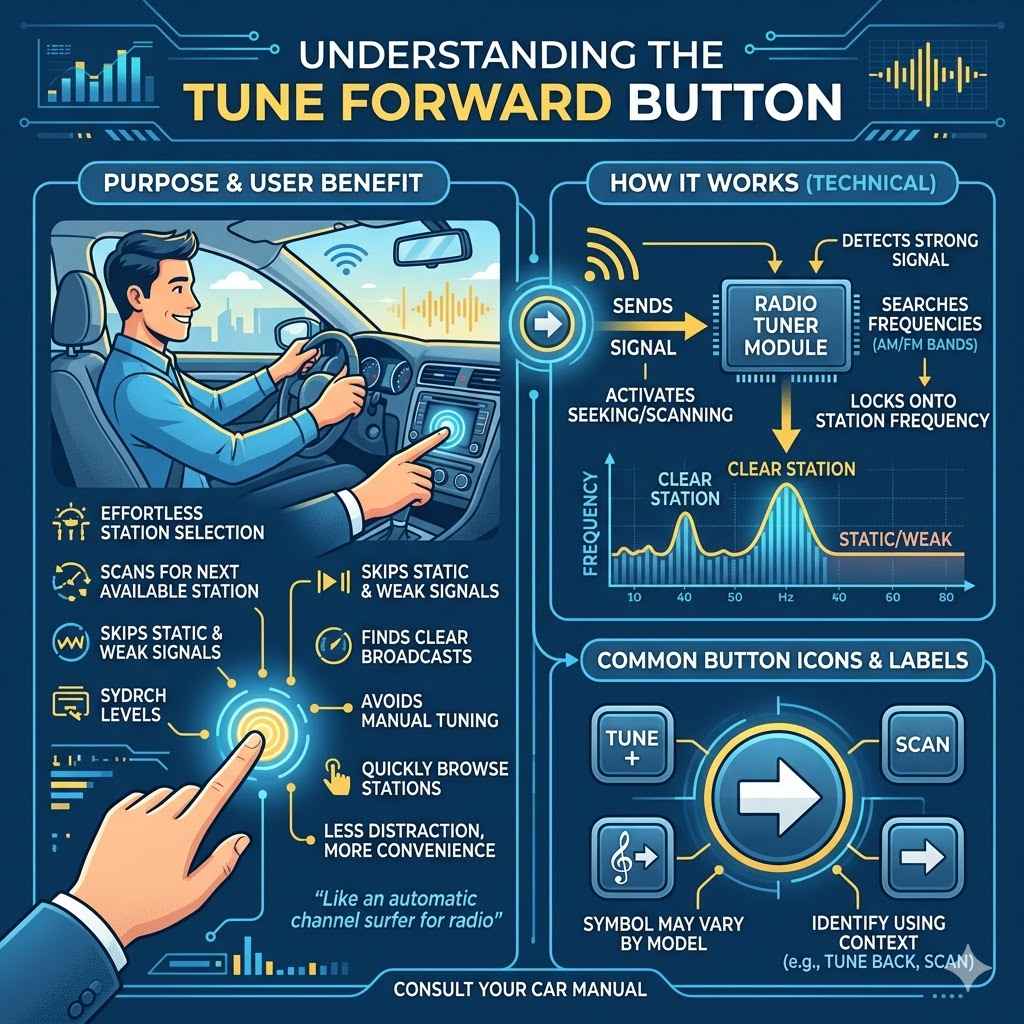
The tune forward button is designed for effortless radio station selection. When you press it, your car radio automatically scans for the next available station. It skips over static or weak signals to find clear broadcasts.
This means you don’t have to manually adjust the dial or enter frequencies yourself. It’s a quick way to browse through the local airwaves and find something to listen to.
Think of it like an automatic channel surfer for your radio. Instead of a remote control, you have this button. It’s especially handy when you’re driving and can’t take your eyes off the road for too long.
A quick press and the radio does the work for you. It’s all about making your listening experience more convenient and less distracting while you’re on the move.
How It Works Technically
Technically, the tune forward button sends a signal to the radio’s tuner module. This module is responsible for receiving radio waves. When activated, the tuner searches for the next frequency that has a strong enough signal to produce clear audio.
This process is often called “seeking” or “scanning.”
The tuner has a range of frequencies it can search within, usually the AM and FM bands. It will move sequentially through these frequencies. Once it detects a station with adequate signal strength, it locks onto that frequency.
This allows you to listen to the broadcast. If there are no more stations in the current band, it might stop or loop back to the beginning.
Common Button Icons and Labels
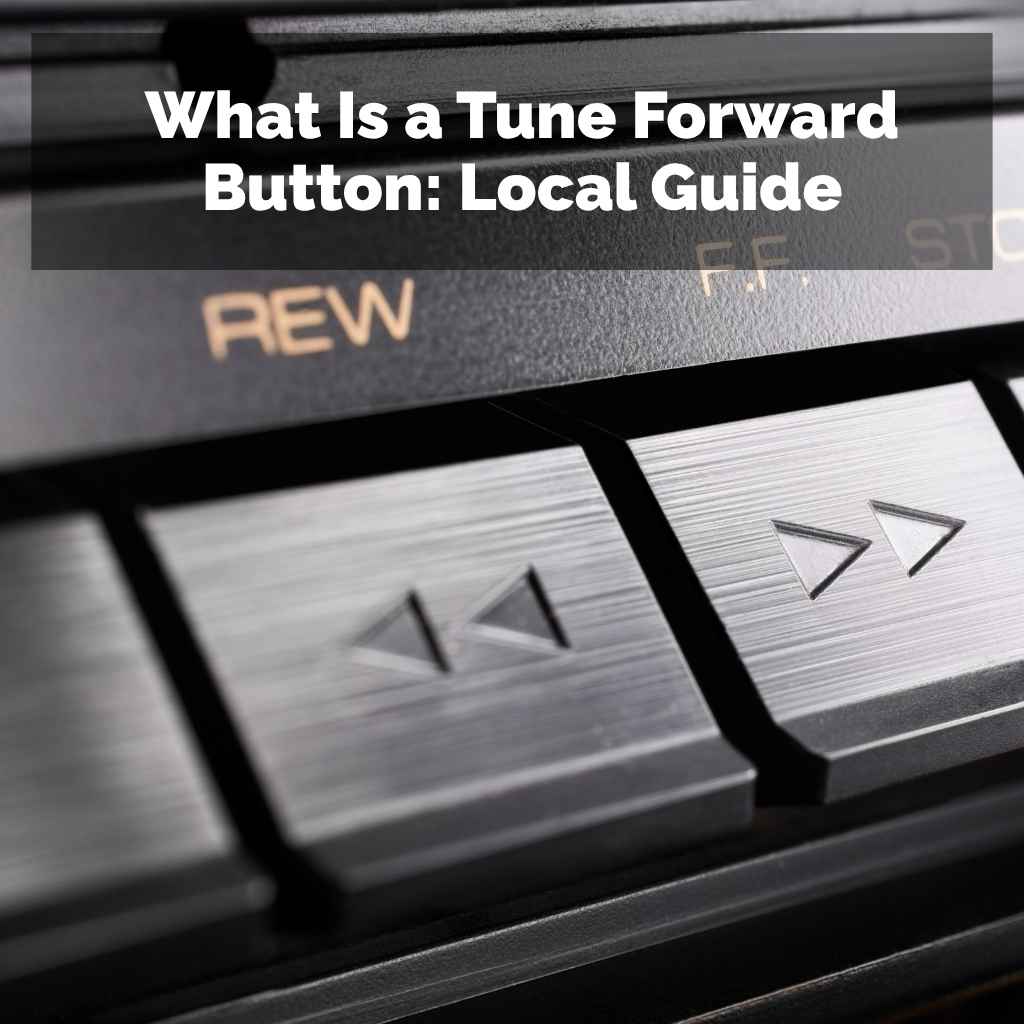
You’ll often see the tune forward button marked with a simple arrow pointing right or forward. Sometimes it might have a plus sign next to “TUNE” or “SCAN.” Some radios use a treble clef symbol with an arrow, or just an arrow on its own. The exact design can vary greatly between car manufacturers and radio models.
However, the function remains the same. Look for the button that seems to advance the station.
Learning to identify these icons is part of becoming familiar with your car’s audio system. Even if the label isn’t immediately obvious, the context of other buttons like “TUNE BACK” or “SCAN” will usually help. Most car manuals will also show you exactly what each button does.
It’s a small detail that makes a big difference in daily use.
Benefits of Using the Tune Forward Feature Locally
The tune forward button offers several advantages, especially when you’re interested in local programming. It allows for quick discovery of nearby radio stations, ensuring you don’t miss out on local news, traffic updates, or regional music. This section explores the practical benefits of using this feature for local listening.
Discovering Local Stations
One of the biggest benefits is discovering new local radio stations. When you press the tune forward button, your radio scans through the available frequencies in your area. This can help you find stations you might not have known existed.
These could be local news channels, community radio, or stations that play music specific to your region. It’s a fantastic way to connect with what’s happening around you.
For example, if you’re new to a city or just want to explore beyond your usual few stations, the tune forward button is your friend. It’s like a treasure hunt for local broadcasts. You might find a great talk radio station discussing local issues or a music station playing artists from your state.
This feature makes it easy to tune into the local pulse.
Staying Informed About Local Events
Local radio stations are often the first to report on community events, weather alerts, and traffic conditions. Using the tune forward button can help you quickly access this vital information. If you’re driving to an event or just commuting, having immediate access to local updates is incredibly useful.
It ensures you’re always in the loop about what’s happening in your immediate surroundings.
Imagine you’re heading to a local festival or a community meeting. A quick scan with the tune forward button might land you on a station giving live updates about parking or performance schedules. This immediate access to real-time local information can save you time and make your day smoother.
It keeps you connected to the community you live in.
Convenience While Driving
Safety is paramount when driving. The tune forward button offers unparalleled convenience because it requires minimal interaction. Instead of fumbling with complex menus or tiny buttons to find a new station, a simple press is all it takes.
This reduces driver distraction, allowing you to keep your eyes on the road and your hands on the wheel. It’s a designed safety feature.
Studies show that driver distraction is a major cause of accidents. Anything that simplifies using car controls contributes to a safer driving environment. The tune forward button is a prime example of this.
It streamlines the process of changing radio stations, making it a quick and easy task even when you’re navigating busy streets.
Understanding Related Car Radio Features
While the tune forward button is simple, it’s part of a larger system of car radio controls. Knowing about other functions can enhance your experience and provide more ways to listen. This section will touch upon related features that work alongside the tune forward button.
The Tune Backward Button
Just as there’s a forward button, there’s usually a “tune backward” button. This works in the opposite direction, scanning through frequencies from higher to lower. It’s useful if you accidentally skip past a station you wanted or if you prefer to scan in reverse.
Together, these two buttons give you complete control over frequency scanning.
The tune backward button is typically marked with an arrow pointing left or backward. Like its forward counterpart, it automatically seeks the next clear station in the descending frequency order. Having both buttons provides a balanced approach to exploring radio channels.
It’s like having two directions to explore the entire spectrum.
Preset Stations
Most car radios allow you to save your favorite stations as “presets.” These are usually numbered buttons (e.g., 1 through 6 or 1 through 10) on your dashboard or radio face. Once you find a station you like using the tune forward button, you can often hold down one of these preset buttons to save it. This way, you can instantly access your most-listened-to stations with a single press, bypassing the need to scan each time.
For example, if you find a great local news station using the tune forward button, you can press and hold button ‘3’ until you hear a beep. Now, anytime you press button ‘3’, your radio will immediately tune into that news station. This is incredibly efficient for your go-to channels.
It’s a core function for personalized radio listening.
Scan Function
Many radios have a “SCAN” or “SEEK” button. This function is very similar to repeatedly pressing the tune forward button, but it often scans through all available stations and plays each one for a few seconds. This can be useful for quickly sampling what’s on without stopping on each station.
Once you hear something you like, you can press the SCAN button again to stop and listen to that station.
The scan function is a great way to get a broad overview of your local radio landscape. It’s like a rapid preview of everything available. You can quickly get a feel for the different types of music, news, and talk shows broadcasting nearby.
It’s a dynamic tool for discovery.
Band Selection (AM/FM)
Car radios typically have different bands for AM and FM frequencies. You’ll need to select the correct band before you start tuning. The buttons are usually labeled “AM” and “FM” or might have wave symbols.
The tune forward button will only scan within the currently selected band. So, if you’re looking for a local FM station, ensure you’re on the FM band.
AM and FM have different characteristics. FM generally offers higher fidelity sound and is better for music, while AM can travel further and is often used for news and talk radio. Knowing which band your desired station is on is key to finding it efficiently.
This simple selection ensures the tune forward button searches the right place.
Troubleshooting Common Issues
Sometimes, the tune forward button might not work as expected. This can be due to a few common reasons. Understanding these issues can help you get your radio working properly again.
We’ll look at a few scenarios and how to resolve them.
No Stations Found or Only Static
If the tune forward button scans through and only lands on static, it might mean there are no strong signals available in your current location or within the selected band. This can happen in rural areas or in underground parking garages. Try moving to a different location or switching to a different band (AM to FM or vice versa) to see if that helps.
Sometimes, the car antenna might be damaged or disconnected, which can severely affect signal reception. Checking that your antenna is properly attached and not broken is a good first step if you consistently have trouble finding stations. A strong antenna is crucial for good reception.
Button Not Responding
If the tune forward button itself doesn’t seem to do anything, it could be a physical issue with the button or an electrical problem with the radio. Try pressing other buttons on your radio to see if they work. If only the tune forward button is unresponsive, it might require professional repair.
However, sometimes a simple reset of the car’s electrical system can resolve minor glitches.
Some modern cars have complex infotainment systems. A temporary software glitch can sometimes cause buttons to become unresponsive. Turning the car off completely, waiting a minute, and then restarting can sometimes fix these minor electronic hiccups.
It’s a simple first step before considering more involved solutions.
Scanning Too Quickly or Slowly
The speed at which the tune forward button scans is usually pre-set by the manufacturer. There’s often no way to adjust this speed. However, if it feels significantly too fast or too slow compared to how it used to work, it might indicate an internal radio issue.
If the scanning speed seems erratic, it could be a sign that the radio’s processing unit is having trouble.
If the scanning speed is a constant concern, consult your car’s manual. Some advanced car audio systems might have settings that can influence scanning behavior, though this is rare for basic tuning functions. For most standard radios, the speed is fixed and not adjustable by the user.
What Is a Tune Forward Button On Car Radio Local Guide Recap
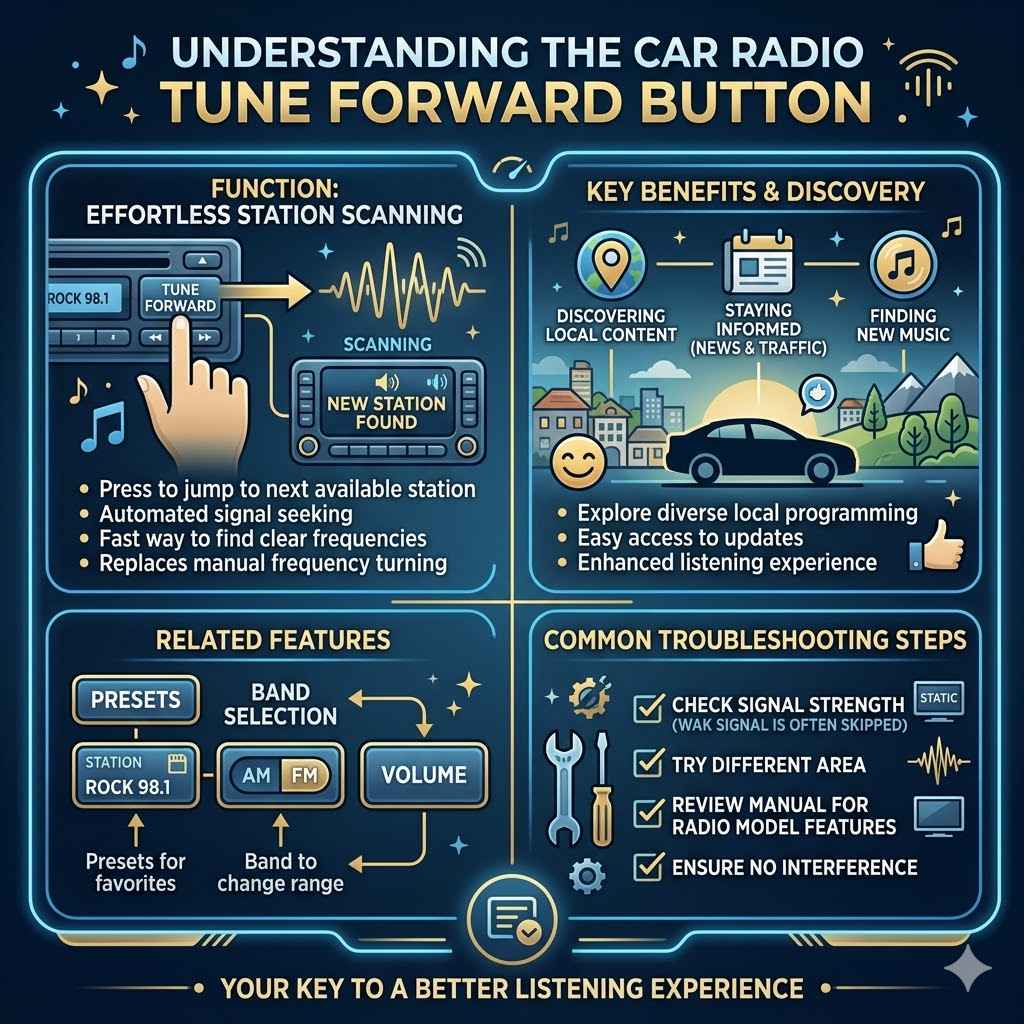
This article has explored the fundamental function of the tune forward button on your car radio. We’ve detailed its purpose for easy station scanning, highlighted its benefits for discovering local content and staying informed, and touched on related features like presets and band selection. You’ve also learned about common troubleshooting steps.
Understanding this button is key to a better listening experience.
Frequently Asked Questions
Question: How do I find local news stations using the tune forward button
Answer: To find local news stations, press the tune forward button repeatedly. Your radio will scan through available frequencies. Listen for stations that sound like news broadcasts or local talk shows.
Once you find one, you can save it as a preset.
Question: Can the tune forward button find stations outside my local area
Answer: The tune forward button primarily scans within the range of your car’s radio tuner. While it can sometimes pick up distant stations, especially on AM at night, its main purpose is to find stations that are broadcasting near your current location.
Question: What is the difference between the tune forward button and the scan button
Answer: The tune forward button stops on the next clear station and stays there. The scan button typically plays each station for a few seconds before moving to the next, allowing you to sample various channels quickly before choosing one to stop on.
Question: My tune forward button isn’t working, what should I do
Answer: First, try turning your car off and on again. If that doesn’t work, check your car’s manual for specific troubleshooting steps for your radio model. If it still doesn’t function, the button or radio might need to be repaired by a professional.
Question: Can I use the tune forward button to listen to music
Answer: Yes, absolutely. The tune forward button helps you find any type of radio station, including those that play music. It’s a general tool for finding all available broadcasts, whether for news, talk, or music.
Summary
You’ve learned that the tune forward button is a simple yet powerful tool for car radio users. It lets you easily find new local stations, discover music, and stay updated on important community information. By understanding its function and related features, you can make your driving experience more enjoyable and informed.