Why is My Car Battery Charger Beeping: Troubleshoot Fast!
Have you ever plugged in your car battery charger and heard a sudden beeping sound? It can be confusing and even a little alarming.
You might wonder if something is wrong with your charger or your battery. Understanding why your car battery charger is beeping can save you time, money, and frustration. You’ll discover the common reasons behind those beeps and what you can do to fix the problem quickly.
Keep reading to make sure your car battery stays charged and ready whenever you need it.
Common Reasons For Beeping
Car battery chargers beep to signal issues during charging. The beeping helps alert users about problems. Knowing common reasons for beeping can save time and frustration. It also helps protect your battery and charger from damage.
Low Battery Voltage
Beeping often means your car battery voltage is too low. The charger detects this and warns you. Low voltage may happen if the battery is very drained or old. The charger needs enough voltage to start charging safely.
Incorrect Charger Connection
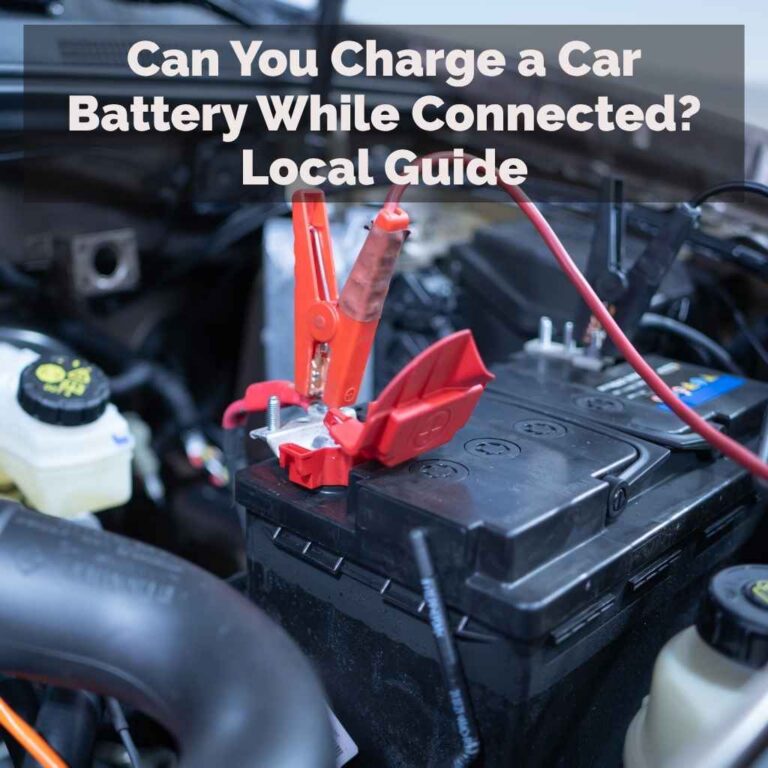
Improper connection of charger clamps causes beeping. The charger may beep if the clamps are reversed or loose. Positive clamp should connect to the battery’s positive terminal. Negative clamp goes to the negative terminal or a ground point.
Overheating Charger
Charging generates heat, but too much heat triggers beeping. The charger beeps to prevent damage from overheating. Overheating can happen if the charger runs too long or the environment is hot. Let the charger cool down before continuing.
Faulty Charger Components
Beeping can indicate faulty parts inside the charger. A damaged circuit or sensor may cause false alarms. Faulty components reduce charging efficiency and safety. Consider checking or replacing the charger if beeping persists without clear reasons.
Signs Of Battery Issues

Noticing beeping from your car battery charger signals possible battery problems. These signs warn you to check your battery’s condition. Early detection helps avoid sudden breakdowns and costly repairs.
Swollen Or Leaking Battery
A swollen battery case means internal damage. Heat or overcharging causes swelling. Leaks from the battery show cracks or corrosion. Both signs indicate the battery needs replacement.
Corroded Battery Terminals
White or green buildup on terminals blocks power flow. Corrosion stops the charger from working properly. Cleaning or replacing terminals improves connection and charging efficiency.
Battery Age And Capacity
Old batteries lose the ability to hold charge. Most last 3 to 5 years before weakening. Low capacity means the battery cannot power your car well. Testing battery health helps decide on a new one.
Charger Setup Mistakes
Car battery chargers often beep to signal a problem during setup. Many beeping issues come from simple setup mistakes. These errors can stop the charger from working properly. Fixing them improves battery charging and stops annoying sounds.
Wrong Charger Type
Using the wrong charger type can cause the charger to beep. Chargers differ for lead-acid, lithium, and other batteries. A charger not made for your battery type may not work well. It can send wrong signals and beep to warn you.
Incorrect Voltage Settings
Setting the wrong voltage is a common mistake. Chargers have specific voltage options for different batteries. Choosing too high or too low voltage can trigger beeping. The charger wants to protect the battery from damage. Check the battery label and set voltage exactly.
Loose Or Damaged Cables
Loose or damaged cables cause poor connections. This problem makes the charger beep to alert you. Worn or broken wires stop the charger from giving steady power. Always check cables for tight, clean connections. Replace cables if you see damage or wear.
Steps To Stop The Beeping
Car battery chargers beep to warn about issues or errors. Stopping the beeping helps you charge safely and avoid damage. Follow these simple steps to fix the problem quickly.
Check Battery And Charger Connections
Loose or wrong connections cause the charger to beep. Turn off the charger first. Check if the battery clamps are tight and connected to the correct terminals. Clean any dirt or corrosion on the battery posts. Reconnect everything firmly before turning the charger back on.
Allow Charger To Cool Down
Chargers beep if they overheat. If you hear beeping, unplug the charger and wait. Let it cool for at least 15 to 30 minutes. Use the charger in a well-ventilated place to avoid overheating in the future.
Reset Or Restart The Charger
Some chargers beep due to internal errors. Turn off the charger and unplug it from the power source. Wait 10 seconds and plug it back in. Turn the charger on again. This simple reset often stops the beeping sound.
When To Replace Battery Or Charger
Knowing when to replace your car battery or charger can save time and avoid frustration. Beeping sounds from the charger often signal an issue. Understanding these signs helps you decide the next step quickly. This prevents damage to your vehicle and keeps your battery healthy.
Persistent Beeping Despite Troubleshooting
Charger beeps after multiple attempts to fix the problem. This usually means the charger cannot charge the battery properly. The battery might be too old or damaged. The charger could also have a fault. Continuous beeping is a clear sign to consider replacement.
Visible Battery Damage
Check the battery for cracks, leaks, or swelling. These are signs of serious damage. Damaged batteries may cause the charger to beep constantly. Using a damaged battery is unsafe and unreliable. It is best to replace the battery immediately for safety.
Charger Malfunction Indicators
Some chargers have lights or error codes to show faults. Flickering lights or unusual sounds are common indicators. The charger might not supply power correctly. This causes beeping and charging failure. If the charger shows these signs, replacing it is necessary.
Tips To Prevent Future Issues
Beeping from your car battery charger can be annoying and worrying. Preventing future issues helps keep your charger working well and your battery safe. Simple habits make a big difference. Follow these tips to avoid common problems and stop the beeping sounds.
Regular Battery Maintenance
Check your car battery often. Clean the terminals to remove dirt and corrosion. Tighten loose connections to ensure good contact. Test the battery voltage regularly to catch weak batteries early. Proper maintenance reduces charging problems and extends battery life.
Proper Charger Storage
Store your charger in a dry, cool place. Avoid areas with high humidity or extreme temperatures. Keep the cables untangled and away from sharp objects. Proper storage prevents damage and protects the charger’s internal parts. This helps avoid false alarms and beeping.
Using Compatible Chargers
Use chargers designed for your battery type and voltage. Avoid cheap or generic chargers that may not match your battery’s needs. Compatible chargers charge safely and efficiently. They reduce the chance of errors, overheating, and beeping sounds during charging.
Frequently Asked Questions
Why Does My Car Battery Charger Keep Beeping?
Your charger beeps to alert you of connection issues or faults. It signals incorrect polarity, loose clamps, or a faulty battery. Always check connections and battery condition for safe charging.
Can A Beeping Charger Damage My Car Battery?
No, beeping itself does not damage the battery. It warns you to fix connection problems or battery faults. Ignoring the beep and improper use may harm the battery or charger.
How Do I Stop The Beeping Sound On My Charger?
To stop beeping, ensure correct clamp placement and tight connections. Check for damaged cables or battery issues. Follow the charger’s manual for proper setup and safety.
Is A Beeping Charger Indicating A Fully Charged Battery?
Not always. Beeping usually means errors, not full charge. Some chargers beep when charging completes, but most use lights instead. Verify your charger’s signals to understand the beep meaning.
Conclusion
A beeping car battery charger signals something needs your attention. It could mean a poor connection, low voltage, or a faulty battery. Always check the cables and the charger settings first. Ignoring the sound might lead to bigger car problems.
Stay safe and keep your battery in good shape. Simple checks save time and money. Listen to your charger—it helps protect your car’s battery health.