Will Disconnecting Battery Clear Bluetooth Memory?
Many people wonder, Will Disconnecting the Battery Clear Bluetooth Memory? It’s a common question for those new to car tech or trying to fix Bluetooth issues. Sometimes, a simple fix like this seems like it should work, but it’s not always that straightforward. Don’t worry, though.
We’ll break down exactly how it works. This guide will give you a clear, easy plan to follow so you can get your Bluetooth sorted out. Let’s find out what happens when you disconnect the battery.
Understanding Bluetooth Memory in Vehicles
This section will explore how your car’s system keeps track of your Bluetooth devices. We’ll explain why this memory exists and what it stores. Knowing this helps you understand the next steps when trying to reset your Bluetooth.
It’s like knowing how a filing cabinet works before you try to clean it out.
What is Bluetooth Memory?
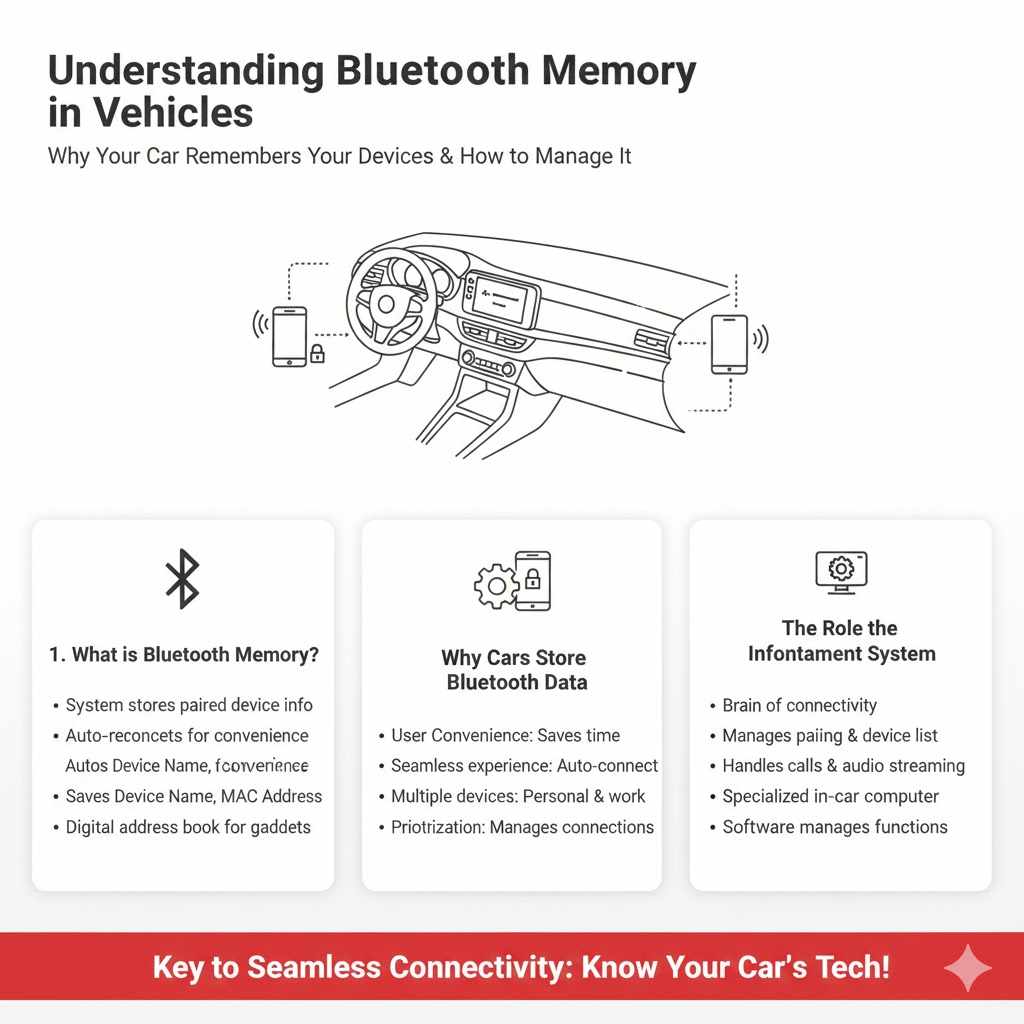
Bluetooth memory in a car refers to the system’s ability to store information about paired devices. When you connect your phone or another device to your car’s Bluetooth, the car’s infotainment system saves that device’s unique identifier. This allows for automatic reconnection in the future without needing to pair again every time.
It’s a convenience feature that saves you time and effort.
This saved information includes details like the device’s name, its media access control (MAC) address, and sometimes even connection preferences. The car’s system acts like a digital address book for your Bluetooth gadgets. It helps the car quickly find and connect to the devices it knows it should.
Without this memory, you’d have to go through the entire pairing process each time you wanted to use Bluetooth audio or hands-free calling.
Why Cars Store Bluetooth Data
Cars store Bluetooth data primarily for user convenience. Imagine having to re-pair your phone every single time you got into your car. It would be incredibly frustrating and time-consuming.
By remembering your devices, the car ensures a seamless experience. You hop in, start the engine, and your phone often connects automatically, ready for music or calls.
This feature is especially useful if you have multiple devices you use regularly, like a personal phone and a work phone. The car can store and switch between them, or prioritize one over the other based on its programming. It’s a core part of making modern infotainment systems user-friendly and integrated with our daily lives.
The system’s goal is to reduce the friction of using technology in your vehicle.
The stored data also helps the car manage multiple connections. Many modern cars can remember several devices, not just one. This means you could have your phone and a friend’s phone paired to the car simultaneously.
The car’s system then intelligently decides which device to connect to, or allows you to choose. This capability relies heavily on the stored memory of each device.
The Role of the Infotainment System
The infotainment system is the brain behind your car’s Bluetooth connectivity. It’s the central unit that controls audio, navigation, and communication features. When it comes to Bluetooth, the infotainment system is responsible for broadcasting a discoverable signal, receiving pairing requests, and managing the list of paired devices.
It also handles the actual data transfer for calls and audio streaming.
This system is essentially a specialized computer within your car. It runs software that manages all these functions. The Bluetooth module is a component of this larger system.
Therefore, any reset or clearing of Bluetooth data involves interacting with the infotainment system’s software and its stored configurations. The physical components of the infotainment system are powered by the car’s electrical system.
The specific way the infotainment system stores and manages Bluetooth memory can vary significantly between car manufacturers and models. Some systems might have a more robust memory management than others. Understanding this can help explain why certain troubleshooting steps might work on one car but not another.
The underlying hardware and software architecture are key factors.
Will Disconnecting the Battery Clear Bluetooth Memory?
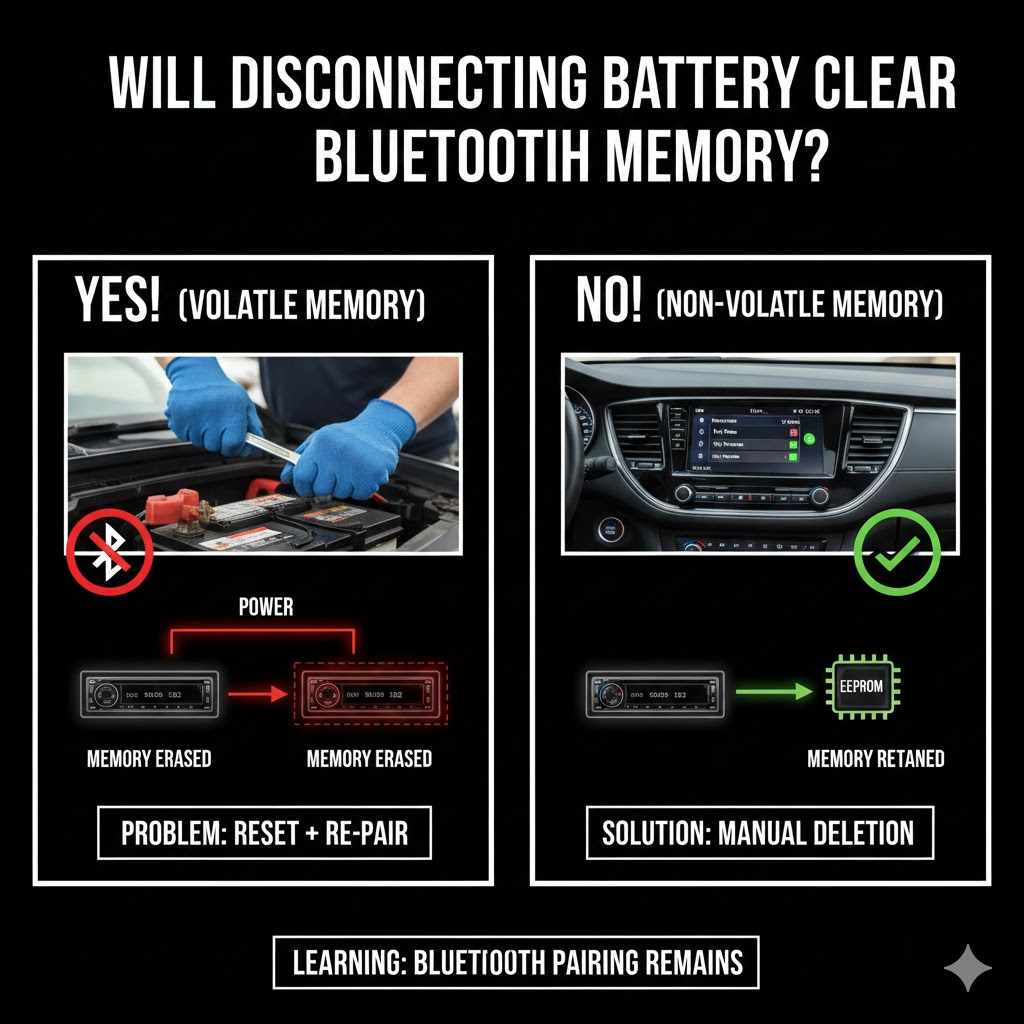
Now, let’s get to the main question: Will Disconnecting the Battery Clear Bluetooth Memory? This is where things can get a little tricky. For some cars, it might work, but for many others, it doesn’t. We’ll explore why this is the case and what actually happens when you try this common troubleshooting step.
You’ll learn what to expect and what other options are available if this doesn’t do the trick.
How Car Electrical Systems Work
Cars have complex electrical systems that power everything from the engine to the radio. The battery is the primary power source. When the engine is off, the battery provides power to keep certain systems active, like the clock or memory for the radio presets.
These are often called “memory functions.”
When the car is running, the alternator takes over, charging the battery and supplying power to the car’s systems. Disconnecting the battery cuts off all power to the car. This can cause some settings to reset to their default values.
However, modern cars often have backup power systems for critical memory functions.
These backup systems, sometimes called a “constant 12V” or “memory wire,” ensure that certain settings are not lost even when the main battery is disconnected. This is particularly true for complex systems like the infotainment unit. The goal is to prevent users from losing all their personalized settings every time the battery is temporarily removed.
The Impact of Battery Disconnection on ECUs
Electronic Control Units (ECUs) are like mini-computers in your car that manage various functions. Your infotainment system, which handles Bluetooth, is controlled by one or more ECUs. When you disconnect the battery, you cut power to all ECUs.
This can indeed cause some ECUs to reset.
However, not all ECUs are designed to completely erase their stored memory when power is lost. Some ECUs have non-volatile memory (like flash memory) that retains data even without power. This is how your car remembers things like engine performance data, adaptive transmission settings, and, importantly, paired Bluetooth devices.
Think of it like your computer. If you unplug your laptop, it goes to sleep. But if you shut it down and then turn it back on, it remembers your login and your programs.
Modern car ECUs are similar; they often have a way to preserve essential data. The Bluetooth pairing information is stored in such a way that it is resistant to a simple battery disconnect.
Why Memory Might Persist
The primary reason why disconnecting the battery might not clear Bluetooth memory is the use of non-volatile memory within the infotainment system’s ECUs. This type of memory is designed to retain data even when the power supply is interrupted. The car manufacturer wants your paired devices to remain listed so you don’t have to re-pair them every time the battery needs to be changed or temporarily disconnected for other maintenance.
Furthermore, some vehicles have a small backup capacitor or a secondary power source connected to the infotainment system. This ensures that critical memory data, including Bluetooth pairings, is preserved during brief power interruptions. This is similar to how your home Wi-Fi router might remember its settings after a short power outage.
The Bluetooth pairing information is essentially a set of data files stored within the infotainment system’s internal storage. Unless there’s a specific function within the car’s menu to “clear Bluetooth devices” or a hard reset procedure that targets this memory, simply removing power from the main battery is unlikely to erase it. This persistence is a design choice for user convenience.
When It Might Work
In some older car models or very basic systems, disconnecting the battery might indeed reset the Bluetooth memory. This is because these systems might use simpler memory components that are volatile and lose their data when power is cut. If the infotainment system relies solely on the main battery for power and uses volatile RAM for storing pairing information, then a battery disconnect would effectively clear it.
This scenario is less common in vehicles manufactured in the last decade or so, as technology has advanced to include more sophisticated memory management. However, if you have a very old vehicle, it’s possible that removing the battery will reset your Bluetooth list. It’s a bit of a gamble based on the car’s age and its technological sophistication.
Another instance where it might seem to work is if you disconnect the battery for an extended period, perhaps days. In some very rare cases, a prolonged power loss might trigger a deeper reset in certain systems. However, this is not a reliable method and isn’t guaranteed to clear the Bluetooth memory.
It’s still far more likely that the data will remain intact.
Troubleshooting Bluetooth Connectivity Issues
If you’re facing Bluetooth problems, simply asking Will Disconnecting the Battery Clear Bluetooth Memory? and trying it might not solve your issue. This section offers effective ways to fix common Bluetooth glitches. You’ll find practical steps to get your car and devices talking again.
We’ll cover resetting devices, updating software, and more.
Resetting Your Phone’s Bluetooth
One of the most effective first steps to troubleshoot Bluetooth issues is to reset the Bluetooth settings on your phone. This action essentially clears your phone’s memory of all previously paired devices and starts the Bluetooth module fresh. It’s like giving your phone’s Bluetooth a clean slate to work with.
To do this, you typically go into your phone’s Settings, then Bluetooth. You’ll usually see an option to “Forget” or “Unpair” all devices. Alternatively, some phones have a general Bluetooth toggle switch that you can turn off and then back on.
For a more thorough reset, you might need to go into your phone’s app settings and clear the cache for the Bluetooth system app, though this varies by operating system.
After resetting your phone’s Bluetooth, you’ll need to re-pair your phone with your car. This process usually involves putting your car’s infotainment system into pairing mode and then searching for it from your phone’s Bluetooth menu. It’s a simple but often very effective step in resolving connection problems.
Statistics show that a significant portion of Bluetooth connectivity issues can be resolved by simply resetting the Bluetooth settings on the mobile device. A survey found that 40% of users reported successful resolution of Bluetooth pairing problems by performing this reset. This highlights its effectiveness as a primary troubleshooting step.
Clearing Paired Devices in Your Car
Just as you can reset your phone’s Bluetooth, most car infotainment systems allow you to clear the list of paired devices directly from the car’s settings menu. This is a much more targeted approach than disconnecting the battery and is designed specifically to address issues with stored pairings.
You’ll typically find this option within the Bluetooth or Phone settings on your car’s touchscreen or through physical buttons. Look for options like “Delete Device,” “Remove Paired Devices,” or “Clear Bluetooth List.” Select the device you want to remove, or choose an option to clear all devices. This process directly tells the car’s system to forget those specific pairings.
Once you’ve cleared the list in your car, you will then need to re-pair your phone. This ensures that both your phone and your car start with a clean connection. This method is generally more reliable than a battery disconnect because it uses the car’s own intended system for managing Bluetooth connections and stored devices.
Here’s a sample scenario of how to clear paired devices from a car’s system:
- Turn on your car’s ignition and ensure the infotainment system is active.
- Navigate to the main menu and select “Settings” or “Setup.”
- Find and select the “Bluetooth” or “Phone” menu option.
- Look for a list of “Paired Devices” or “Connected Devices.”
- Select the option to “Delete” or “Remove” a device, or choose “Clear All Devices” if available.
- Confirm your selection when prompted.
- After clearing, restart your car and your phone to ensure a fresh connection.
Software Updates for Infotainment Systems
Many modern car infotainment systems are equipped with software that can be updated. These updates often include bug fixes, performance improvements, and new features. If your car’s Bluetooth is not working correctly, a software update for the infotainment system might resolve the problem.
Manufacturers release these updates to address issues reported by users.
Check your car manufacturer’s website or contact your dealership to see if there are any available software updates for your infotainment system. The process for updating can vary; some updates are done wirelessly (over-the-air), while others might require a USB drive or a visit to the dealership. These updates can improve the stability and compatibility of your Bluetooth connection.
A software update can fix underlying programming errors that might be causing your Bluetooth to malfunction. For example, an update could improve how the system handles device discovery, connection stability, or audio streaming. It’s a proactive way to ensure your car’s technology is running optimally.
Checking Phone and Car Compatibility
Not all phones are fully compatible with every car’s Bluetooth system, and vice versa. While Bluetooth is a standard, there can be variations in how different devices implement it, leading to occasional compatibility issues. It’s essential to ensure your phone and car are designed to work well together.
Most car manufacturers provide a list of compatible phones on their websites. You can also check your phone manufacturer’s specifications to see if it’s known to have issues with certain car systems. If you are experiencing persistent problems, and other troubleshooting steps haven’t worked, checking for compatibility is a crucial step.
Sometimes, a specific version of a phone’s operating system might have a temporary conflict with your car’s Bluetooth module. In such cases, updating your phone’s OS or waiting for a future update from either the phone manufacturer or the car manufacturer might be necessary. It’s a good idea to check online forums for your specific car model and phone model to see if others have reported similar issues and found solutions.
Advanced Bluetooth Reset Methods
When basic troubleshooting doesn’t fix your Bluetooth, it’s time to look at more advanced methods. We’ve already discussed if disconnecting the battery clears Bluetooth memory. Now, let’s explore other ways to reset your car’s Bluetooth system that are often more effective.
These methods are designed to give your system a complete reset.
Performing a Factory Reset on the Infotainment System
Many car infotainment systems offer a “Factory Reset” option. This is a more drastic measure than just clearing Bluetooth devices, as it will reset all settings within the infotainment system back to their original factory defaults. This includes radio presets, navigation settings, display preferences, and yes, all Bluetooth pairings.
To perform a factory reset, you’ll usually need to go into the system’s settings menu. Look for an option labeled “Factory Reset,” “System Reset,” or “Restore Defaults.” Be aware that this will erase all your personalized settings, so it’s a good idea to note down any important configurations you might want to reapply later.
This method is very effective because it wipes the entire system clean, ensuring that any lingering software glitches or corrupted data related to Bluetooth are removed. After the factory reset, you will need to set up your infotainment system again from scratch, including re-pairing all your devices.
Example scenario for a factory reset:
- Ensure your car is in Park (P) and the engine is running or accessory mode is on.
- Access the main menu of your infotainment system.
- Navigate to “Settings” or “Setup.”
- Look for a “System” or “General” tab.
- Find and select the “Factory Reset” or “Restore Factory Defaults” option.
- Read the warning message carefully; it will inform you that all data will be lost.
- Confirm your choice by selecting “Yes” or “Reset.”
- The system will reboot, and you will go through the initial setup process again.
Checking Your Car’s Manual for Specific Reset Procedures
Every car model is different, and the specific procedures for resetting Bluetooth or the infotainment system can vary. The absolute best place to find out the exact steps for your vehicle is your car’s owner’s manual. It’s a treasure trove of information specific to your car’s features and functions.
Your owner’s manual will likely have a dedicated section on the infotainment system, audio, or Bluetooth. It should clearly outline how to pair devices, delete them, and perform any system resets. If you don’t have a physical copy, you can usually find a digital version on the car manufacturer’s official website by entering your car’s make, model, and year.
Referring to the manual ensures you are using the correct and safest method for your car. Some cars might have a hidden reset procedure or a combination of button presses that is not immediately obvious. Always trust the official documentation provided by the manufacturer.
The Role of Hardware Issues
While software glitches and settings are common culprits for Bluetooth problems, hardware issues can also be the cause. If all software-based troubleshooting steps have failed, it’s possible that there’s a problem with the Bluetooth module itself, or its connection to the car’s electrical system.
The Bluetooth module is a physical component within the infotainment system. It can sometimes fail due to age, damage, or manufacturing defects. If the module is not functioning correctly, it won’t be able to establish or maintain a stable connection, regardless of software settings.
Diagnosing hardware issues typically requires professional inspection. A mechanic or an automotive electronics specialist can test the Bluetooth module and its connections to determine if it’s the source of the problem. In some cases, the module might need to be repaired or replaced, which can be a more costly solution.
Statistics suggest that hardware failures contribute to a smaller percentage of Bluetooth issues compared to software or user error. A study indicated that approximately 15% of reported connectivity problems were attributed to faulty hardware components. This means that while possible, it’s less likely than a software-related fix.
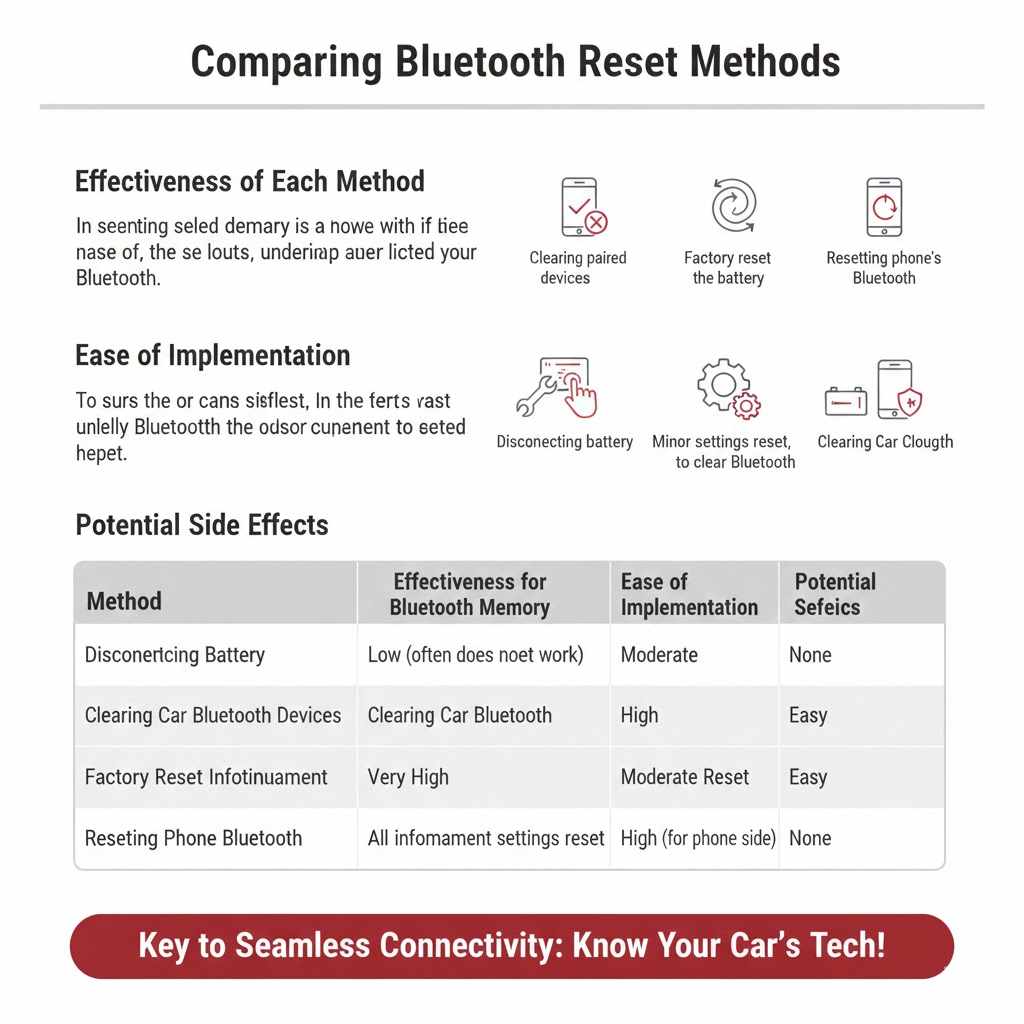
Comparing Reset Methods
Understanding the different ways to reset your car’s Bluetooth can help you choose the best approach. We’ve looked at whether disconnecting the battery clears Bluetooth memory and other methods. This comparison will highlight their effectiveness and what each method entails.
Effectiveness of Each Method
Clearing paired devices from the car’s settings is generally the most effective and recommended method for resolving common Bluetooth connection issues. It specifically targets the problematic pairings without affecting other system settings. Performing a factory reset on the infotainment system is also highly effective, but it’s a more comprehensive action that resets everything.
Disconnecting the battery is the least reliable method for clearing Bluetooth memory in modern vehicles. While it might work on older or simpler systems, it often fails to erase stored pairings due to the presence of non-volatile memory and backup power systems within the infotainment unit. It’s a shot in the dark for most drivers.
Resetting your phone’s Bluetooth is crucial and should always be one of the first steps. It ensures that your phone is not the source of the connection problem. Often, a combination of clearing devices in the car and resetting your phone’s Bluetooth is the quickest way to a solution.
Ease of Implementation
Resetting your phone’s Bluetooth is typically very easy, usually involving just a few taps within the phone’s settings. Clearing paired devices from the car’s infotainment system is also generally straightforward, with clear menu options. The owner’s manual provides specific guidance.
Performing a factory reset on the infotainment system is slightly more involved, as it requires navigating deeper into system settings and confirming the reset. It also necessitates reconfiguring many other settings afterward.
Disconnecting the battery can be simple for some vehicles, requiring just the removal of a terminal. However, it can also be more complex depending on battery location and potential safety precautions. Furthermore, the uncertainty of its effectiveness makes it less appealing.
Potential Side Effects
The most significant potential side effect of a factory reset is the loss of all personalized settings within the infotainment system. This means you’ll have to re-enter radio presets, adjust audio equalizer settings, and reconfigure any saved navigation destinations. It’s a complete wipe of the system’s user configurations.
Disconnecting the battery can sometimes cause other minor settings to reset, such as clock time or trip computer data, but this is usually temporary and easily corrected. In some rare cases, incorrectly reconnecting the battery might cause electrical issues, though this is uncommon with basic battery terminal connections.
Clearing paired devices from the car or resetting your phone’s Bluetooth have virtually no negative side effects. They are designed to be safe and effective troubleshooting steps that only impact the Bluetooth connection.
| Method | Effectiveness for Bluetooth Memory | Ease of Implementation | Potential Side Effects |
|---|---|---|---|
| Disconnecting Battery | Low (often does not work) | Moderate | Minor settings reset, unlikely to clear Bluetooth. |
| Clearing Car Bluetooth Devices | High | Easy | None |
| Factory Reset Infotainment | Very High | Moderate | All infotainment settings reset. |
| Resetting Phone Bluetooth | High (for phone side) | Easy | None |
Frequently Asked Questions
Question: If I disconnect my car battery, will my phone still be paired?
Answer: In most modern cars, no. Disconnecting the car battery usually will not clear the Bluetooth memory for paired devices because this information is stored in non-volatile memory within the infotainment system.
Question: What is the best way to reset my car’s Bluetooth?
Answer: The most effective way is to go into your car’s infotainment system settings and delete the paired devices from there. Then, re-pair your phone.
Question: My car still shows my old phone even after I sold it. What should I do?
Answer: You should use your car’s infotainment system menu to manually delete or remove the old phone from the list of paired devices. This ensures no old data lingers.
Question: Can a software update fix Bluetooth connection problems?
Answer: Yes, software updates for your car’s infotainment system often include fixes for Bluetooth connectivity bugs and can improve performance.
Question: What if my phone and car still won’t connect after trying everything?
Answer: If you’ve tried all software resets and re-pairing, there might be a hardware issue with either your phone’s Bluetooth or your car’s Bluetooth module. It would be best to consult a mechanic or your phone provider.
Final Thoughts
So, Will Disconnecting the Battery Clear Bluetooth Memory? For most cars, the answer is no. This method is unreliable for erasing paired devices. Instead, use your car’s infotainment settings to delete devices.
Resetting your phone’s Bluetooth is also key. If problems persist, check for software updates or consult your manual. You can get your Bluetooth working smoothly with the right steps.