Green Light on GMC Terrain: A Proven, Essential Answer
A green car light on your 2021 GMC Terrain dash means the Lane Keep Assist (LKA) system is active and ready to help. This is a normal, helpful safety feature designed to gently steer you back into your lane if you start to drift unintentionally. It is not a warning light or a sign of a problem.
Have you ever been driving your GMC Terrain, enjoying the ride, when a new green light suddenly appears on your dashboard? It can be a little surprising. A new light often makes us think something is wrong. But don’t worry! This particular light is actually a sign that your vehicle is working to keep you safe. It’s one of the smart features that makes modern cars so reliable.
In this guide, I’ll walk you through exactly what that green light means. We will cover why it turns on, how it helps you, and how you can control it. Think of me as your friendly guide in the passenger seat, here to make sense of your car’s technology. You’ll see just how simple it is, and you’ll feel more confident behind the wheel. Let’s get started!
What is That Green Car Light on Your GMC Terrain’s Dash?
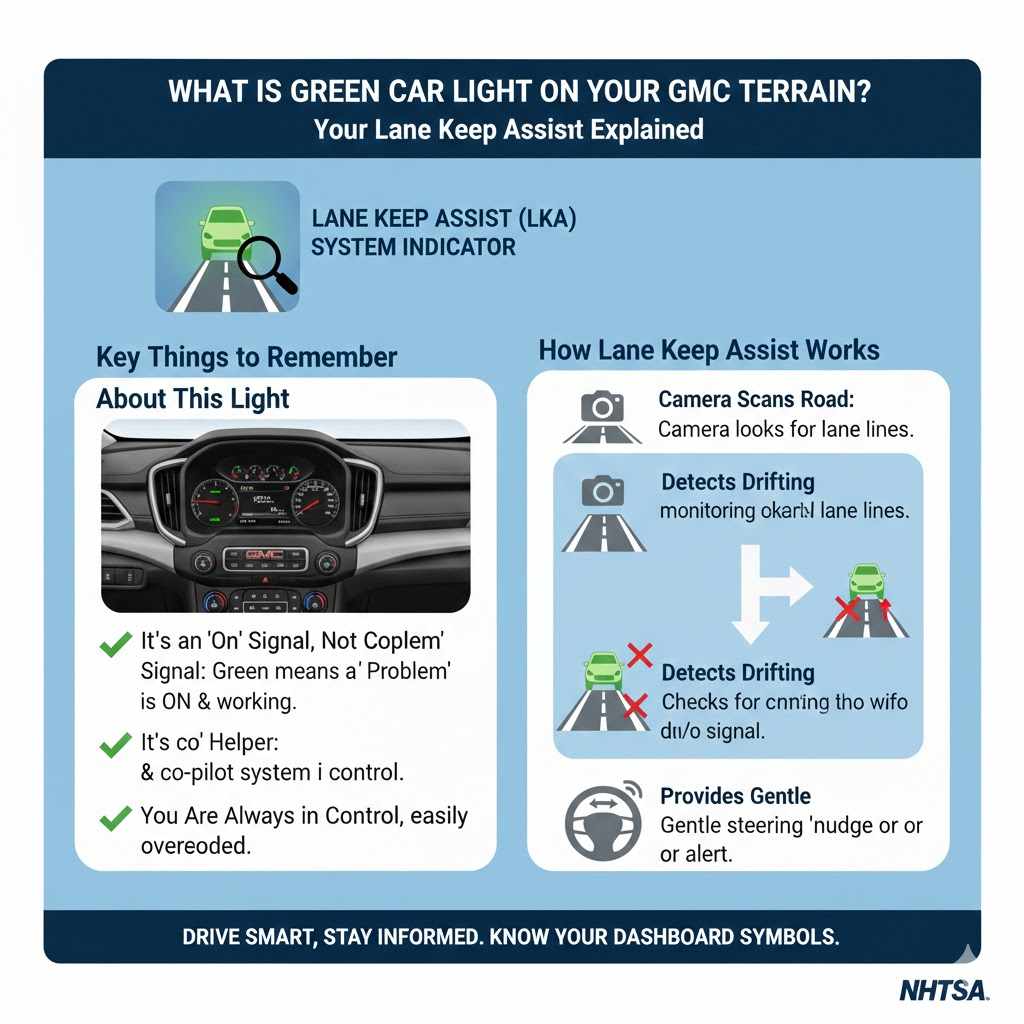
That little green symbol of a car between two lines is your Lane Keep Assist (LKA) with Lane Departure Warning (LDW) indicator. It’s a modern safety feature built into your GMC Terrain to act as an extra set of eyes on the road. Seeing this light turn green is a good thing—it means the system is active, monitoring the lane markings, and ready to help if needed.
The main job of Lane Keep Assist is simple: to help prevent you from accidentally drifting out of your driving lane. We all have moments of brief distraction, and this system is designed to provide a gentle correction to keep you centered and safe. It’s not meant to steer the car for you, but rather to give you a helpful nudge in the right direction.
Key Things to Remember About This Light:
- It’s an “On” Signal, Not a “Problem” Signal: Unlike red or yellow lights that signal issues, green lights on your dash almost always mean a system is turned on and operating correctly.
- It’s a Helper: Think of it as a co-pilot that’s paying close attention to the road lines, ready to assist you.
- You Are Always in Control: The system provides gentle steering nudges, but you can easily override it with your own steering. You are always the one in command of your vehicle.
Why is the Light Green? Understanding Indicator Colors
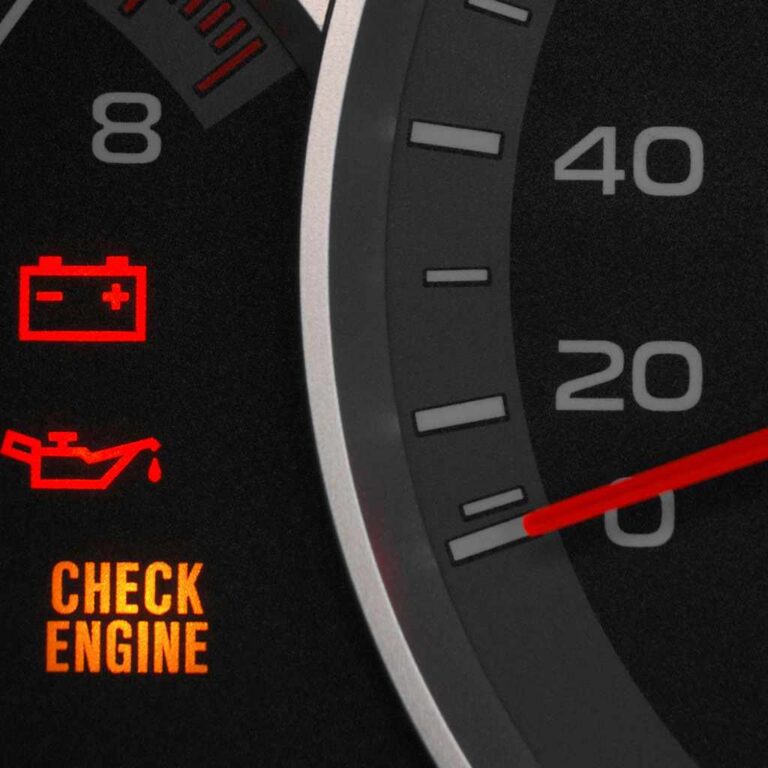
Your vehicle’s dashboard communicates with you using a simple color code, much like a traffic light. Understanding this code can remove a lot of the stress and confusion that comes with dashboard symbols. Once you know what each color means, you’ll be able to quickly understand what your GMC Terrain is telling you.
Here is a simple breakdown of what the colors on your dashboard generally mean. This is a great piece of knowledge for any driver to have.
| Color | Meaning | Action Required |
|---|---|---|
| Green (or Blue) | System is On / Active | No action needed. This is simply for your information (e.g., headlights are on, cruise control is set, or Lane Keep Assist is active). |
| Yellow (or Amber/Orange) | Caution / Check Soon | A non-critical issue needs attention. It could be low tire pressure, a check engine light for a minor sensor, or traction control activating. It is safe to continue driving, but you should have it checked soon. |
| Red | Warning / Serious Issue | This requires immediate attention. A red light could mean a serious engine problem, low oil pressure, or a braking system issue. You should pull over safely as soon as possible and turn off the engine. |
So, when you see that green car icon for your Lane Keep Assist, you can relax. Your Terrain is simply letting you know that a helpful safety feature is switched on and ready to go.
How Lane Keep Assist Works on Your GMC Terrain
You might be wondering how your vehicle can see the lanes and help you stay within them. The technology is quite clever but easy to understand. It relies on a camera and your car’s computer system working together seamlessly. It’s all designed to happen smoothly in the background while you focus on driving.
Here’s a simple, step-by-step look at how the magic happens:
- The Camera Watches the Road: Your GMC Terrain has a small, forward-facing camera mounted on the windshield, usually near the rearview mirror. This camera is constantly scanning the road ahead to detect the painted lane markings on either side of your vehicle.
- The System Becomes Ready: Once you are driving above a certain speed (typically around 37 mph or 60 km/h), and the camera can clearly see the lane lines, the Lane Keep Assist system becomes active. This is when the dashboard icon turns from white (or amber) to green. Green means “I’m ready to help!”
- It Detects Unintended Drifting: If your vehicle begins to drift toward a lane line without your turn signal being activated, the system assumes it’s unintentional. It knows you aren’t planning to change lanes because you haven’t signaled.
- A Gentle Nudge is Applied: The system will then provide a small, gentle amount of steering torque to your wheel, nudging the vehicle back toward the center of the lane. It’s a subtle correction, not a sharp turn. Some models may also vibrate the driver’s seat or sound a soft chime.
- You Remain in Full Control: If you intentionally steer, the system immediately yields to your input. It is purely an assistance feature and will never fight against your control of the vehicle.
This entire process is designed to be intuitive and non-intrusive. It’s there to help you on long highway drives or in moments of brief inattention, enhancing your safety without being annoying.
When Will You See the Green Light? (And When You Won’t)
The Lane Keep Assist system is smart, and it knows when it can and cannot work effectively. The green light will only appear when all the right conditions are met. If you notice the light is white, amber, or not on at all, it usually just means the system is not currently active for a specific reason.
Conditions Needed for the Green Light to Appear:
- You’re Driving Fast Enough: The system is designed for highway speeds, so it typically won’t activate below 37 mph (60 km/h). This prevents it from interfering with city driving or parking.
- The Lane Markings are Clear: The camera needs to be able to see the painted lines on the road. Well-maintained roads with bright, clear lines are ideal.
- The System is Turned On: You must have the Lane Keep Assist system enabled. There is a button, usually on the steering wheel or center console, that allows you to turn it on or off.
- Good Weather Conditions: The camera works best in clear weather. Heavy rain, snow, fog, or direct sun glare can make it difficult for the camera to see the lane lines.
Reasons Why the Light Might Not Be Green:
- Driving too slowly in the city.
- Driving on a road with no lane markings or very faded ones.
- Bad weather is obscuring the camera’s view.
- The windshield area in front of the camera is dirty, foggy, or blocked by snow or ice.
- You are driving through a construction zone with confusing lines.
- Going around a very sharp curve or cresting a steep hill.
If the icon is white or amber, it simply means the system is on but not currently able to detect the lanes. As soon as the conditions improve, it will turn green again.
Other Green Lights You Might See on Your Terrain
While the Lane Keep Assist icon is a common green light that causes questions, your GMC Terrain has a few others. It’s helpful to be able to tell them apart so you always know what your vehicle is telling you. Most are very simple indicators for features you use every day.
Here’s a quick guide to some other green lights and what they mean:
| Icon Description | What It Is | What It Means |
|---|---|---|
| A green car symbol with a small speedometer and lines in front of it. | Adaptive Cruise Control | This means your Adaptive Cruise Control is set and is actively maintaining a set following distance from the vehicle ahead of you. |
| A green light symbol with beams pointing forward. | Headlights On | Your main headlights are turned on. This light is often green or blue, especially when the high beams are active. |
| A green light symbol with angled beams and a wavy line through them. | Fog Lights On | Your front fog lights are turned on. This helps with visibility in foggy or misty conditions. |
| Two green arrows pointing left and right. | Turn Signals / Hazard Lights | This indicates your turn signal or hazard lights are flashing. You will see one arrow for a turn signal or both for the hazard lights. |
Learning these basic symbols helps build your confidence as a driver. You’ll be able to glance at your dashboard and know exactly what’s going on without a second thought.
How to Turn Lane Keep Assist On and Off
While Lane Keep Assist is a fantastic safety feature, you are always in control. There may be times you prefer to drive without it, such as on winding country roads or in areas with poor lane markings where the system might feel intrusive. Turning it on and off is very straightforward.
Follow these simple steps:
- Locate the Button: Find the Lane Keep Assist button. In most GMC Terrains, this button is located on the steering wheel or on the center console stack, near the climate controls or gear selector.
- Identify the Icon: The button will have the same icon that you see on the dashboard—a car between two lines.
- Press to Toggle: Simply press the button to turn the system on or off. When you press it, a message will usually appear briefly in your Driver Information Center (the screen in your instrument cluster) confirming that the system is “On” or “Off.”
- Check the Dashboard Light: When the system is on, you will see the white or green icon on your dashboard. When you turn it off, the icon will disappear completely.
That’s all there is to it! You can easily enable or disable it as you see fit, giving you complete control over your driving experience.
Is it Safe to Drive with the Green Light On?
Absolutely, yes! In fact, driving with the green Lane Keep Assist light on means an important safety system is active and helping protect you. It’s designed to add an extra layer of security to your drive, especially on long trips or highways where monotonous driving can lead to inattention.
However, it is crucial to remember what this technology is—and what it isn’t. Advanced Driver Assistance Systems (ADAS), like Lane Keep Assist, are there to assist the driver, not replace them. Your GMC Terrain is not a self-driving car.
Safety Reminders for Using Driver-Assist Features:
- Hands on the Wheel: You must always keep your hands on the steering wheel and be ready to take full control at any moment. The system will often alert you if it detects your hands are off the wheel for too long.
- Eyes on the Road: Continue to pay full attention to the road, traffic, and your surroundings. This technology is a backup, not your primary method of steering.
- Understand the Limits: As we discussed, the system has limitations. It won’t work in poor weather, on poorly marked roads, or at low speeds. Be aware of when it is active (green light) and when it is not.
For more detailed information on these types of safety systems, you can visit authoritative sources like the National Highway Traffic Safety Administration (NHTSA). They provide excellent resources on how driver-assistance technologies work to make our roads safer.
Troubleshooting: What if the Light Doesn’t Turn Green?
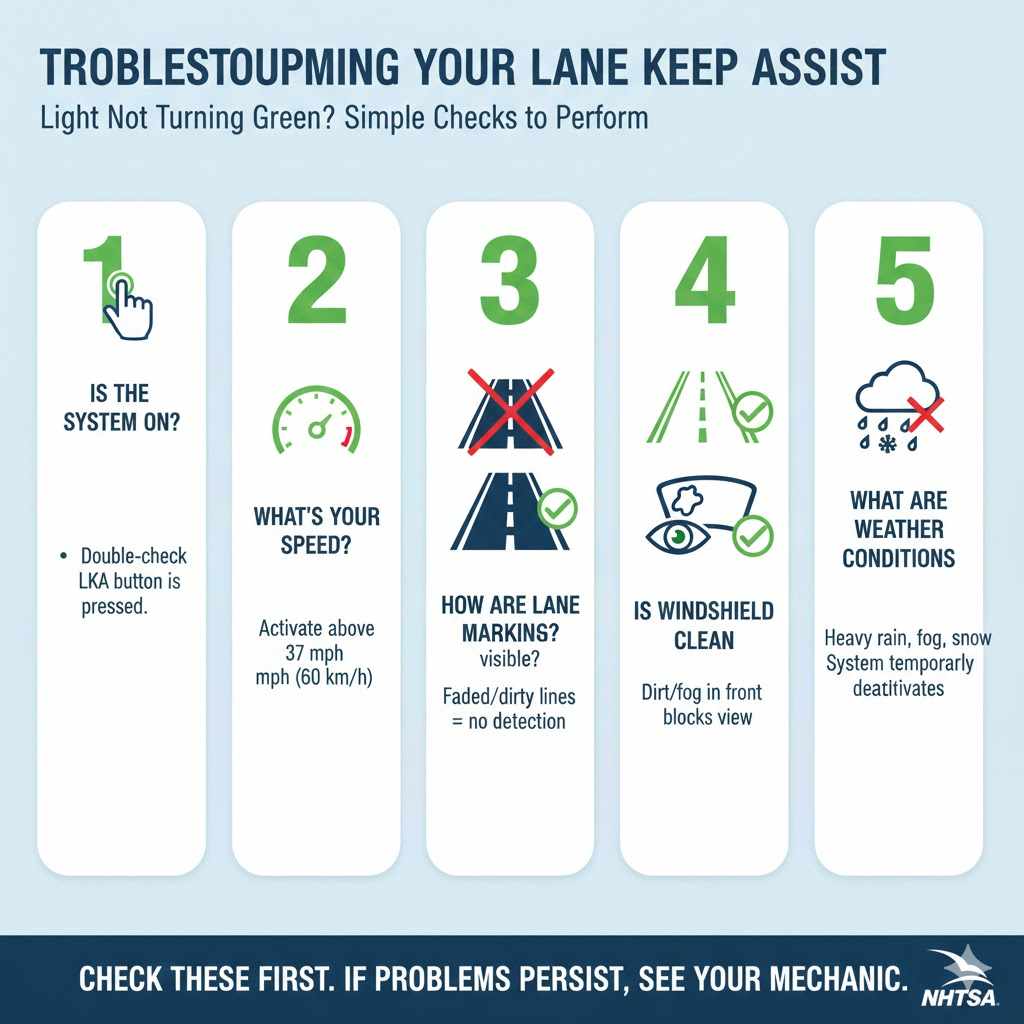
If you’ve turned the Lane Keep Assist system on but the dashboard icon stays white or amber and never turns green, don’t panic. There’s usually a simple explanation. Before assuming there’s a problem with the system, run through this quick troubleshooting checklist.
Simple Checks to Perform:
- Is the System On? First, double-check that you’ve pressed the LKA button. It’s an easy step to forget!
- What’s Your Speed? Remember, the system won’t activate below about 37 mph (60 km/h). Make sure you are traveling at a highway speed.
- How Are the Lane Markings? Look at the road. Are the painted lines clear and visible? If they are faded, covered by dirt, or nonexistent, the camera can’t see them.
- Is the Windshield Clean? The camera is located behind your windshield. If that area is dirty, covered with mud, snow, or ice, or even just very foggy, it can block the camera’s view. Give it a good cleaning.
- What Are the Weather Conditions? Heavy rain, dense fog, or falling snow can prevent the camera from working correctly. In these cases, the system will temporarily deactivate for safety.
If you have checked all of these things and the light still refuses to turn green under ideal conditions (clear day, clean windshield, well-marked highway at speed), then it might be time to consult your owner’s manual for more specific information. If the issue persists, a quick visit to your trusted mechanic or GMC service center can provide a definitive diagnosis.
FAQ: Your GMC Terrain Green Light Questions Answered
1. Does the green light mean something is wrong with my GMC Terrain?
No, quite the opposite! A green light on your dashboard is informational. It indicates that a vehicle system, in this case, Lane Keep Assist, is turned on and functioning correctly. It is not a warning light.
2. Can I permanently disable the Lane Keep Assist feature?
You can turn the system off with the press of a button for any given drive. However, on most modern vehicles, the system will default to being “on” the next time you start the car. This is a safety design choice by the manufacturer. There is no way to permanently disable it without altering the vehicle’s computer systems, which is not recommended.
3. Why does the green light sometimes turn white or amber?
The light changes color to communicate its status. Green means the system is active and can see the lane lines. White or amber typically means the system is on but is temporarily unable to detect the lane lines due to low speed, poor markings, or bad weather. It’s standing by, ready to turn green as soon as conditions are right.
4. Will Lane Keep Assist work in heavy rain or snow?
Usually not. The system’s camera relies on being able to clearly see the painted lines on the road. Heavy rain, snow, or fog can obscure the camera’s vision, just as it can for a human driver. When this happens, the system will temporarily become inactive for your safety.
5. Is this green light the same as the “ECO” mode light?
No, they are different. The ECO mode light, which is also often green, indicates that the vehicle is operating in a fuel-efficient mode. The Lane Keep Assist light is a distinct icon of a car between two parallel lines. Your dashboard can display both at the same time.
6. Does using Lane Keep Assist affect my fuel economy?
The system’s impact on fuel economy is practically zero. It uses a very small amount of electrical power for the camera and computer, and the steering adjustments are made by the existing power steering system. You will not notice any difference in your gas mileage.
7. Where is the camera for the Lane Keep Assist system located?
The camera is housed in a small module mounted high up on the inside of your front windshield, typically integrated into the rearview mirror assembly. It’s important to keep this area of your windshield clean and clear of obstructions.
Conclusion: Driving with Confidence
Seeing a new light on your dashboard doesn’t have to be a moment of worry. As we’ve learned, the green car light on your GMC Terrain is a sign that your vehicle is actively working to help you stay safe on the road. It’s your Lane Keep Assist feature, a smart and helpful co-pilot that provides a gentle hand when you need it most.
By understanding what this light means and how the system works, you’ve taken a big step toward becoming a more informed and confident driver. You now know that green means go—your safety systems are engaged and ready. You know how to turn it on and off, and you know why it might not be active in certain conditions.
So the next time that little green car appears between the lines on your dash, give it a little nod of appreciation. It’s just one of the many ways your GMC Terrain is built to look out for you. Drive safely, and enjoy the peace of mind that comes with knowing your car a little better.