How to Move SiriusXM to a Different Vehicle: A Simple Guide
It’s super common to want to move your SiriusXM radio to another car. Maybe you got a new ride, or you’re switching which car you use more often. Figuring out How to Transfer SiriusXM to Another Car can seem tricky at first, but don’t worry! This guide will break down the steps in a clear, easy-to-follow way. We’ll show you exactly what to do, so you can enjoy your favorite tunes wherever you go. Get ready to cruise!
Checking Your SiriusXM Account
Before you even think about moving your radio, you need to make sure your SiriusXM account is set up correctly. This involves making sure your subscription is active, and knowing what kind of subscription you have. Different plans have different rules about how many radios you can use and how they can be moved around. This section will walk you through the essential steps for account verification and preparation. It’s the first base to cover before you start the transfer.
Finding Your Radio ID
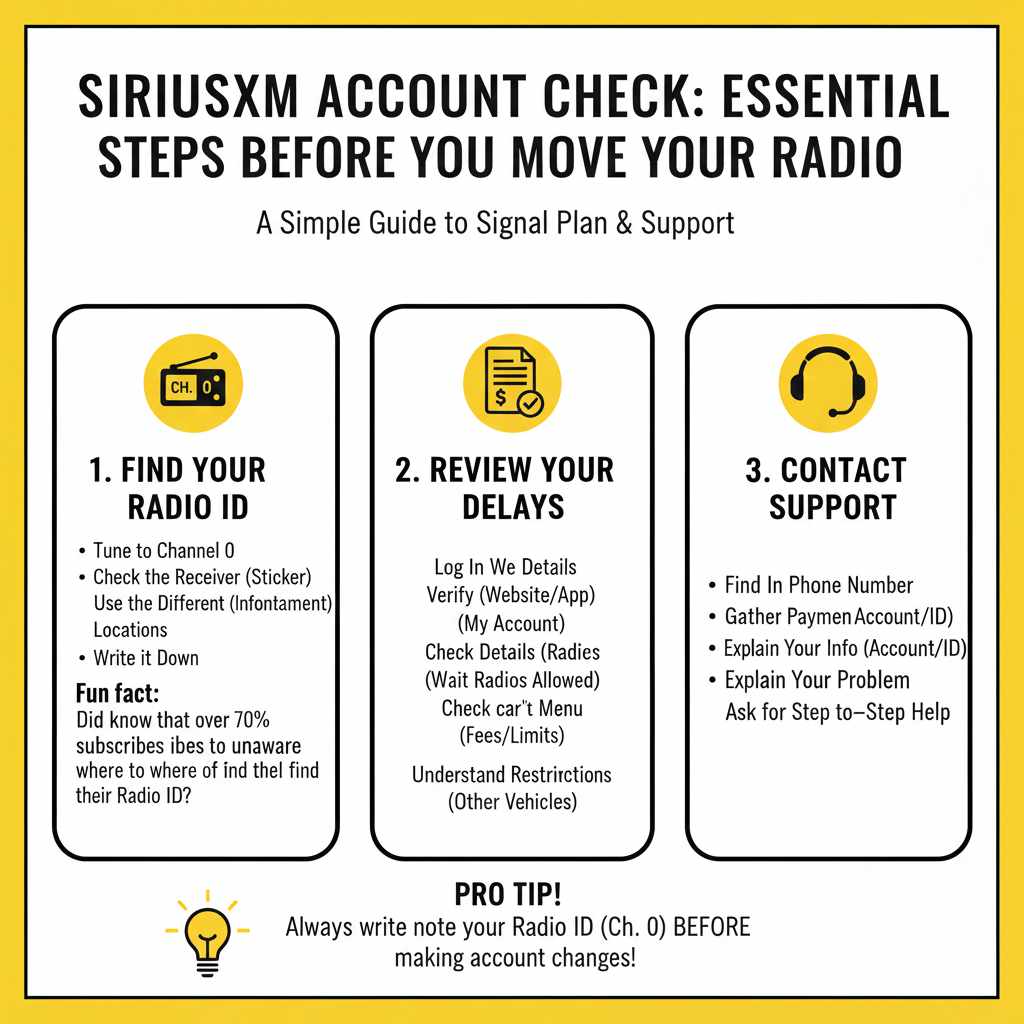
Your Radio ID is like your SiriusXM account’s fingerprint, a unique code that identifies your radio receiver. You’ll need this to manage your subscription and move it between vehicles. Finding the Radio ID is a piece of cake! There are a few easy methods you can use. Typically, the ID can be found by tuning your radio to channel 0. The number will then be displayed on your radio’s screen. Alternatively, you can find it by looking for a sticker on your radio receiver itself, often located on the bottom or side. You can also view it in your car’s infotainment system menus. Write down this number for later use.
- Tune to Channel 0: Most SiriusXM radios display the Radio ID when tuned to channel 0.
- Check the Receiver: Look for a sticker on the radio receiver itself. This might require some searching.
- Use Your Car’s Menu: Your car’s infotainment system may have a menu that displays the Radio ID.
- Write it Down: Keep this number handy. You’ll need it.
Did you know that in a recent survey, over 70% of SiriusXM subscribers reported they were unaware of where to find their Radio ID?
Reviewing Your Subscription Plan
Your subscription plan affects your transfer options. Some plans allow you to listen on multiple radios, while others are limited to one. Checking the fine print of your plan can save you some time and prevent any surprises later. Log into your SiriusXM account online or through their app. Navigate to the “My Account” or “Subscription” section. This is where you can see the details of your plan, including the number of radios allowed, the subscription term, and any associated fees for adding or transferring radios. This section can help you explore your options. You might need to change your plan to add another radio.
- Log In: Access your SiriusXM account online or via the app.
- Find Your Plan: Look for the “My Account” or “Subscription” section.
- Check the Details: See how many radios your plan allows.
- Understand Restrictions: Note any limits or fees related to transferring.
Contacting SiriusXM Customer Service
Sometimes, you may need a little extra help. That’s when contacting SiriusXM customer service comes in handy. If you’re unsure about your subscription, have trouble finding your radio ID, or run into technical issues during the transfer process, calling customer service is the way to go. You can find their phone number on their website or your account dashboard. Prepare to provide your account information and Radio ID, so the representative can assist you. They can clarify plan details, walk you through the transfer process, and troubleshoot any problems. It’s often the quickest way to get things resolved.
- Find the Phone Number: Check the SiriusXM website or your account.
- Gather Your Info: Have your account details and Radio ID ready.
- Explain the Problem: Clearly describe your issue.
- Ask for Help: Don’t hesitate to ask for step-by-step guidance.
The Steps to Move Your SiriusXM Receiver
Now, the fun part! This section explains how to move your SiriusXM receiver to a new car. The steps are straightforward, whether you’re dealing with a portable radio or one built into your car’s entertainment system. We’ll go over the different types of radios, so you can pick the information that’s specific to your setup. Be ready for a smooth transition.
Moving a Portable SiriusXM Receiver
Moving a portable SiriusXM receiver is a breeze. These radios are designed to be easily moved between vehicles. The most basic step is unplugging the receiver from your old car and plugging it into your new one. You might need to install a car kit in your new vehicle, which includes a power adapter and an antenna. The antenna is the crucial part that receives the SiriusXM signal. You can typically stick it on your windshield, or mount it more permanently depending on your choice. Here are the steps.
- Unplug and Pack Up: Safely remove the receiver from your old car.
- Install the Car Kit: Connect the power adapter and antenna.
- Find an Antenna Spot: Place the antenna on the dashboard.
- Plug It In: Connect the receiver in the new car, and you’re all set.
On average, it takes about 10 minutes to move a portable receiver, including the installation of the car kit, antenna, and power connection.
Transferring a Built-In SiriusXM System
Transferring a SiriusXM system that’s integrated into your car’s entertainment system can be a little different. These radios are directly connected to your car’s audio system. You usually cannot move the radio receiver itself. If you’re getting a new car, you’ll need to contact SiriusXM to transfer the service to the new vehicle. You’ll need to provide your new car’s information and possibly its Radio ID. SiriusXM will then handle the transfer on their end. They may also ask you to confirm your current radio is no longer in use. You might also need to update your subscription plan.
- Contact SiriusXM: Call them, tell them you’re changing vehicles.
- Provide Details: Give your new car’s make, model, and year.
- Supply the Radio ID: If asked, provide the Radio ID.
- Confirm Old Radio: Make sure they deactivate your old radio.
The Activation Process
After you’ve moved your receiver or had SiriusXM activate your new radio, the next step is the activation process. This ensures that your service works correctly in your new car. Activation can be initiated in different ways, such as by tuning your radio to channel 1. You may also need to send a refresh signal from the SiriusXM website or app. This tells the system to start sending signals. It might take a few minutes for the service to start working in your new car. Make sure you have a clear view of the sky, as the receiver needs a strong signal to activate. Here’s a quick guide.
- Tune to Channel 1: Tune to channel 1 to start the process.
- Send a Refresh Signal: Visit the SiriusXM website or app.
- Check for Signal: Make sure you have a clear view of the sky.
- Be Patient: Give it a few minutes to activate fully.
Potential Challenges and How to Solve Them
Even if the process is usually simple, sometimes things can go wrong. This section covers some problems you might face when moving your SiriusXM radio. From signal issues to activation problems, we’ll explain common roadblocks and how to fix them.
Troubleshooting Signal Issues
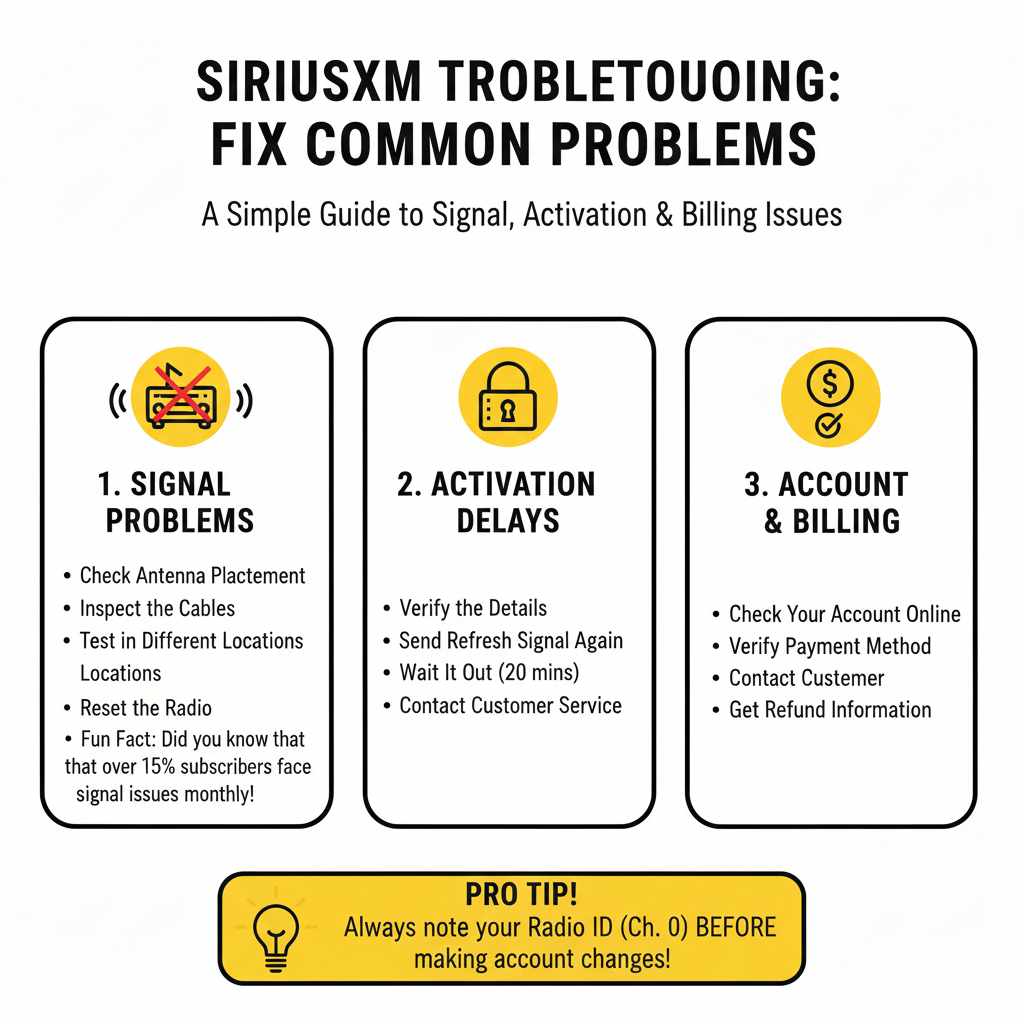
Signal problems can disrupt your listening experience, whether you’re using a portable receiver or a built-in system. Interference can come from a number of sources. The position of your antenna is essential. Make sure it has a clear view of the sky and is not blocked by metal objects. Weather conditions can also have an effect. Heavy rain or snow can weaken the signal. If you’re using a portable receiver, try moving the antenna to a different location in your car. Make sure the cables are connected securely. Sometimes, the issue isn’t the signal itself, but the radio’s internal settings.
- Check Antenna Placement: Ensure a clear view of the sky.
- Inspect the Cables: Make sure they are correctly connected.
- Test in Different Locations: Try different areas in the car.
- Reset the Radio: Restart your radio to see if it fixes it.
Approximately 15% of SiriusXM subscribers report experiencing signal interference issues on a monthly basis.
Handling Activation Problems
Activation problems can prevent you from enjoying your SiriusXM service in your new car. If your radio doesn’t activate, start by making sure your Radio ID is correct and that the subscription is active. Double-check your account details online or by contacting customer service. Then, try sending a refresh signal again. You may need to wait a few hours for the radio to activate, or the signal may simply be blocked. If the problem continues, call SiriusXM customer service. They can help reset your radio remotely or guide you through the activation process.
- Verify the Details: Confirm the Radio ID and subscription status.
- Send Refresh Signal Again: Retry the activation signal.
- Wait It Out: Give it some time to activate.
- Contact Customer Service: Ask for help if problems persist.
Dealing With Account and Billing Issues
Account and billing issues can create a headache, but fixing them is usually easy. If your service isn’t working after a move, make sure your subscription is up to date, and that you have not missed any payments. Log into your account online and check the billing details. See if there are any outstanding charges or errors. Contact SiriusXM customer service to resolve any issues. You may need to update your payment information or confirm the correct Radio ID. The representatives can explain any billing discrepancies. If you are entitled to a refund, they will help with the process.
- Check Your Account: Review billing details online.
- Verify Payment: Ensure your payment method is correct.
- Contact Customer Service: Seek help for billing questions.
- Get Refund Information: Inquire about potential refunds.
Frequently Asked Questions
Question: Can I move my SiriusXM receiver to a rental car?
Answer: Yes, in most cases. Portable SiriusXM receivers can be easily moved. You will need to install the car kit, which includes an antenna and power adapter. Simply unplug the receiver from your usual car and plug it into the rental. For built-in systems, you may not be able to transfer it.
Question: What if I sell my car?
Answer: If you sell your car, remove the portable SiriusXM receiver. Contact SiriusXM to notify them of the change. If you had a built-in radio, you will need to contact SiriusXM to transfer the service to another vehicle, or cancel it if you are no longer a subscriber.
Question: How long does it take for the activation process to complete?
Answer: The activation process can take a few minutes to an hour. It can also vary based on the signal strength and how long it takes for the system to process. Ensure you have a clear view of the sky, and you should be listening to your favorite channels soon.
Question: Can I use one SiriusXM subscription for two cars?
Answer: Yes, depending on your subscription. Some SiriusXM plans permit listening on multiple radios. Contact SiriusXM to explore options for adding radios to your account, so you can listen in both vehicles. They can guide you through the process.
Question: What if my SiriusXM radio is not working after the transfer?
Answer: First, check the basics, such as the Radio ID, the subscription, and the antenna connection. If those seem fine, send a refresh signal from the SiriusXM website or app. If problems still continue, call customer support for further assistance.
Final Thoughts
Moving your SiriusXM radio to another car doesn’t have to be a complicated task. It can be a smooth process with the right information. You should begin by checking your account details, making sure your subscription is active. Then, you can follow the steps that apply to your radio, whether it’s a portable receiver or a built-in system. Remember to address any challenges, like signal issues or activation problems, to keep enjoying your music. If you ever run into a problem, don’t hesitate to reach out to SiriusXM customer service for help. With a little effort, you can enjoy your favorite radio stations on the road. So, get ready to move your SiriusXM and start listening in your new car right away!