How To Update Your Car Navigation System For Free In 2025
The best way to update your car navigation system for free in 2025 involves checking your vehicle manufacturer’s official website or your car’s infotainment system settings for downloadable updates. Many carmakers now offer these updates directly to owners, or through dealership portals, eliminating costly dealer fees. You’ll need your vehicle’s VIN and often a USB drive.
Understanding Your Car’s Navigation System Updates
Think of your car’s navigation system like a phone app. It needs updates to work its best. Maps change all the time.
Roads are built, closed, or rerouted. Speed limits shift. New points of interest, like shops or restaurants, pop up constantly.
Without these changes, your navigation system becomes less helpful and even inaccurate.
Car manufacturers used to make updates a costly service. You’d often have to visit the dealership. There, they would charge a hefty fee for the map data and the labor to install it.
This made many car owners delay updates or skip them altogether. This left them with navigation that wasn’t reliable.
But things are changing, especially in 2025. More car companies realize that providing up-to-date systems is part of good customer service. They want you to have a good experience with their cars.
So, they are starting to offer free navigation system updates. This is great news for drivers like you and me.
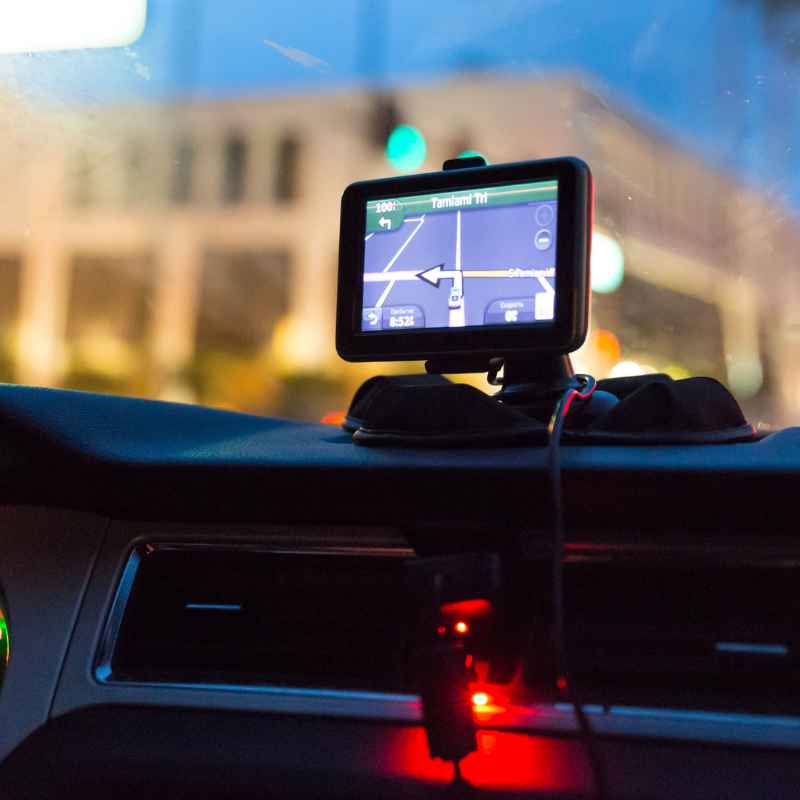
Why Free Updates Matter So Much
Let’s be honest, nobody likes unexpected costs. When you buy a car, you’ve already made a big investment. Adding hundreds of dollars for a map update can feel unfair.
Especially when phone apps like Google Maps or Waze offer live, free updates constantly.
Free updates mean a few things for you. First, your car’s navigation will be more accurate. This means fewer wrong turns and less wasted fuel.
You’ll find places easier. Second, it makes your car feel more modern and valuable. A system that works well adds to the overall driving pleasure.
Third, it can even be a safety feature. Knowing the correct speed limits or road layouts can help you drive more safely. It’s about peace of mind on every trip.
So, finding free ways to update is a big win.
Finding Your Car’s Update Source
The first place to look is your car’s manual. It might tell you about the navigation system. It may also point you to where you can find updates.
If you don’t have the manual, look for it online. Most car companies have digital versions available.
Next, check your car’s infotainment screen. Sometimes, there’s a “System Update” or “Navigation Update” option in the settings menu. This might guide you directly to a download or tell you what you need.
The most reliable place is usually the official website of your car’s manufacturer. Look for a section related to “Owners,” “Support,” or “Infotainment.” You’ll likely need your car’s Vehicle Identification Number (VIN) to find the correct update for your specific model and year.
Some brands use a system where you download an update tool to your computer. This tool then helps you prepare a USB drive with the new map data. You then take this USB drive to your car and plug it into a specific port.
The car’s system will then install the update.
The USB Drive Method: A Step-by-Step Guide
This is one of the most common ways to get free updates. It’s pretty straightforward once you know the steps.
1. Find the Correct Update
Go to your car manufacturer’s website. Find the navigation update section. You’ll need your VIN.
Select your car model, year, and trim level. The site should then show you if an update is available. It will also tell you the version number of the update.
2. Download the Update Tool
Often, you won’t download the map files directly. Instead, you’ll download a special program. This program is designed by the manufacturer.
It’s made to manage the update files correctly.
3. Prepare Your USB Drive
You’ll need a USB flash drive. Make sure it’s empty and has enough space. The manufacturer’s site will tell you how much space is needed.
Usually, 16GB or 32GB is enough. Format the USB drive if the instructions say so. This wipes it clean and sets it up correctly.
Using your computer, run the update tool you downloaded. It will guide you to select your car model. Then, it will prompt you to insert your USB drive.
The tool will download the map data and put it onto the USB drive in the correct format.
4. Install the Update in Your Car
Once the tool finishes, safely remove the USB drive from your computer. Go to your car. Turn on the ignition, but don’t start the engine.
Find the USB port for the infotainment system. Plug in the drive.
Your car’s navigation system should detect the update. It will likely ask you to confirm. Follow the on-screen prompts.
The installation can take some time. It might be 30 minutes or even longer. Do not remove the USB drive or turn off the car during this process.
Some systems allow you to do this while the engine is running, but it’s often best to have the car in accessory mode.
Once it’s done, the system will usually tell you. You can then remove the USB drive. Restart your infotainment system if needed.
Your maps should now be updated.
Quick Scan: Essential Update Checklist
What You Need:
- Vehicle Identification Number (VIN): Your car’s unique ID.
- Empty USB Drive: At least 16GB, check manufacturer specs.
- Computer: With internet access.
- Update Tool: Downloaded from the car maker’s site.
- Car’s Manual: For specific port locations.
Before You Start:
- Ensure your car battery is fully charged or the engine is running.
- Have at least 30-60 minutes of uninterrupted time.
- Keep your car in a safe, well-ventilated area if the engine is on.
Navigating Different Car Brands
Every car brand handles this a bit differently. What works for Toyota might not be the exact same for Ford. Here are some general ideas for popular brands, but always check their official sites for the most accurate, up-to-date instructions for your specific vehicle.
For American Brands (Ford, Chevrolet, Chrysler/Dodge/Jeep/Ram)
These brands often have dedicated portals for owners. You’ll typically log in with an account linked to your vehicle. Then, you can find the latest software and map updates.
For example, Ford owners might visit the Ford Owner website, and GM owners might check the MyGMLink or Chevrolet Owner Center.
The process usually involves downloading a file to a USB drive. Some newer models might even support over-the-air (OTA) updates, but manual USB updates are still very common for navigation maps.
For Japanese Brands (Toyota, Honda, Nissan, Subaru)
Toyota, for instance, often directs users to their official navigation site or the Toyota Owners portal. Honda may have a similar setup through their respective owner centers. Nissan Connect services sometimes play a role, offering updates for their infotainment systems.
Many of these brands have a clear distinction between infotainment software updates and map data updates. Make sure you are downloading the correct one for your navigation system.
For German Brands (BMW, Mercedes-Benz, Audi)
These premium brands can be a bit more complex. While free updates are becoming more common, they might still have specific procedures. BMW often uses the ConnectedDrive portal, while Mercedes-Benz might have updates through their Mercedes me connect services.
Audi owners might look for updates related to their MMI (Multi Media Interface) system. Sometimes, these updates are tied to specific service intervals or subscription periods, but purely map updates can still be free for a certain period after purchase or through manufacturer initiatives.
What If My Car is Older?
Older Models: If your car is several years old, finding free, direct updates from the manufacturer can be harder. Some older systems might not be supported with new map data anymore.
Aftermarket Solutions: For some older cars, you might find third-party providers offering updated map SD cards or discs. These are usually not free but can be cheaper than dealer updates. Always check reviews for these providers.
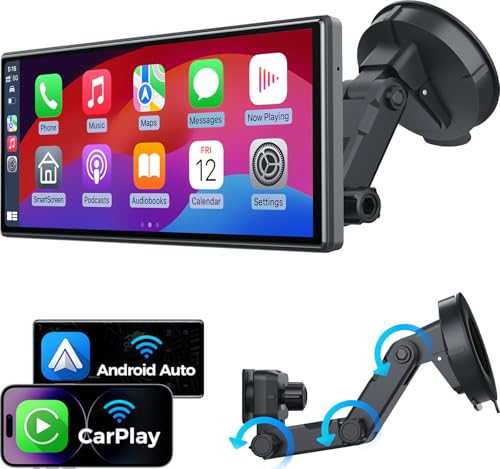
Phone Mirroring: Many newer cars support Apple CarPlay or Android Auto. This lets you use your phone’s navigation apps directly on your car’s screen. This is the easiest way to always have the latest maps.
If your car doesn’t have it, consider an aftermarket head unit installation.
When Updates Are NOT Free (And What to Do)
While many manufacturers offer free map updates, there are exceptions. Some car models or specific types of updates might still carry a cost. This is especially true for advanced features or real-time traffic data subscriptions.
If your car manufacturer genuinely charges for navigation map updates, don’t despair. Here are a few things to consider:
1. Check Update Frequency
How often do you truly need an update? For many drivers, one update per year is more than enough. If your car doesn’t come with free updates, ask the dealership or manufacturer how often they release new map data.
2. Look for Promotions
Car manufacturers sometimes run special promotions. They might offer a free update for a limited time. Keep an eye on their websites or owner newsletters.
3. Consider Third-Party Providers
For older systems that are no longer updated by the manufacturer, third-party map providers exist. These companies specialize in creating map data for various car systems. However, these are rarely free and you need to be careful about compatibility and the legitimacy of the provider.
4. Embrace Smartphone Navigation
This is often the most practical and cost-effective solution for many. If your car supports Apple CarPlay or Android Auto, use Google Maps, Waze, or Apple Maps. These apps update automatically and provide real-time traffic information, which built-in systems often lack without a subscription.
If your car is not compatible with these systems, you can buy aftermarket head units that do. While this is an upfront cost, it might be cheaper in the long run than paying for multiple map updates for your built-in system.
Myth vs. Reality: Navigation Updates
Myth: All car navigation updates cost a lot of money.
Reality: Many manufacturers now offer free map updates for their newer models. Always check the official source first.
Myth: My car’s built-in GPS is always better than my phone.
Reality: While convenient, built-in systems can have outdated maps. Phone apps often have real-time data and more frequent updates, especially for traffic.
Myth: I need to go to the dealer for every update.
Reality: Many updates can be done yourself using a USB drive. This saves time and money.
Troubleshooting Common Update Issues
Even with the best instructions, you might run into problems. It’s good to know what to do if something goes wrong.
Update Fails or Gets Stuck
This is probably the most common issue. If the installation seems to freeze or stops progress, don’t panic. First, check your car’s manual or the manufacturer’s website for specific troubleshooting steps for your model.
Often, the solution is to remove the USB drive. Then, try restarting your car and the infotainment system. Re- the system won’t go to sleep.
USB Drive Not Recognized
If your car’s system doesn’t see the USB drive at all, the problem might be with the drive itself or how the files are loaded.
Try a different USB drive. Make sure it’s formatted correctly (usually FAT32 is the safest bet for car systems). Redownload the update tool and re-copy the files to the drive.
Sometimes, the USB port itself can be faulty; try another port if your car has multiple.
Error Messages
Specific error codes or messages can be a pain. The best approach here is to search online for that exact error message along with your car’s make and model. Often, other drivers have encountered the same problem and shared solutions.
If you can’t find a solution online, contact your car manufacturer’s customer support. They can often provide specific guidance or technical assistance.
System Becomes Unresponsive
In rare cases, an update can cause the entire infotainment system to become unresponsive. This is the most serious issue. If this happens, you’ll likely need professional help.
Contact your dealership. Explain what happened and that you were attempting a navigation system update. They have the tools and software to reset or reinstall the system’s operating software.
Safety First!
Never force an update. If something feels wrong, stop the process.
Ensure a Stable Power Source: A sudden power loss during an update can corrupt the system.
Follow Manufacturer Instructions Exactly: Deviating can lead to issues.
Real-World Scenarios: When Updates Saved the Day
I remember a trip I took with my family a couple of years ago. We were heading to a new state park that had recently opened a new scenic route. My car’s navigation was about a year old.
It proudly directed us onto a road that, due to recent flooding, had been permanently closed and turned into a nature trail.
We ended up on a bumpy dirt path, getting progressively more lost. My kids were getting restless, and my wife was giving me that look. It was embarrassing and frustrating.
We eventually had to backtrack for miles, losing nearly an hour of our precious vacation time. That was the moment I swore I’d never let my car’s maps get so old again.
Fast forward to last summer. I made sure to download the latest free update for my current car. We were driving to a friend’s house in a part of town that had seen a lot of construction.
New apartment buildings, new roads, and new traffic patterns. My updated system navigated us through the maze of detours flawlessly. We arrived right on time, with no stress.
This experience highlighted how crucial these updates are. It’s not just about convenience; it’s about efficiency and avoiding unnecessary headaches. It also shows that manufacturers are indeed making these essential updates more accessible, which is a huge relief for car owners.
The Future of Car Navigation Updates
Looking ahead, the trend is clear: more seamless and automated updates. Over-the-air (OTA) updates are becoming standard in many new vehicles. This means your navigation system could update itself while you’re driving or parked, much like your smartphone.
This technology eliminates the need for USB drives and computer downloads. It ensures your system is always running on the latest map data without any effort from your side. It’s a big step towards making car technology feel as intuitive and effortless as our mobile devices.
For cars that don’t yet have OTA capabilities, expect manufacturers to continue offering free USB updates for longer periods. The focus is shifting towards providing a connected and helpful car experience throughout the ownership period. This includes ensuring the navigation system is a reliable co-pilot, not a source of frustration.
What This Means for You: Staying Informed
The good news is that keeping your car’s navigation system updated in 2025 is more achievable and affordable than ever. The key is to be proactive.
1. Know Your System
Understand how your car’s navigation system works. Is it a brand-new system with potential for OTA updates? Or is it an older system that relies on USB drives?
2. Mark Your Calendar
Make a note to check for updates once or twice a year. Treat it like an oil change reminder. This simple habit can save you a lot of trouble.
3. Utilize Manufacturer Resources
Your car’s official website and owner’s portal are your best friends. They will always have the most accurate information about updates for your specific vehicle.
4. Embrace Smartphone Integration
If your car supports it, make full use of Apple CarPlay and Android Auto. This is often the simplest way to ensure you always have the most current maps and traffic data.
By following these steps, you can ensure your car’s navigation system remains a reliable tool, guiding you confidently on all your journeys, without breaking the bank. It’s about making your driving experience smarter and smoother.
Quick Fixes & Tips for Navigation
Here are some quick tips to make the most of your navigation system, whether it’s updated or not.
Save Frequent Destinations: Store your home, work, and other common places. This saves time entering them each time.
Use Voice Commands: Most systems have voice recognition. This is safer than typing while driving.
Check Traffic Ahead: Even with updated maps, glance at the traffic view if available. It can show you potential delays.
Have a Backup Plan: Always have your smartphone with a navigation app ready. It’s the ultimate fallback.
Understand Road Closures: Built-in systems rarely know about sudden or temporary road closures. Rely on live traffic apps for this.
Learn Your System’s Features: Does it show speed limits? Does it offer alternate routes? Explore its capabilities.
Keep Software Updated: Beyond maps, ensure the car’s infotainment software is also up-to-date. This can improve overall performance.
Frequently Asked Questions
How often should I update my car’s navigation system?
It’s a good idea to check for updates at least once or twice a year. Map data changes frequently, with new roads and changes to existing ones happening often. Checking yearly ensures you have access to the latest road layouts.
Can I use my phone’s navigation app instead of my car’s system?
Yes, absolutely. If your car supports Apple CarPlay or Android Auto, you can mirror your phone’s navigation apps like Google Maps, Waze, or Apple Maps directly onto your car’s screen. These apps typically update themselves automatically and offer real-time traffic data.
What if my car is too old to get free updates?
For older vehicles whose manufacturers no longer offer free map updates, your options are limited. You might be able to find third-party map providers, but these usually cost money. Alternatively, consider using your smartphone’s navigation or upgrading your car’s head unit to support smartphone integration.
How long does a navigation system update take?
The installation time can vary significantly. It often takes anywhere from 30 minutes to over an hour. Some systems might allow you to continue using other functions while updating, while others require the system to be dedicated to the update process.
Always check your car’s manual or manufacturer’s instructions for specific timeframes.
Is it safe to update my navigation system myself?
Yes, most manufacturers provide these updates for owners to install themselves precisely for convenience and cost savings. As long as you follow the instructions carefully and ensure a stable power source and uninterrupted process, it is safe. If you are unsure, consulting your car’s manual or contacting the manufacturer is always recommended.
What should I do if the update fails midway?
If an update fails midway, do not remove the USB drive immediately. Try restarting your car and the infotainment system. Then, re-insert the USB drive to see if the update can resume.
If it doesn’t, you may need to re-download the update or contact your car manufacturer’s support for assistance. Ensure you have enough battery power or the car is in a stable state.
Conclusion
Keeping your car’s navigation system current is no longer a costly chore. With the steps outlined, especially the availability of free navigation system updates for 2025, you can ensure your car always knows the best way to go. This not only makes your travels smoother but also saves you time, fuel, and frustration.
Stay informed, check your manufacturer’s resources, and enjoy worry-free journeys ahead.
Products related to this article
Sponsored / affiliate links. As an Amazon Associate I earn from qualifying purchases. I may earn additional commission from eligible campaigns.