What Cars Have Wireless Charging: The Ultimate Guide
Many modern cars offer wireless charging as a standard or optional feature. Brands like Toyota, Honda, Ford, Chevrolet, and Hyundai include it in many models. Luxury brands such as BMW, Audi, Mercedes-Benz, and Lexus also widely feature wireless charging. It’s typically found in mid-to-high level trims.
Hello there! I’m Md Meraj, and I’m here to help you make sense of your car. Today, we’re talking about a feature that’s becoming more and more common: wireless charging. Have you ever fumbled with a charging cable while driving? It’s a pain, and it can even be a little unsafe. That’s why so many drivers are looking for cars that let them charge their phones just by setting them down.
You might be wondering which cars have this cool feature, how it works, and if it’s really worth it. Don’t worry, I’ve got you covered. In this guide, we’ll walk through everything you need to know about wireless charging in cars, step-by-step. We’ll look at which models offer it and what to do if your car doesn’t. Let’s get your phone charged and your dashboard clutter-free!
How Does Wireless Charging in a Car Even Work?
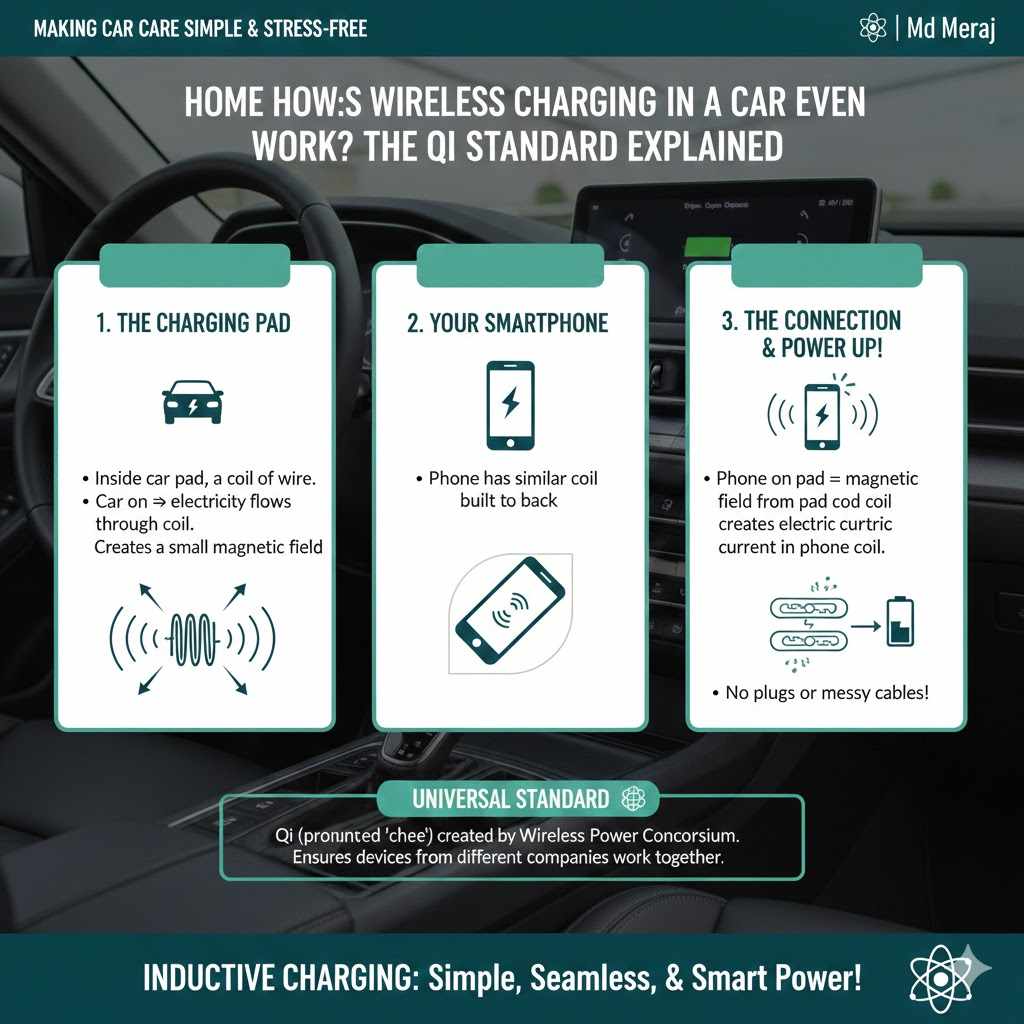
It might seem like magic, but the technology behind wireless charging is actually quite simple. It’s called inductive charging, and most systems in cars use a standard called “Qi” (pronounced “chee”). Think of it like a tiny, invisible extension cord between the charging pad in your car and your smartphone.
Here’s the simple breakdown:
- The Charging Pad: Inside the charging pad in your car, there’s a coil of wire. When you turn the car on, electricity flows through this coil, creating a small magnetic field.
- Your Smartphone: Your phone also has a similar coil built into its back.
- The Connection: When you place your phone on the charging pad, the magnetic field from the pad’s coil creates an electric current in your phone’s coil.
- Power Up!: This electric current is what charges your phone’s battery—no plugs or messy cables needed!
The Wireless Power Consortium is the group that created the Qi standard, which ensures that chargers and devices from different companies can work together seamlessly. This is why a new iPhone can charge on a pad in a Toyota, and a Samsung phone can charge in a BMW. It’s a universal standard that makes life easier for everyone.
The Big Question: What Cars Have Wireless Charging?
The good news is that the list of cars with wireless charging is growing every year. What was once a feature reserved for high-end luxury vehicles is now available in many affordable, everyday cars. However, it’s important to remember that it’s often included in higher trim levels or as part of an optional technology package.
To make things easier, I’ve broken down the list by popular car brands. Always double-check the specific trim level of the car you’re interested in, as availability can change from year to year.
Mainstream and Family-Friendly Brands
These are the brands you see on the road every day. They offer great value and are increasingly adding convenient tech like wireless charging to their popular models.
| Brand | Popular Models with Wireless Charging | Notes |
|---|---|---|
| Toyota | Camry, RAV4, Highlander, Sienna, Tacoma, Tundra, Prius | Often available on XLE, Limited, and Platinum trims. |
| Honda | Accord, Civic, CR-V, Pilot, Odyssey, Ridgeline | Typically found in EX-L, Touring, and Elite trims. |
| Ford | F-150, Explorer, Escape, Mustang Mach-E, Bronco | Part of tech packages on XLT, Lariat, and higher trims. |
| Chevrolet | Silverado, Equinox, Traverse, Tahoe, Suburban, Bolt EV | Commonly available on LT, RS, Premier, and High Country trims. |
| Hyundai | Sonata, Elantra, Santa Fe, Tucson, Palisade, Kona | Widely available on SEL, Limited, and Calligraphy trims. |
| Kia | K5, Sorento, Telluride, Sportage, EV6, Carnival | Often included in EX, SX, and GT-Line packages. |
| Nissan | Altima, Rogue, Pathfinder, Titan, Ariya | Generally available on SV, SL, and Platinum trims. |
| Subaru | Outback, Ascent, Legacy, Forester | Available on higher-end trims like Limited and Touring. |
Luxury Brands
As you might expect, luxury brands were among the first to adopt this technology. You’ll find wireless charging as a standard or readily available option in almost all of their new models.
- BMW: Nearly all models, including the 3 Series, 5 Series, X3, X5, and X7, offer wireless charging, often as a standard feature.
- Mercedes-Benz: Models like the C-Class, E-Class, S-Class, GLE, and GLC come with wireless charging, typically included in the base or premium packages.
- Audi: Found across the lineup in the A4, A6, A8, Q5, Q7, and Q8. It’s often part of the “Phone Box” feature, which can also boost your cell signal.
- Lexus: Available in the ES, RX, NX, and LX models. It’s usually a standalone option or part of a technology package.
- Acura: Models like the MDX, RDX, and TLX offer it on their Technology, A-Spec, and Advance packages.
- Genesis: As a modern luxury brand, Genesis includes wireless charging as a standard feature on most trims of the G70, G80, GV70, and GV80.
- Cadillac: Most of their lineup, from the CT4 and CT5 sedans to the XT4, XT5, XT6, and Escalade SUVs, features wireless charging.
What About Electric and Hybrid Vehicles?
Electric vehicles (EVs) and hybrids are all about modern technology, so it’s no surprise that wireless charging is very common in this segment.
- Tesla: Newer Model 3, Model Y, Model S, and Model X vehicles come standard with wireless charging pads for two smartphones.
- Ford Mustang Mach-E: Standard on all trims.
- Hyundai Ioniq 5 & Kia EV6: Standard or available on most trims.
- Chevrolet Bolt EV/EUV: Available on higher trims.
- Volkswagen ID.4: Standard across the lineup.
The Pros and Cons of In-Car Wireless Charging
Like any technology, wireless charging has its good points and a few things to be aware of. Let’s weigh the pros and cons to see if it’s the right feature for you.
The Benefits (Pros)
- Unbeatable Convenience: Simply place your phone on the pad and it starts charging. No more searching for cables or trying to plug in your phone while driving.
- A Clutter-Free Cabin: Say goodbye to tangled charging cords! A wireless charger keeps your center console tidy and organized.
- Reduced Wear and Tear: Constantly plugging and unplugging a cable can wear out your phone’s charging port over time. Wireless charging eliminates this issue entirely.
- Safer Driving: Fumbling with a cable is a distraction. A wireless charger allows you to keep your hands on the wheel and your eyes on the road.
The Downsides (Cons)
- Slower Charging Speeds: In general, wireless charging is not as fast as plugging your phone in with a high-quality cable, especially if you’re using a fast charger.
- Phone Can Get Warm: The inductive charging process generates some heat. Most systems have safeguards to prevent overheating, but you might notice your phone feels warm to the touch.
- Requires Precise Placement: You have to place your phone correctly on the charging pad for it to work. If it slides out of position, it will stop charging.
- Thick Phone Cases Can Interfere: Very thick cases or those with metal parts (like pop sockets or magnetic mounts) can block the charging signal. You may have to remove the case for it to work.
My Car Doesn’t Have Wireless Charging. What Can I Do?
Don’t worry! If your current car doesn’t have a built-in wireless charger, you have plenty of great options to add this convenience. Aftermarket solutions are affordable, easy to install, and work just as well.
Types of Aftermarket Wireless Car Chargers
Here are the most common types you can buy:
| Charger Type | How It Works | Best For |
|---|---|---|
| Charging Pad/Mat | A simple, flat pad that you place on your center console or another flat surface. It plugs into your car’s USB port or 12V outlet. | Cars with a flat, open space near the driver. Very easy to install. |
| Cupholder Charger | Designed to fit perfectly into one of your car’s cupholders. Your phone slides into a vertical slot to charge. | People who don’t want to use up console space and prefer an upright phone position. |
| Vent/Dash Mount Charger | This type combines a phone mount with a wireless charger. It clips onto your air vent or attaches to your dashboard or windshield with a suction cup. | Drivers who use their phone for navigation and want it in their line of sight. |
| Custom-Fit Charger | These are designed to look like a factory-installed unit. They replace a specific storage tray or compartment in your car for a seamless, integrated look. | Drivers who want a clean, professional installation that looks like it came with the car. |
Tips for Choosing an Aftermarket Charger
- Check the Power Output: Look for a charger that offers at least 10W or 15W of power for faster charging. A basic 5W charger will be very slow.
- Ensure Phone Compatibility: Make sure the charger supports the Qi standard and is compatible with your specific phone model (iPhone, Samsung, Google Pixel, etc.).
- Read Reviews: See what other drivers are saying about the charger’s build quality, charging speed, and how well it stays in place.
- Consider the Fit: Think about your car’s interior. Will a pad fit on your console? Is a vent mount a better option for you? Choose the style that best fits your vehicle and your needs.
How to Use Your Car’s Wireless Charger for the Best Results
Using your car’s wireless charger is easy, but a few simple tips can ensure you get a reliable and efficient charge every time.
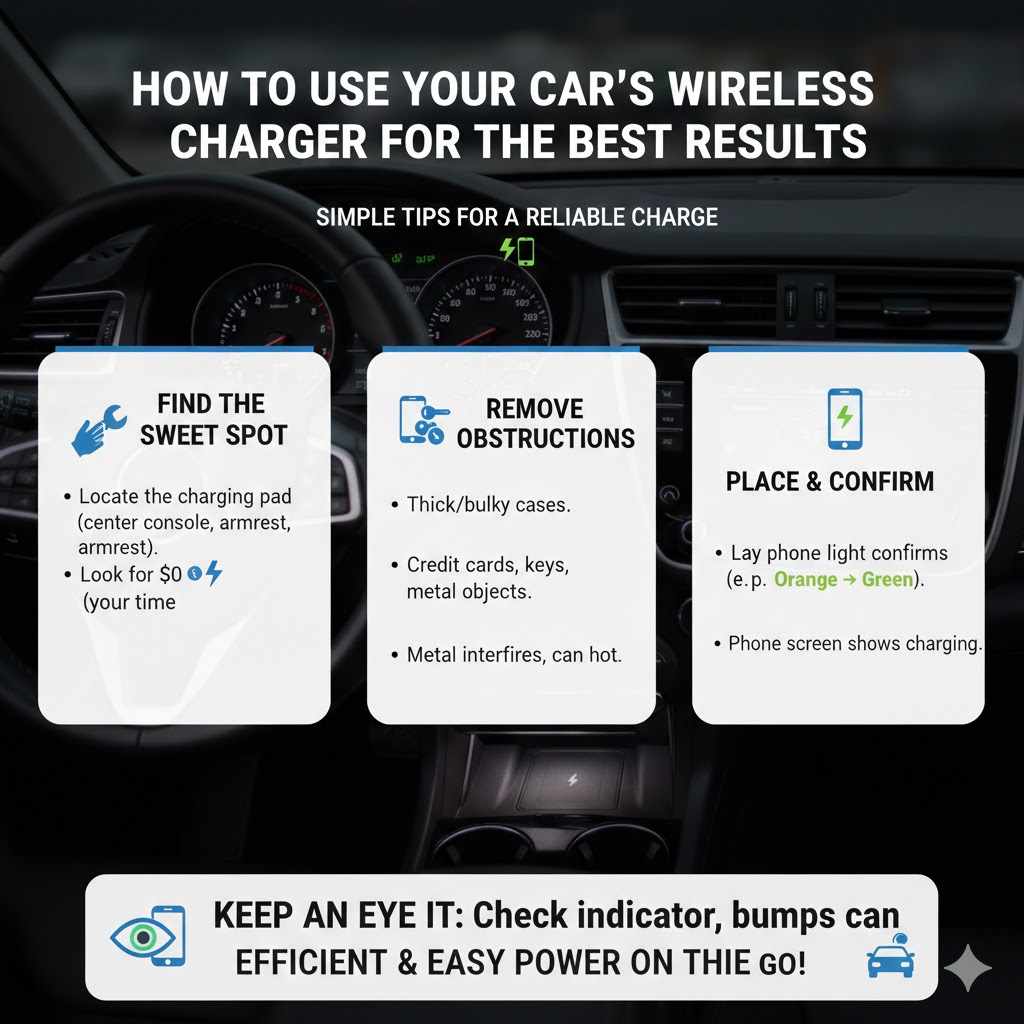
- Find the Sweet Spot: Locate the charging pad in your car. It’s usually in the center console ahead of the gear shifter or inside the armrest compartment. There is often a small lightning bolt or wireless symbol to mark the area.
- Remove Obstructions: Take your phone out of any thick or bulky cases. Also, make sure there are no credit cards, keys, or coins between your phone and the charging pad, as metal can interfere with charging and even get hot.
- Place Your Phone Correctly: Lay your phone flat in the center of the charging pad. Most cars will have a light indicator that turns on or changes color (e.g., from orange to green) to confirm that charging has started. Your phone’s screen should also show that it is charging.
- Keep an Eye on It: If you hit a big bump, your phone might slide out of position and stop charging. Just glance at the indicator light occasionally to make sure it’s still active.
Frequently Asked Questions (FAQ)
1. Does my phone support wireless charging?
Most modern smartphones from major brands like Apple, Samsung, and Google support Qi wireless charging. For example, all iPhones since the iPhone 8 and all Samsung Galaxy S series phones since the S6 have this feature. The easiest way to be sure is to check your phone’s specifications on the manufacturer’s website. Just search for your model name followed by “wireless charging support.”
2. Does wireless charging drain my car battery?
When your car is running, the wireless charger draws power from the alternator, just like the radio or air conditioning. It uses a very small amount of electricity and will not drain your car battery. Most in-car systems are designed to turn off automatically when the ignition is switched off, so you don’t have to worry about it draining the battery while parked.
3. Can I use wireless charging and Apple CarPlay or Android Auto at the same time?
Yes, you can! Many newer cars support wireless Apple CarPlay and Android Auto. This is the perfect combination, as you can connect your phone to the infotainment system and charge it at the same time, all without any cables. If your car requires a wired connection for CarPlay or Android Auto, you can still place your phone on the wireless charging pad, but you won’t get any benefit from it since it’s already charging via the USB cable.
4. Why is my phone getting hot on the wireless charger?
It’s normal for your phone to get slightly warm during wireless charging because of the energy transfer process. However, if it gets uncomfortably hot, something might be wrong. Try removing your phone case, as it can trap heat. Also, ensure your phone is properly aligned on the pad. If the problem persists, it’s a good idea to have the dealership check the charging system.
5. Is wireless charging in a car safe?
Absolutely. The magnetic field created by a Qi charger is very weak and has a very short range. It is not harmful to you or your phone. Car manufacturers must meet strict safety standards, such as those set by the Federal Communications Commission (FCC), to ensure these systems are completely safe for everyday use.
6. Why isn’t my phone charging on the pad?
There are a few common reasons. First, check that your phone case isn’t too thick or doesn’t have a metal plate or PopSocket on the back. Second, try repositioning your phone in the center of the pad. Third, make sure the wireless charging feature is enabled in your car’s settings menu. If none of these work, there could be an issue with the charger itself, and you should consult your car’s manual or dealership.
Conclusion: A Convenient Feature for the Modern Driver
There you have it! Wireless charging is a fantastic feature that makes life on the road a little bit easier and a lot less cluttered. What was once a luxury item is now available in a wide range of vehicles, from family SUVs and hardworking trucks to everyday sedans.
Whether you’re looking for a new car with this feature built-in or want to add it to your current ride, you now have all the information you need to make a smart choice. By understanding how it works, which cars have it, and how to use it effectively, you can say goodbye to tangled cables for good.
Remember, the key is to always check the specific features of the model and trim level you’re interested in. Happy driving, and enjoy the convenience of a fully charged phone on all your journeys!