Why Car Speakers Pop While Driving
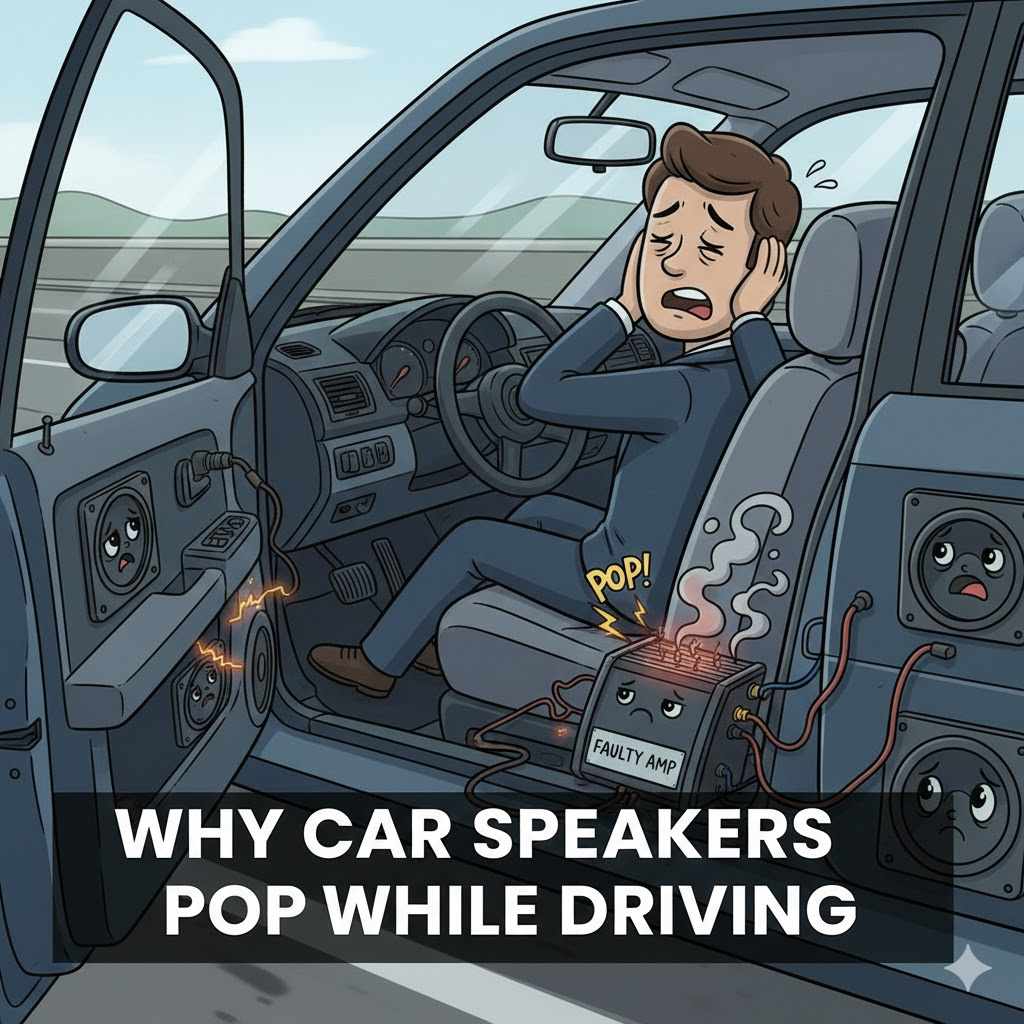
It’s a common thing to hear a pop or crackle from your car speakers, especially when you’re driving. For folks new to car audio, figuring out Why Do Car Speakers Make Popping Noises While Driving? can seem tricky. You might wonder if it’s a big problem or if your speakers are broken.
Don’t worry! This guide breaks down the common reasons for these sounds in simple terms. We’ll help you understand what’s happening and how to fix it, step by step.
Get ready to enjoy clear sound again.
Understanding Speaker Popping While Driving
Hearing popping sounds from your car speakers while driving can be quite annoying. This issue often stems from a variety of electrical and physical problems within your car’s audio system. When these sounds occur, it usually signals that something isn’t working quite right, ranging from simple loose connections to more complex electrical interference.
For many car owners, diagnosing the exact cause can feel overwhelming because car electrical systems are intricate. Understanding the basic principles behind these noises is the first step to finding a solution and restoring clear audio quality.
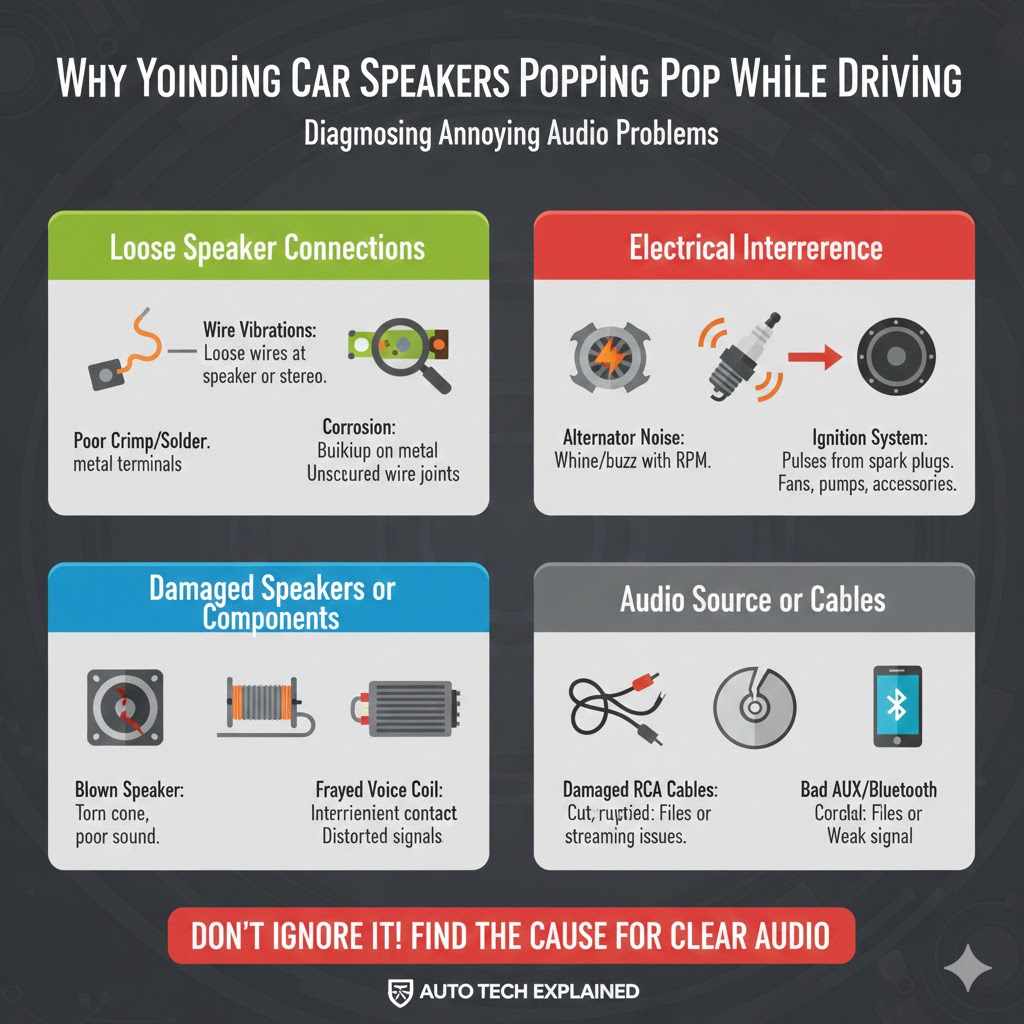
Loose Speaker Connections
One of the most frequent culprits behind popping speaker noises is a loose connection. Over time, the wires that connect your speakers to your car’s stereo can become jiggled loose due to vibrations from the road. When these wires aren’t making a solid contact, they can create intermittent signals, leading to pops and crackles.
- Wire Vibrations: As your car drives, the constant shaking can cause speaker wires to loosen at both the speaker terminal and the stereo’s wiring harness. This movement creates a fluctuating electrical connection. Even a slight looseness can disrupt the audio signal.
- Corrosion on Terminals: Over many years, the metal terminals on speakers or wiring can develop a thin layer of corrosion. This corrosion acts like a barrier, preventing a clean electrical connection. It can lead to static and popping sounds, especially when the audio signal changes.
- Poor Crimp Job or Solder Joint: If your speakers were recently installed, a loose crimp or a cold solder joint could be the cause. These connections are not secure and can easily cause intermittent signal loss, resulting in pops.
A loose wire might just be slightly touching, creating a weak signal path. When the car hits a bump or turns, this connection can momentarily break or shift, causing a loud pop. It’s like a loose plug in a wall socket – sometimes it works, sometimes it doesn’t, and sometimes it sparks.
When examining connections, look for any signs of fraying or damage to the speaker wire insulation. This can expose the copper wire, which might be touching other metal parts in your car and causing shorts or unwanted noise.
Electrical Interference
Your car’s electrical system is a busy network, and sometimes, other components can send out signals that mess with your audio. This is known as electrical interference. Think of it like a radio station being interrupted by another strong signal nearby.
These interference signals can be picked up by your speaker wires and interpreted as audio, resulting in pops and static.
- Alternator Noise: The alternator charges your car’s battery while the engine is running. It’s a powerful electrical device. If there’s a problem with the alternator or its filtering, it can produce a whining or buzzing noise that might also manifest as pops, especially when you accelerate.
- Ignition System Interference: The spark plugs and ignition coils in your engine create small electrical pulses to ignite the fuel. These pulses can sometimes radiate outward as electromagnetic interference. If your speaker wires are not properly shielded or routed away from these components, they can pick up this noise.
- Other Electrical Components: Various other electronic devices in your car, such as electric fuel pumps, cooling fans, or even poorly installed aftermarket accessories like LED lights, can generate electrical noise. This noise can travel through your car’s wiring and affect your audio system.
A common sign of alternator noise is a sound that changes with engine RPM. If the popping gets louder or faster as you press the gas pedal, the alternator is a prime suspect. This happens because the alternator spins faster with the engine, increasing its electrical output and potential for interference.
Proper grounding is also key to reducing electrical interference. If your stereo or speakers are not grounded to a clean metal part of the car’s chassis, they can become more susceptible to picking up stray electrical signals. A bad ground can make the entire audio system act like an antenna for unwanted noise.
Damaged Speakers or Components
Sometimes, the popping sound might be a sign that the speaker itself or another part of the audio system is failing. This can happen due to age, wear and tear, or if the speaker has been overdriven.
- Blown Speaker Cones: A speaker cone is the part that vibrates to create sound. If the cone is torn, ripped, or damaged, it won’t vibrate smoothly. This can cause distortion and popping sounds as the damaged area struggles to move correctly with the audio signal.
- Frayed Speaker Voice Coil: The voice coil is a wire wrapped around a cylinder inside the speaker. It interacts with a magnet to move the cone. If the voice coil wire frays or breaks, it can cause intermittent contact and popping.
- Faulty Amplifier or Stereo Head Unit: The amplifier (either built into the stereo or a separate unit) powers your speakers. If the amplifier is damaged, it can send distorted or irregular signals to the speakers, leading to popping. The stereo head unit itself, which processes the audio, could also have internal issues.
Imagine a drum head that has a small tear. When you hit it, it doesn’t produce a clean sound; it might rattle or make a muffled noise. A damaged speaker cone works in a similar way, affecting the clarity and quality of the sound.
If you suspect a speaker is damaged, try gently pressing on the cone with your finger. If it feels loose, makes rubbing sounds, or doesn’t move freely, it’s likely the source of the problem. You might also notice the popping is loudest from one specific speaker.
Issues with Audio Source or Cables
The popping noise might not even be coming from your speakers themselves but from the audio source or the cables transmitting the sound.
- Damaged RCA Cables: If you have an aftermarket amplifier, you’ll use RCA cables to connect it to your stereo head unit. If these cables are cut, pinched, or have internal wire damage, they can cause pops and static. The shielding on these cables is important to prevent interference.
- Corrupted Audio Files or Streaming Issues: Sometimes, the problem lies with the music itself. If you’re playing music from a USB drive, CD, or streaming service, corrupted files or poor streaming quality can lead to pops and glitches in the audio playback.
- Bad Auxiliary (AUX) or Bluetooth Connections: If you’re using an AUX cable or Bluetooth to play audio, a faulty cable or a weak Bluetooth signal can cause intermittent audio dropouts and popping sounds.
A damaged RCA cable might have its internal wires touching the outer shielding, causing signal degradation. This is similar to how a frayed extension cord can be dangerous and unreliable for powering your devices.
When checking AUX or Bluetooth, try using a different cable or device. This helps isolate whether the issue is with the connection method itself or the audio source you are using. A stable connection is vital for uninterrupted sound.
Troubleshooting Steps for Popping Car Speakers
When you encounter popping sounds, a systematic approach to troubleshooting is best. This involves checking the simplest and most common causes first, then moving to more complex possibilities. By following a logical sequence, you can efficiently pinpoint the problem without unnecessary guesswork.
Check Speaker Wiring
The first and often easiest fix is to inspect your speaker wiring. This involves making sure all connections are snug and secure. You’ll want to access the back of your speakers and also where the wires connect to your car’s stereo or amplifier.
- Access the Speakers: This might involve removing door panels, rear deck covers, or trim pieces. Consult your car’s manual or online guides if you’re unsure how to do this safely.
- Inspect Connections: At the back of each speaker, check how the wires are attached. Ensure they are firmly connected to the speaker terminals. If they are spade connectors, make sure they haven’t slipped off. If wires are directly attached, ensure the copper is making good contact.
- Tighten Connections: Use pliers or a small screwdriver to gently tighten any loose wire connections at the speaker terminals. Be careful not to overtighten, which could damage the terminals.
- Check Stereo Harness: If possible, access the wiring harness that plugs into the back of your car stereo. Gently tug on each speaker wire connection to ensure it’s secure. Sometimes, a wire might have pulled out of its connector within the harness.
- Look for Damage: While you’re there, look for any visible damage to the speaker wires themselves. Check for cuts, nicks, or areas where the insulation has worn away.
A slightly loose wire can create a “spark gap” effect. As electricity tries to jump across the gap, it creates a small, audible pop. Imagine flicking a light switch on and off rapidly; the slight delay and change in connection can cause a subtle click, and in a speaker system, this becomes a noticeable pop.
If you find any frayed wires or loose connections, repair them immediately. You can use crimp connectors, solder, or electrical tape to secure and insulate the connections properly. Ensuring a solid, clean connection is the most critical step in resolving many popping issues.
Test for Electrical Interference
Electrical interference can be tricky to diagnose, but there are ways to test for it. The key is to try and isolate when the popping occurs and if it changes with engine speed or accessory use.
- Listen While Driving Without Accessories On: Turn off your headlights, A/C blower, wipers, and any other electrical accessories. Drive the car and see if the popping persists or changes.
- Observe Changes with Engine RPM: Pay close attention to whether the popping sounds get louder or faster as you accelerate or decelerate. This is a strong indicator of engine-related interference, like from the alternator.
- Check Grounding Points: Ensure your stereo and any amplifiers are properly grounded to the car’s chassis. A poor ground can significantly increase susceptibility to interference. Look for clean, unpainted metal surfaces for grounding.
- Add Ferrite Cores: These are small, donut-shaped magnets that can be clipped onto speaker wires or power cables. They help suppress high-frequency electrical noise. Try adding them to suspect wires.
- Shielded Cables: If you are using aftermarket amplifiers, ensure you are using high-quality shielded RCA cables. These are designed to prevent external electrical noise from entering the audio signal.
When troubleshooting alternator noise, you might notice a high-pitched whine that increases in frequency with engine RPM. This whine can sometimes break up into popping sounds. It’s like a siren that speeds up; the pitch of the noise changes.
If you suspect a component like the alternator is the source, you might need a mechanic to test it. They can check its output and look for signs of failure or excessive noise generation. Sometimes, a failing part in the car’s electrical system will emit signals that your audio system picks up.
Inspect Your Speakers
If wiring and interference checks don’t reveal the issue, the speakers themselves may be the problem. A visual and sometimes physical inspection can reveal damage.
- Remove Speaker Grilles: Carefully remove the speaker grilles to get a clear view of the speaker cone and surround.
- Check for Physical Damage: Look for any tears, rips, holes, or signs of warping on the speaker cone. Gently press the cone inward with your finger. It should move smoothly without rubbing or catching.
- Inspect the Surround Material: The surround is the flexible edge of the speaker cone. Check for cracks, dryness, or separation from the speaker basket.
- Listen for Rubbing or Rattling: With the car stereo turned on to a low volume, gently tap on the speaker cone. You should hear a clean sound. If you hear any scraping, rubbing, or rattling, the voice coil might be damaged or misaligned.
- Test Speakers Individually: If you have multiple speakers, try playing a test tone or music and listen closely to each one. This can help you isolate which speaker is making the popping sound.
A speaker with a damaged cone or voice coil is like a record player skipping on a scratched record. The intended smooth playback is disrupted, causing a jarring, popping sound with every revolution or vibration.
If you find a damaged speaker, it will likely need to be
Examine Audio Cables and Sources
Don’t forget the journey the audio signal takes before it even reaches the amplifier or head unit. Cables and the source of the music can introduce problems.
- Inspect RCA Cables (If Applicable): If your system uses RCA cables for an amplifier, check them for any signs of cuts, kinks, or damage. Ensure they are securely plugged into both the head unit and the amplifier.
- Test with a Different Audio Source: If you’re playing music from a phone via AUX or Bluetooth, try a different source like a CD or USB drive. If the popping stops, the issue might be with your phone or streaming service.
- Try a Different AUX Cable or Device: If you’re using an AUX cable, try a brand new cable. Also, try connecting a different device (like a different phone or MP3 player) to see if the problem persists.
- Check Bluetooth Connection Stability: Ensure your Bluetooth device is within range of the car stereo and that there aren’t too many other Bluetooth devices interfering. Sometimes, simply re-pairing the device can help.
- Assess Music Files for Corruption: If playing music from a USB drive, try re-downloading the files or using a different USB drive. Very rarely, a corrupted music file can cause playback glitches.
A damaged RCA cable can act like an antenna for electrical noise, or its internal conductors might be shorting against each other or the shielding. This leads to an impure audio signal reaching your amplifier.
When testing AUX or Bluetooth, remember that these connections transmit analog signals or wireless data. Any interference or interruption in this path can directly translate to audible pops and crackles in your speakers.
Common Causes and Solutions Table
Here’s a quick look at common popping causes and how to address them.
| Problem | Likely Cause | Solution |
|---|---|---|
| Popping occurs randomly | Loose speaker wires | Tighten all speaker connections at the speaker and head unit. |
| Popping gets louder with engine RPM | Alternator or ignition system interference | Ensure proper grounding, add ferrite cores, or shield cables. |
| Popping from one specific speaker | Damaged speaker component | Inspect speaker cone and surround for tears; test by tapping. Replace if damaged. |
| Popping only when using AUX/Bluetooth | Faulty cable or poor wireless connection | Try a different AUX cable, a different audio device, or re-pair Bluetooth. |
| Popping during specific songs or audio playback | Corrupted audio file or streaming issue | Try playing a different track or source; re-download files if necessary. |
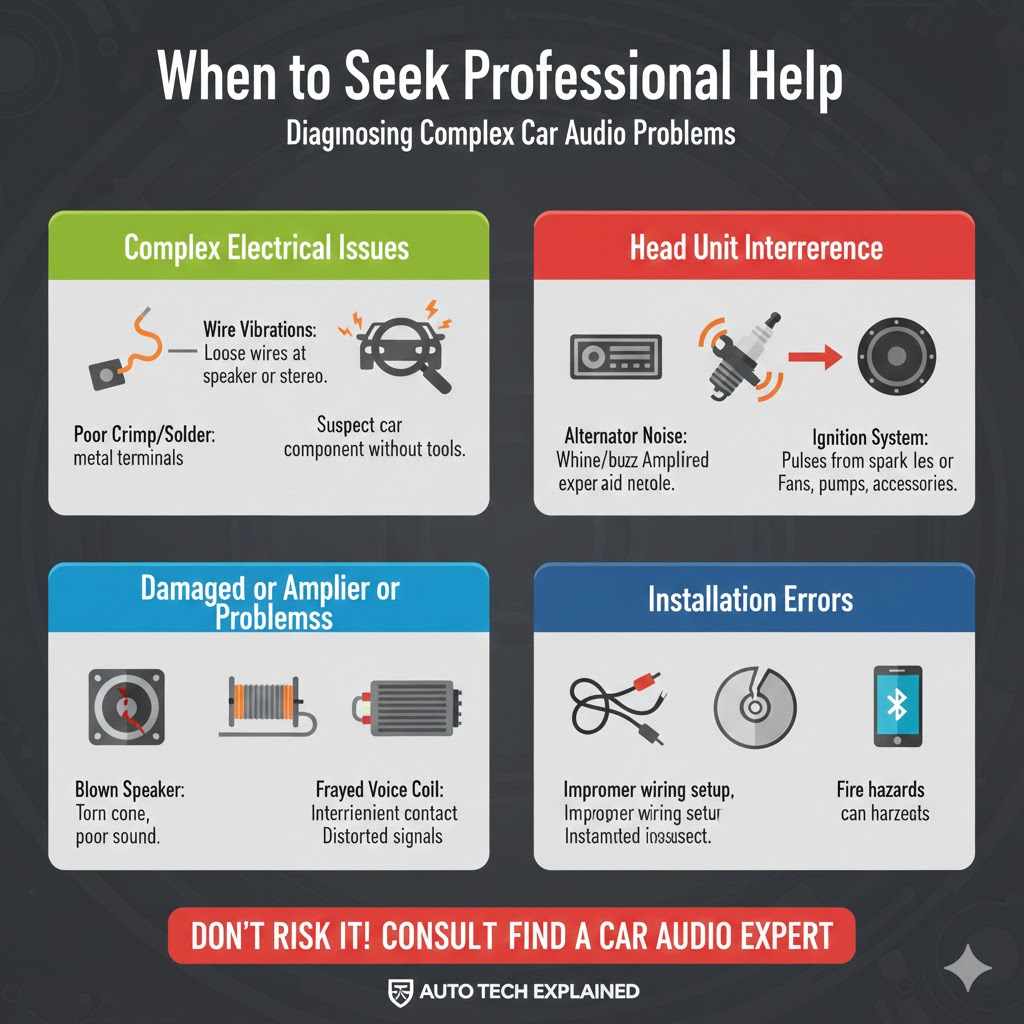
When to Seek Professional Help
While many speaker popping issues can be resolved with DIY troubleshooting, there are times when it’s best to consult an expert. If you’ve gone through the steps and can’t find the problem, or if you’re not comfortable working with your car’s electrical system, professional help is the way to go.
- Complex Electrical Issues: If you suspect interference from a specific car component or if the popping is constant and widespread across all speakers, it might point to a deeper electrical system fault. A qualified car audio technician or mechanic can diagnose these complex problems.
- Head Unit or Amplifier Problems: Issues with the internal components of your stereo head unit or an aftermarket amplifier can be hard to diagnose without specialized tools. These devices require expert knowledge to test and repair properly.
- Installation Errors: If the popping started shortly after a new stereo or speaker installation, it could be due to improper wiring or component setup. A professional installer can quickly identify and correct installation mistakes.
- Safety Concerns: Working with car electrical systems can be risky if you’re not experienced. Improper handling can lead to electrical shorts, damage to your car’s electronics, or even fire hazards. Professionals have the knowledge and tools to work safely.
A car audio specialist has access to oscilloscopes, multimeters, and specialized diagnostic software that can pinpoint electrical noise sources and signal integrity issues far more effectively than basic visual checks. They understand the intricate interplay between your car’s factory electrical system and aftermarket audio components.
Remember, your car is a complex machine. If you’re unsure about any part of the troubleshooting process, it’s always better to err on the side of caution and seek assistance from someone who has the expertise.
Frequently Asked Questions
Question: Why do my car speakers pop when I turn the car off
Answer: This often happens when the amplifier or stereo is losing power rapidly as the car shuts down. It can also be caused by a faulty capacitor in the audio system that’s discharging. Ensuring clean power and good grounding can help prevent this.
Question: Can a bad stereo cause speakers to pop
Answer: Yes, a malfunctioning stereo head unit can send distorted signals or irregular power surges to the speakers, leading to popping or crackling sounds.
Question: How often should I check my speaker connections
Answer: It’s a good idea to check your speaker connections periodically, perhaps once a year, or if you notice any new audio issues. Road vibrations can loosen them over time.
Question: Is it normal for new car speakers to pop initially
Answer: No, new speakers should not pop. If they do, it indicates a problem with the installation, wiring, or the head unit sending a faulty signal.
Question: What if the popping sound is very faint
Answer: Even faint popping can indicate a developing issue. It’s best to address it early. It might be a loose connection or minor interference that could worsen over time.
Conclusion
Popping car speakers while driving has several common causes. Loose wires, electrical interference, damaged speakers, and faulty audio cables are frequent culprits. By systematically checking connections, testing for interference, and inspecting your speakers, you can often fix the issue yourself.
Don’t hesitate to seek professional help if the problem persists or seems too complex to handle.