Why Does My Car Radio Use Data When Connected?
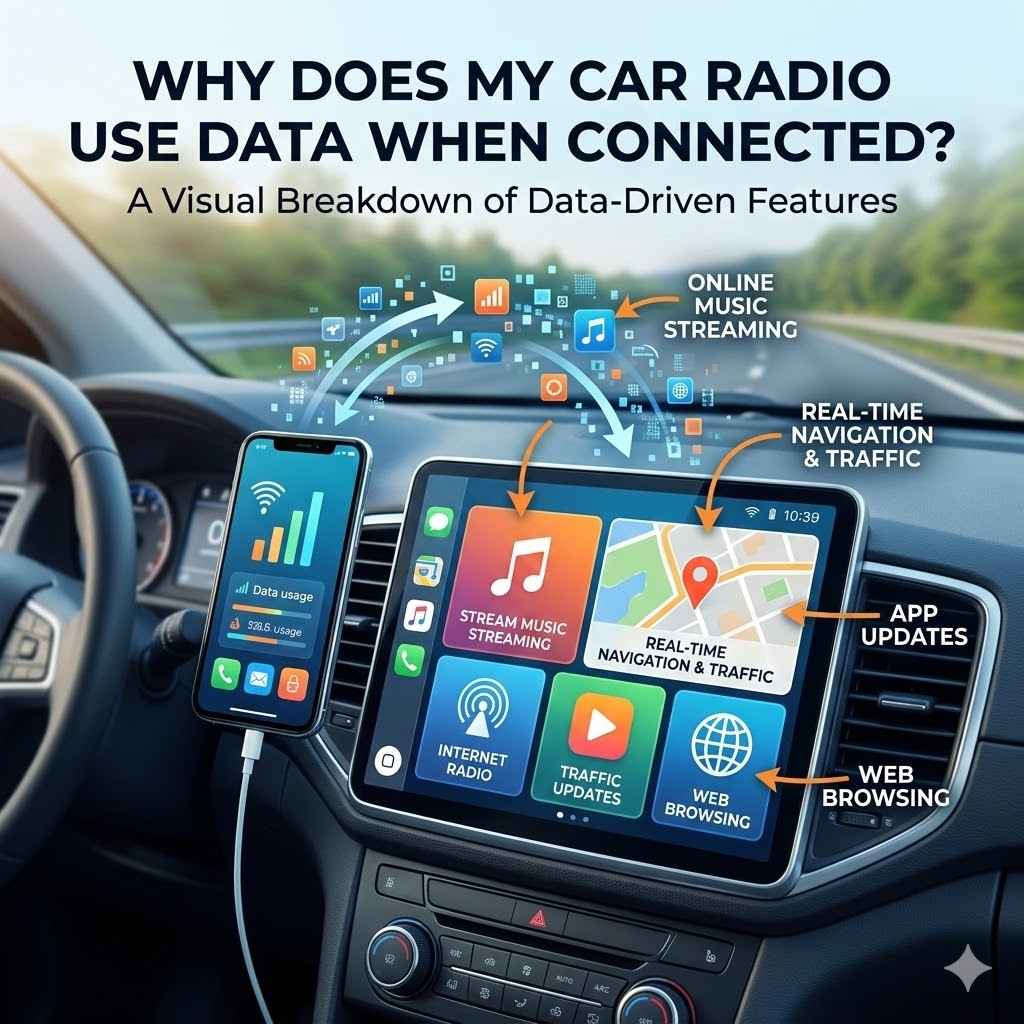
It can be a little confusing when your car radio seems to be using data, especially if you didn’t expect it. You might wonder, “Why Does My Car Radio Use Data When Connected?” Many car systems connect to the internet for helpful features, and this connection sometimes uses cellular data. Don’t worry, this is totally normal, and we’re going to break it down very simply.
We’ll look at why this happens and what you can do about it, step by step.
Understanding Your Car Radio’s Data Needs
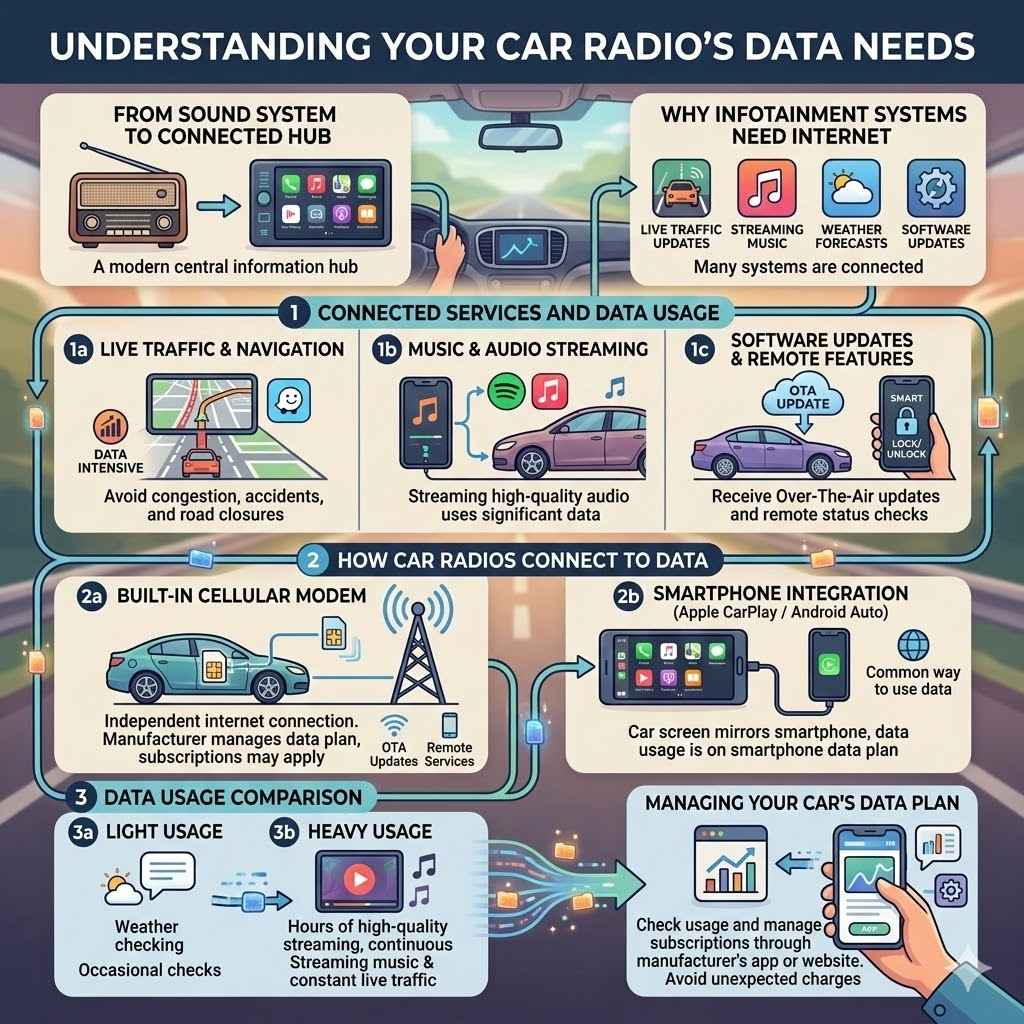
This section explains why your car’s infotainment system might connect to the internet. Many modern car radios are more than just sound systems; they are connected hubs. They can offer services like live traffic updates, streaming music from online services, weather forecasts, and even software updates.
To provide these features, your car radio needs to access information from the internet. This access is often through a built-in cellular modem, similar to your smartphone. When it uses this modem, it’s using cellular data, just like your phone does when you browse the web or stream a video.
The Role of Connected Services
Connected services are the features in your car that rely on an internet connection. These services make driving more convenient and enjoyable. Think about getting real-time traffic jams rerouted around.
Or maybe you want to stream your favorite podcast directly from a service like Spotify or Pandora. Some cars can even receive over-the-air software updates, which can improve performance or add new features without you needing to visit a dealership. These all need data to work.
Live Traffic and Navigation AppsMany cars come with built-in navigation systems. These systems are much more useful when they can access live traffic data. This means your car’s GPS can tell you about accidents, road closures, or heavy congestion ahead.
Apps like Google Maps or Waze, when integrated into your car’s system, also rely on this live data to give you the best routes and estimated arrival times. This constant flow of information requires a data connection.
Music and Audio StreamingIf your car radio has apps like Spotify, Apple Music, or internet radio stations built-in, it’s streaming audio. Streaming music uses a significant amount of data, especially if you choose high-quality audio. This is a popular feature, but it’s also a major contributor to data usage.
Imagine listening to a high-definition playlist for an hour; it can consume hundreds of megabytes of data.
Software Updates and Remote FeaturesCar manufacturers are increasingly using the internet to update your car’s software. This can include updates for the infotainment system, engine control modules, or safety features. Some cars also offer remote features through a smartphone app, like locking/unlocking doors, starting the engine, or checking vehicle status.
These functions, when performed remotely, require the car to communicate with the manufacturer’s servers, using data.
Data Usage in Infotainment Systems
The amount of data your car radio uses can vary a lot. It depends on what features you use and how often. Simple features like checking the weather might use very little data.
However, streaming music for hours every day or using the built-in navigation with live traffic constantly enabled will use much more. It’s like the difference between sending a text message and watching a long video on your phone.
How Car Radios Connect to Data
There are a couple of main ways your car radio can get an internet connection. One common method is through a built-in cellular modem. This modem connects to a mobile network provider, much like your smartphone does.
The car manufacturer usually sets this up, often offering a trial period with a specific carrier. After the trial, you might need to pay a subscription fee to continue using these services. Some cars might also connect via Wi-Fi hotspots if you’re near one, but this isn’t as common for continuous connectivity on the go.
Built-in Cellular Modems
Many new cars come with their own SIM card and cellular modem. This allows the car to have its own internet connection independent of your phone. This is what enables features like over-the-air software updates and certain remote services.
The data plan for this modem is typically managed by the car manufacturer or a partner company.
Smartphone Integration (Apple CarPlay and Android Auto)
When you use Apple CarPlay or Android Auto, your car’s screen mirrors your smartphone’s interface. In this case, the data usage comes from your smartphone’s data plan, not directly from the car itself. So, if you’re streaming music or using navigation through these systems, it’s using the data from your phone.
This is a very common way people use data in their cars.
Managing Your Car’s Data Plan
If your car has a built-in cellular modem, it likely has an associated data plan. This plan might be included for a certain period, after which you’ll need to pay to keep it active. It’s important to know how your car’s data plan works.
You can usually check your data usage and manage your subscription through the car manufacturer’s website or a dedicated app. This helps you avoid unexpected charges and understand your costs.
Why Does My Car Radio Use Data When Connected? Common Scenarios
Let’s look at some specific situations that answer “Why Does My Car Radio Use Data When Connected?”. Understanding these scenarios helps you manage your data and costs. Often, people are surprised by the data usage because they don’t realize how many features are actively using the internet in the background.
From streaming music to getting live traffic updates, these connected services are designed to be seamless, but they all require a data pathway.
Scenario 1 Streaming Music Services
You’re on a long road trip and decide to stream your favorite playlist from Spotify through your car’s built-in system. The music sounds great, but each song requires data to be downloaded to your car. If you’re listening to high-fidelity audio, this can add up quickly.
For example, streaming at a quality of 320 kbps for an hour can use around 150 MB of data. If you do this for several hours each day, especially on a trip, you can consume gigabytes of data in a week. This is a prime example of why your car radio uses data.
- Connect your car’s infotainment system to your preferred music streaming app.
- Select a playlist or radio station to play.
- Ensure the car has an active internet connection (via its own modem or Wi-Fi).
- The car then streams audio data from the service’s servers.
Scenario 2 Live Traffic Updates and Navigation
You’re using your car’s built-in navigation system, and it suddenly suggests a detour because of an accident ahead. The system continuously receives updates on traffic flow, accidents, road closures, and speed changes. This real-time information allows it to recalculate routes to save you time.
Even when you’re not actively looking for directions, the system might be polling for updates in the background to ensure it’s ready if you need it. This constant check-in uses small but regular amounts of data.
For instance, a system constantly refreshing traffic data might use around 10-30 MB per hour. While this sounds small, over a daily commute, it can accumulate. If you use navigation for multiple hours a day, this adds up to a noticeable amount over a month.
This is a key reason for the question, “Why Does My Car Radio Use Data When Connected?” because navigation is a core function for many drivers.
Scenario 3 Voice Commands and Connected Assistants
You say, “Hey car, find the nearest gas station.” The car’s voice recognition system processes your command. This processing often happens on remote servers in the cloud, not just within the car itself. The audio of your command is sent to these servers, analyzed, and then the results are sent back to your car.
This communication, even for short voice commands, requires an internet connection and therefore uses data. The more complex the request or the more often you use voice commands, the more data will be consumed.
Scenario 4 Over-the-Air Software Updates
Your car manufacturer releases a new software update for the infotainment system. Instead of requiring you to visit a dealer, the car downloads this update wirelessly. This can be a substantial download, sometimes hundreds of megabytes or even gigabytes, depending on the update.
These updates can improve functionality, fix bugs, or even add new features to your car’s system. The process uses a significant chunk of data, and it’s a common reason for unexpected data spikes if you weren’t aware an update was pending.
Scenario 5 Remote Diagnostics and Vehicle Status
Some vehicles allow you to check their status, like tire pressure, fuel level, or whether the doors are locked, using a smartphone app. When you do this, your app communicates with the car’s servers, which then communicate with your car. This data exchange helps keep you informed about your vehicle’s health and security, even when you’re not near it.
These features are convenient but rely on an active data connection for the car.
Optimizing Data Usage and Cost Management
Now that you understand why your car radio uses data, let’s look at how to manage it effectively. This is crucial for avoiding unexpected bills or exceeding data limits, especially if you have a subscription plan. By making a few smart choices and understanding your car’s capabilities, you can enjoy the connected features without worrying about data consumption.
We’ll explore practical steps to keep your data usage in check.
Understanding Your Car’s Data Plan
The first step is to know exactly how your car’s data plan works. Does it have a built-in modem? Is it a trial plan?
What is the monthly cost after the trial? Where can you check your usage?
Check Your Car’s Manual or Manufacturer’s WebsiteYour car’s owner’s manual or the official manufacturer’s website for your vehicle model should have detailed information about its connected services and data plans. Look for sections on infotainment, connectivity, or telematics.
Contact Your DealershipIf you’re unsure about your car’s data plan, your car dealership can provide specific details. They can explain how the plan was set up, what it covers, and what your options are for continuing service or managing it.
Look for Subscription InformationMany connected services require a subscription after an initial free period. You might receive emails or in-car notifications about renewing your subscription. Keep track of these to avoid service interruptions or unexpected charges.
Adjusting Feature Settings
Your car’s infotainment system often has settings that allow you to control data usage. By tweaking these, you can reduce how much data is consumed.
Disable Auto-Updates
If your car allows it, you can disable automatic software updates. This way, you can choose when to download these large files, perhaps when connected to your home Wi-Fi instead of cellular data. This gives you control over when significant data usage occurs.
Limit Background Data Usage
Some systems allow you to restrict background data for certain apps. If your car’s system has this feature, turn it off for apps that don’t require constant, real-time updates for your driving experience. This prevents data from being used when you’re not actively using a feature.
Leveraging Wi-Fi Hotspots
When possible, using Wi-Fi is a great way to save cellular data.
Connect Your Car to Home Wi-FiIf your car supports Wi-Fi connectivity and is parked at home, connect it to your home Wi-Fi network. This allows it to download software updates or sync data without using your cellular plan. This is ideal for large downloads.
Use Your Smartphone as a HotspotIf you have a generous mobile data plan, you can often use your smartphone as a Wi-Fi hotspot. Connect your car’s infotainment system to your phone’s hotspot for internet access. This uses your phone’s data, which you might already be paying for and managing.
This is a great alternative to a separate car data plan.
Utilizing Smartphone Integration
As mentioned earlier, Apple CarPlay and Android Auto use your phone’s data. This can be a very efficient way to access your favorite apps and services.
Data Usage via SmartphoneWhen using CarPlay or Android Auto, all the data for navigation, streaming, and calls comes from your phone’s data plan. If your phone plan is more cost-effective or has more data than a dedicated car plan, this is a good strategy. You’re already paying for your phone’s data, so leveraging it through your car’s display is a smart move.
Offline Maps and DownloadsBoth CarPlay and Android Auto apps, like Google Maps or Waze, allow you to download maps for offline use. This means you can navigate without using data. Similarly, you can download music or podcasts to your phone beforehand, so they don’t need to stream over the cellular network while you’re driving.
Monitoring Data Usage
Regularly checking your data usage is key to staying within your limits.
Car Manufacturer’s Tools
Most car manufacturers provide online portals or smartphone apps where you can log in and see your data consumption. These tools are designed to help you monitor your usage and manage your subscription.
Mobile Carrier Apps
If your car’s data is tied to a specific mobile carrier plan, you can often check usage through that carrier’s app or website. This gives you a consolidated view of your data use.
The Future of Connected Car Radios
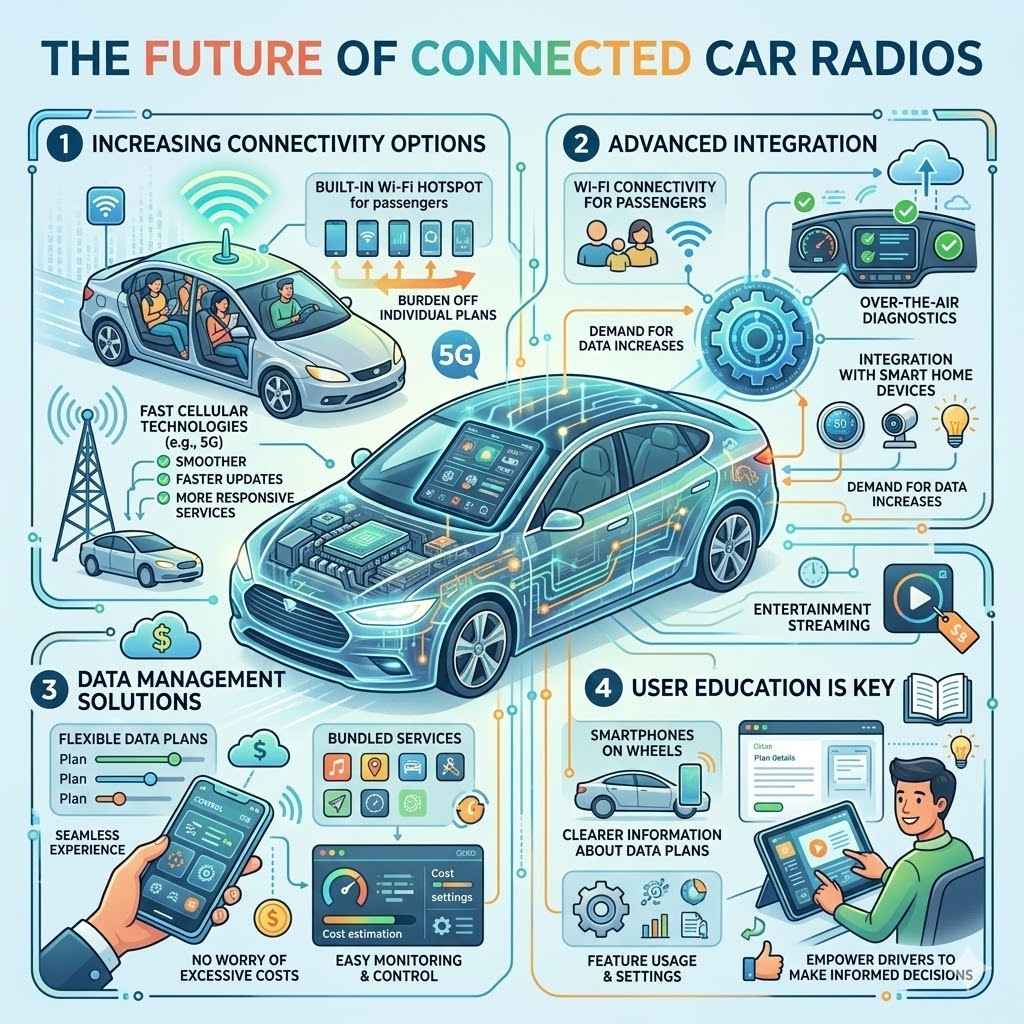
The automotive industry is rapidly advancing, and car radios are becoming more integrated into our digital lives. This trend means that understanding data usage will become even more important. As cars offer more advanced features like Wi-Fi connectivity for passengers, over-the-air diagnostics, and integration with smart home devices, the demand for data will only increase.
Manufacturers are looking for ways to make these services more affordable and accessible.
Increasing Connectivity Options
We are seeing more cars offer built-in Wi-Fi hotspots, allowing passengers to connect their devices. This can take some of the data burden off individual phone plans. Some vehicles are also supporting faster cellular technologies like 5G, which will enable more sophisticated real-time applications and quicker downloads.
This means smoother streaming, faster updates, and more responsive connected services.
Data Management Solutions
Car manufacturers are also exploring better data management solutions for consumers. This includes offering flexible data plans, bundled services, and easier ways to monitor and control data usage. The goal is to provide a seamless experience without the worry of excessive costs.
Some might even offer plans that include entertainment streaming for a fixed price.
User Education is Key
As cars become more like smartphones on wheels, educating consumers about how these systems work and how to manage data will be crucial. Clearer information about data plans, feature usage, and available settings will empower drivers to make informed decisions about their connected car experience. This proactive approach helps users avoid confusion and unexpected expenses.
Frequently Asked Questions
Question: Does my car radio use data if I only listen to AM/FM radio?
Answer: No, traditional AM and FM radio signals do not use any internet data. They are broadcast signals received by an antenna, much like a home radio.
Question: If I use Apple CarPlay or Android Auto, who pays for the data?
Answer: When using Apple CarPlay or Android Auto, the data usage comes from your smartphone’s data plan, not directly from the car.
Question: How much data does streaming music in my car typically use?
Answer: Streaming music can use a significant amount of data, roughly 100-150 MB per hour for high-quality audio. This can add up quickly.
Question: Can I turn off my car’s data connection completely?
Answer: In most cases, you can disable Wi-Fi and cellular connections through your car’s infotainment system settings. However, this will disable all connected features.
Question: Is it cheaper to use my phone’s data for my car than a separate car data plan?
Answer: Often, yes. If your phone plan has ample data, using it via Apple CarPlay or Android Auto can be more cost-effective than paying for a separate data subscription for your car.
Summary
Your car radio uses data because modern systems offer connected features like streaming, live traffic, and updates. These services require an internet connection, often through a built-in cellular modem or your smartphone. By understanding your car’s plan, adjusting settings, and using Wi-Fi or your phone’s data wisely, you can manage usage effectively.
Enjoy your connected drive!