Why Won’t My Phone Charge: Essential Fixes
Your phone won’t charge? Don’t worry! This guide offers simple, effective fixes to get your device powered up again. We’ll cover common culprits like dirty ports, faulty cables, and software glitches. Follow these easy steps to diagnose and solve the problem yourself, saving you time and frustration.
It’s a common frustration: you plug in your phone, expecting to see that charging icon, but nothing happens. Your phone is stuck at 1%, or maybe it’s even dropping battery life while plugged in! This can be incredibly annoying, especially when you rely on your phone for communication, navigation, or work. Many times, the reasons behind a phone not charging are simple and can be fixed with a few basic troubleshooting steps.
You don’t need to be a tech wizard to get your phone back to full power. We’ll walk you through the most frequent causes and provide clear, easy-to-follow solutions, so you can get your phone charging again without a hitch. Let’s dive in and get that battery icon showing some life!
Why Won’t My Phone Charge? Common Culprits and How to Fix Them
When your phone stubbornly refuses to charge, it can feel like a mini-crisis. But before you panic or rush to a repair shop, it’s important to know that most charging issues have straightforward solutions. Often, the problem isn’t with the phone itself, but with something external that’s easy to overlook. Let’s explore the most common reasons why your phone might not be charging and what you can do to fix them.
1. The Charging Cable is Damaged or Faulty
This is perhaps the most frequent reason a phone won’t charge. Charging cables, especially those used daily, can experience wear and tear. This can happen from bending the cable too sharply, pulling on the connector instead of the plug, or even just age.
Signs of a Bad Charging Cable:
- Visible fraying or exposed wires.
- Bent or damaged connectors.
- The cable feels unusually stiff or brittle.
- Intermittent charging (it works sometimes, but not others).
How to Fix It:
The simplest solution here is to try a different charging cable. If you have another compatible cable lying around, use that. Make sure it’s a good quality cable, as cheap, unbranded cables can also be unreliable and sometimes even damage your phone. You can find reliable USB-C or Lightning cables from reputable brands.
2. The Power Adapter Isn’t Working
Just like the cable, the power adapter (the part that plugs into the wall outlet) can also fail. Faulty adapters can prevent power from reaching your phone.
Signs of a Bad Power Adapter:
- The adapter feels unusually hot or cold.
- There are visible cracks or damage.
- It smells burnt.
- It simply doesn’t power any device plugged into it.
How to Fix It:
Test your phone and cable with a different, known-working power adapter. This will help you determine if the adapter is the source of the problem. Many smartphone manufacturers offer replacement adapters on their websites, or you can buy compatible ones from trusted electronics stores.
3. Dirty or Damaged Charging Port
The port on your phone where you plug in the charging cable can accumulate dust, lint, and other debris over time. This gunk can prevent the cable from making a proper connection, interrupting the flow of power.
Signs of a Dirty Port:
- You have to jiggle the cable to get it to charge.
- Debris is visible inside the port.
- The cable feels loose in the port.
How to Fix It: Cleaning the Charging Port Safely
This is a crucial step and needs to be done carefully to avoid damaging the delicate pins inside the port.
- Power off your phone. This is important to prevent short circuits.
- Use compressed air. Hold the phone so the port faces downwards and give it a few short bursts of compressed air. This can dislodge loose debris naturally. You can purchase canned air from most electronics or office supply stores.
- Use a non-metallic tool (with extreme caution). If compressed air doesn’t work, you can try gently cleaning the port with a non-metallic, pointed object. A wooden or plastic toothpick is often recommended. Gently scrape around the inside edges of the port to loosen any packed-in debris. Never use metal, like paperclips or pins, as they can scratch or damage the pins inside the port.
- Allow time for dust to settle. If you used compressed air, wait a moment before trying to charge again.
For a more in-depth guide on properly cleaning your phone’s charging port, check out this helpful resource from iFixit, a leading authority on device repair.
4. Software Glitches or Overheating
Sometimes, the issue isn’t hardware-related at all. A software glitch in your phone’s operating system or the battery management system can occasionally prevent charging. Similarly, if your phone overheats, it might temporarily disable charging to protect the battery.
How to Fix It:
- Restart your phone. A simple reboot can often clear temporary software glitches.
- Check for software updates. Ensure your phone’s operating system is up to date, as updates often include bug fixes. Go to your phone’s Settings > System > Software Update (path may vary by device).
- Let the phone cool down. If your phone feels very hot, disconnect it from the charger and let it cool in a well-ventilated area away from direct sunlight. Once it’s cool, try charging it again.
5. The Power Source Itself is the Problem
If you’re trying to charge your phone from a laptop USB port, a car charger, or a power bank, the issue might be with that specific power source.
Common Issues with Different Power Sources:
- Laptop USB Ports: Some laptop USB ports might not provide enough power to charge a phone quickly, or they might have power-saving features that can interfere. Try a different USB port on your laptop, or preferably, use a wall adapter.
- Car Chargers: Car chargers are notorious for being unreliable. The cigarette lighter socket might be dirty, the adapter itself could be faulty, or the car’s electrical system might have issues.
- Power Banks: Power banks can also degrade over time or have their own charging issues. Ensure the power bank is charged and try using a different cable with it.
How to Troubleshoot Different Power Sources:
- Try a different USB port on your laptop.
- Test your car charger in a different vehicle to see if the car is the problem. Ensure the car’s accessory power outlet is functioning.
- Try charging your phone directly from a wall outlet using a known-working adapter and cable to isolate whether the issue is with the phone, cable, or the external power source.
For specific advice on troubleshooting car charging systems, you might find resources from automotive clubs helpful, such as those offered by organizations like AAA, which often provide general advice on vehicle electrical systems.
6. Faulty Battery or Internal Hardware Issue
If you’ve tried all the above steps and your phone still won’t charge, it’s possible that the battery itself has a problem, or there’s a more serious internal hardware issue with the phone.
Signs of a Failing Battery:
- Your phone battery drains extremely quickly.
- The phone randomly shuts down, even when not low on battery.
- The phone fails to power on at all, even after extended charging attempts.
- If your phone is older, the battery may have simply reached the end of its lifespan. Battery capacity naturally degrades over time.
What to Do:
Replacing a phone battery can be a complex task and often requires professional expertise, especially with modern sealed devices. If you suspect your battery is the issue, it’s best to contact the manufacturer or visit a reputable repair shop. Apple provides detailed information on battery health and service on their support pages for iPhones, and similar resources are available for Android devices.
Troubleshooting Summary: Quick Check
Here’s a quick cheat sheet to help you diagnose why your phone won’t charge:
| Symptom | Likely Cause | Action |
|---|---|---|
| No charging icon, cable feels loose | Dirty charging port or bad connection | Clean port with compressed air/toothpick; try another cable. |
| Phone not charging, but everything looks fine | Faulty cable or adapter | Try a different known-good cable and adapter. |
| Phone charges intermittently | Damaged cable connector or loose port | Inspect cable/port; try a new cable. |
| Phone doesn’t charge from laptop/car | Insufficient power from source or faulty source | Try wall outlet; test source in another device/car. |
| Phone charges very slowly or not at all after overheating | Overheating protection | Let phone cool down completely before charging. |
| Phone won’t charge after trying everything else | Battery failure or internal hardware issue | Contact manufacturer or professional repair service. |
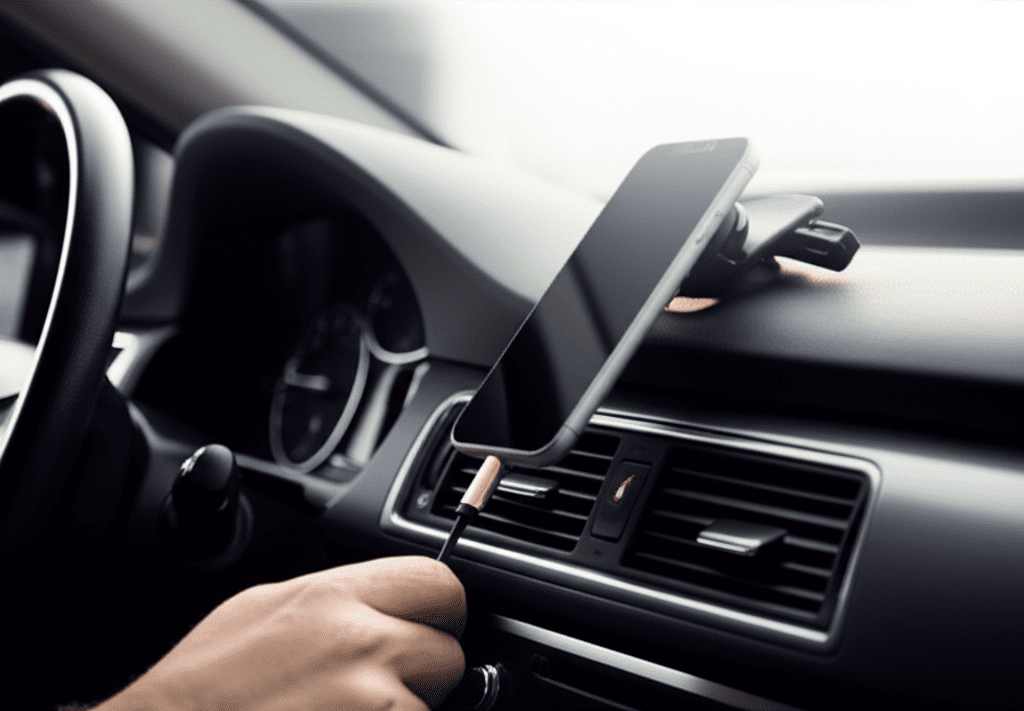
Specific Scenario: Why Won’t My Phone Charge in My Car?
Charging your phone in your car sounds convenient, but it can present unique challenges. If your phone isn’t charging in your car, here’s what to look for:
1. Check the Car’s Power Outlet (Cigarette Lighter Port):
- Debris: Just like your phone’s charging port, the car’s power outlet can accumulate dust, ash, or even corrosion. Ensure it’s clear of obstructions.
- Fuse: The power outlet is connected to a fuse in your car’s fuse box. If this fuse blows, the outlet won’t work. You can usually find the fuse box under the dashboard or in the engine bay. Check your car’s owner’s manual to locate the fuse for the power outlet, and visually inspect it. If the wire inside the fuse is broken, it needs replacement. You can buy replacement fuses at auto parts stores.
- Power Setting: Some cars require the ignition to be in the “accessory” or “on” position for the power outlet to work. Make sure your car is in the correct setting.
2. Evaluate the Car Charger Adapter:
- Quality: Cheap, universal car chargers are often poorly made and can fail quickly. They might also not provide enough consistent power for modern smartphones.
- Connection: Ensure the car charger is firmly seated in the power outlet. Sometimes, adapters can become loose.
- Compatibility: Some car charger ports are designed for specific devices or have lower amperage output. Make sure your charger is compatible with your phone’s charging requirements.
3. Re-evaluate Your Charging Cable:
- Durability: Car environments can be harsh, with vibrations and temperature fluctuations. A cable that works fine indoors might not hold up well in a car.
- Length: Very long charging cables can sometimes lose a small amount of power over their length, though this is less common with quality cables.
4. Test with Different Combinations:
- Try a different cable with the same car charger and phone.
- Try a different car charger adapter with the same cable and phone.
- Try charging another device with your car charger and cable to see if it’s a phone-specific issue.
- Test the car charger and cable in a different car to rule out issues with your vehicle’s electrical system.
By systematically checking these points, you can pinpoint why your phone isn’t charging in your car.

Frequently Asked Questions (FAQs)
Q1: My phone still won’t charge, even after trying a new cable and adapter. What else could it be?
A1: If you’ve exhausted external factors like cables, adapters, and power sources, the issue likely lies within the phone itself. This could be a faulty battery, a damaged charging port that requires more thorough attention, or a problem with the phone’s internal charging circuitry. At this point, it’s best to seek professional help from the manufacturer or a reputable repair service.
Q2: Can I charge my phone from a computer’s USB port?
A2: Yes, you can charge your phone from a computer’s USB port, but it’s generally slower than charging from a wall adapter. Older USB 2.0 ports provide less power (0.5 amps) than USB 3.0 ports (0.9 amps) or newer USB-C ports (which can vary significantly). Some laptops also have power-saving modes that can limit USB power output.
Q3: My phone shows it’s charging, but the battery percentage isn’t increasing. Why?
A3: This often indicates that the power being supplied is insufficient to keep up with the phone’s power consumption, or that the charging connection is unstable. It could be a weak power source (like an older USB port), a damaged cable that’s intermittently connecting, or a software issue. Ensure you are using a quality charger and cable, and try a different, more powerful power source.
Q4: Is it safe to clean the phone charging port with a needle?
A4: No, it is generally not safe to use a needle or any sharp metal object to clean a phone’s charging port. The internal pins within the charging port are extremely delicate and can be easily damaged or scratched by metal objects, leading to permanent charging problems. Stick to non-metallic tools like toothpicks or cotton swabs carefully, or use compressed air.
Q5: How often should I clean my phone’s charging port?
A5: You don’t need to clean it regularly unless you notice charging issues or can visibly see debris. If you frequently carry your phone in dusty environments or pockets without a case, it’s good practice to give the port a quick check periodically, perhaps once every few months, or if you start experiencing charging problems.
Q6: My phone gets very hot when charging. Is this normal?
A6: A little warmth during charging is normal, especially with fast charging. However, if your phone becomes uncomfortably hot to the touch, it could indicate a problem. This might be due to a faulty charger, a damaged battery, or aggressive fast-charging settings. If it feels excessively hot, unplug it immediately and let it cool down. If this behavior persists, it’s a sign to get it checked by a professional.
Conclusion
Dealing with a phone that refuses to charge can be a real headache, but as we’ve explored, most issues have straightforward fixes. By systematically working through these troubleshooting steps, starting with the simplest solutions like checking your cable and cleaning your charging port, you can often get your device back up and running. Remember to always use quality accessories and handle your phone’s charging port with care to prevent damage.
If you’ve tried all the common fixes and your phone still won’t charge, it might be time to consider a hardware problem, such as a worn-out battery or an issue with the internal charging components. In such cases, seeking professional assistance from the manufacturer or a trusted repair technician is the best course of action. Don’t let a dead battery get you down; with a little patience and these troubleshooting tips, you’ll hopefully have your phone powered up and ready to go in no time!