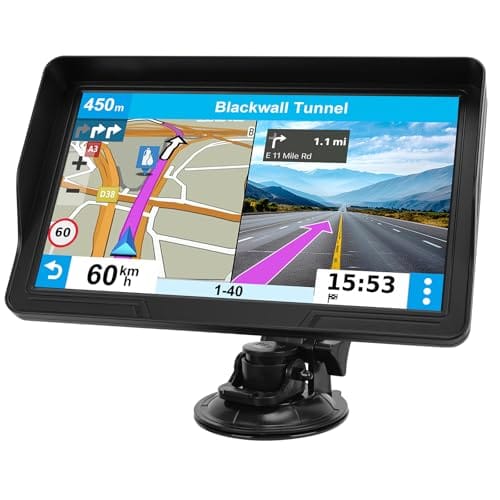
Best Car GPS Systems for Navigation (2026): Top 4 Picks
A dedicated car GPS system like the Garmin DriveSmart 76 still beats a smartphone for RV and truck routing, unless you already have unlimited data and never leave cell coverage. Picking the wrong unit means paying for map updates a free app already covers, or routing a tall RV under a low bridge. This guide compares our top 4 picks, when a dedicated GPS is worth it, and aftermarket versus built-in navigation.
Quick Answer
For most drivers, the Garmin DriveSmart 76 (about $246) is the best all-around dedicated car GPS in 2026: a 7-inch screen, live traffic, and free Wi-Fi map updates. If you tow or drive an RV or truck, get a Garmin dezl model instead — it routes around low bridges and weight limits, which phone apps do not reliably do.
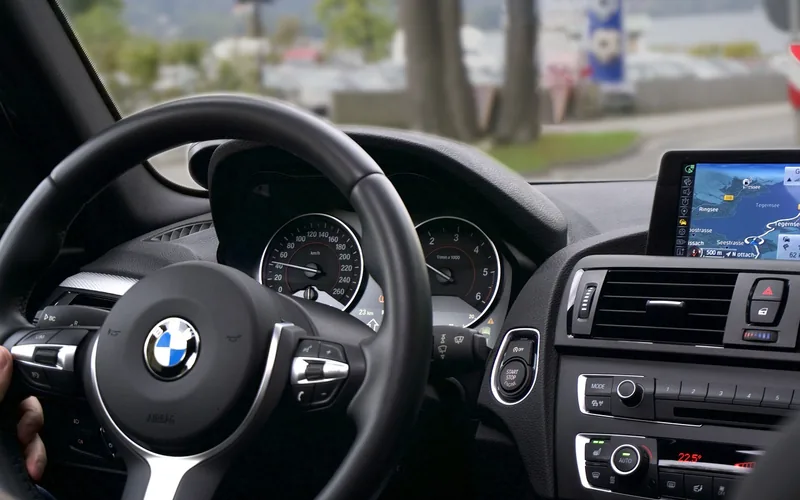
Do You Need a Dedicated Car GPS in 2026, or Will Your Phone Do?
Dedicated GPS navigation is standalone hardware — not a phone app or a car’s factory screen — built solely to plot routes and give turn-by-turn directions. Most everyday drivers with a smartphone and a data plan get comparable turn-by-turn directions for free from Google Maps or Waze. A dedicated unit earns its keep in three specific situations: no reliable cell signal on your route, RV/truck routing around low bridges and weight limits, or wanting one screen that never buzzes with texts while you drive.
| Navigation Type | Works With No Cell Signal | RV/Truck Routing | Best For |
|---|---|---|---|
| Dedicated GPS (Garmin, etc.) | Yes | Yes, on truck/RV models | Road trips, dead zones, RVs and trucks |
| Smartphone app (Google Maps, Waze) | No — needs data or offline maps | Limited | Daily city driving with cell coverage |
| Built-in factory navigation | Yes | Rare, luxury/truck trims only | Buyers who want it baked into the dash |
📊 The global personal navigation device market is projected to grow from $3.6 billion in 2025 to $8.0 billion by 2035, an 8.2% CAGR — dedicated GPS units are not disappearing, they are consolidating around RV, truck, and fleet routing where phone apps fall short. Source: Future Market Insights, 2025
“Cell phone service isn’t reliable everywhere… every time your phone gets a notification, your drive is interrupted. Garmin doesn’t sell your personal data. Period.”
Aftermarket vs. Factory Navigation: Which Should You Buy?
An aftermarket navigation system is any GPS unit or head-unit installed after the vehicle leaves the factory — a dashboard-mounted Garmin, TomTom, or CarPlay screen you add yourself. A factory (built-in) system comes from the manufacturer and is wired into the dash from day one.
- Aftermarket wins on cost and features — you are not locked into whatever your car came with, and units get Apple CarPlay, Android Auto, and live traffic that older factory systems lack.
- Factory wins on theft resistance and resale — a built-in system is bolted into the dash and harder to steal than a portable unit, and cars with integrated navigation typically hold resale value better.
- Aftermarket wins on update speed — automakers have long product cycles, so a new aftermarket GPS often ships with more current maps and software than a 3-year-old factory system.
Which Car GPS Is Easiest to Use?
Of our top picks, the Garmin Drive 53 is the easiest to use out of the box — its 5-inch screen has fewer menu layers and a simpler home screen than the larger DriveSmart and dezl models. The Garmin DriveSmart 76 takes a few extra minutes to set up Wi-Fi and pair Bluetooth for Alexa and live traffic, but its larger 7-inch display and voice search make it easier to read and use once configured. Truck-specific units like the dezl OTR710 have the steepest learning curve because you must enter your vehicle’s height, width, and weight correctly before custom routing works.
Best Car GPS Pick
Garmin DriveSmart 76, 7-Inch Car GPS Navigator
7-inch high-resolution touchscreen with Alexa built-in, live traffic, and free Wi-Fi map updates — about $246.
- Best for: drivers who want the largest, easiest-to-read screen with hands-free voice search
- Why we picked it: free lifetime North America map updates over Wi-Fi, no computer or subscription needed
- Main drawback: Alexa and live traffic require pairing with the Garmin Drive phone app first
Compare more car GPS options
 Easiest to Use Garmin Drive 53 GPS Navigator
|
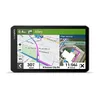 Best for RV/Truck Garmin dezl OTR710 Truck GPS
|
 Best Budget 7-Inch GPS Navigator, 2026 Maps
|
As an Amazon Associate we earn from qualifying purchases.
Garmin DriveSmart 76: Best Overall
The Garmin DriveSmart 76 is a 7-inch car GPS navigator with a bright, high-resolution touchscreen, Garmin Voice Assist, and Alexa built-in. Once paired with the Garmin Drive app on a compatible phone, it adds live traffic, weather, fuel prices, and smart notifications, and it updates its own North America maps over Wi-Fi without a computer.
Pros
- 7-inch high-resolution, easy-to-read display
- Garmin Voice Assist and Alexa built-in for hands-free requests
- Free Wi-Fi map and software updates — no computer required
- Driver alerts for school zones, sharp curves, and speed changes
Cons
- Live traffic and Alexa need a paired phone running the Garmin Drive app
- Higher price than the Drive 53 or budget alternatives
At about $246, the DriveSmart 76 costs more than Garmin’s entry-level models, but the larger screen and Alexa integration make it the easiest unit in this lineup to actually use at highway speed. Check the current price on Amazon.
Garmin Drive 53: Easiest to Use
The Garmin Drive 53 is a 5-inch GPS navigator built for drivers who want simple, no-fuss turn-by-turn directions without extra setup steps. It includes school zone and speed-change alerts, Tripadvisor ratings for nearby restaurants and attractions, and Garmin’s Real Directions feature, which calls out landmarks instead of just street names.
Pros
- 5-inch glass capacitive touchscreen, simple menu structure
- Garmin Real Directions landmark-based guidance
- Lower price than the DriveSmart or dezl lines, about $150
Cons
- No Alexa or built-in Wi-Fi map updates
- Smaller screen is harder to read from farther away
If the DriveSmart 76 feels like more screen and more setup than you want, the Drive 53 covers the same core turn-by-turn basics for less money. Check the current price on Amazon.
Garmin dezl OTR710: Best for RV and Truck Routing

The Garmin dezl OTR710 is a 7-inch truck GPS built around one job phone apps do not handle well: routing based on your vehicle’s actual size. Enter your rig’s height, width, weight, and hazmat restrictions once, and it plans routes that avoid low bridges, tight turns, and weight-restricted roads, with alerts before you reach them.
Pros
- Custom truck/RV routing by height, width, weight, and hazmat class
- Alerts for upcoming bridge heights, weight limits, and steep grades
- Directory of truck stops and trailer services, filterable by brand or amenity
Cons
- Most expensive unit in this lineup, about $350
- Overkill if you drive a standard car or sedan
- Route suggestions may not account for every vehicle characteristic — always defer to posted signs
This is the one product in this guide a smartphone genuinely cannot replace: Google Maps and Waze do not reliably route around a specific vehicle’s height or weight. Check the current price on Amazon.
Frequently Asked Questions
What features does the Garmin DriveSmart 76 have?
The Garmin DriveSmart 76 has a 7-inch high-resolution touchscreen, Garmin Voice Assist, Alexa built-in, driver alerts, and free Wi-Fi map updates. When paired with the Garmin Drive app, it also adds live traffic, weather, and smart notifications.
Do I need a dedicated GPS, or can I just use my phone?
Most everyday drivers with a data plan and reliable cell coverage can use a free phone app like Google Maps or Waze instead of buying a dedicated GPS. A dedicated unit is worth buying if you drive in areas with weak cell signal, tow or drive an RV or truck that needs custom size-based routing, or want a screen that will not interrupt you with texts and notifications.
What does “aftermarket navigation system” mean?
An aftermarket navigation system is any GPS unit installed after the vehicle leaves the factory, such as a dashboard-mounted Garmin or TomTom. A factory (built-in) navigation system is wired into the dash by the manufacturer before the car is sold.
Can I use one car GPS navigator in multiple vehicles?
Yes. A portable, dash- or windshield-mounted GPS like the Garmin Drive 53 or DriveSmart 76 can be moved between cars, and some budget models let you set separate vehicle profiles for a sedan, truck, or RV on the same device. A factory-installed navigation system, by contrast, stays with that one vehicle.
Are Garmin dezl GPS units worth it for towing or an RV?
Yes, if you regularly drive a vehicle tall, wide, or heavy enough to be restricted from some roads. The dezl OTR710 and similar models let you enter your exact height, width, and weight so the GPS can route around low bridges and weight-limited roads, which most smartphone map apps do not do reliably.
Do car GPS units still need paid map updates?
Not usually anymore. Current Garmin DriveSmart, Drive, and dezl models include free map updates over Wi-Fi or through the Garmin Express app, and several budget GPS units now advertise free lifetime map updates as a standard feature rather than a paid add-on.
Are there driver alerts in these GPS systems?
Yes. The Garmin DriveSmart 76, Drive 53, and dezl OTR710 all include driver alerts for things like school zones, sharp curves, and speed changes, and the dezl line adds alerts specific to truck and RV routing, such as low bridges and weight limits.
Conclusion
For most drivers, the Garmin DriveSmart 76 is the best all-around car GPS: a large, high-resolution screen, hands-free Alexa, and free Wi-Fi map updates. If simplicity matters more than screen size, the Garmin Drive 53 covers the same basics for less. And if you tow, drive an RV, or drive a truck, the Garmin dezl OTR710 is the one pick here your phone genuinely cannot replace, since it routes around your vehicle’s actual height, width, and weight. Match the pick to how you actually drive, not just the biggest screen.
If you are trying to decide between a standalone GPS, your car’s built-in system, or just using your phone, see our full breakdown of automotive navigation systems for drivers. If your phone already mirrors onto your dashboard, check whether your car supports wireless CarPlay before buying a separate unit, or learn how to put GPS on your car screen using your phone instead. Note that a navigation GPS is not the same as a GPS tracker installed for anti-theft or fleet monitoring — those are a different device for a different job.
Products related to this article
Sponsored / affiliate links. As an Amazon Associate I earn from qualifying purchases. I may earn additional commission from eligible campaigns.