Can You Have SiriusXM In 2 Cars? Family Discount & Companion Plan (2026)
Yes, you can have SiriusXM in 2 cars, but not for free on one subscription. SiriusXM states that every satellite radio requires its own subscription. What you can do is put both radios on one account, which may qualify for a Family Discount, ask whether you qualify for a free Companion Plan, or stream the app in the second car. This guide covers what each route means for your bill and exactly how to add the second vehicle, based on SiriusXM’s own help pages as of October 12, 2026. Plans and prices change, so confirm in your Online Account Center before you commit.
Understanding SiriusXM Subscription Tiers for Multiple Vehicles
Best FM Adapter Pick for a Portable Radio
|
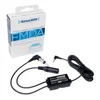
SiriusXM FMDA25 FM Direct Adapter
|
As an Amazon Associate we earn from qualifying purchases. Spec-based pick from the listing, not a hands-on test.
Here is the part many guides get wrong. A satellite radio subscription is tied to a radio, identified by its Radio ID, not to you or your household. SiriusXM’s help center answers the question directly: yes, every satellite radio requires its own subscription. If you have more than one radio on the same account, you may be eligible for a Family Discount, but it is a discount on the additional subscription, not a waiver of it.
That leaves four realistic setups for two cars:
- Two satellite radios on one account (two subscriptions, billed together, possibly with the Family Discount).
- A Companion Plan if SiriusXM has offered one to your account (free, but limited and discretionary).
- Platinum VIP, a plan that covers up to two satellite radios with a separate app login for each.
- One satellite radio plus the app in the other car, using your phone through Bluetooth, CarPlay or Android Auto.
Which one wins depends on whether both cars are driven at the same time. If one household member drives each car every day, you need two working signals at once. If you mostly alternate, the app in the second car is the cheapest route.
The Family Discount: what SiriusXM actually says
SiriusXM’s page on discounts for additional subscriptions gives three conditions worth knowing:
- At least one subscription on the account must be an active, full-price qualifying plan, and you must keep it active to keep the reduced rate on the additional one.
- Not all plans qualify for discounts.
- Changing the number of subscriptions or switching your plan could affect the future price of your subscriptions.
The page lists no discount percentage or dollar amount, so you should not trust any article, including older versions of this one, that quotes a flat add-on fee such as “$3 to $5 per radio.” The only way to see your real price is to log in to the Online Account Center, which SiriusXM says will confirm that all your subscriptions sit on one account and that your plans qualify. Also note that a February 24, 2026 SiriusXM rate-change notice said subscribers receiving a family (multi-radio) discount on standard rates would also see an increase, again without publishing a family-discount percentage.
Step-by-Step Guide: How to Add a Second Car to Your Subscription
Adding a vehicle is a short process, and you may not need to call anyone if the second radio is a standard factory or aftermarket SiriusXM unit. You need an active subscription on your account first. If you have never registered an account, do that before anything else.
Step 1: Find the Radio ID of the second car
SiriusXM says that for most radios the Radio ID appears when you tune to channel 0. It is also called an ESN or RID. Do not assume a length: SiriusXM’s own Radio ID page notes that the format varies by system, with some older Mazda models showing a 12-digit ID and some newer systems an 8-digit one. If channel 0 does nothing, SiriusXM lists manufacturer-specific steps. For example, its page says BMW owners can hold the SAT button for more than three seconds in Sirius mode, while Mitsubishi owners press the SAT button. Write the ID down exactly, since letters and numbers are easy to mix up.
Do this with the car parked. Setting up a radio is not something to do while driving.
Step 2: Add the radio to your existing account
SiriusXM describes two online routes. In the Online Account Center you can choose Add Car + Streaming on your dashboard and follow the prompts. Alternatively, open the Subscriptions tab, click Find subscription under the “Don’t see your subscription?” box, enter the Radio ID and follow the prompts. If the new radio is on a trial, SiriusXM says you can choose a follow-up plan that starts when the trial ends.
Step 3: Check the price before you confirm
This is where the Family Discount question gets answered for your account. Compare the price shown for the second subscription with what you pay now, and make sure you are not changing your first plan, since SiriusXM warns that plan changes can affect pricing.
Step 4: If the radios are on two different accounts
Already have a radio in each car, billed separately? SiriusXM’s page on combining accounts says to chat or call 1-800-689-6881, and a representative will help move billing onto one account. That is the route to look into if you want the multi-radio discount on radios you already own.
For a new car replacing an old one, SiriusXM’s New Car Transfer page lists 844-263-5296 and says the team can link the new radio to your existing account, apply unused credits after a trial, check whether you qualify for a multi-radio discount, and remove radios you no longer have. For more on that scenario, see our guide to moving a SiriusXM radio to another vehicle.
Family Discount, Companion Plan or Platinum VIP: Which Fits Two Cars?
The three multi-car options get mixed up constantly, and the differences are real. This table uses only terms stated on SiriusXM’s own pages as of October 12, 2026.
| Option | What SiriusXM says | Watch out for |
|---|---|---|
| Family Discount | Applies when you have multiple subscriptions on a single account and at least one active full-price qualifying plan | No published percentage. Not every plan qualifies |
| Platinum Companion Plan | Free for select subscribers with a full-price Platinum or Platinum VIP plan: an additional Platinum-level subscription for another vehicle in your household plus an extra app login | SiriusXM decides who gets one. Limit of one per account or household. Ends if you cancel, modify or downgrade the main plan, and cannot be reinstated |
| App-Only Companion Plan | Free All Access (App Only) subscription for qualifying full-price subscribers, so another household member can stream | Also discretionary and limited to one per account. Modifying it forfeits the free service |
| Platinum VIP | Offer page lists $46.99 per month and access on up to two satellite-enabled radios, with separate app logins for each activated radio | Renews monthly at the then-current rate. At least one satellite radio must stay active. Cancel at least 24 hours before renewal. Offer can change |
A useful detail on Platinum VIP: its offer terms say standalone VIP Streaming can be added in place of the second satellite radio, which suits a household where the second car will be streamed. And if SiriusXM cancels the satellite radio without you contacting them, the terms say the streaming plan is downgraded to a standalone Streaming Platinum plan, listed at $11.99 per month. These are offer terms that SiriusXM can modify at any time, so read the current ones before signing up.
How to find out if you have a Companion Plan
SiriusXM says Companion Plans have been pre-loaded onto qualifying accounts and are activated by logging in to your online account. If you do not see one, you were probably not selected, since there is no application. The Platinum version can move to another enabled vehicle on your account, but SiriusXM says you cannot transfer it to a radio on another account, and the account holder remains the only person who can manage it.
Comparing Activation Methods: Satellite vs. Streaming
SiriusXM’s plans page says all its popular plans include streaming with the SiriusXM app, that in-car service lets you tune your channels on a radio, and that app-only plans are for home and mobile devices. Which is better in the second car?
| Feature | Satellite radio on your account | SiriusXM app in the second car |
|---|---|---|
| Signal source | Satellite reception | Wi-Fi or your phone’s mobile data |
| Cost for that car | A second subscription, possibly discounted | Included on plans that include streaming, per SiriusXM’s plans page |
| Hardware | A SiriusXM-ready radio or a portable radio with vehicle kit | Your phone plus Bluetooth, USB, CarPlay or Android Auto |
| Both cars at the same time | Yes, once both Radio IDs are on the account | Check the stream-limit terms of your plan before relying on it |
| Setup | Radio ID entered on the account | Download the app and sign in |
One more point on the app: it is not a free pass for a second household member. Your plan’s terms control who can stream, which is why SiriusXM created app logins for Companion Plans and Platinum VIP. For connection steps, see our guide on how to connect the SiriusXM app to your car, and for the limits of app use across cars, see using the SiriusXM app in a second car.
What If My Second Car is Older or Doesn’t Have a Receiver?
SiriusXM’s multiple-vehicles help page covers this case: if your other vehicle does not already have a SiriusXM radio, you can purchase another radio, and it lists portable and Dock & Play radios designed to move from car to car and car to home. You then add that radio’s ID to your account using the steps above.
Getting audio into an older stereo
A portable radio still has to reach your speakers. The usual options are an FM transmitter built into the radio’s vehicle kit, an aux input if the car has one, or a direct connection to the car’s FM radio. The SiriusXM FMDA25 Direct Adapter in the box above is the last kind. Its listing describes a static-free connection hardwired into the vehicle’s FM radio behind the dash, with the option to switch between satellite and regular FM using the radio’s power button, and compatibility with SiriusXM Dock & Play and portable radios. It also notes that XM-branded radios need a PowerConnect Vehicle Kit and that antenna adapters may be required. Because it goes behind the dash, follow the included user guide or have a car-audio installer do it if you are not comfortable removing panels.
If you are still choosing the radio, compare satellite radio receivers first, and see our overview of getting satellite radio in a car for the basics.
When the second car is a newer model with a touchscreen
If the second car supports Apple CarPlay, SiriusXM’s help center lists the plans that include CarPlay access, starting with Platinum, Music & Entertainment and Streaming Platinum. It does not address Android Auto on that page, so check your own plan if you use Android. Connect your phone before you start driving, not while moving.
Troubleshooting Common Two-Car Activation Issues
The second radio shows previews or no channels
First confirm the Radio ID on the account matches the one the radio displays on channel 0, character for character. A single mistyped letter points service at the wrong radio. Park outside with a clear view of the sky and give the radio time. If it still shows nothing, contact Listener Care and ask them to confirm the radio is activated on your account.
The second car has fewer channels than the first
Check which plan the second radio is on in the Online Account Center. Two radios on one account can carry different subscriptions, and a Family Discount applies to an additional subscription, not necessarily the same plan. Compare the plan names side by side.
FAQs: SiriusXM in Multiple Cars
Do I need a separate SiriusXM subscription for each car?
Yes for each satellite radio. SiriusXM’s help center says every satellite radio requires its own subscription. If both radios are on one account you may be eligible for a Family Discount. If your plan includes streaming, you can also use the app in a car without a second satellite radio.
How do I find the Radio ID for the second car?
Tune to channel 0. SiriusXM says the Radio ID shows there on most radios. If not, SiriusXM lists steps by vehicle manufacturer. The ID is also called an ESN or RID, and its length varies by system.
Can I add a second car online?
Yes. In the Online Account Center, choose Add Car + Streaming, or use the Subscriptions tab and Find subscription, then enter the Radio ID. If the radios are billed on different accounts, SiriusXM says to chat or call to combine them.
What is the SiriusXM Companion Plan?
It is a free subscription SiriusXM gives to select accounts with a qualifying full-price plan. The Platinum version adds a Platinum-level subscription for another vehicle in your household plus an app login. It is limited to one per account or household and ends if you cancel or change the main plan.
How much does a second SiriusXM radio cost?
SiriusXM does not publish a flat add-on price. The Family Discount applies to additional subscriptions on one account with at least one full-price qualifying plan, and your price shows in the Online Account Center.
Can I move my subscription between two cars?
A radio’s subscription belongs to that radio. SiriusXM’s New Car Transfer service can link a new radio to your account and remove radios you no longer have, and a portable radio can move between vehicles. For regular use in both cars at once, add both radios to the account.
Conclusion: Enjoying SiriusXM Across Both Cars
The honest answer to “can I have SiriusXM in 2 cars” is yes, with a cost attached: each satellite radio needs a subscription, and your options for lowering that cost are the Family Discount, a Companion Plan if SiriusXM has offered you one, Platinum VIP for two radios, or the app in the second car. Find the second Radio ID on channel 0, add it through the Online Account Center, and read the price before you confirm. Check SiriusXM’s pages again before you sign up, since every figure and program here can change.
Products related to this article
Sponsored / affiliate links. As an Amazon Associate I earn from qualifying purchases. I may earn additional commission from eligible campaigns.