How to Use SiriusXM in Your Car: Activate, Presets & Fixes
Using SiriusXM in a car is mostly a handful of small habits: reading the right channel, linking the right ID, saving the channels you actually play and knowing what to do when the signal drops. This guide covers that day-to-day side, based on SiriusXM’s own help pages as of October 2026. It also corrects a common mix-up: your Radio ID shows on channel 0, not on the Preview Channel that older advice points to.
Quick Answer
Tune your satellite radio to channel 0 to read the Radio ID, link that ID to a SiriusXM account, then check the signal on the Preview Channel (channel 1 or 184, depending on the vehicle). Save favorites as presets, and if the signal drops, check the antenna’s view of the sky and power-cycle the radio. Plans and menus change, so confirm details on siriusxm.com.
Factory-Installed vs. Aftermarket SiriusXM: Which Do You Have?
| Best Pick If Your Car Has No Built-In SiriusXM | |
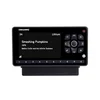 |
SiriusXM Onyx EZR Satellite Radio with Vehicle Kit (SXEZR1V1)
|
| View Our Pick on Amazon | |
As an Amazon Associate we earn from qualifying purchases. This is a spec-based pick from the product listing, not a hands-on test.
The steps for day-to-day use are the same either way, but the setup is not. A factory radio has the receiver and antenna built in, so it only needs to be linked to an account. A car with no satellite radio needs a receiver and an antenna that sees the sky, which is what the kit above provides.
- Factory-installed: The radio has a SAT, SXM or SiriusXM source. You link it to an account and you are done.
- Aftermarket receiver: A separate radio or tuner, plus an antenna mounted on the outside of the car, plus a way to feed its audio into the car stereo.
- App only: The phone streams over mobile data, which is a different setup. See our guide on how to connect the SiriusXM app to your car.
How to Activate SiriusXM in Your Car
SiriusXM’s sign-up help describes three steps: link the radio to your account, check the signal, then listen. Here is the same flow with the details that trip people up.
- Find your Radio ID: With the radio on its satellite source, tune to channel 0. Most radios show the ID there. It is also called the ESN or RID.
- Link the radio to an account: In the SiriusXM online account center, add the vehicle using the Radio ID or ESN, along with the VIN. Choose a plan or start a trial from the same place.
- Check the signal: Switch to the satellite function and tune to the Preview Channel, channel 1 or 184 depending on the vehicle. Hearing audio means the radio has a signal.
- If nothing plays, send a signal: SiriusXM’s trial page says to keep the antenna in clear view of the sky, request the signal from its signal page, then tune to channel 4 to confirm. SiriusXM’s pages do not give a fixed waiting time, so if there is still no audio after you have waited, contact SiriusXM or your dealer.
Moving a plan between cars is a different job, covered in our guide on how to transfer SiriusXM to another vehicle, and our guide to adding SiriusXM to a second car covers keeping two cars on one account.
Where the Radio ID Hides on Specific Cars
If channel 0 shows nothing, SiriusXM’s Radio ID page lists make-specific steps. A few examples from that page:
| Vehicle | Where SiriusXM says to look |
|---|---|
| BMW | In Sirius mode, hold the SAT button for more than 3 seconds, or open Options, then Manage Subscription |
| Ford and Lincoln (Sync 3, select model year 2020) | Tune to channel 0, then Apps, Sirius Travel Link, Subscription |
| Mercedes-Benz | Audio, then SatRadio, then Service; the ID and call center number appear |
| Mini Cooper | Turn the right rotary knob to a channel that is not activated and the ID appears |
| Mitsubishi | Press the SAT button |
| Volvo (2007 to 2009) | Press MENU, scroll to Sirius Settings, then Sirius ID |
Newer systems differ again, so the owner’s manual wins when it disagrees with any list, including this one.
Setting Up an Aftermarket SiriusXM Receiver
If the car has no satellite radio, the install has five parts. SiriusXM does not publish one universal procedure, so follow the instructions in the box for your model.
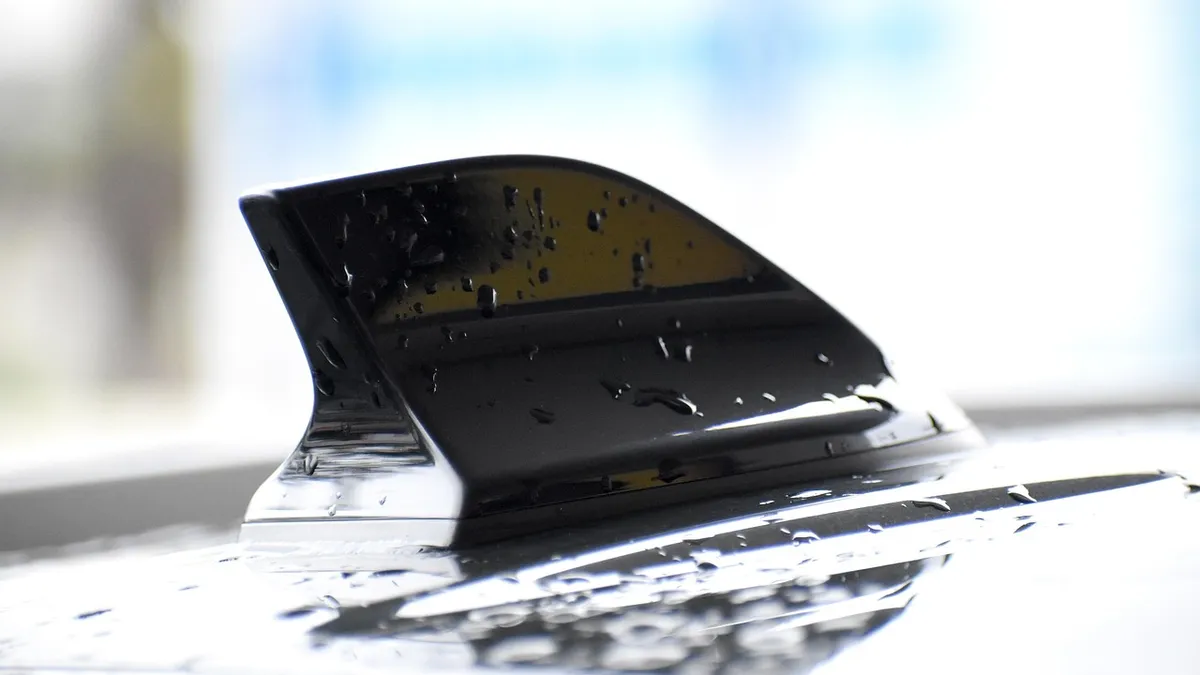
- Mount the antenna outside: SiriusXM’s radio guide says the antenna should be mounted on the outside of the vehicle with nothing blocking its view. A roof position gives the widest view of the sky.
- Route the cable cleanly: Keep it away from door seals and moving parts, and confirm it is pushed firmly onto the radio or dock.
- Power the radio: Use the power adapter or vehicle kit that came with it.
- Get the audio into the stereo: The method depends on the receiver and the car, so check the manual for supported connections.
- Activate: Use the Radio ID shown on the receiver, then follow the activation steps above.
For the bigger picture on what happens between the satellite and your speakers, see our explainer on how satellite radio works.
Navigating SiriusXM Channels
Channel numbers are the quickest way in, and every radio lets you step up and down. SiriusXM says its 360L system, found in newer vehicles, adds one-touch switching between live and on-demand content, browsing by category or genre, direct entry of a channel number and a Related button for similar channels and shows. Some of those features need an active data connection in the vehicle, and the features and screens vary by make and model.
For the full lineup before you subscribe, SiriusXM’s website has a channel guide sorted by genre. Content depends on your plan, so a channel you can see in the guide may not play on a lower tier.
Presets and Favorites Are Not the Same Thing
| Presets | Favorites | |
|---|---|---|
| Where they live | In the radio | In your SiriusXM Library (app or website) |
| How to set | Per your owner’s manual; the number of slots depends on the radio | Tap the plus icon on a channel, show or podcast page |
| Example | The Onyx EZR stores up to 10 channels, per its listing | In a Mini 360L system, SiriusXM’s FAQ points to an Add to Favorites button |
| Sync | Not stated by SiriusXM | Library is for app and online listening |
The practical tip: set your presets for the stations you want while driving, and use favorites for browsing at home. If you switch cars, expect to rebuild presets.
Using Advanced Features
Pause, rewind and replay depend on the radio. SiriusXM’s shop describes the Roady BT as able to pause, rewind and replay up to 60 minutes of live satellite programming, and the older Lynx portable as able to replay up to 30 minutes on the tuned channel. Factory 360L radios list their own controls in each make’s FAQ, so look under your vehicle brand on SiriusXM’s help site rather than assuming a fixed length.
Parental controls and other settings live in the radio menu or your account, and the labels vary. If you cannot find an option, check the owner’s manual instead of guessing, and do not fiddle with menus while driving.

Getting a Better Signal: Antenna, Tunnels and Garages
A satellite radio picks up a signal from space, so anything between the antenna and the sky can cut it. SiriusXM’s help page on lost signal says exactly that: obstructions between the radio and the sky cause signal loss. Three habits cover most cases.
- Keep the antenna on the outside and in the clear. SiriusXM’s radio guide says to mount it outside the vehicle with nothing blocking its view. An antenna left on the dash or inside the cabin is the first thing to check on a portable radio.
- Expect dropouts in garages and tunnels. The radio guide says a signal should return once you leave an underground garage. Heavy tree cover can have the same effect, so a short loss under a canopy is not a fault.
- Check the cable and the connection. For an Antenna Not Detected message, SiriusXM says the cable should be firmly plugged into the cradle, not bent or broken, and that turning the radio off and on resets the message. On a Dock and Play or portable radio, remove the radio from its cradle and reinstall it.
Troubleshooting Common Issues
Work through the table from the top. It uses SiriusXM’s own checks, and the channel numbers are the ones its pages name.
| Symptom | Likely cause | What SiriusXM says to try |
|---|---|---|
| Cannot find the Radio ID | Wrong channel or a make-specific menu | Tune to channel 0, or use the make-specific steps on the Radio ID page |
| No channels after signing up | Radio not linked yet or no signal | Tune to the Preview Channel (1 or 184); if audio plays, send a signal; if not, contact the dealership |
| Trial not working in a used car | Trial not active on that radio | Send a signal with the Radio ID and a clear sky view, then tune to channel 4 to verify |
| No Signal or Acquiring Signal | Blocked view of the sky | Check the antenna is outside with nothing blocking it; leave the garage or tunnel |
| Signal lost and will not return | Radio needs a reset | Turn off the vehicle and radio, open and close the driver door, wait 3 minutes, turn back on |
| Antenna Not Detected | Loose or damaged cable | Reseat the cable in the cradle, check for bends or breaks, power the radio off and on |
| Still silent after all of this | Vehicle-specific fault | Contact your dealership; SiriusXM asks it to check the radio reset and antenna |
When to see a professional: If the antenna cable runs under trim, through a door seal or into the headliner and the signal still will not return, have a dealer or installer check it rather than pulling panels yourself. Hidden wiring and airbag components sit behind much of that trim, so do not pry it apart on a guess.
Frequently Asked Questions
Where do I find my SiriusXM Radio ID?
On most radios, tune to channel 0 and the Radio ID (also called the ESN or RID) appears on the screen. If it does not, SiriusXM lists make-specific steps, such as holding the SAT button for more than three seconds on a BMW or opening Audio, SatRadio, Service on a Mercedes-Benz. Your owner’s manual is the other reliable place to look.
Is channel 1 the Radio ID channel?
No. Channel 0 shows the Radio ID on most radios. Channel 1 (or 184, depending on the vehicle) is the Preview Channel that SiriusXM tells you to tune to when checking whether the radio is receiving a satellite signal. Older advice mixes the two up.
Do my radio presets and my SiriusXM favorites sync?
Treat them as separate lists. Presets are stored in the radio itself, and the number you get depends on the radio. Favorites live in your SiriusXM Library when you use the app or website. SiriusXM’s pages checked for this guide do not say that car presets sync to the app, so set them up on each device.
Why does SiriusXM cut out in tunnels and garages?
A satellite radio needs a clear line from the antenna to the sky. SiriusXM says obstructions between the radio and the sky cause signal loss, and its radio guide says a signal should return after you drive out of an underground garage. A tunnel blocks the sky the same way, so the signal comes back when you exit.
How do I check whether my radio is getting a satellite signal?
Switch the radio to its satellite source and tune to the Preview Channel, which SiriusXM lists as channel 1 or 184 depending on the vehicle. If you hear audio, the radio has a signal connection. If you hear nothing on that channel, SiriusXM’s signal page tells you to contact your dealership.
Can I pause or rewind SiriusXM in my car?
Only on radios that support it. SiriusXM’s shop describes the Roady BT as able to pause, rewind and replay up to 60 minutes of live satellite programming, but the amount and the controls differ by radio and vehicle. Check your owner’s manual or your radio’s help screen.
Conclusion
Using SiriusXM in a car comes down to a few repeatable checks: channel 0 for the Radio ID, the Preview Channel for signal, presets saved on the radio and a clear view of the sky for the antenna. Because plans, menus and radio models change, confirm anything model-specific against your owner’s manual and SiriusXM’s help pages.
Products related to this article
Sponsored / affiliate links. As an Amazon Associate I earn from qualifying purchases. I may earn additional commission from eligible campaigns.