Change BMW Battery Without Losing Settings
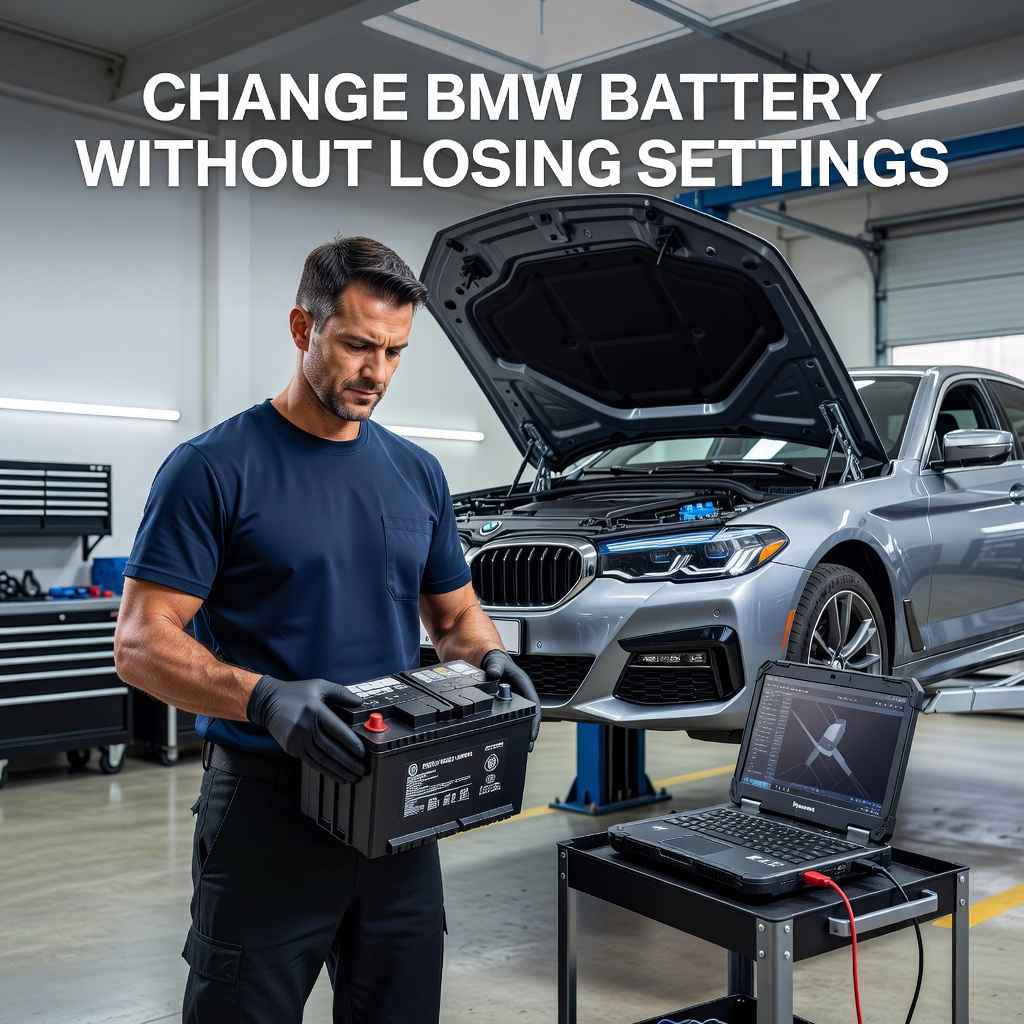
It can seem a bit tricky to Change BMW Battery Without Losing Settings. Lots of car owners worry about losing their radio presets, clock time, or even more important computer settings when the power is cut off. This is a common concern, especially for those new to working on their BMW.
But don’t worry, it’s not as hard as you might think. We’ll walk you through it step by step, making it simple and easy.
How To Change BMW Battery Without Losing Settings
This section will guide you through the entire process of changing your BMW battery while ensuring all your car’s settings remain intact. We’ll cover the tools you’ll need, the steps to disconnect the old battery, and how to connect the new one safely. Keeping your car’s electronics happy is the main goal here.
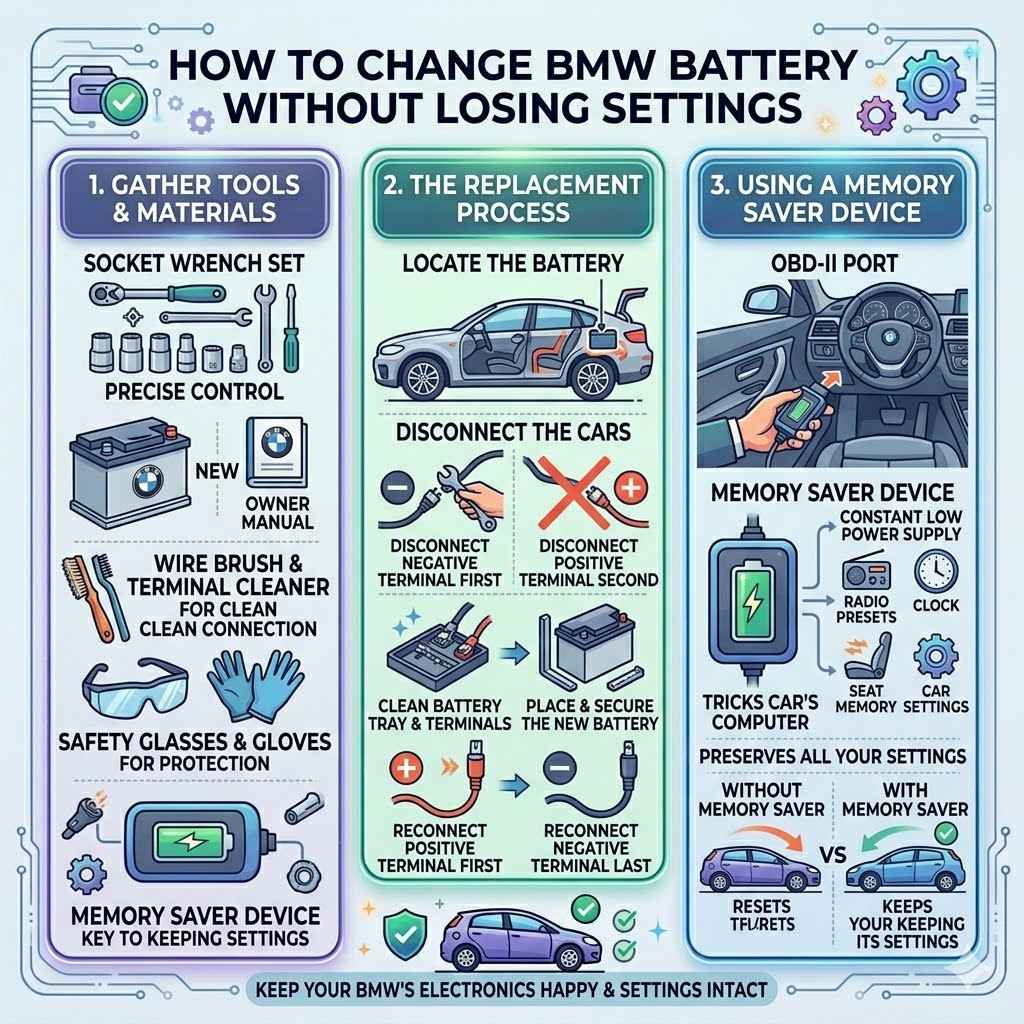
Tools And Materials Needed
Before you start, gather the right items. You’ll need a new battery that fits your BMW model. Check your owner’s manual for the exact type and size.
You’ll also need a socket wrench set, specifically a size that fits your battery terminal clamps. A wire brush is useful for cleaning the terminals. Safety glasses and gloves are a must for protection.
Battery Terminal Cleaner
A battery terminal cleaner is a special tool designed to remove corrosion from your battery posts and cable clamps. Corrosion can stop your new battery from getting a good connection, which might cause starting problems or electrical issues. Using a wire brush works too, but a dedicated cleaner often does a more thorough job.
Cleaning them ensures a strong, clean connection for reliable power flow.
Socket Wrench Set
You’ll need a socket wrench set to loosen and tighten the nuts that hold your battery cables onto the battery terminals. These nuts can sometimes be stubborn, so having a set with good leverage is helpful. Make sure you have the correct socket size for your BMW’s specific battery terminals.
This tool allows for precise control and prevents damage to the terminals or cables.
Memory Saver Device
This is the key to keeping your settings. A memory saver plugs into your car’s OBD-II port or cigarette lighter. It provides a small, constant power supply to your car’s electronics while the main battery is disconnected.
This tricks the car’s computer into thinking the battery is still connected. This way, your radio stations, clock, and other saved preferences stay saved.
Safety Precautions For Battery Replacement
Working with car batteries requires care. Batteries contain acid that can burn skin and eyes. They also produce flammable hydrogen gas.
Always wear safety glasses and gloves to protect yourself. Work in a well-ventilated area, away from any open flames or sparks. Never smoke while working near a battery.
Double-check that you have the correct tools to avoid short circuits.
Step-By-Step Guide To Changing The Battery
This is where we get to the actual work. We’ll break down each step into simple actions. Following these instructions will help you successfully Change BMW Battery Without Losing Settings and keep everything working as it should.
Disconnecting The Old Battery
First, locate your BMW’s battery. It’s usually in the trunk or under the hood. You need to disconnect the negative terminal first.
This is the black cable, often marked with a minus sign. Loosen the nut on the clamp and carefully remove the cable. Then, disconnect the positive terminal (red cable, plus sign).
This order is important for safety.
Locate The Battery
Most BMWs have their batteries located in the trunk, typically on the passenger side, behind a panel. Some older models might have them under the hood near the firewall. Your car’s owner manual will show you the exact spot.
Knowing where it is saves you time and effort searching around your car.
Disconnect Negative Terminal First
The negative terminal is crucial to disconnect first. It’s usually connected to the car’s chassis or a grounding point. Disconnecting it first prevents accidental short circuits if your wrench touches the car body while working on the positive terminal.
This is a vital safety step in battery replacement.
Disconnect Positive Terminal Second
After the negative cable is safely out of the way, you can then disconnect the positive terminal. This cable directly powers your car’s electrical system. By removing it last, you ensure that the car’s main power source is already neutralized, making the positive terminal safe to handle.
Installing The New Battery
Now, it’s time for the new battery. Before putting it in, clean the battery tray and the cable clamps to ensure a good fit. Place the new battery in its spot and secure it.
Reconnect the positive terminal first, making sure it’s snug. Then, connect the negative terminal last.
Clean Battery Tray And Terminals
Before placing the new battery, take a moment to clean the battery tray. Remove any debris or residue. Also, use your wire brush or terminal cleaner on the cable clamps.
This ensures a clean surface for optimal electrical contact. Clean terminals prevent resistance and help your new battery perform at its best.
Secure The New Battery
Once the battery is in place, you must secure it properly. Most battery trays have a bracket or clamp that holds the battery firmly. This prevents it from moving around, which could cause damage or create a safety hazard, especially during driving.
A secure battery is essential for the longevity of the electrical system.
Reconnect Positive Terminal First
When reconnecting, always start with the positive terminal. Attach the red cable clamp to the positive post of the new battery. Tighten the nut until it’s snug but don’t overtighten.
This step restores power to your car’s main electrical systems.
Reconnect Negative Terminal Last
Finally, reconnect the negative terminal. Attach the black cable clamp to the negative post. Tighten the nut securely.
Once both terminals are connected, the car’s electronics will get power again. Your settings should remain as they were before the battery change.
Using A Memory Saver Device
This is where the magic happens for keeping your settings. A memory saver is a small device that plugs into your car’s OBD-II port or a 12V power outlet. It provides a constant low power supply.
This keeps your car’s computer and other modules active, preventing them from resetting. It’s like giving your car a temporary power source.
What Is A Memory Saver
A memory saver is essentially a portable power source. It uses a small internal battery or can be plugged into a wall outlet to maintain power. When you connect it to your car, it keeps critical memory functions powered.
This is vital for complex car systems that store lots of personalized data.
How To Connect A Memory Saver
Connect the memory saver to your car’s OBD-II port, usually found under the steering column. If your car doesn’t have one, or if you prefer, some devices can plug into the 12-volt accessory socket (cigarette lighter). Ensure the memory saver itself has a good charge or is plugged into a power source before you begin the battery swap.
Benefits Of Using A Memory Saver
The primary benefit is preserving all your car’s settings. This includes radio presets, navigation system data, seat memory positions, and even engine control unit learned parameters. Without it, you might need to re-enter Wi-Fi passwords, reset adaptive learning for the engine, or reconfigure climate control preferences.
It saves time and hassle.
Understanding Your BMW’s Battery Management System
Modern BMWs have a sophisticated battery management system (BMS). This system monitors your battery’s health, charging status, and overall performance. When you
What Is The Battery Management System
The Battery Management System, or BMS, is a computer module that keeps an eye on your car’s battery. It helps extend battery life by managing how it is charged and discharged. It also communicates with other car systems to optimize electrical power usage.
For example, it can dim lights or reduce power to non-essential components if the battery charge is low.
Role Of The BMS In BMWs
In a BMW, the BMS is crucial for battery longevity and performance. It tracks the battery’s state of charge, temperature, and health. This data allows the car to intelligently manage charging from the alternator.
It also plays a role in systems like auto start-stop, ensuring it only engages when battery conditions are optimal.
Types Of Batteries And BMS Compatibility
BMWs often use specific types of batteries, like AGM (Absorbent Glass Mat). These batteries handle higher electrical demands and are better suited for cars with many electronic features. If you
Registering A New Battery With The BMS
After installing a new battery, especially an AGM battery, it’s often recommended to “register” it with the BMS. This tells the car’s computer that a new battery has been installed and allows it to recalibrate charging parameters. While not always strictly necessary for simple battery changes, especially if you use the exact same type, it’s good practice for long-term battery health and can be done with specialized diagnostic tools.
Why Settings Get Lost Without A Memory Saver
When you disconnect the battery, you completely cut off power to your car’s control units and memory modules. These modules need a constant power source to retain their stored information. Without this, they lose their memory, much like a computer losing unsaved work when the power goes out.
This results in the need to reset everything.
Power Interruption And Memory Loss
Car computers store settings and learned data in volatile memory. When the main battery power is removed, this memory is wiped clean. This is why even simple things like the clock or radio presets reset.
More complex systems might also need to relearn engine parameters or driving styles.
ECU And Control Module Resetting
The Engine Control Unit (ECU) and other control modules store important data for your car’s operation. This includes fuel trim values, idle speed adjustments, and transmission shift patterns. When power is lost, these learned settings are lost.
The car will then revert to default factory settings, which may not be optimal for your driving habits or conditions.
Common Settings That Reset
You’ll likely notice your radio stations are gone, the clock needs setting, and any personalized driving modes might reset. For cars with navigation, you might need to re-enter your home address or favorite destinations. Some cars also reset their window auto-up/down functions, requiring a quick re-initialization.
Troubleshooting Common Issues After Battery Replacement
Sometimes, even with care, you might run into minor problems. This section helps you solve those issues quickly. Many are simple fixes.
Car Won’t Start Or Cranks Slowly
If your car doesn’t start or cranks slowly after changing the battery, first double-check that both battery terminals are clean and securely tightened. A loose connection is the most common cause of this issue. Ensure the battery is correctly seated in its tray.
If the problem persists, the new battery might be faulty, or there could be an issue with the starter or charging system.
Warning Lights On The Dashboard
It’s not uncommon for a few warning lights to appear after a battery disconnect, especially if a memory saver wasn’t used. Lights like the engine check light, ABS, or airbag light can illuminate because the control modules briefly lost power. Often, these lights will turn off on their own after a short period of driving once the systems reset and re-establish communication.
If they don’t, a diagnostic scan might be needed.
Radio Or Navigation Not Working Correctly
If your audio system or navigation is acting up, it might be due to a security lockout feature. Some car radios have anti-theft systems that require a code to be re-entered after power loss. Your BMW owner’s manual should have this code, or you may need to contact a dealer.
For navigation, ensure it’s receiving a satellite signal.
Alternatives To A Memory Saver Device
While a memory saver is the easiest way to Change BMW Battery Without Losing Settings, there are other methods if you don’t have one. These might require a bit more care.
Using A Spare Battery Pack
You can use a small 12-volt battery, like from a motorcycle or a portable jump starter pack, to maintain power. Connect the positive terminal of the spare battery to the positive terminal of your BMW’s battery, and the negative of the spare to the negative. Be very careful to ensure the correct polarity.
This method requires more attention to detail.
How To Use A Spare Battery
To use a spare battery, you connect it in parallel to your car’s battery system. Use jumper cables or appropriate connectors. Ensure the spare battery is fully charged.
The goal is to maintain a constant voltage to the car’s electronics while the main battery is removed.
Connection Polarity Is Key
Connecting the spare battery with reversed polarity (positive to negative, negative to positive) can cause serious damage to your car’s electrical system and the spare battery. Always confirm which terminal is positive and which is negative on both batteries before making any connections. Red is usually positive, and black is negative.
Risks Involved
This method carries a higher risk of short circuits or damaging electronics if not done perfectly. It requires a good understanding of electrical connections and constant vigilance. It’s generally less recommended for beginners compared to a dedicated memory saver.
Temporary Power From Another Vehicle
Another option is to use a running car to provide power. Connect a jumper cable from the positive terminal of the running car’s battery to the positive terminal of your BMW’s battery, and the negative to the negative. This is similar to jump-starting but aims to maintain constant power.
Procedure For Using Another Vehicle
Start the donor car and let it run for a few minutes to ensure a stable power supply. Then, connect the jumper cables: red to positive on both cars, black to negative on both cars. Once connected, you can proceed with changing your BMW battery.
Maintaining Constant Power
The key is to keep the donor car running throughout the battery change process. This provides the necessary electrical current to keep your BMW’s systems powered. As soon as the new battery is in and connected, you can remove the jumper cables.
Potential Issues
Similar to using a spare battery, there’s a risk of voltage spikes or surges if the donor car’s engine revs unexpectedly or if connections are poor. This can potentially harm your BMW’s sensitive electronics. It requires careful connection and monitoring.
When To Call A Professional
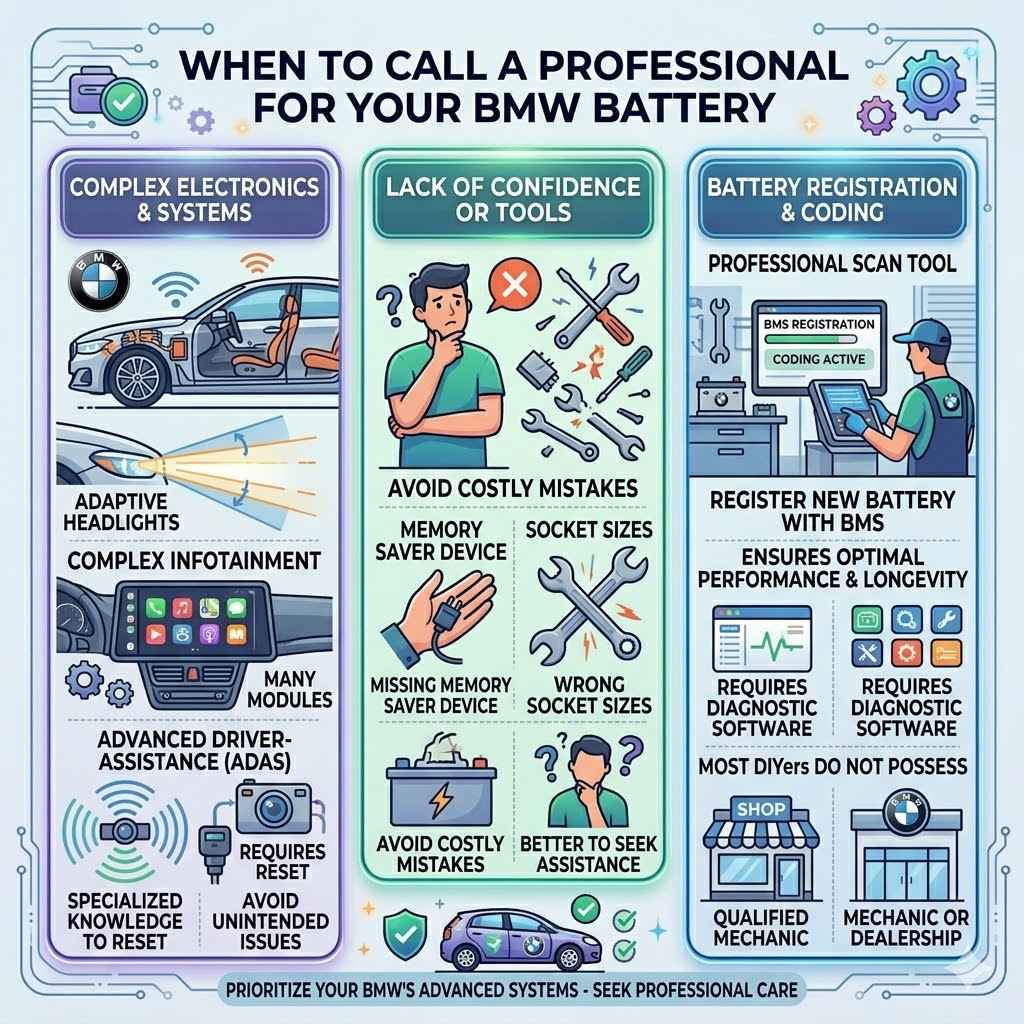
While changing a BMW battery is manageable, there are times when professional help is best. If you’re uncomfortable with any part of the process, or if your BMW has advanced features, a mechanic can handle it.
Complex Electronics And Systems
BMWs are known for their advanced electronics. Systems like adaptive headlights, complex infotainment, or advanced driver-assistance features might require specialized knowledge to reset correctly after a battery change. A professional has the tools and expertise to manage these.
Lack Of Confidence Or Tools
If you lack the necessary tools, such as a memory saver or the correct socket sizes, or if you simply don’t feel confident performing the task, it’s wise to seek professional assistance. Attempting a task you’re not comfortable with can lead to costly mistakes.
Battery Registration And Coding
As mentioned earlier, registering a new battery with the BMS is sometimes necessary. This usually requires specific diagnostic software and tools that most DIYers do not possess. A BMW dealership or a qualified independent mechanic can perform this crucial step to ensure optimal battery performance and longevity.
Frequently Asked Questions
Question: Do I really need a memory saver to change my BMW battery
Answer: While not strictly mandatory, a memory saver is highly recommended. It prevents the loss of your car’s settings like radio presets, clock time, and computer learned parameters, saving you a lot of time and hassle resetting everything.
Question: How long does it take to change a BMW battery
Answer: If you have all the tools and follow the steps, changing a BMW battery typically takes about 30 minutes to an hour. The actual disconnection and connection of terminals are quick, but gathering tools and ensuring everything is secure adds time.
Question: What happens if I don’t register a new battery with the BMS
Answer: If you don’t register a new battery, especially an AGM type, your BMW’s Battery Management System might not charge it correctly. This can lead to reduced battery life, inefficient charging, and potentially trigger warning lights or error messages on your dashboard.
Question: Can I use a regular car battery in my BMW
Answer: It is generally not recommended. BMWs often require specific types of batteries, like AGM batteries, which are designed to handle higher electrical loads and frequent charging cycles. Using a standard battery might lead to premature failure and issues with the car’s electronic systems.
Question: My car won’t start after changing the battery, what should I do
Answer: First, check that the battery terminals are clean and tightly connected. Ensure the battery is correctly seated. If those are fine, the battery might be dead on arrival, or there could be an issue with the car’s charging system or starter motor that needs professional diagnosis.
Summary
Changing your BMW battery without losing settings is achievable with the right approach. Using a memory saver device is the simplest way to keep your preferences intact. Always prioritize safety by disconnecting the negative terminal first and wearing protective gear.
Following these steps ensures a smooth battery replacement, keeping your BMW’s electronics perfectly configured.