How to Get Two Uber Rides at the Same Time
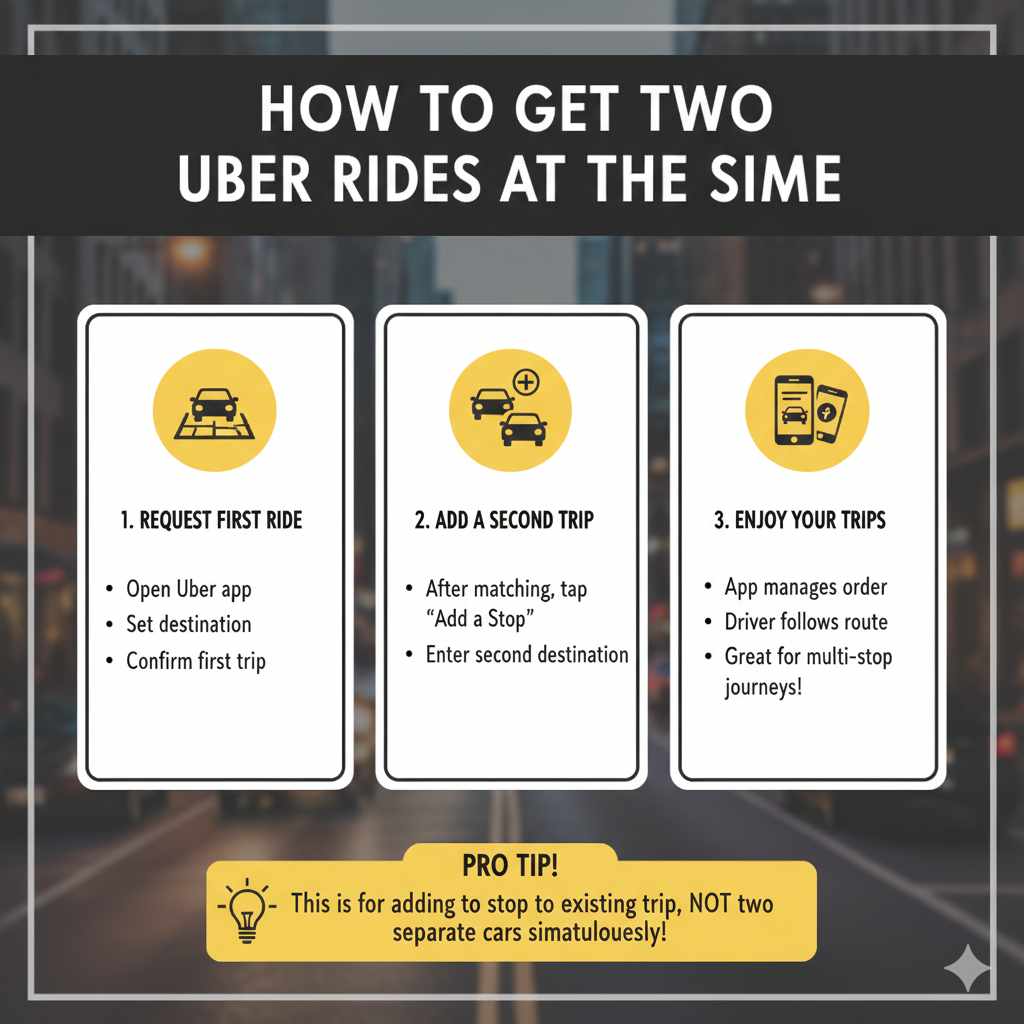
Lots of people wonder how to handle situations where they need rides for multiple people or luggage. Figuring out How to Order Two Cars on Uber can seem tricky at first. Don’t worry, it’s simpler than you might think! This post will walk you through the options, helping you understand how to get multiple Uber rides, whether you’re traveling with friends, family, or lots of bags. We’ll explore easy steps to get you and your group to your destination without a hitch.
Understanding Uber and Multiple Rides
Uber’s ride service is a popular choice for getting around, but many people are unsure about requesting more than one car at the same time. The platform wasn’t originally designed for this, and so, you won’t find a simple “order two cars” button. However, there are workarounds that allow you to manage multiple ride needs. These methods ensure that all members of your group can travel comfortably and reach their destination without having to wait. We’ll be exploring the different approaches you can take, covering how they work and when to use them.
Uber’s Basic Functions
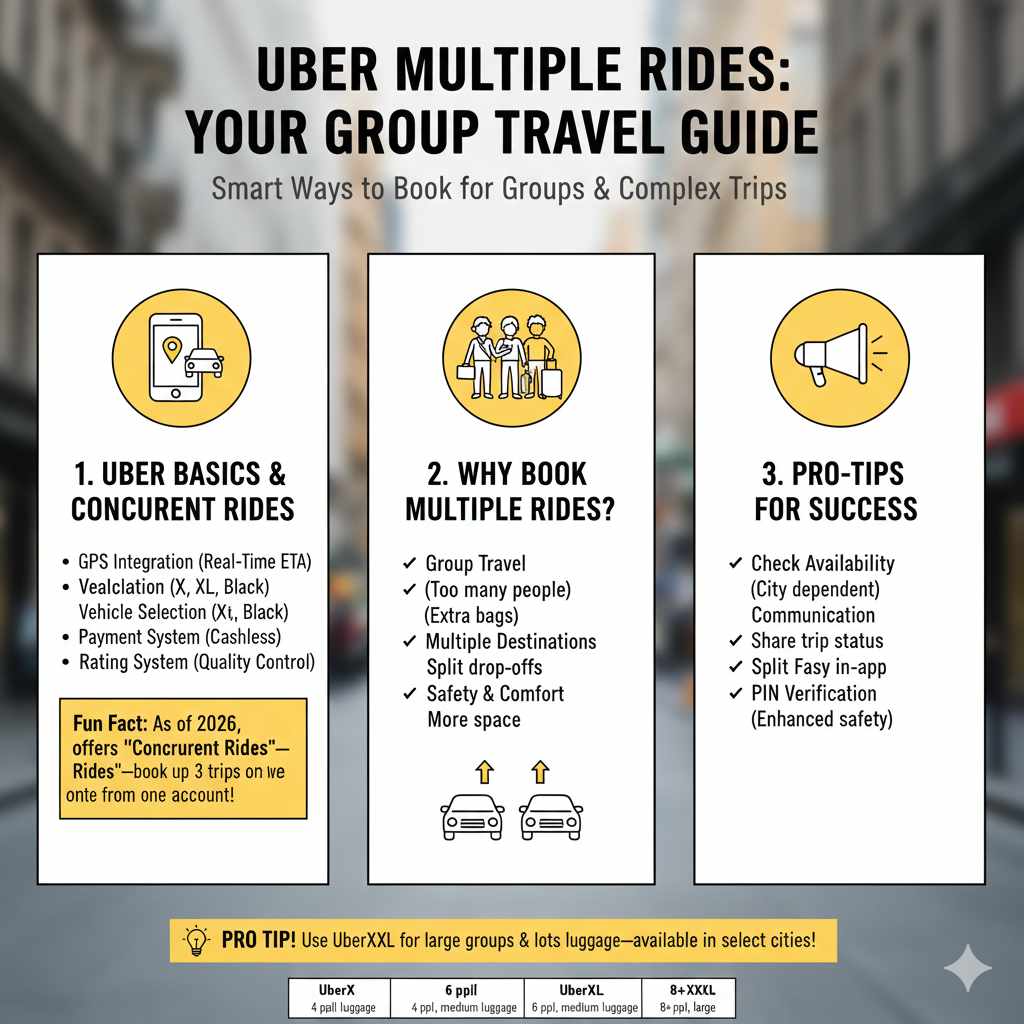
Uber operates on a simple principle: you request a ride, and a driver comes to pick you up. The app uses your phone’s GPS to find your location and connects you with the nearest available driver. You can choose from different vehicle types, like UberX (standard), UberXL (larger vehicles), or Uber Black (premium). Prices vary based on distance, time of day, and demand. The app provides an estimated cost before you book, and payment is handled through your saved credit card or other payment methods. This structure makes getting rides easy, but it requires some adaptation for simultaneous ride requests.
- GPS Integration: The app tracks the driver’s location in real-time, providing an estimated time of arrival (ETA). This feature allows users to monitor their driver’s progress.
- Vehicle Selection: Uber offers various vehicle options to suit different needs, from compact cars to larger SUVs. You get to choose the best vehicle for your party size.
- Payment System: The app securely manages payments, eliminating the need to handle cash with your driver. The transaction details are available in your ride history.
- Rating System: Riders and drivers can rate each other, helping Uber to maintain quality and safety. This system offers feedback on how the ride went.
Why Multiple Rides Are Necessary
There are many situations where requesting more than one Uber car makes sense. Maybe you’re traveling with a large group of friends or family, and one car just won’t fit everyone. Perhaps you have a lot of luggage that needs to be transported separately. Maybe you need to get to multiple locations, and splitting up the group offers the fastest route. Learning how to order additional cars allows you to adapt to these situations, streamlining your transport plans.
- Group Travel: When you travel with many people, one car might not be large enough. Getting separate rides helps the group to arrive at their destinations together.
- Luggage or Cargo: If you have lots of baggage, a second car ensures that everything fits comfortably and safely. You can keep all your belongings secure.
- Multiple Destinations: If some group members have different drop-off points, splitting the group into separate cars can save time and effort. It removes the need for multiple drop-offs.
- Safety and Comfort: Multiple rides give everyone enough space, which makes the journey more comfortable. They also let you separate the group if necessary.
Methods for Requesting Multiple Uber Cars
Although the Uber app doesn’t have a direct option to order two cars, you can use these methods to manage multiple rides. Each option has its advantages, so choosing the best method for your needs is important. The following section will break down the common approaches, from requesting two cars using separate accounts to using the Uber app’s features and third-party apps.
Using Separate Uber Accounts
One direct approach is to have each person in your group use their Uber account to request a ride. This method is the simplest if everyone has the app installed and an account set up. Every rider gets their own car, and each trip is managed separately. The main requirements are that each rider has an Uber account linked to a payment method. This method works well if each person is responsible for their own ride and has access to their device.
- Account Creation: Make sure everyone has an active Uber account on their phone. If anyone doesn’t have an account, they can create one in minutes.
- Requesting Separately: Each person opens the Uber app on their phone, enters the pickup and drop-off location, and requests their own ride. This can happen simultaneously.
- Tracking Each Ride: Each person can track their own driver’s location and estimated time of arrival (ETA) directly in their app. Everyone can see their trip details.
- Payment Responsibility: Each rider is responsible for their own ride cost. Ensure the payment method attached to their account is active and can cover the cost.
Using Uber’s Ride Scheduling Feature
The ride scheduling feature in the Uber app gives you the ability to set up rides in advance. While it can’t directly book two cars at once, it helps you coordinate multiple rides. You can schedule a ride for yourself and then advise others in your group to book their own. This helps synchronize pick-up times, even if you are not traveling at the same time. This feature is great for planning rides ahead of time, ensuring availability, and reducing waiting.
- Scheduling: Open the Uber app and select the ride type. Then, tap on “Schedule” to book a ride for a future time and day.
- Advance Planning: Set the pickup location and destination. This way, you can plan transportation for a specific time and location.
- Coordination: Ask others in your group to schedule their rides around the same time and location. Coordinate to ensure rides happen simultaneously.
- Confirmation and Reminders: Uber sends reminders, which helps with smooth pickups and ensures everyone is ready. Check all the details again before the scheduled time.
Exploring Third-Party Apps or Services
Several third-party apps and services aim to provide features that the standard Uber app does not. While they might not directly order two cars simultaneously, they can manage multiple ride requests. Some of these apps can connect with Uber and handle ride requests and coordination. Before using any third-party app, make sure it is trustworthy and has good reviews. Also, always review the terms and privacy settings to make sure you are comfortable with how it works.
- Comparison of Services: Research apps that provide ride-sharing and consider their features. Look for options that integrate with Uber or other ride services.
- Review User Feedback: Check what other users say about the app. See if they report issues with reliability, pricing, or security.
- Installation and Setup: Download and install the chosen app on your phone. Follow instructions to connect it to Uber or other ride-hailing services.
- Use for Multiple Rides: Some apps allow you to request multiple rides by scheduling or managing requests simultaneously, offering a slightly better experience.
Step-by-Step Guide for Coordinating Multiple Rides
Planning is key to successfully coordinating multiple Uber rides. The following part will guide you through all the necessary steps, starting with how to plan your trips, choosing the best method, and communicating with your group and drivers. By following these steps, you can set up a smooth ride experience.
Planning Your Trips
Before ordering your Uber rides, take some time to plan. Determine where you are going, what time you need to be there, and how many cars you will need. Having this information helps avoid delays and ensures a good travel experience. A well-prepared plan saves time and makes things run smoothly.
- Identify the Locations: List all pickup and drop-off locations to set up multiple rides. Double-check all addresses to ensure there are no errors in the Uber app.
- Calculate the Time: Determine the ideal departure time by checking travel times between locations. Consider traffic and any prep time you will need.
- Estimate the Number of Cars: Assess your group size and the amount of luggage. Know how many cars you need based on the size of your group.
- Set a Budget: Uber pricing varies. Calculate your total spending for each ride, so you can manage your budget.
Choosing the Right Method
Select the best method for requesting your rides. If everyone has an Uber account, using separate accounts is the simplest choice. For pre-planned trips, use the scheduling option. If you are comfortable with an external app, explore options to make your multiple-ride booking easier.
- Consider Your Group: If everyone has their Uber app, using the separate account method is best. This simplifies the process.
- Evaluate Timing: If rides are needed in advance, use the ride scheduling. This provides peace of mind when trips are pre-planned.
- Research Third-Party Options: Research extra apps to see if they offer useful functions to simplify your booking. Be careful when choosing.
- Test Each Method: Before a big trip, test the chosen method by requesting a test ride. This ensures it functions properly and lets you handle potential problems.
Communication and Coordination
Good communication is vital for making the multiple ride requests function smoothly. Share pickup locations and drop-off details with your group. Be ready to share tracking information and make sure that everyone can coordinate. Being ready to talk with the drivers and your group helps ensure that everyone gets to their destination without trouble.
- Share Details: Share the pickup and drop-off details with the group to keep them informed. Provide all the addresses, times, and any special instructions.
- Share Tracking Info: After ordering your ride, share the driver’s ETA and location with your group. This lets everyone know the progress of each car.
- Coordinate Meetups: Plan how your group will meet at the pickup location. Consider setting up a meeting point near the entrance or a well-known spot.
- Contact Drivers: Exchange contact information with the drivers. This way, you can easily handle any last-minute adjustments.
Tips for a Smooth Multiple Ride Experience
Here are some more tips for a seamless Uber trip. Plan ahead, confirm all details with drivers and riders, and check everything. These ideas are based on real situations, and can improve your experience.
Planning Ahead
Being prepared can eliminate potential complications. Before the day of your ride, review all locations, times, and any important information. Checking all of these details in advance saves a great deal of time and stops stress.
- Confirm Pick-Up Points: Ensure that everyone in your group knows the pick-up location and can quickly find it. Double-check the address.
- Double-Check Drop-Offs: Verify the drop-off locations to ensure everything is correct. It’s smart to have the exact addresses to share.
- Assess Traffic Patterns: Check for any expected traffic or road closures on your ride day. This lets you account for any possible delays.
- Share Contact Details: Make sure each member of your group knows how to reach each other, so you can handle last-minute adjustments. Share phone numbers and any other communication apps.
Staying Connected During the Rides
To coordinate everyone’s experience, communicate well during the ride. Keep everyone updated on any delays, changes, or problems. When you maintain contact, everyone can easily manage their rides.
- Use Group Chats: Set up a group chat using messaging apps to share updates and communicate quickly. It’s a great way to handle any quick changes.
- Share Live Locations: Many smartphones allow you to share your real-time location. This way, people can easily check on each other’s progress.
- Give Driver Updates: Keep your driver updated on any route changes or delays. Clear communication helps ensure everyone stays informed.
- Check-In Regularly: Check in with everyone in your group during the ride to make sure everything is running smoothly. Make sure everyone gets to their destination safe and sound.
Managing Costs and Payment
Consider managing the cost and payment to make the trip easier. Decide how to split the cost or which payment method everyone will use. Clear guidelines about payments help to avoid any unexpected trouble.
- Decide on Payment Methods: Before you order, determine how payments will be done. Will everyone pay separately, or is there a central payment method?
- Set a Budget: Provide an idea of how much rides may cost, and let everyone know about this ahead of time. This helps to manage spending.
- Split Costs Fairly: If you split the cost, determine how you’ll divide it to be fair. It can be per person or trip.
- Review Receipts: After the trips, examine all Uber receipts to make sure the costs are correct. You’ll know how much everyone paid.
Examples of Using Multiple Rides in Practice
The following scenarios give practical examples of when to apply the methods shared above. From family outings to airport runs, these scenarios let you see how to apply the approaches for ordering two cars.
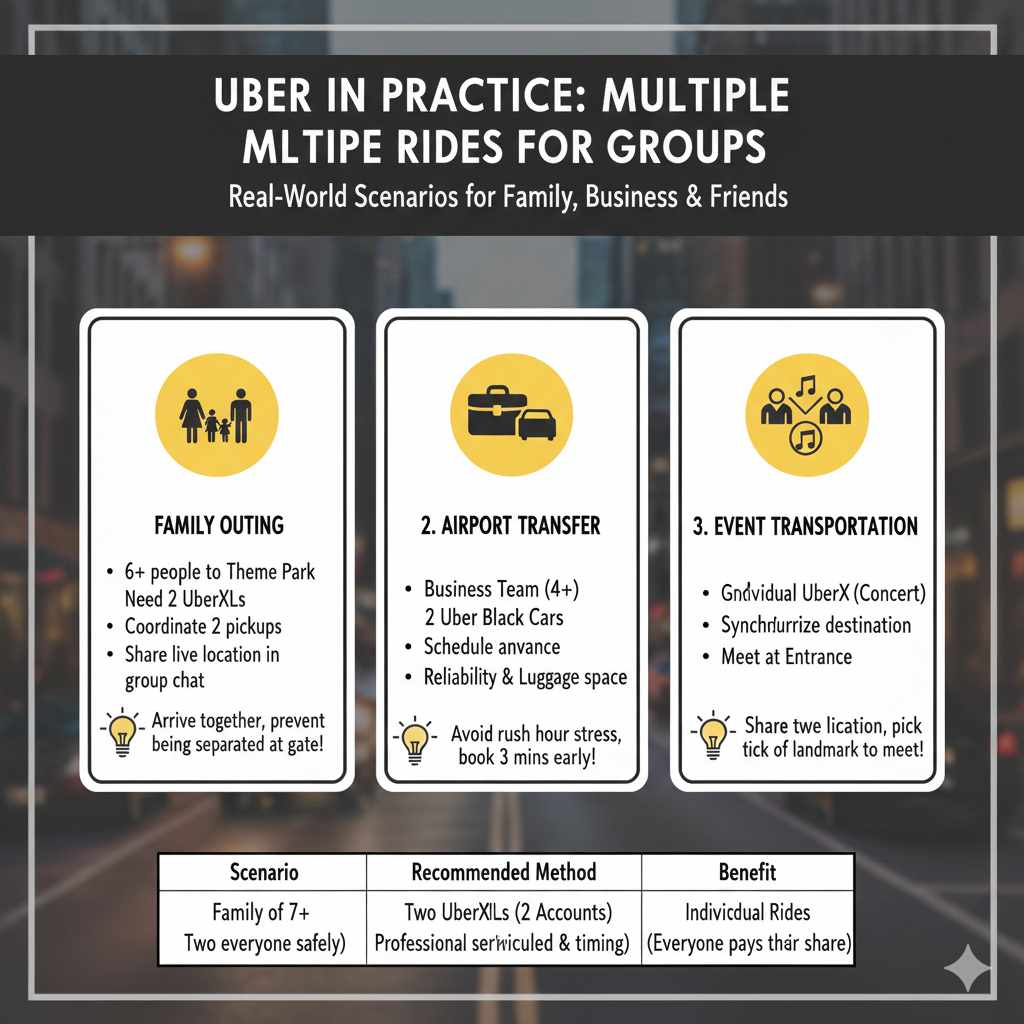
- Family Outing: A family of six is heading to a theme park. They are using two UberXL vehicles since one car cannot fit everyone. The family plans by coordinating two UberXLs to arrive at the house. Each member gets a ride, and they all arrive at the theme park at the same time. The family uses the group chat to inform each other about updates.
- Airport Transfer: A business team needs to go to the airport. They schedule two Uber Black cars because they want a comfortable and fast ride. They schedule the cars for the same time, giving each person plenty of time to leave the office. The drivers arrive at the office, and the team members get on their trips. All arrive at the airport with enough time to prepare for their flight.
- Event Transportation: A group of friends is going to a concert. They each use their own Uber app to order individual rides, setting the concert venue as their destination. As they move from their separate pickup locations, they watch each other’s progress using a group chat. Everyone meets at the entrance, and they all enter the concert together.
Frequently Asked Questions
Question: Can I book two Uber rides at the same time with one app?
Answer: No, the Uber app doesn’t have a direct feature for booking multiple rides simultaneously. You must use other methods, such as separate accounts or ride scheduling.
Question: How do I coordinate multiple pickups with Uber?
Answer: Coordinate by sharing the pickup location with your group, setting up a meeting point, and sharing real-time location updates. Use a group chat to share information and updates.
Question: What’s the easiest method to order multiple Ubers?
Answer: Using separate Uber accounts is usually the easiest way. Everyone opens the Uber app, requests their ride, and handles payment individually. Make sure everyone has an active account.
Question: Can I schedule Uber rides for different pickup times but the same destination?
Answer: Yes, you can schedule Uber rides for different times to the same destination. This allows you to coordinate multiple trips and have everyone arrive when needed. Use the scheduling feature in the app.
Question: Are there extra apps that can help with multiple Uber rides?
Answer: Yes, several third-party apps may assist with coordinating multiple rides. Check out apps with features designed for ride-sharing or ride management, but always check reviews before using them.
Final Thoughts
Knowing how to order two cars on Uber involves adapting the existing platform. While a single “double ride” button does not exist, using various techniques ensures that you can arrange multiple rides when you need them. Using separate accounts, ride scheduling, and being organized in your planning makes it easy. Coordinating pick-up times, sharing trip details, and making sure everyone knows the process make for a smoother trip. By putting these ideas into practice, you can manage the ride experience. Keep planning in advance, share contact data, and make your multiple Uber ride plans simple. Now, you can confidently set up several Uber cars and head for your destination.