How to Jailbreak Apple CarPlay in 2026: What Actually Works
Jailbreaking Apple CarPlay for unofficial apps only works on iPhones with an A8-A11 chip (6 through X) on iOS 15-18 — iPhone 11 through 17 cannot be jailbroken at all in 2026. Most people searching for this actually want a CarPlay AI Box instead: a $60-$140 adapter that adds Netflix, YouTube, and Android apps without touching your iPhone or its warranty. This guide covers what real jailbreaking still does, the legal risks, and that no-jailbreak alternative.
What Does “Jailbreak Apple CarPlay” Actually Mean in 2026?
“Jailbreak Apple CarPlay” is a search phrase that covers two very different things: literally jailbreaking the iPhone that feeds your CarPlay screen (removing Apple’s iOS restrictions to run unofficial tweaks), or buying a CarPlay AI Box — a small adapter that plugs into your factory CarPlay port and runs its own independent Android system, no iPhone modification required. In 2026, the second option is what almost everyone searching this phrase is actually looking for, because true iPhone jailbreaking stopped being realistic on any iPhone released since 2018.
| Method | Modifies Your iPhone? | Works on iPhone 11-17? | Typical Cost | Main Risk |
|---|---|---|---|---|
| True iOS jailbreak (palera1n, Dopamine) | Yes | No — A8-A11 chips only | Free | Loses Apple support, security exposure |
| CarPlay AI Box | No | Yes, any model | $60-$140 | Warranty gray area, seller-only support |
| TrollStore-based tweaks (CarBridge, CarTube) | Minimal, no full jailbreak | Only during a temporary exploit window | Free-$5 | Depends on an Apple certificate bug closing anytime |
Best CarPlay AI Box Pick
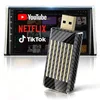
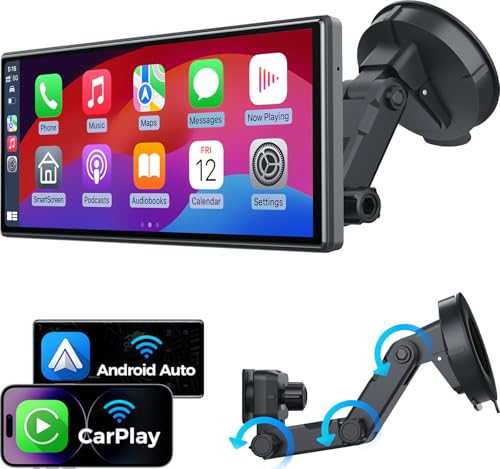
MAKASRI Wireless CarPlay & Android Auto AI Magic Box
Plugs into a factory wired CarPlay port and adds a built-in Google Play Store, so YouTube, Netflix, and TikTok run as real apps on your car’s screen without ever touching your iPhone’s software.
- Best for: drivers who want streaming apps on CarPlay with zero iPhone risk
- Why we picked it: works on any iPhone, including the 11-17 lineup no jailbreak tool supports
- Main drawback: support comes from the seller, not Apple or your automaker, so troubleshooting can be slow
Compare more CarPlay adapter options
 Option 1 — Budget Jemluse Wireless CarPlay Adapter
|
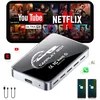 Option 2 — Mid-tier AI Box CarPlay 3-in-1 Wireless Adapter
|
 Option 3 — Premium LAMTTO Gemini AI CarPlay Box (4GB+32GB)
|
As an Amazon Associate we earn from qualifying purchases.
Why Would Someone Want to Jailbreak CarPlay?
The draw is customization and access to apps Apple hasn’t approved for CarPlay. Common reasons people explore this:
- Access to more apps: video players, custom launchers, or apps that mimic a desktop interface.
- Enhanced features: custom themes, extra audio controls, or more multitasking on the CarPlay screen.
- System tweaks: changing how notifications appear or how the interface behaves.
- Experimentation: tech enthusiasts exploring what’s possible once Apple’s limits are removed.
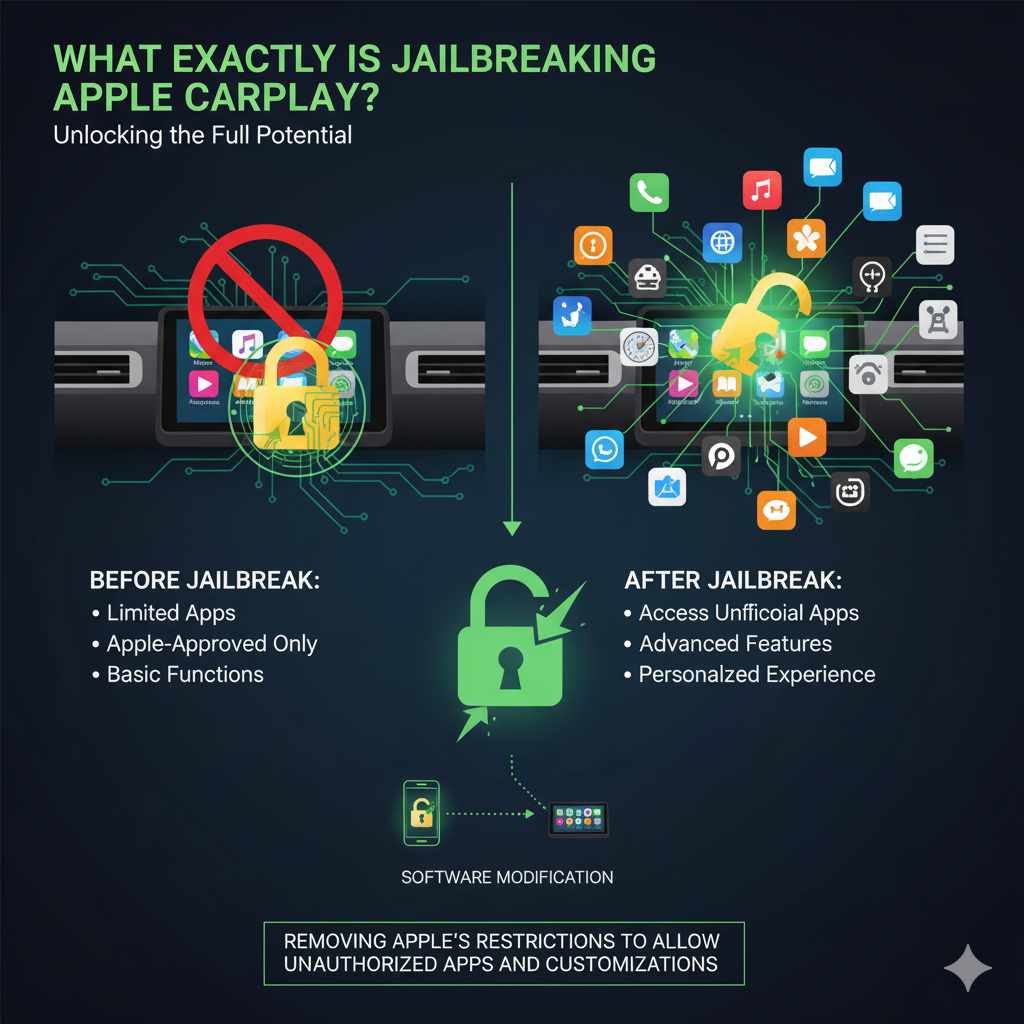
Can You Actually Jailbreak an iPhone for CarPlay in 2026?
Jailbreaking relies on exploiting bugs in iOS to gain root access — the level of system control needed to load unauthorized apps or modify protected files. Apple patches these bugs in nearly every iOS release, so a jailbreak that works today can stop working the moment you update. There’s no single “jailbreak CarPlay” button either: jailbreaking happens to the iPhone itself, and CarPlay tweaks are installed afterward through a package manager on that jailbroken phone.
Which iPhones Can Still Be Jailbroken?
Only two tools currently maintain public jailbreaks: palera1n, built on the permanent checkm8 bootrom exploit, and Dopamine, a semi-untethered jailbreak for a slightly newer chip range. Both are limited to the same hardware generation.
📊 palera1n supports the iPhone 6 through iPhone X (A8-A11 chip, plus T2 Macs) on iOS/iPadOS 15.0 and higher — no iPhone released since 2018 is included. — Source: palera1n project, GitHub (2026)
Dopamine extends slightly further into some A12-A16 devices on iOS 15-16, but the practical takeaway is the same: no iPhone 11, 12, 13, 14, 15, 16, or 17 currently has a working public jailbreak, because Apple’s Secure Enclave and pointer-authentication protections on the A12 chip and newer haven’t been broken since 2018. If your iPhone was bought new any time in the last several years, jailbreaking it is not currently an option — full stop.
What Happened to Unc0ver, Electra, and Chimera?
Older guides — including earlier versions of this one — still name Unc0ver, Electra, and Chimera as go-to jailbreak tools. They’re outdated. Electra and Chimera only ever supported iOS 11 and 12, Unc0ver’s last useful run was against iOS 14, and checkra1n (a fourth once-popular tool) stagnated after iOS 14 as well. None of them have been updated for a current iPhone or iOS version. If a site or video is recommending any of these three names in 2026, treat that as a sign the information is several years stale.
Popular CarPlay Jailbreak Tweaks (Historical)
On the compatible older iPhones, a handful of named tweaks became well known specifically for modifying CarPlay:
- CarPlayEnable — created by developer Ethan Arbuckle, the best-known tweak for running almost any app on the CarPlay screen, but limited to iOS 14 devices.
- CarPlay++ — added interface customization for iOS 13 and 14.
- NGXPlay — a paid tweak (around $5) distributed through the BigBoss repository that let users enable apps of their choice.
- Cauxo — a free tweak that added an app switcher to the CarPlay interface.
All four were built for iOS 13-14 and have not been maintained for anything newer. A more current, lighter-weight option exists for some devices: TrollStore-based tools like CarBridge and CarTube sideload apps onto CarPlay using a temporary Apple certificate-validation bug, without a full jailbreak — but that bug closes whenever Apple patches it, so compatibility comes and goes.
“Jailbreak for A8 through A11, T2 devices, on iOS/iPadOS/tvOS 15.0, bridgeOS 5.0 and higher.”
That one line from the tool’s own documentation is the clearest confirmation available of how narrow current jailbreak compatibility actually is — it’s the same statement this guide draws its device list from. For the latest compatible-device and tool status, the palera1n and Dopamine project pages themselves are the most reliable source, since third-party roundups go stale within months.
Understanding the Risks Involved
Modifying your iPhone’s software, especially the parts that talk to your car, isn’t without downsides:
- Voiding warranties: Apple’s warranty can be voided if they find evidence of tampering, meaning issues from the jailbreak may not be covered.
- Security vulnerabilities: unauthorized tweaks aren’t vetted by Apple and can expose personal data or introduce malware.
- System instability: jailbroken iPhones and CarPlay sessions can crash or freeze, which is distracting and unsafe while driving.
- Updates can break it: iOS updates routinely patch the exploit a jailbreak depends on, instantly disabling every tweak until (if ever) a new one is published.
- Bricking risk: a failed jailbreak attempt or an unstable tweak can leave the iPhone, or the CarPlay session it feeds, non-functional until restored from backup.
Weigh these risks against the benefit. For most drivers, the realistic path to more apps on CarPlay in 2026 is the AI Box covered later in this guide, not jailbreaking a phone that likely can’t be jailbroken anyway.
Is Jailbreaking CarPlay Legal?
This is a gray area rather than a flat yes or no. In most regions, modifying your own device’s software for personal use is not illegal on its own. Apple’s terms of service do prohibit modifying iOS, which can cost you official support and warranty coverage — a contract violation, not a criminal one. From a car manufacturer’s perspective, modifying how a phone interacts with the factory infotainment system can also breach a user agreement tied to that system.
The line that does cross into real legal risk is piracy, not the modification itself: using a jailbroken phone or an AI Box’s built-in apps to stream a paid service like Netflix or a live-TV subscription without paying for it violates that service’s terms and can amount to copyright infringement, regardless of what hardware or software made it technically possible.
A General Step-by-Step Approach (For Informational Purposes)
This is informational only, and only relevant if your iPhone is on the compatible A8-A11 list above. The actual process is technical, depends on your exact iPhone model and iOS version, and can cause data loss or a non-functional device if done incorrectly.
Phase 1: Preparation and Research
- Identify your iPhone model and iOS version: go to Settings > General > About.
- Confirm compatibility: check the palera1n or Dopamine project page directly for your exact device and iOS version — if it isn’t listed, you cannot proceed.
- Back up your iPhone: use iCloud or your computer before changing anything.
- Gather tools: a computer (Windows or macOS), a USB cable, and the specific jailbreak app for your iOS version.
Phase 2: Executing the Jailbreak
- Download the tool from its official source only: palera1n.com or the Dopamine GitHub releases page — never a third-party mirror.
- Enter DFU or recovery mode: your iPhone needs a special mode to let the tool communicate with it; the exact steps vary by model.
- Run the jailbreak app: follow its on-screen instructions, which typically involve multiple reboots.
- Install a package manager: a successful jailbreak installs Sileo or Zebra, your portal for installing tweaks.
Phase 3: Installing CarPlay Tweaks
- Add a CarPlay-specific repository: within the package manager, add a repo source known to host CarPlay tweaks.
- Install the tweak you want: such as a custom launcher or an app enabler.
- Respring or reboot: restart the iOS interface (respring) or fully reboot for changes to apply.
Phase 4: Connecting to CarPlay
- Connect your iPhone to your car: by USB or wirelessly if your car supports it.
- Test the tweak: confirm it’s working as expected inside the CarPlay interface.
This is a simplified overview. Each tool has its own detailed instructions, and troubleshooting is often the bigger part of the process.
CarPlay AI Box: The No-Jailbreak Way Most People Actually Use
A CarPlay AI Box is a small adapter, roughly the size of a deck of cards, that plugs into your car’s factory wired CarPlay USB port. Instead of modifying your iPhone, it runs its own independent Android operating system with a built-in Google Play Store, then displays that Android environment on your car’s screen alongside — or instead of — standard CarPlay. Because your iPhone’s software is never touched, there’s no iOS jailbreak involved and it works on any iPhone, including the iPhone 11 through 17 models no jailbreak tool supports.
- Confirm your car has wired CarPlay: the box needs a factory CarPlay-compatible USB port to plug into.
- Plug the box into that USB port: most are plug-and-play with no extra wiring.
- Connect your iPhone to the box, not the car directly: it relays CarPlay through itself while running Android in parallel.
- Sign in to the Google Play Store on the box: to install YouTube, Netflix, and other apps directly on the screen.
- Switch between CarPlay and the Android interface: using the on-screen toggle the box provides.
The tradeoff is support quality: these boxes are typically sold by third-party electronics brands rather than Apple or your automaker, so troubleshooting usually means emailing the seller rather than calling a support line. As with jailbreaking, using the box’s Android apps to access a paid streaming subscription you haven’t actually paid for is a terms-of-service and potential copyright problem, separate from the hardware itself. Also see: does wireless CarPlay drain your car’s battery, since these boxes draw continuous power whenever they’re connected.
Essential “Tools” (Software & Hardware)
If you’re going the true-jailbreak route on a compatible older iPhone, you’ll typically need:
- A compatible iPhone: A8 through A11 chip (iPhone 6 through X) — check the exact model and iOS version first.
- A computer: Windows or macOS, needed to run the jailbreak tool.
- USB cable: an original or MFi-certified Apple cable for a stable connection.
- Jailbreak software: palera1n or Dopamine, downloaded only from their official sites.
- Package manager: Sileo or Zebra, installed after the jailbreak, to manage tweaks.
- CarPlay-compatible car: a vehicle that supports Apple CarPlay in the first place.
Potential CarPlay Tweaks to Consider (And What They Do)
On a compatible jailbroken iPhone, tweaks generally fall into these categories:
- CarPlay unlockers/app enablers: foundational tweaks that remove the barrier preventing non-approved apps from appearing on the CarPlay screen — other tweaks depend on these.
- Custom launchers/home screens: personalized layouts, widgets, or app organization beyond the standard grid.
- Unsupported app support: the main goal for most people — apps like YouTube, web browsers, file managers, or third-party music players Apple doesn’t officially allow.
- Visual customizations: custom themes, different icon sets, or modified control elements.
- Performance tweaks: occasionally aimed at responsiveness or more granular audio/display control.
Reliability varies a lot between tweaks. Read recent feedback before installing anything, since a tweak that worked on one iOS build can misbehave on another.
Making Smart Choices: When Is It Worth It?
Jailbreaking CarPlay is not for everyone. Before touching your iPhone, ask:
- How much do I really need this? Are the unsupported apps critical, or just nice-to-haves?
- Am I comfortable with the risks? Losing Apple’s warranty, added security exposure, or a less stable system.
- Do I have the patience? Jailbreaking often involves troubleshooting and research.
- Is my iPhone even eligible? If it’s an iPhone 11 or newer, the honest answer is no — an AI Box is your only realistic option.
If dealing with potential problems makes you anxious, or your current CarPlay setup already meets your needs, stick with the official, stable version, or add a no-jailbreak AI Box instead. Safety and reliability on the road should always come first.
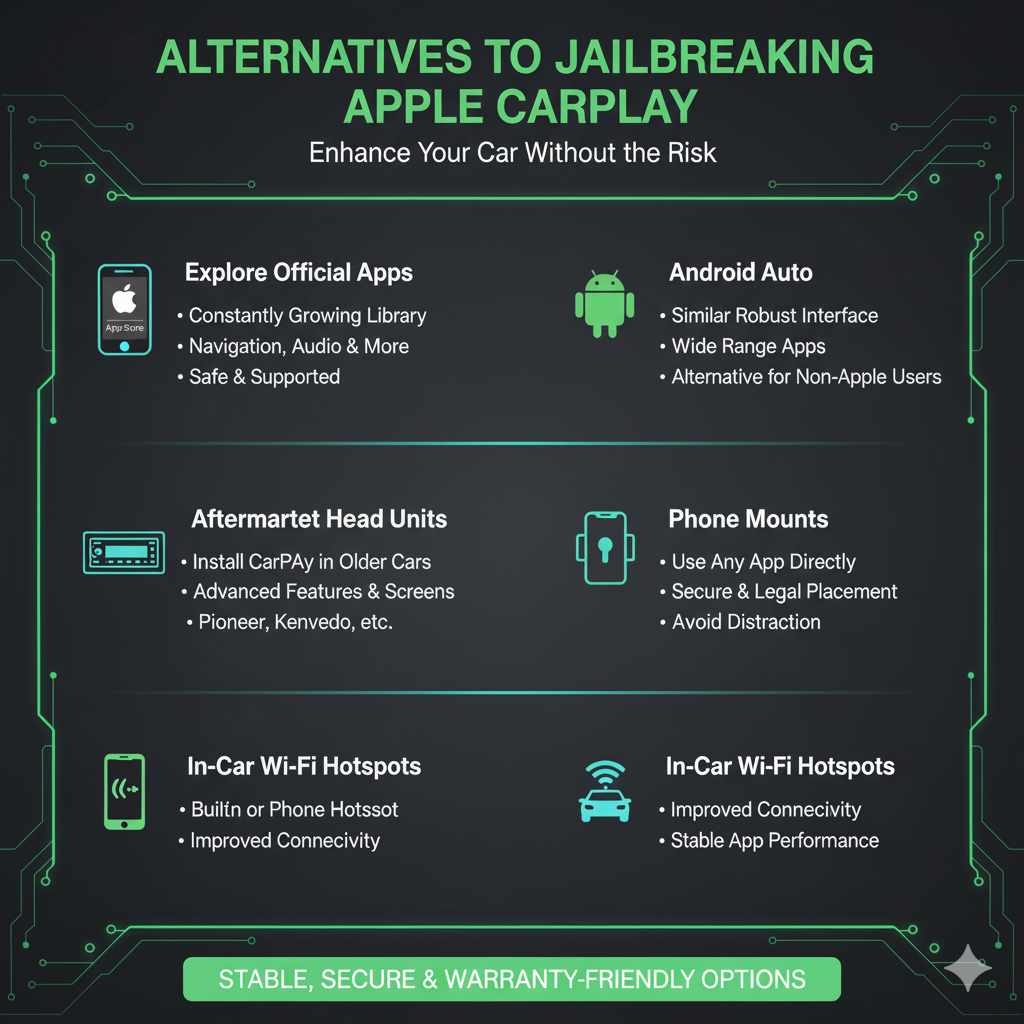
Alternatives to Jailbreaking
If jailbreaking sounds too risky — or your iPhone simply isn’t eligible — there are several ways to get more from your car’s tech without touching your phone’s software:
- A CarPlay AI Box: covered above — the closest no-jailbreak equivalent to what most “jailbreak CarPlay” searchers actually want.
- Explore official apps: the official CarPlay app list keeps growing, with useful navigation, audio, and messaging apps already approved.
- Android Auto: if you’re not tied to Apple, Android Auto offers a similarly robust interface with its own set of supported apps.
- Aftermarket head units: for cars where CarPlay isn’t standard, an aftermarket stereo from a brand like Pioneer or Kenwood can add CarPlay support with a larger touchscreen. See also: can CarPlay be added to a car that doesn’t have it and how to check if your car already supports wireless CarPlay.
- Phone mounts: for apps CarPlay doesn’t support, a secure, legally-mounted phone holder lets you use your phone directly.
- In-car Wi-Fi: a built-in hotspot or your phone’s own hotspot keeps official CarPlay apps running smoothly with a stronger connection.
Frequently Asked Questions (FAQ) about Jailbreaking CarPlay
Can I jailbreak my iPhone to use unofficial apps on CarPlay?
Yes, but only on an iPhone 6 through iPhone X (A8-A11 chip) running iOS 15 through 18.7.9, using a current tool like palera1n or Dopamine. Every iPhone 11, 12, 13, 14, 15, 16, and 17 currently has no public jailbreak available, so this route simply is not an option on a modern iPhone.
Will jailbreaking void my car’s warranty?
Jailbreaking directly affects your iPhone’s warranty with Apple, not your car. But some automakers treat any unauthorized modification that changes how a phone interacts with the vehicle’s infotainment system as a violation of the vehicle’s software terms, which can affect support for that system specifically. Check your owner’s manual or ask your dealer before assuming it is risk-free.
Is it safe to use a jailbroken iPhone with CarPlay?
It’s less safe. Jailbreaking removes iOS security protections such as sandboxing and code-signing checks, which makes the phone more vulnerable to malware from unvetted tweaks. Since a jailbroken iPhone is what feeds your car’s CarPlay screen, that added risk extends to whatever the phone displays and controls in the vehicle.
What happens if Apple patches my jailbreak or stops supporting my iPhone?
Apple regularly ships iOS updates that patch the exploits jailbreak tools rely on, and a patched device usually cannot be jailbroken again until a new exploit is found and published, which can take months or never happen at all. Older tools like Unc0ver, Electra, and Chimera never received that follow-up and stopped working entirely once their supported iOS versions were retired.
Are there official, no-jailbreak ways to get more apps on CarPlay?
Yes. Apple controls the official CarPlay app list, but a CarPlay AI Box adds a full independent Android environment next to CarPlay without touching your iPhone at all, and it works on any iPhone model. Non-jailbreak sideloading tools such as TrollStore-based apps are another option, though they depend on a temporary Apple certificate bug and are not guaranteed to keep working.
Does jailbreaking still work on the iPhone 15, 16, or 17?
No. Every current public jailbreak tool, including palera1n and Dopamine, is limited to the A8 through A11 chip generation used in the iPhone 6 through iPhone X. Apple’s Secure Enclave and pointer-authentication hardening on the A12 chip and newer has held since 2018, so no iPhone 11 through 17 has a working public jailbreak as of 2026.
Is a CarPlay AI Box legal to use?
Using a CarPlay AI Box on your own vehicle for personal use is generally legal, since you are not modifying Apple’s software or bypassing any security measure on your phone. The gray area is what you do with it: using the box’s Android apps to access a paid streaming service without a legitimate subscription violates that service’s terms and can cross into piracy, separate from the hardware itself.
In short: true iOS jailbreaking for CarPlay is a niche option limited to a handful of iPhone models Apple stopped selling years ago, and it’s a shrinking one every time Apple patches another exploit. For nearly everyone else, a CarPlay AI Box delivers the streaming apps and Android features people actually want from “jailbreaking CarPlay,” without touching the iPhone’s software, its warranty, or its security at all.
Products related to this article
Sponsored / affiliate links. As an Amazon Associate I earn from qualifying purchases. I may earn additional commission from eligible campaigns.