Two Uber Rides at the Same Time? What Uber Allows + Group Options
Short answer: no. Uber Help says that with your rider account you may only request one vehicle at a time, and you can request another one right after your current trip ends. For a group that needs two cars, Uber says to ask others in your group to request additional vehicles from their own accounts. This guide matches your goal, such as two cars for a group, a ride for a friend, extra stops or a scheduled second ride, to what Uber’s own pages say, and lists the allowed options.
Features and limits differ by city and change over time, so confirm anything important in the Uber app before you rely on it. This page is general information about Uber’s public pages, not legal advice and not an official Uber resource.
Can You Get Two Uber Rides at the Same Time?
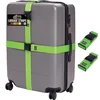
Best Group Luggage ID Pick
|
GORILLA GRIP Heavy Duty Luggage Straps for Suitcase, 2 Pack Green When a group splits across cars, a bright strap makes your bag easy to spot in the pile at the curb.
|
As an Amazon Associate we earn from qualifying purchases. Spec-based pick from the listing, not a hands-on test.
Most people searching this have one of five goals. The table below lists each goal, what Uber’s pages say about it and which Uber page says it, so you can jump to the part that applies.
| Your goal | What Uber’s pages say | Source page |
|---|---|---|
| Two cars at once for a big group | One vehicle at a time per rider account; others in the group should request extra vehicles from their own accounts | Uber Help: Requesting more than one vehicle |
| Ride for a friend while you also ride | You can request a ride for another adult, but you cannot request more than one ride at a time | Uber Help: How to request rides for others |
| One car for up to 4 friends, split the fare | Group Rides: up to 3 friends plus you, fare split equally; limited cities | Uber Group rides page |
| One bigger car for 5 or 6 people | UberXL fits up to 6 people or extra luggage | Uber UberXL page |
| A second ride booked ahead | Uber Reserve lets you book up to 90 days ahead in select cities; cancellation fees are higher than on-demand | Uber Reserve page |
| Several places in one trip | Add extra stops to one ride | Uber Help: Request a ride with multiple stops |

What Uber Says About Requesting More Than One Vehicle
The key page is Uber Help’s Requesting more than one vehicle article. It gives three facts. First, using your rider account, you may only request one vehicle at a time. Second, you can request another vehicle immediately after a current trip ends. Third, if your group is too large for a single vehicle, you should ask others in your group to use their Uber accounts to request additional vehicles.
That wording settles the common question about two active trips on one account: Uber’s help page describes one request at a time. It also points to the allowed route for two cars, which is two people each requesting a car from their own accounts, with the pickup point agreed between you.
Coordinate with the other person before either of you confirms. Matching drivers are not guaranteed to arrive at the same minute, and Uber’s Reserve page notes that Uber does not guarantee a driver will accept a request.
Uber’s Official “Group Rides” Feature vs. Booking Two Separate Rides
Many searchers want one car for several friends, not two cars. Uber’s Group rides page describes this: you set up a group ride in the Uber app, invite friends, and each invited person adds their own pickup or dropoff spot so the driver collects them along the way to the destination.
| Group Rides detail | What Uber’s page says |
|---|---|
| Group size | Up to 3 friends, so a total of 4 riders including you |
| Stops | As many as 5 total stops, including the final destination, on any UberX or UberXL ride |
| Inviting friends | The app creates an invite link; friends are added when they tap it, and may need to save your phone number as a contact first |
| Splitting the fare | A split button appears after you are matched; it divides the total cost equally and incurs a small fee per rider |
| Fair share by distance | Not yet: the feature divides the total evenly between all riders |
| Availability | Limited users in certain cities, with a waiting list where it is not yet offered |
Uber also states a savings figure on that page: each rider could save 30 percent on average by sharing, based on a group ride split between 2 riders compared with the average UberX per-rider price. Uber notes the savings are not guaranteed, so treat it as a marketing average and not a price you will see.

Group Ride or Two Cars: Which Fits?
Pick a group ride when everyone fits in one car and is going the same way. Pick separate requests from separate accounts when the group is bigger than a car can hold, or when two parties are leaving at different times. Our guide to using Uber car service covers the basics of requesting a car if you have never done it.
Requesting a Ride for Someone Else
Uber lets you book a ride for another person, which helps when a friend has no smartphone or needs a ride home. The “Request a ride for someone else” page on uber.com says the feature is for other adults, and that options vary by city and region.
Steps From Uber Help
- Tap the “Where to?” box in the app.
- Tap “For Me” at the top of the screen.
- Tap “Add a rider” and enter your friend’s contact details, from your contact picker or by typing their mobile number.
- Make sure your friend is selected, tap “Next”, then confirm the contact details and tap “Add rider”.
- Select the rider, enter your friend’s pickup and destination, choose the vehicle class and request.
Once the trip is accepted, Uber Help says your friend gets text messages with details such as the driver’s ETA, name, license plate number and vehicle make and model, and that your friend does not need the Uber app. The same article adds the limit that matters here: it is not possible to request more than one ride at a time, so you must wait until that trip ends before requesting a new ride for yourself or anyone else.
Groups Too Big for One Car
For five or six people, the usual answer is a larger vehicle, not a second request. Uber Help says that in many cities Uber offers larger options such as UberXL and UberSUV that accommodate 6 or more riders, and suggests contacting the driver who accepts the request to confirm the vehicle has enough seats and seat belts for everyone.
| Option | What Uber’s page says | Source page |
|---|---|---|
| UberXL | Accommodates parties up to 6 people or extra luggage; available wherever UberX is, except some listed areas | Uber UberXL page |
| UberXXL | Guarantees trunk space and fits 6 people; UberXL does not guarantee trunk space | Uber UberXL page |
| UberX Share | Share the ride with up to one co-rider at a time; matches you with another rider headed the same way | Uber ride options page; Uber Help: How to request a Share Ride |
| Hourly | As many stops as you need in one car | Uber ride options page |
Notice that UberX Share is the opposite of a way to get two cars. It pairs you with another rider on the way, so it does not guarantee a seat for your friends. If you travel with children, check our guides on whether you need a car seat in Uber and ordering Uber with a car seat before you choose the car size.

Using Uber’s Ride Scheduling Feature
Booking a second ride ahead of time is the other allowed route when you need cars at different times. The Uber Reserve page says you can book up to 90 days ahead, lock in a price, and book airport pickups by selecting your airline and flight.
| Reserve detail | What Uber’s page says |
|---|---|
| Booking window | Up to 90 days ahead |
| Price | Upfront price may change with added stops, a changed destination, major route changes or a toll not in the upfront price |
| Reservation fee | The trip price includes a reservation fee that may vary by pickup location, day and time |
| Driver confirmation | Your ride is confirmed once you receive driver details; Uber does not guarantee a driver will accept your request |
| Cancelling | Fees are higher than on-demand, may apply, and vary by location and ride type; see the Reservations Terms and Conditions in the app |
| Availability | Select cities |
Uber’s pages do not say that Reserve lets one account hold several live trips. Use it to plan a ride for later, not to stack simultaneous rides, and read the in-app terms before you reserve.
Extra Stops: One Car, Many Places
If the real goal is to drop people at different places, you may not need two cars at all. Uber Help says you tap the plus symbol in the “Where to?” screen to add up to 5 additional stops, which are made in the order they are added. It asks riders to keep each stop under 3 minutes as a courtesy to the driver.
Uber’s own pages word the limit differently. The Help article and the uber.com extra stops page say up to 5 additional or extra stops, while the Group rides page says 5 total stops including the final destination. Check the stop counter in your app. Uber Help also says a split fare is split for the entire ride, not by the cost of each stop.
What You Cannot Do
These limits come directly from the Uber pages named above:
- Request more than one vehicle at a time with one rider account (Uber Help: Requesting more than one vehicle).
- Request a second ride for yourself or someone else while a ride you requested for a friend is still in progress (Uber Help: How to request rides for others).
- Count on a split fare that charges each person by distance; Group Rides divides the total equally for now (Uber Group rides page).
- Expect Group Rides everywhere; it is offered to a limited number of users in certain cities (Uber Group rides page).
- Cancel a Reserve trip without any possible fee; Uber says fees may apply and are higher than on-demand (Uber Reserve page).
The allowed alternatives are the ones covered above: a group ride for up to 4 riders, a larger vehicle such as UberXL, rides requested by other people from their own accounts, extra stops, or a ride booked ahead with Reserve.
Myths vs What Uber’s Pages Say
| Myth | What Uber’s pages say |
|---|---|
| Booking a ride for a friend gives you a second active ride | Uber Help says you cannot request more than one ride at a time, even when one is for a friend |
| UberX Share is a way to put friends in a second car | Share matches you with another rider headed the same way, with up to one co-rider at a time |
| UberXL always has room for 6 people and all their bags | UberXL fits up to 6 people or extra luggage; only UberXXL guarantees trunk space |
| Group Rides is available to everyone | Uber describes it as available to a limited number of users in certain cities |
| A scheduled ride is free to cancel | Reserve cancellation fees are higher than on-demand and may be charged depending on circumstances |
What This Guide Does Not Cover
- Prices or wait times: they vary by city and time, so check the fare shown in your Uber app.
- Other rideshare or taxi services, which have their own rules.
Frequently Asked Questions
Can I book two Uber rides at the same time with one app?
Uber Help says that with your rider account you may only request one vehicle at a time. You can request another right after your current trip ends. For two cars at once, a second person can request a car from their own account.
Can I order an Uber for a friend and one for myself at the same time?
Not at the same time. Uber Help says it is not possible to request more than one ride at a time, so you need to wait until the trip you requested for a friend ends before requesting a ride for yourself.
How many people can ride in an Uber group ride?
Uber says you can ride with up to 3 friends, so a total of 4 riders including you. The fare can be split equally in the app, and the feature is available to a limited number of users in certain cities.
What should I request for a group of 5 or 6?
Uber says UberXL accommodates parties up to 6 people or extra luggage, and Uber Help suggests contacting the driver to confirm the vehicle has enough seats and seat belts for everyone. A bigger group should use more than one car requested by different people.
Conclusion
Uber’s own pages describe one vehicle per rider account at a time, so two cars for a group means two people each making a request, while one car for a small group is what Group Rides, UberXL and extra stops are for. Start with Uber Help’s Requesting more than one vehicle article, confirm what your city offers in the app, and see our note on whether Uber car share is worth it if you are weighing other ways to get around.
Products related to this article
Sponsored / affiliate links. As an Amazon Associate I earn from qualifying purchases. I may earn additional commission from eligible campaigns.
 FH Group Car Seat Cover Front Set Striking Striped Car Seat Covers with Front Seat Covers and Rear Split Bench, Universal Fit Interior Accessories for Cars, Trucks, and SUVs – Gray
 PartsTo Adjustable Kids Travel Car Seat Headrest Pillow with Lean Support Cushion Sleeping Travel Neck Safeguard Cushion Suitable for Kids Children Teenagers and Adults