How To Jailbreak Apple CarPlay: Essential Guide
Jailbreaking Apple CarPlay allows for custom apps and features beyond what Apple officially supports. While it can unlock new possibilities, it’s a DIY process that might void your warranty and requires careful steps to avoid issues. This guide explains what it is and how to approach it safely.
Imagine your car’s touchscreen becoming even more powerful, letting you use apps you love that aren’t usually available. That’s the dream many drivers have when they think about “jailbreaking” Apple CarPlay. It sounds exciting, right? But like many tech adventures, it’s not always a straightforward path. It can feel a bit daunting if you’re not a tech wizard.
Don’t worry, though! I’m here to break down what this process means in simple terms. We’ll explore what jailbreaking CarPlay is all about, why someone might want to do it, and most importantly, how to approach it with your eyes wide open. Let’s get started on understanding this interesting car tech tweak.
What Exactly is Jailbreaking Apple CarPlay?
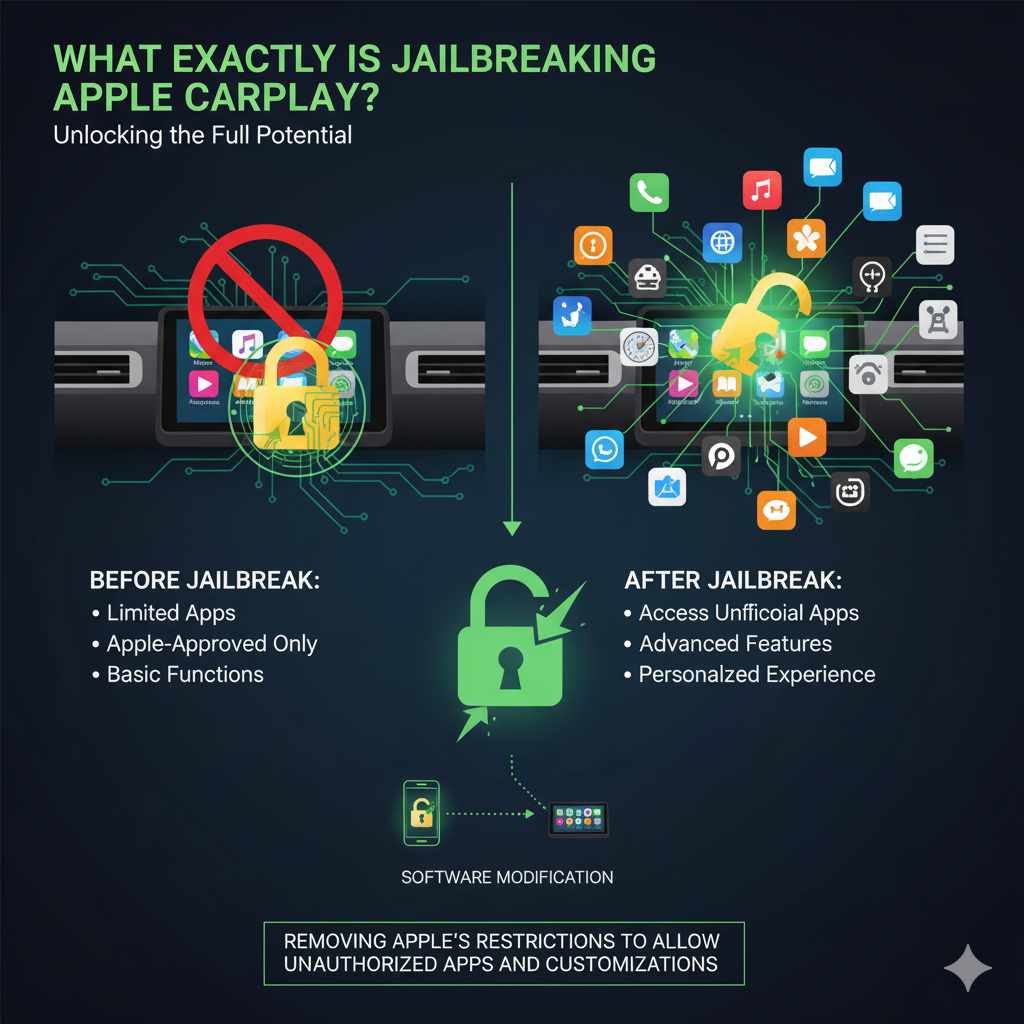
At its core, jailbreaking Apple CarPlay is about removing the restrictions that Apple puts in place on its software. Think of it like unlocking a special door to a room you weren’t supposed to access. Normally, CarPlay only lets you use a select group of apps that Apple has approved. These are usually navigation apps like Maps and Waze, music apps like Spotify, and messaging apps.
When you “jailbreak” CarPlay, you’re essentially modifying the software on your iPhone that connects to your car. This modification aims to allow the use of unofficial or unauthorized apps and customizations. These could be anything from custom widgets to more advanced features that Apple hasn’t deemed “safe” or “suitable” for the CarPlay environment. It’s a way for users to personalize their in-car experience beyond the standard offerings.
Why Would Someone Want to Jailbreak CarPlay?
The main draw for jailbreaking CarPlay is customization and expanded functionality. Drivers often feel limited by the official app selection. Here are some common reasons why people explore this path:
- Access to More Apps: The biggest reason is to use apps not officially supported by Apple. This could include video players, custom launchers, or even apps that mimic desktop interfaces.
- Enhanced Features: Some jailbreaks aim to add features that aren’t standard, like custom themes, improved audio controls, or more advanced multitasking capabilities on the CarPlay screen.
- System Tweaks: Users might want to tweak certain behaviors of CarPlay, such as changing how notifications appear or how the interface behaves under different conditions.
- Experimentation and Learning: For tech enthusiasts, it’s an opportunity to explore the inner workings of CarPlay and see what’s possible when limitations are removed.
It’s about taking control and making your car’s infotainment system work exactly how you want it to, even if it means venturing beyond the official Apple app store.
Understanding the Risks Involved
Before we dive into any “how-to,” it’s crucial to talk about the risks. Modifying your iPhone’s software, especially components that interface with your car, isn’t without its downsides. It’s like performing a DIY repair on your car’s engine – you need to be aware of what could go wrong.
- Voiding Warranties: Apple’s warranty, and potentially your car manufacturer’s warranty, could be voided if they discover you’ve tampered with the software. This means any issues arising from the jailbreak might not be covered.
- Security Vulnerabilities: Unauthorized apps and modifications can introduce security risks. They might not be vetted by Apple, potentially exposing your personal data or making your phone vulnerable to malware.
- System Instability: Jailbreaking can make your iPhone or CarPlay system unstable. You might experience crashes, freezes, or unexpected behavior, which can be distracting and dangerous while driving.
- Updates Can Break It: Apple regularly releases software updates for iOS and CarPlay. These updates often patch security holes and can easily break a jailbreak, rendering your customizations useless or causing further instability. You’ll likely have to wait for the jailbreak community to adapt to new updates.
- Operational Issues: In the worst-case scenario, a failed jailbreak or unstable software could lead to your CarPlay system not functioning correctly, or even affect other aspects of your car’s electronic systems.
It’s essential to weigh these risks against the benefits. For many, the potential for expanded features might not be worth the potential headaches and security concerns.
Is Jailbreaking CarPlay Legal?
This is a bit of a gray area. In most regions, modifying your own device’s software for personal use is generally not illegal. However, using modified software to bypass security measures or infringe on copyright could have legal implications. Crucially, Apple’s terms of service strictly prohibit modifying iOS, and doing so can lead to issues with their support and warranties.
From a car manufacturer’s perspective, modifying how their infotainment system interacts with your phone can also be a breach of agreement. Therefore, while not explicitly a criminal offense in most places for personal use, it often violates user agreements and can lead to loss of support and warranty coverage.
How Does Jailbreaking CarPlay Work (The Technical Side)?
Jailbreaking CarPlay usually involves specific tools and methods that exploit vulnerabilities in the iOS software. These methods change as Apple releases new iOS versions and patches those vulnerabilities. Because of this, a jailbreak that works today might not work tomorrow, or on the next iOS update.
The process typically relies on finding and leveraging bugs in iOS or the CarPlay protocol itself. These bugs allow a user to gain root access, which means they can make changes to the system files that are normally protected. These changes are then used to load and run unauthorized applications or modify existing ones. It’s a cat-and-mouse game between jailbreak developers and Apple’s security team.
It’s important to note that there isn’t a single, universal “jailbreak CarPlay” button. Instead, it’s often a byproduct of jailbreaking the iPhone itself. Once an iPhone is jailbroken, users can then install software or tweaks that enable unsupported apps to run on CarPlay.
Popular Tools and Methods (General Overview)
The landscape of jailbreaking tools changes very rapidly. What’s popular and effective today might be outdated next week. However, historically, jailbreaks have come in different forms:
- Semi-Untethered Jailbreaks: These require you to re-run an app on your iPhone every time you restart your device to maintain the jailbreak.
- Untethered Jailbreaks: These are rarer now and allow the jailbreak to persist even after restarting your iPhone.
- Tethered Jailbreaks: These require you to connect your iPhone to a computer each time you reboot to re-enable the jailbreak.
Some well-known jailbreaking communities and tools (though availability and effectiveness vary wildly across iOS versions) have included tools like Unc0ver, Electra, and Chimera. These tools are typically developed by independent researchers and enthusiasts who then share their findings with the public.
Where to find reliable information
Because the tools and methods are so dynamic and security-sensitive, it’s vital to get information from trustworthy sources. Reputable jailbreak communities often have forums, subreddits, and dedicated websites where developers and experienced users share the latest news and guides. For example, searching for current jailbreak news on r/jailbreak on Reddit is a common starting point for users seeking the latest information and compatible tools for their specific iOS version. Always ensure you are downloading tools directly from the official developer websites to avoid malware.
A General Step-by-Step Approach (For Informational Purposes)
It’s crucial to reiterate that this guide is for informational purposes only. The actual process is highly technical, depends on your specific iPhone model and iOS version, and carries significant risks. Performing these steps incorrectly can lead to data loss or a non-functional device.
If you decide to proceed, you would typically follow these general phases:
Phase 1: Preparation and Research
- Identify Your iPhone Model and iOS Version: Go to Settings > General > About on your iPhone to find this information.
- Check for Compatible Jailbreaks: Visit reputable jailbreak community sites (like those mentioned earlier) to see if a jailbreak exists for your specific iOS version and device. This is the most critical step; if no jailbreak exists, you cannot proceed.
- Backup Your iPhone: Before doing anything, back up all your data using iCloud or your computer. This is your safety net if something goes wrong.
- Gather Necessary Tools: This usually involves a computer (Windows or macOS), a USB cable, and the specific jailbreak software recommended for your iOS version.
Phase 2: Executing the Jailbreak
- Download the Jailbreak Tool: Obtain the latest, trusted version of the jailbreak software from the official developer’s website. Be extremely cautious of fake or malicious downloads.
- Enter DFU or Recovery Mode: Your iPhone will likely need to be put into a special mode (like Device Firmware Update or Recovery mode) to allow the jailbreak software to communicate with it. The exact method varies by iPhone model.
- Run the Jailbreak Software: Connect your iPhone to your computer and follow the on-screen instructions of the jailbreak tool. This process often involves multiple steps and reboots of your device.
- Install a Package Manager: Successful jailbreaks usually install a package manager app (like Cydia, Sileo, or Zebra) onto your iPhone. This app is your portal to installing tweaks and modified apps.
Phase 3: Installing CarPlay Tweaks
- Find CarPlay-Specific Tweaks: Within the package manager, you’ll need to search for repository sources (often called “repos”) that host CarPlay modifications.
- Install the Desired Tweak: Select and install the tweak that promises the functionality you want. This might involve installing a custom launcher or an app enabler.
- Respring or Reboot: After installation, you’ll typically need to “respring” your iPhone (which restarts the iOS user interface without a full reboot) or perform a full reboot for the changes to take effect.
Phase 4: Connecting to CarPlay
- Connect Your iPhone to Your Car: Use a USB cable to connect your iPhone to your car’s CarPlay-compatible USB port or wirelessly if your car supports it.
- Test Functionality: See if your installed tweaks are working as expected within the CarPlay interface.
Remember, this is a simplified overview. Each jailbreak tool has its own detailed instructions, and troubleshooting is often a significant part of the process.
Essential “Tools” (Software & Hardware)
When embarking on a jailbreaking journey, you’ll typically need a few key items. Think of this like gathering your tools before a basic car maintenance job.
- A Compatible iPhone: Not all iPhones or iOS versions can be jailbroken. You need to check compatibility carefully.
- A Computer: Most jailbreaks require a computer (Windows or macOS) to run the jailbreak software.
- USB Cable: A reliable, original Apple USB cable is best to ensure a stable connection between your iPhone and computer.
- Jailbreak Software: The specific application designed to perform the jailbreak for your iOS version.
- Package Manager: An app installed on your iPhone after jailbreaking (like Cydia, Sileo) to download and manage tweaks.
- CarPlay-Compatible Car: Obviously, you need a vehicle that supports Apple CarPlay.
Potential CarPlay Tweaks to Consider (And What They Do)
Once your iPhone is jailbroken and you have a way to install tweaks, what kind of customizations are people looking for with CarPlay? These are some common categories:
- CarPlay Unloncker/App Enablers: These are foundational tweaks. They essentially break down the barriers that prevent non-approved apps from appearing on the CarPlay screen. Without these, other tweaks wouldn’t work at all.
- Custom Launchers/Home Screens: Instead of the standard grid of icons, some tweaks let you create a more personalized home screen. This might include custom layouts, widgets, or different ways to organize your apps.
- Unsupported App Support: This is the main goal for many. Tweaks might enable apps like YouTube, web browsers, file managers, or even third-party music players that Apple doesn’t officially allow.
- Visual Customizations: Some users want to change the look and feel of CarPlay beyond just app availability. This could involve custom themes, different icon sets, or modified control elements.
- Performance Tweaks: Occasionally, tweaks might aim to improve CarPlay’s responsiveness or offer more granular control over settings like audio or display.
It’s important to note that the functionality and reliability of these tweaks vary greatly. Always read reviews and feedback from other users in the jailbreak community before installing anything.
Making Smart Choices: When is it Worth It?
Jailbreaking CarPlay is not for everyone. Before you even think about touching your iPhone, ask yourself:
- How much do I really need this? Are the unsupported apps or features critical to my driving experience, or are they just nice-to-haves?
- Am I comfortable with the risks? Can I afford to potentially lose my warranty, face security risks, or deal with an unstable system?
- Do I have the technical patience? Jailbreaking often involves troubleshooting. Are you prepared to spend time researching and trying to fix issues?
- Is my iOS version supported? If there’s no reliable jailbreak for your current iOS, the answer is likely “no,” at least for now.
If the thought of dealing with potential problems makes you anxious, or if your car’s current CarPlay system meets your needs, it’s probably best to stick with the official, stable version. Safety and reliability on the road should always be the top priority.
Alternatives to Jailbreaking
The good news is that if jailbreaking sounds too risky, there are often ways to enhance your driving experience without compromising your device or warranty.
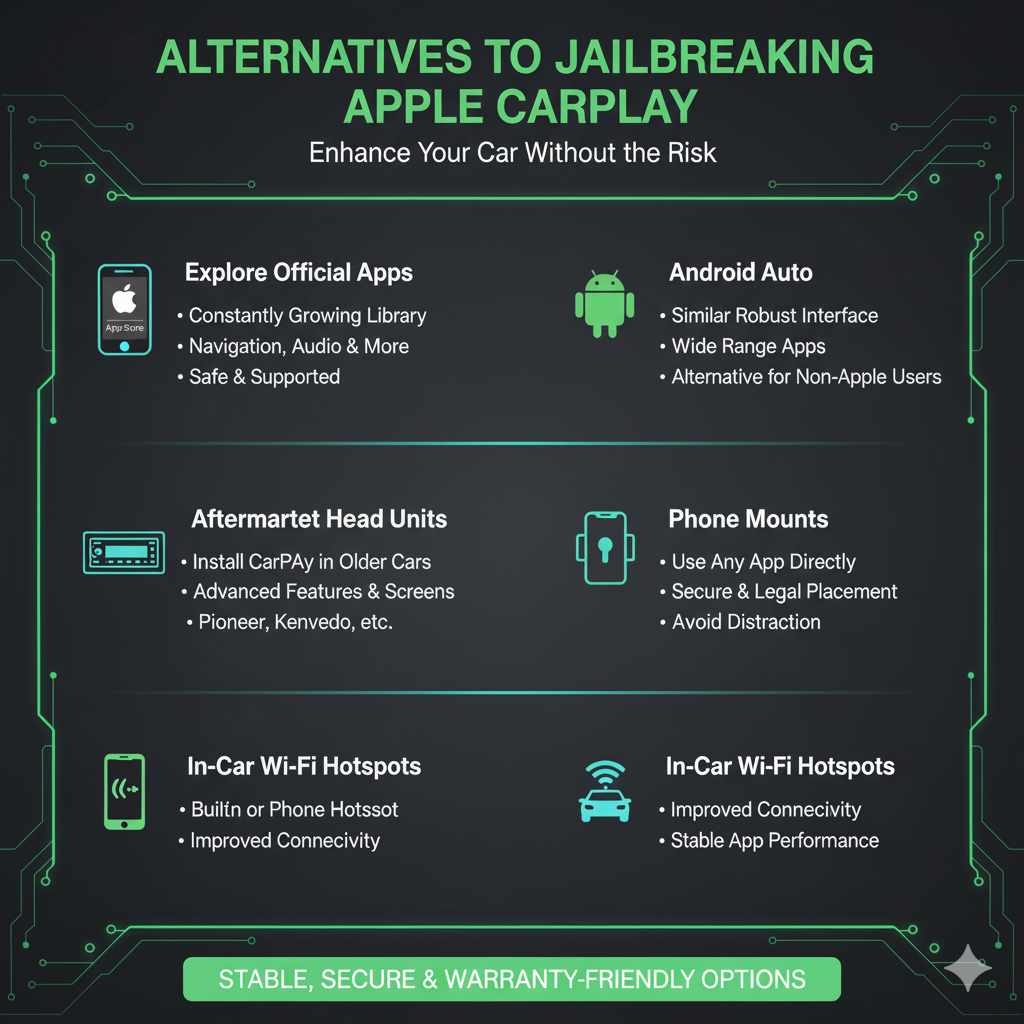
- Explore Official Apps: The official CarPlay app store is constantly growing. Many useful apps for navigation, audio, messaging, and more are available.
- Android Auto: If you’re not tied to Apple, Android Auto offers a similar, robust interface with its own set of supported apps.
- Aftermarket Head Units: For cars where CarPlay isn’t standard, you can often install an aftermarket stereo system that supports CarPlay. These can offer a more advanced and customizable experience than stock systems ever could. Reputable brands like Pioneer or Kenwood offer systems with large touchscreens and extensive features.
- Phone Mounts: For using apps not supported by CarPlay, a secure and well-placed phone mount allows you to use your phone directly without distraction. Ensure it’s mounted legally and safely.
- In-Car Wi-Fi Hotspots: Some vehicles offer built-in Wi-Fi or you can use your phone’s hotspot to ensure your devices are always connected, which can improve the performance of official CarPlay apps.
These alternatives offer ways to improve your car’s tech features while maintaining stability and security.
Frequently Asked Questions (FAQ) about Jailbreaking CarPlay
Q1: Can I jailbreak my iPhone to use specific apps on CarPlay?
A1: Yes, jailbreaking your iPhone is the typical prerequisite for enabling unsupported apps on Apple CarPlay. However, this process is complex and carries risks.
Q2: Will jailbreaking void my car’s warranty?
A2: While jailbreaking directly affects your iPhone, some car manufacturers may argue that it interferes with their vehicle’s integrated systems and could potentially void certain aspects of your car’s warranty, especially related to the infotainment unit.
Q3: Is it safe to use a jailbroken iPhone with CarPlay?
A3: It can be less safe. Jailbreaking removes security protections, making your iPhone more vulnerable to malware and security threats. This risk extends to your car’s connected systems.
Q4: What happens if Apple stops supporting my jailbroken iPhone or CarPlay?
A4: Apple regularly releases updates that can patch jailbreak vulnerabilities and disable custom modifications. You might find your jailbreak stops working after an iOS update, and you may have to wait for the jailbreak community to release a new tool for the updated software.
Q5: Are there any simple, official ways to get more apps on CarPlay?
A5: No, Apple controls the official CarPlay app list. You can only use apps that Apple has approved and that are available in the App Store marked as CarPlay compatible. The selection is limited by design.