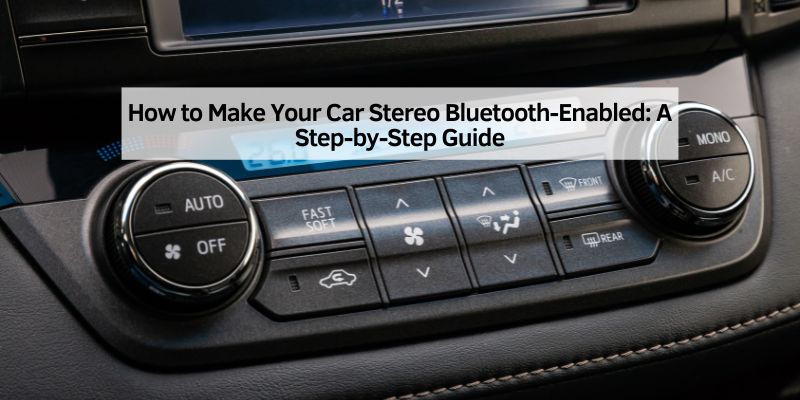
How to Make Your Car Stereo Bluetooth-Enabled: A Step-by-Step Guide
Hey there, fellow car enthusiast! If you’re like me, you love cruising down the road with your favorite tunes blasting through the speakers. But let’s be honest—fiddling with aux cords or burning CDs feels so outdated. That’s why I decided to upgrade my car stereo to Bluetooth, and let me tell you, it’s been a game-changer. Whether you’re streaming Spotify, taking hands-free calls, or just enjoying the freedom of wireless audio, adding Bluetooth to your car stereo is easier than you might think. In this guide, I’ll walk you through everything I’ve learned from my own experience—mistakes, successes, and all. So, grab a coffee, and let’s dive into how to make your car stereo Bluetooth-enabled!
Why Add Bluetooth to Your Car Stereo?
Let’s start with the big question: why bother? I used to think my old car stereo was fine with its aux port and CD player. But once I switched to Bluetooth, I realized what I was missing. Bluetooth lets you connect your phone wirelessly, so you can play music, podcasts, or audiobooks without plugging in. It’s also safer for taking calls while driving—no more fumbling with your phone. Plus, it’s super convenient for passengers who want to DJ without passing cords around. Adding Bluetooth can modernize your ride, make it more enjoyable, and even increase its resale value. Trust me, once you go wireless, you’ll never want to go back.
Understanding Your Current Car Stereo Setup
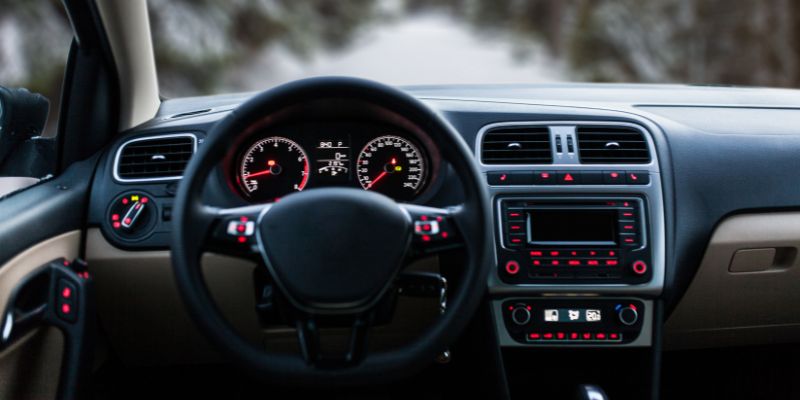
Before you start, you need to know what you’re working with. When I first tackled this project, I didn’t even know what kind of stereo I had! So, take a look at your car’s audio system. Is it a factory-installed stereo or an aftermarket one? Check the front panel for inputs like USB, aux, or even a cassette slot. Some older stereos don’t have any modern inputs, which can affect your Bluetooth upgrade options.
You’ll also want to check if your stereo already has Bluetooth. Some newer factory stereos do, but it might not be obvious. Look for a Bluetooth symbol or check your car’s manual. If it’s already Bluetooth-capable, you might just need to pair it with your phone. If not, don’t worry—I’ll cover all the ways to add Bluetooth, no matter how old your stereo is.
Options for Adding Bluetooth to Your Car Stereo
When I started researching, I was surprised by how many ways there are to add Bluetooth. Each option has its pros and cons, depending on your budget, car setup, and how permanent you want the solution to be. Here’s what I found:
Bluetooth FM Transmitter
This is the easiest and cheapest way to add Bluetooth. An FM transmitter plugs into your car’s cigarette lighter or 12V outlet, connects to your phone via Bluetooth, and broadcasts the audio to your stereo through an FM radio frequency. I tried this first because it was so affordable—some models cost as little as $15.
Pros: No installation required, works with any car stereo with an FM radio, and it’s portable.
Cons: Sound quality can be hit-or-miss, especially in areas with lots of radio interference. You might hear static if you’re in a busy city.
Bluetooth-to-Aux Adapter
If your stereo has an aux input, a Bluetooth-to-aux adapter is a great choice. These small devices pair with your phone and plug into the aux port. I used one of these for a while, and it worked like a charm.
Pros: Better sound quality than an FM transmitter, simple to use, and affordable (around $10-$30).
Cons: Requires an aux port, and you’ll have a small device dangling from your stereo.
Bluetooth Cassette Adapter
Got an old car with a cassette player? A Bluetooth cassette adapter looks like a cassette tape but connects to your phone wirelessly. I helped a friend set one up in his vintage Mustang, and he loved it.
Pros: Works with cassette-based stereos, decent sound quality, and no permanent changes to your car.
Cons: Not as common, and the cassette mechanism can wear out over time.
Upgrading to a Bluetooth-Compatible Head Unit
If you’re ready for a bigger upgrade, replacing your car stereo with a Bluetooth-compatible head unit is the way to go. This is what I ended up doing, and it’s been worth every penny. Modern head units come with Bluetooth, USB, and even Apple CarPlay or Android Auto.
Pros: Best sound quality, seamless integration, and extra features like touchscreens.
Cons: More expensive (starting at $50 for basic models) and requires installation.
Here’s a quick comparison table to help you decide:
| Option | Cost | Sound Quality | Installation | Best For |
|---|---|---|---|---|
| FM Transmitter | $15-$40 | Fair | None | Budget-conscious, any stereo |
| Bluetooth-to-Aux Adapter | $10-$30 | Good | Minimal | Stereos with aux input |
| Bluetooth Cassette Adapter | $20-$50 | Good | Minimal | Older cars with cassette players |
| Bluetooth Head Unit | $50-$300+ | Excellent | Professional | Permanent, high-quality solution |
Step-by-Step Guide to Adding Bluetooth
Now that you know your options, let’s walk through how to set each one up. I’ll share what worked for me and some tips to avoid common pitfalls.
Using a Bluetooth FM Transmitter
I started with an FM transmitter because it was so easy. Here’s how to do it:
- Buy a Quality Transmitter: Look for one with good reviews and features like noise suppression. I got one with a USB charging port, which was a nice bonus.
- Plug It In: Insert the transmitter into your car’s cigarette lighter. Turn it on—it should light up or show a display.
- Set the FM Frequency: Choose an unused FM frequency (check your radio for a “dead” station with static). Set the transmitter to that frequency.
- Pair Your Phone: Turn on Bluetooth on your phone and pair it with the transmitter. The device name usually shows up as something like “BT-Audio.”
- Tune Your Stereo: Set your car stereo to the same FM frequency as the transmitter.
- Test It: Play music on your phone. You should hear it through your car speakers. If there’s static, try a different frequency.
Tip: Avoid frequencies used by local radio stations. I had to tweak mine a few times to get clear audio.
Setting Up a Bluetooth-to-Aux Adapter
This was my next step before upgrading my head unit. Here’s what to do:
- Choose an Adapter: Pick one with a long battery life (some are rechargeable, others plug into USB). I liked one with a built-in mic for calls.
- Connect to Aux: Plug the adapter into your stereo’s aux port using a 3.5mm cable.
- Pair with Your Phone: Turn on the adapter and pair it with your phone via Bluetooth.
- Switch to Aux Mode: Set your stereo to the aux input.
- Play Music: Test it by playing a song. The sound should be crisp and clear.
Tip: Keep the adapter charged, or it’ll cut out mid-song—trust me, it’s annoying!
Using a Bluetooth Cassette Adapter
This one’s fun for retro cars. Here’s how it works:
- Get the Right Adapter: Make sure it’s Bluetooth-enabled, not just a regular cassette adapter.
- Insert the Cassette: Pop the adapter into your stereo’s cassette slot.
- Pair Your Phone: Connect your phone to the adapter via Bluetooth.
- Play Audio: Press play on your cassette player and start music on your phone.
- Adjust Volume: You might need to tweak the volume on both the stereo and your phone for the best sound.
Tip: If the sound is muffled, clean your cassette player’s heads with a cleaning tape first.
Installing a Bluetooth Head Unit
This was my big project, and it took some effort, but the results were amazing. If you’re not comfortable with car wiring, you might want a professional to help. Here’s what I did:
- Choose a Head Unit: I picked a single-DIN unit with Bluetooth, USB, and a clean display for about $80.
- Gather Tools: You’ll need a screwdriver, wire cutters, crimping tool, and a wiring harness adapter for your car model.
- Disconnect the Battery: For safety, disconnect your car’s battery to avoid shocks.
- Remove the Old Stereo: Pop off the trim around your stereo and unscrew the old unit. Pull it out gently and disconnect the wires.
- Connect the New Unit: Use the wiring harness adapter to connect the new head unit to your car’s wiring. Match the colors (e.g., red to red for power).
- Install the Unit: Slide the new head unit into the dashboard and secure it with screws. Reattach the trim.
- Reconnect the Battery: Turn on your car and test the stereo. Pair your phone via Bluetooth to confirm it works.
Tip: Watch YouTube tutorials for your specific car model—it helped me avoid breaking any clips!
Troubleshooting Common Issues
No matter which option you choose, you might run into hiccups. Here are some issues I faced and how I fixed them:
- Static or Interference (FM Transmitter): Switch to a different frequency or move the transmitter closer to the stereo.
- Connection Drops (Bluetooth Adapter): Make sure the adapter is charged and within range (usually 30 feet) of your phone.
- Poor Sound Quality: Check your phone’s Bluetooth settings—some devices default to low-quality audio for calls. Switch to “media audio.”
- Head Unit Won’t Power On: Double-check your wiring connections and fuses. I had a loose wire that caused a headache!
Enhancing Your Bluetooth Experience
Once your Bluetooth is set up, you can take it to the next level. I added a phone mount to my dashboard for easy access to my music apps. If you’re using a head unit, explore features like equalizer settings to fine-tune the sound. For FM transmitters or adapters, look for models with extra features like USB charging or voice assistant support. I also recommend keeping your phone’s Bluetooth firmware updated to avoid connection issues.
Maintaining Your Bluetooth System
To keep your setup running smoothly, a little maintenance goes a long way. For FM transmitters and adapters, store them safely when not in use to avoid damage. If you installed a new head unit, check the wiring periodically to ensure nothing’s come loose. Clean your aux or cassette ports regularly to prevent dust buildup, which can affect sound quality. And always update your phone’s software to maintain compatibility.

Is It Worth the Effort?
After trying all these options, I can say adding Bluetooth to my car stereo was one of the best upgrades I’ve made. The convenience of wireless audio and hands-free calls makes every drive more enjoyable. Whether you go for a quick fix like an FM transmitter or a full head unit upgrade, you’ll love the modern vibe it brings to your car. For me, the new head unit was the ultimate solution, but even the budget options worked well for a while.
Conclusion
Adding Bluetooth to your car stereo doesn’t have to be complicated or expensive. From my own journey, I’ve learned that there’s an option for every budget and car type. Whether you’re rocking a vintage ride with a cassette player or a modern car with an aux port, you can enjoy the freedom of wireless audio. My advice? Start with a simple solution like an FM transmitter or aux adapter to test the waters. If you love it as much as I do, consider investing in a Bluetooth head unit for the best experience. Now, go crank up your favorite playlist and hit the road—wirelessly, of course!
FAQs
What’s the Cheapest Way to Add Bluetooth to My Car Stereo?
The cheapest option is a Bluetooth FM transmitter, which costs $15-$40. It plugs into your cigarette lighter and works with any stereo that has an FM radio. Just pick a clear frequency, pair your phone, and you’re good to go.
Can I Add Bluetooth to a Car Without an Aux Port?
Yes! If your stereo doesn’t have an aux port, try a Bluetooth FM transmitter or a Bluetooth cassette adapter (for cassette players). Both are easy to use and don’t require modifying your car.
How Do I Know If My Car Stereo Already Has Bluetooth?
Check your stereo’s front panel for a Bluetooth symbol or a pairing button. You can also look in your car’s manual or try connecting your phone through your phone’s Bluetooth settings. If it doesn’t connect, you’ll need an add-on solution.
Is Installing a Bluetooth Head Unit Difficult?
It depends on your comfort with car wiring. I found it manageable with basic tools and online tutorials, but it took me a couple of hours. If you’re unsure, a professional installer can do it for $50-$100.
Will Adding Bluetooth Affect My Car’s Battery?
Bluetooth devices like FM transmitters or adapters use minimal power, so they won’t drain your battery. A new head unit is wired to your car’s electrical system and only draws power when the car is on, so it’s safe too.