How To Order Epson Ink: Essential Guide
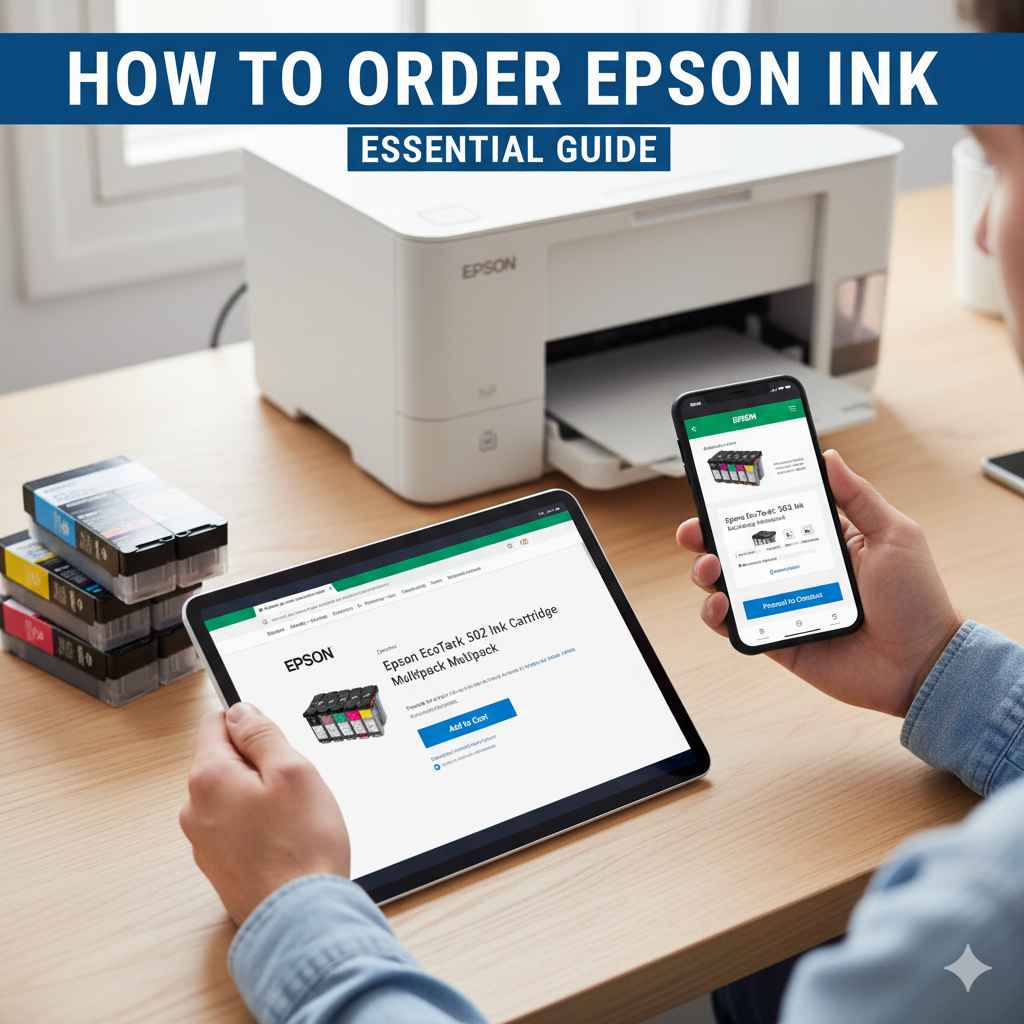
Order Epson ink with confidence by identifying your exact printer model and the correct ink cartridge numbers. This guide simplifies the process, ensuring you get the right ink for vibrant prints every time, saving you time and frustration.
Running out of ink can halt your printing plans right when you need them most. It’s a common hiccup for any printer owner, and the sheer variety of ink cartridges available can make choosing the right one feel like a puzzle. But don’t worry, getting the correct Epson ink for your printer doesn’t have to be complicated. With a few simple steps, you’ll be able to confidently order the exact ink you need. We’ll walk you through exactly how to find your printer model, understand ink cartridge numbers, and make sure you’re getting the best value. Let’s demystify the process so you can get back to printing with ease!
Why Ordering the Right Epson Ink Matters
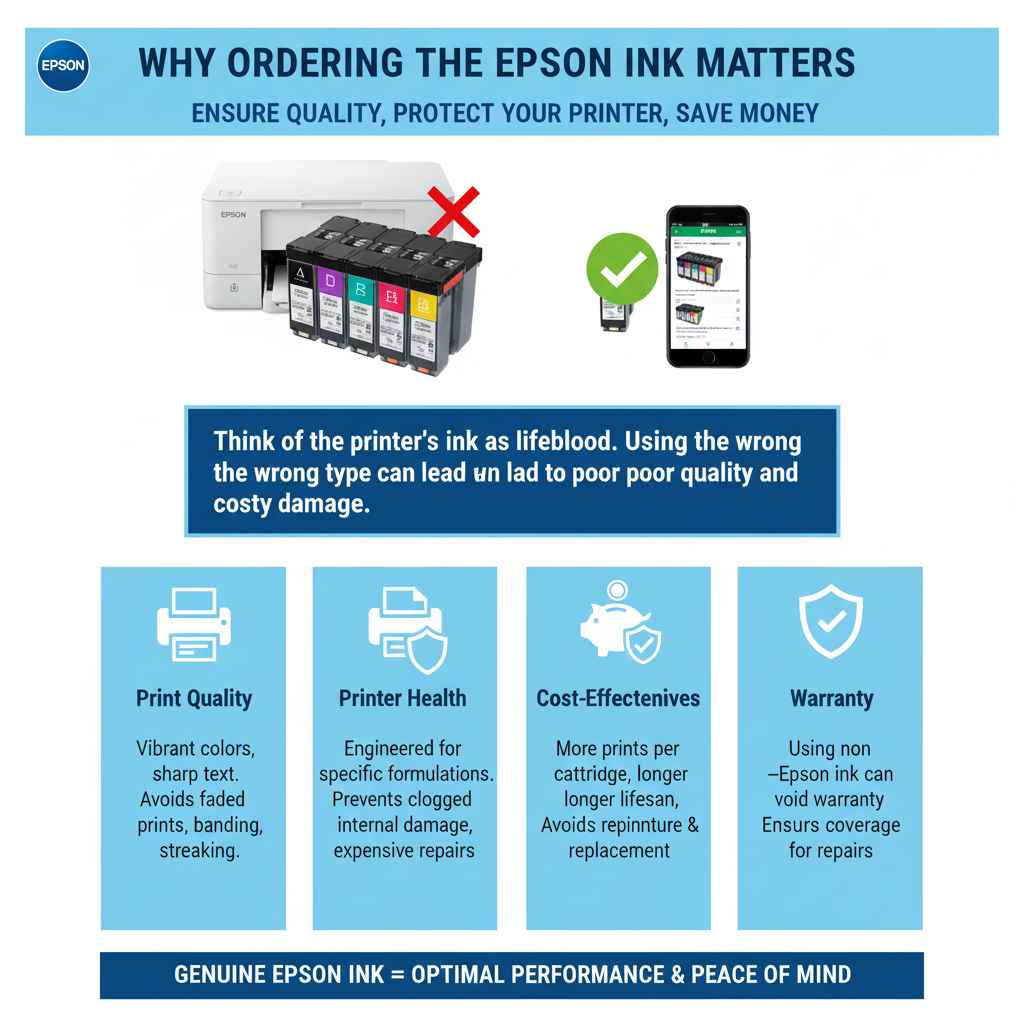
Think of your printer’s ink like the lifeblood of your machine. Using the wrong type of ink can lead to a host of problems, from disappointing print quality to costly damage to your printer’s delicate components. Epson, like many printer manufacturers, designs its ink cartridges to work specifically with certain printer models. This isn’t just to keep you buying their products; it’s genuinely about ensuring optimal performance and longevity for your printer.
Here’s why getting it right is crucial:
- Print Quality: The correct ink ensures vibrant colors, sharp text, and overall professional-looking prints. The wrong ink might result in faded colors, banding, or streaking.
- Printer Health: Epson printers are engineered with specific ink formulations in mind. Using incompatible ink can clog print heads, damage internal mechanisms, and lead to expensive repairs.
- Cost-Effectiveness: While it might seem cheaper to buy generic ink, it can often lead to reprinting jobs or even printer replacement in the long run. Ordering the right Epson ink ensures you get the most out of each cartridge and your printer.
- Warranty: Using non-Epson branded ink can sometimes void your printer’s warranty, leaving you to bear the cost of repairs should something go wrong.
Step 1: Identify Your Epson Printer Model
This is the absolute first step, and it’s simpler than you might think. Your printer model name is usually clearly displayed on the printer itself. Take a close look at the front, top, or back of your Epson printer. You’ll often find a sticker or embossed lettering that clearly states the model name and number.
Common places to find your printer model:
- Front Panel: Often the most prominent location, usually near the Epson logo.
- Top Cover: Sometimes found on the inside or outside of the lid, especially for all-in-one devices.
- Back of the Printer: Look near the power cord or USB connection.
- Original Packaging/Manuals: If you still have them, the box or user manual will definitely list the model.
Example Model Names:
- Epson EcoTank ET-2800
- Epson Expression Home XP-4100
- Epson WorkForce WF-2850
- Epson SureColor P700
If you’re still struggling, a quick online search with “what is my Epson printer model” might help you pinpoint it by describing its appearance. Once you have the exact model name, write it down. This is your golden ticket to ordering the right ink!
Step 2: Understand Epson Ink Cartridge Types
Epson uses different ink systems depending on the printer series. It’s important to know which type your printer uses before you start looking for cartridges. The two main types you’ll encounter for home and office printers are:
1. Individual Ink Cartridges
Many Epson printers, especially in the Expression and WorkForce series, use individual ink cartridges. This means each color (Black, Cyan, Magenta, Yellow) is in its own cartridge. Some models might also have additional cartridges for different shades or specialized inks.
Pros:
- You only replace the color that runs out, which can be more cost-effective in the long run.
- Less waste compared to tri-color cartridges where one color running out means replacing the whole unit.
Cons:
- Can be more expensive to initially stock all colors if you print with all of them frequently.
- You need to keep track of multiple cartridges.
2. Ink Tank / EcoTank Systems
Epson’s EcoTanks are revolutionary for home and small office users. Instead of cartridges, these printers have large, built-in ink tanks that you refill directly from bottles. This system is designed for high-volume printing at a significantly lower cost per page.
Pros:
- Extremely low cost per page.
- You can print thousands of pages before needing to refill.
- Less frequent replacement, reducing waste.
Cons:
- Higher initial printer cost.
- Refilling requires a bit more care than simply swapping a cartridge.
3. All-in-One (Tri-Color) Cartridges (Less Common for Newer Epson Models)
While less common in newer Epson home printers, some older models might have used cartridges containing all three primary colors (Cyan, Magenta, Yellow) in a single unit. If one color runs out, you have to replace the entire cartridge, even if the other two colors are still full. If your printer uses this type, it will be clearly stated in your manual.
Step 3: Find Your Ink Cartridge Number
This is arguably the most critical step in ordering the right Epson ink. Each type and color of ink cartridge has a specific Epson ink cartridge number, often referred to as the number, code, or part number. This number is essential for ensuring you purchase the correct replacement.
Here’s how to find it:
- Check Your Current Cartridge: The easiest way is often to look at the ink cartridge currently in your printer. Remove it carefully (your printer manual will show you how) and inspect it. The Epson number is typically printed in large, clear lettering on the side or top of the cartridge.
- Consult Your Printer Manual: Your printer’s user manual is an excellent resource. It will have a section dedicated to ink replacement, listing the exact cartridge numbers required for your specific model. If you don’t have a physical manual, you can almost always find a PDF version on the official Epson support website.
- Look at the Printer Packaging: If you still have the original box your printer came in, it often lists the compatible ink cartridges.
- Check Epson’s Website: Navigate to the Epson website, find your printer model, and look for the “Supplies” or “Ink” section. They will explicitly state which cartridges are compatible.
Example Epson Ink Cartridge Numbers:
These numbers vary greatly. For instance:
- For many Epson Expression printers, you might see numbers like “202,” “212XL,” “220,” or “410.”
- For WF-2850, you might need “212” or “212XL” cartridges.
- For EcoTank models like the ET-2800, you’ll be looking for ink bottles with codes like “502,” “522,” “533,” etc., often named by color (Cyan, Magenta, Yellow, Black).
Important Note: Pay attention to “XL” or “High-Yield” versions. These cartridges contain more ink and provide a lower cost per page, making them a great choice for frequent printers. Just ensure the base number (e.g., 212 vs. 212XL) is the same.
Step 4: Choose Where to Buy Your Epson Ink
Once you know your printer model and the correct ink cartridge number, you’re ready to purchase. You have several options:
1. Epson Official Website
Pros:
- Guaranteed genuine Epson ink.
- Wide selection, including high-yield and specialty inks.
- Direct support from the manufacturer.
Cons:
- Can sometimes be more expensive than third-party retailers.
- Shipping times can vary.
2. Authorized Epson Retailers (e.g., Best Buy, Office Depot, Staples)
Pros:
- Convenient to pick up in-store.
- Often have sales and loyalty programs.
- Staff can sometimes provide assistance.
Cons:
- Selection might be limited to popular models/cartridges.
- Prices can fluctuate.
3. Online Retailers (e.g., Amazon, Newegg)
Pros:
- Vast selection, often including competitive pricing.
- Customer reviews can be helpful.
- Fast shipping options are usually available.
Cons:
- Crucial to verify you are buying genuine Epson ink from a reputable seller to avoid counterfeits.
- Returns can sometimes be more complicated.
4. Third-Party/Compatible Ink Providers
Pros:
- Often significantly cheaper than genuine Epson ink.
Cons:
- Risk of voiding printer warranty.
- Print quality can be inferior.
- Potential for printer damage or errors.
- Not recommended for critical documents or photographs where quality is paramount.
Md Meraj’s Advice: For the best results and to protect your investment in your Epson printer, leaning towards genuine Epson ink is generally the safest bet, especially when you’re starting out. If you do consider third-party options, research the provider thoroughly and be aware of the potential risks. The Federal Trade Commission (FTC) also offers advice on consumer rights regarding printer supplies.
Ordering Epson EcoTank Ink Bottles
If you have an Epson EcoTank printer, the process is slightly different. Instead of ordering cartridges, you’ll be ordering ink bottles. The principle of identifying the correct ink is the same, but the packaging and application are different.
Steps for EcoTank Ink:
- Identify Printer Model: As before, find your exact EcoTank model name (e.g., ET-2800, ET-4850).
- Find Ink Bottle Number/Color: Check your EcoTank manual or the Epson website for the specific ink bottle codes for your model. These are often designed with unique nozzle shapes to prevent refilling the wrong color tank. For example, you might need bottles labeled “502,” “522,” “533,” or “544.”
- Purchase Ink Bottles: Buy the correct color bottles (Black, Cyan, Magenta, Yellow) from a reputable source.
- Refill Your Tanks: Follow your printer’s manual for instructions on how to open the ink tank covers and refill the tanks. The bottles are designed for easy, spill-free pouring.
Table: Common EcoTank Ink Bottle Series (Examples)
| Epson EcoTank Model Series | Common Ink Bottle Series | Colors Typically Available |
|---|---|---|
| ET-2700 series, ET-4700 series | 502 | Black, Cyan, Magenta, Yellow |
| ET-2800 series, ET-3800 series, ET-4800 series | 522 | Black, Cyan, Magenta, Yellow |
| ET-3700 series, ET-4760 | 544 | Black, Cyan, Magenta, Yellow |
| ET-7700 series, ET-7750 | 502 (photo black, gray), 522 (cyan, magenta, yellow, photo black, gray) | Black, Photo Black, Gray, Cyan, Magenta, Yellow |
Note: Always confirm the exact ink bottle number for your specific printer model on the Epson website or in your manual.
Tips for Saving Money on Epson Ink
Ink can be a significant ongoing cost for any printer. Here are some smart ways to manage your spending:
- Buy High-Yield (XL) Cartridges: As mentioned, these give you more ink for a better price per page.
- Buy in Multi-Packs: Some retailers offer better deals when you buy a set of all the colors needed for your printer.
- Look for Sales and Coupons: Keep an eye out for promotions from Epson or major retailers. Sign up for email newsletters from your preferred stores.
-
Print Smarter:
- Print in draft mode for everyday drafts, saving ink.
- Turn off color printing if you only need black and white.
- Preview your documents before printing to avoid accidental double-prints or pages with errors.
- Print multiple pages per sheet if appropriate (e.g., for drafts or documents where full-page size isn’t crucial). Many printers offer this feature in their print settings.
- Maintain Your Printer: Regularly run your printer’s cleaning cycles (don’t overdo it, as this also uses ink). A well-maintained printer works more efficiently.
Troubleshooting Common Ink Issues
Even with the right ink, you might occasionally run into problems. Here are a few common scenarios:
-
Printer Not Recognizing Ink Cartridge:
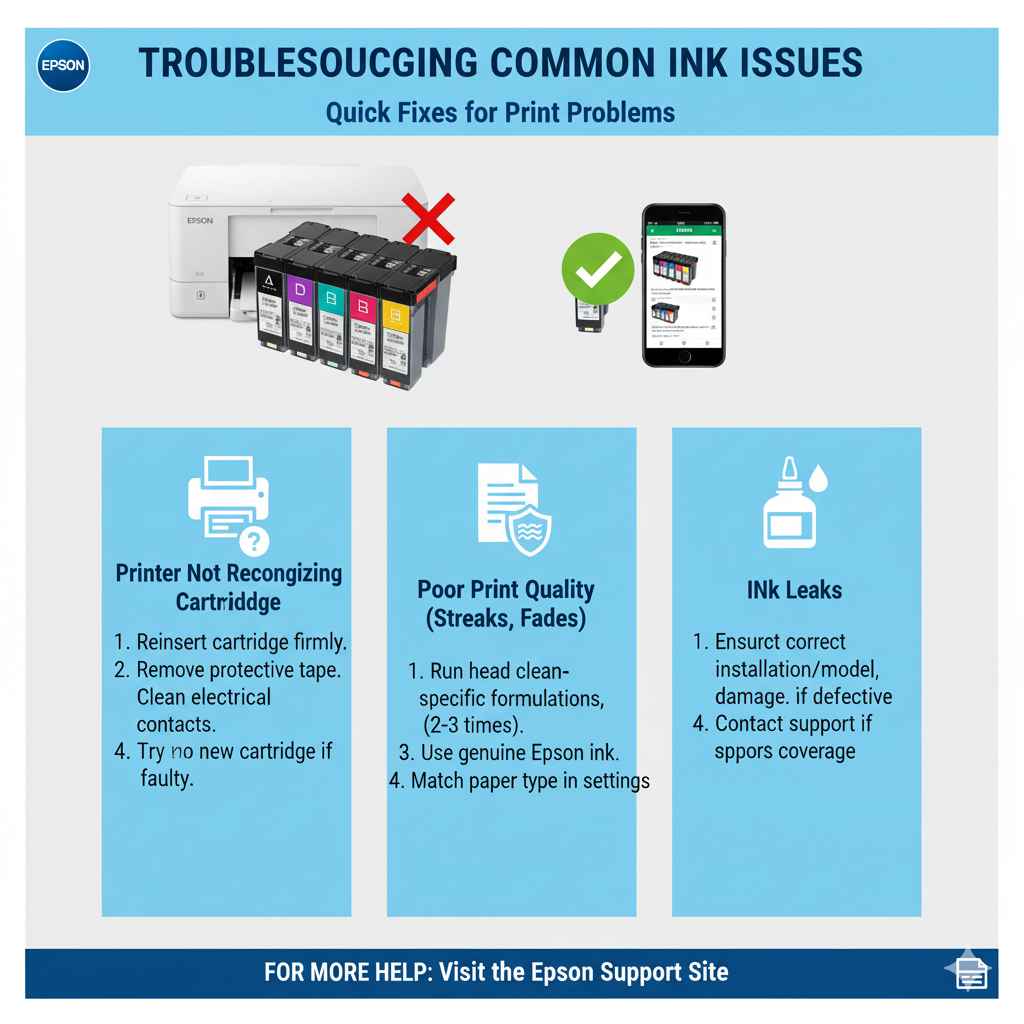
- Ensure the cartridge is seated correctly. Remove and reinsert it firmly.
- Check if there’s any protective tape or clip still attached to the cartridge that needs to be removed before installation.
- Try cleaning the electrical contacts on the cartridge and inside the printer with a lint-free cloth (ensure the printer is off and unplugged).
- If it’s a new cartridge, it might be faulty. Try a different one if possible.
-
Poor Print Quality (Streaking, Faded Colors):
- Run your printer’s built-in head cleaning utility. You might need to run it 2-3 times.
- If print quality doesn’t improve after cleaning, check your ink levels. A cartridge may be very low or empty.
- Ensure you are using genuine Epson ink designed for your printer model.
- Check the paper type selected in your print settings – it should match the paper you are using.
-
Ink Leaks:
- Ensure the cartridge was installed correctly and is the right model.
- Inspect the cartridge for any visible damage.
- If the leak persists, the cartridge might be defective. Contact the retailer or manufacturer.
For more specific troubleshooting, the Epson support site is an invaluable resource, often with model-specific FAQs and guides.
Frequently Asked Questions About Ordering Epson Ink
Q1: How do I know if I have an EcoTank or a regular cartridge printer?
Look at your printer. If it has large, clear tanks on the side that you refill from bottles, it’s an EcoTank. If it uses smaller plastic cartridges that you swap out, it’s a standard cartridge printer.
Q2: Can I use refilled or remanufactured ink cartridges?
While cheaper, these can sometimes cause print quality issues or even damage your printer. They may also void your Epson warranty. It’s generally recommended to use genuine Epson ink for the best performance and reliability.
Q3: What’s the difference between Epson ink numbers like 202 and 212?
These are simply different ink series designed for different groups of Epson printers. You must use the specific number recommended for your exact printer model.