How to Pay Tolls in a California Rental Car: A Comprehensive Guide
Hey there! So, you’re planning a road trip in California with a rental car, and you’re wondering how to handle those pesky tolls? I’ve been there! When I first rented a car to explore the Golden State, I was nervous about toll roads. Would I need cash? Would I get a surprise bill later?
After a few trips across California’s highways and bridges, I’ve learned the ins and outs of paying tolls in a rental car. It’s not as tricky as it seems, and I’m excited to share my experience to make your journey smooth and stress-free. In this guide, I’ll walk you through everything you need to know about paying tolls in a California rental car, from understanding the system to avoiding extra fees. Let’s hit the road and figure this out together!
Understanding California’s Toll System
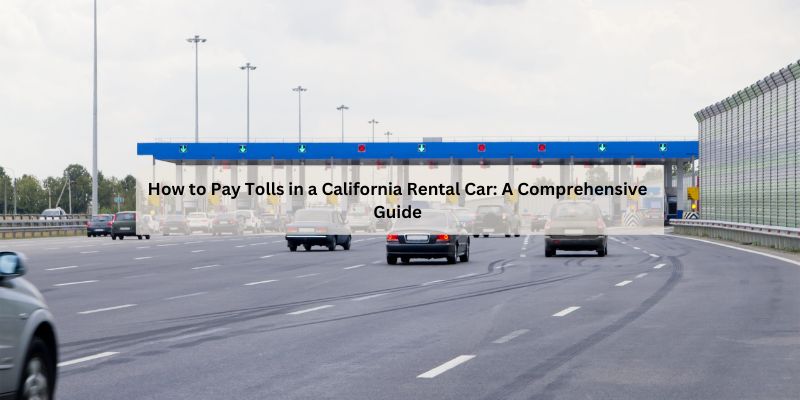
When I first drove in California, I was surprised by how many toll roads and bridges there are. California uses an electronic system called FasTrak for most tolls. It’s super convenient, but it can catch you off guard if you’re not prepared. Toll roads, like State Routes 73, 133, 241, and 261 in Orange County, and express lanes, like those on I-10 and I-110, use cameras to read your license plate or a transponder to charge tolls. Some bridges, like the Golden Gate Bridge, only charge in one direction (southbound into San Francisco, in that case).
The catch with rental cars? You’re responsible for all tools during your rental period. I learned this the hard way when I got a bill weeks after my trip. Most tolls are cashless, so you can’t just toss coins at a booth like in the old days. Knowing how the system works is the first step to avoiding surprises.
Why Paying Tolls in a Rental Car Is Different
I remember picking up my rental car in San Diego and thinking tolls would be like driving my car. Nope! Rental cars come with their own rules. Most rental companies offer a toll payment service, like e-Toll or TollPass, that automatically charges tolls to your credit card. Sounds great, but there’s usually a convenience fee—sometimes $3-7 per day you use a toll road, capped at $30 or so per rental.
If you don’t use their service, you might still get charged if the rental company gets a toll bill. They’ll add an admin fee, which can be steep—$15 or more per toll in some cases. I got hit with a $19.99 fee once for a single $2 toll because I didn’t plan. Lesson learned: always check your options before hitting the road.
Options for Paying Tolls in a California Rental Car
When I rented a car in Los Angeles, I found there were a few ways to handle tolls. Here’s what worked for me:
Use the Rental Company’s Toll Service
Most big rental companies, like Avis, Budget, Enterprise, and Hertz, offer a toll payment program. For example, Avis’s e-Toll charges a $6.95 daily fee (up to $34.95 per rental) plus the toll cost if you use a toll road. I used Budget’s e-Toll on a trip to Orange County, and it was super easy—tolls were charged to my card, and I didn’t have to think about it. The downside? Those daily fees add up, even if you only use one toll.
Pay Tolls Directly Online
If you want to save on fees, you can pay tolls yourself through TheTollRoads.com or BayAreaFasTrak.org. For Southern California’s toll roads (like 73, 133, 241, and 261), you have five days before or after driving to pay online using your rental car’s license plate. I did this for a trip from L.A. to San Diego. It took a few minutes to set up, but I avoided extra charges from the rental company.
Use Your Own FasTrak Account
If you already have a FasTrak account for your car, you can add your rental car’s license plate to it. I tried this on a Bay Area trip. I logged into my FasTrak account, added the rental’s plate, and set start and end dates for my rental period. Tolls were charged to my account, and I skipped the rental company’s fees. Just remember to remove the plate when you return the car—I forgot once, and it caused a headache!
Set Up a Short-Term License Plate Account
If you don’t have a FasTrak account, you can create a short-term account with BayAreaFasTrak.org for Bay Area bridges or TheTollRoads.com for Southern California toll roads. I set one up for a weekend trip to San Francisco. You enter the rental car’s license plate and pay with a credit card. It covers tolls for up to 30 days, and you can pay for trips 48 hours before or after. It’s a great way to avoid rental company fees.
Here’s a quick table to compare your options:
| Payment Method | How It Works | Pros | Cons |
|---|---|---|---|
| Rental Company Toll Service | Tolls charged to your card with a daily fee | Convenient, no setup needed | Daily fees add up, even for small tolls |
| Pay Online Directly | Pay within 5 days before/after at TheTollRoads.com | No extra fees, straightforward | Requires manual payment, time-sensitive |
| Use Your FasTrak Account | Add rental plate to your existing account | No extra fees, uses your transponder | Must remember to add/remove plate |
| Short-Term License Plate Account | Set up a temporary account for tolls | No rental fees, flexible | Must remember to add/remove a plate |
Tolls You’ll Encounter in California
California’s tolls vary by region, and I’ve driven through most of them. Here’s what you might run into:
- Southern California Toll Roads: State Routes 73, 133, 241, and 261 in Orange County are the main ones. I used Route 73 to get from Laguna Beach to Irvine, and it cost about $7 one-way. These roads are cashless, so you need FasTrak or to pay online.
- Bay Area Bridges: The Golden Gate Bridge (southbound only), Bay Bridge, and others charge tolls. I paid $9 to cross the Golden Gate into San Francisco. You can pay online at BayAreaFasTrak.org within 48 hours.
- Express Lanes: Found on freeways like I-10, I-110, I-580, and I-680, these lanes cost $1-$8 based on traffic. I used the I-10 express lane in L.A., and it was worth it to skip traffic, but not all rental toll services cover these.
- San Diego’s SR-125: This is a smaller toll road. I paid about $3.50 online after using it. It’s not covered by most rental toll programs, so check with your company.
Knowing where you’ll drive helps you plan. I always check my route on Google Maps (set to “avoid tolls” if I want to skip them) before heading out.
How to Avoid Extra Fees
I’ve learned a few tricks to keep costs down after getting stung by surprise fees. Here’s what I do:
- Ask the Rental Company: When I pick up my car, I ask about their toll policy. Some companies, like Silvercar, don’t charge convenience fees, which is awesome. Others, like Enterprise, charge $3.95-$4.95 per toll day. Knowing upfront helps me decide.
- Pay Tolls Yourself: Paying directly at TheTollRoads.com or BayAreaFasTrak.org saves you from rental company fees. I set a reminder on my phone to pay within five days.
- Use Your Own Transponder: If you have a FasTrak transponder, bring it along. I stick mine on the rental’s windshield (below any tint) and cover the rental’s transponder to avoid double charges.
- Avoid Unnecessary Toll Roads: I use my GPS to find toll-free routes when possible. For example, I skipped Route 73 by taking I-5 from L.A. to San Diego—it was slower but free.

What Happens If You Don’t Pay Tolls?
I made the mistake of ignoring a toll once, thinking it was no big deal. Bad idea! If you don’t pay, the toll authority sends a bill to the rental company, who charges your card, plus a hefty admin fee. I got a $15 fee for a $2 toll. If you don’t pay that, it can escalate to a violation with penalties up to $50 per toll. Trust me, it’s not worth the hassle. Pay within the five-day window or use a toll service to avoid this.
Tips for Planning Your California Road Trip
Planning made my California trips so much smoother. Here’s what I recommend:
- Check Your Route: Before you drive, map out your trip on Google Maps or Waze. Look for toll roads or bridges. I planned my San Francisco trip to avoid extra bridge tolls by crossing at off-peak times.
- Talk to the Rental Agent: At the counter, ask how tolls work. I always confirm whether the car has a transponder and what fees I’ll face.
- Keep Records: I take a photo of my rental car’s license plate and keep my rental agreement handy. It makes paying tolls online easier.
- Budget for Tolls: Tolls can add up. I set aside $20-$30 for a week-long trip, depending on my route. Check toll rates on TheTollRoads.com or BayAreaFasTrak.org for exact costs.
Common Mistakes to Avoid
I’ve made plenty of mistakes, so let me save you some trouble:
- Not Asking About Fees: I assumed tolls would be cheap. Always ask the rental company about convenience fees—they can double your costs.
- Forgetting to Pay Online: If you don’t use the rental’s service, pay within five days. I missed the window once and got a big bill.
- Using Express Lanes Without Checking: Not all toll services cover express lanes. I used an I-580 express lane, and my rental’s TollPass didn’t cover it, so I had to pay separately.
- Leaving Your Transponder Active: If you add your rental’s plate to your FasTrak account, remove it when you return the car. I forgot once, and tolls kept hitting my account!
Regional Differences in California Tolls
California’s tolls vary by area, and I’ve driven through most of them. In Southern California, Orange County’s toll roads are the big ones. They’re pricier but faster, and I love using Route 73 to avoid traffic. In the Bay Area, bridges are the main tolls. The Golden Gate is iconic, but that $9 southbound toll adds up if you cross multiple times. Express lanes are trickier—they’re on major freeways, and prices change based on traffic. I check signs or apps like The Toll Roads to know the cost before entering.
Using Third-Party Toll Services
Some rental companies use third-party services like PlatePass or Highway Toll Administration. I used PlatePass with Hertz once, and it worked fine, but it charged a $3.95 daily fee. These services bill your card directly, but they’re not always clear about fees upfront. I always ask the rental agent if they use a third-party service and what it costs. If you’re not sure, paying directly online is usually cheaper.
How to Handle Toll Violations
If you get a toll violation, don’t panic—I’ve been there. You’ll get a notice from the toll authority or rental company with the toll plus a penalty ($5-$50, depending on the notice). I got one for missing the five-day payment window. Pay it online at TheTollRoads.com or BayAreaFasTrak.org as soon as you can to avoid extra fees. If the rental company charges you, keep your payment receipt and dispute the extra admin fee. I did this once and got a refund after showing I’d paid the toll.
The Benefits of Paying Tolls Properly
Paying tolls the right way saves you money and stress. I love using toll roads because they’re faster and less crowded. For example, Route 73 shaved 20 minutes off my drive from Irvine to Laguna Beach. Plus, keeping tolls paid means no surprise bills or disputes with your rental company. It’s one less thing to worry about on your trip.
Planning for Specific Routes
Here’s how I handle tolls for popular California routes:
- L.A. to San Diego: You might hit SR-73 or I-15 express lanes. I pay SR-73 tolls online at TheTollRoads.com to avoid fees. Express lanes need a FasTrak account or transponder.
- San Francisco Bay Area: Bridges like the Golden Gate or Bay Bridge are common. I pay online at BayAreaFasTrak.org within 48 hours or use my FasTrak account.
- L.A. to San Francisco: You might use I-580 or I-680 express lanes. I check lane prices on signs and pay online if my rental service doesn’t cover them.
The Future of Tolls in California
As someone who loves road trips, I’m curious about where California’s toll system is headed. More roads and bridges are going cashless, and FasTrak is expanding. I’ve heard talk of new express lanes opening in L.A. and the Bay Area, which could mean more tolls for drivers. Rental companies are also getting better at offering toll services, but fees might keep rising. Staying informed and planning ahead will always be your best bet.
Conclusion
Paying tolls in a California rental car doesn’t have to be a headache. After countless drives across the state, I’ve learned that a little planning goes a long way. Whether you use the rental company’s toll service, pay online, or add your rental car to your FasTrak account, you’ve got options to keep things simple and affordable. By understanding the toll system, asking the right questions, and staying on top of payments, you can enjoy California’s beautiful roads without worrying about surprise bills. So, next time you rent a car, hit those toll roads with confidence and focus on the adventure ahead. Happy travels!
FAQs
How do I know if my route has tolls in California?
Check your route on Google Maps or Waze. Look for toll roads like SR-73 or bridges like the Golden Gate. Websites like TheTollRoads.com list toll locations.
Do all California tolls accept cash?
No, most are cashless, like Orange County’s toll roads and Bay Area bridges. You need a FasTrak transponder or to pay online within five days.
What’s the cheapest way to pay tolls in a rental car?
Pay directly at TheTollRoads.com or BayAreaFasTrak.org within five days to avoid rental company fees. Using your own FasTrak account is also cost-effective.
Will I get charged if I don’t use toll roads?
No, rental companies only charge toll fees if you use a toll road. Check your route to avoid tolls if you don’t want to pay.
How long does it take for tolls to show up on my credit card?
Tolls can take 4-8 weeks to process through rental companies. Direct payments online are faster, usually within a few days.
Can I use my personal FasTrak transponder in a rental car?
Yes! Add the rental car’s license plate to your FasTrak account and use your transponder. Cover the rental’s transponder to avoid double charges.
What happens if I miss the payment window for a toll?
The toll authority bills the rental company, which charges you the toll plus an admin fee ($15-$50). Pay within five days to avoid this.
Do rental company toll services cover express lanes?
Not always. Some services, like TollPass, don’t cover express lanes on I-10 or I-580. Check with your rental company before using them.