How to Play Bluetooth Music in Car (and Fix No-Sound Issues)
Paired your phone but the car only plays calls, or the music keeps coming out of the phone speaker? Playing Bluetooth music in a car takes two separate things: a connection, and a music (media) audio channel switched on for that connection. This guide covers the pairing steps for iPhone and Android, how to pick the Bluetooth audio source on the car and the phone, what A2DP, HFP and AVRCP each do, and a symptom-by-symptom table for when music will not play.
Step-by-Step Guide to Connecting Your Phone to Your Car’s Bluetooth
Pairing only has to be done once per phone. Apple’s support page says to keep the iPhone within about 10 meters (33 feet) of the device while pairing, and Google’s guide says to make sure the car is discoverable before you tap Pair new device on the phone. If you want the full pairing walkthrough for every method, our guide to CarPlay, Android Auto and wired options covers it.
Best Aux Bluetooth Adapter Pick
|
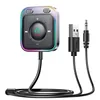
JOYROOM Bluetooth 6.0 AUX Car Adapter, Dual Mics Noise Cancellation
|
As an Amazon Associate we earn from qualifying purchases.
Step 1: Turn On Bluetooth on Your Phone
On iPhone, open Settings, tap Bluetooth and switch it on. On most Android phones, go to Settings, then Connected devices, then Bluetooth. Menu names vary by maker and software version.
Step 2: Put Your Car in Bluetooth Pairing Mode
On the car’s screen, open the phone or Bluetooth menu and choose to add or pair a new device. Some cars start pairing mode on their own the first time, others hide the option in a settings menu, so check the owner’s manual if the car’s name does not appear on the phone.
Step 3: Pair Your Phone with the Car
Tap the car’s name on the phone, then confirm that the PIN or code shown matches on both screens. Google’s guide adds that the car may ask for permission to access contacts and call history; that request relates to calls, not music, so a car that connects here is not yet guaranteed to play music.
Step 4: Select Bluetooth as the Audio Source
This is the step most guides skip, and it is where music usually fails. There are two switches, one on the car and one on the phone.
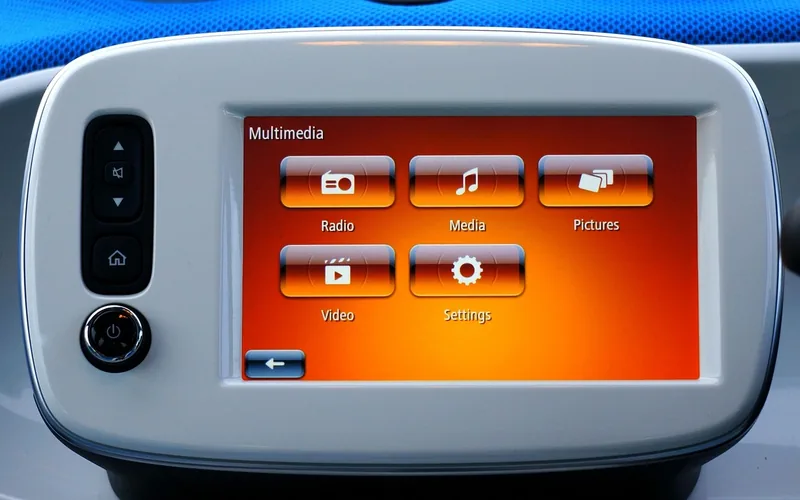
- On the car: press Source or Media until the display shows Bluetooth Audio, BT Audio or a similar label. Some cars switch on their own after pairing and some do not.
- On iPhone: start playback in a music app. Per Apple, from the Lock Screen tap the AirPlay icon, or from Control Center touch and hold the Now Playing controls and tap the AirPlay icon, then pick your car from the list.
- On Android: per Google, go to Settings, Connected devices, Bluetooth, tap the settings gear next to your car’s name and turn on Media audio. Samsung Galaxy phones use the same idea with a Media audio toggle under the car’s entry in Bluetooth settings.
Step 5: Test the Connection
Play a song and check that the sound comes from the car speakers. Bluetooth audio has two volume stages, the phone and the car, so if it is very quiet, raise the phone volume first and then use the car’s volume control. Start your playlist while parked, not while driving.
Music, Calls and Track Controls: What A2DP, HFP and AVRCP Do
Bluetooth is not one connection but several profiles that a phone and a car can each support or skip. This is the angle that explains why calls can work while music does not. The descriptions below come from the Bluetooth SIG specification pages for each profile.
| Profile | What it does for you | Typical phone and car roles | Source |
|---|---|---|---|
| A2DP (Advanced Audio Distribution Profile) | Streams stereo music from the phone to the car speakers | Phone sends the audio, car receives it | Bluetooth SIG: defines the requirements for high-quality audio distribution |
| HFP (Hands-Free Profile) | Lets the phone be used with a hands-free device for calls, including the voice connection | Phone is the audio gateway, car is the hands-free unit | Bluetooth SIG: a set of functions so a mobile phone can be used with a hands-free device |
| AVRCP (Audio/Video Remote Control Profile) | Play, pause and track skip from the car’s controls | Car sends commands, phone responds | Bluetooth SIG: defines the audio/video remote control usage case |
The practical takeaway: pairing sets up the link, but music needs the A2DP-type media channel, calls need the hands-free channel, and track buttons need the remote-control channel. Android shows the first two as separate Media audio and Phone audio toggles per device. If a car supports only the hands-free side, it will take calls but never play music, which Google’s help page confirms when it says not all cars can play music by Bluetooth.
Troubleshooting Common Bluetooth Issues
Use the table to match what you see to the most likely cause, then read the detail below it.
| What you see | Likely cause | What to try |
|---|---|---|
| Calls work, music does not | Media audio is off for the car, or the car supports calls only | Turn on Media audio for the car (Android), choose the car in the AirPlay list (iPhone); if the toggle is missing, check the manual or use an aux adapter |
| Music plays from the phone speaker | Playback destination is still the phone, often after the phone left Bluetooth range | Choose the car again in the AirPlay list (iPhone) or confirm Media audio is on (Android) |
| Car says Bluetooth Audio but is silent | Phone volume at zero, app paused, or another connected device is playing | Raise volume on both phone and car, press play, disconnect other paired devices |
| Music jumps to another device | Only one device usually gets the audio | Disconnect the other phone, headphones or speaker |
| Car is not in the phone’s list, or pairing fails | Car not discoverable, or a stale saved pairing on one side | Delete the pairing on both phone and car, then pair again |
| No song title or working track buttons | The car or phone may not use the remote-control channel the same way | Use the phone’s own controls; check the car’s manual for supported features |
Music Won’t Play (Calls Work)
This is the single most common complaint behind searches like pair works but no sound. First check the car’s source: if the stereo is still on FM or USB, nothing comes through. Then check the phone side from Step 4. Google’s help page lists the same checks: turn on Media audio, make sure the volume is up on the phone and the car, and make sure other paired devices are not playing the music. Some Pixel owners have reported phones connecting for calls only, with turning Media audio off and on as a reported workaround; we did not find a Google statement confirming a fix, so treat that as a community tip.
Music Plays From the Phone Speaker
On iPhone, Apple’s Control Center page explains that the playback destination returns to the iPhone when a Bluetooth device goes out of range. If you walked away from the car and came back, reselect the car from the AirPlay icon. In some cars a USB cable connection can also override Bluetooth, according to forum reports we could not confirm with the maker, so unplug the cable if you only want Bluetooth.
Poor Sound Quality and Volume Mismatch
Bluetooth compresses audio, so it will not sound as good as a lossless source, and a music app’s own quality setting also changes what you hear. If music sounds thin, try the car’s sound settings and the app’s streaming-quality option before blaming the connection. For a volume that is too low even at maximum on the car, raise the phone volume. We could not find a manufacturer source for a specific percentage, so there is no magic number to give.
Dropped Connections
If the link keeps dropping, turn Bluetooth off and on, restart both devices, and follow the fix that Apple and Google both describe: forget the car on the phone, remove the phone from the car’s list, and pair again from scratch. If Bluetooth is grayed out on an iPhone or no accessory connects at all, Apple says to contact Apple Support.
Using a Bluetooth Adapter for Older Cars
A car with no Bluetooth music support can usually be fixed with an adapter, and an aux adapter is the simplest way because the audio goes through the car’s 3.5mm input. The JOYROOM adapter in the box above was listed on Amazon at $16.99 on 2026-10-12. Its listing describes plugging it into the aux jack, powering it over USB, and pairing two devices at once, plus a dual-microphone design for calls and buttons for music, volume and calls.
A few points are worth knowing before you buy one. An aux adapter needs a free aux jack and a USB power source. A car with neither needs an FM transmitter, which is a different type of product explained in our guide to connecting a phone to an older car stereo. For more Bluetooth adapter options, see our adapter roundup. Whatever you choose, an adapter becomes a new Bluetooth device in the car, so the same Step 4 applies: pick the aux input on the car and make sure the phone sends media to the adapter.
Safety Tips for Using Bluetooth While Driving
- Set up before driving: pair the phone and start the playlist while parked.
- Use the car’s controls: steering wheel or stereo buttons for volume and track changes, so you do not handle the phone.
- Use voice commands: ask the phone’s assistant to change the song instead of typing.
- Keep volume reasonable: loud music can mask horns and emergency sirens.
Frequently Asked Questions
Why does my phone connect to my car Bluetooth but no music plays?
Usually the phone is connected for calls only. On Android, open the car’s entry in Bluetooth settings and turn on Media audio, as Google’s help page describes. On iPhone, start playback and pick the car from the AirPlay list. Also confirm the car is on its Bluetooth audio source and that the volume is up on both the phone and the car.
Why does my music play from my phone speaker instead of the car?
The playback destination is still set to the phone. Apple says that with a Bluetooth device the destination returns to iPhone when the device goes out of range, so choose the car again from the AirPlay list in Control Center or on the Lock Screen. On Android, check that Media audio is on for the car and that no other paired device is taking the audio.
What is the difference between A2DP and HFP?
A2DP is the Bluetooth profile for high-quality audio distribution, which is how music reaches the car speakers. HFP is the Hands-Free Profile, which lets a phone work with a hands-free device for calls. A car can support one without the other, which is why calls can work when music does not.
Can a car play music over Bluetooth from two phones at once?
Usually only one phone supplies the music at a time. Apple Community replies note that iOS devices typically do not send audio to two Bluetooth devices at once, and Google tells Android users to check that other paired devices are not playing the music. Disconnect the phone you are not using and try again.
Do all cars play music over Bluetooth?
No. Google’s help page says not all cars can play music by Bluetooth, and Samsung says some vehicles only support phone calls over Bluetooth. If Media audio never appears for your car, check the car’s manual or add an aux Bluetooth adapter.
Conclusion
To play Bluetooth music in a car, pair the phone, switch the car to its Bluetooth audio source, and make sure the phone is sending media to the car: Media audio on Android, the AirPlay destination on iPhone. When calls work but music does not, the cause is almost always the media channel or the car’s own limits, not a broken pairing.
Products related to this article
Sponsored / affiliate links. As an Amazon Associate I earn from qualifying purchases. I may earn additional commission from eligible campaigns.