What Is Spotify Car Mode? Status in 2026 and What Replaced It
Spotify Car Mode is no longer available for most users. It was a simplified, large-button interface Spotify built into its app for safer driving, but Spotify has been quietly retiring it in stages since 2021, and by 2025 it had vanished from most phones with no direct in-app replacement.
That leaves a real gap for anyone who still expects to see it: over 600 million people use Spotify, and a huge share of that listening happens in a car. If Car Mode disappeared from your Settings menu, or you’re reading an old guide that describes a screen you can no longer find, you’re not missing a step – the feature is genuinely gone.
This guide covers what Spotify Car Mode actually was, why it was retired, how it’s different from the also-discontinued Spotify Car Thing hardware device, and the three ways drivers now get a safe, hands-free Spotify experience instead.
What Spotify Car Mode Actually Was
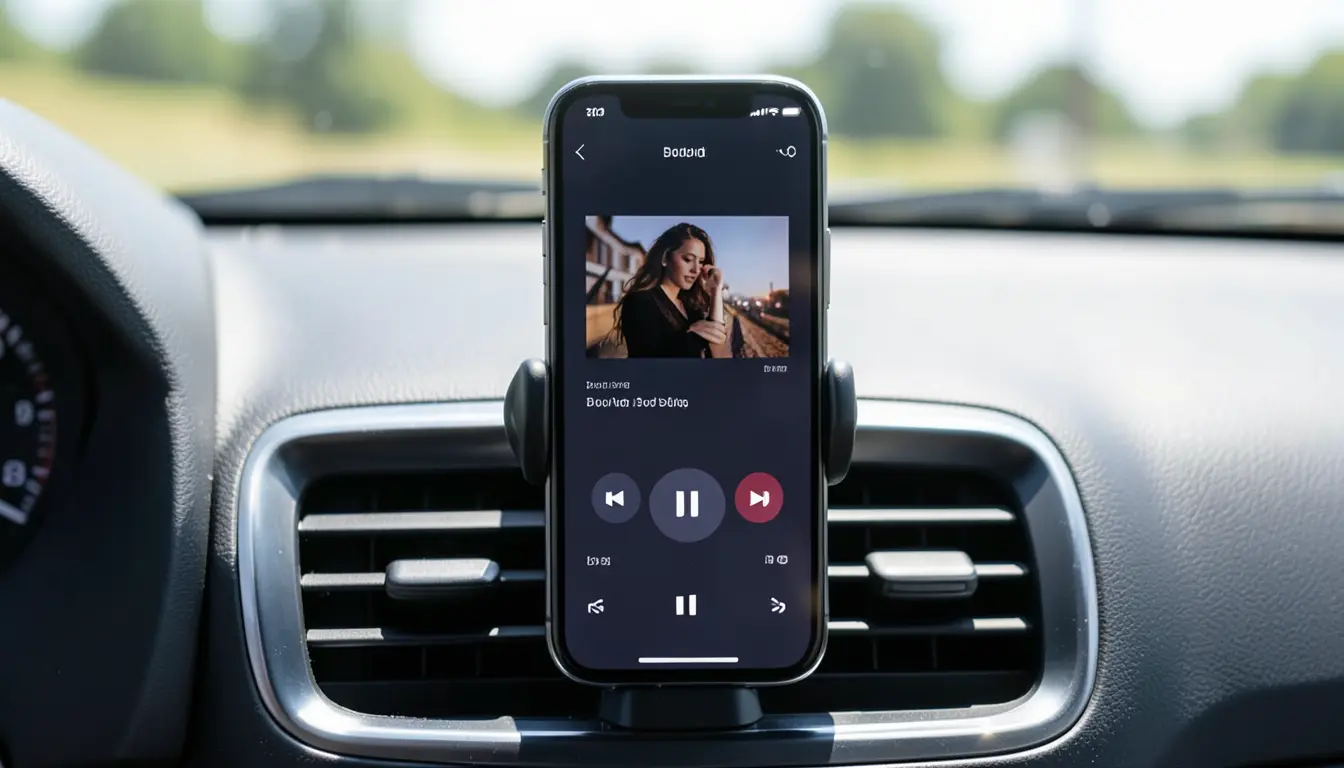
Spotify first introduced a simplified driving interface called Car View back in 2018. It stripped the app down to oversized play, pause, and skip buttons, large album art, and minimal text, so you could operate it with a quick glance instead of hunting through menus.
In 2021, Spotify replaced Car View with an expanded version it called Car Mode. It kept the big-button layout but added more screens (like a dedicated playlist and album browser) and tighter voice-command integration, so you could say “play,” “pause,” or ask for a specific playlist without touching the screen at all. It automatically turned on when your phone connected to your car’s Bluetooth, and you could reach it manually from Settings › Car.
That’s the version most older articles (including a previous version of this one) still describe. It’s also the version that’s now been pulled from the app for the large majority of users.
GO WIRELESS WITH ANDROID AUTO / CARPLAY
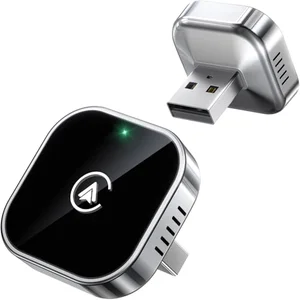 |
Teeran 2-in-1 Wireless CarPlay and Android Auto Adapter – $29.99 Since Spotify’s own Car Mode is gone, this plugs into your car’s existing wired USB port and lets Spotify connect wirelessly through Android Auto or CarPlay instead, so it launches automatically every time you start the car.
|
Is Spotify Car Mode Still Available in 2026?
For almost everyone, no. Spotify began pulling Car Mode from accounts gradually rather than announcing a single shutdown date, which is why the removal has felt confusing – some users lost the Car Mode toggle in their Settings months before others did, and there was no major press release attached to it.
When users pressed Spotify support for an explanation, a representative gave this on-record response in the Spotify Community forum: “We can confirm that we’re retiring the car view feature. This however doesn’t mean we don’t want to improve on how our users listen to Spotify while driving. On the contrary, we’re actively exploring a variety of new ways to deliver the best in-car listening experience.”
In plain terms: Spotify decided that building and maintaining its own in-app driving mode wasn’t the best use of its resources when Android Auto and Apple CarPlay already exist and do the same job at the operating-system level, with tighter integration into the car itself. As of this update, there’s no confirmed timeline for Spotify to bring back a dedicated Car Mode screen inside its own app.
Car Mode vs. Car Thing vs. Driving Mode: Clearing Up the Confusion
A lot of the confusion online comes from Spotify having three different, unrelated “car” products over the years. They get mixed up constantly, including in some of the FAQ content still floating around the web. Here’s the actual breakdown:
| Feature | What it was | Current status |
|---|---|---|
| Car View (2018–2021) | The original simplified in-app screen with large buttons | Retired, replaced by Car Mode |
| Car Mode (2021–2025) | Expanded version of Car View with more screens and voice commands | Retired for most users; not available in Settings anymore |
| Car Thing (2021–2024) | A physical $90 dashboard hardware device with a screen, dial, and voice mic | Discontinued (stopped production mid-2022) and deliberately bricked by Spotify on December 9, 2024 |
The Car Thing device deserves its own explanation, because it’s a separate story from the software feature. Spotify launched Car Thing as a small screen-and-dial gadget you’d mount on your dashboard or air vent, controlled by touch, a physical knob, or “Hey Spotify” voice commands. Spotify stopped making new units in July 2022 after weak sales and supply issues, then announced in May 2024 that it would remotely disable every Car Thing on December 9, 2024. That decision drew enough backlash and legal pressure that Spotify eventually offered refunds to original buyers, but the devices themselves are permanently non-functional for their intended purpose (a small community of enthusiasts has since repurposed bricked units with unofficial firmware like DeskThing).
How to Get a Safe, Simplified Spotify Experience While Driving Now
With Car Mode gone, drivers now rely on the same driving-safe interfaces every other streaming app uses. All three of these give you the big-button, voice-friendly layout Car Mode used to provide – they just come from Google or Apple instead of Spotify.
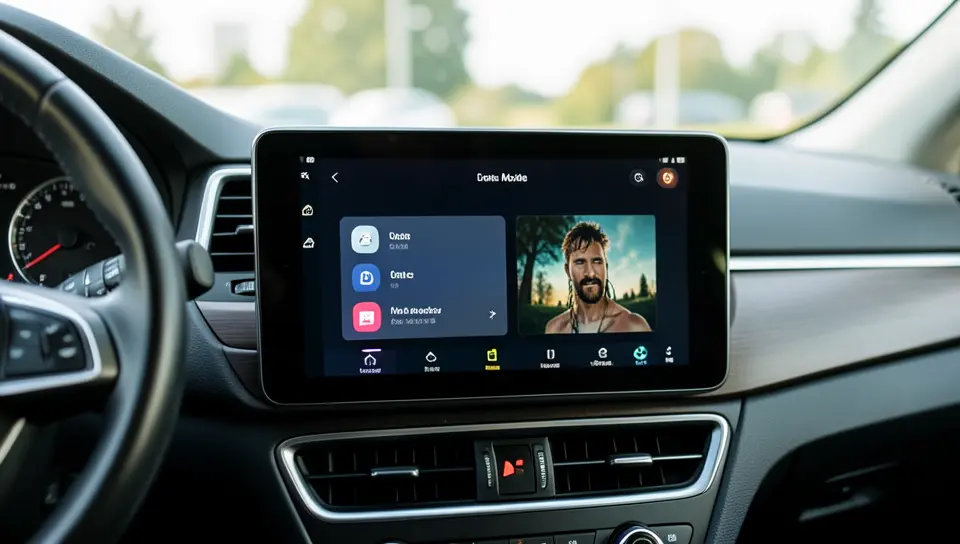
- Apple CarPlay – if your car has a CarPlay-compatible touchscreen (most cars from 2016 onward, plus many older ones with an aftermarket head unit), plug in or pair wirelessly and Spotify shows up as a tile on your car’s own display, with a layout designed specifically for driving.
- Android Auto – the Android equivalent of CarPlay. Spotify integrates directly into Android Auto’s driving-optimized grid, and you can control it with “Hey Google” voice commands without touching your phone.
- Bluetooth + your phone’s voice assistant – if your car doesn’t support CarPlay or Android Auto, you can still pair over Bluetooth for audio and use Siri or Google Assistant to say “play my Discover Weekly on Spotify” hands-free. It’s not as visual as Car Mode was, but it’s still a legitimate hands-free option.
Setting Up Spotify With Android Auto or Apple CarPlay
If your car doesn’t have built-in wireless CarPlay or Android Auto, a small wireless adapter (see the pick above) converts a wired-only USB port into a wireless connection, so your phone connects automatically every time you get in, the same way Car Mode used to switch on by itself over Bluetooth.
- Update the Spotify app to the latest version on your phone (Settings can hide behind old versions, and Spotify’s CarPlay/Android Auto support has improved a lot in recent updates).
- Connect your phone to your car via a CarPlay/Android Auto cable, built-in wireless support, or a wireless adapter.
- Open Spotify on your phone once – this registers it with CarPlay or Android Auto so it appears as an app tile going forward.
- Tap the Spotify icon on your car’s screen. You’ll see a simplified, large-icon layout automatically, no extra setup required.
- Use your car’s built-in voice button (or “Hey Google” / “Hey Siri”) to skip, pause, or request a specific playlist without touching the screen.
Troubleshooting Common Issues
If Spotify won’t connect over Bluetooth or through CarPlay/Android Auto, work through these in order: confirm Bluetooth is on for both the phone and the car, and that the phone actually shows as paired (not just “detected”); restart both the phone and the car’s infotainment system, which clears the majority of one-off connection glitches; and make sure you’re running the latest version of both the Spotify app and your phone’s operating system, since CarPlay and Android Auto integrations get bug fixes in nearly every update cycle.
If songs won’t play or keep stuttering, clear the Spotify app’s cache (Settings › Storage on Android, or offload and reinstall the app on iOS), confirm you have enough free storage for temporary files, and check your data or Wi-Fi connection if you’re streaming rather than playing downloaded tracks. If nothing else works, log out of Spotify completely and log back in – that resolves a surprising number of stuck-session bugs – and contact Spotify support directly if the problem is specific to your car model.
Will Spotify Bring Back a Car-Specific Interface?
Spotify hasn’t ruled it out, but it also hasn’t committed to a replacement. The company’s public position – “actively exploring a variety of new ways to deliver the best in-car listening experience” – is vague enough to mean almost anything, and after the Car Thing hardware experiment lost Spotify tens of millions of dollars before being shut down, the company has strong incentive to lean on Android Auto and CarPlay rather than build another dedicated car product of its own.
Practically speaking, that means the current setup – using Spotify through your car’s native CarPlay or Android Auto integration – is likely to remain the standard way to use Spotify safely while driving for the foreseeable future, rather than a temporary workaround.
Frequently Asked Questions
Is Spotify Car Mode Discontinued?
Yes, for most users. Spotify has been phasing Car Mode out gradually since 2021, and by 2025 the Car Mode toggle had disappeared from Settings for the large majority of accounts. Spotify hasn’t announced an official replacement, and instead points users toward Android Auto and Apple CarPlay.
Why Did Spotify Remove Car Mode?
Spotify hasn’t given a detailed public reason, but its support team has confirmed the retirement while saying it’s “exploring new ways” to handle in-car listening. The most likely explanation is that maintaining a separate driving interface stopped making sense once Android Auto and Apple CarPlay already offered a more deeply integrated, car-specific experience that Spotify could plug into instead of building from scratch.
Is Spotify Car Mode the Same as Spotify Car Thing?
No, they’re two completely different products. Car Mode was a free, built-in screen inside the Spotify app itself. Car Thing was a separate $90 physical hardware device with its own screen and dial that you mounted on your dashboard. Both are now discontinued, but for different reasons: Car Mode was quietly removed from the app, while Car Thing was permanently and deliberately disabled by Spotify on December 9, 2024, after the company stopped making the devices in 2022.
How Do I Turn On Car Mode If I Still Have It?
A small number of accounts still have it. If you do, open the Spotify app, tap your profile icon, go to Settings, and look for a “Car” section. If you see it, you can toggle Car Mode to turn on automatically whenever your phone connects to your car’s Bluetooth. If there’s no “Car” section at all in your Settings menu, your account no longer has access to the feature, and Android Auto or Apple CarPlay is your best alternative.
Do I Need a Spotify Premium Subscription to Use Android Auto or CarPlay?
No. Both the free, ad-supported tier and Spotify Premium work with Android Auto and Apple CarPlay. The free tier plays music in shuffle mode with occasional ads, the same as it does outside the car, while Premium adds on-demand track selection and offline downloads – useful for driving through areas with weak cell signal.
What Should I Do If My Car Doesn’t Have CarPlay or Android Auto?
You have two realistic options. A wireless CarPlay/Android Auto adapter plugs into an existing USB port and lets an older or non-CarPlay head unit connect wirelessly to compatible cars that support the underlying protocol, or you can skip the screen mirroring entirely and pair Spotify over plain Bluetooth for audio, then control playback with your phone’s built-in voice assistant so you’re not looking at or touching your phone while driving.
Conclusion
Spotify Car Mode isn’t a feature you’re missing by accident – it’s a discontinued feature that Spotify has been retiring since 2021 and largely finished removing by 2025, with no confirmed direct replacement in its own app. If you’re looking for that same large-button, hands-free experience today, Android Auto and Apple CarPlay are the real answer, not a workaround, since they now do the job Car Mode was originally built for and get updated far more often than Spotify’s own driving interface ever did.
Set up CarPlay or Android Auto once, and it will reconnect automatically every time you start the car – the same convenience Car Mode used to offer, just built into your phone’s operating system instead of Spotify’s app.
Products related to this article
Sponsored / affiliate links. As an Amazon Associate I earn from qualifying purchases. I may earn additional commission from eligible campaigns.