Can You Rent A Car Online? Essential Guide
Yes, you can absolutely rent a car online! It’s a convenient and widely available option that saves you time and often money. This guide will walk you through the simple steps and essential things to know to get you on the road with confidence.
Planning a trip or need a car for a special occasion? You might be wondering, “Can you rent a car online?” The answer is a resounding yes! In today’s digital world, booking a rental car from the comfort of your home is not only possible but also often the easiest and most efficient way to secure your wheels. Gone are the days of needing to visit a rental counter in person for every booking. This guide is designed to make the online car rental process as clear as possible, even if you’ve never done it before. We’ll cover everything you need to know, from choosing the right car to picking it up, ensuring a smooth and stress-free experience.
Why Renting a Car Online is a Smart Move
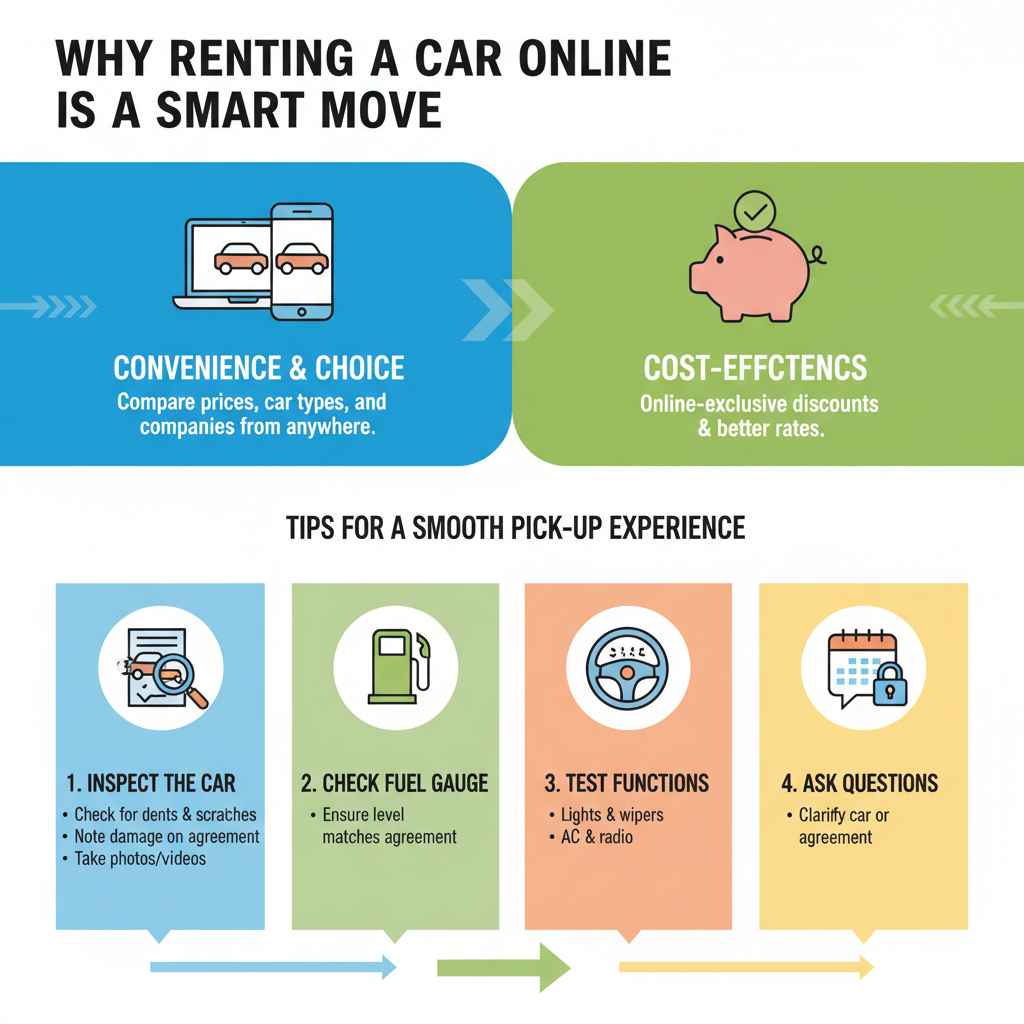
Renting a car online has become the standard for many travelers and individuals needing temporary transportation. It offers a blend of convenience, choice, and cost-effectiveness that’s hard to beat.
Think about it: instead of making phone calls or visiting multiple rental locations, you can compare prices, car types, and rental companies all from your laptop or smartphone. This digital approach empowers you to make informed decisions and secure the best deal without leaving your couch.
Plus, many rental companies regularly offer online-exclusive discounts and promotions. By booking in advance online, you often lock in better rates than you might find by walking into a rental office on the day you need the car.
Getting Started: Your Online Car Rental Checklist
Before you even start browsing, a little preparation goes a long way. Having these items and information ready will make the online booking process smooth and swift.
Think of this as your pre-flight check before embarking on your online car rental journey. It helps avoid last-minute hiccups and ensures you have everything you need at your fingertips.
Here’s what you’ll need:
- Valid Driver’s License: Ensure your license is current and not expired. Most companies require you to have held your license for at least a year.
- Aged 25 or Older: Most rental companies have a minimum age requirement of 25. Drivers between 21 and 24 may face additional surcharges (young driver fees) and restrictions on the types of vehicles they can rent.
- Credit Card for Deposit: Rental companies typically require a credit card in the primary renter’s name to place a hold for the security deposit and any potential incidentals. Debit cards may be accepted in some cases, but often come with stricter requirements or larger holds.
- Proof of Insurance (Sometimes): While rental companies offer their own insurance options, you might need to check if your personal auto insurance or credit card provides sufficient coverage.
- Personal Information: You’ll need your full name, address, phone number, and email address.
- Rental Details: Know your desired pick-up and drop-off dates, times, and locations.
The Step-by-Step Guide to Renting a Car Online
Ready to book? Follow these simple steps to find and reserve your perfect rental car online.
Don’t worry if this is your first time; we’ll break it down into easy-to-follow steps. It’s much less complicated than it might seem!
-
1. Choose Your Rental Platform
You have a few options for where to book:
- Rental Company Websites: Direct booking with major companies like Hertz, Avis, Enterprise, Budget, National, and Sixt. This often gives you access to loyalty programs and direct customer service.
- Online Travel Agencies (OTAs): Websites like Expedia, Kayak, Priceline, and RentalCars.com allow you to compare prices across multiple rental companies simultaneously, which can be great for finding deals.
- Aggregator Websites: Similar to OTAs, these sites pull information from various sources to show you a wide range of options.
-
2. Enter Your Rental Details
On your chosen platform, you’ll see a search bar. Here’s what to input:
- Pick-up Location: Enter the city, airport code (e.g., LAX, LHR), or specific address where you want to collect the car.
- Drop-off Location: This can be the same as the pick-up location (round trip) or a different one (one-way rental). One-way rentals might incur an additional fee.
-
Dates and Times: Select your pick-up and return dates and times. Be as precise as possible; late returns can result in extra charges.
3. Browse and Compare Cars
After searching, you’ll see a list of available vehicles. Consider these factors:Car Type: From compact cars for solo trips to SUVs for families, choose a size that fits your needs and passenger count.Price: Compare the total estimated cost, including taxes and fees.
- Features: Look for amenities like air conditioning, automatic transmission, and mileage limits (unlimited is usually best).
- Rental Company Reputation: Check reviews if you’re using an aggregator or OTA.
Pay attention to any special details. For example, if you’re wondering can you rent a car online for someone else, this is where you’d need to be careful. Typically, the driver whose name is on the rental agreement and who provides the driver’s license and credit card must be physically present at pick-up and meet all age and licensing requirements.
-
4. Select Add-Ons and Insurance
This is a crucial step. You’ll be presented with options for:
- Additional Drivers: If someone else plans to drive, they usually need to be added to the rental agreement. They may also need to meet the age and licensing requirements.
- Insurance: Rental companies offer Collision Damage Waiver (CDW) or Loss Damage Waiver (LDW), Supplemental Liability Insurance (SLI), and Personal Accident Insurance (PAI). Research your existing coverage (personal auto insurance, credit card benefits) to see if you need these. Many credit cards offer secondary rental car insurance. The Consumer Financial Protection Bureau has a great guide on understanding rental car insurance.
-
GPS, Child Seats, Satellite Radio: These extras come with daily fees.
5. Review and Confirm Your BookingCarefully review all the details:
- Rental period
- Car selected
- Total estimated cost
- Insurance and add-on choices
- Rental company policies (cancellation, fuel, mileage)
Once you’re satisfied, enter your payment information and finalize the reservation. You’ll receive a confirmation email with your booking details and reference number.
-
6. Prepare for Pick-up
Before you head to the rental counter, make sure you have:
- Your confirmation email (printed or on your phone)
- Your valid driver’s license
- The credit card used for booking (it must be in the primary renter’s name)
- Any other required documentation (e.g., passport if you’re an international renter)
Understanding the Fine Print: Important Considerations
While the online process is straightforward, there are a few points of fine print that are good to know to avoid surprises.
Think of this as getting the inside scoop from your friendly automotive guide! Knowing these details can save you time, money, and potential headaches.
Age Requirements and Young Driver Fees
As mentioned, most companies require drivers to be at least 25. If you are between 21 and 24, you can usually still rent, but expect a significant daily surcharge, and your choice of vehicles might be limited. Always check the specific rental company’s policy as these can vary.
Insurance: To Buy or Not to Buy?
Rental car insurance can be confusing. Here’s a simplified breakdown:
| Type of Coverage | What it Covers | Consider If… |
|---|---|---|
| Collision Damage Waiver (CDW) / Loss Damage Waiver (LDW) | Damage to the rental car itself (theft, vandalism, accidents). You typically don’t have to pay for repairs up to a certain deductible. | Your personal insurance doesn’t cover rental cars, or you want to avoid using it and paying a deductible. |
| Supplemental Liability Insurance (SLI) | Bodily and property damage to others if you cause an accident. Covers damages beyond your standard policy limits. | Your personal liability coverage is low, or you don’t have auto insurance. |
| Personal Accident Insurance (PAI) | Medical expenses for you and your passengers, regardless of fault. | Your health insurance has high deductibles or limited coverage for accidents. |
| Personal Effects Coverage (PEC) | Theft of personal belongings from the rental car. | You often carry valuable items in your car. |
A good resource for understanding insurance is the USA.gov page on credit cards and rental cars, which often highlights potential coverage benefits.
Fuel Policies
Rental cars usually come with a full tank of gas, and you’re expected to return it with a full tank to avoid hefty refueling charges. Some companies offer a “pre-paid fuel” option, where you pay for a full tank upfront at a often higher rate than local gas stations, allowing you to return the car empty. Read the policy carefully!
Mileage Limits
Most rentals offer unlimited mileage, which is ideal. However, some budget options or specific deals might have daily or total mileage caps. Exceeding these limits can lead to significant per-mile charges, so always confirm this detail.
Cancellation and Modification Policies
Life happens, and plans change. Understand the rental company’s policy on canceling or modifying your reservation. Many offer free cancellation up to a certain point before the pick-up date, while others might charge a fee.
Can You Rent a Car Online for Someone Else?
This is a common question, and the answer is usually no, at least not in the way you might think, and it requires careful consideration.
When you’re trying to help a friend or family member out, you might wonder about gifting them a rental car booked online. Here’s the breakdown:
Generally, the person who makes the reservation and whose name is and will be on the rental agreement is the only person who can pick up the car. This is for security and liability reasons. The primary renter must be present at the rental counter to:
- Present their valid driver’s license.
- Provide the credit card used for booking (or an acceptable alternative for the security deposit). The cardholder’s name must match the driver’s license and the rental agreement.
- Sign the rental contract.
So, can you book it online for them? Yes, you can initiate the booking. However, the person whose name appears on the booking is the one who needs to complete the pick-up process with their own documentation. You cannot book a car with your credit card and license for someone else to pick up and drive unless they are added as an authorized driver (and this usually means they also need to meet all the primary renter’s requirements, like age and license, and the payment method might still be an issue).
If you want to cover the cost, the best approach is often to book the car in that person’s name, using their driver’s license and a credit card they can provide. You could then reimburse them directly, or perhaps arrange payment beforehand if you are contributing to the cost. Always clarify with the rental company if you have specific concerns.
Tips for a Smooth Pick-up Experience
Arriving at the rental counter with confidence makes all the difference.
You’ve done the hard part by booking online, and now it’s time to pick up your ride. A little preparation here means a quick and painless process.
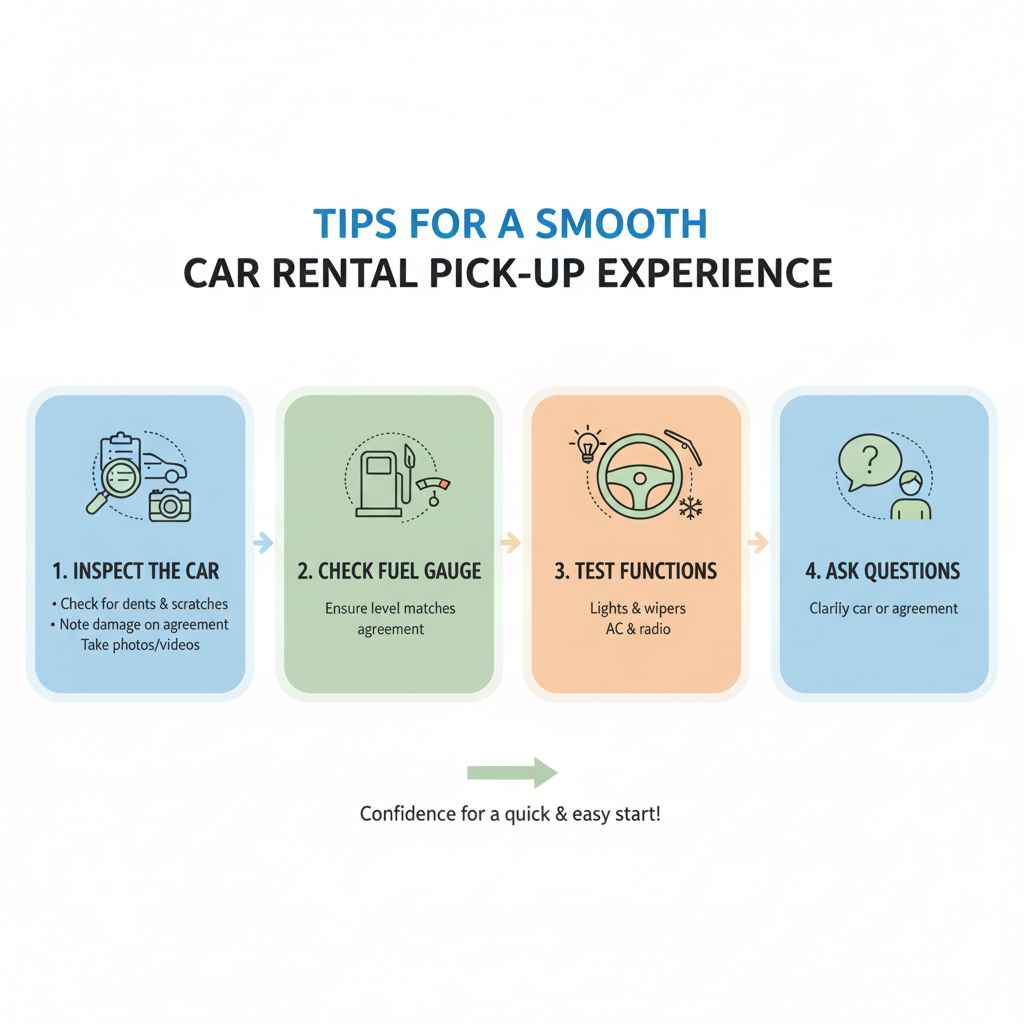
- Inspect the Car Thoroughly: Before driving off, walk around the vehicle and examine it for any existing dents, scratches, or interior damage. Note any issues on the rental agreement form and take photos or videos with your phone as proof. This protects you from being charged for pre-existing damage.
- Check the Fuel Gauge: Ensure the fuel level matches what’s stated on your agreement.
- Test Basic Functions: Briefly check that lights, wipers, air conditioning, and radio are working.
- Ask Questions: If anything is unclear about the car or the rental agreement, don’t hesitate to ask the rental agent.
Frequently Asked Questions About Online Car Rentals
Q1: Can I rent a car online with a debit card?
A: Yes, many rental companies allow you to use a debit card, especially at airport locations. However, they often have stricter requirements. You might need to provide proof of a return flight, have a credit check performed, or face a significantly larger security deposit hold. It’s best to check the specific company’s policy beforehand.
Q2: What if I need to change my rental dates or car type after booking online?
A: Most online bookings can be modified. Look for a “Manage My Booking” or similar link in your confirmation email, or contact the rental company directly. Depending on the policy, changes might affect the rental rate. Early changes are usually easier and less costly.
Q3: How early should I book my rental car online?
A: It’s generally recommended to book as far in advance as possible, especially if you’re traveling during peak seasons, holidays, or to popular destinations. Booking ahead often secures lower rates and guarantees the car type you want. For example, booking a month or more in advance is a good strategy.
Q4: What happens if I return the car late?
A: Returning a car late usually incurs extra charges. Most companies offer a grace period (often up to 29-59 minutes), but after that, you could be charged for an additional day. If you anticipate a significant delay, contact the rental company as soon as possible to avoid higher fees.
Q5: Can I rent a car online if I’m a tourist?
A: Absolutely! Tourists can rent cars online all the time. Ensure you have a valid driver’s license from your home country. If it’s not in English, you may need an International Driving Permit (IDP) in addition to your license. You’ll likely also need your passport and a credit card.
Q6: Are there any hidden fees when renting a car online?
A: While most reputable companies are transparent, it’s wise to be aware. Potential hidden fees can include: young driver surcharges, extra driver fees, fuel charges if not returned full, excessive mileage charges, airport concession fees, significant cleaning fees for extreme messiness, and roadside assistance fees. Always read the terms and conditions carefully.
Conclusion: Your Road to Easy Online Car Rentals
As you can see, renting a car online is not only possible but also remarkably straightforward and beneficial. By following this guide, you’re now equipped with the knowledge to navigate the process with confidence. From understanding the necessary documents to comparing options and finalizing your booking, the digital world offers unparalleled convenience for securing your next rental vehicle.
Remember to always read the fine print, especially concerning insurance and fuel policies, and always perform a thorough inspection of the car before you drive away. With a little preparation, you can ensure a seamless transition from online booking to hitting the open road. So go ahead, explore your options, and enjoy the freedom and flexibility that a rental car provides for your travels!