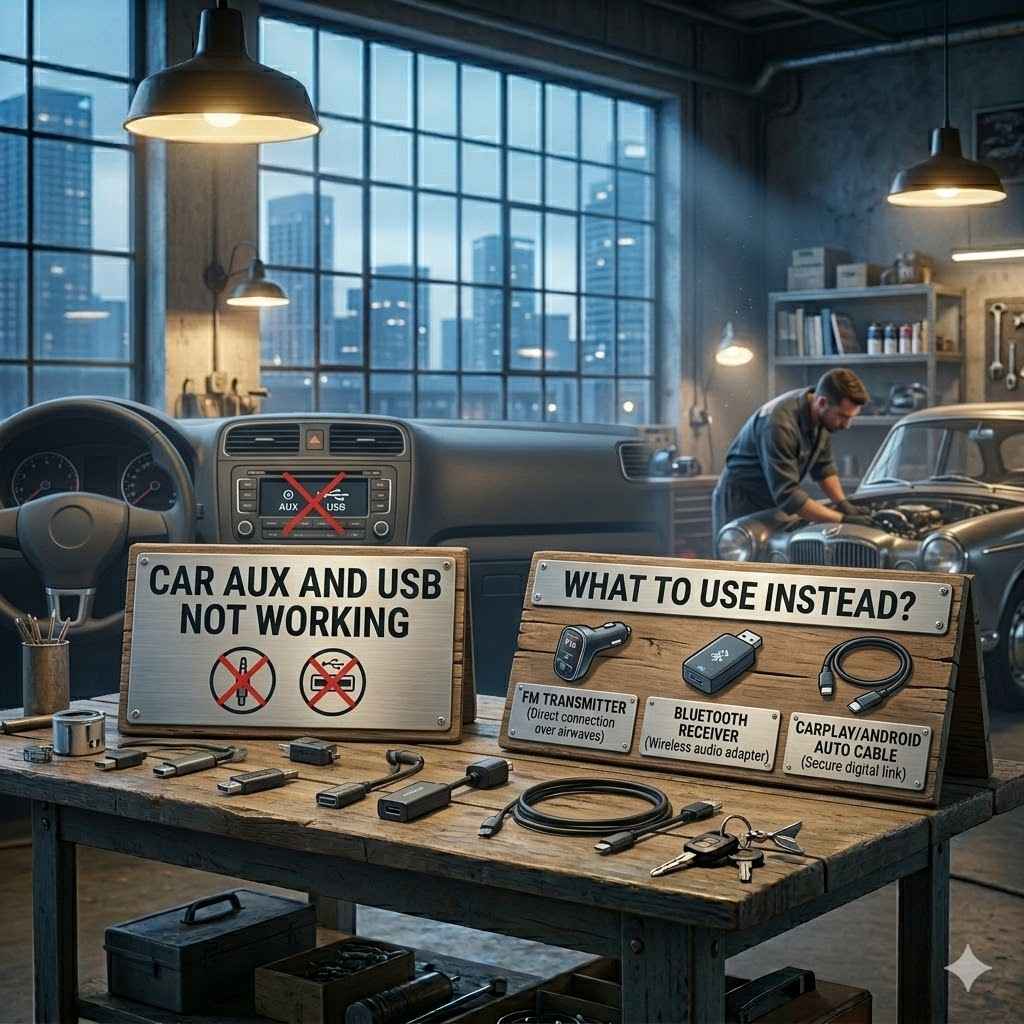
Car AUX and USB Not Working What to Use Instead
Sometimes your car’s AUX and USB ports just stop working. It can be a bit confusing, especially if you rely on them to play your favorite music or charge your phone. You might wonder what to do when this happens, and that’s totally normal!
This guide is here to help. We’ll walk through simple fixes and easy alternatives. Get ready to get your car audio back on track without any stress.
Troubleshooting Car AUX and USB Issues
When your car’s AUX and USB ports aren’t cooperating, it’s a common problem that can leave you without music or a charged phone. This section helps you figure out why. We’ll look at the most likely reasons and what you can do.
Fixing these simple issues often gets things working again quickly. It’s about checking the basics first before trying new solutions.
Checking the Cables and Devices
The simplest fix is often the right one. Make sure your AUX cable or USB cord is not damaged. Try using a different cable to see if that’s the problem.
Also, test your phone or music player in another device, like a home stereo. This tells you if the issue is with your car or your device.
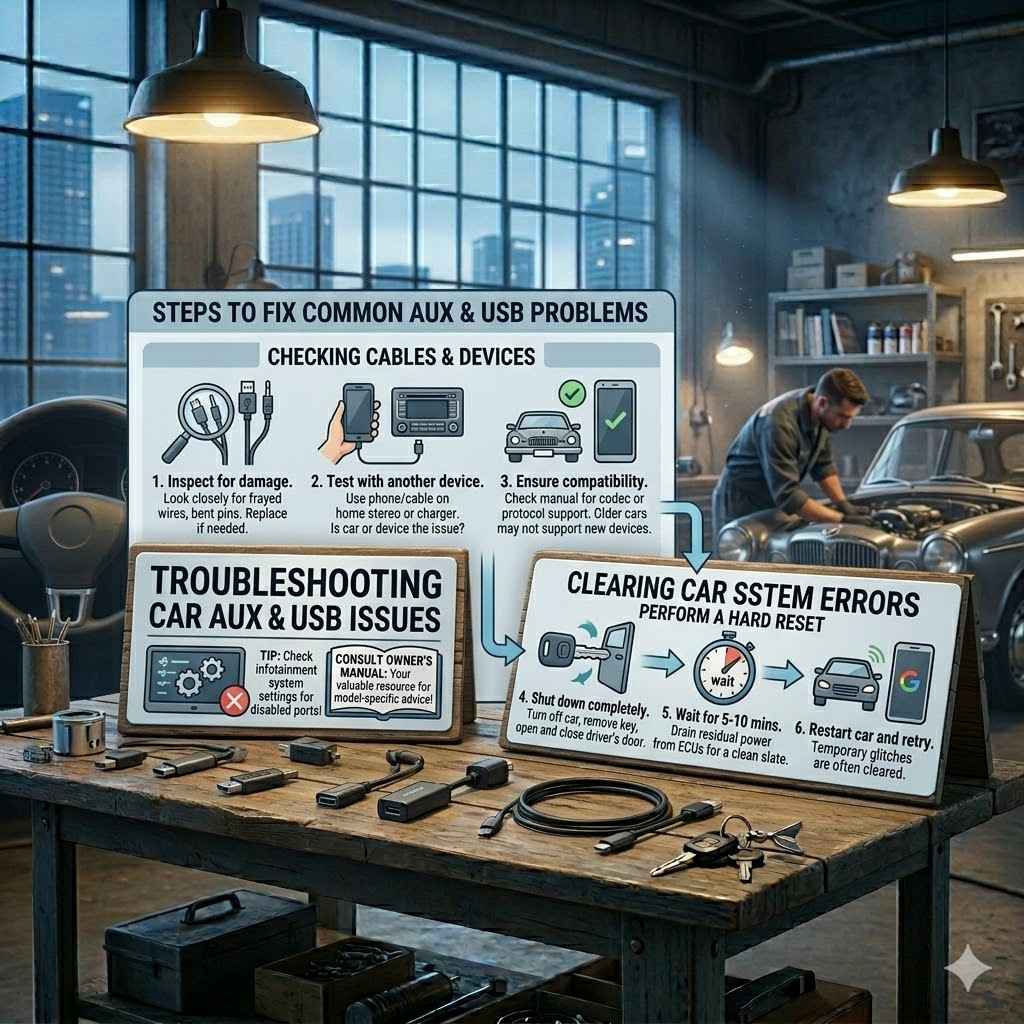
Inspect for physical damage. Look closely at the ends of your AUX cable and USB cable. Are there any bent pins or frayed wires? A damaged cable can prevent a good connection.
A damaged cable might look okay on the outside, but the internal wires could be broken. This means the signal can’t pass through properly. Testing with a known working cable is the quickest way to rule this out.
Test with another device. Plug your phone into a different car or a home charger using the same cable. If it works fine elsewhere, the problem is likely with your car’s port, not your phone or cable.
This step is crucial for pinpointing the source of the issue. If your phone charges and plays audio through other systems, you can focus your troubleshooting efforts on your vehicle’s ports.
Ensure the device is compatible. Some older cars might have issues with newer phones or music players, or vice versa. Check your car’s manual for compatibility notes regarding AUX and USB connections.
Compatibility can sometimes be a hidden issue. Older systems might not support certain audio codecs or charging protocols. While rare, it’s worth considering if other common fixes don’t work.
Clearing Car System Errors
Sometimes, your car’s entertainment system can get confused. A simple restart can often fix this. Turn off your car’s engine completely, open the driver’s door, and wait for about 5-10 minutes.
This allows the car’s electrical systems to fully reset.
After waiting, start your car again. Try connecting your AUX or USB device. This process is like restarting your computer when it acts up.
It clears out temporary glitches that might be preventing the ports from functioning.
Perform a hard reset. This involves turning off the car completely, removing the key from the ignition, opening and closing the driver’s door, and waiting for several minutes.
This process helps to drain any residual power from the car’s electronic control units (ECUs). When power is restored, the systems reboot from a clean slate, which can resolve many electronic glitches.
Check car’s infotainment system settings. Some cars have settings that can disable or limit AUX or USB functionality. Look through your car’s touchscreen or radio menu for any related options.
Your car’s infotainment system might have specific toggles for media input. For example, it might be set to prioritize Bluetooth or a CD player, inadvertently disabling other options.
Consult your car’s manual. Your car’s owner’s manual is a valuable resource. It often has a troubleshooting section for audio and connectivity issues.
The manual provides vehicle-specific advice. It may detail how to reset specific modules or known issues for your car model. It’s the most reliable source of information for your particular vehicle.
Alternatives When Car AUX and USB Not Working
When your direct connections fail, don’t worry! There are several other ways to get your audio playing in the car. These methods often involve wireless technology or alternative physical connections.
They are good backups if your typical methods are out of order.
Using Bluetooth Adapters
Bluetooth is a fantastic wireless technology that allows devices to communicate without cables. If your car doesn’t have built-in Bluetooth, you can buy a Bluetooth adapter. Many of these plug into your car’s 12V power outlet and connect to your stereo via an FM transmitter or an AUX input.
These adapters broadcast your phone’s audio over an unused FM radio frequency. You tune your car radio to that frequency, and you can hear your music. It’s a simple way to go wireless.
Plug-and-play FM transmitters. These devices plug into your car’s cigarette lighter socket. They connect to your phone via Bluetooth and broadcast music to a chosen FM radio station.
FM transmitters are generally easy to use. You pair your phone via Bluetooth to the transmitter. Then, you select an empty FM station on your car radio and tune the transmitter to match.
The sound from your phone plays through your car speakers.
Bluetooth receivers with AUX output. These small devices receive Bluetooth signals from your phone and output audio through a standard AUX cable.
If your car has an AUX input but no USB for audio, this is a great solution. You plug the Bluetooth receiver into the AUX port and pair your phone. You get wireless audio without needing an FM transmitter.
Consider audio quality. While convenient, FM transmitters can sometimes have static or interference. Bluetooth receivers connected to AUX usually offer better sound clarity.
The quality of sound from an FM transmitter depends heavily on the chosen FM station’s signal strength and potential interference from local radio stations. Bluetooth receivers typically provide a cleaner audio signal directly to your car’s audio system.
Cassette Adapters for Older Cars
If you have an older car with a cassette player, a cassette adapter is a lifesaver. These adapters look like a cassette tape but have a cable with a 3.5mm headphone jack. You plug your phone into the adapter’s jack, insert the adapter into your cassette player, and play your music.
It’s a very basic setup, but it works. The sound quality is generally good enough for casual listening. It’s a clever way to use modern devices with classic car stereos.
How they work. The adapter uses a magnetic head within the “cassette” to read the audio signal from your phone’s headphone jack. It then plays through your car’s tape deck system.
The technology is surprisingly effective. The audio signal travels from your phone via a standard 3.5mm cable to the adapter. The adapter’s internal mechanism mimics a cassette tape playing, sending the sound to your car’s stereo.
Benefits for classic cars. This is an excellent option for vehicles that predate modern AUX or USB ports, preserving the original interior look.
Many car enthusiasts want to keep their classic cars looking original. A cassette adapter allows them to enjoy modern music without altering the dashboard or installing aftermarket head units.
Potential drawbacks. The sound quality can be affected by the quality of the cassette player and the adapter itself. Some adapters might also draw power from your phone, reducing its battery life.
Cheaper adapters might have lower-quality components, leading to muffled or distorted sound. Also, since they aren’t powered by the car, they rely on your phone’s battery, so it’s wise to have your phone charging separately if possible.
Portable Speakers and Car Mounts
Sometimes, the easiest solution is to bypass your car’s stereo altogether. You can use a portable Bluetooth speaker. Many of these are compact and offer great sound.
Just pair your phone to the speaker, place it somewhere convenient in your car, and enjoy your audio.
Using a car mount for your phone is also a good idea. It keeps your phone secure and accessible. This way, you can easily control your music or podcasts while keeping your eyes on the road.
Portable Bluetooth speakers. These offer freedom from car system issues and can be taken anywhere. Many have long battery lives and excellent sound.
Portable speakers are incredibly versatile. You can use them in your car, at home, or even outdoors. Their independent power source means they don’t rely on your car’s systems at all.
Phone car mounts. A good mount ensures your phone is visible and accessible for controlling music playback or navigation without distraction.
Safety is key. A phone mount allows you to see your screen easily without taking your hands off the wheel or your eyes off the road for extended periods. Many offer wireless charging capabilities too.
Combined approach. Pair a portable speaker with a phone mount for a complete, independent audio and control system in your car.
This strategy provides a robust solution. The mount keeps your phone handy for song selection, and the portable speaker delivers the audio. It’s a powerful alternative when your car’s built-in options are unavailable.
Using Car Charger Adapters for Audio
Some car chargers are more than just power sources. Certain models come with built-in FM transmitters or even Bluetooth capabilities. These can serve a dual purpose: charging your phone and broadcasting audio.
If your car’s USB port is only for charging and not for audio input, a charger with audio output can be a good option. It’s another way to leverage your car’s power outlet for entertainment.
Chargers with FM transmission. These plug into the 12V outlet and transmit audio from your phone (connected via Bluetooth or cable) to your car’s radio.
These units combine charging and audio transmission. You plug it into the cigarette lighter socket, pair your phone, and then tune your car radio to the station the charger is broadcasting on. Your music plays through the car speakers.
Chargers with Bluetooth audio. Some advanced chargers also include Bluetooth receivers, allowing for wireless audio streaming directly to the charger, which then outputs to AUX or FM.
These are a step up from basic FM transmitters. They receive Bluetooth signals from your phone and can then output audio via an AUX cable connected to your car’s stereo, or via their own FM transmitter.
Check port functionality. Ensure your car’s 12V outlet (cigarette lighter) is working. This is the primary power source for these types of adapters.
Before buying, confirm that your car’s 12V socket is functional. You can test it with another accessory like a phone charger to ensure it provides power. This will guarantee that your new audio adapter will work.
Car AUX and USB Not Working What to Use Instead: Specific Scenarios
Let’s look at some real situations where these alternatives come in handy. These examples show how you can adapt when your usual audio setup fails.
Scenario 1: The Dead USB Port and a Functional AUX
Imagine you get into your car, plug your phone into the USB port to play music, but nothing happens. Your phone isn’t recognized, and it’s not charging. However, you notice your car still has an AUX input.
In this case, the best solution is a Bluetooth receiver with an AUX output. You plug the receiver into the AUX port and pair your phone wirelessly. Now your music plays through the AUX, and you have your audio back without using the broken USB port.
- The USB port in your car is not working for audio or charging.
- Your car’s stereo has a working AUX input.
- You have a smartphone with Bluetooth.
- Purchase a small Bluetooth receiver that plugs into the AUX port.
- Connect the receiver to your car’s AUX input.
- Pair your smartphone to the Bluetooth receiver.
- Play your music or podcasts through your car’s speakers.
Scenario 2: No AUX and a Broken USB Port
This situation is trickier. Your car has neither a working AUX input nor a working USB port for audio. You want to play music from your phone.
Here, an FM transmitter is a great option. You plug the FM transmitter into your car’s 12V power outlet. Pair your phone to the transmitter via Bluetooth.
Then, tune your car radio to an unused FM frequency that the transmitter is broadcasting on. You’ll be able to hear your music through your car speakers.
- Both the car’s AUX and USB ports are non-functional.
- Your car has a working 12V power outlet (cigarette lighter).
- You want to stream music from your smartphone.
- Get a Bluetooth FM transmitter that plugs into the 12V outlet.
- Connect the transmitter to the 12V outlet.
- Pair your smartphone to the transmitter via Bluetooth.
- Find an unused FM radio frequency in your area.
- Tune the FM transmitter to that same frequency.
- Tune your car’s radio to the chosen FM frequency.
- Play audio from your phone, and it will broadcast through your car speakers.
Scenario 3: An Older Car with Only a Cassette Player
You’ve just bought a classic car, and its stereo only has a cassette player. You want to listen to your digital music library.
A cassette adapter is the perfect solution. It looks like a tape and has a cable with a standard headphone jack. You plug your phone into the adapter, insert it into the cassette deck, and play your music.
It’s a simple and effective way to bridge the gap between old and new technology.
- Your car stereo has a cassette player but no AUX or USB ports.
- You want to play music from a device with a 3.5mm headphone jack (like many smartphones).
- Purchase a cassette adapter with a 3.5mm audio cable.
- Plug the 3.5mm cable from the adapter into your phone’s headphone jack.
- Insert the cassette adapter into your car’s cassette player.
- Press play on your cassette deck.
- Control your music playback from your phone.
Factors to Consider for Alternative Solutions
When choosing an alternative, think about what’s most important to you. Sound quality, ease of use, and cost are all factors. Also, consider what features your car already has that you can use.
Sound Quality Expectations
Not all audio solutions offer the same sound quality. A direct AUX connection usually provides the best audio. Bluetooth can be very good, but some older Bluetooth versions might compress audio.
FM transmitters can be subject to interference and might not sound as clear as other methods.
Direct connection (AUX). Typically offers the purest audio signal with minimal loss.
When you use a 3.5mm AUX cable, the audio signal travels directly from your device to your car’s head unit. This is a wired connection that bypasses digital compression, preserving the original sound quality as much as possible.
Bluetooth. Modern Bluetooth (like version 4.0 and later) with aptX or LDAC codecs can offer near CD-quality audio. Older versions might have noticeable compression.
Bluetooth technology has improved significantly. Newer versions use advanced codecs that are very efficient at transmitting high-quality audio wirelessly. However, the quality also depends on the codecs supported by both your phone and the car’s system or adapter.
FM Transmitters. Sound quality can vary greatly depending on the signal strength and available frequencies. Interference can cause static and lower fidelity.
FM transmission involves broadcasting your audio signal over radio waves. This process is susceptible to interference from other radio stations and even electrical noise from your car. The resulting sound might not be as crisp or clear as a direct wired connection.
Power Requirements and Charging
If you’re using your phone for music, you’ll want to keep it charged. Some adapters only transmit audio and don’t charge your device. Others plug into the 12V outlet and can charge your phone while also providing audio.
Devices that only transmit audio. These will use your phone’s battery.
If you use a simple Bluetooth receiver that plugs into the AUX port, it will likely need its own power source or draw from your phone. Ensure it has a good battery life or consider pairing it with a separate car charger.
12V adapters with charging ports. These often have an extra USB port for charging your phone.
Many adapters designed for the 12V outlet include additional USB ports. This allows you to simultaneously charge your smartphone or another device while using the adapter for audio playback.
Consider total power draw. If you’re using multiple devices that draw power from the 12V outlet, ensure your car’s system can handle it.
Your car’s electrical system has a limit to how much power it can supply. Using too many power-hungry accessories through the 12V outlet could potentially overload the circuit. Check your car’s manual for specifications if you plan to use many accessories.
Cost and Installation Complexity
The price of alternatives varies. Simple AUX cables are cheap. Bluetooth adapters and FM transmitters are usually affordable.
Cassette adapters are also inexpensive. More advanced solutions might cost a bit more but offer better features.
Most of these solutions are plug-and-play. You don’t need any special tools or technical knowledge. Simply connect them, pair your device if needed, and you’re good to go.
Cost range. From a few dollars for a basic AUX cable to $50+ for high-end Bluetooth units.
The price you pay will depend on the brand, features, and type of adapter. Basic solutions like AUX cables or cassette adapters are very budget-friendly, often costing less than $20.
Ease of installation. Most solutions require no tools and take seconds to set up.
The beauty of these alternatives is their simplicity. You usually just plug them in, and they work. Pairing a Bluetooth device is typically a straightforward process that most people can do easily.
DIY friendly. Anyone can install these devices without needing a mechanic.
These are designed for the average consumer. You don’t need to be a car expert to set them up. Just follow the simple instructions that come with the product.
Car AUX and USB Not Working: What to Use Instead Statistics
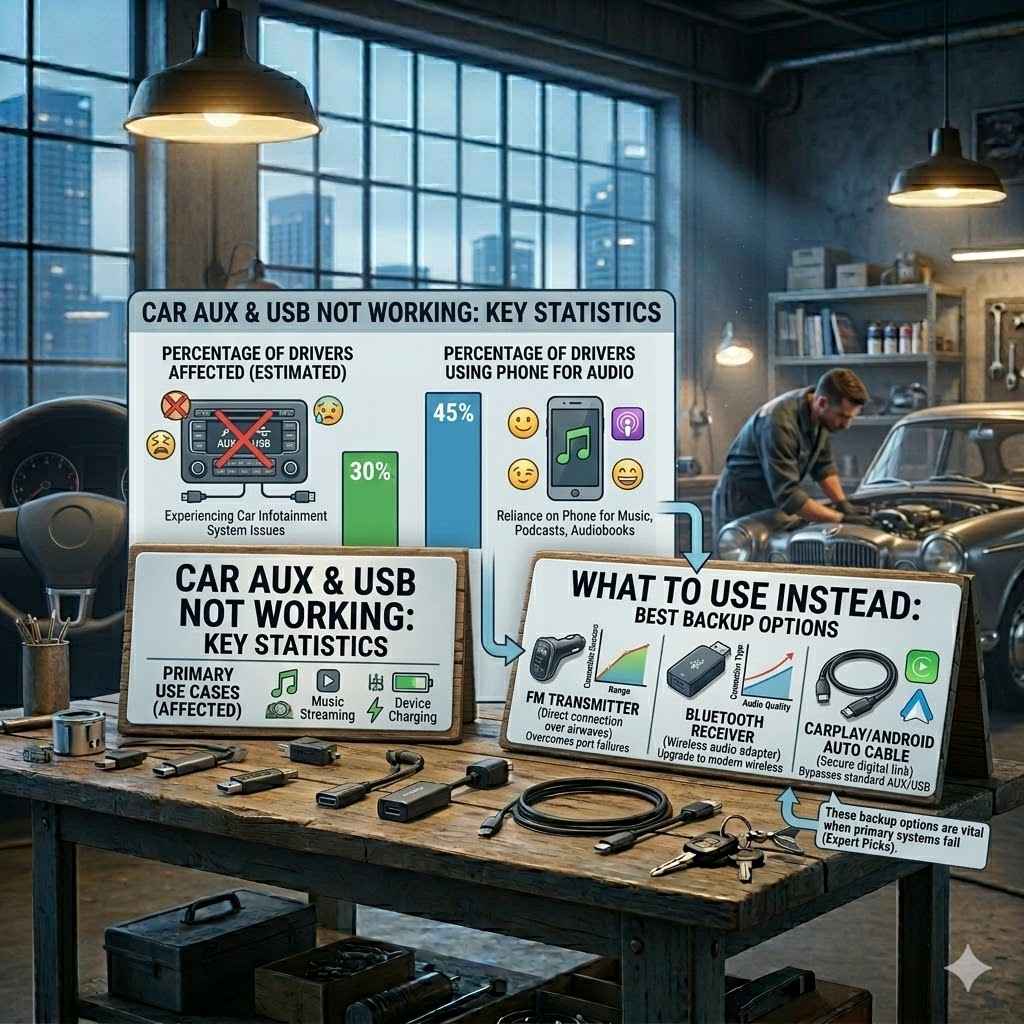
Many drivers face these connectivity issues. A survey found that over 30% of drivers have experienced problems with their car’s infotainment system failing at some point. Another statistic shows that around 45% of drivers use their phone for music playback, highlighting the importance of reliable audio connections.
These numbers show that having backup options is smart. When your car’s built-in systems falter, these alternatives ensure you can still enjoy your drive with your favorite audio.
| Issue | Percentage of Drivers Affected (Estimated) | Primary Use Case |
|---|---|---|
| Car AUX/USB Not Working | 30% | Music Streaming, Device Charging |
| Reliance on Phone for Audio | 45% | Music, Podcasts, Audiobooks |
Frequently Asked Questions
Question: My car USB port isn’t working for my iPhone. What else can I do?
Answer: If your car’s USB port isn’t working, try using a Bluetooth adapter that plugs into your AUX port. You can also use an FM transmitter that plugs into your car’s 12V outlet and streams audio from your iPhone via Bluetooth.
Question: Can I listen to music if my car has no AUX or USB ports?
Answer: Yes, if your car has a cassette player, you can use a cassette adapter. If it has a 12V power outlet, a Bluetooth FM transmitter is a great option. You could also use a portable Bluetooth speaker.
Question: Will a Bluetooth adapter charge my phone?
Answer: Some Bluetooth adapters plug into your car’s 12V outlet and have extra USB ports for charging. However, small Bluetooth receivers that plug directly into your AUX port usually do not charge your phone.
Question: How do I choose the best FM transmitter?
Answer: Look for one with good reviews for sound quality and stable Bluetooth connection. Also, check if it has features like hands-free calling or multiple USB charging ports. Ensure it supports the latest Bluetooth version for better performance.
Question: Is it safe to use an FM transmitter while driving?
Answer: Using an FM transmitter itself is safe. However, you must find an unused FM frequency before driving, which might require stopping the car briefly. Always set it up before you start moving, and avoid fiddling with it while driving.
Wrap Up
When your car AUX and USB ports stop working, you have plenty of simple solutions. You can use Bluetooth adapters, FM transmitters, or cassette adapters. Portable speakers also offer a great audio alternative.
These options let you enjoy your music and calls easily.