Do Cars Have Cameras Inside: Essential Guide
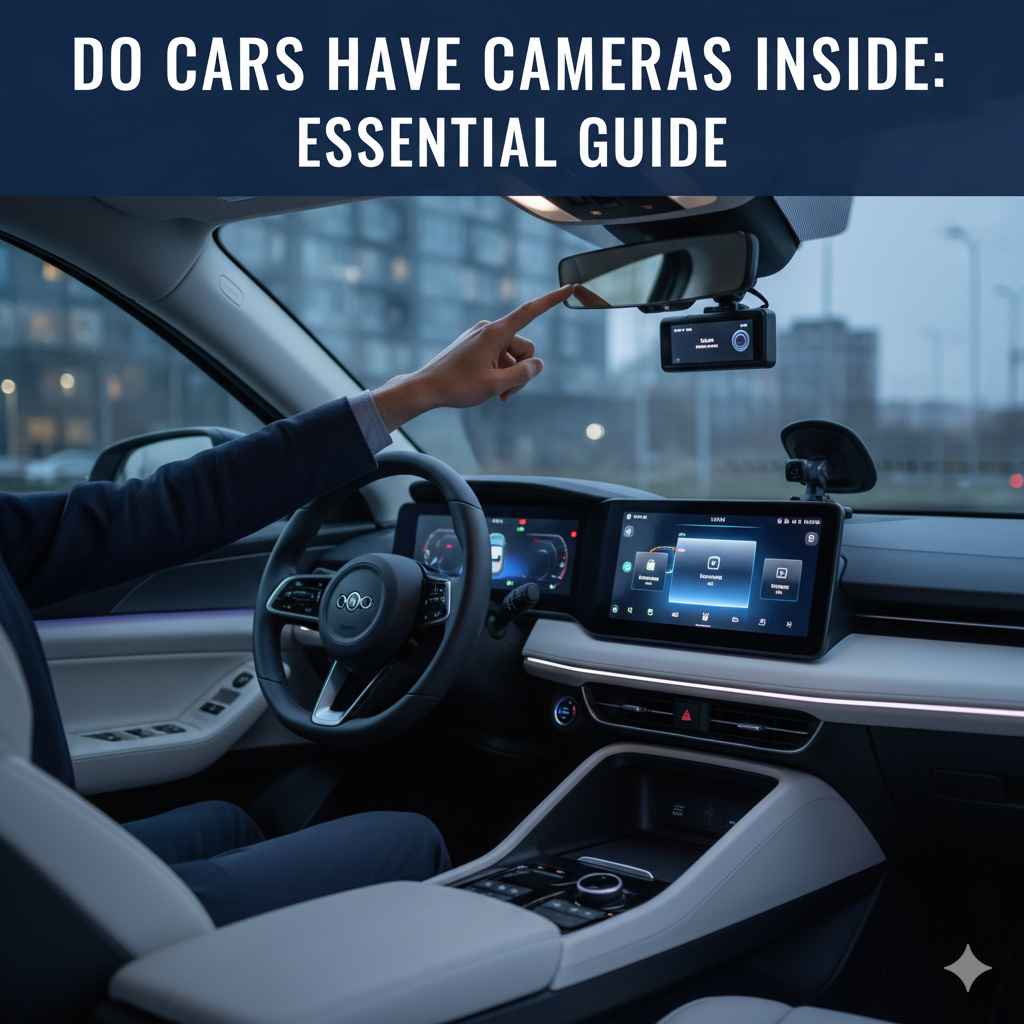
Yes, some cars have cameras inside, primarily for safety and convenience features like driver monitoring, interior recording for security or accidents, and advanced driver-assistance systems (ADAS). These cameras are usually integrated subtly into the vehicle’s interior.
Ever wondered if your car is watching you? You’re not alone! It’s a common question that pops up as cars get smarter. With all the high-tech features available today, it’s easy to feel a bit unsure about what’s happening inside your ride. Are there cameras hidden away? What are they for? Don’t worry, we’re here to clear things up. I’ll walk you through exactly what inside cameras cars might have, why they’re there, and what they do, all in simple terms. Let’s find out what’s going on with your car’s ‘eyes’!
Understanding Inside Car Cameras: What You Need to Know
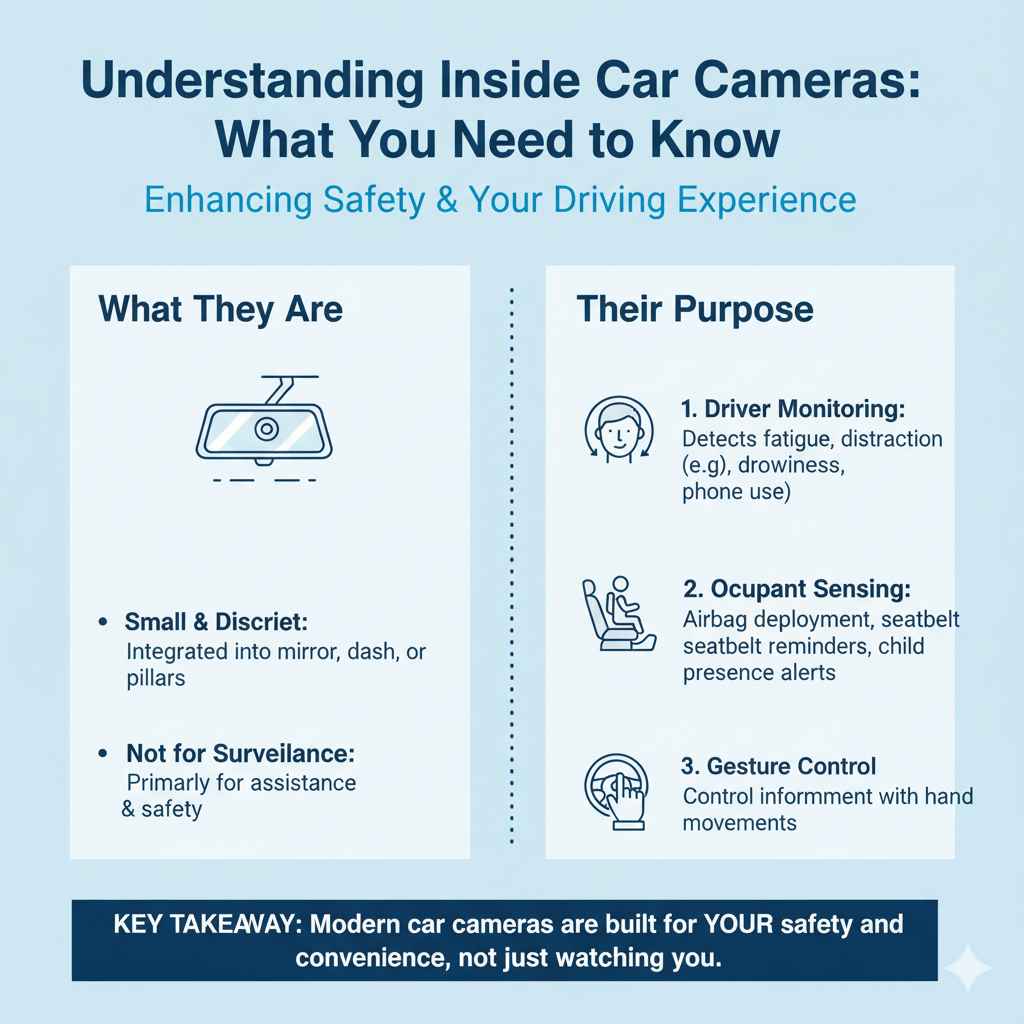
It’s becoming increasingly common for new vehicles to feature interior cameras. These aren’t typically for surveillance in the way you might think, but rather to enhance your driving experience and safety. Think of them as helpful assistants rather than unwelcome spies. They collect information to make driving easier, more comfortable, and much safer.
These cameras are usually small and discreetly placed, often integrated into the rearview mirror or the dashboard. Their purpose is to monitor various aspects of the driving environment and driver behavior. This technology is a big part of why modern cars feel so advanced and attentive to our needs on the road.
Why Do Cars Have Cameras Inside? Key Features Explained
The presence of cameras inside your car is almost always tied to specific functions designed to help you. These features can range from helping you stay alert to ensuring your car is secure when you’re away.
Driver Monitoring Systems (DMS)
One of the most common reasons for an interior camera is Driver Monitoring Systems (DMS). These systems are designed to help prevent accidents caused by driver distraction or fatigue. The camera watches your face and eyes to detect if you’re veering off course, looking away for too long, or showing signs of drowsiness.
- How it Works: The camera uses sophisticated algorithms to track your gaze, head position, and blinking patterns.
- What it Detects: It can identify if you’re looking at your phone instead of the road, if your eyelids are getting heavy, or if you’re not facing forward.
- When it Alerts You: If it detects a potential issue, the car might sound an alarm, display a visual warning on the dashboard, or even gently vibrate the steering wheel.
- Safety Benefit: This is a crucial safety feature, especially on long drives or in situations where fatigue can be a major risk. It acts like a second pair of eyes, nudging you back to focus when you need it most.
Infotainment and Personalization
Some advanced infotainment systems use interior cameras to recognize the driver. This allows the car to personalize settings for whoever is driving.
- Driver Recognition: The camera can identify different drivers in your household.
- Personalized Settings: Once recognized, the car can automatically adjust the seat position, mirror angles, climate control preferences, and even your favorite radio stations to your liking.
- Convenience: This feature adds a layer of personal comfort and convenience, making every drive tailored just for you without you having to do anything.
Interior Recording for Security and Accidents
Certain vehicles are equipped with cameras that can record the interior of the car. This serves a couple of important purposes related to security and documenting events.
- Dashcams (Built-in): Some cars come with integrated dashcams that can record while you drive. These can be invaluable for providing evidence in case of an accident.
- Parking Mode Recording: When the car is parked, some systems can activate interior cameras to detect and record any activity around or inside the vehicle, acting as a security measure against vandalism or break-ins.
- Event Data Recorders (EDR): While not always a visible camera, EDRs (often called “black boxes”) record a variety of data before, during, and after a crash. In some advanced systems, interior cameras might contribute visual data to these recorders to provide a fuller picture of what happened for accident reconstruction.
Advanced Driver-Assistance Systems (ADAS) Integration
Interior cameras play a role in some sophisticated ADAS features that go beyond just road monitoring.
- Gesture Control: Some systems use cameras to interpret hand gestures, allowing you to control infotainment functions like volume or track changes without touching the screen.
- Occupant Monitoring: Beyond just the driver, some cameras can monitor other occupants, for example, to ensure a child seat is properly secured or to detect if a pet is left behind in hot weather.
- Cabin Sensing: This broader category involves cameras that help the car understand the environment inside the cabin, contributing to features like automatic climate control adjustments based on who is seated where, or even monitoring for medical emergencies.
The integration of interior cameras with these systems makes driving safer, more convenient, and more personalized. Companies like NHTSA (National Highway Traffic Safety Administration) regularly discuss the benefits and advancements of such safety technologies in vehicles.
Where Are Interior Cameras Typically Located?
You won’t usually find cameras as obvious dashboard devices in most cars. They are designed to be part of the car’s integrated systems. Here are the most common spots:
| Location | Common Purpose |
|---|---|
| Windshield/Dashboard Area | Often integrated near the rearview mirror. This is a prime location for driver monitoring, cabin sensing, and sometimes built-in dashcams. Its vantage point provides a clear view of the driver and a good portion of the cabin. |
| Rearview Mirror Mount | Many cameras are cleverly hidden within or attached to the base of the rearview mirror. This placement is ideal for driver-facing monitoring and general cabin view. |
| Steering Wheel Column or Dashboard Top | Less common, but some systems might house cameras here to monitor driver attention or for specific infotainment gesture controls. |
| Center Console or Overhead Console | In some premium vehicles, cameras might be subtly integrated into the overhead console or center console for advanced features like occupant detection or interior lighting adjustments. |
The exact placement can vary greatly depending on the make, model, and year of your car, as well as the specific technology package it includes.
Do All Cars Have Cameras Inside?
No, not all cars have cameras inside. This is a common misconception. While the prevalence of these cameras is growing rapidly, they are still considered advanced features and are most common in:
- Newer Models: Cars manufactured in the last few years are more likely to have interior cameras as standard or optional equipment.
- Higher Trim Levels: On many models, interior camera systems are often part of higher, more expensive trim packages or optional technology bundles.
- Luxury and Electric Vehicles (EVs): These segments are often at the forefront of adopting new technologies, so you’ll find them more frequently here.
If you’re unsure whether your car has an interior camera, you can usually find this information in your car’s owner’s manual. You can also check the vehicle’s specification sheet when you purchased it or look for feature lists on the manufacturer’s website for your specific model.
Privacy Concerns and Controlling Interior Cameras
It’s understandable to have questions about privacy when there are cameras inside your car. Most manufacturers are transparent about these features, and there are often ways to manage them.
How Car Manufacturers Handle Privacy
- Purpose-Driven: Manufacturers state that interior cameras are used solely for the functions mentioned above – driver assistance, safety, and personalization. They are not typically used for general surveillance or tracking your every move outside of these defined purposes.
- Data Encryption: When data is collected, it’s usually encrypted to protect it.
- Local Processing: Many advanced features, like driver monitoring, are designed to process data directly within the car’s onboard computer, meaning sensitive information might not be sent externally unless necessary for a specific function (like sending an alert).
- User Control and Transparency: The trend is towards giving drivers more control and clearer information about these systems.
Can You Turn Off Interior Cameras?
This is a frequently asked question. The answer varies:
- Some Systems Allow Deactivation: For certain features, like driver monitoring systems, you might be able to disable them through the car’s infotainment settings menu. Check your owner’s manual for specific instructions for your vehicle.
- Not All Systems Can Be Turned Off: In some cars, especially those where interior cameras are deeply integrated with critical safety systems (like advanced ADAS or event recording), there may be no option to turn them off completely. This is often for regulatory reasons or to ensure core safety functions remain active.
- Disabling Might Affect Other Features: If you do turn off a system, be aware that it might disable other related safety or convenience features. For example, turning off driver monitoring could also disable related alerts.
It’s always best to consult your owner’s manual for the most accurate information regarding camera control in your specific vehicle. Organizations like the Federal Trade Commission (FTC) offer general guidance on digital privacy that can apply to car technology.
DIY Checks: How to Find Out If Your Car Has Interior Cameras
Curious about your own car? Here’s a beginner-friendly guide to check for interior cameras:
- Consult Your Owner’s Manual: This is your first and best resource. Look for sections on “Driver Assistance,” “Safety Features,” “Infotainment,” or specific technology names. The manual will detail what cameras are present and their functions.
- Inspect the Windshield and Dashboard Area: Look for small lenses or black boxes integrated near the rearview mirror or at the top of your dashboard. These might be subtle, so check carefully.
- Explore Your Infotainment System Settings: Navigate through your car’s main screen. Look for menus related to “Driver Assistance,” “Safety,” “Vehicle Settings,” or “Convenience.” Sometimes, camera-related options or features are listed here.
- Check Your Vehicle’s Original Window Sticker or Online Specifications: If you have the original paperwork from when you bought the car, it will list all installed options. You can also often find this information by searching your car’s make, model, year, and trim level on manufacturer websites or reputable automotive review sites.
- Look for Indicator Lights: Sometimes, cameras might have a small LED indicator light that illuminates when they are active, though this is less common for interior cameras meant to be discreet.
Remember, not all small lenses are cameras; some might be for ambient light sensors for the dashboard or rain sensors for the wipers, but knowing what to look for can help you identify potential interior camera modules.
The Future of Interior Car Cameras
The technology surrounding interior car cameras is constantly evolving. We can expect to see even more advanced and integrated uses of these devices in the future.
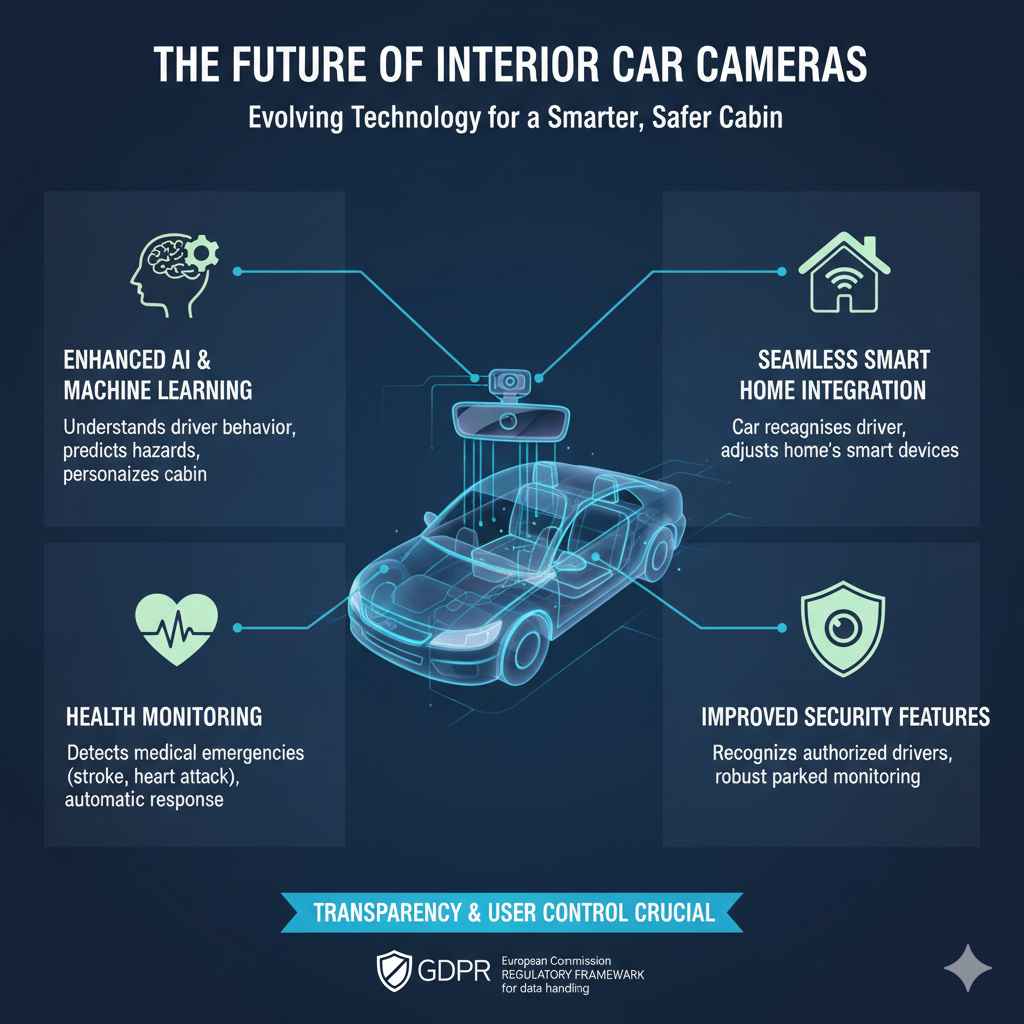
- Enhanced AI and Machine Learning: Cameras will become even better at understanding driver behavior, predicting potential hazards, and personalizing the cabin environment.
- Health Monitoring: Future systems might monitor occupants for signs of medical emergencies, such as detecting if a driver is having a stroke or heart attack, and automatically taking appropriate action.
- Seamless Integration with Smart Homes: Imagine your car recognizing you when you pull into the garage and adjusting your home’s smart devices accordingly.
- Improved Security Features: Cameras could play a larger role in car security, potentially recognizing authorized drivers and passengers, and providing more robust interior monitoring when parked.
As these technologies advance, transparency and user control will remain crucial for consumer trust. Regulatory bodies like the European Commission’s GDPR (General Data Protection Regulation) framework is setting a high standard for how personal data, including data collected by vehicle cameras, should be handled.
Frequently Asked Questions (FAQ)
Q1: Is it legal to have cameras inside my car?
A: Yes, it is generally legal to have cameras inside your car, especially when they are used for safety, driver assistance, or personalization features as intended by the manufacturer. Laws can vary by region, but the use for vehicle functions is typically permitted. It’s important to be aware if your car is recording audio, as some regions have stricter laws about audio recording without consent.
Q2: Can interior car cameras record audio?
A: Some systems might have microphones that can capture audio as part of their functionality (e.g., for voice commands), but typically, interior cameras specifically record video. If a car has both, it would usually be stated. Recording audio without consent can have different legal implications than video recording, so always check your car’s manual and local laws.
Q3: Will my car’s interior camera record me all the time?
A: No, not usually. Interior cameras are typically activated only when a specific function requires them. For example, driver monitoring cameras are active when the car is running and in drive, but they are looking for specific patterns, not constantly recording everything like a security camera. Other cameras might activate only during certain events or when specific features are engaged.
Q4: If my car has an interior camera, does it mean it’s connected to the internet?
A: Not necessarily. Many interior camera functions, like driver monitoring, process data directly within the car’s computer. If the car has connected services (like Wi-Fi or cellular connectivity), some data might be uploaded for remote diagnostics, software updates, or cloud-based features, but this is usually specified in the car’s privacy policy.
Q5: What should I do if I’m concerned about privacy with my car’s interior camera?
A: First, consult your owner’s manual to understand the specific camera functions and any available settings to control them. If you remain concerned, contact your car dealership or the manufacturer’s customer service for a detailed explanation of how your vehicle’s cameras operate and how your data is handled.
Q6: Are built-in interior cameras as good as aftermarket dashcams?
A: Built-in cameras are designed for specific features like driver monitoring and personalization, and their field of view and recording quality might be optimized for those tasks rather than capturing detailed external events. Aftermarket dashcams are solely designed for recording what happens outside the car, often with higher resolution and wider angles. Some cars do have integrated dashcam features that are quite good, but it depends on the specific model.
Conclusion
So, to circle back to our main question: Do cars have cameras inside? Yes, and increasingly, they do! But as we’ve explored, these cameras aren’t there to spy on you. They are sophisticated tools designed to make your driving experience safer, more comfortable, and more personalized. From keeping you alert on long journeys with driver monitoring systems to tailoring your car’s settings just for you, these interior cameras are becoming integral parts of modern automotive technology.
Understanding where these cameras are located, what they do, and how your privacy is protected is key to feeling confident in your vehicle. Always remember to consult your owner’s manual for the specifics of your car. As technology continues to advance, these intelligent systems will only become more helpful. Feel empowered knowing you can get the most out of your car’s features while keeping an eye on your privacy. Happy and safe driving!