How Do You Connect Your Phone to Your Car Stereo? A Simple Guide
My first car was a beat-up 2003 sedan with a tape deck and no Bluetooth. I wanted to play my phone’s music, but I was clueless! After some trial and error (and a funny moment when my AUX cable got tangled), I learned the ropes. This guide shares easy ways to connect your phone to your car stereo, whether you drive a new SUV or an old clunker. We’ll cover Bluetooth, AUX, USB, and more, with simple steps, tips, and tricks to make it a breeze.
Why Connect Your Phone to Your Car Stereo?
Connecting your phone to your car stereo lets you play music, podcasts, or GPS directions through your car’s speakers. It’s a game-changer for road trips or daily drives! You get better sound, hands-free calls, and a safer way to enjoy your phone’s apps without looking at the screen.
Methods to Connect Your Phone
There are several ways to connect your phone to your car stereo. Each method depends on your car’s features and your phone. Let’s break down the most common ones: Bluetooth, AUX, USB, and adapters for older cars.
Bluetooth: The Wireless Way
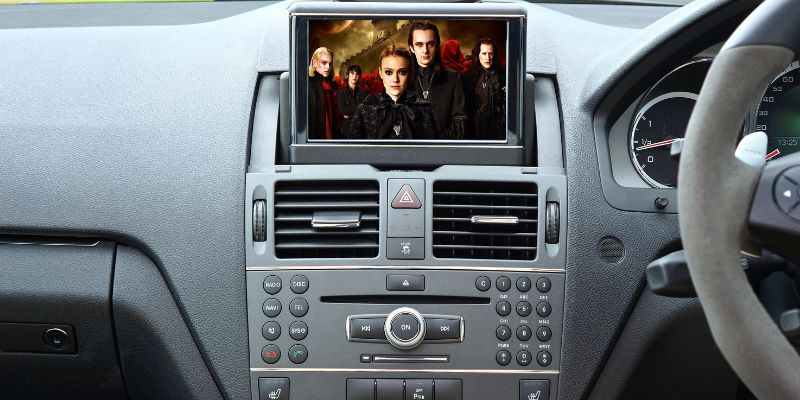
Bluetooth is the go-to for modern cars (post-2004) because it’s wireless and easy. Most new phones and car stereos support it. Here’s how to set it up:
- Turn on your car’s stereo and find the Bluetooth menu (check your car’s manual).
- Enable Bluetooth on your phone (Settings > Bluetooth).
- Select your car’s name from the list of devices on your phone.
- Enter a PIN if prompted (usually in the car’s manual or on-screen).
- Play music—it should stream through your car’s speakers!
Pro Tip: If it doesn’t connect, unpair and try again. My first Bluetooth attempt failed because my phone was paired to my headphones!
Table 1: Bluetooth Connection Pros and Cons
| Feature | Pros | Cons |
|---|---|---|
| Bluetooth | Wireless, easy to set up, supports calls and music | May drain phone battery, older cars may not have it |
| Caption: Comparing Bluetooth’s benefits and drawbacks for car audio. |
AUX Cable: Simple and Reliable
An AUX cable is perfect for cars with a 3.5mm AUX port (like a headphone jack). It’s cheap and works with most phones, though newer phones may need an adapter. Here’s how:
- Plug one end of the AUX cable into your phone’s headphone jack or adapter.
- Plug the other end into your car’s AUX port (often near the stereo).
- Press the “AUX” button on your car stereo.
- Play music from your phone—it’ll come through the speakers!
Safety Tip: Keep the cable short to avoid tangles while driving. I once had an AUX cord flop around and distract me—yikes!
USB Cable: Power and Audio in One
Many cars have USB ports that play audio and charge your phone. This method also supports Android Auto or Apple CarPlay for smarter features. Try this:
- Connect a USB cable to your phone and your car’s USB port.
- Select “USB” or “Media” on your car stereo.
- Choose music or apps from your phone (or car display for CarPlay/Android Auto).
- Enjoy clear audio and a charged phone!
Cost-Saving Idea: Use your phone’s charging cable to avoid buying a new one. Check your car’s manual, as not all USB ports support audio.
Table 2: Comparing Connection Methods
| Method | Cost | Ease of Use | Audio Quality |
|---|---|---|---|
| Bluetooth | Free (if built-in) | Easy | Good |
| AUX Cable | $5-$15 | Very Easy | Great |
| USB | $10-$20 | Moderate | Excellent |
| Caption: A quick look at cost, ease, and sound quality for each method. |
Adapters for Older Cars
Got a car from the ‘90s with a cassette player? No problem! A cassette adapter or FM transmitter can save the day.
- Cassette Adapter: Plug the adapter’s cassette into your car’s tape deck and connect the 3.5mm end to your phone (or adapter). Play music, and it’ll work like an AUX cable.
- FM Transmitter: Plug it into your car’s cigarette lighter, connect to your phone via Bluetooth, and tune your radio to a clear FM station.
My Mistake: I bought a cheap FM transmitter, and the sound was fuzzy. Spend a bit more for a quality one, like those from Anker or Belkin.
Visual Ideas:
- Diagram showing where to plug an AUX cable (phone to car stereo).
- Step-by-step Bluetooth pairing flowchart.
- Photo of a cassette adapter in a tape deck for older cars.
Benefits and Drawbacks
Each method has upsides and downsides. Bluetooth is wireless but may skip in crowded areas. AUX cables are cheap but need a headphone jack or adapter. USB offers great sound and charging but requires a compatible port. Adapters work for old cars but can be clunky. Pick what fits your car and budget!
Personal Insight: I love USB for long drives because it charges my phone and sounds crystal clear. But for quick trips, Bluetooth is my go-to for convenience.
Tips for a Smooth Connection
Here are some easy tips to make connecting your phone a piece of cake:
- Check Compatibility: Ensure your car stereo supports your chosen method (Bluetooth, AUX, or USB).
- Keep Cables Tidy: Use cable clips to avoid a messy dashboard.
- Update Firmware: Check your car’s manual for stereo updates to fix Bluetooth issues.
- Test Audio: Play a song to confirm sound comes through the speakers.
Table 3: Cost-Saving Tips
| Tip | How It Saves Money |
|---|---|
| Use Existing Cables | Avoid buying new AUX/USB cables |
| Buy Budget Adapters | Cassette adapters cost under $10 |
| Skip FM Transmitters | Cheaper than replacing your stereo |
| Caption: Simple ways to connect your phone without breaking the bank. |
Troubleshooting Common Issues
Sometimes, things don’t work right away. Here’s how to fix common problems:
- No Sound? Check your car’s input (AUX, USB, or Bluetooth) and phone volume.
- Bluetooth Won’t Pair? Turn Bluetooth off/on or unpair and retry.
- Fuzzy Audio? For FM transmitters, try a different frequency. For AUX, check cable connections.
Funny Story: I once spent 20 minutes pairing my phone, only to realize my car was on the radio setting, not Bluetooth! Always double-check your stereo’s input.
For more troubleshooting, check out Crutchfield’s car audio guides or CNET’s tech tips.
Android Auto and Apple CarPlay
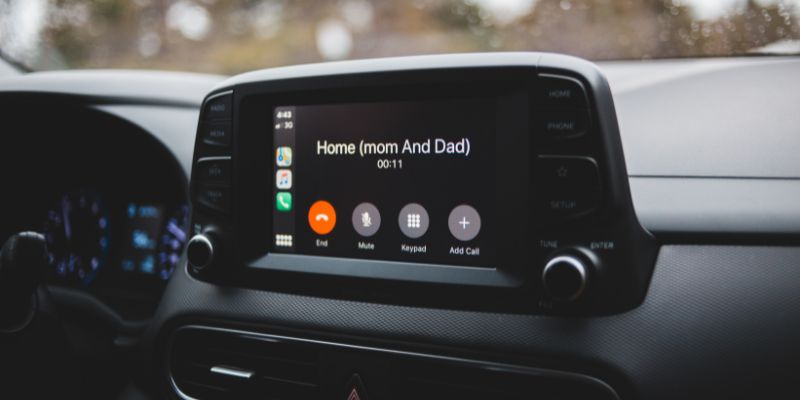
For newer cars, Android Auto and Apple CarPlay take things up a notch. They let you use apps like Spotify or Google Maps on your car’s display. Connect via USB or wireless Bluetooth (if supported). Follow setup instructions from Android Auto or Apple Support.
Beginner Tip: Start with a wired USB connection for CarPlay/Android Auto—it’s simpler than wireless setup.
Conclusion
Connecting your phone to your car stereo is easier than it seems, whether you use Bluetooth, AUX, USB, or an adapter. Each method has its perks, from wireless freedom to crystal-clear sound. Try one out on your next drive—it’s a total game-changer! Share your favorite method or ask questions in the comments. Happy driving and jamming!
Frequently Asked Questions
What If My Car Doesn’t Have Bluetooth?
You can use an AUX cable, USB, or adapters like a cassette or FM transmitter. Check your car’s manual for ports, and grab a cheap adapter from Amazon for older cars.
Do I Need a Special Cable for USB?
Use your phone’s charging cable (USB-C or Lightning). Ensure your car’s USB port supports audio, not just charging, by checking the manual.
Why Is My Bluetooth Audio Choppy?
Choppy audio can happen in areas with lots of signals. Move your phone closer to the stereo, or try a wired AUX/USB connection for better sound.
Can I Use My Phone’s Headphone Jack?
If your phone has a headphone jack, plug in an AUX cable. For newer phones without jacks, get a USB-C or Lightning-to-3.5mm adapter.
Are FM Transmitters Worth It?
FM transmitters work for older cars but may have static. Spend $20-$30 on a quality one, like Anker’s, for better sound.
How Do I Set Up Android Auto or CarPlay?
Plug your phone into a USB port or pair via Bluetooth for wireless. Follow on-screen prompts or check Android Auto/Apple CarPlay websites for setup.
What’s the Cheapest Way to Connect My Phone?
An AUX cable ($5-$10) or cassette adapter ($8-$15) is the cheapest. Use existing cables or check dollar stores for budget options.