How to Watch Movies on Car Screen: USB, Apps & Parked Rules
To play video on a car screen, the most universal route is a USB drive loaded with H.264 MP4 files, plugged into a head unit that supports video, with the car parked. A few cars add built-in streaming, such as Tesla Theater, and Android Auto now allows some games while parked. This guide covers the files a head unit will actually accept, the limits that make a movie fail to play, and the parked-only rules that apply to every method.
Quick Answer
Copy H.264 MP4 files (up to 1080p, about 8 Mbps or less) onto a FAT32 or exFAT USB drive and plug it into a head unit that lists video playback. Many units only show video with the parking brake set. Never watch video while driving.
How to Play Video on a Car Screen: Methods Compared
| Best USB Drive Pick for Car Video Files | |
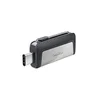 |
SanDisk 64GB Ultra Dual Drive, USB-C and USB-A: $22.14
|
| View Our Pick on Amazon | |
As an Amazon Associate we earn from qualifying purchases. This is a spec-based pick from the product listing, not a hands-on test. Price from Amazon on October 12, 2026 and may change.
The drive above is the tool for the first method in the table. The table shows what else exists, which cars each method suits and what each one cannot do. Details come from the Kenwood manual, Google’s Android developer pages, Tesla’s owner’s manual and the NHTSA notice, as of October 2026.
| Method | Works with | Parked only? | Main limit |
|---|---|---|---|
| USB drive or SD card files | Head units that list video playback, often aftermarket units from Kenwood or Pioneer | Usually, through the parking brake wire | Codec, resolution, bit rate and file system limits in the unit’s manual |
| Built-in streaming (Tesla Theater) | Tesla vehicles | Yes, parked only | Needs Wi-Fi or a premium connectivity plan; options vary by region and model |
| Android Auto games | Android 15 or higher phone and a compatible car or stereo | Yes, parked app category | Games only, not general video |
| Phone mirroring or HDMI adapter | Cars with CarPlay, Android Auto or an adapter that fits | Yes | Covered in our phone mirroring guide |
| Rear-seat screens | Passengers in cars with factory or aftermarket rear displays | Not a rule for the passenger, but never for the driver | Depends on the unit; follow its manual |
Playing Video Files From a USB Drive or SD Card
A head unit does not play everything it can open. The Kenwood DMX5020BTS instruction manual lists exactly what that unit decodes, and it is a useful example of how strict the rules are. Treat it as one unit’s limits, not a rule for all cars, because older and cheaper units list far smaller ones.
| Video type (Kenwood DMX5020BTS) | Max picture size | Max bit rate | Audio |
|---|---|---|---|
| MPEG-1 (.mpg, .mpeg) | 352 x 240 or 352 x 288 | 1.5 Mbps | MPEG Audio Layer 2 |
| MPEG-2 (.mpg, .mpeg) | 720 x 480 or 720 x 576 | 8 Mbps | MPEG Audio Layer 2 |
| H.264/MPEG-4 AVC (.mp4, .m4v, .avi, .flv), Baseline or Main profile | 1920 x 1080 at 30 fps | 8 Mbps | MP3, AAC |
| MPEG-4 (.mp4, .avi) | 1920 x 1080 at 30 fps | 8 Mbps | MP3, AAC |
| WMV (.wmv) | 1920 x 1080 at 30 fps | 8 Mbps | WMA |
| MKV (.mkv) | Follows the H.264 and MPEG-4 limits | Not listed | MP3, AAC |
The MP4 Myth: A File Extension Is Not a Format
The most common reason a movie will not play is that people judge a file by its extension. In the table above, .mp4 appears twice, once for H.264 and once for MPEG-4, and only Baseline and Main H.264 profiles are listed. H.265 (HEVC) is not on the list, so an .mp4 that your phone records or a downloader saves in H.265 can fail on this unit even though the name looks right. Check what codec your file uses and re-encode to H.264 if your manual does not list HEVC.
Bit Rate Decides the File Size, and FAT32 Caps It
A video’s size is bit rate times running time. At the Kenwood maximum of 8 Mbps, a two-hour film comes to about 7.2 GB (8 megabits per second x 7,200 seconds, divided by 8). At 4 Mbps it is about 3.6 GB. That matters because FAT32 stores a single file of at most 4 GB, so the 8 Mbps version of a long film will not fit on a FAT32 drive. The Kenwood unit lists FAT16, FAT32 and exFAT, so exFAT is the way around it; a unit that lists only FAT32 needs the lower bit rate or a file split into two parts.
File systems are not the same across brands. Kenwood lists exFAT; a search summary of the Pioneer DMH-1770NEX manual lists FAT16, FAT32 and NTFS instead, with no exFAT. That is why you should read your own manual before you format the drive.
Other Limits in the Manual
- Folders and files: The Kenwood manual lists a maximum of 8 folder layers and 999 files per folder, and names up to 255 single-byte characters.
- Hidden folders: Files inside a folder whose name begins with a dot cannot be played.
- No hubs: The manual says you cannot connect a USB device through a USB hub or a multi-card reader.
- Power: The unit’s USB port supplies up to 1.5 A, so a drive that draws a lot of power may misbehave. This is our reasoning from the spec, not a maker warning.
- Back up: Kenwood warns that files can be erased depending on operating conditions, so keep the original copy.
For drives we have compared for this job, see our guide to the best flash drives for playing videos in your car. If you are choosing a unit to play files, our page on video players for cars covers screens built for it.
Built-In Streaming and Parked-Only Apps
Tesla Theater
Tesla’s owner’s manual describes Theater as a way to stream video services such as Netflix, YouTube and Hulu, with playback limited to when the car is parked. It needs a Wi-Fi connection or premium connectivity with a cellular signal, and Tesla says entertainment options vary by market region, date of manufacture and vehicle configuration. Check the manual for your own car and software version.
Android Auto Games
Android Auto is built for driving apps, not for movies. Google’s developer documentation says games are the only parked app category Android Auto supports at this time, and that parked apps on Android Auto need a phone running Android 15 or higher. So the video-like option on Android Auto today is parked games, not a video player. For the bigger picture on CarPlay, Android Auto and adapters, see our guide to mirroring a phone to a car screen.
Rear-Seat Entertainment
Rear screens in headrests or on the ceiling are the one place video makes sense while the car is moving, because the person watching is not driving. The NHTSA guidelines are written around what the driver can do, so a passenger-only display is a different question, and how a given car handles it is in its owner’s manual. Do not mount a screen where the driver can see it.
Parked-Only Rules and Safety
The NHTSA driver distraction guidelines were issued in April 2013 as voluntary guidance. They list displaying video not related to driving among the activities that interfere with a driver’s ability to operate the vehicle, and recommend that in-vehicle devices be designed so the driver cannot use them for those activities while driving. For other tasks, they recommend glances away from the road of 2 seconds or less and a cumulative 12 seconds or less. The first phase covered devices installed as original equipment, and NHTSA said portable and aftermarket devices would follow in a later phase, while encouraging their makers to adopt the recommendations in the meantime.
Head unit makers build that rule into the wiring. The Kenwood manual’s wiring diagram says to connect the PRK SW wire to the vehicle’s parking brake detection switch harness, and adds that for best safety the parking sensor should be connected. The Pioneer DMH-1770NEX manual, per a search summary we have not opened directly, says video cannot be viewed while the vehicle is moving and requires the parking brake to be applied. Do not bypass this wire: it is the safety feature, and it is why video may be blocked on a unit that was installed without it.
- Park and set the brake first: Start a movie only after the car is stopped in a safe place.
- Check your state’s law: Rules vary by state and country, so confirm what applies where you drive.
- Keep it off the driver: The Kenwood manual itself says not to watch or fix your eyes on the display for any extended period when driving.
- Wiring is a job for a pro: If the video lock is not working or the parking brake wire is not connected, have the unit installed correctly instead of defeating the lock.
Troubleshooting: Why Video Will Not Play
| Symptom | Likely cause | Fix to try |
|---|---|---|
| Drive not recognised | File system the unit does not list, partitioned drive, or a USB hub | Reformat to a system your manual lists and plug straight into the unit |
| File shows but will not open | Codec such as H.265, or a bit rate or resolution above the limit | Re-encode to H.264 MP4 at 1080p or lower and a lower bit rate |
| Large file missing or errors on copy | FAT32 4 GB single-file limit | Use exFAT if your unit lists it, or lower the bit rate |
| Video blocked, audio plays | Car not parked or parking brake not set, or the wire is not connected | Park and set the brake; if it still fails, have the unit’s wiring checked |
| Folder looks empty | More files than the folder limit or a dot-named folder | Split files into several folders and avoid names that start with a dot |
| Choppy picture | Bit rate near the unit’s maximum | Lower the bit rate and test before the trip |
If your phone connection is the issue rather than file playback, our pages on syncing a phone to a car and fixing when Android Auto has stopped working cover it. For choosing a new screen, see affordable car infotainment systems.
Frequently Asked Questions
Can I watch movies on my car screen while driving?
No. Every method on this page is meant for a parked car. The NHTSA guidelines list displaying video not related to driving as an activity that in-vehicle devices should be designed to block while the car is moving, and head unit makers such as Kenwood provide a parking brake wire for exactly that purpose. Passengers can watch rear-seat screens, but the driver should never watch video.
What video format works best on a car USB port?
H.264 video in an MP4 container with AAC or MP3 audio is the safest pick, because it is the format the Kenwood manual lists for .mp4 files, at up to 1920 x 1080, 30 fps and 8 Mbps. Check your own unit’s manual, because older and cheaper units list much smaller limits.
Why will my MP4 file not play on the car screen?
MP4 is only a container. The video inside can use a codec your head unit does not list, such as H.265 (HEVC), or it can exceed the maximum resolution or bit rate. Other common causes are a file system the unit does not read, more files than the folder limit, a USB hub, or a partitioned drive. Re-encode to H.264 at a lower bit rate and test on the unit.
Can I play YouTube or Netflix on my car screen?
Only on cars that offer it. Tesla vehicles have a Theater mode for services such as YouTube, Netflix and Hulu, which Tesla’s owner’s manual limits to when the car is parked. Most other factory screens do not run video apps. For phone-based video, see our guide to mirroring a phone to a car screen.
Can I play games or video through Android Auto?
Android Auto is not a general video player. Google’s developer documentation says games are the only parked app category Android Auto supports at this time, and that parked apps need a phone running Android 15 or higher.
Is it legal to watch video on a car screen?
It depends on where you live and whether the car is moving. This page cannot give you your state’s rule, so check your state’s motor vehicle code. The federal NHTSA guidelines are voluntary guidance, not a law, but they set the standard that makers follow for blocking video in a moving car.
Conclusion
Playing video on a car screen comes down to three things: files the head unit lists, a way to deliver them, and a car that is parked. Check your manual’s format table before you copy a movie, use exFAT or a lower bit rate for long films, and leave video for when the car is stopped.
Products related to this article
Sponsored / affiliate links. As an Amazon Associate I earn from qualifying purchases. I may earn additional commission from eligible campaigns.
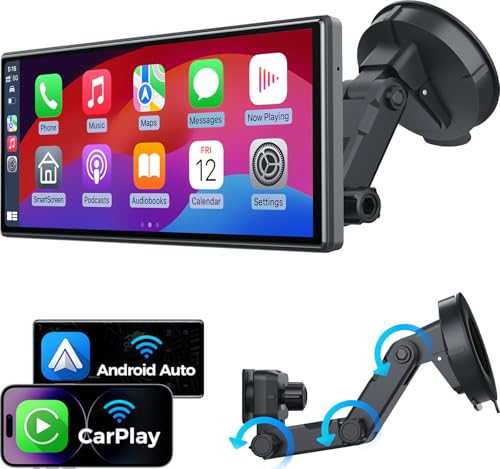 JATAZA 10.26" Wireless Apple Carplay Screen for Car, Secure Strong Bracket, Portable Apple CarPlay& Android Auto Car Stereo with GPS Navigation, Bluetooth, Mirror Link, Voice Control,Fits All Vehicles
 Penemay Car Charger USB C Car Phone Charger, Multi Port Cigarette Lighter Car Adapter for iPhone 17 16 15 Pro Max/14/13/12/11