How Does My Phone Know Where My Car Is Parked
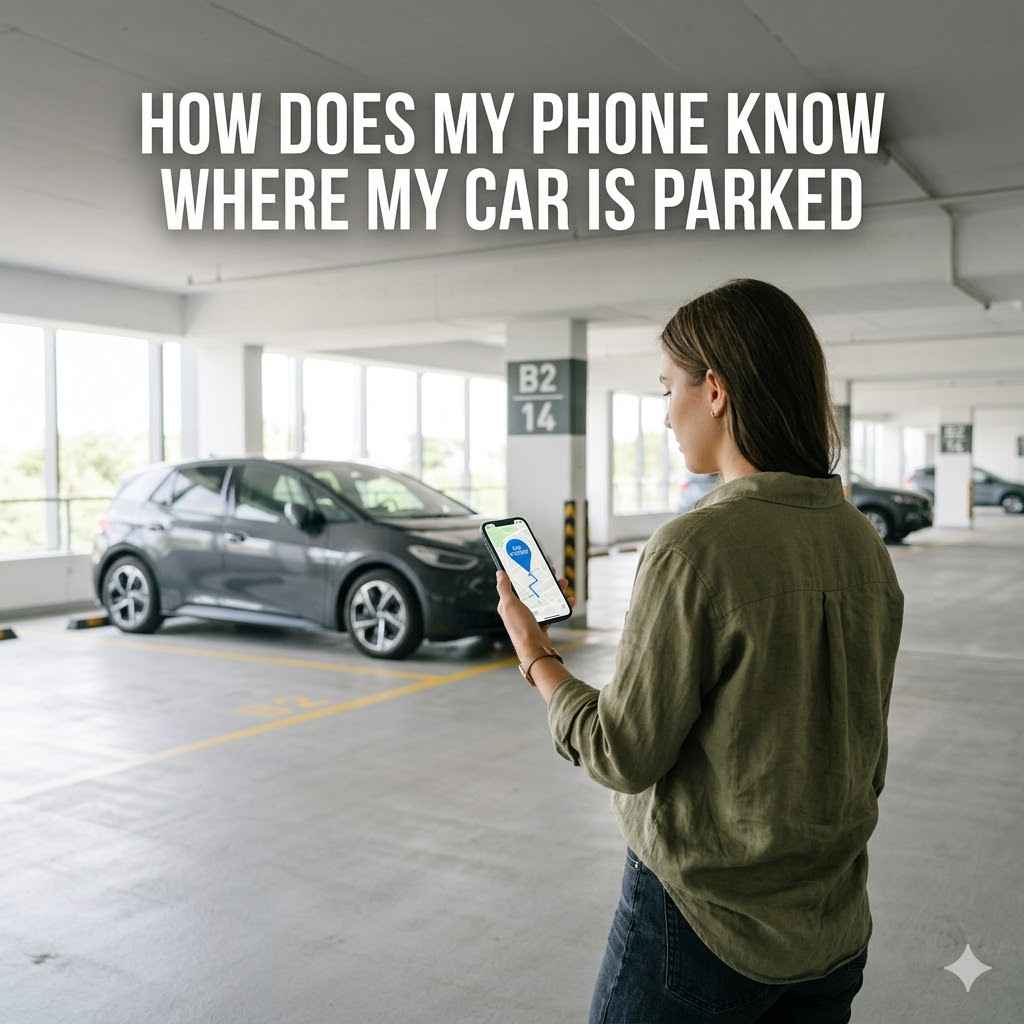
It’s a common moment. You’ve just finished shopping or a fun outing, and you can’t quite remember where you left your car. Then, you remember your phone can help!
But how does your phone know where your car is parked? This question often pops up for many people, and it might seem a bit tricky at first glance. Don’t worry, though.
We’ll break down exactly how this works in simple steps. Get ready to find out the magic behind finding your parked car with just your phone.
Understanding How Your Phone Finds Your Car
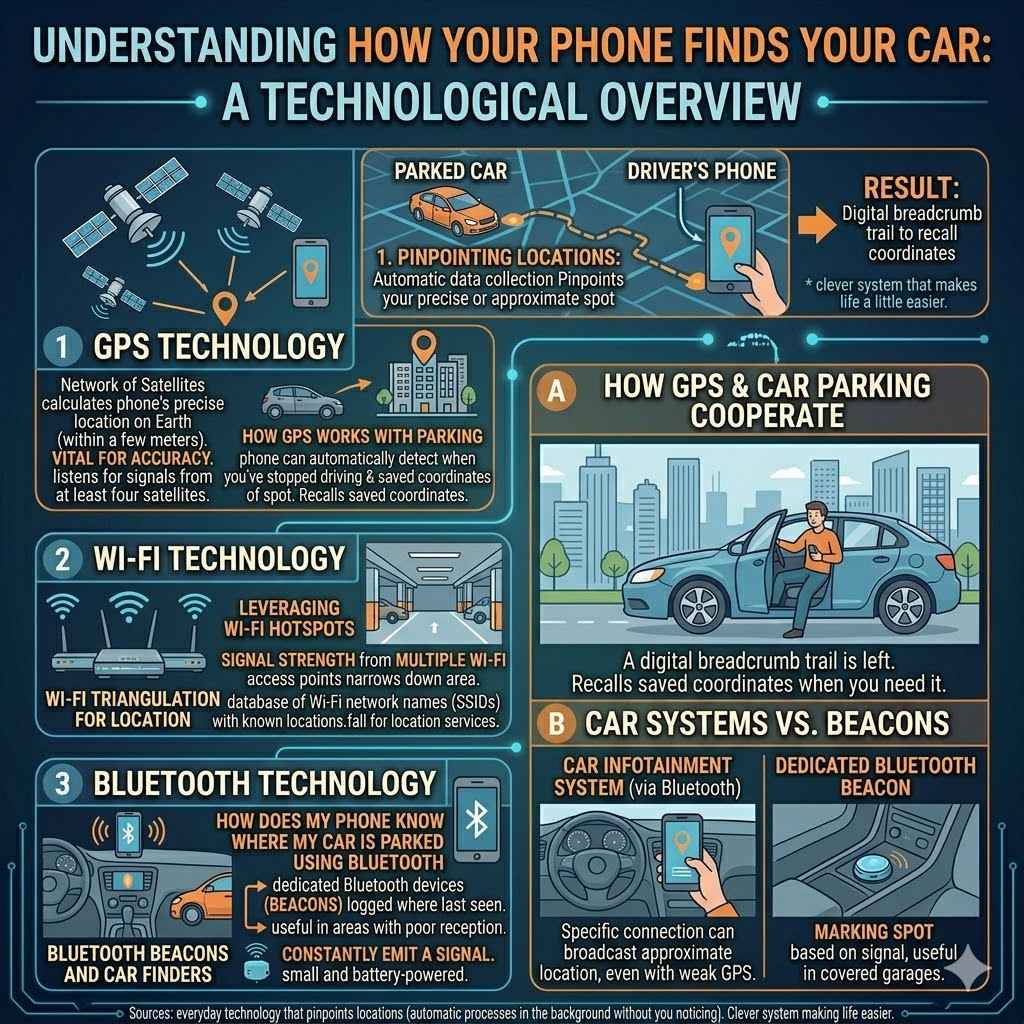
Figuring out how your phone knows where your car is parked is a fascinating look at everyday technology. It relies on a few key tools that work together to pinpoint locations. Most of the time, this process is automatic, happening in the background without you even noticing.
It’s a clever system that makes life a little easier.
The Role of GPS Technology
GPS stands for Global Positioning System. It’s a network of satellites that orbit the Earth. Your smartphone has a GPS receiver built into it.
When you turn on location services, your phone listens for signals from these satellites. By receiving signals from at least four satellites, your phone can calculate its precise location on Earth. This means it knows exactly where you are standing or where your car is at any given moment.
GPS is incredibly accurate, often pinpointing locations within a few meters. This accuracy is vital for many apps, including those that help you find your car. Without GPS, your phone would have a much harder time knowing your exact spot.
How GPS Works with Car Parking
When you park your car, your phone can record that location. Many apps, like Google Maps or Apple Maps, can automatically detect when you’ve stopped driving and parked. They then save the GPS coordinates of that spot.
The next time you need to find your car, the app simply recalls these saved coordinates. It then shows you a map with a marker pointing to where you parked. It’s like leaving a digital breadcrumb trail.
This feature is particularly useful in large parking lots or unfamiliar areas. You don’t have to rely on your memory; your phone does the remembering for you.
How Does My Phone Know Where My Car Is Parked Using Bluetooth
While GPS is a primary tool, Bluetooth can also play a supporting role in helping your phone find your car. Bluetooth is a short-range wireless technology. It’s commonly used for connecting devices like headphones or speakers to your phone.
In the context of car parking, it works differently than GPS.
Some car infotainment systems have Bluetooth capabilities. When you connect your phone to your car’s system via Bluetooth, your phone can remember that specific connection. Once connected, the car’s system can broadcast its location information to your phone when the connection is active.
This means that even if GPS signals are weak, like in a covered parking garage, your phone can still identify your car’s approximate location based on the last known Bluetooth connection.
Bluetooth Beacons and Car Finders
Beyond just car systems, dedicated Bluetooth devices called “beacons” can be used. You can place a small Bluetooth beacon inside your car. When you park, your phone detects this beacon.
It then logs the location where the beacon was last seen. This is another method that doesn’t rely solely on GPS signals, making it useful in areas with poor reception.
These beacons are typically small and battery-powered. They constantly emit a signal that your phone can pick up. The app associated with the beacon then uses this signal to mark the parking spot.
Leveraging Wi-Fi Hotspots
Wi-Fi also contributes to how your phone knows your car’s location. While not as precise as GPS for real-time tracking, Wi-Fi can help improve location accuracy, especially indoors or in urban areas where GPS signals can be blocked or reflected. Your phone constantly scans for available Wi-Fi networks.
It uses a database that maps Wi-Fi network names (SSIDs) and their signal strengths to known geographical locations.
When your phone detects Wi-Fi networks around it, it sends this information to location services. These services compare the detected networks with their database. This helps to refine your phone’s position.
In the context of parking, if your car is parked near a known Wi-Fi hotspot, your phone can use that information to better estimate your car’s location.
Wi-Fi Triangulation for Location
Wi-Fi triangulation is a technique that uses the signal strength from multiple Wi-Fi access points to determine a device’s location. Imagine you’re in a parking garage with several Wi-Fi routers. Your phone can “see” these routers and measure how strong their signals are.
By knowing the locations of these routers (which are often mapped by companies), your phone can estimate where you are within the garage. This method is less about knowing your car’s specific spot and more about narrowing down the area.
This is especially helpful for indoor parking. GPS often struggles in enclosed spaces. Wi-Fi signals, however, can penetrate buildings more effectively, providing a fallback for location services.
How Does My Phone Know Where My Car Is Parked Through Apps
Most of us don’t actively set up our phones to remember parking spots. Instead, we rely on smart apps that do the work for us. These applications use the technologies we’ve discussed, like GPS, Bluetooth, and Wi-Fi, to automatically log your car’s location.
Let’s explore how these apps make it so easy.
Automatic Parking Location Saving
Many popular map applications have a feature designed to automatically save your parking location. For instance, Google Maps can often detect when you’ve parked your car. It does this by noticing when your phone’s movement stops and your Bluetooth connection to your car disconnects (if applicable).
When it senses these changes, it assumes you’ve parked and records the GPS coordinates of that spot.
Apple Maps offers similar functionality. It can use a combination of your phone’s sensors and location data to figure out when you’ve parked. The app then places a pin on the map at that location.
You can then tap on the pin to get directions back to your car.
User-Initiated Parking Saves
Even if automatic saving doesn’t work perfectly for you, most apps allow you to manually save your parking spot. After you park, you can simply open your map app and tap a button like “Save parking” or “Mark my parking spot.” This is a straightforward way to ensure your car’s location is logged. It’s a great backup if the automatic features miss a spot.
Some apps also let you add notes or photos to your parking spot. You could, for example, take a picture of the parking level or row number. This extra information can be very helpful, especially in massive parking garages with many levels and sections.
Car-Specific Apps and Integrations
Beyond general map apps, many car manufacturers have their own mobile applications. These apps often offer advanced features, including parking location tracking. If your car supports this integration, it might use dedicated sensors within the vehicle to communicate its location to your phone.
This can provide a more seamless experience.
For example, a car manufacturer’s app might receive precise GPS data directly from the car’s built-in navigation system. This data is then sent to your phone. The app can then display your car’s location on a map, and you can use it to find your way back.
Some of these apps also offer remote features like locking/unlocking doors or checking fuel levels, further enhancing their utility.
Integration with Voice Assistants
Voice assistants like Siri, Google Assistant, and Alexa can also be used to save and find your car’s location. You can simply say, “Hey Siri, where did I park?” or “Ok Google, remember my parking spot.” The assistant will then use your phone’s location services to log the spot. Later, you can ask the same question to get directions back.
This hands-free approach is incredibly convenient, especially when you’re already in your car or walking away from it. It streamlines the process of marking and retrieving your parking location without needing to manually interact with an app.
Troubleshooting Common Parking Location Issues
While the technology is advanced, sometimes things don’t work as smoothly as we’d like. If your phone isn’t accurately remembering or showing your car’s parking spot, there are a few common culprits. Addressing these can often fix the problem quickly.
Ensuring Location Services Are Enabled
The most fundamental reason a parking app might fail is that location services are turned off on your phone. For any app to know your location, it needs permission to access this data. You’ll usually see a prompt when you first use a map or tracking app asking for permission to access your location.
On most smartphones, you can find location settings in the main Settings app. You’ll want to make sure that “Location” is toggled on. For specific apps, you can often choose how they access your location: “Always,” “While Using the App,” or “Never.” For parking apps, “Always” or “While Using the App” is usually best for automatic detection.
Permissions for Specific Apps
Beyond general location settings, individual apps also need specific permissions. For example, Google Maps or Apple Maps need permission to access your location. If you accidentally denied this permission or later revoked it, the app won’t be able to track your movements or save your parking spot.
You can check these permissions within your phone’s settings. Go to the main Settings app, find the list of all installed applications, and select the map app you’re using. Within the app’s settings, you should see an option for “Permissions” or “Location.” Ensure that location access is granted to the app.
Checking Battery Optimization Settings
Modern smartphones use battery optimization features to extend battery life. These features can sometimes restrict background app activity, which might interfere with apps trying to log your location. If your phone is aggressively closing background apps to save power, it could prevent your parking app from working correctly.
In your phone’s battery settings, you can usually find options to manage background activity or battery optimization for individual apps. You might be able to exempt your map or car-finding app from these restrictions. This ensures that the app can run in the background and continuously monitor your location without being shut down by the system.
GPS Signal Strength and Interference
GPS signals are radio waves and can be affected by the environment. Tall buildings, dense foliage, underground parking garages, and even bad weather can weaken or block these signals. If your phone cannot get a clear GPS signal, it won’t be able to accurately determine your location.
If you’re in a known “dead zone” for GPS, like a multi-level underground parking structure, your phone might struggle. In such cases, relying on Bluetooth or manual saves becomes more important. Sometimes, simply moving your phone to an open area or a window can help it reacquire a GPS signal.
Real-Life Examples and Scenarios
To better understand how this technology works, let’s look at some real-world examples of people using their phones to find their cars.
Scenario 1: The Large Shopping Mall Parking Lot
Sarah visits a massive shopping mall with a sprawling, multi-level parking garage. She parks her car on level 3 and then spends hours shopping. When it’s time to leave, she realizes she has no idea which section she parked in.
She pulls out her phone and opens Google Maps. The app automatically shows her a “Parked car” pin. She taps it, and Google Maps provides walking directions back to her car.
The technology used here is primarily GPS, with the app having automatically logged the location when Sarah stopped moving and disconnected from her car’s Bluetooth.
Scenario 2: Navigating a Crowded City Street
John is visiting a new city and finds street parking on a busy block. He quickly locks his car and walks away. He has Apple Maps set up to automatically save his parking.
Later, when he needs to return, he opens Apple Maps. It shows him his current location and a pin marking where he parked his car. The app uses a combination of GPS and Wi-Fi network data to pinpoint the location accurately, even with many other devices and signals around.
Scenario 3: Parking in an Underground Garage
Maria parks her car in a covered, underground parking garage where GPS signals are notoriously weak. She uses a dedicated car finder app that works with a small Bluetooth beacon she placed in her car. When she parked, the app detected the Bluetooth beacon and logged the location of the garage entrance she used.
Later, to find her car, she opens the app. It guides her back to the correct entrance of the garage, and from there, she uses the visual cues she remembered to find her specific spot.
The Technology Behind the Convenience
The ability for your phone to know where your car is parked is not magic; it’s a clever integration of various technologies working together. Understanding these components can help you appreciate the convenience and troubleshoot any issues.
How GPS Works Simplified
Global Positioning System (GPS) is a network of satellites orbiting the Earth. Your phone has a receiver that picks up signals from these satellites. By calculating the time it takes for signals from at least four satellites to reach your phone, it can determine your exact position on Earth.
This system is very precise, often within a few feet.
Think of it like this: each satellite sends out a signal with its exact location and the time the signal was sent. Your phone receives these signals and measures how long each one took to arrive. Knowing the speed of light, it can then calculate the distance to each satellite.
This allows it to triangulate your position. The more satellites it can connect to, the more accurate the location becomes. This is the primary technology behind most car-finding features.
The Role of Bluetooth
Bluetooth is a short-range wireless technology used for connecting devices. When you connect your phone to your car’s infotainment system via Bluetooth, your phone can remember that connection. When you park and the Bluetooth connection is lost, some apps interpret this as a signal that you’ve parked.
This can help log your location, especially in areas where GPS is unreliable.
Bluetooth Low Energy (BLE) is a more recent development. Small, inexpensive BLE beacons can be placed in your car. Your phone constantly scans for these beacons.
When it detects one, it logs the location. This is very useful for parking garages or areas with no cellular signal.
Wi-Fi Positioning Systems
Wi-Fi positioning systems (WPS) use the known locations of Wi-Fi hotspots to help determine a device’s location. Your phone scans for nearby Wi-Fi networks and reports their identifiers and signal strengths to a location service. This service compares this information against a database of Wi-Fi hotspots and their known geographic coordinates.
This is especially useful indoors or in urban canyons where GPS signals can be weak or blocked. By using Wi-Fi data, your phone can provide a more accurate location estimate. It works by comparing the signals from multiple Wi-Fi networks to triangulate your position, much like GPS triangulation but with Wi-Fi access points instead of satellites.
Comparing Location Tracking Methods
Each technology has its strengths and weaknesses. Understanding these can help you choose the best method for your needs.
| Technology | Pros | Cons | Best For |
|---|---|---|---|
| GPS | Highly accurate outdoors. | Can be inaccurate indoors or in urban canyons. Requires clear sky view. | Outdoor parking, general location tracking. |
| Bluetooth | Works well indoors. Low power consumption with BLE. | Short range. Requires a paired device or beacon. | Indoor garages, confirming last known connection. |
| Wi-Fi Positioning | Improves accuracy indoors and in dense areas. | Relies on a database of Wi-Fi hotspots, which might not be exhaustive or up-to-date. | Urban areas, indoor parking confirmation. |
The most reliable systems often combine these technologies. For instance, your phone might use GPS when outdoors and switch to Wi-Fi or Bluetooth when indoors to maintain accuracy.
Accuracy Levels
GPS is generally the most accurate for outdoor location tracking, often pinpointing your position within 10-20 feet. Bluetooth, especially with beacons, can be accurate within a few feet over short distances. Wi-Fi positioning accuracy can vary greatly, from tens to hundreds of feet, depending on the density and accuracy of the Wi-Fi hotspot database.
For finding your car, even a general area provided by Wi-Fi or Bluetooth is usually enough to narrow down your search, especially when combined with visual cues from the parking facility.
Power Consumption Considerations
GPS can consume a significant amount of battery power. Continuous GPS tracking can drain your phone’s battery quickly. Bluetooth Low Energy (BLE) is designed for minimal power consumption, making it ideal for small, long-lasting beacons.
Wi-Fi scanning also uses battery power, but often less than continuous GPS usage.
Many apps are optimized to balance accuracy with power consumption. They might use GPS intermittently or rely more on less power-intensive methods like Wi-Fi and Bluetooth when possible.
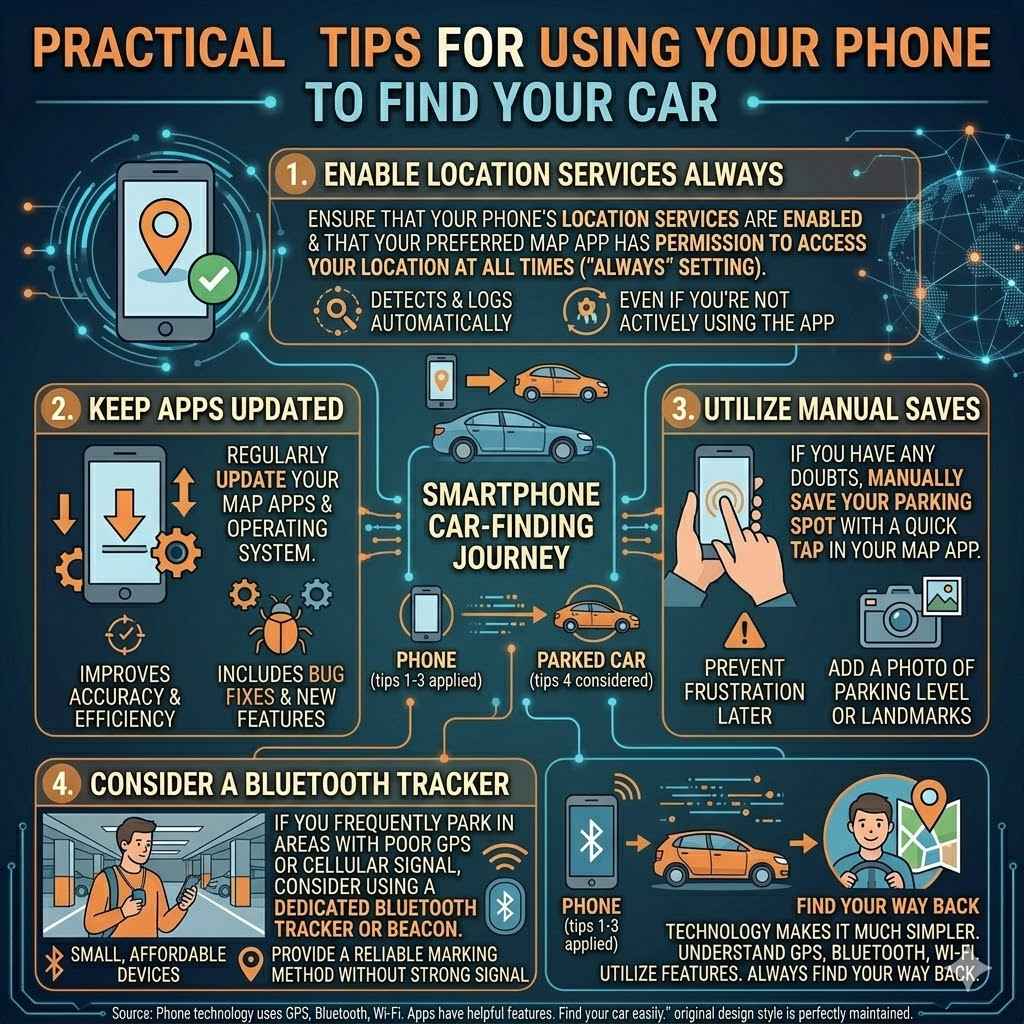
Practical Tips for Using Your Phone to Find Your Car
To get the most out of your phone’s car-finding capabilities, follow these simple tips.
Enable Location Services Always
Ensure that your phone’s location services are enabled and that your preferred map app has permission to access your location at all times (“Always” setting). This allows the app to detect and log your parking location automatically, even if you’re not actively using the app.
Keep Apps Updated
Regularly update your map apps and operating system. Developers are constantly improving the accuracy and efficiency of location tracking features in their software. Updates often include bug fixes that resolve issues with saving or displaying parking locations.
Utilize Manual Saves
Even with automatic features, it’s a good habit to manually save your parking spot if you have any doubts. A quick tap in your map app can prevent frustration later. You can also add a photo of your parking level or nearby landmarks for extra help.
Consider a Bluetooth Tracker
If you frequently park in areas with poor GPS or cellular signal, consider using a dedicated Bluetooth tracker or beacon. These devices are small, affordable, and provide a reliable way to mark your parking spot without needing a strong signal.
Remembering where you parked is a common human challenge. Fortunately, the technology in your smartphone can make it much simpler. By understanding how GPS, Bluetooth, and Wi-Fi work, and by utilizing the features in your favorite apps, you can always find your way back to your car.
Frequently Asked Questions
Question: Does my phone automatically save my parking location?
Answer: Many modern smartphones and map applications can automatically detect when you’ve parked and save the location. This often happens when your phone senses you’ve stopped moving and your Bluetooth connection to your car has ended.
Question: What if I’m in an underground parking garage where GPS doesn’t work?
Answer: In underground garages, your phone may rely on other technologies like Wi-Fi positioning or Bluetooth. If you use a dedicated Bluetooth car finder, it can still log the location where the Bluetooth signal was last detected, guiding you back to the garage entrance.
Question: How accurate is my phone’s car finding feature?
Answer: Accuracy can vary depending on the technology used. GPS is typically accurate within a few meters outdoors. Bluetooth and Wi-Fi positioning can be less precise but are still useful for narrowing down the search area, especially indoors.
Question: Do I need to pay for my phone to find my car?
Answer: The basic car-finding features in most mapping apps like Google Maps and Apple Maps are free. Some advanced features in manufacturer-specific apps or dedicated Bluetooth trackers might have associated costs.
Question: Can I use my voice assistant to save my parking spot?
Answer: Yes, you can often use voice assistants like Siri or Google Assistant. Simply say “Hey Siri, remember where I parked” or “Ok Google, save my parking spot,” and it will use your phone’s location services to log the spot.
Summary
Your phone knows where your car is parked thanks to a combination of GPS, Bluetooth, and Wi-Fi. Apps automatically log your location when you stop driving. You can also manually save your spot or use voice assistants.
Even in tricky places like garages, these technologies help you find your way back. You are now equipped to use this feature confidently.