How Long To Leave Battery Disconnected To Reset Car Computer: A Genius Guide
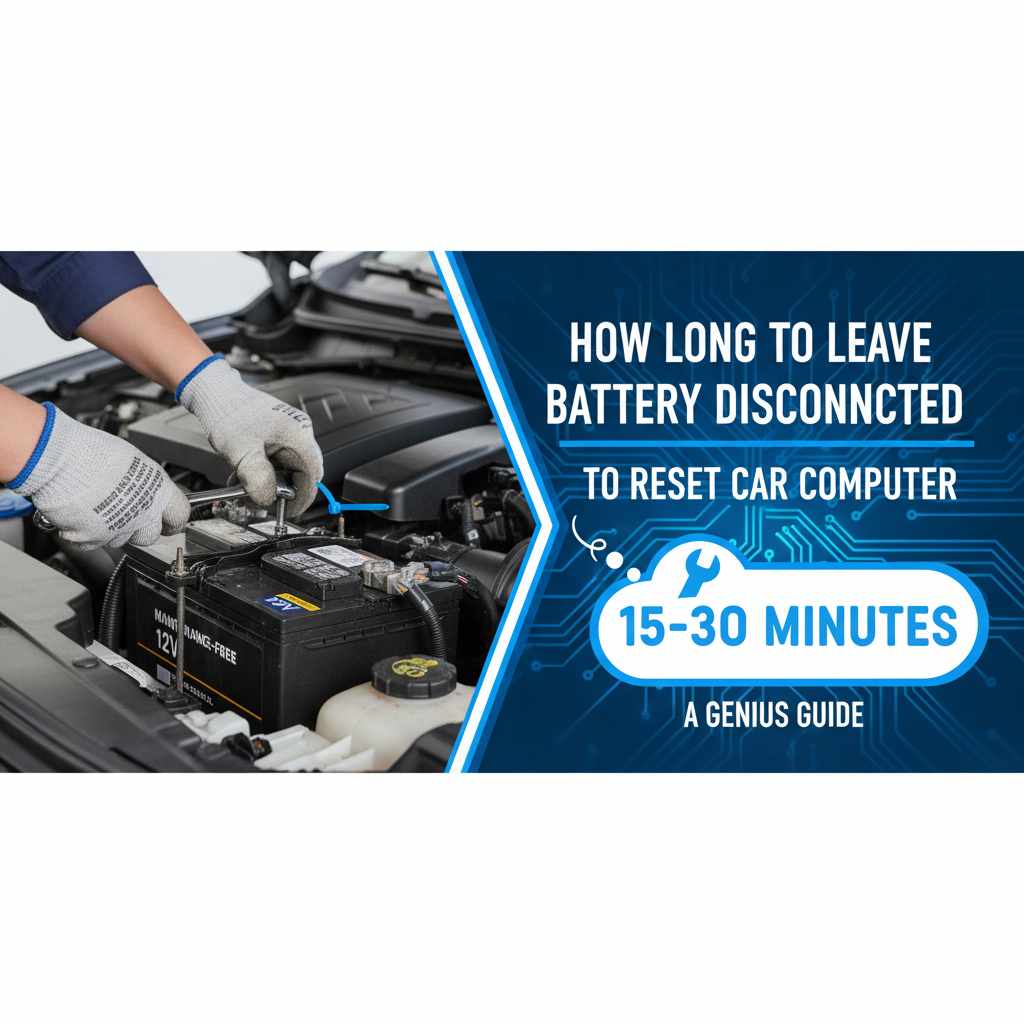
To effectively reset your car’s computer, leave the battery disconnected for 15 to 30 minutes. This duration allows the system to fully discharge and clear temporary memory, often resolving minor electronic glitches and improving performance. It’s a simple DIY fix for many common car issues.
Is your car acting a little strange? Maybe the check engine light flickers on for no apparent reason, or a sensor seems to be giving you trouble. Sometimes, the simplest fix isn’t a complex repair, but a quick reset of your car’s computer, also known as the Engine Control Unit (ECU) or Powertrain Control Module (PCM). This “brain” of your car can get a bit confused by minor issues. Luckily, a common and effective way to clear these electronic cobwebs is by disconnecting the car battery. But how long should you leave it disconnected to do the job right? You’ve come to the right place! We’ll guide you through this easy process with clear steps, so you can get your car running smoothly again. Let’s dive in!
Why Reset Your Car’s Computer?
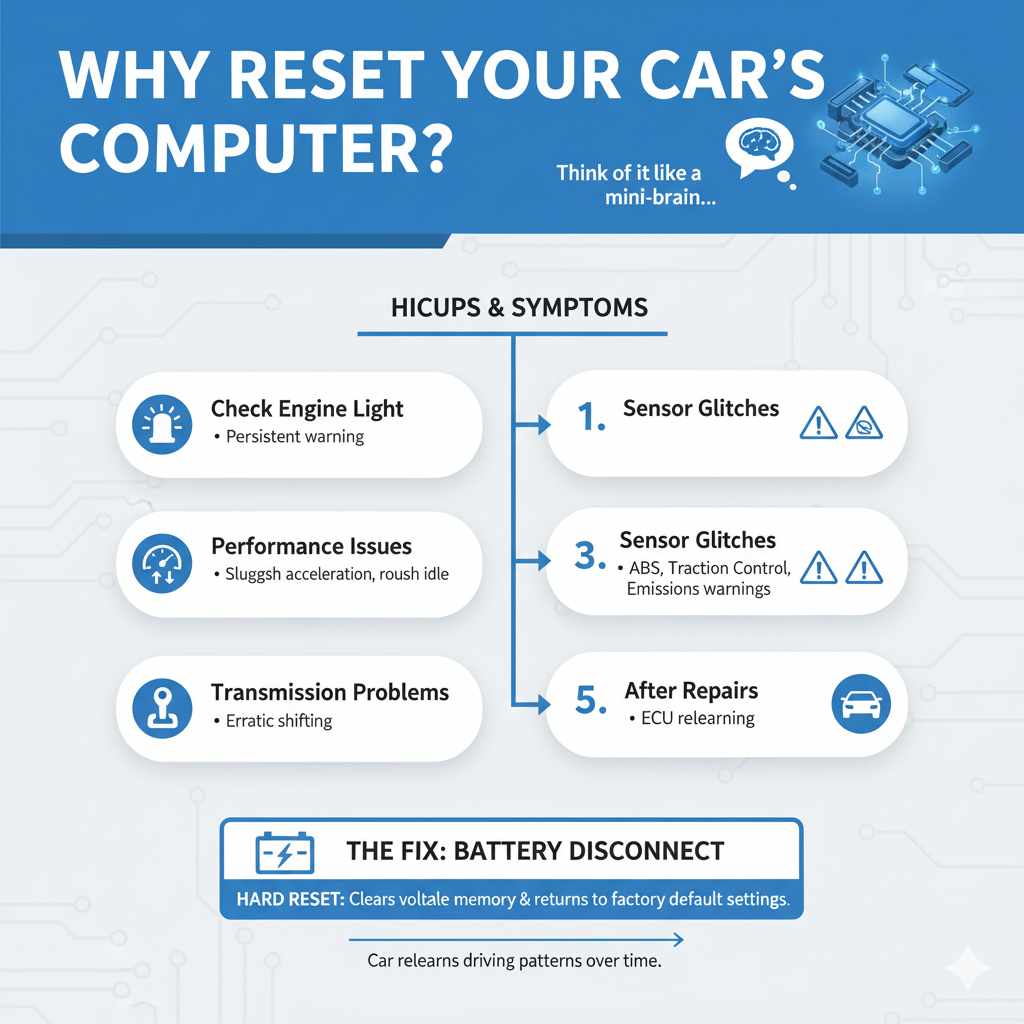
Think of your car’s computer like a mini-brain. It controls almost everything, from how your engine runs to when your transmission shifts gears, and even how your anti-lock brakes behave. Over time, it learns your driving habits and adjusts settings to optimize performance, fuel efficiency, and emissions. However, just like any computer, it can sometimes encounter “hiccups.”
These hiccups can manifest in various ways, often le ading to:
- The Check Engine Light: This is the most common sign. A persistent or intermittent check engine light, especially if no other symptoms are present, can sometimes be cleared by a reset.
- Performance Issues: Your car might feel sluggish, hesitate during acceleration, or have rough idling.
- Sensor Glitches: Other dashboard warning lights related to emissions, traction control, or ABS might appear and disappear.
- Transmission Problems: In some cases, erratic shifting can be a symptom of a confused computer.
- After Repairs: Sometimes, after a minor repair or modification, a reset is needed to help the computer relearn optimal parameters.
Disconnecting the battery is essentially a “hard reset” for your car’s electronic systems. It forces the ECU to clear its volatile memory (RAM) and return to its factory default settings. When you reconnect the battery, the system will start fresh, relearning your driving patterns over time. This process is often referred to as a “battery disconnect reset” or “ECU reset.”
How Long Does It Take to Reset a Car Computer? The Magic Wait Time Explained
This is the golden question! Many car owners wonder about the exact timeframe. While there’s no single, universally mandated time that applies to every single vehicle make and model, a general consensus and practical experience point to a specific window. For most cars, disconnecting the battery for 15 to 30 minutes is sufficient to allow the necessary components to discharge their residual electrical energy.
Why this timeframe? Your car’s computer and related modules store temporary data and adaptive learning in memory. This memory often relies on a small amount of power from the battery. When the battery is disconnected, this power source is removed, and the stored data begins to dissipate. While some residual charge might remain for a short while, 15-30 minutes allows for a thorough discharge of the capacitors and memory chips within the ECU and other modules.
A shorter period, like 5 or 10 minutes, might not be enough to completely clear the memory in all systems. Conversely, leaving it disconnected for hours or days is usually unnecessary and can lead to inconveniences like losing your radio presets or needing to recalibrate power windows. So, aim for that sweet spot of 15 to 30 minutes for an effective reset.
Tools You’ll Need
Before you start, gather a few simple tools. You don’t need to be a seasoned mechanic for this! The process is straightforward, and the tools are common household items or easily found at any auto parts store.
- Wrench or Socket Set: You’ll need a wrench or socket that fits the nuts holding your battery terminals. This is typically a 10mm or 13mm, but it can vary slightly by car. It’s always good to have a small set handy.
- Gloves: While not strictly necessary for this task, wearing gloves can help keep your hands clean and provide a better grip.
- Safety Glasses: Protect your eyes, especially if working in a dusty area or if there’s a chance of battery acid splash (though unlikely when just disconnecting).
- A Timer or Watch: To accurately track your 15-30 minute wait time.
- Wire Brush (Optional): If your battery terminals are corroded, a quick clean with a wire brush can ensure a good connection once you’re done.
Step-by-Step Guide: How to Disconnect and Reconnect Your Car Battery
Safety first! Always ensure your car is parked on a level surface, the engine is off, and the parking brake is firmly engaged. It’s also a good idea to let the engine cool down completely if you’ve been driving.
Step 1: Locate Your Car Battery
Your car battery is usually found under the hood, often towards the front or side of the engine compartment. In some vehicles, like certain SUVs or minivans, it might be located under a seat or in the trunk. Consult your owner’s manual if you’re having trouble finding it.
Pro Tip: Familiarize yourself with your owner’s manual. It’s a treasure trove of information specific to your vehicle, including battery location and any special reset procedures!
Step 2: Identify the Battery Terminals
Once you’ve found the battery, you’ll see two terminals, usually marked with a “+” (positive) and a “-” (negative). The positive terminal typically has a red cover, while the negative is often black. Make sure you know which is which.
Step 3: Disconnect the Negative Terminal First
Using your wrench or socket, loosen the nut on the clamp holding the negative (-) terminal cable. You don’t need to remove the nut completely; just loosen it enough so you can wiggle the cable off the terminal post. Once it’s loose, gently pull the cable free and move it aside so it cannot accidentally touch the terminal. This is crucial for safety – disconnecting the negative first prevents accidental short circuits.
Why the negative terminal first? Disconnecting the negative terminal first breaks the primary electrical path. If your wrench were to accidentally touch the car’s metal chassis while loosening the positive terminal (if that were done first), it could create a short circuit, potentially damaging electronics or even causing a spark. Removing the negative first eliminates this risk.
Step 4: Disconnect the Positive Terminal
Now, repeat the process for the positive (+) terminal. Loosen the nut on the clamp, remove the cable from the post, and set it aside. Ensure neither cable can touch the battery terminals or any metal parts of the car while you’re waiting.
Step 5: Wait for the Reset
This is where your timer comes in. Leave the battery completely disconnected for 15 to 30 minutes. This allows the car’s computer modules to fully discharge any residual power and clear their temporary memory.
Step 6: Reconnect the Positive Terminal First
After your waiting period is up, it’s time to reconnect. Carefully place the positive (+) terminal cable back onto its post. Tighten the nut securely with your wrench. Again, ensure this clamp makes good contact.
Step 7: Reconnect the Negative Terminal Last
Finally, place the negative (-) terminal cable back onto its post and tighten the nut. Ensure both terminals are snug and secure. Double-check that the cables are firmly attached and won’t wiggle loose.
Step 8: Start Your Car
Close the hood, get in your car, and start the engine. It might take a moment longer to crank than usual, and some warning lights might briefly illuminate before going off. Many modern cars will need to relearn certain settings, like idle speed, as you drive.
Note: You may need to reset your radio presets, clock, and power windows after this procedure.
What to Expect After the Reset
Once your car is running, don’t be surprised if things are a little different initially. The computer has been reset to its default state and needs to relearn your driving habits. This process is often called “relearning” or “recalibration.”
- Idle Speed: Your car might idle slightly higher or lower than usual for a short period. It should settle down within a few minutes of idling or after a short drive.
- Transmission Shifting: If your car has an automatic transmission, you might notice slightly different shifting patterns for a while. The transmission control module is also relearning.
- Check Engine Light: If the check engine light was on due to a minor, temporary issue, it should now be off. If it comes back on, it indicates a more persistent problem that needs attention.
- Fuel Economy: It might take some driving time for your car’s computer to re-optimize fuel delivery based on your driving style.
- Power Windows/Sunroof: Some vehicles require you to re-initialize power windows or sunroofs. This usually involves holding the window switch down until the window is fully down, then holding it up until it’s fully up, and repeating this cycle a couple of times while the engine is running. Check your owner’s manual for specific instructions.
Generally, most vehicles will return to normal operation within a few miles or a few driving cycles (periods of starting, driving, and stopping). If the problem that prompted the reset persists, or if new issues arise, it’s time to consult a qualified mechanic.
Can Leaving the Battery Disconnected Too Long Cause Problems?
While disconnecting the battery is a safe procedure for most vehicles, leaving it disconnected for excessively long periods (days or weeks) isn’t typically recommended unless specifically advised for certain diagnostic purposes. The main “problems” are usually inconveniences rather than damage:
- Loss of Settings: As mentioned, you’ll likely lose your radio presets, navigation destinations, clock settings, and potentially personalized driver profiles.
- Recalibration Time: It takes time for modern vehicles to relearn all their parameters. A very long disconnect might mean a longer relearning period, which can affect fuel economy and performance initially.
- Security Systems: Some alarm systems or anti-theft features might need to be reset or re-armed after a prolonged power loss.
- Diagnostic Trouble Codes (DTCs) Reset: While this is often the goal, if you’re trying to diagnose a problem, a long disconnection will erase all stored codes, including historical ones that a mechanic might use for diagnosis.
For the purpose of a simple reset to clear minor glitches, the 15-30 minute window is ideal. It’s long enough to reset the relevant modules without causing major setting loss.
When Is a Battery Reset Not Enough?
A battery disconnect reset is a brilliant first step for minor electronic gremlins and can save you a trip to the mechanic. However, it’s not a cure-all. You should seek professional help if:
- The Check Engine Light Returns: If the light comes back on shortly after the reset, it signifies a persistent fault that requires diagnosis.
- Persistent Performance Issues: If your car continues to run poorly, hesitate, or stall after the reset and relearning period.
- Strange Noises or Smells: These are clear indicators of mechanical or system problems beyond simple electronic confusion.
- Safety System Warnings: Warning lights for ABS, traction control, or airbags that remain on or reappear need professional attention.
- Specific Repair Instructions: Some repairs require a specific diagnostic tool to reset certain modules, and a battery disconnect won’t suffice. For example, the National Highway Traffic Safety Administration (NHTSA) and manufacturers often have specific procedures for certain safety component resets.
Always remember, your car’s warning lights are there to inform you about its condition. Don’t ignore them if simple resets don’t resolve the underlying issue.
Alternative Reset Methods
While the battery disconnect is the most common DIY method, there are other ways to reset your car’s computer, often requiring specialized tools:
1. Using an OBD-II Scanner
Many modern OBD-II (On-Board Diagnostics) scanners have a function to clear diagnostic trouble codes (DTCs) and reset the ECU. This is a more precise method as you can see the specific codes logged before clearing them. After clearing, the system essentially resets.
Here’s a general idea of how it works:
- Locate your vehicle’s OBD-II port (usually under the dashboard on the driver’s side).
- Plug in the OBD-II scanner.
- Turn the ignition to the “ON” position (engine off).
- Follow the scanner’s instructions to read fault codes.
- If desired, select the option to clear codes.
- Turn the ignition off, unplug the scanner, and then start the car.
You can find a wide range of OBD-II scanners available, from basic code readers to more advanced diagnostic tools. For example, models from BlueDriver offer robust features for home mechanics.
2. Fuse Pulling (Less Common, Use with Caution)
In some specific vehicles or for certain modules, removing a particular fuse related to the Engine Control Module (ECM) or Powertrain Control Module (PCM) can achieve a similar reset. However, this is less straightforward than battery disconnection:
- You need to identify the correct fuse, which requires checking your owner’s manual or a vehicle-specific repair guide.
- The fuses are usually located in one or two fuse boxes within the vehicle.
- After pulling the fuse, a waiting period (similar to battery disconnect) is often needed.
- The fuse must be replaced to restore power.
This method is generally considered more obscure and carries a higher risk of pulling the wrong fuse and causing unintended issues. It’s best to stick to the battery disconnect method for simplicity and safety unless you have specific instructions for your vehicle.
The battery disconnect remains the most accessible and widely understood method for a general car computer reset for beginner DIYers.
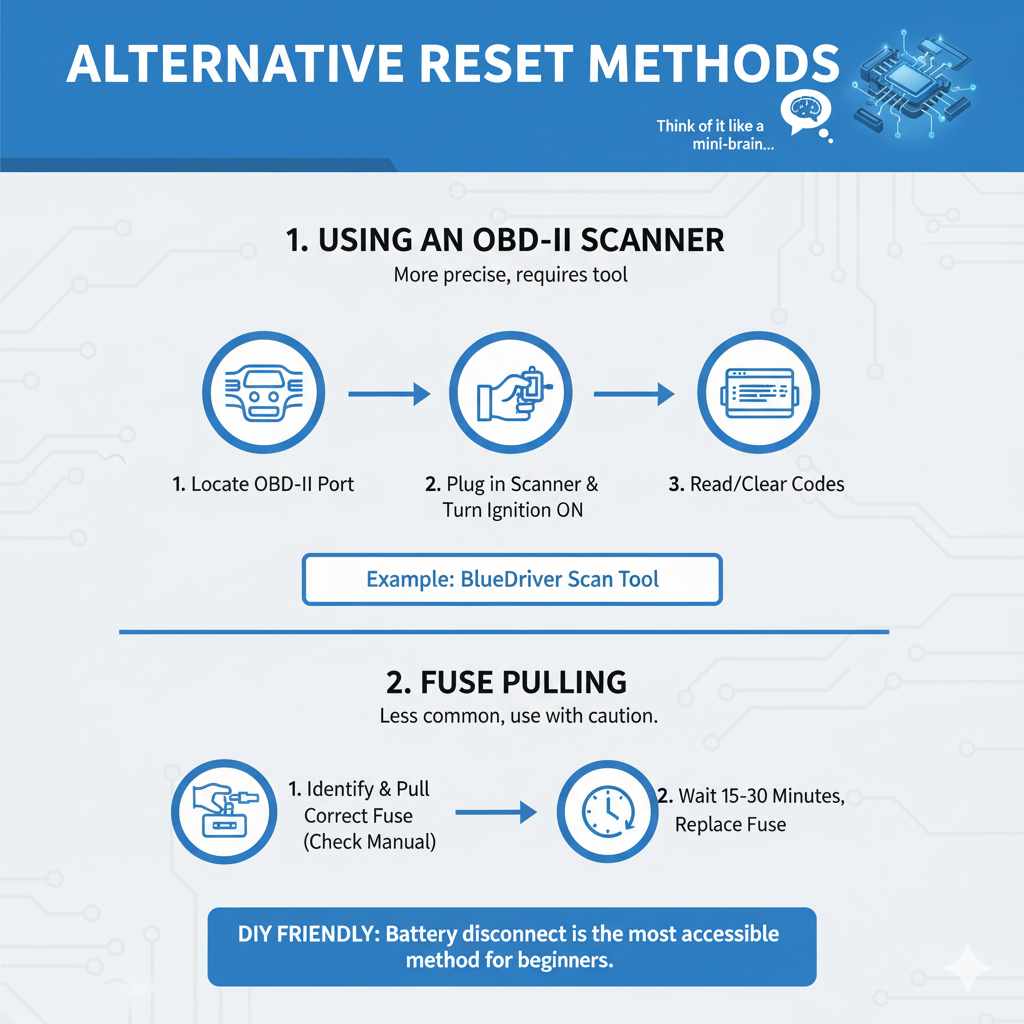
Table: Common Issues Resolved by Battery Reset vs. Issues Requiring Professional Help
To give you a clearer picture of what a battery reset can handle:
| Issues Potentially Resolved by Battery Reset | Issues Likely Requiring Professional Diagnosis |
|---|---|
| Intermittent Check Engine Light (no other symptoms) | Persistent Check Engine Light with performance issues |
| Slightly rough idling or noticeable hesitation | Engine stalling or misfiring significantly |
| “Ghost” warning lights that appear and disappear | Solid ABS, Airbag, or Traction Control warning lights |
| Minor transmission shifting quirks | Harsh shifting, slipping gears, or transmission failure alarms |
| After minor work, if car acts up | After major repairs or when specific diagnostic tools are indicated |
| Lost radio presets or clock | Any issue related to vehicle safety systems |
| Unusual fuel consumption after a change in driving | Loud noises, smoke, or strong smells from the engine or exhaust |
Frequently Asked Questions (FAQs)
How long should a car battery be disconnected to reset the computer?
For most vehicles, disconnecting the negative battery terminal for 15 to 30 minutes is sufficient to reset the car’s computer. This duration allows the system’s memory to fully discharge.
Will disconnecting the battery erase my check engine light?
Yes, disconnecting the battery will often clear the check engine light temporarily. However, if the underlying problem that triggered the light still exists, it will likely come back on after the reset and some driving.
Do I need to disconnect the negative or positive terminal first?
Always disconnect the negative (-) terminal first to prevent accidental short circuits. When reconnecting, reconnect the positive (+) terminal first, followed by the negative (-) terminal.
What happens to my car’s computer when the battery is disconnected?
Disconnecting the battery clears the computer’s volatile memory (RAM), which stores temporary data, learned driving parameters, and fault codes. This forces the computer to revert to its factory default settings and begin relearning your driving habits.