How To Connect Your Car To A Garage Door Opener Easily
Is your garage door opener acting up? Maybe you just bought a new car and aren’t sure how to sync it up. It’s a common thing.
Many folks find connecting their car to their garage door opener a bit tricky. You want that simple, automatic entry. It feels like a modern convenience should just work, right?
Well, sometimes it needs a little help. We’ll walk through this step-by-step. You’ll learn what you need.
You’ll also learn how to get it working smoothly. Let’s make your garage door opener work for you.
The easiest way to connect your car to a garage door opener involves checking compatibility between your car’s built-in system and your opener’s frequency. You then need to program your car’s remote buttons by following specific steps, often involving holding buttons on both the car and the opener.
Understanding Your Garage Door Opener and Car Compatibility
Before we even think about pressing buttons, let’s talk about what makes this connection possible. Your car and your garage door opener need to speak the same language. This language is radio frequency.
Think of it like two people needing to be on the same radio station to talk. Your garage door opener sends a signal. It’s a unique code.
Your car’s system needs to be able to receive and repeat that code. This is usually done through a small remote transmitter built into your car. Many newer cars have this feature right in the visor or mirror.
Older cars might not. They might need an aftermarket remote to be installed. We call this system the “HomeLink” system.
But other brands exist too. It’s important to know which one your car has.
What’s cool is that most modern cars come with this built-in. The HomeLink system is super common. It’s made by Johnson Controls.
You might see the HomeLink logo on your car’s visor. Or it could be on the rearview mirror. It usually has three or four buttons.
These buttons are programmable. They can learn the signal from almost any garage door opener. So, the first step is to look in your car.
Find those buttons. That’s your starting point.
Then, you need to know about your garage door opener. Most openers made after 1993 use rolling codes. This is a security feature.
The code changes each time you use it. This makes it very hard for someone to “steal” your code. Older openers might use a fixed code.
This is less secure. Most car systems can handle both. But knowing this helps understand why some steps are needed.
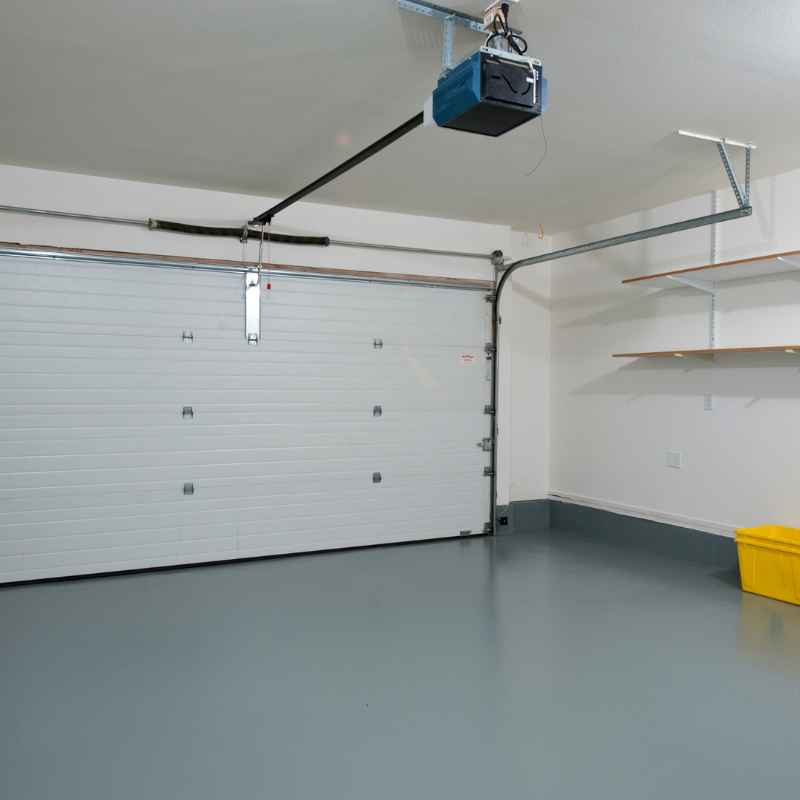
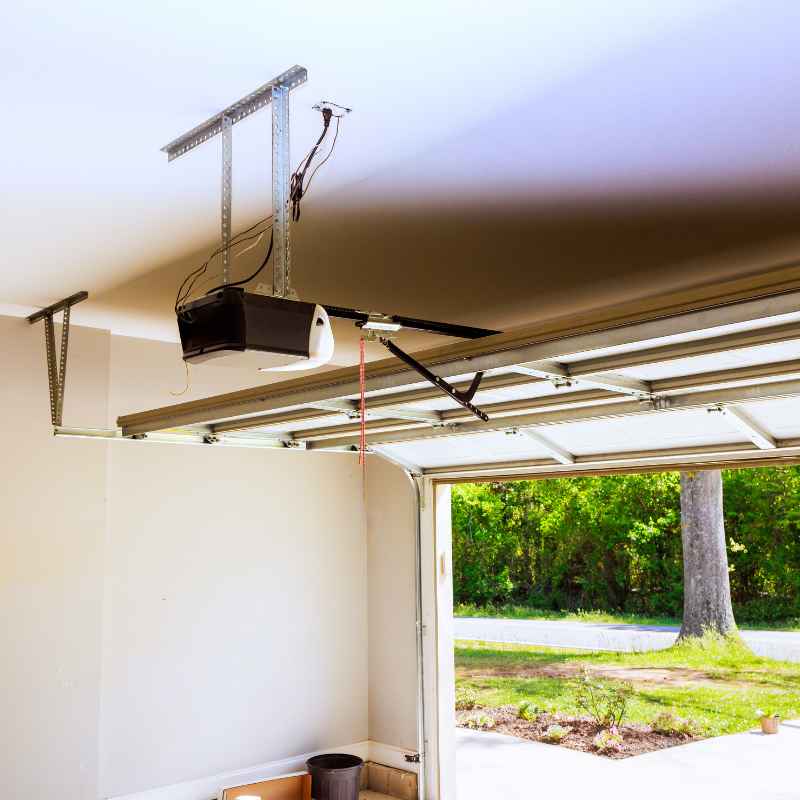
You can usually find information about your opener’s brand and model on the opener unit itself. It’s often on a sticker on the motor unit. Look for the manufacturer’s name.
Also, look for a model number. Sometimes, you can find the frequency too. It’s usually listed in MHz.
Knowing this can be helpful. It helps if you need to look up specific instructions later. It also tells you if your opener is compatible with newer car systems.
Some very old openers might use a different technology. They might not be compatible with modern car transmitters. If your opener is from before the mid-1990s, you might need to upgrade the opener itself.
Or you might need a special adapter. But for most people, especially with cars and openers made in the last 20-30 years, compatibility is usually not a major hurdle. It’s more about the programming process.
The Step-by-Step Programming Process
Now for the main event. Let’s get this programmed. The process is pretty similar for most cars and openers.
But there can be small differences. Always check your car’s owner’s manual first. It will have the exact steps for your specific vehicle.
Same for your garage door opener manual. It might have specific instructions too.
Here’s a general guide:
1. Clear Existing Codes: Your car’s transmitter buttons might already have codes stored in them. You need to erase these first.
This makes sure you’re programming a fresh start. For HomeLink, you usually press and hold the two outer buttons (left and right). Do this for about 10-20 seconds.
You should see a light change from slow blinking to rapid blinking. This means the memory is cleared. Do this with the ignition in the ON or ACC position.
2. Train the Car Transmitter: Now, you need to get your car’s transmitter button to “learn” the signal. Pick the button in your car you want to use for your garage door.
For example, button 1. Hold your original garage door remote. You know, the one you use now.
Hold it about 1-3 inches away from the car’s transmitter buttons. Press and hold the button on your car that you want to program. At the same time, press and hold the button on your garage door remote.
Keep holding both buttons. You’ll see the car’s indicator light start to blink slowly. Keep holding until the light blinks rapidly.
This usually takes about 10-30 seconds. The rapid blinking means your car’s transmitter has learned the signal from your remote.
3. Program the Opener Receiver: This is the step where you connect your car’s learned signal to your garage door opener motor. You need to press the “Learn” or “Program” button on your garage door opener motor unit.
This button is usually on the back or side of the motor unit. It might be a colored button. Often it’s red, green, or purple.
Press and release this button. You usually have about 30 seconds to complete the next step. Some openers might beep or flash lights to show they are in learning mode.
Now, go back to your car. Press and hold the programmed car transmitter button for about 2 seconds. Release it.
Then press and hold it again for 2 seconds. Repeat this step a few times. Your garage door should move.
Or the opener’s light might blink. This means it has accepted the car’s signal.
4. Test It Out: Get out of the car. Try pressing the programmed button on your car’s visor or mirror.
Your garage door should open. If it doesn’t, don’t worry. You might need to repeat step 3.
Or you might need to try step 2 again. Sometimes it takes a couple of tries. Make sure you’re holding the remotes close enough.
It’s really important to note that for rolling code openers, step 3 is crucial. Without it, your car’s transmitter will send the right signal, but the opener won’t know it’s you. The “Learn” button on the opener receiver tells the opener to accept a new transmitter.
It’s like enrolling a new key into a secure system.
If your garage door opener is older and uses a fixed code, you might not need step 3. In that case, step 2 might be all you need. But it’s always good to try the full process.
It covers most situations.
Quick Compatibility Check
Check Your Car: Look for buttons on your visor or rearview mirror. These are likely for garage door openers. Most cars made after 1995 have this.
HomeLink is common.
Check Your Opener: Find the brand and model on the motor unit. Look for a “Learn” button. This is usually on the back or side.
Frequency Matters: Most openers use 315 MHz or 390 MHz. Car systems are designed to work with these.
Troubleshooting Common Issues
What if it doesn’t work the first time? It happens! Don’t get frustrated.
Let’s look at some common problems and solutions.
Issue: The car transmitter light doesn’t blink rapidly in step 2.
Solution: Your garage door remote might be too old. Or it might be a weaker signal. Try holding the remotes closer.
Try them at a different angle. Make sure you are pressing both buttons down at the same time. Ensure your car ignition is on ACC or ON.
If it still doesn’t work, your remote might not be compatible. Some very specific remotes, like for gate openers or certain alarm systems, don’t work with HomeLink.
Issue: The garage door doesn’t respond after programming the opener receiver (step 3).
Solution: You might have missed the 30-second window after pressing the “Learn” button on the opener. Try again. Press the “Learn” button, and then go immediately to your car.
Press and release the programmed car button. Then press and release it again. You might need to do this “press-release, press-release” sequence a few times.
Also, make sure you are using the correct button on your car. Double-check your car manual.
Issue: The garage door opens but won’t close, or vice versa.
Solution: This can sometimes happen with certain opener models. It might be a setting on your opener. Or it could be related to the rolling code setup.
Try reprogramming the car transmitter. You might need to clear the codes in your car transmitter again and start over. If the problem persists, consult your garage door opener manual.
Or contact the manufacturer.
Issue: The car transmitter works sometimes, but not always.
Solution: This could be due to interference. Other radio signals can sometimes disrupt the connection. Things like weather stations or certain wireless devices can cause this.
Try to identify if this happens at specific times or locations. If it’s consistent, it might be a weaker transmitter in your car or the remote. You could try replacing the battery in your original garage door remote.
Sometimes a weak battery causes a weak signal.
Issue: My opener has a rolling code, and my car’s system is older.
Solution: Most modern car transmitter systems (like HomeLink) are designed to handle rolling codes. The process involves learning the initial code from your remote and then synchronizing with the opener’s receiver. If you have an older car system that doesn’t seem to recognize the rolling code, you might need an aftermarket device.
Or you might need to upgrade your car’s transmitter system.
Remember, patience is key. These systems are smart, but they can be a little fussy. Reading your manuals carefully is always the best first step.
Programming Tips
- Ignition ON: Make sure your car’s ignition is in the ACC or ON position.
- Clear First: Always clear old codes from your car transmitter before programming.
- Close Proximity: Hold remotes very close (1-3 inches) during programming.
- Timing is Key: Be quick after pressing the “Learn” button on the opener.
- Manuals are Your Friend: Consult both car and opener manuals for specific steps.
Understanding Different Transmitter Types
It’s not just HomeLink. There are other systems out there. Knowing about them can help you understand your options.
HomeLink: This is the most common integrated system. It’s found in millions of vehicles. It’s known for its ease of use and wide compatibility.
HomeLink can usually learn the signals from most garage door openers, gate openers, and even some home lighting systems.
Manufacturer-Specific Systems: Some car manufacturers have their own branded systems. These work very much like HomeLink. They are integrated into the car’s electronics.
The programming steps will be similar, but the button locations or indicator lights might differ. Always refer to your car’s manual.
Aftermarket Transmitters: If your car doesn’t have a built-in system, you can buy an aftermarket remote. These are separate devices you install in your car. Some are small key fobs.
Others might be designed to look like a factory option. You program these by “cloning” your existing garage door remote. This means you hold the aftermarket remote next to your current remote.
You press buttons on both. The aftermarket remote learns the signal.
Garage Door Opener Brand Remotes: You can also just use the small remote that came with your garage door opener. You can buy extra ones of these. You can keep one in each car.
This is the simplest solution if you don’t want to integrate with your car’s system. It just means you have another remote to keep track of.
Smartphone Apps: Some newer garage door openers can be controlled via Wi-Fi. You download an app on your smartphone. You can open or close your garage door from anywhere.
Some apps even integrate with car systems, allowing control through your car’s touchscreen. This is a more advanced setup. It requires a smart garage door opener.
The key takeaway is that there’s a solution for almost any car and garage door opener combination. The integrated systems are convenient. They reduce clutter.
But simple, separate remotes are perfectly fine too.
Remote Types at a Glance
Integrated Car System (e.g., HomeLink): Built into car visor or mirror. Learns signals. Convenient.
Aftermarket Remote: Separate device. Clones existing remote signal. Good for older cars.
Standard Garage Door Remote: Small key fob. Direct control. Simple and reliable.
Smart Home Apps: Control via smartphone. Requires Wi-Fi enabled opener.
Security Considerations with Connected Openers
Connecting your car to your garage door opener is super convenient. But it’s wise to think about security. We mentioned rolling codes earlier.
They are a big deal for safety.
Rolling Codes: Most modern garage door openers use rolling codes. This means the code transmitted changes every time you use it. Your car’s transmitter learns a sequence.
It can then predict the next code. This prevents someone from recording your signal and using it later. If your opener is very old and uses a fixed code, consider upgrading.
A fixed code is like a password that never changes. It’s much easier for someone to copy.
HomeLink Security: HomeLink systems are designed with security in mind. They use advanced technology to learn and transmit signals securely. However, like any electronic system, there can be vulnerabilities.
The most important thing is to follow the programming instructions precisely. Make sure you clear old codes. And only program your car to your own opener.
What if my car is stolen? This is a common worry. If someone steals your car with the garage door opener programmed, they can open your garage. That’s a big security risk.
Here’s what you can do:
First, if you lose your car keys or your car is stolen, you should immediately erase the codes from your garage door opener. Most openers have a “Learn” button. Holding this button down for a specific time (check your manual) will erase all programmed remotes.
You will then need to reprogram any remotes you still have, including your car.
Second, some HomeLink systems allow you to “lock” the buttons after you’ve programmed them. This means they won’t transmit a signal until you unlock them. This is a good security feature.
Check your car’s owner’s manual to see if your system has this capability. It usually involves pressing a combination of buttons.
Physical Security: Don’t forget about physical security. Make sure your garage door itself is in good condition. Ensure the locks on your garage door are functional.
Even if someone can open the door with their car, they shouldn’t be able to easily break into the garage itself.
Check your Opener Manual: Every garage door opener is slightly different. Your opener manual will have specific information about its security features. It will also tell you how to reset its memory, which is crucial if you ever need to.
Understanding these features helps you keep your home safe.
Real-World Scenarios: When it Works and When it Doesn’t
Let’s think about real homes. What does connecting your car to your garage door opener actually look like in daily life?
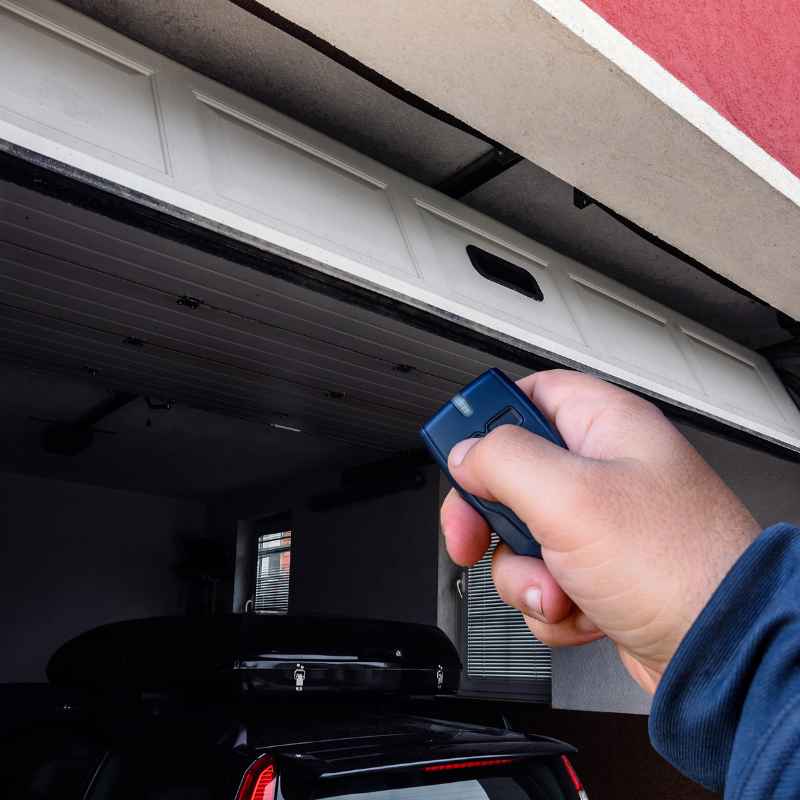
The “Coming Home” Scenario: Imagine you’re driving down the street. You’re tired after a long day. As you approach your house, you press the garage door button on your car’s visor.
The garage door glides open smoothly. You drive right in. It’s a little moment of convenience that makes life easier.
You don’t have to dig for a remote. You don’t have to get out in bad weather.
The “Busy Morning” Scenario: You’re rushing to get the kids to school. You’re juggling backpacks, lunches, and coffee. You get in the car.
Press the button. The garage door opens. You load everyone in.
Press the button again. The door closes behind you. This saves precious minutes.
It cuts down on morning stress.
When it Might Not Work: Sometimes, the signal might not reach. If your garage is very far from your driveway, or if there are many trees or buildings in the way, the signal might be weak. This is especially true if your opener is older or the remote battery is low.
You might find yourself having to get closer than you’d like.
Another scenario is when you have multiple garage doors. If you have a two-car garage, you’ll need to program a separate button for each door. Or you can use one button for one door and another button for the second door.
I remember one time. I was helping a friend program her new car. Her garage door opener was quite old.
We followed all the steps. The car lights flashed. The opener beeped.
But when we tried the button, nothing happened. We were both getting frustrated. Turns out, her opener used a very early type of rolling code.
Her car’s HomeLink system, while newer, wasn’t quite compatible with that specific older code sequence. We ended up having to buy a small universal receiver module for her opener. That module then allowed the car’s system to communicate properly.
It’s a good reminder that while most systems work together, there can be exceptions.
Also, think about apartment buildings or gated communities. If you live in one, your garage door opener might be part of a larger system. These systems can be tricky to program with car transmitters.
They often use specialized remotes or codes. You might need to contact your building management for specific instructions or a compatible remote.
Common Situations
Easy Entry: Drive up, press button, door opens. Simple and fast.
Bad Weather Savior: No need to get out in rain or snow.
Multi-Door Garages: Program separate buttons for each door.
Interference Issues: Signal might be blocked by buildings or trees.
Older Openers: May require extra steps or modules for compatibility.
What This Means for You
So, what’s the big picture here? How does connecting your car to your garage door opener affect your daily life?
Convenience: This is the main benefit. It makes arriving home or leaving much simpler. You have one less thing to juggle.
It adds a touch of modern automation to your routine.
Safety: For many, it’s safer than getting out of the car in the dark or in bad weather. You can open the door before you pull in. You can close it behind you as you leave.
This reduces your exposure.
Security: When done correctly, with rolling codes and proper programming, it’s a secure way to access your home. It’s far more secure than an old, fixed-code remote.
When is it Normal? It’s perfectly normal for your car’s built-in system to control your garage door. Most new cars have this capability. Most modern garage door openers are designed to work with these systems.
When to Worry: You should worry if your garage door opener is very old (pre-1995) and uses a fixed code. This is a security risk. Also, worry if you are having trouble programming it.
If the system is not working reliably, it could indicate a problem with the opener, the car transmitter, or interference.
Simple Checks: If your programmed button stops working, first check the battery in your original garage door remote. If that’s okay, try reprogramming your car transmitter. If that doesn’t work, check the memory of your garage door opener to see if you need to reset and re-learn the codes.
It’s a simple upgrade that can have a big impact on your daily comfort and efficiency. Think of it as a small piece of smart home technology that you can use every single day.
Quick Fixes and Tips
Sometimes you just need a quick reminder or a little trick to get things working.
- Battery Power: Always start by checking the battery in your original garage door remote. A weak battery can cause a weak signal, leading to programming failures.
- Clear and Repeat: If programming fails, clear the codes in your car transmitter again. Then, carefully repeat the programming steps. Don’t skip any steps.
- Manual Sync: For rolling code openers, ensure you’re pressing the programmed car button twice after the opener’s learn button is activated. This is the sync step.
- Check Opener Limit: Some openers have a “vacation mode” or a lock function. Make sure this isn’t engaged on your opener unit.
- Receiver Range: If your car’s signal is weak, consider a range extender for your garage door opener. Some are available to boost the signal.
- Professional Help: If you’ve tried everything and it still doesn’t work, don’t hesitate to call a professional garage door technician. They have specialized tools and knowledge.
Frequently Asked Questions
Can I connect any car to any garage door opener?
Generally, yes, especially if both your car and opener are relatively modern. Most cars with built-in transmitter systems (like HomeLink) are designed to work with most garage door openers made after 1993. However, very old openers or some specialized systems might have compatibility issues.
Always check your manuals.
How do I reset my garage door opener’s memory?
Most garage door openers have a “Learn” or “Program” button on the motor unit. To reset the memory, you typically press and hold this button for about 10-30 seconds. Consult your opener’s manual for the exact procedure, as it can vary by brand.
My car’s transmitter stops working. What should I do?
First, try reprogramming the transmitter. If that doesn’t work, check the battery in your original garage door remote. A weak battery can cause the car system to lose its learned signal.
If it’s still not working, you might need to reset your opener’s memory and reprogram everything.
What is a rolling code, and why is it important?
A rolling code is a security feature where the code transmitted by your remote changes each time you use it. This makes it very difficult for someone to record your signal and open your garage. Your car’s transmitter can learn the pattern of these codes.
Can I program my car to open my neighbor’s garage door?
Technically, if your car’s system can learn the signal, you could program it to open almost any compatible garage door. However, you should NEVER do this. It’s a serious security risk and can lead to legal issues.
Only program your car to your own garage door opener.
Do I need a special remote if I have multiple garage doors?
If your car has multiple programmable buttons (like a 3- or 4-button system), you can program a different button for each garage door opener. If your car only has one button, you’ll need to choose which door to control or get an additional remote for the other door.
Conclusion
Connecting your car to your garage door opener is a fantastic upgrade for daily life. It offers comfort and quick access. By understanding your car’s system and your opener’s type, you can often program it yourself.
Remember to check your manuals. Be patient with the process. And always keep security in mind.
Enjoy the convenience!
Products related to this article
Sponsored / affiliate links. As an Amazon Associate I earn from qualifying purchases. I may earn additional commission from eligible campaigns.