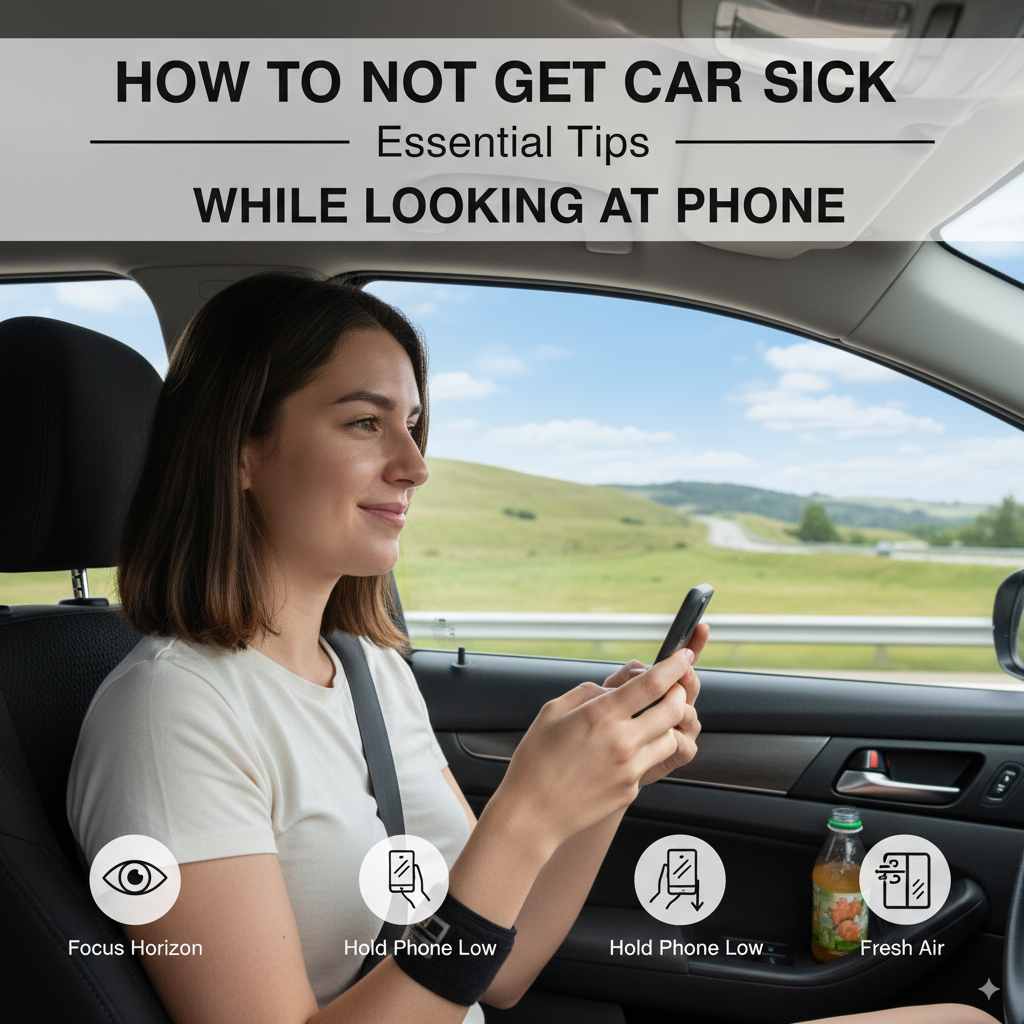
How To Not Get Car Sick While Looking at Phone: Essential Tips
Don’t let your phone doom your drive! Beat car sickness with simple, effective tips to enjoy your tech time, even on the go. Learn easy ways to prevent nausea and discomfort, keeping your journeys pleasant and screen-friendly.
It’s a modern-day dilemma. You’re in the car, enjoying a smooth ride, and then you reach for your phone to check emails, scroll through social media, or play a game. Suddenly, that familiar queasy feeling starts to creep in. Car sickness, or motion sickness, is an incredibly common issue, and it often strikes when our eyes are focused on a screen while our bodies are in motion. This disconnect between what your eyes see and what your inner ear senses is the main culprit. But don’t worry! You don’t have to choose between your journey and your device. In this guide, we’ll break down simple, practical strategies that can help you avoid car sickness altogether, even when you’re glued to your phone.
Understanding Why Your Phone Triggers Car Sickness
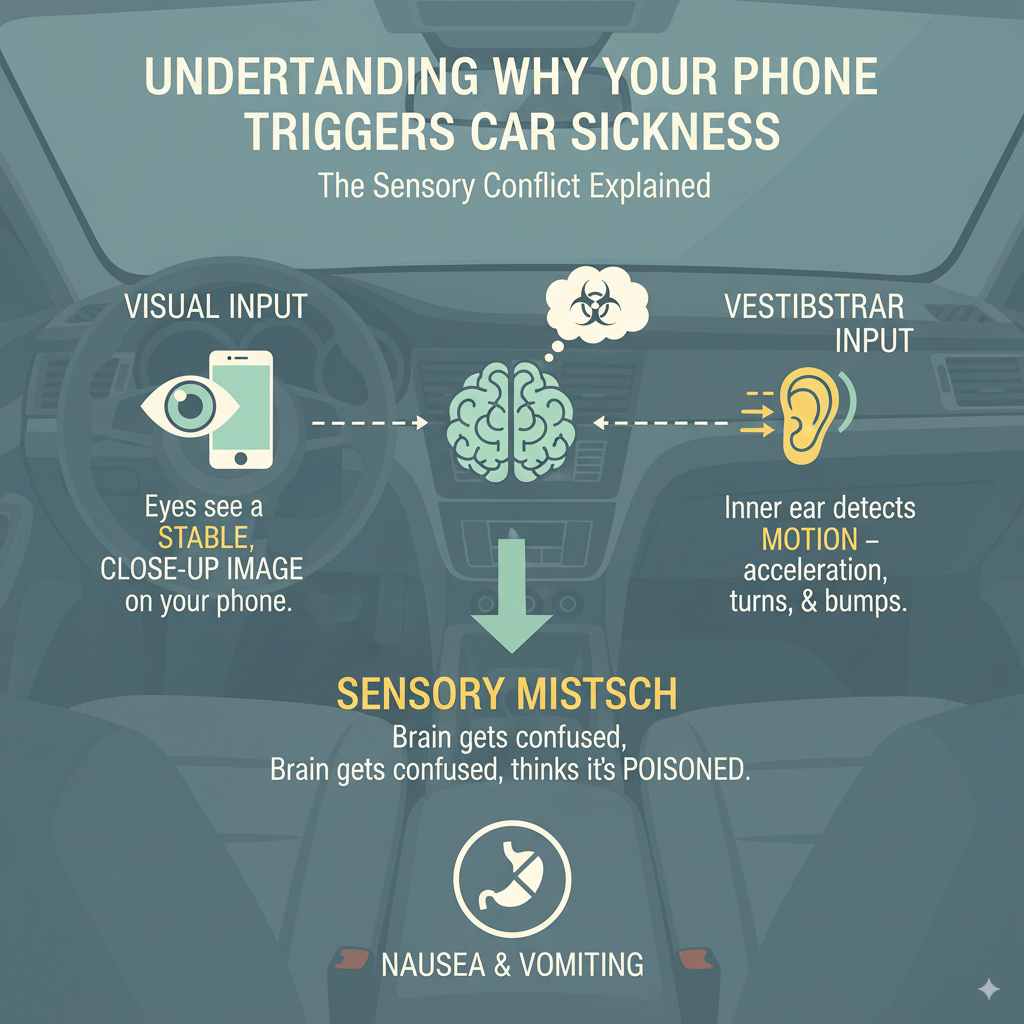
Ever wondered why looking at your phone in a moving car feels so different from gazing out the window? It all boils down to your brain trying to make sense of conflicting signals. Your eyes are telling your brain that you’re stationary, focusing on a fixed screen. Meanwhile, your inner ear (specifically the vestibular system, which controls balance) is reporting that your body is moving, turning, and bumping. This sensory mismatch is what tricks your brain into thinking it might have ingested something poisonous, triggering a defense mechanism: nausea and vomiting. It’s a natural, albeit annoying, reaction.
The Sensory Conflict Explained
Think of it like this: your eyes are glued to a static picture (your phone screen), but your body is experiencing dynamic movement. This creates a confusion in your brain:
- Visual Input: Your eyes see a stable, close-up image on your phone.
- Vestibular Input: Your inner ear detects motion – acceleration, deceleration, turns, and bumps.
When these inputs don’t line up, your brain gets confused. This is precisely why reading a book, watching a movie on a small screen, or intensely focusing on a phone can be bigger triggers than simply looking out the window. When you look out the window, your eyes are seeing the same landscape that your inner ear is sensing movement through, creating a more consistent signal for your brain.
Essential Tips to Prevent Car Sickness While Using Your Phone
Navigating the world of phone use in cars doesn’t have to be an exercise in enduring nausea. By implementing a few key strategies, you can significantly reduce or even eliminate car sickness. These tips focus on managing your visual input, optimizing your seating position, and introducing other sensory aids to support your brain.
1. Adjust Your Viewing Habits
The way you interact with your phone makes a huge difference. Small changes in your viewing habits can lead to big improvements in comfort.
- Take Frequent Breaks: Don’t stare at your phone for extended periods. Set a timer for every 5-10 minutes to look up and focus on a distant object outside the car. This helps recalibrate your visual system and re-sync it with your body’s movement.
- Focus on the Horizon: When you do look at your phone, try to position it so you can still catch glimpses of the horizon or distant scenery. This bridges the gap between what your eyes see up close and the motion your body feels.
- Limit Fast-Paced Content: Avoid watching videos with rapid scene changes or playing games that require fast reflexes and quick visual tracking. Slower content or activities that involve less intense visual engagement are easier on your system.
- Keep the Screen Brightness Moderate: An overly bright or dim screen can strain your eyes, exacerbating discomfort. Find a comfortable brightness setting that’s easy on your eyes.
2. Optimize Your Seating Position and Airflow
Where you sit and how the air moves around you can play a surprisingly significant role in preventing motion sickness.
- Choose the Front Seat: If possible, sit in the front passenger seat. This position generally offers a better view of the road ahead, allowing your eyes to better sync with the car’s motion. You also have more control over the air vents.
- Embrace Fresh Air: Open a window slightly or ensure the air conditioning is set to bring in fresh air. Stale, warm air can worsen nausea. A gentle breeze can be very soothing and help clear your head.
- Avoid Looking Down Constantly: Try to hold your phone at a more upright angle, closer to eye level, rather than looking far down at it. This can reduce neck strain and some of the more extreme downward head tilt that can worsen the sensory conflict.
3. Use Technology Mindfully
Technology can be both the cause and the solution. Here’s how to leverage it to your advantage.
- Consider a Phone Mount: Using a dashboard or windshield mount can help you position your phone at a more convenient and less strenuous angle. This can prevent you from craning your neck and allow for easier, more frequent adjustments to your focus. Ensure the mount is secure and doesn’t obstruct your view of the road.
- Utilize Voice Commands: For tasks like responding to messages, making calls, or launching apps, use voice commands whenever possible. This allows you to keep your eyes on the road or take a break from screen time while still getting things done. Apple’s Siri and Google Assistant are great tools for this.
- Download Content Offline: Streaming video can sometimes lead to buffering or jerky playback, which can be disorienting. Downloading shows or movies beforehand can ensure smoother playback, reducing visual disruption.
4. Engage Your Other Senses
Sometimes, engaging senses other than sight can help re-establish a sense of equilibrium and distract from the feeling of sickness.
- Listen to Audiobooks or Podcasts: If you don’t need to visually engage with your phone, listening to an audiobook or podcast can be a great way to pass the time without triggering motion sickness. This keeps your mind occupied without contributing to the sensory conflict.
- Chew Gum or Eat Ginger Candies: Chewing peppermint or ginger-flavored gum or candies can help settle an upset stomach. Ginger, in particular, has long been used as a natural remedy for nausea.
- Focus on Breathing: Practicing slow, deep breaths can significantly calm your nervous system and reduce feelings of nausea. Inhale deeply through your nose, hold for a moment, and exhale slowly through your mouth.
5. Pre-Trip Preparations and Other Aids
A little preparation before you even get into the car can go a long way in making your journey comfortable.
- Stay Hydrated and Eat Lightly: Avoid heavy, greasy, or spicy foods before or during your trip. Drink plenty of water, but avoid excessive amounts of carbonated beverages. A light, bland snack is your best bet.
- Consider Over-the-Counter Medications: Antihistamines like dimenhydrinate (Dramamine) or meclizine (Bonine) can be very effective for preventing motion sickness. Take them about an hour before your trip for maximum benefit. Always follow the dosage instructions and be aware of potential side effects like drowsiness. For more severe cases, consult your doctor about prescription options. You can find reliable information on over-the-counter options from the National Institutes of Health.
- Acupressure Bands: These wristbands apply pressure to a point on the inner wrist (P6 point) believed to help relieve nausea. They are drug-free and can be a good option for those who prefer not to take medication.
Phone Use Scenarios and Solutions
Let’s look at common phone activities and how to adapt them to avoid sickness.
Scenario 1: Texting or Emailing
This often involves looking down for a while.
- Solution: Use voice-to-text features as much as possible. If you must type, take frequent breaks to look out the window. Try holding the phone higher, closer to eye level, reducing the need to crane your neck excessively.
Scenario 2: Watching Videos
Fast-moving scenes can be a major trigger.
- Solution: Download videos to avoid streaming interruptions. Opt for slower-paced documentaries or shows. If possible, mount the phone at eye level and intermittently glance at the road ahead. Consider listening instead of watching if the content allows.
Scenario 3: Playing Mobile Games
Games are often visually intensive and fast-paced.
- Solution: Choose games with slower gameplay or turn-based mechanics. Avoid games that require intense focus on small, rapidly moving elements. If a game is making you feel sick, it’s best to stop playing and find a different activity.
Scenario 4: Browsing Social Media
Endless scrolling can be problematic.
- Solution: Limit your scrolling sessions. Use quick glances rather than sustained focus. Engage with content that has less visual flicker or rapid changes. Listen to audio that accompanies posts if available.
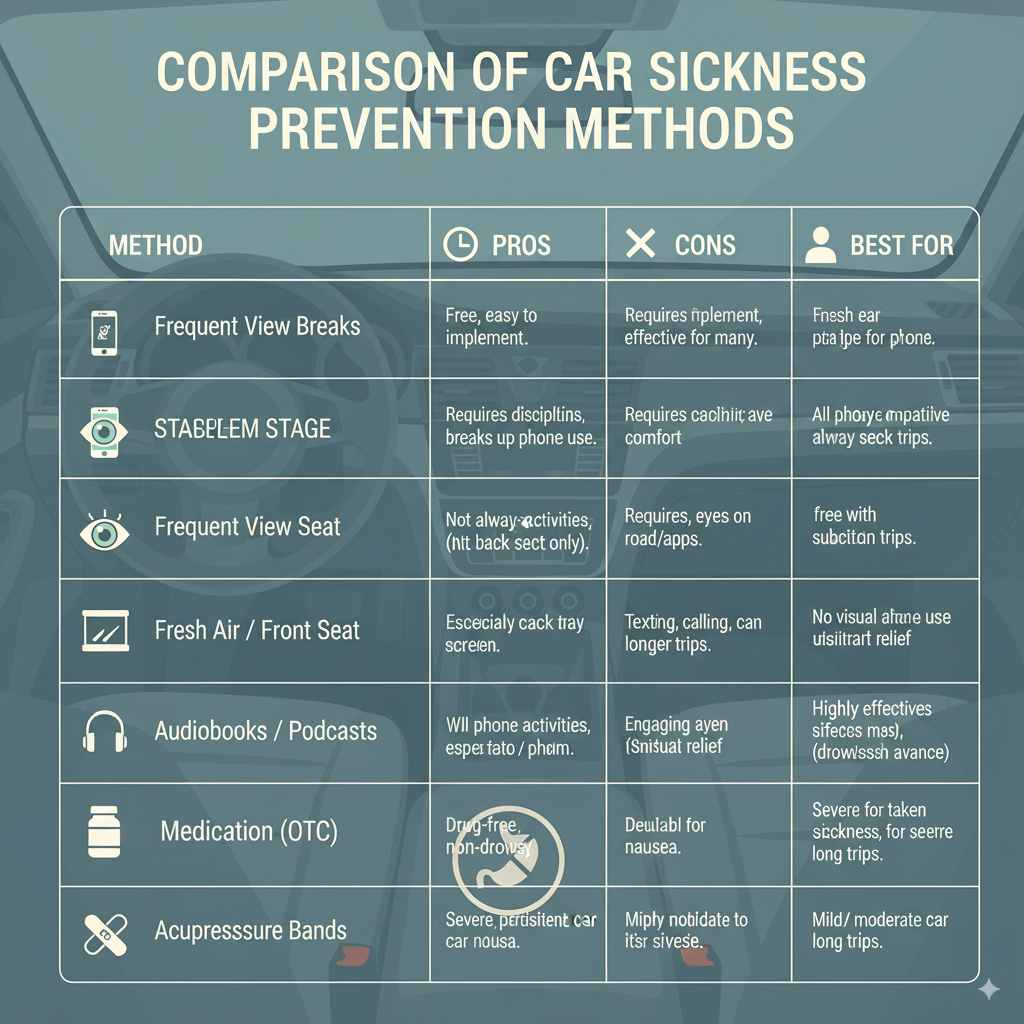
Comparison of Prevention Methods
Not all methods work for everyone, or in every situation. Here’s a quick comparison to help you choose the best approach.
| Method | Pros | Cons | Best For |
|---|---|---|---|
| Frequent View Breaks | Free, easy to implement, effective for many. | Requires discipline, breaks up phone use. | All phone activities, short to medium trips. |
| Fresh Air/Front Seat | Simple, can improve overall comfort. | Not always an option (e.g., back seat only). | All phone activities, especially longer trips. |
| Voice Commands | Hands-free, keeps eyes on the road or away from screen. | Requires compatible phone/apps, can be noisy in car. | Texting, calling, app navigation. |
| Audiobooks/Podcasts | Engaging without visual strain, free if you have subscriptions. | Doesn’t address the need for visual phone use, can be distracting. | When visual phone use isn’t critical. |
| Over-the-Counter Medication | Highly effective for most, provides significant relief. | Potential side effects (drowsiness), needs to be taken in advance. | Severe or persistent car sickness, long trips. |
| Acupressure Bands | Drug-free, non-drowsy, reusable. | Effectiveness varies by individual; may not be sufficient for severe nausea. | Mild to moderate car sickness, drug-averse individuals. |
Frequently Asked Questions (FAQ)
Here are some common questions people have about car sickness and phone use.
Q1: Is it actually dangerous to use my phone while I’m feeling car sick?
While the feeling of sickness itself isn’t directly dangerous in terms of causing an accident (unless you’re driving!), continuing to try and use your phone when you’re feeling unwell can worsen your condition and make the rest of your journey extremely uncomfortable. It’s better to stop and employ the tips above.
Q2: How long does it take for car sickness to pass if I stop using my phone?
For most people, the feeling of nausea subsides within 15-30 minutes of stopping the activity that triggered it and focusing on a stable visual point, like the horizon. Deep breathing and fresh air can speed this up.
Q3: Can children use these tips to prevent car sickness when looking at a tablet?
Yes, absolutely. The same principles apply. Encourage children to take frequent breaks from screens, focus on the horizon when possible, ensure good ventilation, and consider travel sickness medications specifically formulated for children if recommended by a pediatrician. A CDC guide on child car safety also mentions ensuring children are properly positioned for comfort and safety while traveling.
Q4: Should I talk to my doctor if I get severe car sickness?
If you experience severe car sickness that significantly impacts your ability to travel, or if you are concerned about the symptoms, it’s always a good idea to consult with your doctor. They can rule out any other underlying health issues and discuss stronger, prescription-based treatment options if necessary.
Q5: Are there any specific phone settings that can help?
While there aren’t “car sickness” settings, using dark mode can reduce eye strain and the intensity of the screen’s glow, which might help some individuals. Adjusting your screen’s refresh rate or font size for better readability can also reduce strain. The most impactful “settings” are usually related to how and when you use the device.
Q6: Can looking at my phone on a smooth highway be worse than on a bumpy road?
Not necessarily. The primary trigger is the sensory mismatch between vision and balance. While bumpy roads add extra physical motion, the visual fixation on a static screen remains the main issue. However, the increased physical jolts on a bumpy road can sometimes make existing nausea worse for some people.
Conclusion
Car sickness when using your phone is a frustrating but entirely manageable issue. By understanding the root cause – that sensory conflict between what your eyes see and what your body feels – you can employ smart strategies to overcome it. From adjusting your viewing habits and optimizing your seating, to leveraging technology mindfully and engaging other senses, there are numerous effective techniques at your disposal. Don’t let motion sickness keep you disconnected. With these essential tips, you can confidently enjoy your phone during car rides, making every journey a little more comfortable and a lot more pleasant. Experiment with these suggestions to find what works best for you, and reclaim your screen time on the go!