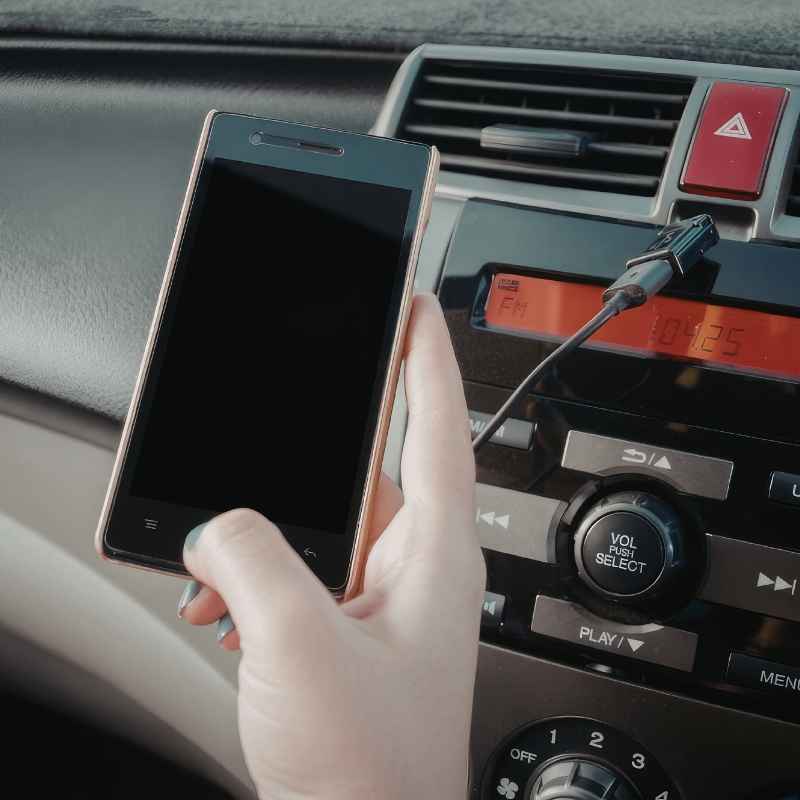
How To Put Aux In A Car Without Aux (3 Easy Workarounds)
It’s a common feeling, isn’t it? You get into your car, ready to blast your favorite playlist or catch up on that podcast, only to realize your car’s stereo doesn’t have that little port. That’s right, no aux input.
For many of us, this feels like a major roadblock in our daily drive. You just want to connect your phone and enjoy your audio, but your car isn’t cooperating. This is a really frustrating problem, and thankfully, it’s one we can solve — see our related guide, Spotify Car Thing Is Discontinued: What Still Works in 2026.
Let’s dive into some simple ways to get your audio working, even without that direct aux connection.
You can add an aux input to a car without one using Bluetooth adapters, FM transmitters, or by upgrading your car stereo system. These methods allow you to connect your modern devices to older car audio systems, bringing your music and podcasts along for the ride.
Understanding Your Car’s Audio System
Most cars built before the early 2000s didn’t come with an aux port. Manufacturers simply didn’t see the need for it back then. People listened to the radio or played cassette tapes.
CD players were the high-tech option. Your car’s stereo system is likely built around these older technologies. It has the speakers, the power source, and the basic radio tuner.
It might even have a CD player or a cassette deck.
These older systems are great at what they do. They can pick up radio signals and play media from physical discs or tapes. The problem is they don’t have a direct line for digital audio from your phone or MP3 player.
This connection is what an auxiliary (or aux) input provides. It’s a simple cable that sends sound directly into your stereo’s amplifier.
Without this port, your car’s stereo has no way to “hear” the audio coming from your phone. It can’t just magically pick up Bluetooth signals or a direct audio feed. So, we need to find ways to bridge that gap.
We need to give your older stereo a new way to receive modern audio signals. This usually involves adding a device that can talk to both your phone and your car’s existing setup.
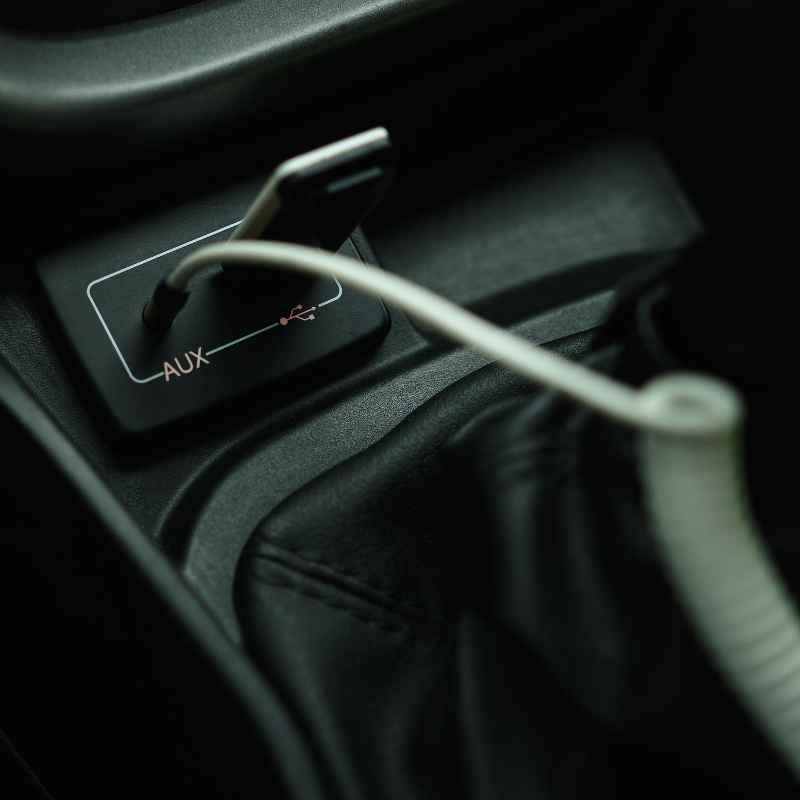
The Struggle: No Aux, No Problem?
I remember this feeling well. I bought a used car a few years back. It was a solid little vehicle, great on gas, and ran like a dream.
But the stereo was ancient. No Bluetooth, no USB, and definitely no aux port. I’d just plug my phone into the charger and expected to control my music.
Nope. The radio was my only option.
I tried using those old cassette tape adapters. You know the ones? You put a little tape into your car’s tape deck, and it has a wire with a headphone jack.
It worked, sort of. The sound quality was often fuzzy. And you had to deal with a wire dangling everywhere.
It was better than nothing, but not ideal. It felt like I was trying to put a square peg in a round hole.
One particularly annoying trip, I was stuck in traffic for hours. I really wanted to listen to my favorite comedy podcast to pass the time. All I could get was static or the same three songs on the radio.
I felt a wave of frustration. It seemed so silly that such a simple thing, listening to audio from my phone, was so complicated. I knew there had to be a better way.
This is a common pain point for many drivers.
Method 1: The Bluetooth Adapter (Your Wireless Bridge)
This is often the most popular and convenient solution. A Bluetooth adapter acts as a translator. It takes the audio signal from your phone wirelessly and sends it through a cable that your car stereo can understand.
Many of these adapters are quite small and easy to use. They are designed to give your older car’s audio system a modern upgrade.
How does it work? First, you’ll need a Bluetooth adapter that has an output you can connect to your car. The most common type connects via your car’s cigarette lighter or a USB port for power.
Then, it usually has a small cable with a standard 3.5mm aux plug. You plug this into where your aux port would be. But since you don’t have one, we need a way around that.
Some adapters connect directly to your car’s power. Others might need batteries. You pair your phone to the Bluetooth adapter just like you would any other Bluetooth device.
Once paired, your phone sends audio to the adapter. The adapter then sends this audio through its 3.5mm cable. This is where we need the next step.
Connecting Without an Aux Port
If your car doesn’t have an aux port, you’ll need to use a Bluetooth adapter that also has an FM transmitter built-in. This is a very common setup for cars without aux. The Bluetooth adapter receives the audio from your phone.
Then, instead of sending it via a cable, it broadcasts it on a specific, unused FM radio frequency. You then tune your car’s radio to that same frequency. It’s like a mini, private radio station.
You’ll usually see a small screen on the adapter. This screen shows the FM frequency it’s broadcasting on. You’ll need to find a clear FM station on your car radio.
This means a station with no or very little static. Then, you set the Bluetooth adapter to broadcast on that same frequency. For example, if you find a clear station at 98.7 FM, you set your adapter to 98.7 FM.
The audio from your phone now travels wirelessly to the adapter. The adapter converts it into an FM radio signal. Your car’s radio picks up this signal.
The sound then plays through your car’s speakers. It’s a clever way to bypass the lack of a physical connection. You get the convenience of Bluetooth without needing a direct aux input.
Pros and Cons of Bluetooth Adapters
The biggest pro is that it’s wireless. No messy cables to deal with. You can easily switch between your phone and other devices.
Many adapters also come with hands-free calling capabilities. This means you can answer calls through your car’s speakers. The sound quality is usually pretty good, much better than older cassette adapters.
Installation is usually just plugging it in.
However, there are cons. The sound quality can be affected by FM interference. Sometimes, other radio stations can bleed through.
Finding a truly clear FM frequency can be a challenge depending on where you live. If you’re in a city with many radio stations, this can be a problem. Also, the adapter needs a power source, usually a cigarette lighter plug or USB.
Bluetooth Adapter Quick Scan
Power Source: Usually cigarette lighter or USB.
Connection Type: Wireless (Bluetooth) to adapter, then FM transmission to car radio.
Setup: Pair phone to adapter, tune car radio to adapter’s FM frequency.
Features: Hands-free calling, music playback.
Best For: Wireless convenience, basic audio needs.
Method 2: The FM Transmitter (Classic Radio Solution)
This is very similar to the Bluetooth adapter with a built-in transmitter, but you can also find standalone FM transmitters. These devices are designed specifically to broadcast audio from a wired source (like your phone’s headphone jack or an aux cable) over an FM radio signal. If your phone has a headphone jack, this is a great option.
How it works is simple. You plug the FM transmitter into your phone’s headphone jack. Then, you plug the transmitter into a power source, usually a cigarette lighter adapter.
The transmitter takes the audio signal from your phone and broadcasts it on a chosen FM frequency. You then tune your car’s radio to that same frequency.
Think of it like having your own personal radio station. Your phone is the DJ, and the FM transmitter is the broadcast tower. Your car’s radio is the receiver.
You need to find a frequency that isn’t being used by a real radio station. This is important for clear sound. If you pick a frequency that another station is using, you’ll hear a mix of both.
Finding That Clear Frequency
This is the crucial step for any FM transmitter. You need to scan through your car radio’s FM dial. Listen for static.
Any spot where you hear only static, or very little sound, is a good candidate. Popular choices are usually the higher or lower ends of the FM spectrum, like 88.1 MHz or 107.9 MHz. But this varies by location.
Once you find a clear spot, say 92.5 FM, you set your FM transmitter to broadcast on 92.5 FM. Many transmitters have simple buttons or a dial to select the frequency. Some might have a small LCD screen to show you the frequency.
After setting the frequency on both your transmitter and your car radio, your phone’s audio should start playing through your car speakers.
If you notice static or interference, you’ll need to find a different FM frequency. It might take a few tries to find the best one. Consider where you are.
If you’re driving through different towns, the clear frequencies might change. This is a drawback, but for many people, it works well enough.
When This Method Shines (and When It Doesn’t)
This method is fantastic if your phone still has a headphone jack. It’s a direct audio input for the transmitter. It’s also usually a very affordable solution.
You can often find good FM transmitters for less than the cost of a coffee. It requires very little setup. Plug it in, tune your radio, and you’re good to go.
The main downside, as mentioned, is potential interference. If you live in a busy city, finding a clear frequency can be tough. The sound quality might not be as crisp as a direct aux connection or high-quality Bluetooth.
You might also need to adjust the volume on both your phone and the transmitter. It’s a trade-off for the convenience of adding audio to an older system.
FM Transmitter Quick Facts
Power Source: Typically cigarette lighter or USB.
Connection Type: Wired (headphone jack/aux cable) to transmitter, then FM broadcast to car radio.
Setup: Plug phone into transmitter, plug transmitter into power, tune car radio to transmitter’s FM frequency.
Features: Basic audio broadcasting.
Best For: Phones with headphone jacks, budget-conscious users, simple audio needs.
Method 3: Upgrading Your Car Stereo (The Full Solution)
This is the most involved, but often the most satisfying, solution. If your car’s stereo is really old, or if you want all the modern features like Apple CarPlay or Android Auto, upgrading the entire head unit is the way to go. This means replacing your car’s current radio with a new, modern one.
Modern car stereos come with all sorts of inputs. Most have multiple USB ports, direct aux inputs, and built-in Bluetooth. Many also offer advanced features like touchscreens, navigation, and integration with your smartphone’s apps.
This is the most complete way to bring your car’s audio system into the 21st century. It offers the best sound quality and the most functionality.
The process involves removing your old stereo. This can sometimes be tricky depending on your car’s dashboard. You’ll then need to install the new stereo.
This often requires a wiring harness adapter and a dash kit to make the new stereo fit properly. If you’re not comfortable with car electronics, it’s best to have a professional car audio installer do this for you.
When to Consider a Stereo Upgrade
If your current stereo is damaged or doesn’t work well anymore, an upgrade makes sense. If you want the latest features like seamless phone integration, voice commands, and better sound, this is the path. It also adds value to your car.
Think of it as giving your car a significant tech boost.
While this is the most expensive option, it offers the most benefits. You get a fully functional modern audio system. You can connect your phone easily, stream music without interference, and enjoy features like hands-free calling and voice assistants.
It’s a permanent solution that transforms your driving experience.
What to Look for in a New Stereo
When choosing a new car stereo, think about what you need. Do you want Apple CarPlay or Android Auto? These systems mirror your phone’s interface onto the car’s screen, making it super easy to use apps like Maps, Spotify, and your messaging.
Do you need SiriusXM satellite radio? How many USB ports do you want?
Consider the display. Do you prefer a simple single-DIN unit with buttons, or a larger double-DIN unit with a touchscreen? The price range for new car stereos can vary widely.
Simple units with basic Bluetooth and USB might cost a couple of hundred dollars, while advanced touchscreen units with all the bells and whistles can be $500 or more. Professional installation costs can add another $100-$300.
Stereo Upgrade: Key Considerations
Features: Apple CarPlay, Android Auto, Bluetooth, USB, Aux input, Satellite Radio, Navigation.
Size: Single-DIN (smaller, buttons) vs. Double-DIN (larger, touchscreen).
Installation: DIY (requires kits and adapters) vs. Professional installation.
Cost: Varies widely from $200 to $1000+ depending on features and brand.
Benefit: Full modern audio system, enhanced car value, best sound and functionality.
Real-World Scenarios
Let’s look at some everyday situations where these methods come in handy. Imagine Sarah. She just bought a used car for her commute.
It’s a 2008 model, runs great. She’s used to her phone playing music directly via aux in her old car. She discovers her new car has no aux port.
She’s disappointed but remembers her friend talking about Bluetooth adapters. She buys a small, sleek Bluetooth adapter that plugs into her cigarette lighter. It pairs with her phone, and she tunes her radio to a clear FM station.
Now, her podcasts play clearly, and she can even take calls hands-free. Sarah is happy and her commute is much better.
Then there’s Mark. Mark drives an older pickup truck, a real workhorse. He only uses it for short trips to the hardware store or fishing.
He doesn’t need all the fancy features. His phone does have a headphone jack. He finds a simple FM transmitter online for about $20.
He plugs it into his phone and into the truck’s cigarette lighter. He finds a quiet spot on the FM dial, tunes the truck’s radio, and plays his favorite classic rock station. It’s basic, but it works perfectly for his needs.
Mark likes the simplicity and the low cost.
Finally, consider the Rodriguez family. They have a minivan from the early 2000s. The kids love watching movies on a tablet during long road trips.
They want a better audio experience than just the tablet speakers. Dad decides to upgrade the minivan’s stereo system. He chooses a double-DIN unit with a large touchscreen.
It has Apple CarPlay, multiple USB ports, and Bluetooth. Now, they can play music from their phones, take calls, and even use the GPS navigation on the stereo. The kids can plug their tablets into the USB ports.
The Rodriguez family feels like they’re driving a brand new car, all thanks to the stereo upgrade.
What This Means for You
The fact that your car doesn’t have an aux input doesn’t mean you’re stuck with just the radio. It’s a common issue, and the solutions are quite accessible. For most people, a Bluetooth adapter with an FM transmitter or a standalone FM transmitter will solve the problem effectively and affordably.
You’ll be able to enjoy your music, podcasts, and audiobooks without any fuss.
If you’re looking for the best possible audio quality and the most features, upgrading your car’s stereo system is the ultimate solution. It’s a bigger investment, but it provides a complete modern audio experience. It can make driving much more enjoyable and add value to your vehicle.
The key is to assess what you need and what your budget allows.
Don’t let a missing aux port get you down. There’s a workaround for almost every situation. The technology exists to bridge the gap between your modern devices and your older car stereo.
You just need to pick the method that best suits your needs and your car.
Quick Fixes & Tips
Check Your Existing Ports: Sometimes, cars have hidden ports. Look in the glove box, under the armrest, or even behind the radio for a 3.5mm aux jack or a USB port. It might not be as obvious as the front of the stereo.
Test FM Frequencies in Different Locations: If you’re using an FM transmitter, remember that clear frequencies can change as you drive. Try a few different spots to find the best signal.
Consider Power Needs: Bluetooth adapters and FM transmitters need power. Make sure your car has a working cigarette lighter or USB port. Some adapters also come with battery options.
Hands-Free Calling: If you choose a Bluetooth adapter, look for one that supports hands-free calling. This is a great safety feature, allowing you to take calls without picking up your phone.
Sound Quality Adjustments: If the sound is too quiet or too loud, adjust the volume on your phone, the adapter/transmitter, and your car stereo. You might need to find a balance.
Read Reviews: Before buying any adapter or transmitter, read customer reviews. This can give you insight into real-world performance and potential issues with specific car models or locations.
Frequently Asked Questions
Can I add a real aux port to my car’s factory stereo?
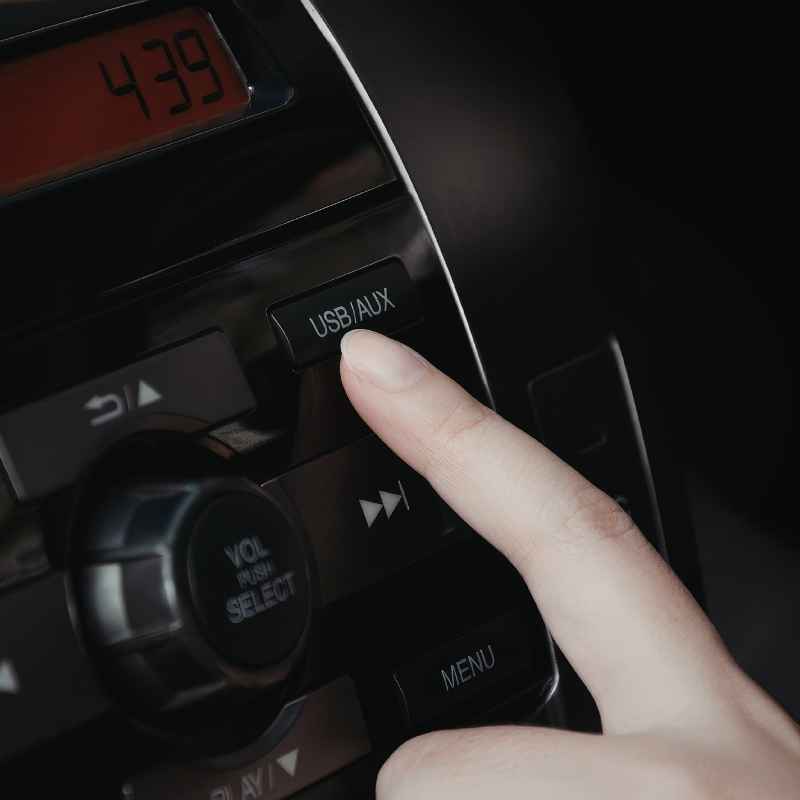
In some cases, yes. For certain car models, you can buy an adapter cable that plugs into the back of your factory stereo and provides a 3.5mm aux input. This requires removing the stereo, so it’s more involved than a simple adapter.
You’d need to research specific kits for your car’s make and model.
Will an FM transmitter damage my car’s stereo?
No, using an FM transmitter will not damage your car’s stereo. It simply broadcasts a signal that your car’s radio receives. There’s no physical connection that could cause harm.
The only potential issue is sound quality, not damage to the equipment.
Is Bluetooth audio quality good enough for music?
For most people, yes. Modern Bluetooth connections offer very good audio quality. While audiophiles might notice a slight difference compared to a direct wired connection, for everyday listening to music and podcasts, it’s more than sufficient.
The quality depends on the Bluetooth version and the adapter itself.
How do I know which FM frequency to use?
You need to find an FM frequency that is not currently being used by a local radio station. Scan through your car radio’s FM dial and listen for static or silence. Spots with the most static are usually the best candidates.
Avoid frequencies that have music or talk on them.
What’s the difference between a Bluetooth adapter and an FM transmitter?
A Bluetooth adapter connects wirelessly to your phone and then outputs audio either via an aux cable or by broadcasting it as an FM radio signal. An FM transmitter typically connects to your phone (often via headphone jack) and then broadcasts the audio as an FM radio signal. Many devices combine both functions.
Are there any safety concerns with these adapters?
The main safety consideration is distraction. While listening to music or podcasts is generally fine, fumbling with adapters or tuning frequencies while driving can be dangerous. Ensure you set up your adapter or transmitter before you start driving.
Hands-free calling features on Bluetooth adapters can also improve safety.
Conclusion
So, even without a factory-installed aux port, you have excellent options. These workarounds bring modern audio streaming into your older car. You can enjoy your favorite sounds without the frustration.
Pick the method that best fits your needs, and happy listening!
Products related to this article
Sponsored / affiliate links. As an Amazon Associate I earn from qualifying purchases. I may earn additional commission from eligible campaigns.