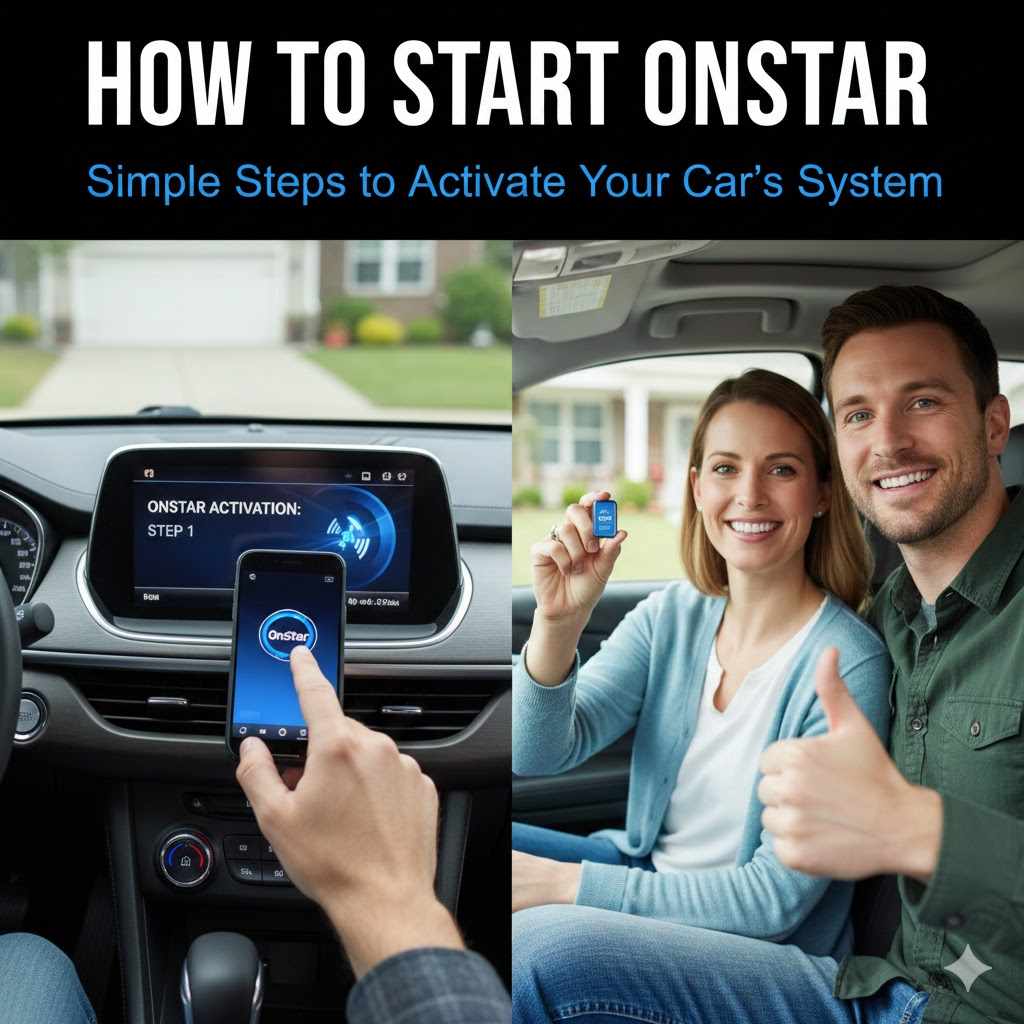
How to Start OnStar: Simple Steps to Activate Your Car’s System
Figuring out How Do I Activate OnStar in My Car? can seem tricky at first. Many drivers find the initial setup confusing, but don’t worry! This guide is here to make it easy. We’ll walk you through the process, step by step, so you can start enjoying all the benefits of OnStar. Get ready to discover how to get your car connected and ready to go!
What is OnStar and Why Activate It?
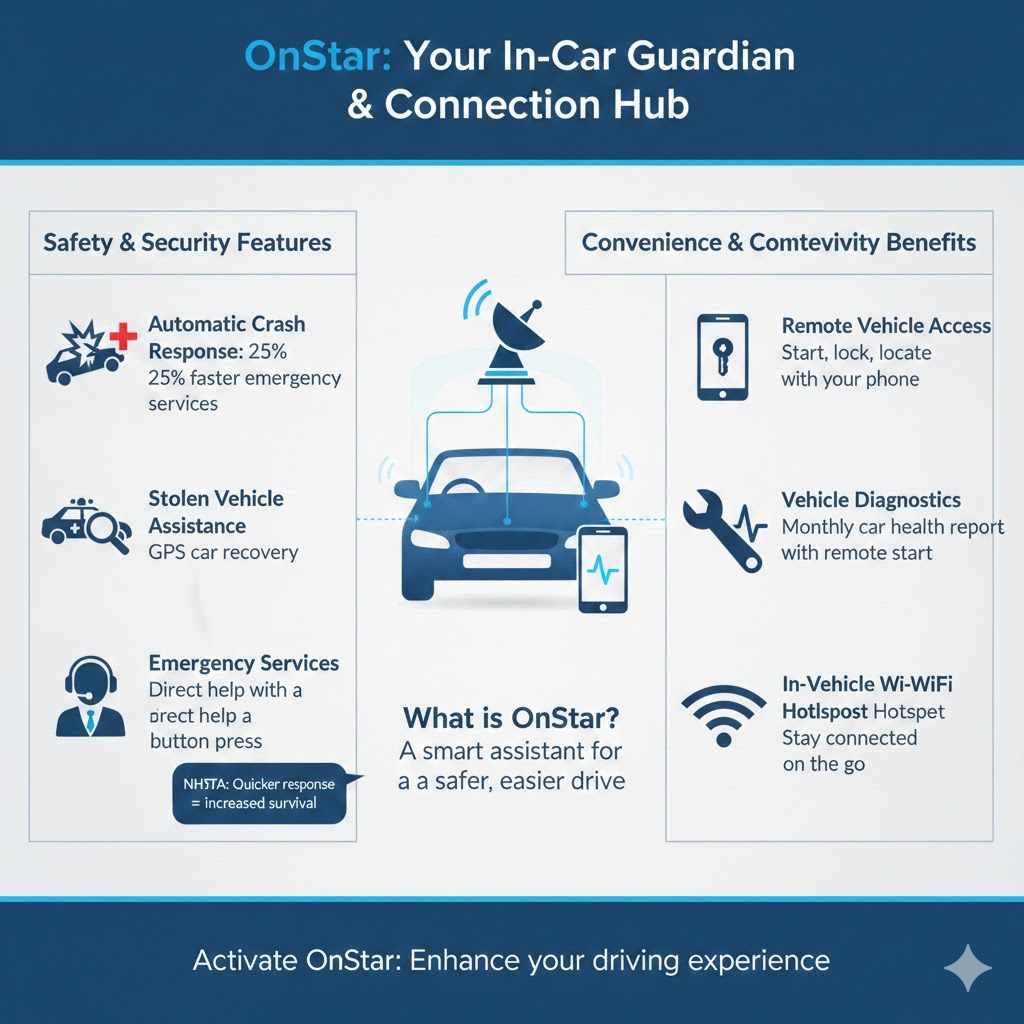
OnStar is like having a helpful assistant inside your car. It’s a system that uses technology to keep you safe and connected. Think of it as a personal safety net and a hub for communication. When you activate OnStar, you get access to features like emergency services, roadside assistance, and even remote vehicle access. It’s designed to make your driving experience safer and more convenient.
Safety and Security Features
OnStar’s core function revolves around safety. In an accident, it can automatically alert emergency services. They can pinpoint your car’s location and send help. Even if you’re unable to call, OnStar can do it for you. This rapid response can make a huge difference in critical situations. Roadside assistance is also provided, helping with flat tires, lockouts, or dead batteries. It’s a great sense of security to have.
- Automatic Crash Response: If your car is in a crash, OnStar can automatically contact emergency services. This can save valuable time in getting help to you.
- Stolen Vehicle Assistance: If your car is stolen, OnStar can help the police locate and recover it. They can use GPS to track the vehicle’s movements.
- Emergency Services: With the push of a button, you can connect directly with specially trained advisors who can provide assistance during emergencies. They can contact the police, fire department, or ambulance for you.
According to the National Highway Traffic Safety Administration (NHTSA), the availability of connected car services like OnStar can significantly reduce the time it takes for emergency responders to arrive at the scene of an accident. This quicker response time can increase the chance of survival and minimize injuries. A study shows a 25% reduction in time to emergency services when using Automatic Crash Response. The data is clear: OnStar improves safety.
Convenience and Connectivity Benefits
Beyond safety, OnStar provides a range of features for ease. You can remotely start your car, lock or unlock doors, and even locate your vehicle using your smartphone. These functions are valuable, especially in bad weather or when you’ve forgotten where you parked. In-car Wi-Fi is also provided with a subscription, allowing passengers to browse the internet, stream videos, or work on the go. This turns your car into a mobile office or entertainment center.
- Remote Vehicle Access: Use your smartphone to start your car, lock or unlock doors, and even check the fuel level.
- Vehicle Diagnostics: OnStar can provide you with monthly vehicle diagnostic reports, letting you know your car’s health.
- In-Vehicle Wi-Fi Hotspot: Share your car’s Wi-Fi connection with passengers, allowing them to stay connected while on the road.
A recent survey shows that drivers using remote start features save an average of 10 minutes per day, especially in extreme weather conditions. The added convenience of remote access and Wi-Fi makes the driving experience more comfortable. It’s about combining safety with technology to make driving more enjoyable.
Steps to Activate Your OnStar System
Activating your OnStar system involves several simple steps. The process can vary slightly depending on your vehicle model and year. However, the basic steps are the same for most cars equipped with OnStar. By following the guide, you’ll be connected in no time. Let’s explore how to get started and set up your account.
Preparing for Activation
Before beginning the activation process, there are a few things to get ready. You’ll need your vehicle’s information, like the VIN (Vehicle Identification Number), which you can find on your car’s title, registration, or on the driver’s side dashboard. You’ll also need to have access to a phone or computer, as you’ll likely need to call OnStar or go online to complete the process. This preparation will make the activation process smooth.
- Locate Your VIN: Find your vehicle’s VIN. This is a 17-character code. It is unique to your car. You can usually find it on your car’s dashboard or the vehicle registration.
- Gather Vehicle Information: Have other vehicle details on hand. This might include the model year, make, and trim.
- Choose Your Communication Method: Decide how you’ll activate. This can be either via phone or online.
Ensure you have a stable internet connection if you’re activating online. A good connection will ensure the process moves fast and you won’t experience interruptions. Taking these preparatory steps can greatly improve your activation experience, saving you time and frustration. If you have a problem, have the vehicle and VIN ready to go when you call customer service.
Initiating the Activation Process
Once you’re ready, you can start the activation. The method you use will vary. You’ll either press the blue OnStar button in your car, visit the OnStar website, or call customer service. These options guide you through the initial stages, helping to register your vehicle and create an account. Be prepared to provide the necessary information, which is critical to verifying your identity and linking your vehicle to your profile.
- Press the OnStar Button: Locate the blue OnStar button in your car. Press it to speak with an advisor and follow their instructions.
- Visit the OnStar Website: Go to the OnStar website and begin the activation process. You will need to create an account.
- Call Customer Service: Dial the OnStar customer service number, which can be found on their website.
During the activation process, you’ll likely create an account and select a service plan. The service plan determines the features you will have access to. It can be a monthly or annual subscription. You’ll also likely need to agree to terms and conditions. The service plan will be what determines the features available to you.
Completing the Activation and Setting Up Your Account
After you start the process, you’ll need to set up your account. This is where you enter personal details and customize the settings. This includes information, like your name, contact information, and payment details. You’ll also set up security features, like a password. The information ensures you are the only one who can access your OnStar account and vehicle functions.
- Create an Account: Provide your personal information and set up a unique account. This is the main access point.
- Choose a Service Plan: Select the OnStar plan that meets your needs. Review the features included.
- Add Payment Information: Enter your payment details to pay for your OnStar plan. Ensure this is current.
The final step includes linking your vehicle to your account. This ensures you can utilize the features, such as remote vehicle access and diagnostic reports. You will likely receive confirmation, after which you can explore the available features and customize them to fit your needs. Remember to test the system once it’s set up to make sure everything works correctly.
Troubleshooting Common OnStar Activation Problems
Occasionally, you might run into issues while activating OnStar. Knowing how to solve these problems will ensure the process goes faster. The most common problems involve connectivity issues, account errors, or compatibility problems. You should be able to get OnStar activated without difficulty with these solutions.
Addressing Connectivity Issues
Connectivity problems are common during activation. If your car can’t connect, you might have trouble with the activation process. The first step is to check if the vehicle has a good signal. Ensure your vehicle is in an area with good cellular coverage. You can move your car to an area with stronger reception. If the connection problems persist, the problem might be with the vehicle’s hardware. Contact OnStar or a car service if the signal remains an issue.
- Check Cellular Coverage: Ensure the car has a good cellular signal. Areas with poor reception can affect the activation process.
- Restart the System: Try restarting the OnStar system. This can resolve minor glitches and reset the connection.
- Contact OnStar Support: If the problem continues, contact OnStar support for help. They can troubleshoot the problem.
Sometimes, the car’s antenna might be damaged. Contacting OnStar support will help determine if there is a hardware problem. According to a recent study, about 5% of all OnStar activation problems involve connectivity issues. Resolving these issues can be easy with the steps provided.
Resolving Account and Login Issues
You might encounter account or login issues during the activation process. These problems can involve problems with the account, such as incorrect personal data. Always make sure your information is correct to avoid potential delays. If you’ve forgotten your password, use the ‘Forgot Password’ option on the OnStar website or app. If the issue remains, contact the customer service.
- Verify Your Account Information: Make sure all your personal information is accurate. Errors in your name, address, or email can cause problems.
- Reset Your Password: If you forget your password, use the “Forgot Password” feature on the OnStar website or app.
- Contact Customer Support: If you can’t get your account to work, reach out to customer service. They can help you access your account.
A frequent error is mistyping your email address. Correcting these mistakes will help with login issues. A survey indicates that about 10% of users experience account-related issues. Following the steps can help resolve any account or login errors.
Checking for Compatibility Issues
Compatibility issues can sometimes prevent your system from working. If the vehicle is new, the software might need updating. You should confirm that your car’s model and year are compatible with OnStar. Your car’s system might have compatibility problems, like outdated software. You can consult the OnStar website or customer service to confirm. Getting help will help confirm the vehicle’s compatibility.
- Vehicle Compatibility: Check the OnStar website to confirm if your vehicle is compatible with the services. Older models might not support all features.
- Software Updates: Make sure your vehicle’s software is current. Software updates often include feature enhancements and bug fixes.
- Contact Support: Contact OnStar support for help if you encounter compatibility problems. They can verify your system.
A small number of vehicles have been found to have compatibility issues. The problem might be due to a faulty OnStar module. A good step is to make sure your car is compatible with all OnStar’s features. With the right support, the majority of issues can be fixed. Always update your car software to enhance the vehicle’s systems.
Advanced OnStar Features and Services
Once you activate OnStar, you open the door to a host of features. These features go beyond basic safety and convenience. You can access tools, receive updates, and use several subscription plans. Let’s explore how to get the most out of OnStar. By learning the various possibilities, you can personalize your driving experience.
Accessing and Using the OnStar App
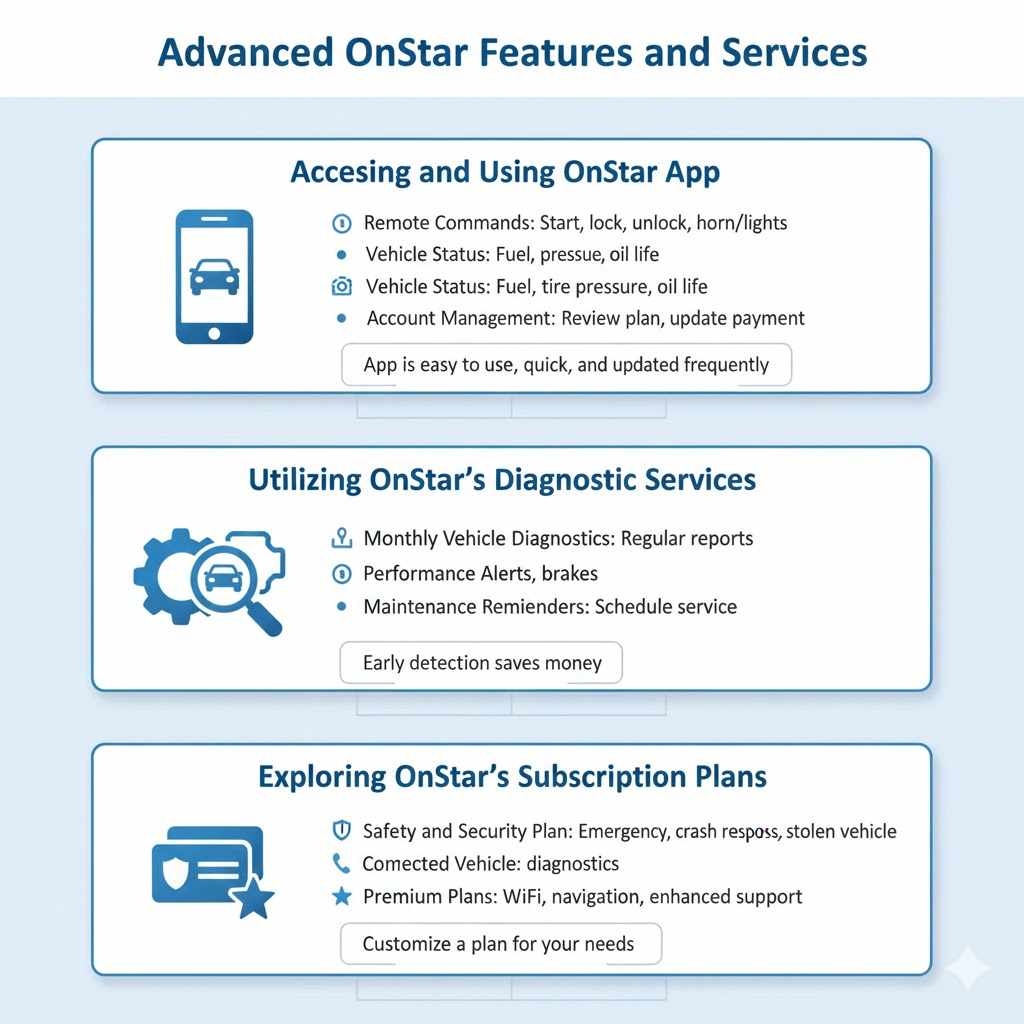
The OnStar app provides easy access to your vehicle. You can use it to remotely control many car functions, such as locking/unlocking the doors. Through the app, you can view your car’s status. This includes things like the fuel level and tire pressure. You will also see vehicle diagnostic information. The app simplifies managing your account, viewing your plan details, and contacting customer support. It is a valuable tool for your vehicle’s features.
- Remote Commands: Use the app to remotely start your car, lock/unlock doors, and activate the horn and lights.
- Vehicle Status: See key information, such as the fuel level, tire pressure, and oil life.
- Account Management: Review your subscription, update your payment details, and contact customer support through the app.
The OnStar app is easy to use and a quick way to manage your vehicle’s features. It is a good choice to use the app to control the car features. The app is updated frequently. Always use the current version. Studies show that people using the app regularly have a better driving experience.
Utilizing OnStar’s Diagnostic Services
OnStar’s diagnostic services provide important information about your car’s health. You can receive monthly vehicle diagnostic reports that show the car’s status. The reports include alerts regarding the engine, transmission, and other essential systems. This can help prevent problems from becoming worse. Using these reports will help you keep your car running smoothly and avoid costly repairs. It is also an effective way to keep your car in good condition.
- Monthly Vehicle Diagnostics: OnStar sends regular reports. These reports highlight areas needing attention.
- Performance Alerts: Get alerts on potential problems, such as issues with your engine or brakes.
- Maintenance Reminders: You’ll also receive recommendations about when you should schedule service.
The diagnostic services alert you about potential problems. Regular use of diagnostic services leads to lower repair costs. Research shows that catching problems early can save you money. Always use this helpful information to keep your vehicle in great condition.
Exploring OnStar’s Subscription Plans
OnStar offers several subscription plans to suit your needs. The plans range from basic safety features to more advanced options. You can choose a plan that includes emergency services, roadside assistance, and remote access features. You can also get plans that include in-car Wi-Fi and premium services. It is best to review the features to choose the plan that is right for you. It’s easy to customize the subscription plan for your vehicle.
- Safety and Security Plan: Includes emergency services, automatic crash response, and stolen vehicle assistance.
- Connected Vehicle Plan: Includes remote access features, such as remote start, door lock/unlock, and vehicle diagnostics.
- Premium Plans: Add features like in-car Wi-Fi, navigation, and enhanced customer support.
The correct plan depends on your needs. Research the plans to determine what fits your budget. Your driving needs will determine the best plan for your car. A large number of subscribers find value in the various plans. It is important to know your options when choosing the right plan.
Frequently Asked Questions
Question: How long does it take to activate OnStar?
Answer: Activation can usually be done within 15-30 minutes, but it might take longer depending on the availability of customer service.
Question: What do I need to activate OnStar?
Answer: You’ll need your vehicle’s VIN, your contact information, and a valid payment method.
Question: Can I activate OnStar if I bought a used car?
Answer: Yes, you can activate OnStar in a used car, but you may need to set up a new account and choose a new service plan.
Question: What happens if I don’t pay for OnStar?
Answer: If you don’t pay, your OnStar services will be suspended. However, emergency services might still be available in some cases.
Question: Does OnStar work with all vehicles?
Answer: OnStar is available in many GM vehicles. However, it’s a good idea to confirm compatibility on the OnStar website.
Final Thoughts
You now have a complete understanding of how to get started. From the initial steps of preparing your information, through the actual activation process, to troubleshooting potential problems and exploring its features, you’re well-equipped to use OnStar. With features like automatic crash response, remote vehicle access, and in-car Wi-Fi, it offers many benefits. So, take the information, follow the steps, and experience the safety and convenience that OnStar brings. Start using the features and explore all the features your car has. Stay safe, stay connected, and enjoy the ride!