Is Carfax Free With Geico? The Real Answer for Buyers
No, GEICO does not appear to give you free Carfax access with a policy or app account. Missing a vehicle-history report can leave you with unpaid accident damage, title problems, or odometer issues. This guide explains what GEICO can verify, what it cannot, and which checks you still need before buying a used car.
Is Carfax free with Geico?


Generally, no. GEICO is an auto insurer, while Carfax is a separate vehicle history report provider. A GEICO policy, quote, or app account does not normally include a free vehicle history report, so you still need the vehicle’s VIN and a separate history source if you want accident, title, or odometer data.
Why people expect it to be bundled
The confusion makes sense. Insurance companies handle risk, claims, and account management, so shoppers often expect them to surface everything tied to a car. But insurance records and vehicle-history databases are different systems. GEICO can manage your policy and claims; it does not normally publish a full Carfax-style report.
The quickest way to verify a used car
Start with the VIN. If the listing, seller, or dealer gives you the VIN, you can check whether a report already exists before buying one yourself. That matters because a dealer may already have a vehicle-history report attached to the VIN, and the seller may be willing to share it.
Does Geico provide a free Carfax report?
No. GEICO does not normally provide a free vehicle history report, and it is not a vehicle-history-report vendor. The company’s digital tools are built for insurance account management, policy documents, claims, and billing. If you need accident history, title branding, or odometer events, you still need a Carfax or another history source.
What GEICO’s tools are built to do
GEICO’s app and online portal are useful for policyholder account access, proof of insurance, claim tracking, ID cards, and similar insurance tasks. Those are insurer functions. They are not a substitute for title checks, brand history, auction events, or service records attached to a vehicle’s VIN.
What a policyholder can and cannot pull from an account
A policyholder can usually review coverage details, claims-related information, and billing information through GEICO’s app or online portal. That does not mean the account will show a car’s past owners, salvage status, flood history, or maintenance records. Those details come from history-report databases, not standard insurance accounts.
How can I get a Carfax report through Geico?
You usually cannot get a Carfax report through GEICO itself. If a vehicle-history report is available, it would more likely come from the seller, dealer, or vehicle listing rather than from GEICO’s insurance tools. The practical move is to ask for the VIN and check whether a report is already attached to it.
Where to look before paying twice
Check the dealer listing, window sticker, or online ad first. Many dealers attach a report to the listing, and private sellers sometimes have a printed copy from a prior sale or inspection. If the report is current and tied to the exact VIN, you may not need to buy another one.
Step-by-step: how to avoid duplicate cost
- Ask for the 17-character VIN.
- Check the seller’s listing for an attached report.
- Ask the dealer whether the report is current and VIN-matched.
- Review accident, title, odometer, and brand data.
- Buy a separate report only if the existing one is missing or stale.
What vehicle history report does Geico offer instead of Carfax?
GEICO does not normally offer a true Carfax replacement. At most, its app and account tools help you manage insurance information, and some insurance-related services may bundle limited vehicle information through partners. That is not the same as a dedicated history report built around title records, prior damage, and odometer events.
What Carfax-style reports usually contain
Carfax reports typically focus on VIN-based history. Common items include accident records, title branding, odometer events, salvage or flood indicators, and service history when available. Coverage depends on what was reported to databases, so even a good report can leave gaps in maintenance or repair details.
Why the VIN matters
The Vehicle Identification Number is a 17-character identifier assigned to a specific vehicle. Most history checks require it because the VIN links the car to title records, registration events, insurance activity, and auction or service data. Without the VIN, a report may be impossible or incomplete.
Is there a way to check a car’s history for free with Geico insurance?
Not as a standard GEICO policy benefit, as far as I know. GEICO insurance does not normally include free access to a full vehicle history report. If you want free information, you may find limited VIN decoding tools or partial history services, but those are not full substitutes for a paid Carfax-type report.
What free checks can reveal
Free VIN decoding tools can confirm the make, model, engine, body style, and basic build data. Some free VIN checks and NMVTIS-backed tools can also reveal limited title or total-loss screening. They are useful, but they do not reliably replace a full accident-and-service history report.
A common first-timer mistake is…
A common shopper mistake is assuming a Geico vehicle lookup includes a complete Carfax report at no charge. Suppose a 2017 SUV looks clean online and the decoder confirms the trim. That still does not tell you whether it was branded salvage in another state or had repeated odometer discrepancies.
Do I need a Geico policy to access vehicle history information?
No. A GEICO policy is not required for a vehicle history lookup because GEICO does not normally provide that service in the first place. If you want a Carfax or similar report, access is tied to the VIN and the report provider, not to your status as a GEICO customer.
Policyholder access versus buyer access
Policyholders can use GEICO’s app or website for insurance tasks. Buyers can use the VIN to check vehicle history through Carfax, AutoCheck, or NMVTIS-backed tools. Those two categories overlap in the same car, but they answer different questions and come from different data sources.
How does Geico compare with Carfax for used car checks?
GEICO and Carfax solve different problems. GEICO helps with insurance coverage, claims, and account management. Carfax helps with vehicle-history screening using the VIN. If you are judging a used car’s past, Carfax is the more relevant tool because it looks for title and loss events, while GEICO does not normally provide that report.
What a quote or app result may tell you
A GEICO quote may help you estimate insurance costs for a specific car, trim, or driver profile. The app may help with policy details or a claim on an existing vehicle. Neither one should be treated as a full history check for hidden damage, lien issues, or odometer problems.
Where the comparison ends
Insurer records and vehicle-history databases are not interchangeable. Insurance data may show a claim under a policy; a vehicle-history report may show title branding, auction activity, or prior total loss events. A clean insurance setup does not mean a clean title history.
What Geico can verify vs what you still need Carfax for
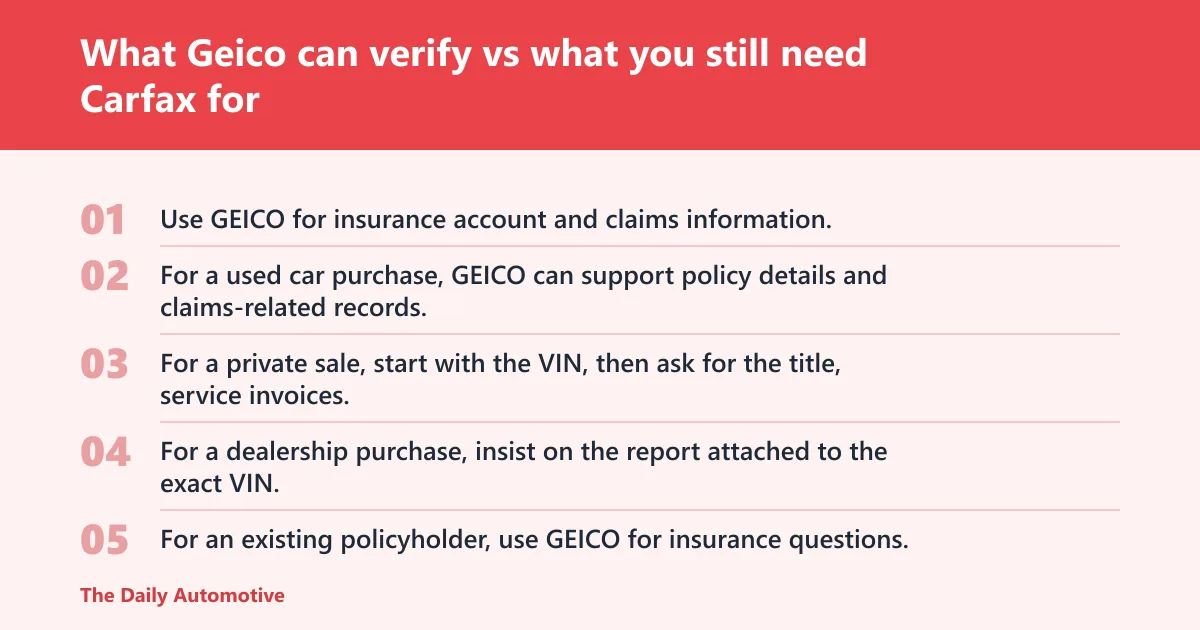
Use GEICO for insurance account and claims information, not as a substitute for a vehicle-history report. For a used car purchase, GEICO can support policy details and claims-related records, while Carfax or another VIN-based source is still needed for title, odometer, salvage, flood, and accident screening.
| Issue type | Likely source | Does GEICO cover it? | Best next step |
|---|---|---|---|
| Policy status | GEICO app or online portal | Yes | Check your account or ask your agent |
| Claims filed under your policy | GEICO claims system | Yes | Review claim documents in the app or portal |
| Accident history on the car | Carfax, AutoCheck, or similar VIN report | No, not normally | Run a VIN-based vehicle history report |
| Title branding | Carfax, NMVTIS-backed reports, state title records | No | Check a title-history source before buying |
| Odometer events | Carfax or other history database | No | Compare history data with the dash reading and title paperwork |
| Service history | Carfax when available, dealer records, repair invoices | No | Ask for invoices and check the report for recorded service |
| Salvage or flood indicators | Carfax, NMVTIS-backed reports, title records | No | Verify through a vehicle-history report and a title check |
How to use this table by buyer type
For a private sale, start with the VIN, then ask for the title, service invoices, and any existing history report. For a dealership purchase, insist on the report attached to the exact VIN. For an existing policyholder, use GEICO for insurance questions, not vehicle-history screening.
How to get a vehicle history report without paying twice
Check for an existing report before buying one. Sellers and dealers often already have a report attached to the VIN, and some listings include it for free. If you already have a report, compare the VIN carefully, because a report for a similar trim or color is not enough.
Private sale versus dealer purchase
In a private sale, the burden usually falls on you to inspect the paperwork and order the report. In a dealer purchase, ask whether the dealer will provide a current report tied to the exact VIN. Either way, a physical inspection and an independent mechanic review still matter.
What to do if the report is stale
If the report is several months old, it may miss recent auction events, title changes, or a newly filed total loss. Ask for a newer report or compare it against state title records and an NMVTIS-backed check. A stale report is better than nothing, but it is not enough on its own.
Are there free alternatives to Carfax when shopping for a used car?
Yes, but they are usually partial. AutoCheck, NMVTIS-backed reports, and free VIN decoding tools can help, yet they do not always match Carfax’s breadth. Free tools are useful for screening, but they often miss service history and may not show every accident or title event.
What free tools can and cannot tell you
Free VIN decoders can identify the vehicle and confirm the VIN structure. NMVTIS-backed tools can screen title and total loss data. Some dealer sites offer a free report with the listing. None of these should be treated as complete proof that a car is clean.
How to compare paid and free options
Paid reports make more sense when you are close to buying and need the broadest possible record. Free tools make sense early in the search, especially if you are eliminating obvious problem cars. The right sequence is free screening first, then a paid report for the finalists.
Frequently asked questions
What should I do if Geico does not include Carfax?
Use the VIN and check the seller’s documents first, then run a separate history report if needed. If the car is a strong candidate, compare Carfax with another source such as AutoCheck or an NMVTIS-backed report. Finish with an in-person inspection and a mechanic review.
Can a Geico quote or app show vehicle history details?
Not in the way a Carfax report does. A GEICO quote may help estimate insurance pricing, and the app can show policy or claims information. That is useful, but it does not usually reveal title branding, flood flags, prior accidents, or odometer events for a used car.
What should I do if the VIN is missing?
Do not buy blind. Ask the seller for the 17-character VIN, because that number is what powers history checks. If a seller refuses or stalls, treat that as a warning sign and move to another car. Without the VIN, you cannot verify much beyond the listing text.
Products related to this article
Sponsored / affiliate links. As an Amazon Associate I earn from qualifying purchases. I may earn additional commission from eligible campaigns.