Reset Oil Life to 100% on 2008 Honda CR-V
Changing your car’s oil is an important part of keeping it running well. After you change the oil in your 2008 Honda CR-V, you need to tell the car that the oil is fresh. This is called resetting the oil life indicator.
For some people, especially if it’s their first time doing this, it might seem a bit tricky. But don’t worry! It’s actually a straightforward process.
We’ll walk you through every step to help you easily Reset Oil Life to 100% on 2008 Honda CR-V. Stick around, and we’ll get your dashboard light cleared right up.
This section will guide you through the simple steps to reset your 2008 Honda CR-V’s oil life indicator. Following these instructions will ensure your vehicle’s maintenance reminder system accurately reflects your recent oil change. Successfully completing this task is key to maintaining your car’s proper service schedule and preventing unnecessary warnings.
We will break down the process so it’s easy to follow, even if you’re not a car expert.
Understanding the Maintenance Minder System
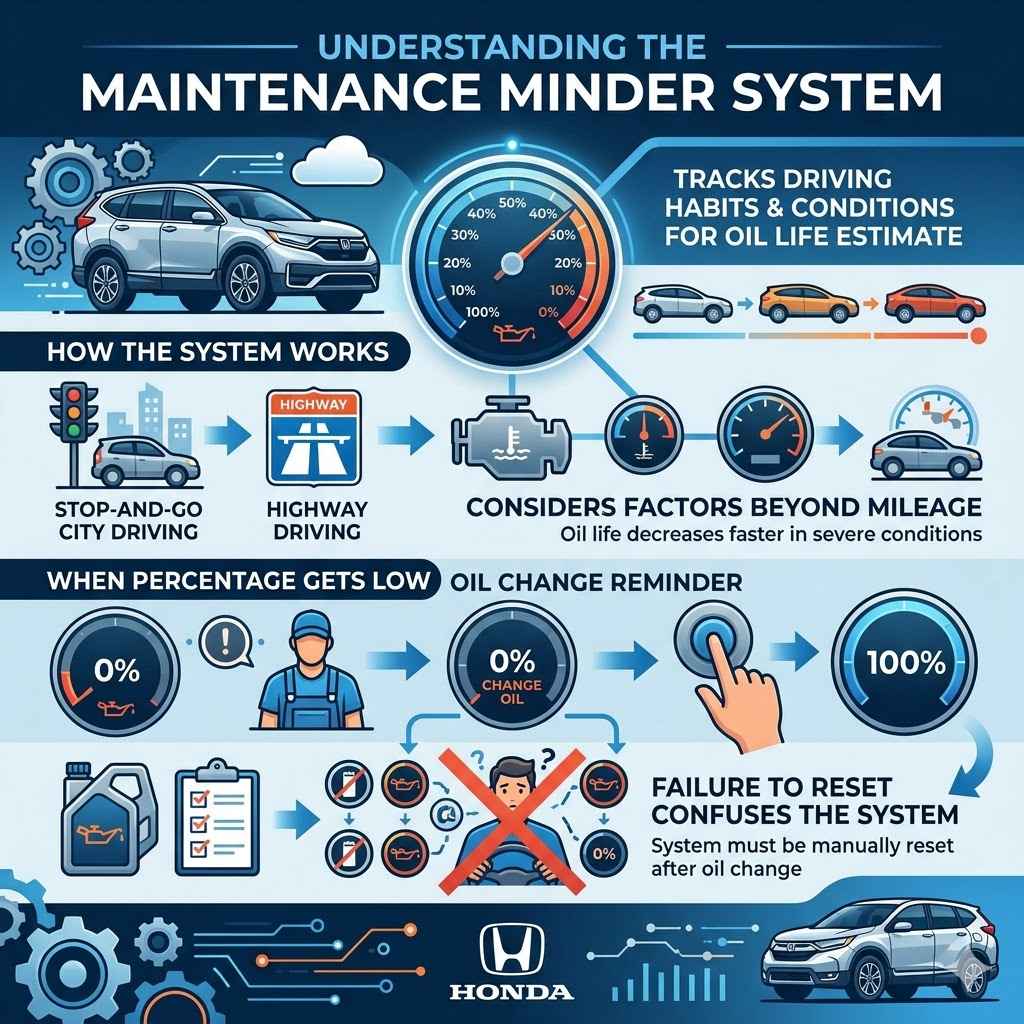
Your 2008 Honda CR-V is equipped with a maintenance minder system. This system tracks your driving habits and conditions to estimate when your engine oil needs to be changed. It displays a percentage, with 100% meaning the oil is completely fresh.
When the percentage gets low, the car will remind you to get an oil change.
After you perform an oil change, this system needs to be manually reset. If you don’t reset it, the car will continue to show a low percentage, even though you have fresh oil. This can be confusing and might lead you to think you need another oil change sooner than you actually do.
How the System Works
The maintenance minder doesn’t just use mileage. It also considers factors like engine temperature, driving speed, and how often you idle. This means the oil life might decrease faster in stop-and-go city driving compared to highway driving.
When the oil life reaches 0%, a “Change Oil” message will appear on your dashboard. After this message, you still have some time to get the oil changed, but it’s important not to ignore it for too long.
Steps to Reset Oil Life to 100% on 2008 Honda CR-V
This is the main part where we show you exactly how to reset the oil life indicator on your 2008 Honda CR-V. We will guide you through using the buttons on your steering wheel and dashboard to cycle through the menus and select the reset option.
Preparation Before You Start
Before you begin the reset process, make sure your car is in the correct state. You’ll need to have the ignition turned on, but the engine doesn’t need to be running. This allows you to access the vehicle’s menu systems without the engine interfering.
Having the car in the “ON” position, not “START,” is crucial. You can achieve this by turning the key twice without starting the engine, or by pressing the start button twice without your foot on the brake pedal.
Using the Dashboard Controls
The reset procedure involves using the buttons on your steering wheel and the display on your instrument panel. You’ll be looking for the “Select/Reset” button, which is usually found on the steering wheel or near the odometer.
The goal is to navigate through the vehicle’s information display to find the oil life setting and then initiate the reset. Each press of the buttons will take you to a different menu or option.
Detailed Step-by-Step Guide
Here is the sequence of actions you will perform. Follow these steps carefully to ensure a successful reset.
- Turn the ignition to the ON position (engine off). You should see various lights illuminate on your dashboard.
- Press the “SELECT/RESET” button on your steering wheel repeatedly until the Engine Oil Life display appears on the Multi-Information Display (MID). This display will show your current oil life percentage.
- Once the Engine Oil Life display is showing, press and hold the “SELECT/RESET” button for about 10 seconds. You will hear a beep, and the oil life display will begin to blink.
- Release the “SELECT/RESET” button.
- Press and hold the “SELECT/RESET” button again for about 5 seconds until the oil life resets to 100%. You will hear another beep to confirm the reset.
- Turn the ignition off and then start the engine to confirm that the oil life indicator now shows 100%.
This process is designed to be user-friendly. If you encounter any issues, simply turn the ignition off and try again from step 1.
Common Issues and Troubleshooting
Sometimes, things don’t go exactly as planned when trying to reset a car’s maintenance light. It’s good to know what might go wrong and how to fix it. This way, you won’t get stuck if you run into a small problem.
Incorrect Ignition Position
One of the most common mistakes is having the engine running when trying to reset. The car’s system might not be accessible or may behave differently if the engine is on.
Solution: Always ensure the ignition is in the “ON” position, but the engine is not running. Turn the key twice without starting the engine or press the start button twice without pressing the brake pedal.
Not Holding Buttons Long Enough
The reset procedure requires holding certain buttons for specific durations. If you don’t hold them long enough, the system won’t register the command.
Solution: Pay close attention to the timing. The prompt to hold the button for about 10 seconds and then again for about 5 seconds is important. You should hear beeps indicating the system is responding.
Display Not Showing Oil Life
If you can’t find the Engine Oil Life display, you might be pressing the wrong button or be in the wrong menu. The steering wheel buttons control various displays.
Solution: Cycle through the buttons on your steering wheel until you see the “Engine Oil Life XX%” reading. This display is usually within the main information screen of your instrument cluster.
Car Model Variations
While this guide is for the 2008 Honda CR-V, slightly different Honda models or years might have minor variations in the button layout or menu structure.
Solution: If your CR-V is a different year, consult your owner’s manual. However, for most Honda vehicles of this era, the process is very similar. The core idea of navigating menus and holding buttons remains the same.
Why Resetting Oil Life Matters
It’s more than just turning off a light. Resetting your oil life indicator correctly plays a role in your car’s overall health and your awareness of its maintenance needs.
Accurate Maintenance Tracking
When you reset the oil life to 100% on your 2008 Honda CR-V, you are telling the car that a fresh oil change has been completed. This allows the maintenance minder system to accurately begin counting down the miles or months until the next recommended service.
This ensures you receive timely reminders for future oil changes, which is crucial for engine longevity. Overlooking an oil change can lead to increased wear and tear on engine components, potentially causing costly repairs down the line.
Preventing Unnecessary Service
Without a reset, your dashboard might continue to show a low oil life percentage. This can cause unnecessary worry and prompt you to schedule an oil change when it’s not actually due.
By performing the reset, you avoid redundant services, saving both time and money. It helps you rely on the system as it was intended, providing accurate and timely maintenance alerts based on actual service performed.
Understanding Vehicle Alerts
Learning to reset your oil life indicator is a basic but important skill for any car owner. It gives you a better connection to your vehicle’s maintenance needs.
When you know how to handle simple maintenance tasks like this, you feel more in control of your car’s upkeep. It’s a small step that empowers you to be a more informed car owner.
Benefits of Regular Oil Changes and Resetting
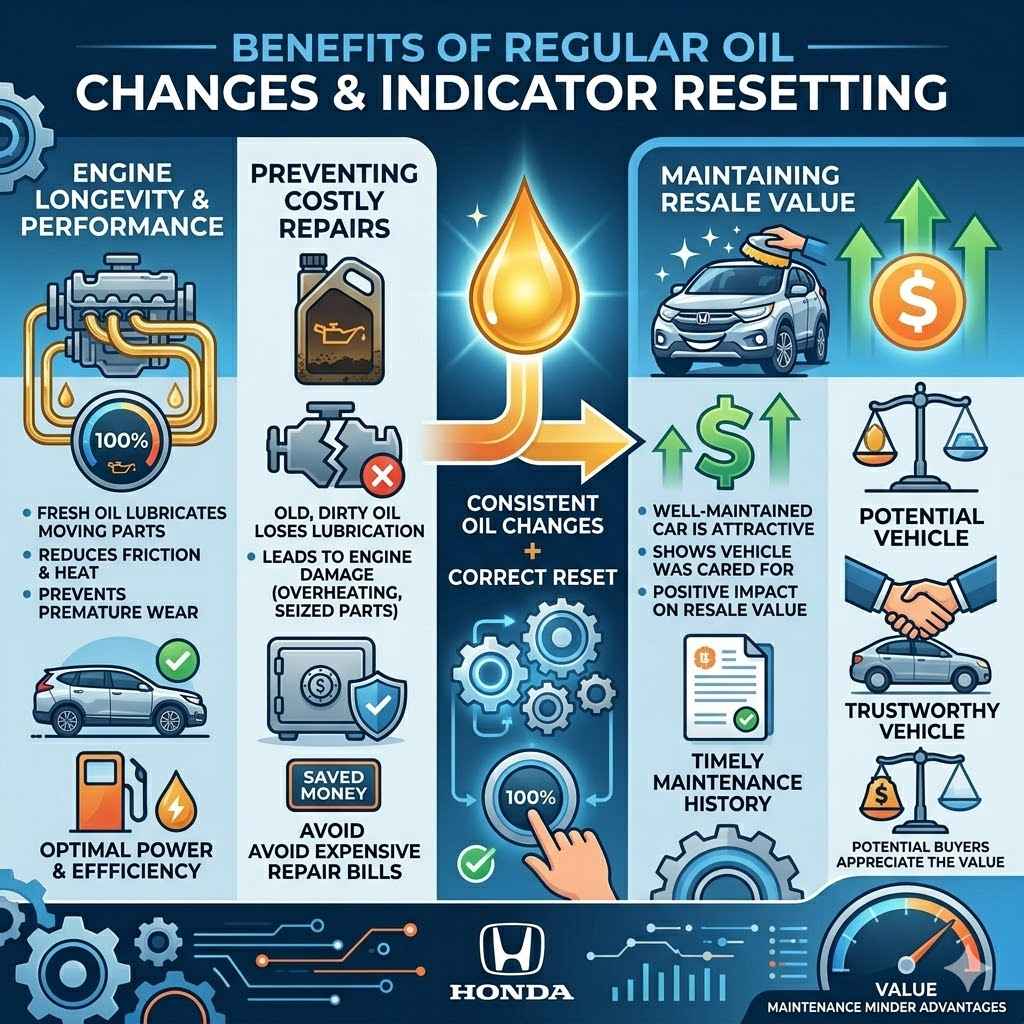
Consistent oil changes are vital. When combined with correctly resetting the indicator, they offer significant advantages for your vehicle.
Engine Longevity and Performance
Fresh oil lubricates your engine’s moving parts, reducing friction and heat. This prevents premature wear and keeps your engine running smoothly for longer.
Resetting the oil life indicator ensures you don’t skip these essential changes. A well-lubricated engine performs better, offering optimal power and fuel efficiency.
Preventing Costly Repairs
Dirty or old oil loses its lubricating properties. This can lead to engine damage, such as overheating or seized components.
By staying on top of your oil changes through proper resetting, you can avoid these serious issues. This proactive approach saves you from potentially expensive repair bills.
Maintaining Resale Value
A well-maintained car is more attractive to potential buyers. Keeping up with regular maintenance, including oil changes, shows you’ve taken good care of the vehicle.
A history of timely oil changes, indicated by a properly functioning maintenance minder, can positively impact your car’s resale value. Buyers appreciate knowing the car has been looked after.
Frequently Asked Questions
Question: Do I need to start the engine to reset the oil life?
Answer: No, you do not need to start the engine. The ignition should be in the ON position, but the engine should be off.
Question: What if the oil life doesn’t reset to 100%?
Answer: If the oil life doesn’t reset to 100%, try repeating the process. Ensure you are holding the buttons for the specified times and that the correct display is showing.
Question: How often should I check my oil level after resetting?
Answer: It is a good practice to check your oil level regularly, perhaps once a month or before long trips, regardless of the oil life indicator.
Question: Can I reset the oil life if the “Change Oil” light is already on?
Answer: Yes, you can still reset the oil life indicator even if the “Change Oil” light is illuminated. The reset procedure will clear the message.
Question: Is this process the same for all Honda CR-V models?
Answer: This specific procedure is for the 2008 Honda CR-V. While many Honda models use a similar method, slight variations may exist for different years.
Summary
You’ve learned how to easily Reset Oil Life to 100% on 2008 Honda CR-V. This simple process ensures your car’s maintenance alerts are accurate. By following the steps, you keep your CR-V running smoothly and avoid unnecessary service reminders.
This skill helps you maintain your vehicle properly.